ChatGPT can handle a useful amount of Instagram preparation:
It can collect ideas, structure carousels, and draft replies. You should still review the result before publishing it.
In this article, I'll present eight brilliant ways you can use ChatGPT for your Instagram channel.
Of course, with example outputs and the corresponding prompts.
- ChatGPT can prepare drafts for sayings, carousel posts, and editorial calendars
- The tool helps with finding ideas for posts, Reels, and responding to difficult comments
- Check facts, rights, confidential data, and required AI disclosures before publishing
1. Generate Quotes and Sayings
ChatGPT can draft short original sayings that you can use either as a standalone Instagram post or as part of a carousel post.
The following prompt has proven effective for this:
Write 20 short, original sayings about [topic].

Do not attribute them to a real person or reuse well-known quotations. Keep each one under 15 words and vary the wording.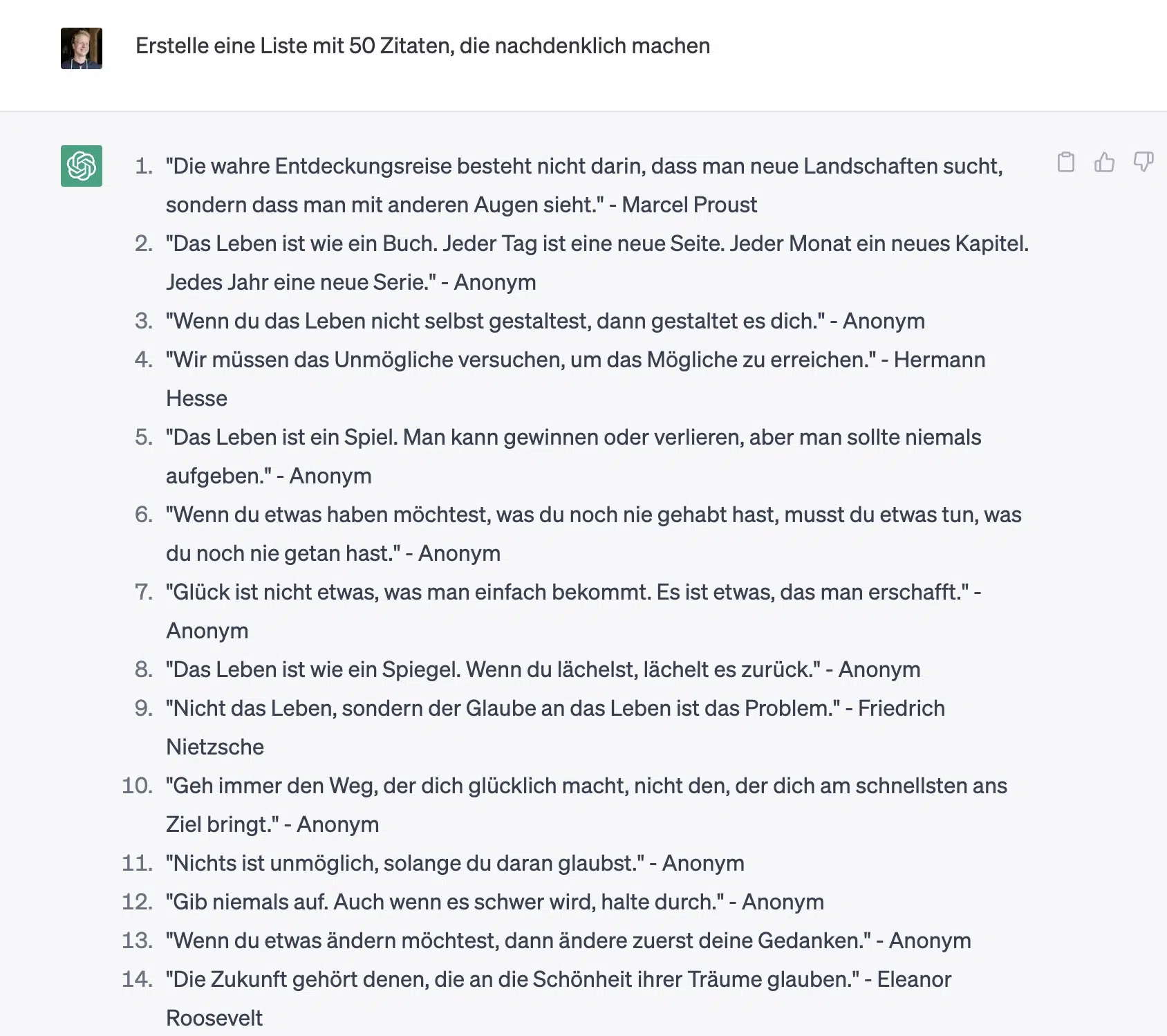
Alternatively, you can have ChatGPT generate quotes on a specific topic:
Write 20 original, unattributed sayings about [topic]. Vary the tone and sentence structure. Mark the five strongest drafts.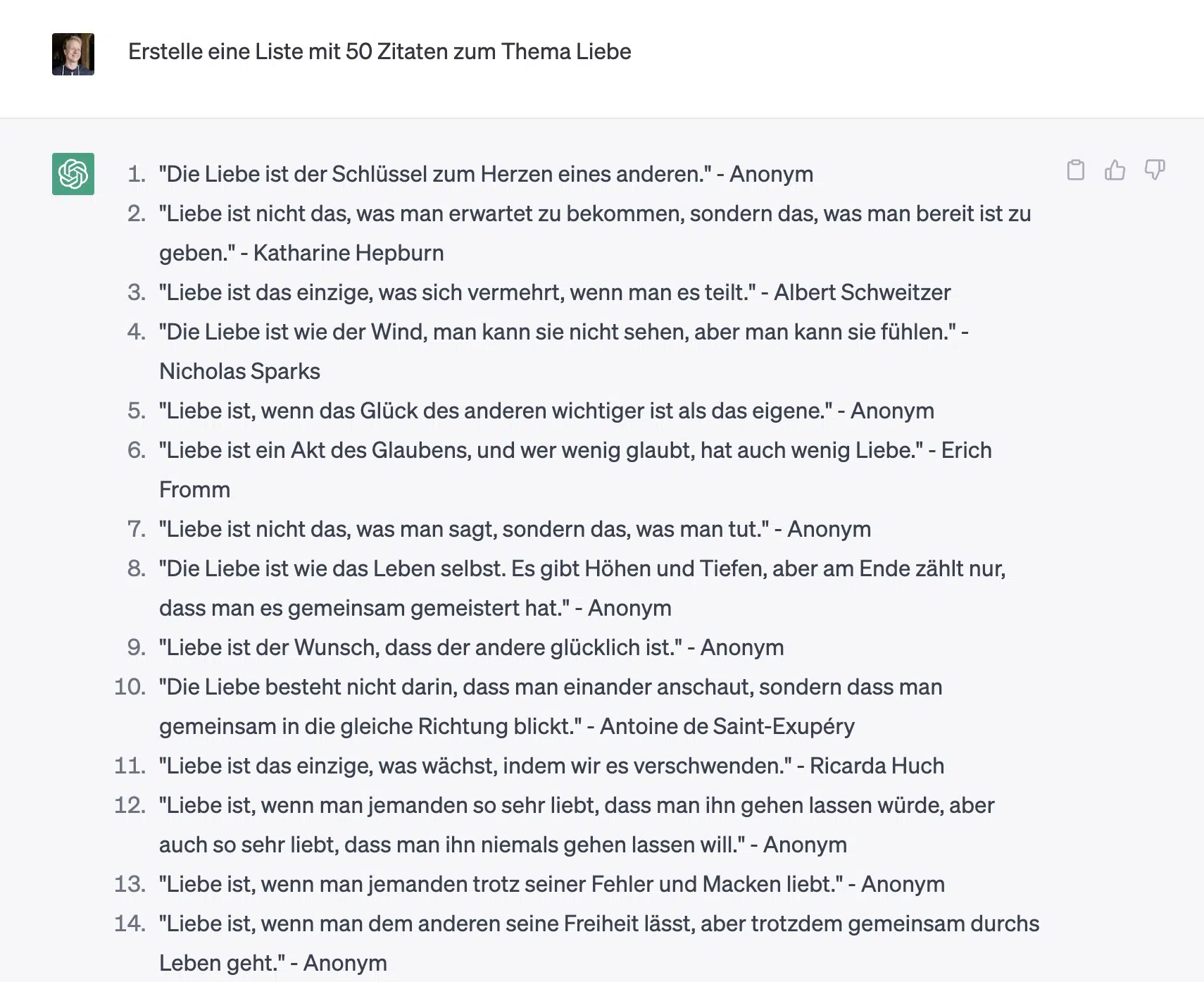
2. Create Carousel Posts from Blog Articles
A brilliant use case for ChatGPT is content recycling.
For example, you can use the tool to turn your blog articles into carousel posts.
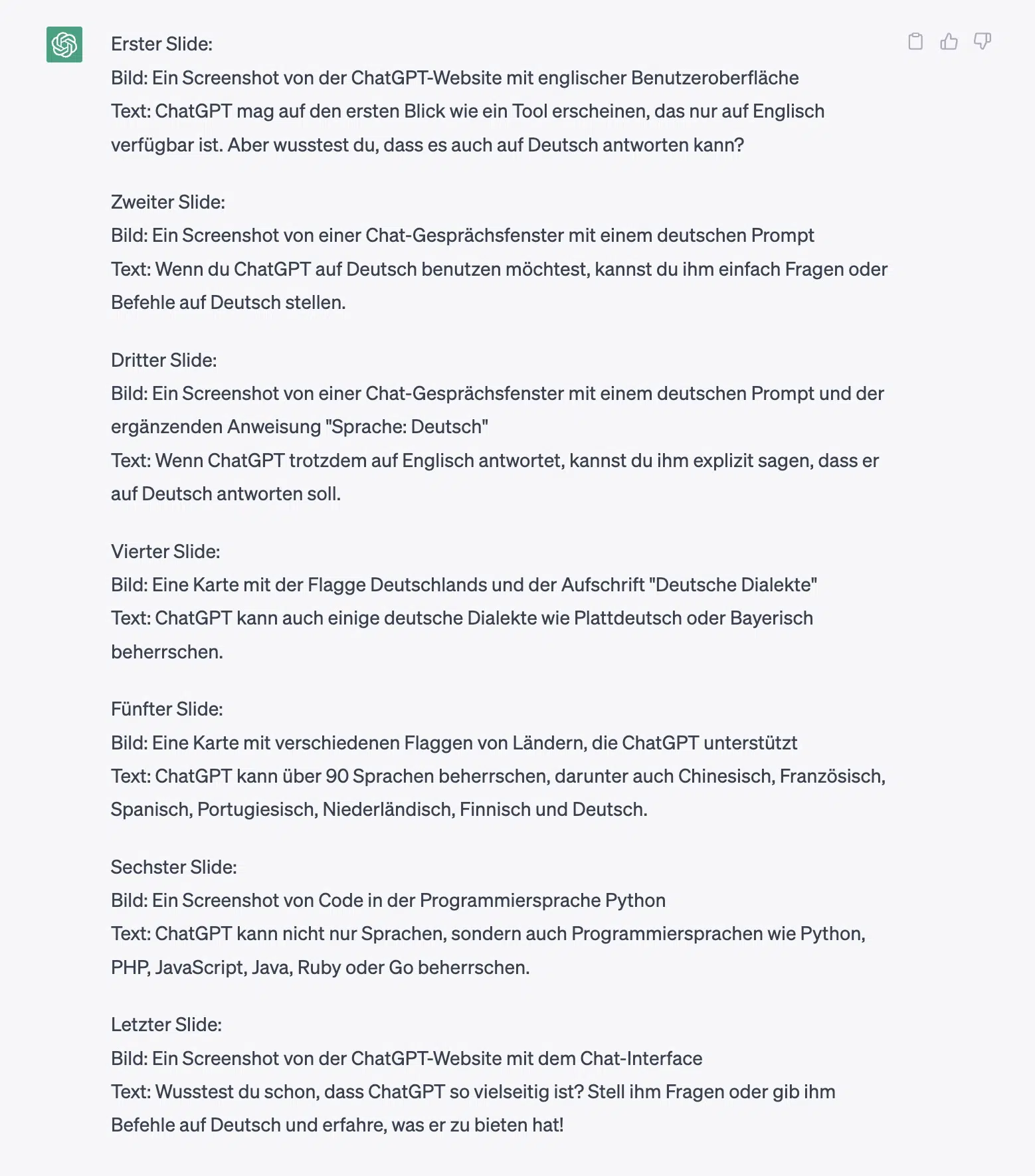
Create an Instagram carousel with [number] slides from the following article.

Use only claims contained in the pasted article. Do not invent numbers, quotations, or sources. Give each slide a short heading and no more than two sentences. List uncertain or missing information separately at the end:

[paste blog article]
Here's what comes out when I use my article about how to use ChatGPT for this:
3. Find Discussion Topics
Want more interaction on your Instagram profile? Then it might make sense to focus more on topics that are frequently discussed in your niche.
ChatGPT can help you find such topics perfectly:
Create a list of 20 discussion topics in the area of [topic/niche].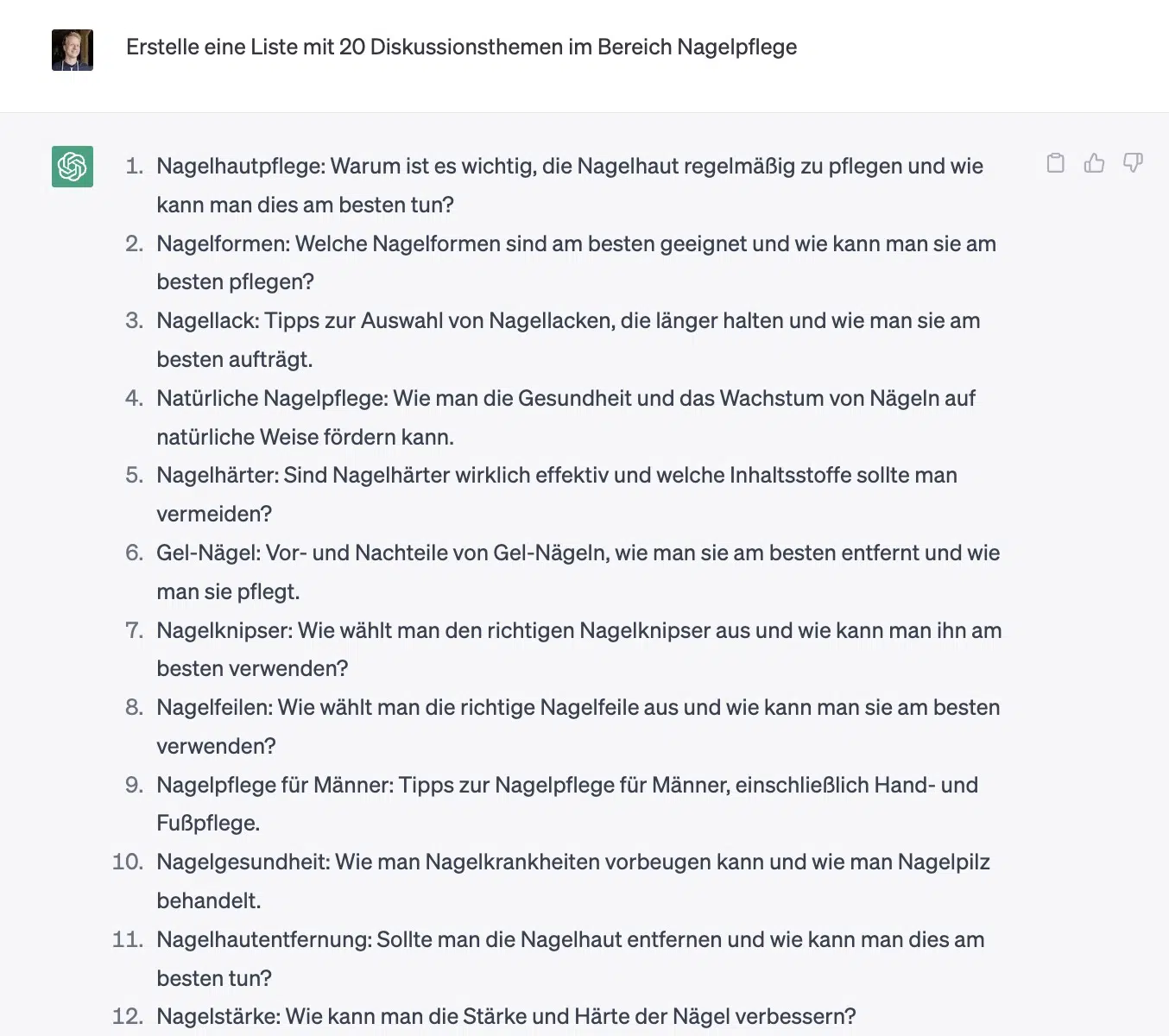
You can even go a step further and have it output controversial topics that should generate even more conversation:
Create a list of 20 controversial topics in the area of [topic/niche].Treat the list as brainstorming, not current trend data. Validate demand with your Instagram Insights, real comments, and current sources from your niche.
4. Create Polls
Want to increase your engagement with polls?
No problem. ChatGPT is great for this too:
Give me 10 ideas for Instagram polls about [topic] with 4 answers each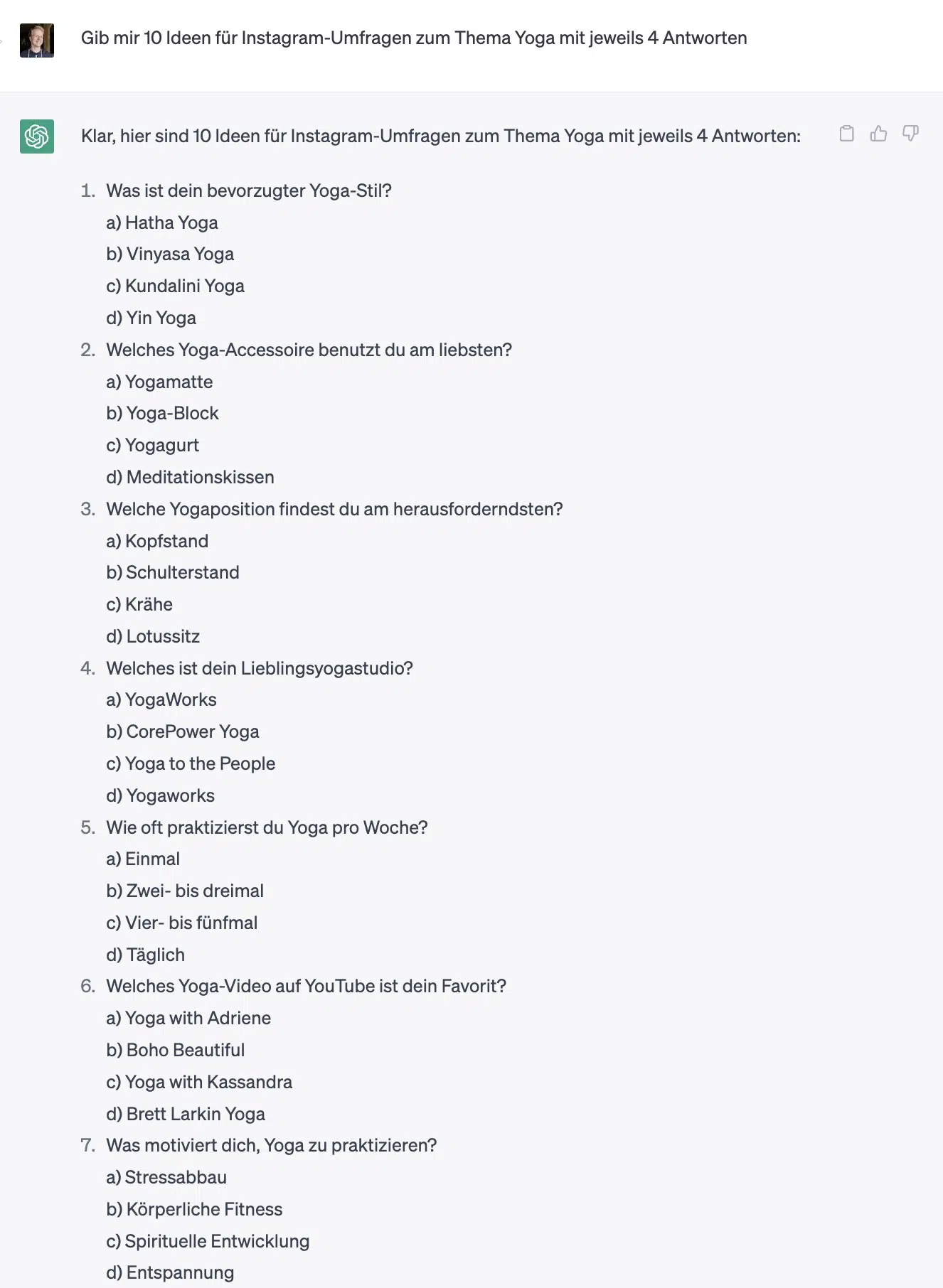
5. Respond to Difficult Comments
Don't know how to respond to negative, critical, strange, or very long Instagram comments? Professional responses are crucial to maintaining a trustworthy presence.
ChatGPT can prepare a reply without sounding defensive or unfriendly:
Generate a short and friendly response to the following comment that is a maximum of 3 sentences long. Include appropriate emojis in your response.

If the comment is critical, don't respond defensively in your answer, but with a growth mindset. However, avoid making too large or specific concessions or promises:

[paste comment]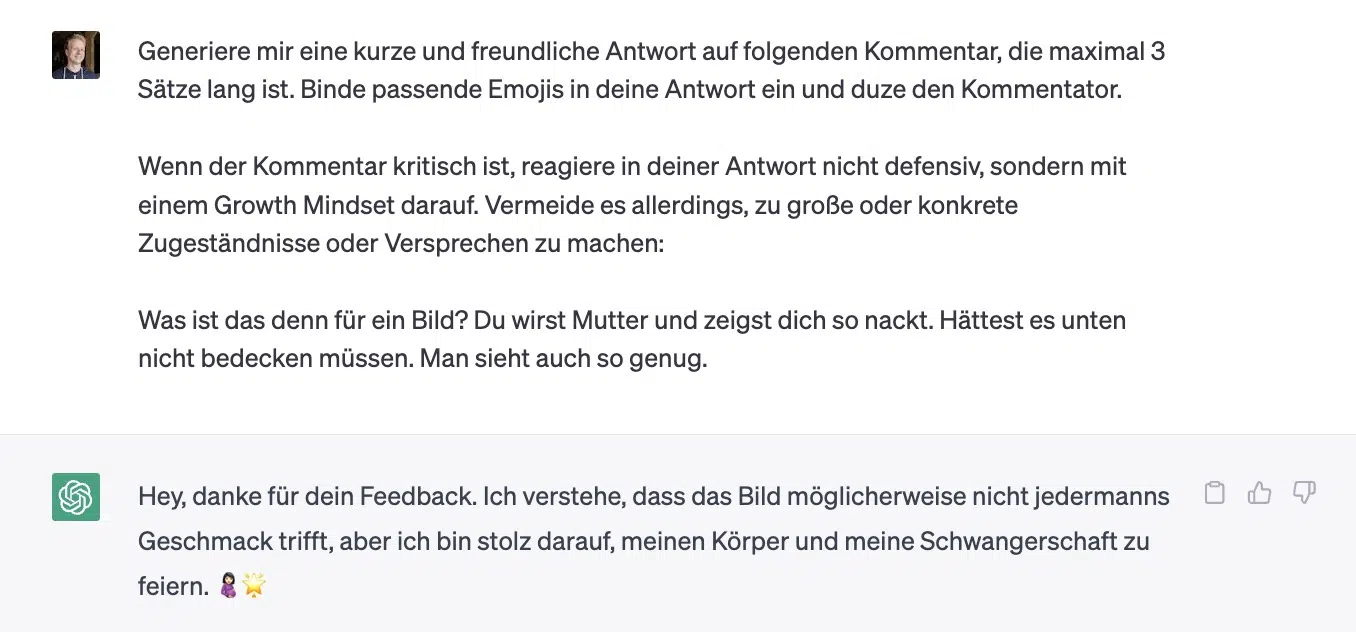
6. Find Post Ideas
Don't know what to post next?
No problem. ChatGPT is great for idea generation. With the mass of Instagram users, good content is more important than ever:
I run an Instagram channel about [topic]. My target audience is [insert target audience]. Create a list of 20 ideas for Instagram posts.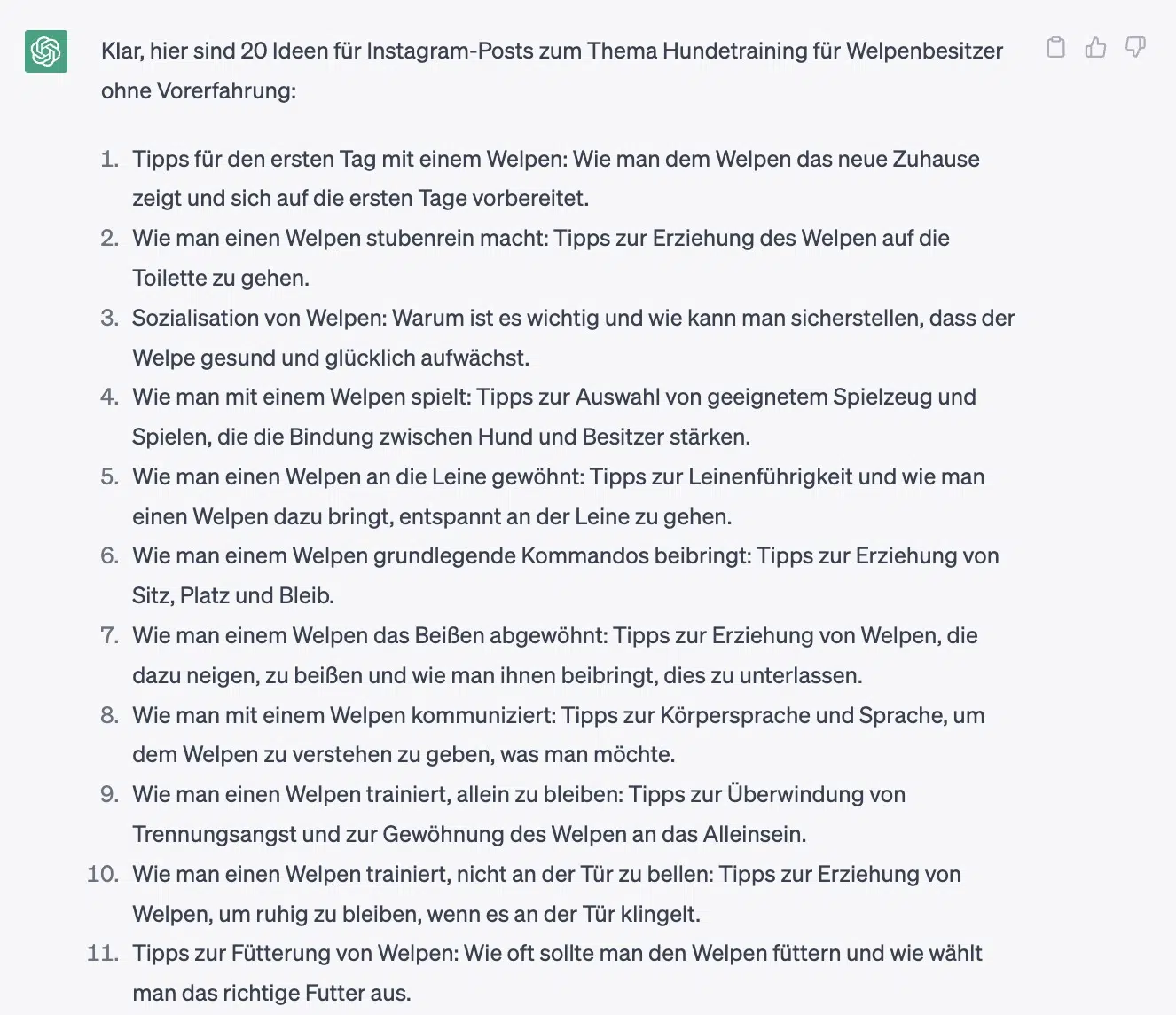
7. Find Reel Ideas
What works for posts naturally works for Instagram Reels too:
I run an Instagram channel about [topic]. My target audience is [insert target audience]. Create a list of 20 ideas for Instagram Reels.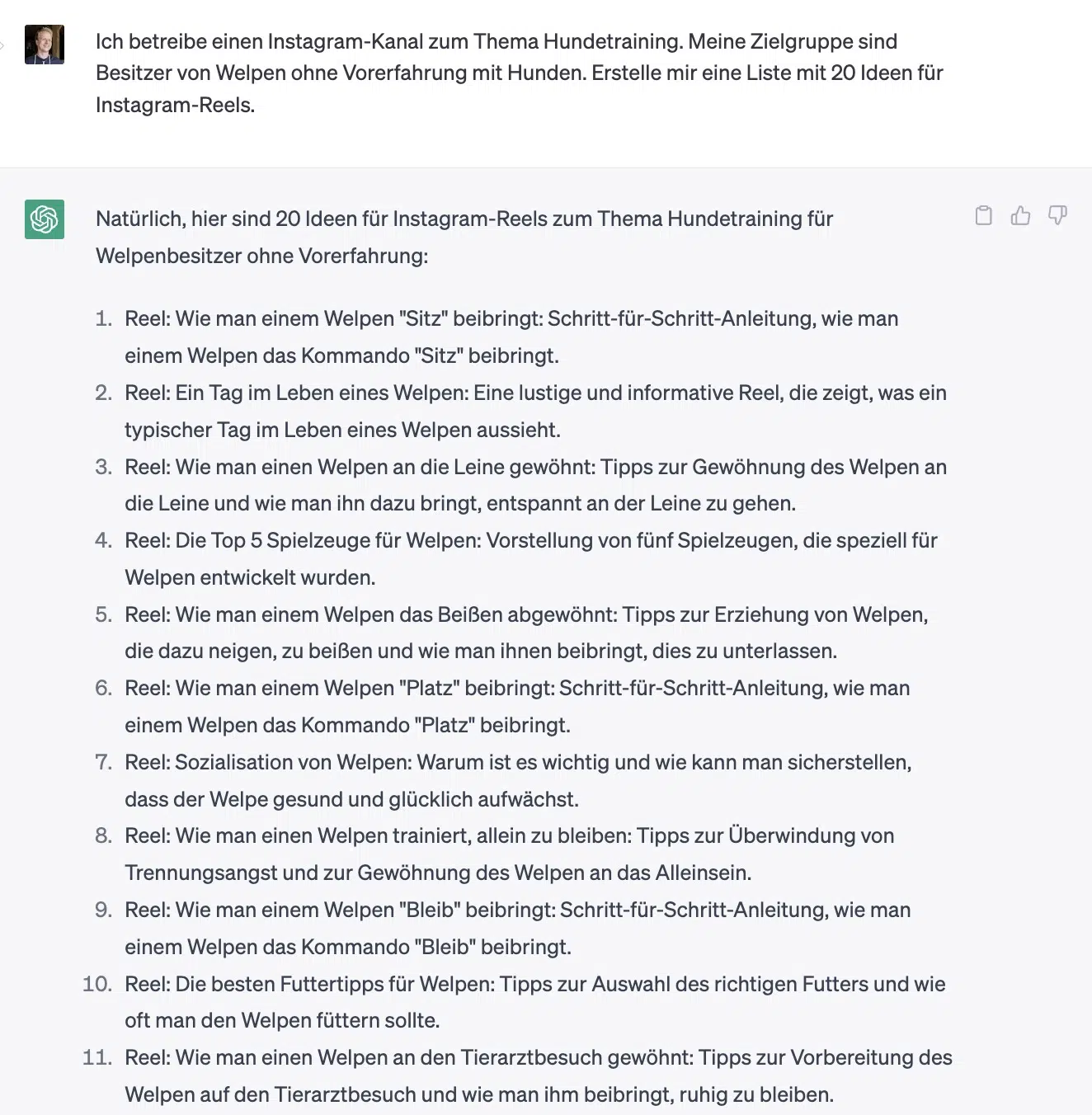
8. Create an Instagram Editorial Calendar
Beyond ideas for posts or Reels, ChatGPT can do even more.
You can even use it to create a complete Instagram editorial calendar:
Create a tabular editorial calendar with 20 post ideas for Instagram about [topic], targeted at [target audience]. The table should contain the following columns:

- Post Title
- Post Type (Video, Reel, Carousel, Image)
- Description of the post idea

Find exciting and unusual post ideas that encourage readers to [desired action, e.g., comment on the post]. Your response should only contain the table and no introduction or description.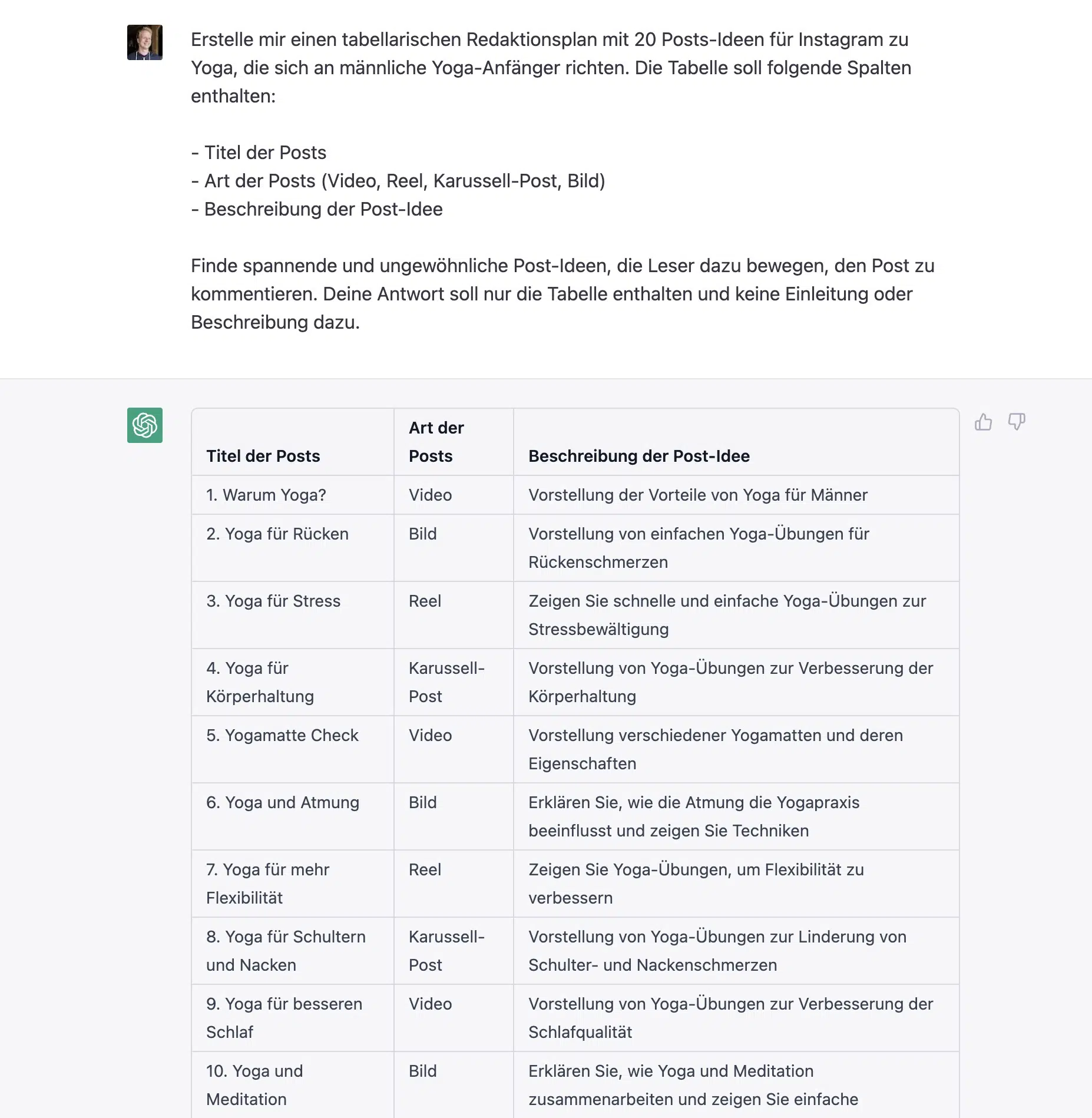
FAQ About ChatGPT and Instagram
ChatGPT itself is not Instagram's built-in assistant. Depending on your country and account, Meta AI may be available inside Instagram. It is a separate Meta product, not ChatGPT.
Use ChatGPT in its official app or browser interface, then move an approved draft into Instagram or the Meta Business Suite. Take care not to transfer confidential information between the services.
Meta does not document a blanket reach penalty solely because AI helped draft a caption. The Instagram Community Guidelines do not contain such a rule.
Spam, deception, and other policy violations can still have consequences. Images, audio, and video are also subject to Meta's separate AI labeling rules.
No. The official ChatGPT app or browser interface is enough. An extension can save a tab switch, but it may also request broad permission to read or change pages.
Install one only after checking the vendor, permissions, privacy terms, and treatment of Instagram data. Do not grant access to direct messages or business data unless the feature genuinely requires it.
Yes, but not through arbitrary bots. Use Meta Business Suite, the official Instagram Content Publishing API, or a Meta-supported partner. Those routes can permit scheduled publishing. Unapproved scraping, simulated logins, and mass automated interactions can violate platform rules or put the account at risk.
Let ChatGPT prepare drafts, but keep a human approval before publication. Also check which data an automation service sends to OpenAI, Meta, or other recipients.
Use ChatGPT deliberately when drafting Instagram captions.
- Hook formulation: Have ChatGPT generate multiple opening lines
- Storytelling: Use prompts such as “Write a personal story about...”
- Call-to-Action: Generate specific calls to action for your target audience
- Hashtag optimization: Have it suggest relevant hashtag combinations
Always edit the ChatGPT output so the facts, tone, and call to action fit your account and the specific post.
These AI text generators are alternatives to ChatGPT you can consider for Instagram content:
- Claude: for drafting, variants, and longer source material
- Gemini: for drafting and workflows involving several media types
- Neuroflash
- Jasper
Compare more than writing style. Privacy, source access, team features, price, and approval workflows also matter. None of these tools automatically provides current Instagram trends or guarantees reach.