Funko Pop figures, action figures, Polaroid effects, interior redesigns. ChatGPT Images 2.5 can create new images and edit existing ones from a text instruction. With a clear brief, it is useful for developing social media ideas, product concepts, and visual drafts.
This post contains 28 ChatGPT image editing prompts, ready to copy with before-and-after examples. Treat them as a starting point, not as a replacement for checking the final image.
- 28 copy-and-paste prompts for ChatGPT Images, from 3D figures and interiors to product concepts.
- Start with one small edit and say what should stay in place.
- ChatGPT Images is available across plans. Limits and results vary by account, subject, and edit.
ChatGPT Images 2.5: a practical editing workflow
OpenAI describes two editing paths: select an area in the editor and describe the change, or describe the edit directly in the chat. For a small, contained change, start with the selection tool. It is not pixel-perfect, so inspect the surrounding area too.
- Upload the original in a new chat and start with the smallest change you need.
- Name the goal, the area in the image, and the details that should remain in place.
- Check faces, hands, text, logos, edges, and the background before you move on.
- Keep follow-up edits in the same chat. OpenAI says ChatGPT Images 2.5 is more consistent across multiple edits, but a detail can still change.
Edit this image. Change only [the object or area]. Keep [the subject, composition, lighting, and background] unchanged where possible. [Describe the desired result]. Do not add text, logos, or extra objects.This structure is deliberately plain. A strong prompt does not only name the new element. It sets a boundary around the edit. That makes it more likely that your subject, product, or person stays recognizable. It is not a guarantee.
Creating an image and editing an image are different jobs
The prompts below assume you have uploaded a source image. If you want a brand-new image without a reference, start with “Create an image of …” and describe the subject, style, format, and purpose. For an edit, start with “Edit this image” and name the specific object or area.
The before-and-after examples in this article come from earlier ChatGPT image generations. They show the direction of a prompt. They are not an independent test of ChatGPT Images 2.5, and the current model can produce a different result from the same instruction.
1. Character Capsules
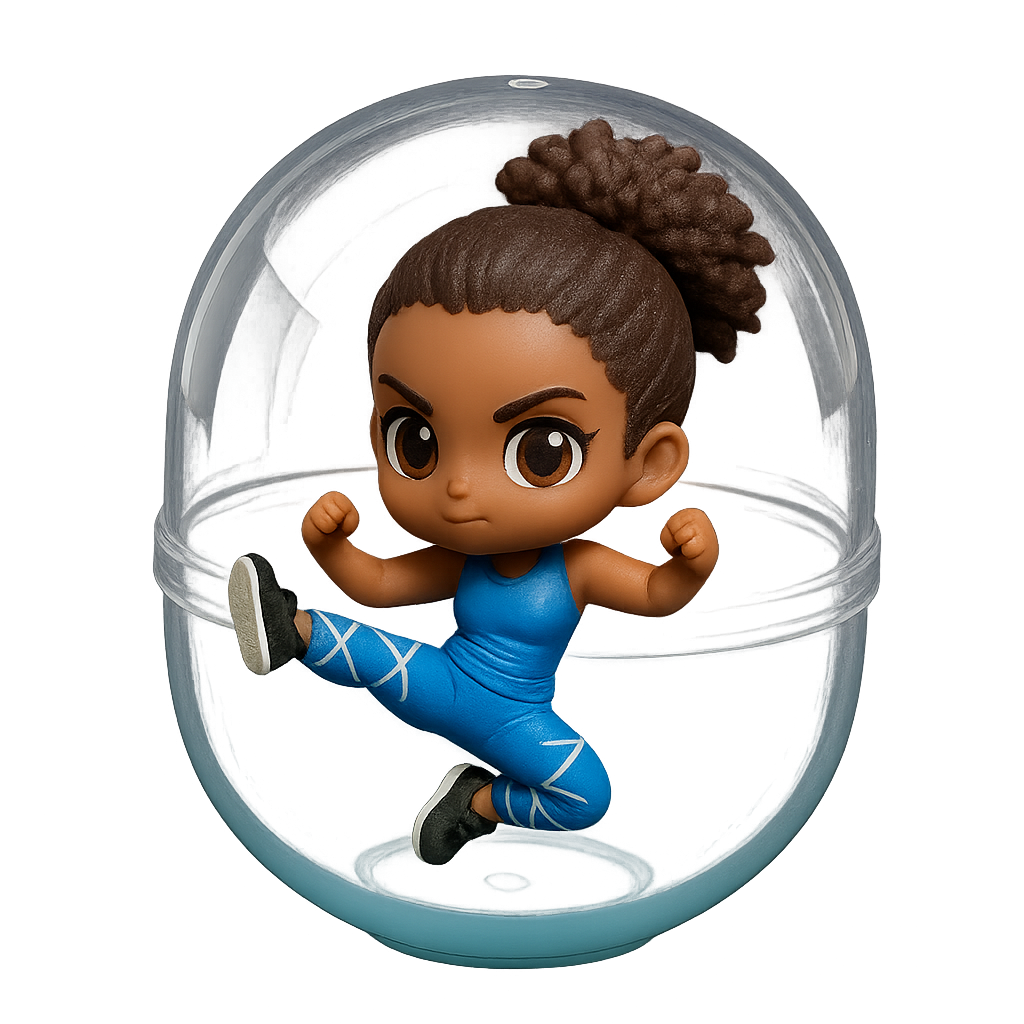
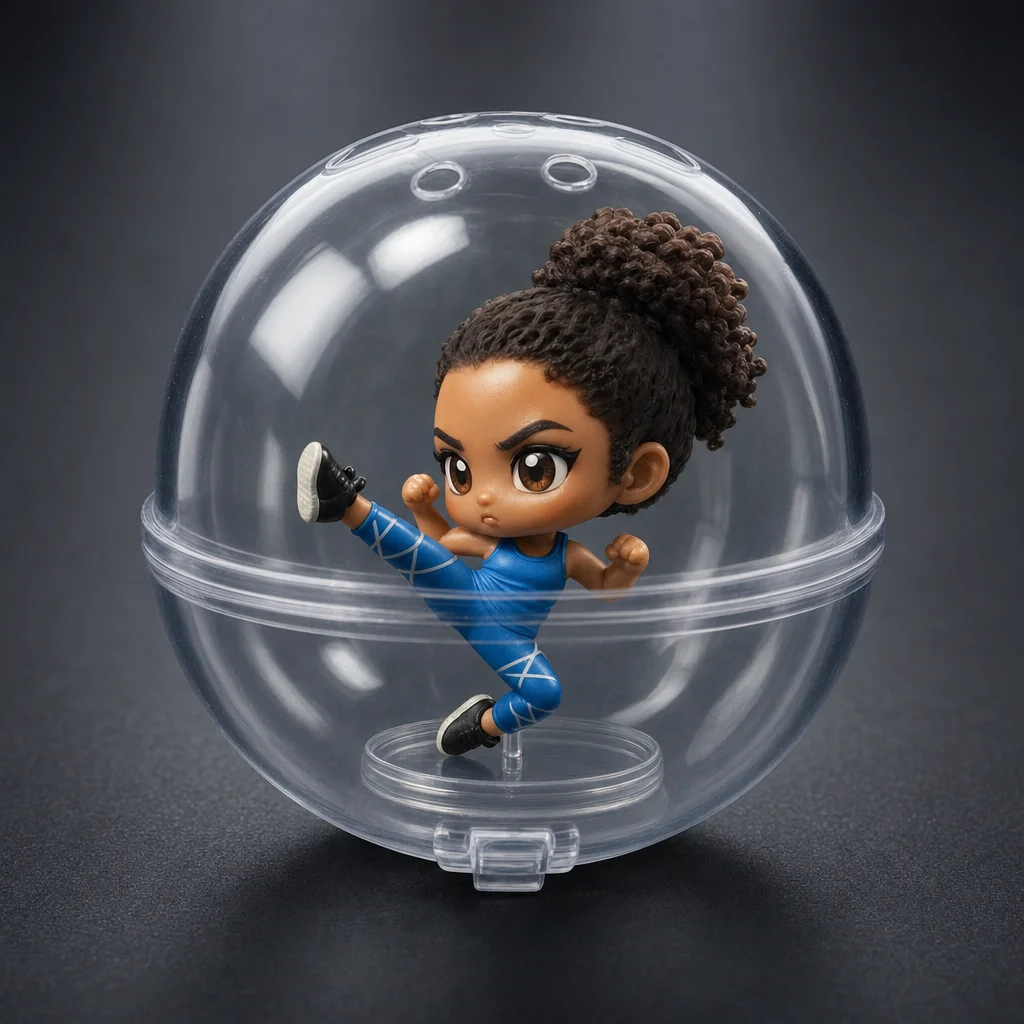
Turn a portrait into a collectible Gashapon figure in typical Japanese capsule-toy style. The prompt aims for a chibi version with an oversized head and simplified features in transparent capsule packaging.
Edit this portrait. Transform it into a collectible capsule toy figure in chibi style with an oversized head and tiny body inside a transparent plastic capsule.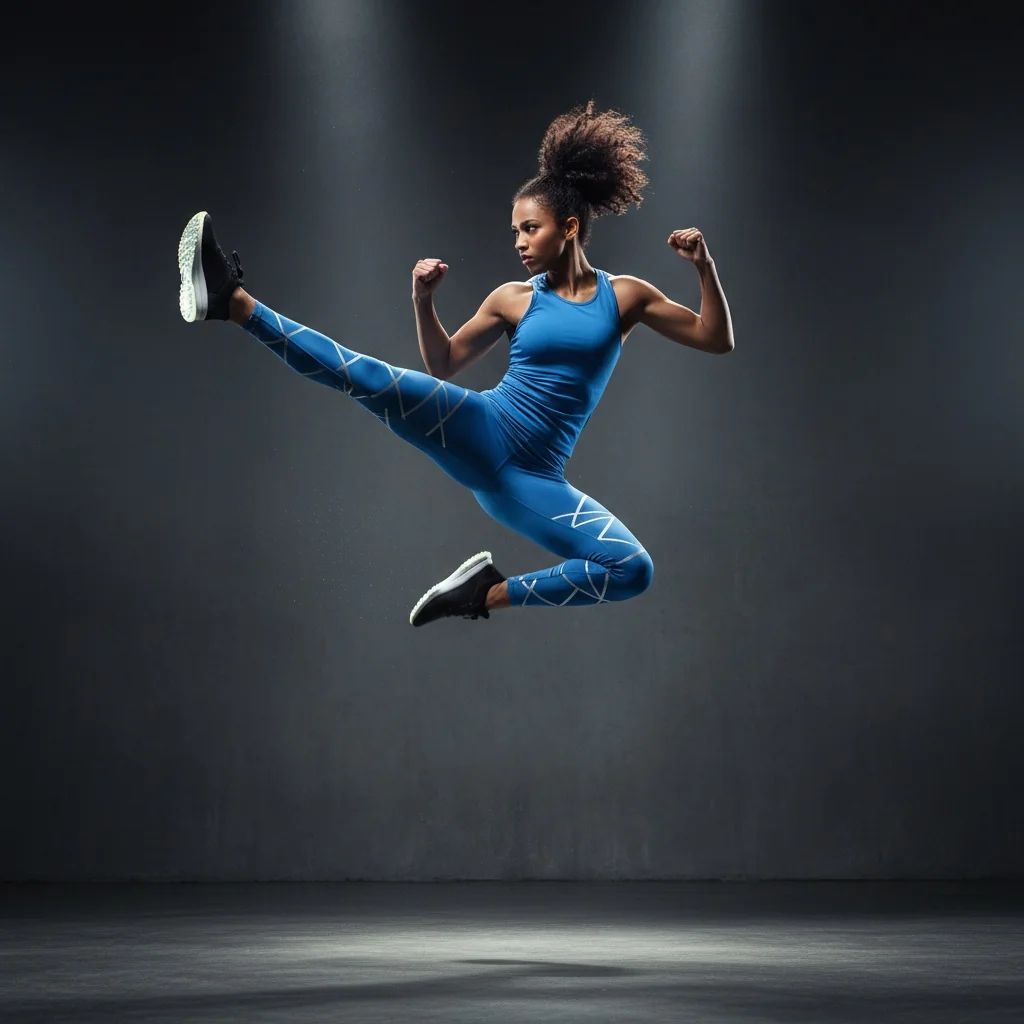
2. Funko Pop Figure
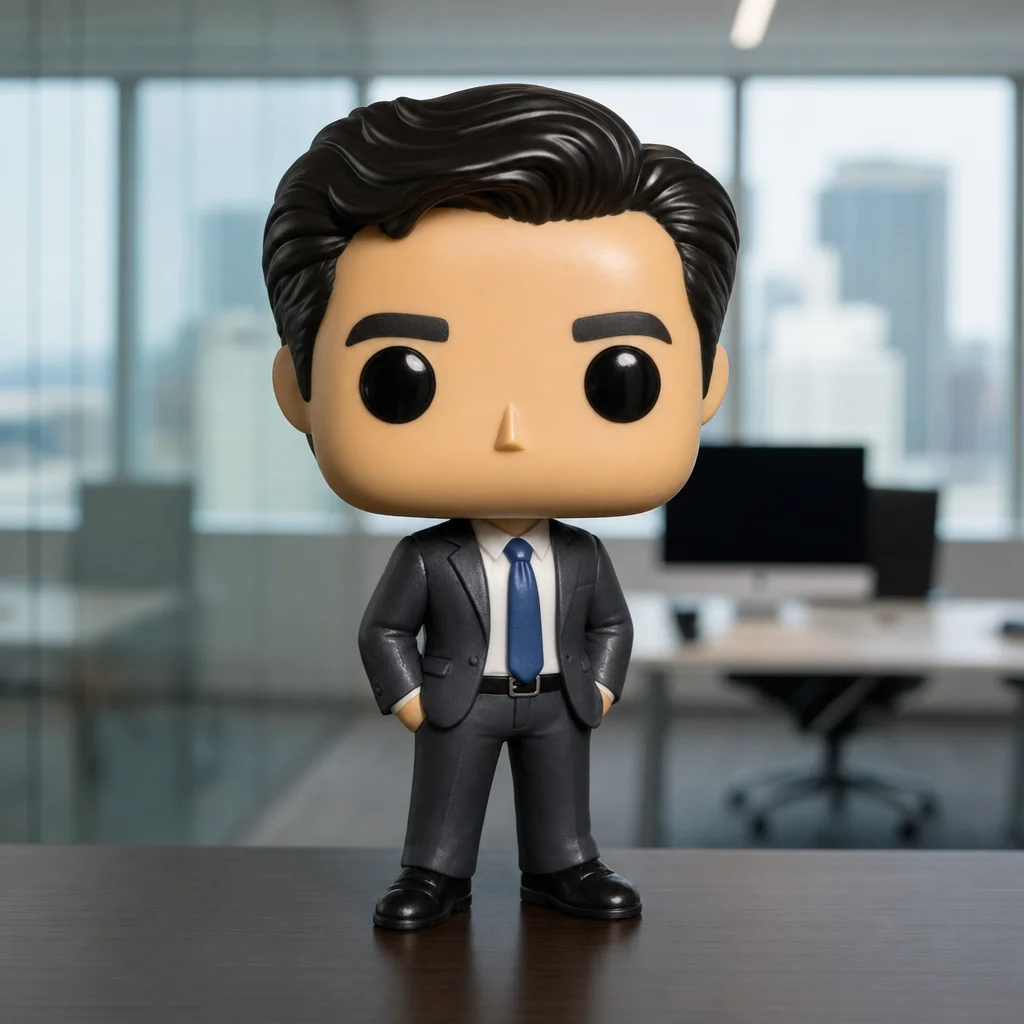
Use a portrait photo to develop a figure with an oversized head and distinctive black eyes. It works for gift ideas or social media concepts. For a real production, review relevant brand and usage rights separately.
Edit this photo. Transform the person into a stylised vinyl figure with a massive square head, tiny body, and glossy black circular eyes. Keep the hairstyle and outfit colours where possible.
3. Change Clothing
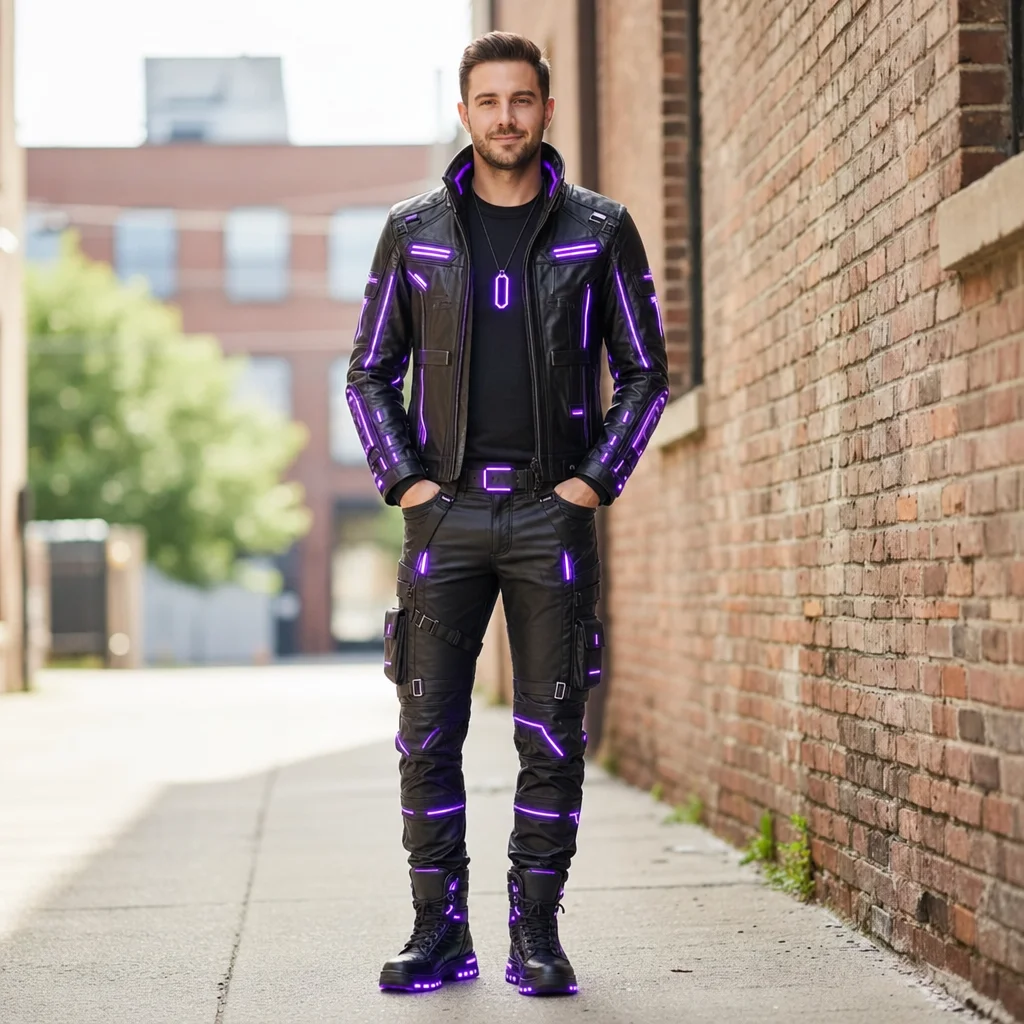
You can target a change of clothing. The more precisely you describe the cut, material, and color, the easier it is to judge whether the pose, face, and background stayed sufficiently close to the source.
Edit this photo. Change only the outfit to a black leather jacket with subtle purple LED strips. Keep the person, facial features, pose, lighting, and background unchanged where possible.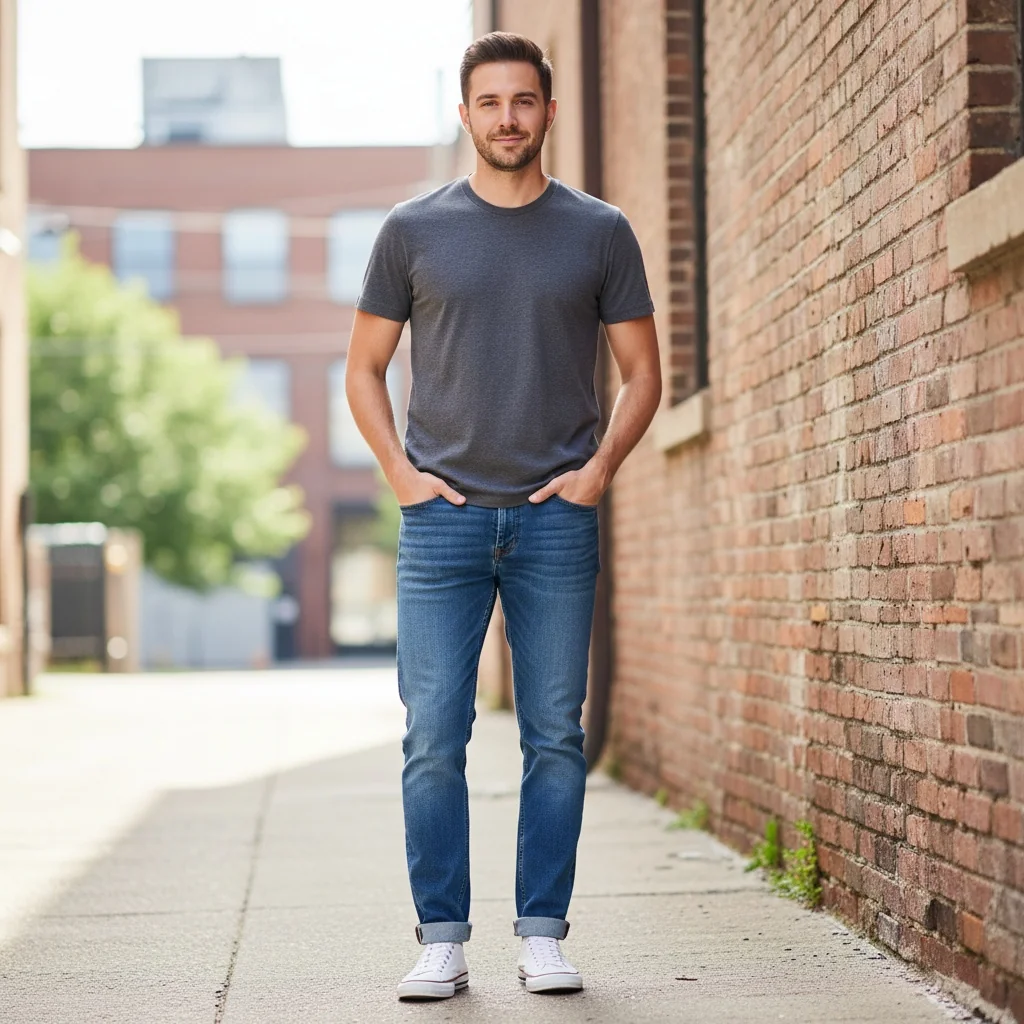
4. Change Facial Expression
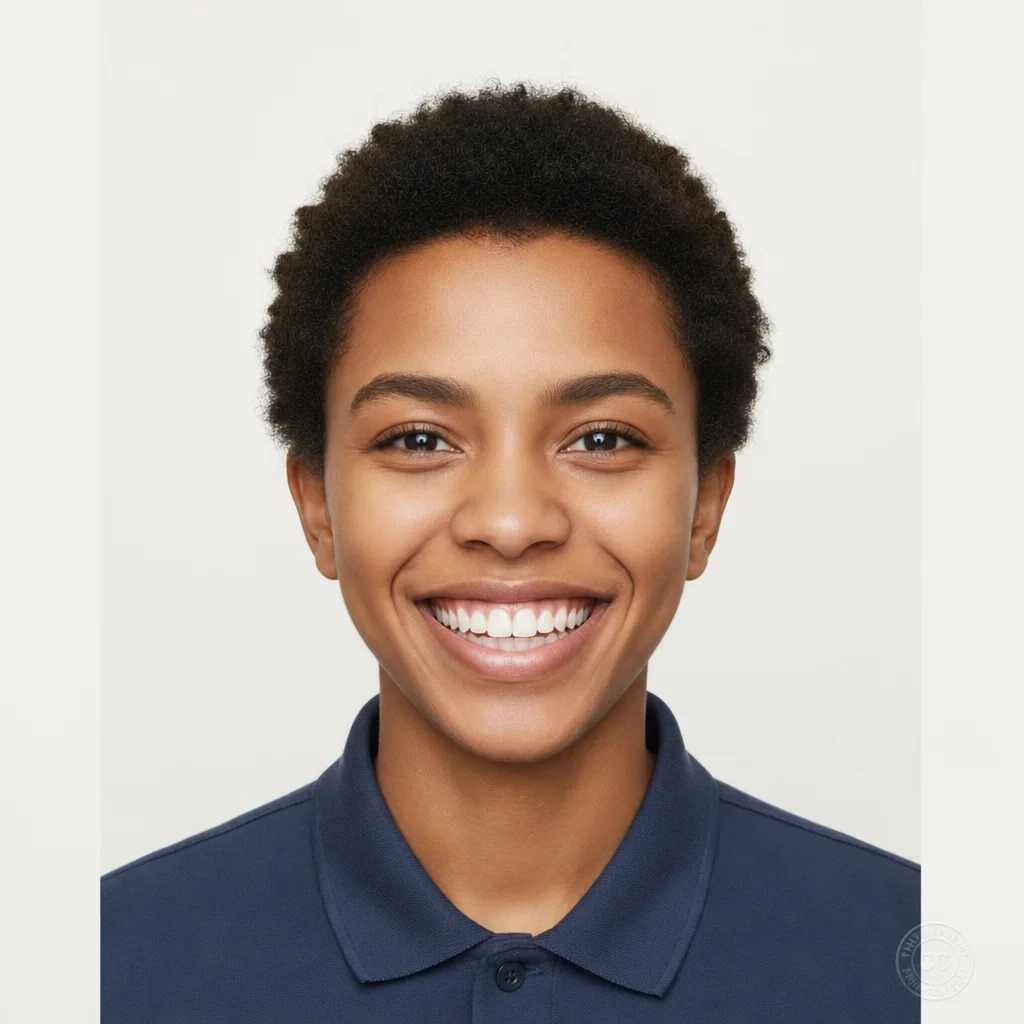
For a different facial expression, state the details you want to preserve. With portraits, inspect eyes, teeth, skin, and the hairline before using the result.
Edit only the facial expression to a warm, natural smile. Keep the person recognizable and preserve the hairstyle, clothing, pose, lighting, and background where possible.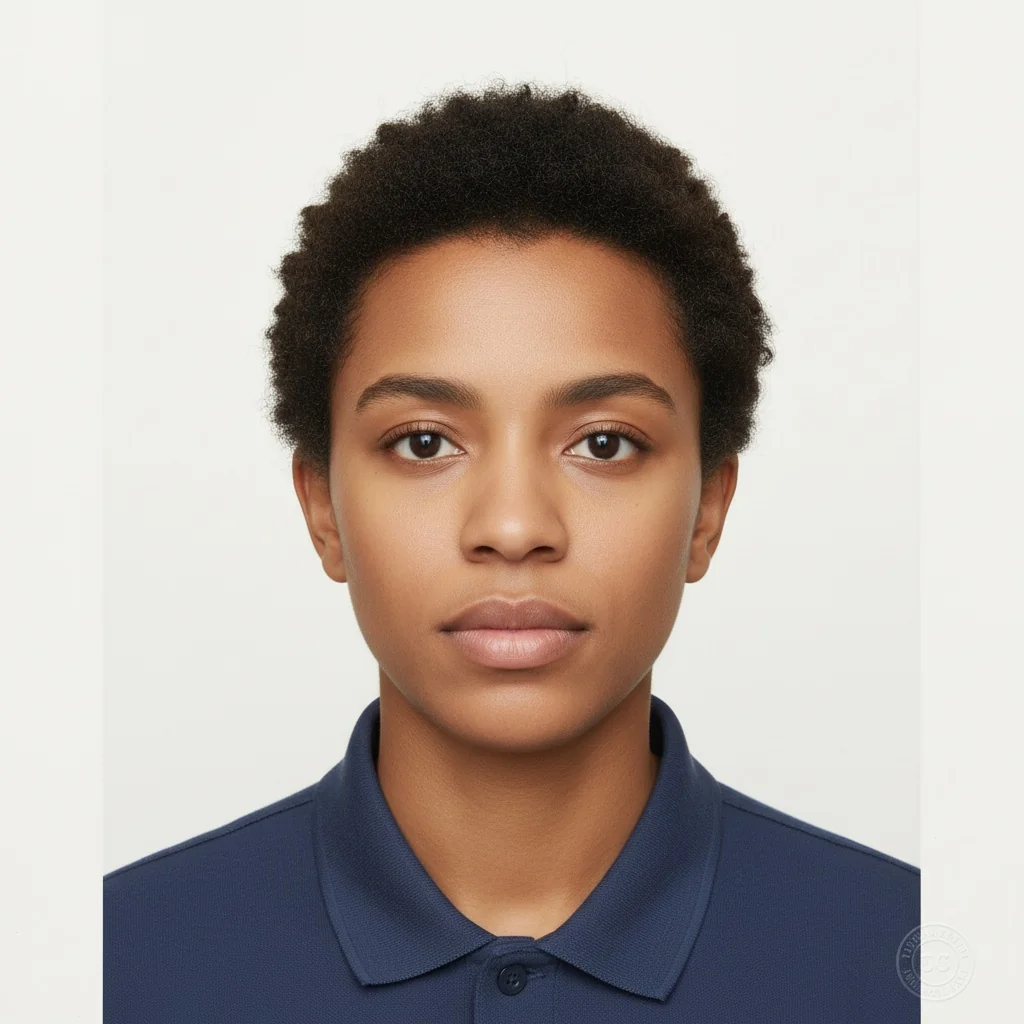
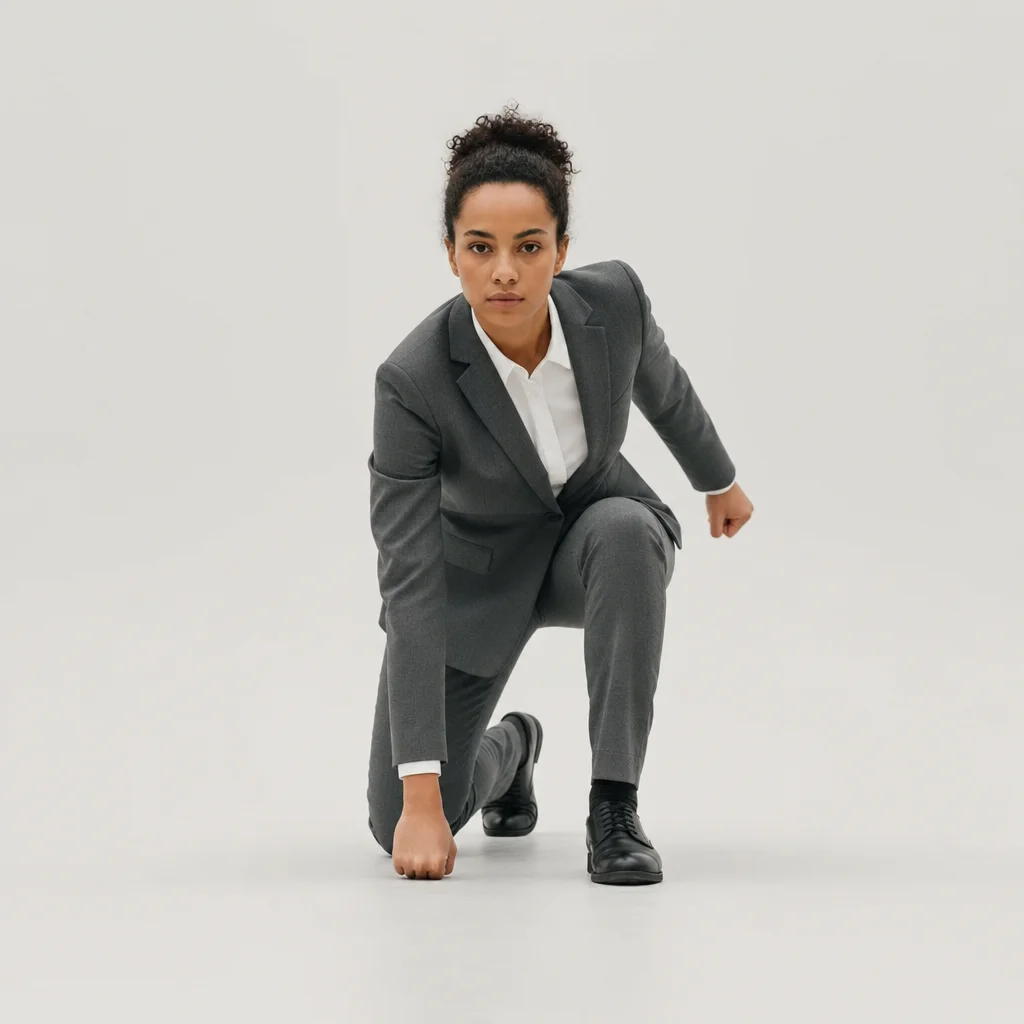
5. Change Poses
A new pose changes many elements at once. Use it for creative concepts, then check whether hands, proportions, and the face still work for your purpose.
Edit this person into a dynamic superhero landing pose: one knee on the ground, one fist touching the earth. Keep the outfit, hair, and overall visual style where possible.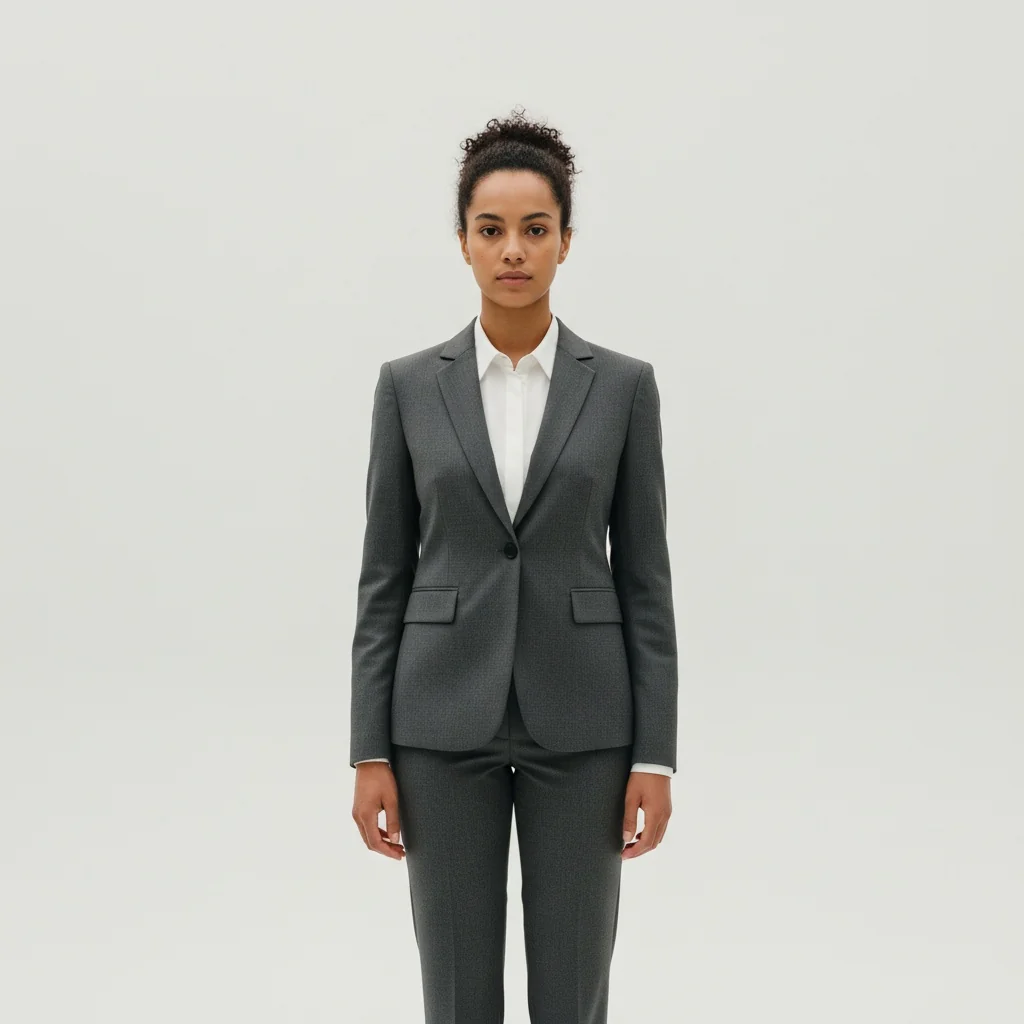
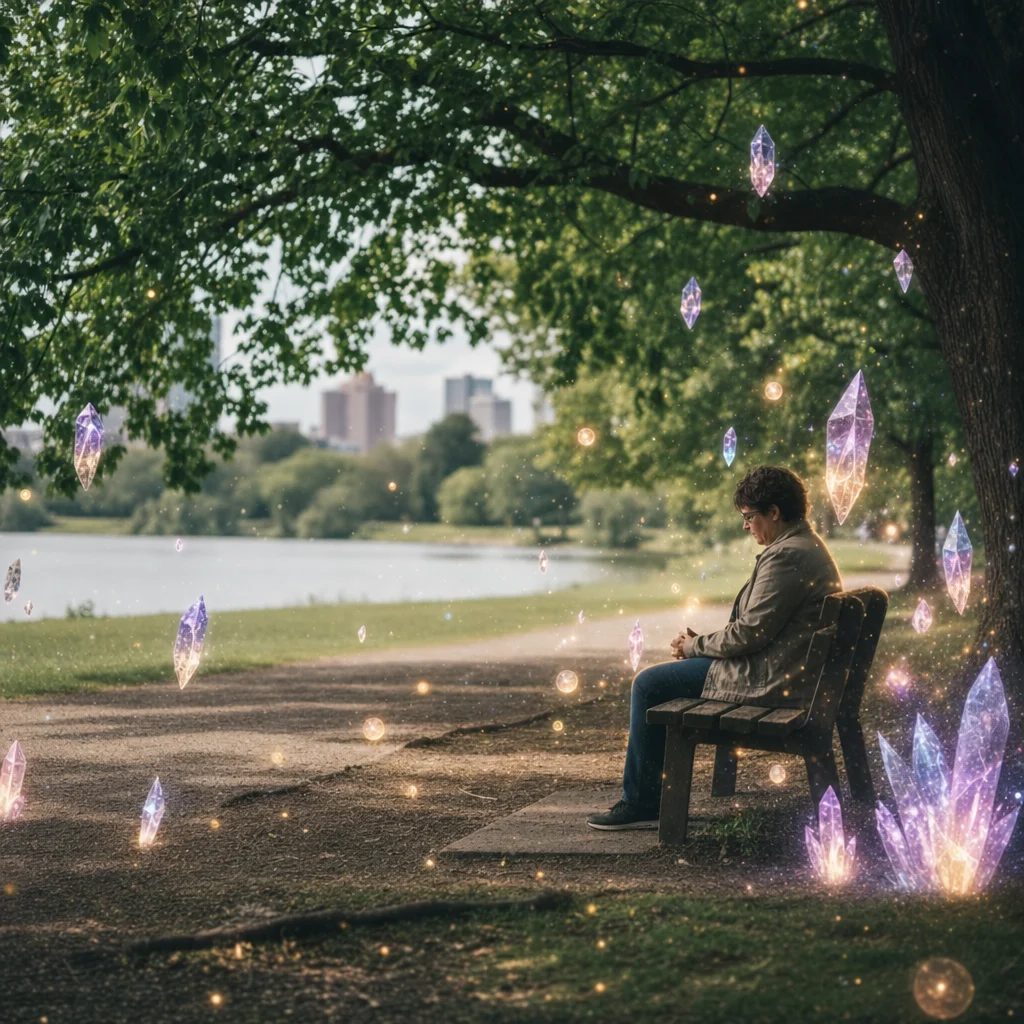
6. Add Objects
Add accessories or new objects without rebuilding the whole image. Describe their position, size, and light source so you can evaluate the result more easily.
Edit this image. Add three small floating crystals and soft glowing orbs around the subject. Keep the subject, camera angle, background, and color grading unchanged where possible.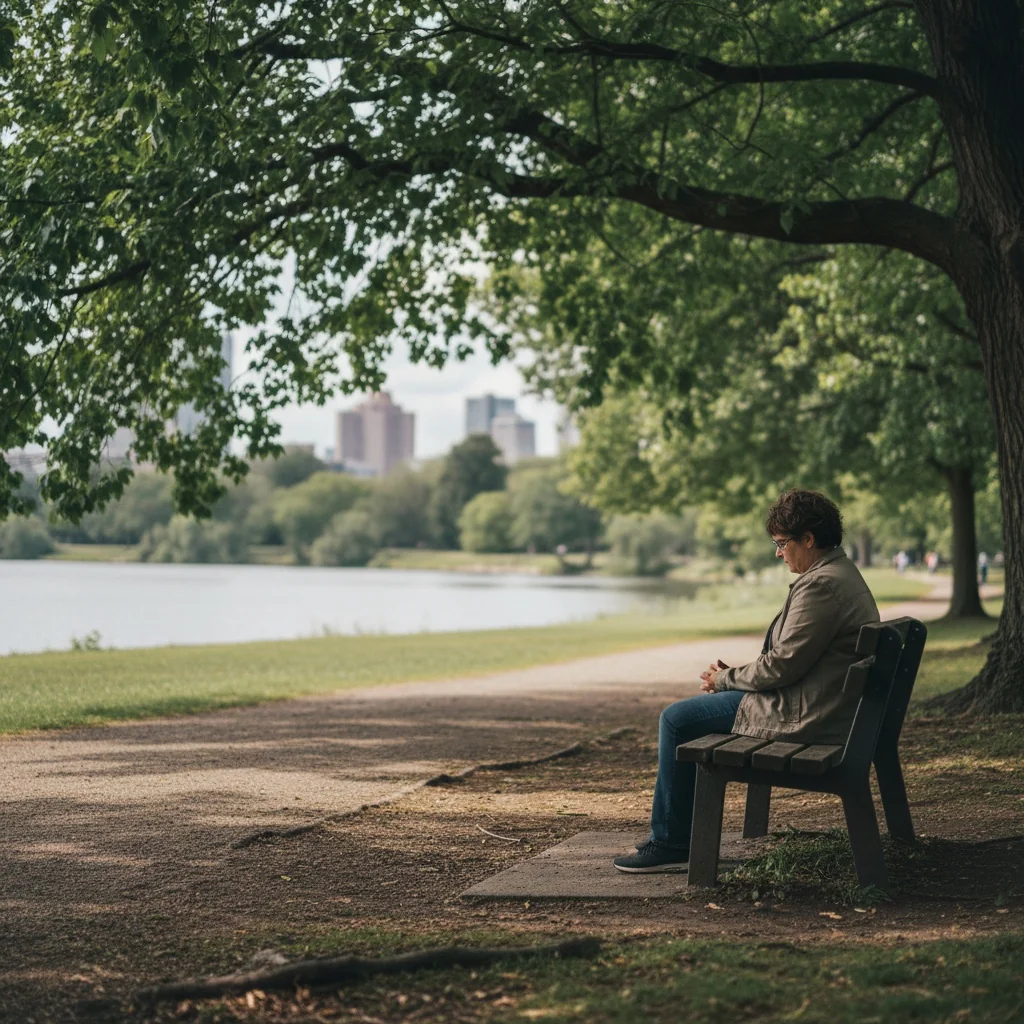
7. Edit Text
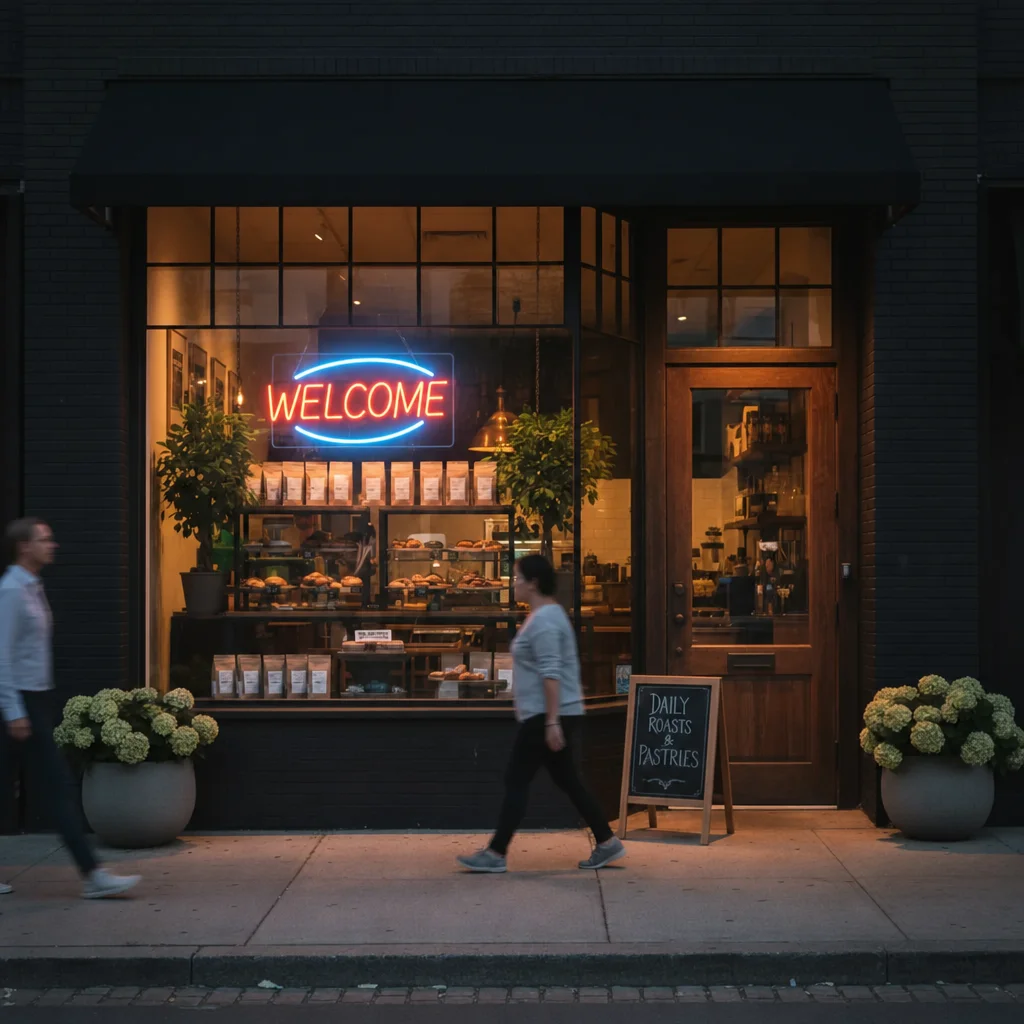
ChatGPT can modify existing text in images or add new text. Especially useful for signs, neon signs, or labels.
Edit only the text on the existing neon sign from OPEN to WELCOME. Preserve the sign, its lettering style, the scene, and all other objects where possible.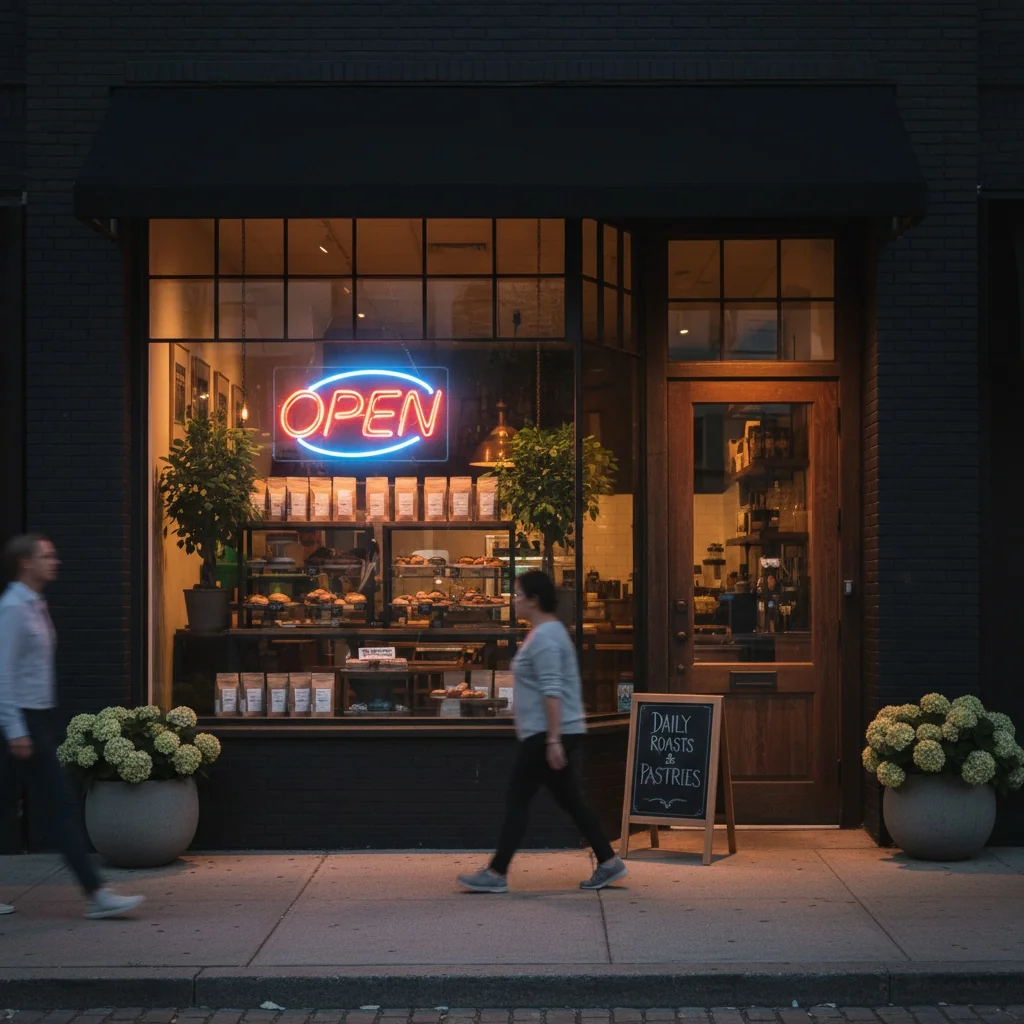
8. Change Weather
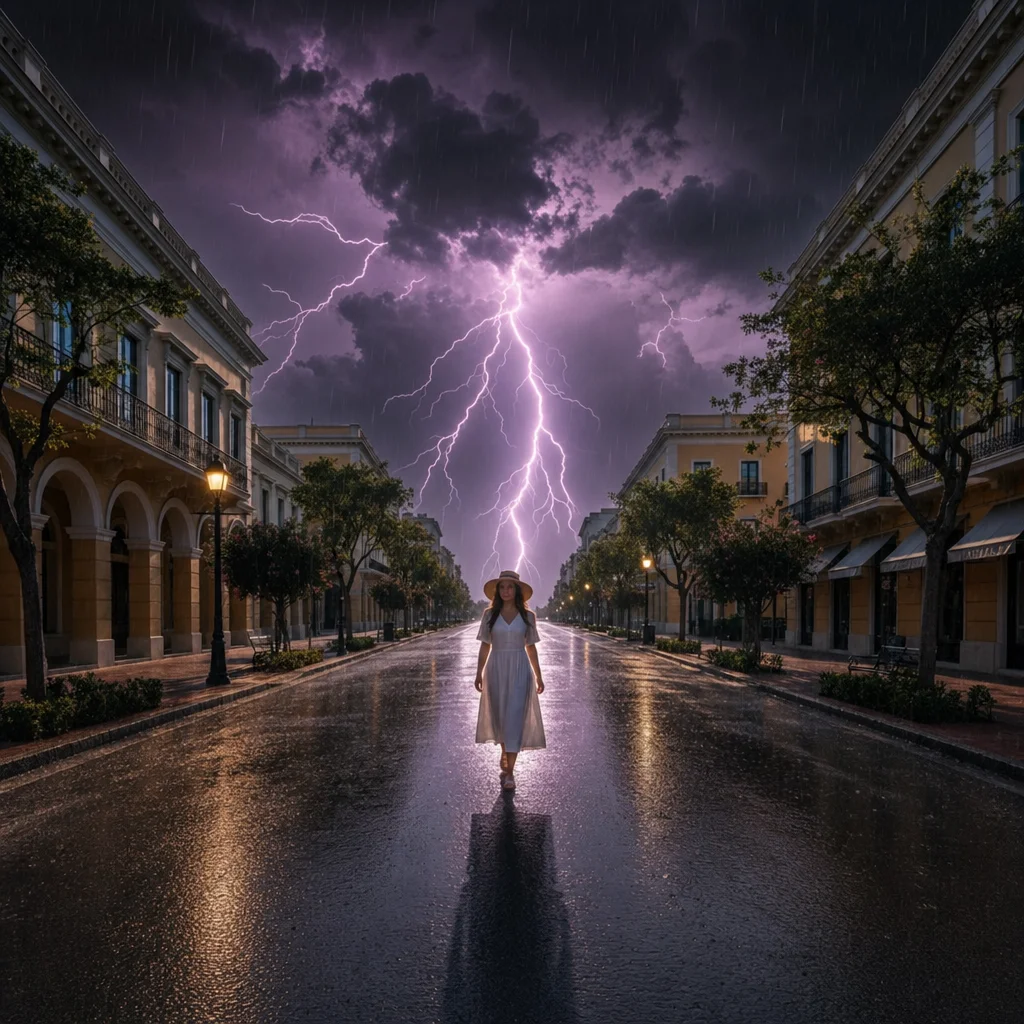
Weather edits work better when you name the weather, time of day, and light together. After editing, inspect shadows, reflections, and transitions around the subject.
Edit this image into a dramatic thunderstorm at dusk with dark clouds and distant purple lightning. Keep the subject, composition, and foreground objects unchanged where possible.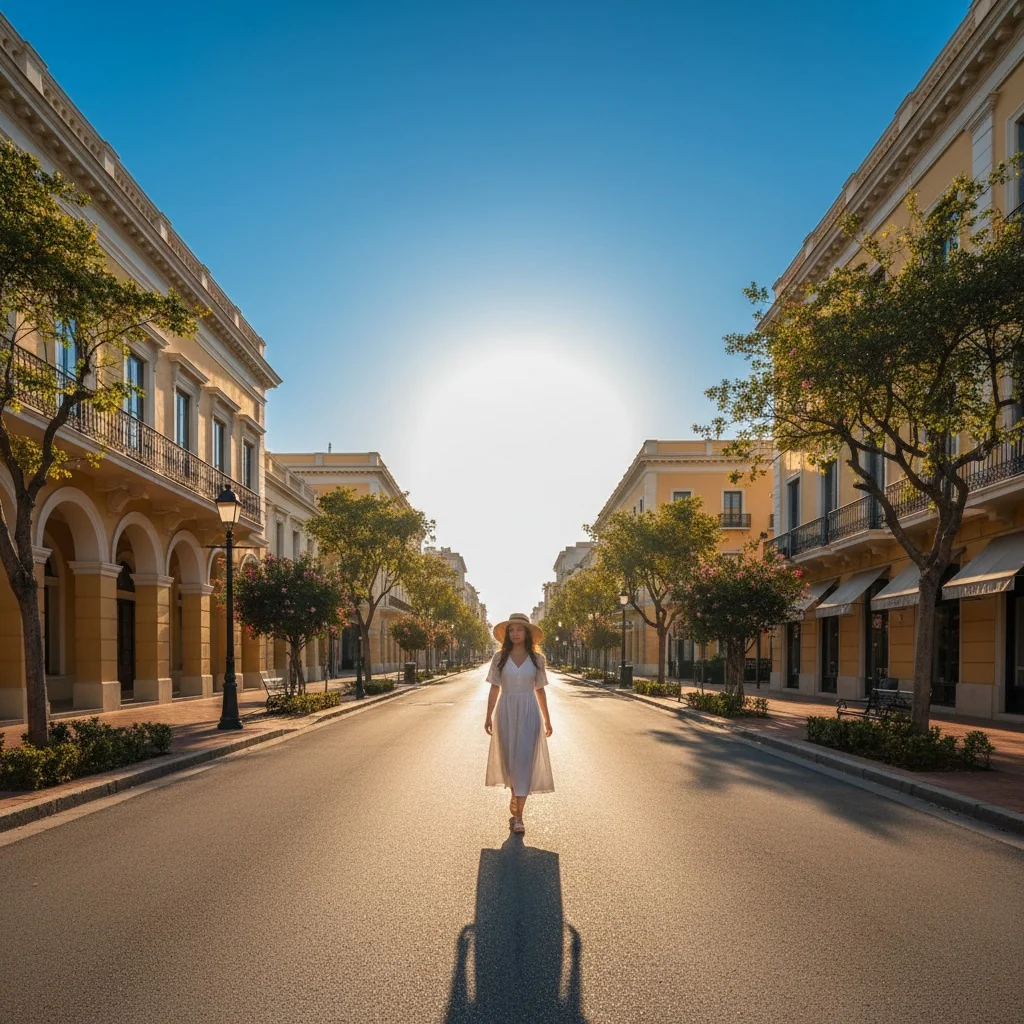
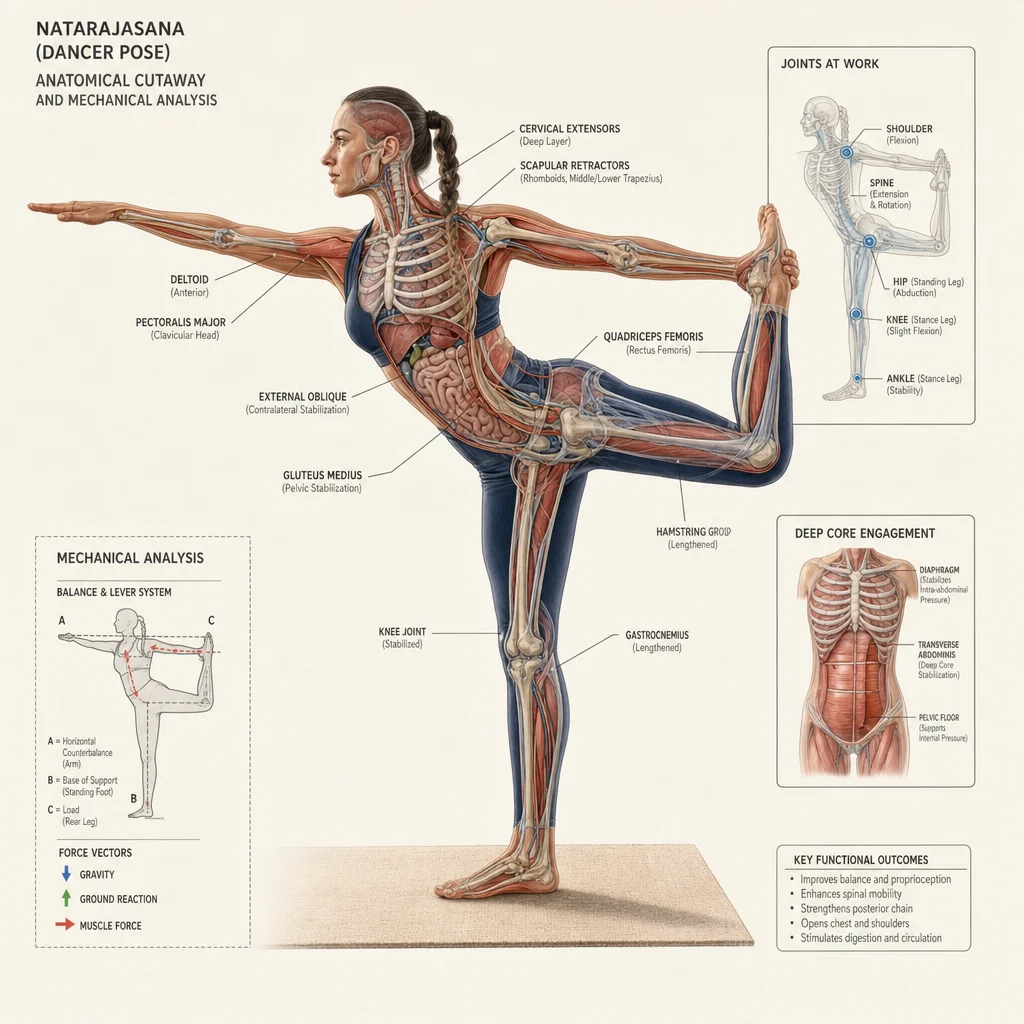
9. Anatomy Illustration
Develop a technical cutaway or anatomy-like illustration from a photo. Use it only for creative or illustrative projects. It is not a medically accurate anatomy diagram.
Edit this image. Convert it into a technical cutaway illustration that shows fictional internal mechanisms. Do not present it as medically accurate.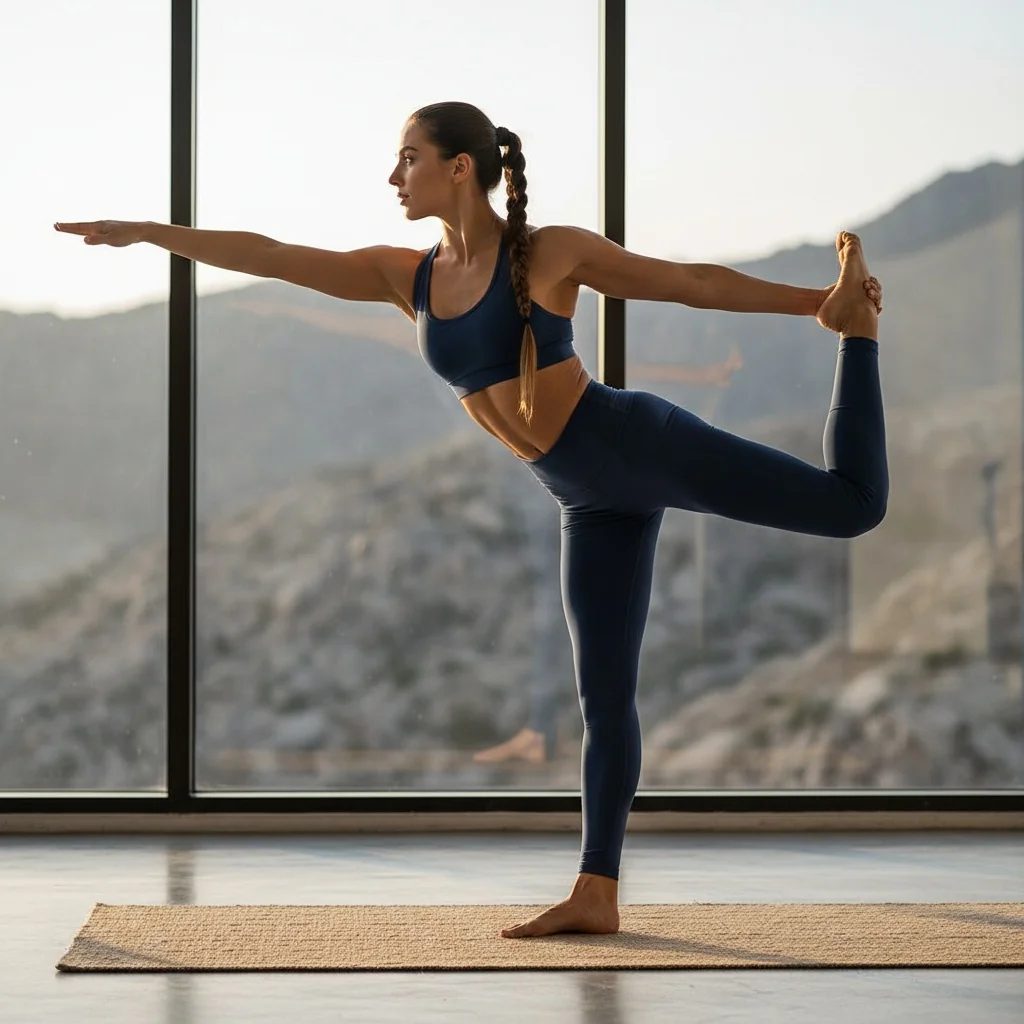
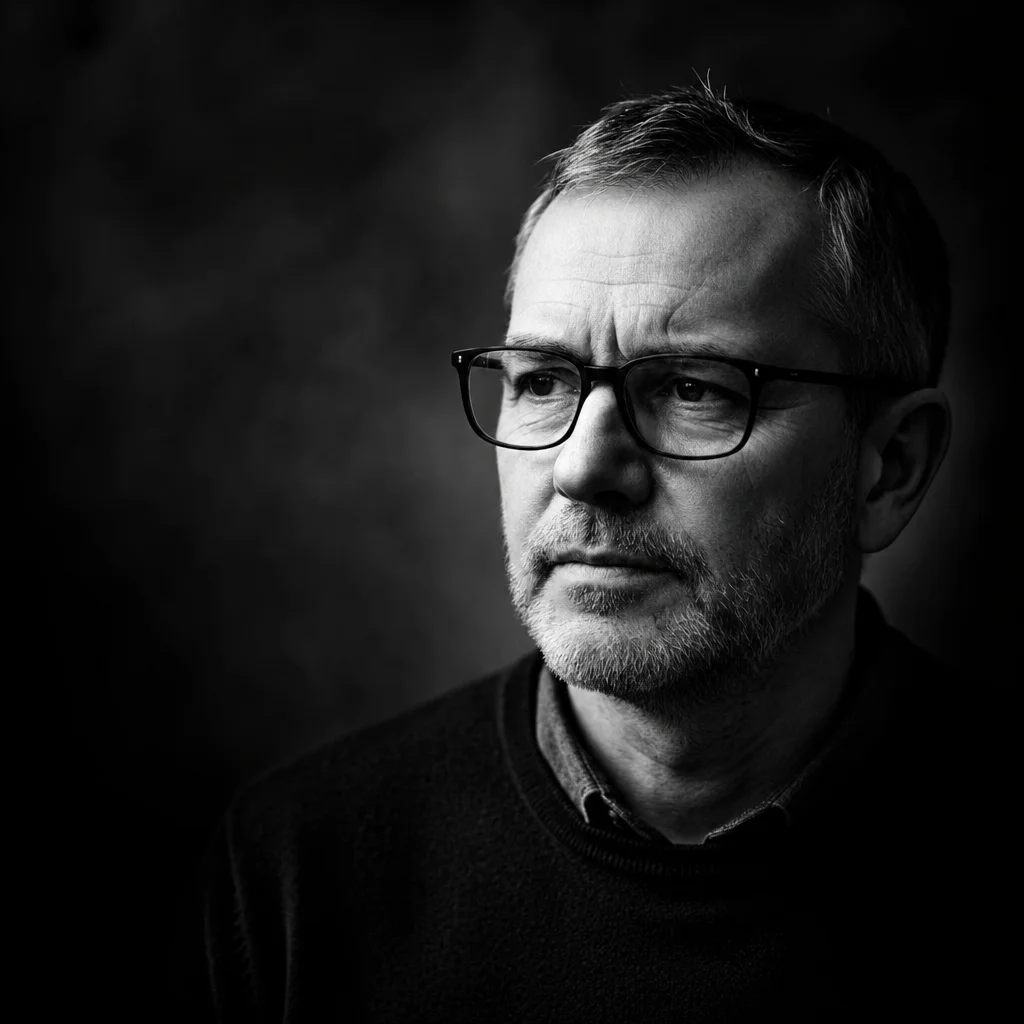
10. Black and White Portrait
Turn a color photo into a dramatic black-and-white portrait with high contrast. The prompt aims for an artistic, clear visual effect.
Edit this photo. Transform it into a dramatic black-and-white portrait with high contrast. Keep the face, hairstyle, pose, and lighting direction where possible.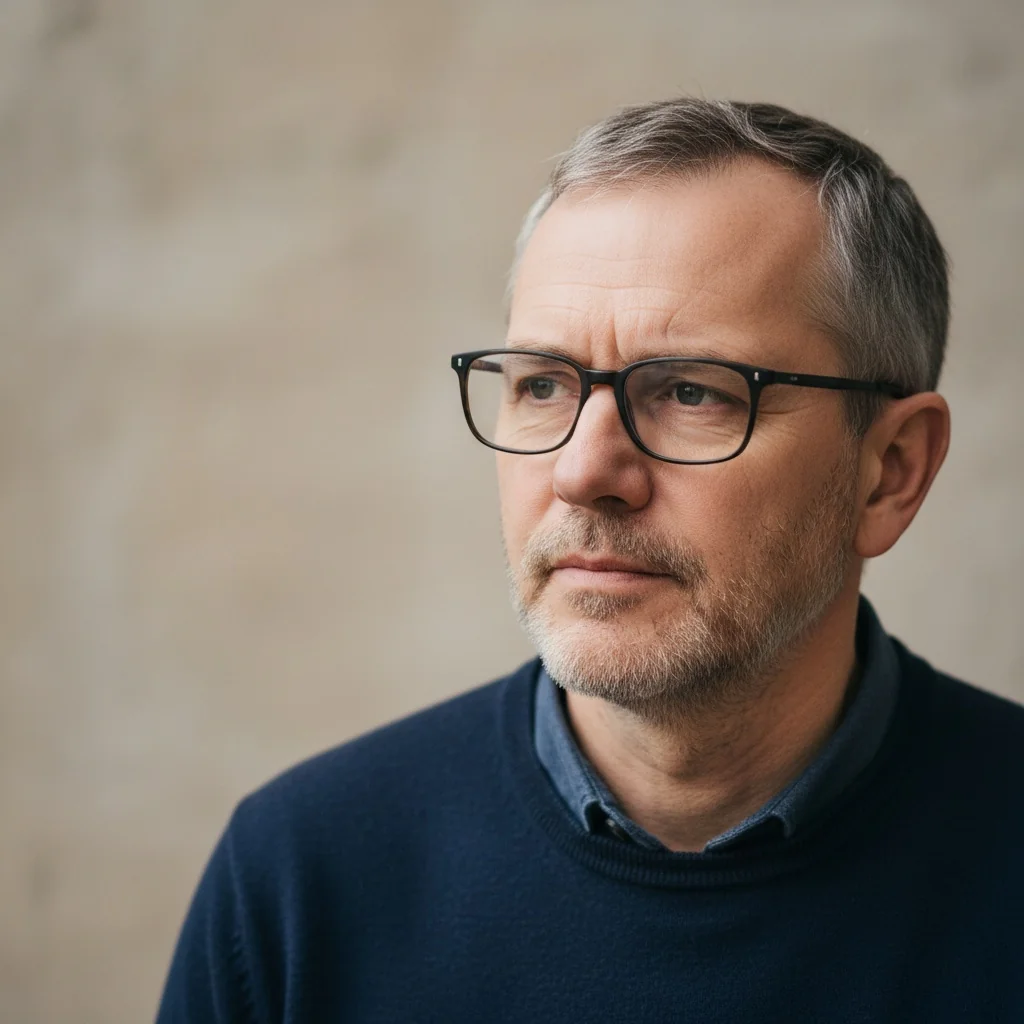
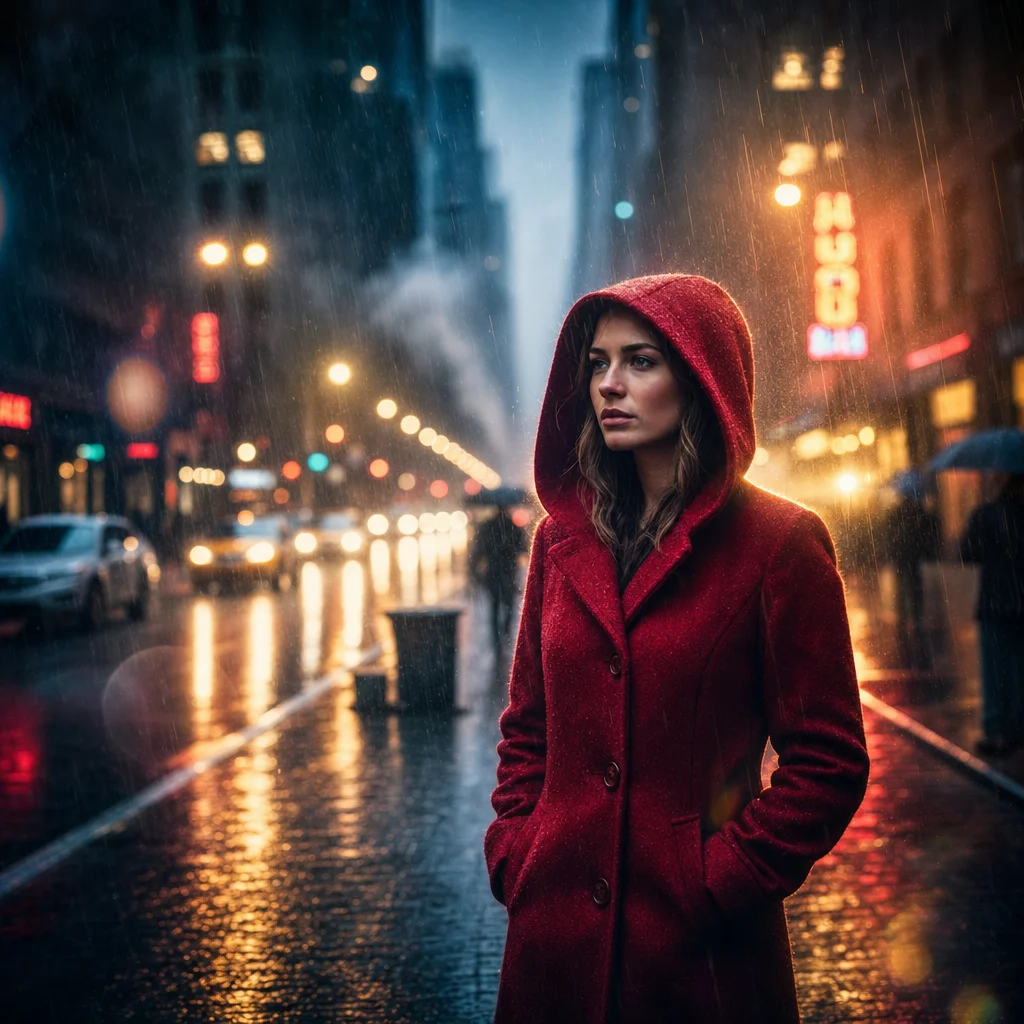
11. Cinematic Portrait
Develop a cinematic portrait with lens flares and dramatic lighting. The goal is the feel of a movie poster.
Edit this photo into a cinematic movie portrait with lens flares and dramatic lighting. Keep the person recognisable and preserve the pose and framing where possible.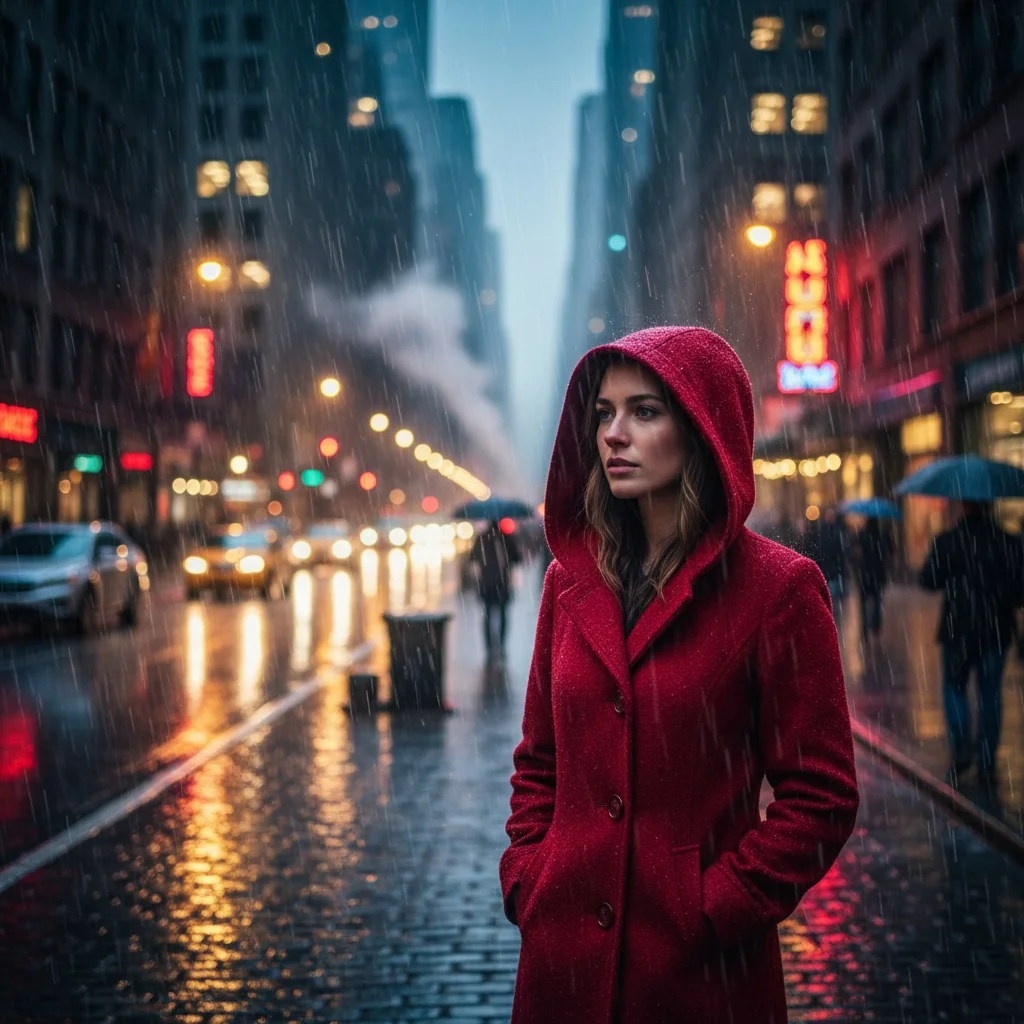
12. 3D Action Figure
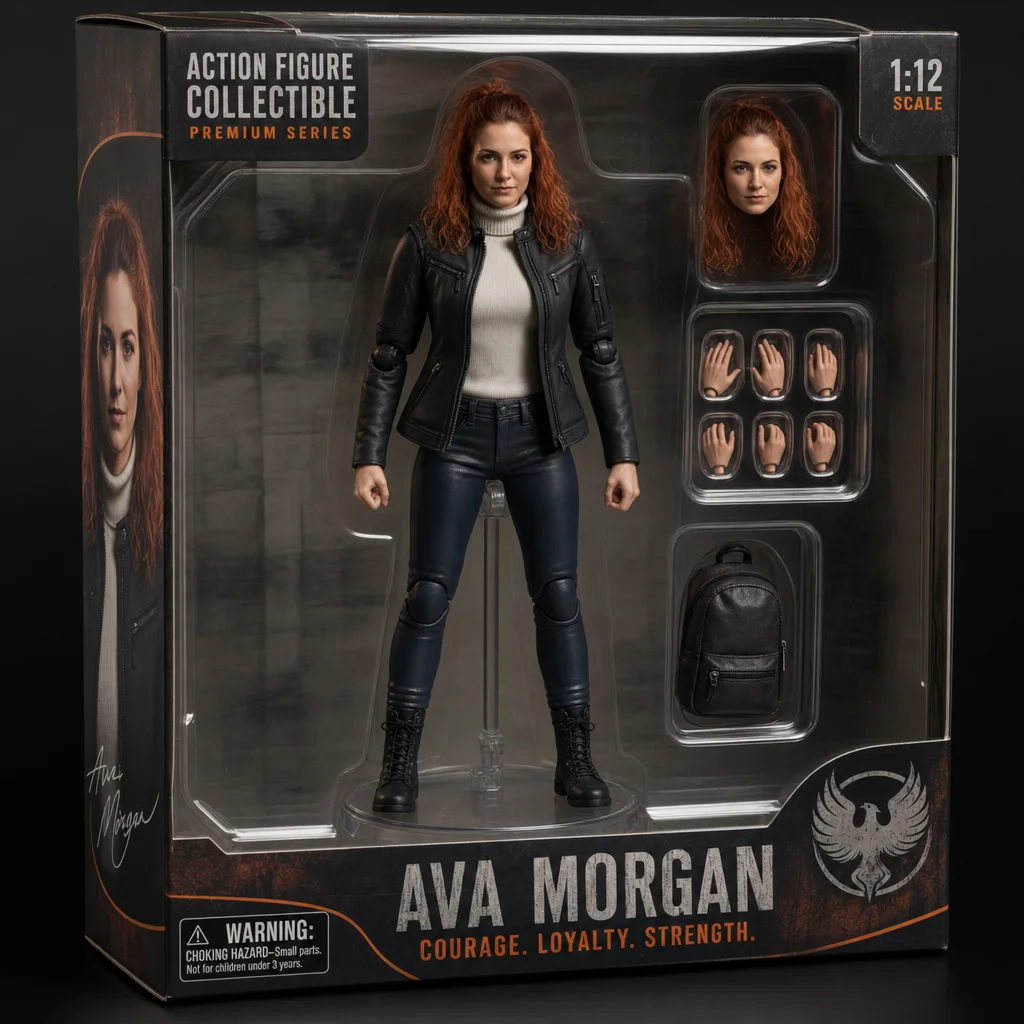
Develop an action figure from a person, with visible joints and a display base. The result is a creative collectible concept, not a finished packaging or production specification.
Edit this image. Transform the person into a detailed action figure in collector packaging with a transparent plastic window and display stand. Preserve recognisable outfit details where possible.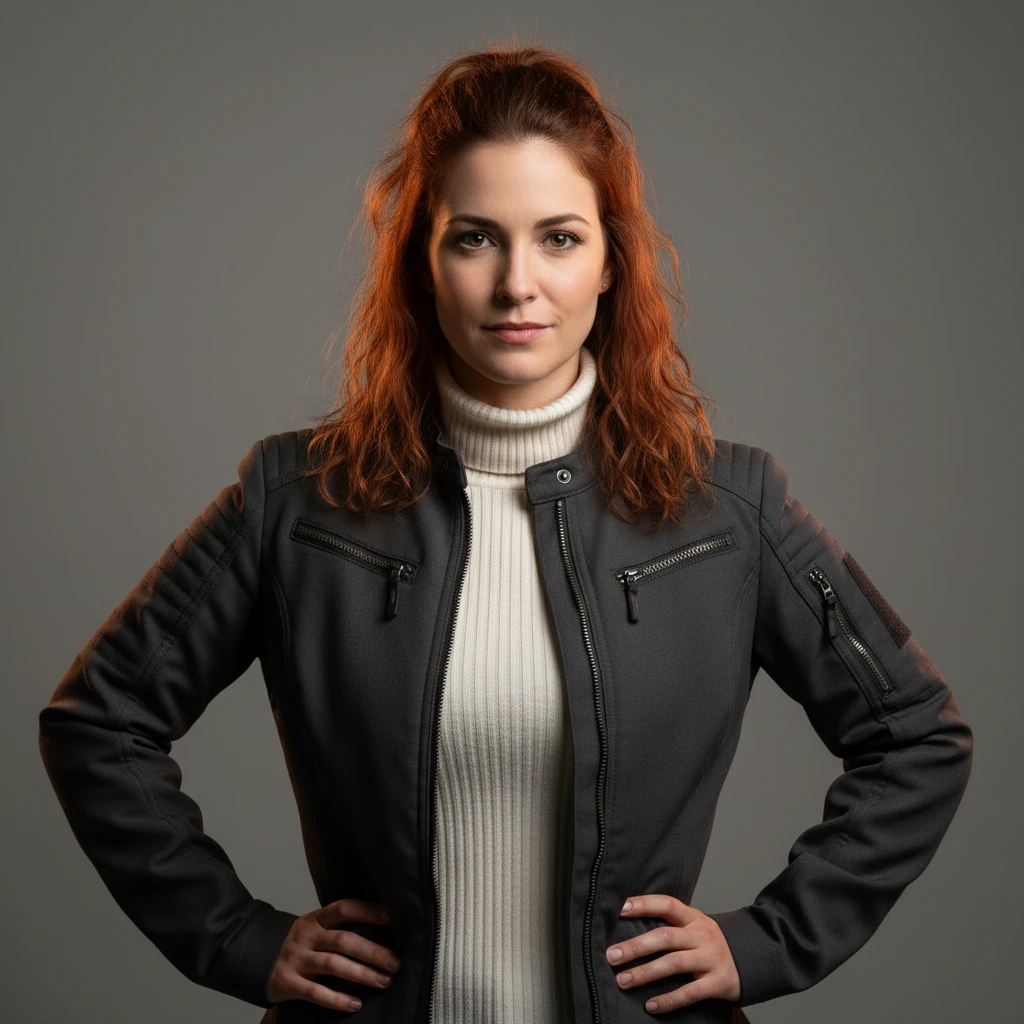
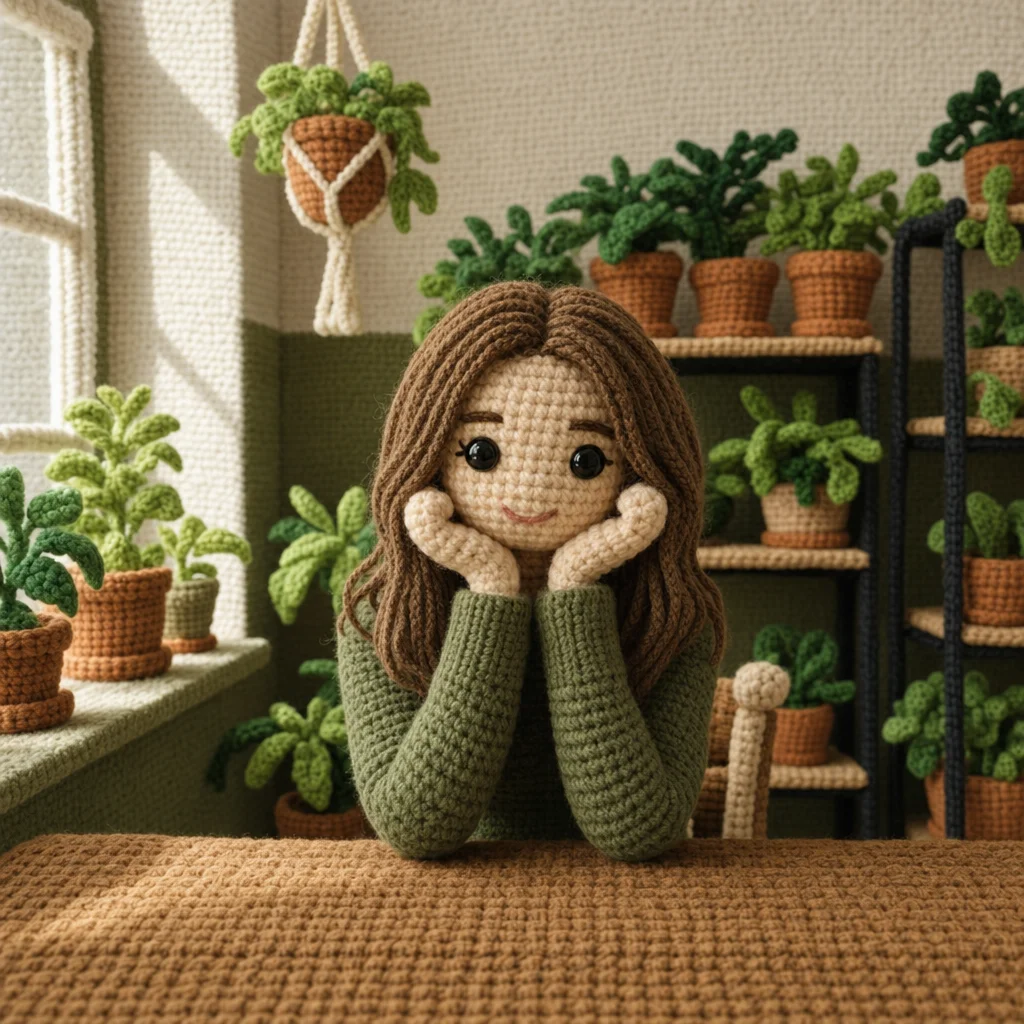
13. Chibi Crochet Doll
Develop a crocheted amigurumi doll from a source image, with visible yarn texture and button eyes. Distinctive details from the reference can help make the figure easier to recognise.
Edit this image. Transform the subject into a cute crocheted amigurumi doll with visible yarn texture, stitches, handmade wool appearance, and button eyes.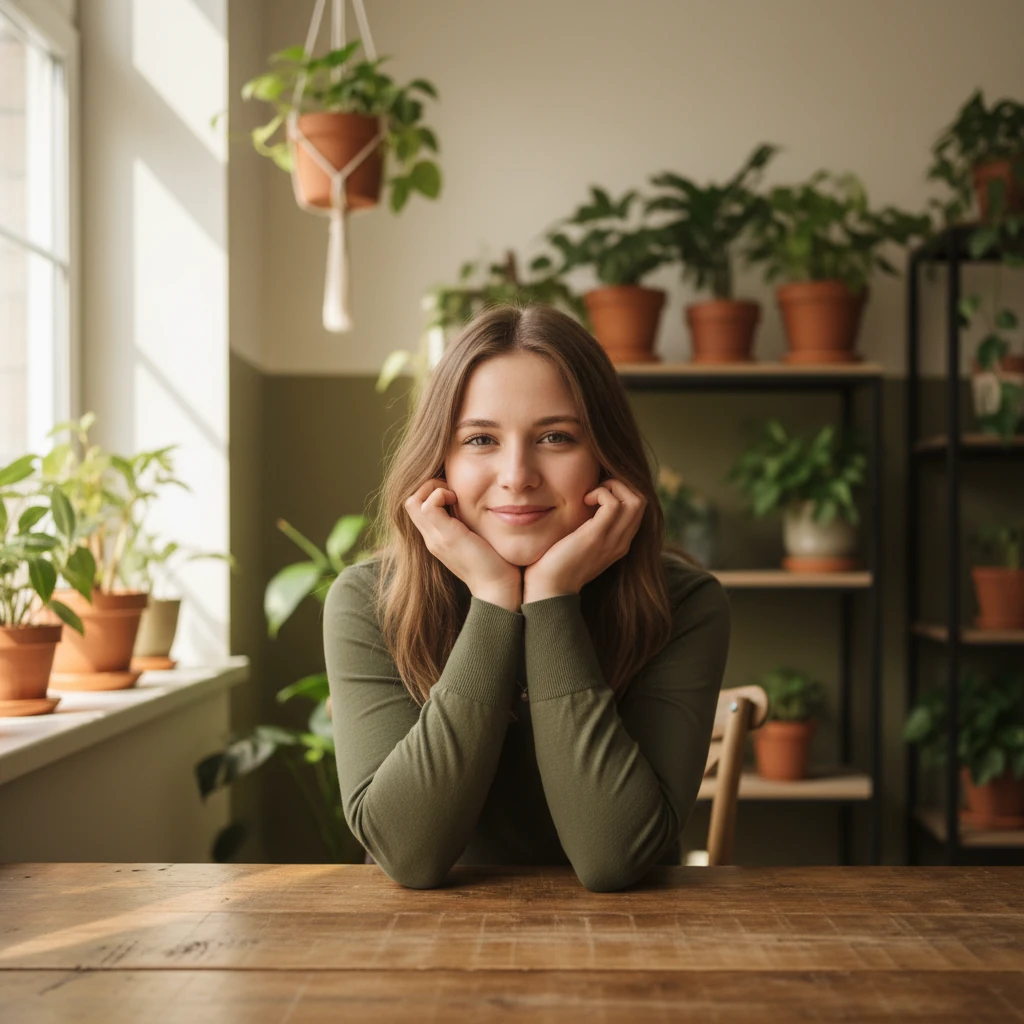
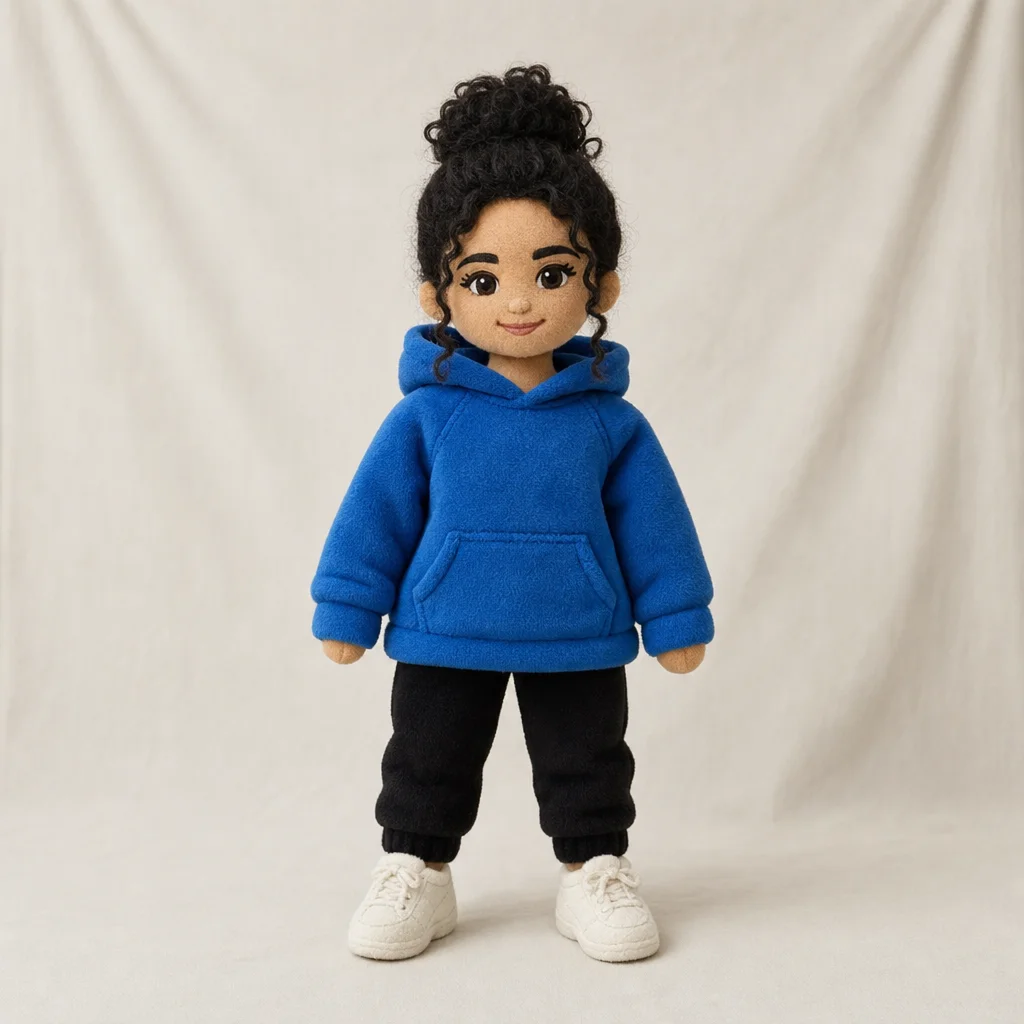
14. Character Plush Figure
A plush figure works well as a creative concept. Name the recognisable details you want to keep, then do not treat the generated result as a binding production specification.
Edit this image. Transform this person into a soft plush toy. Preserve the hairstyle, outfit colors, and distinctive accessories where possible, but render them as stitched fabric and soft stuffing.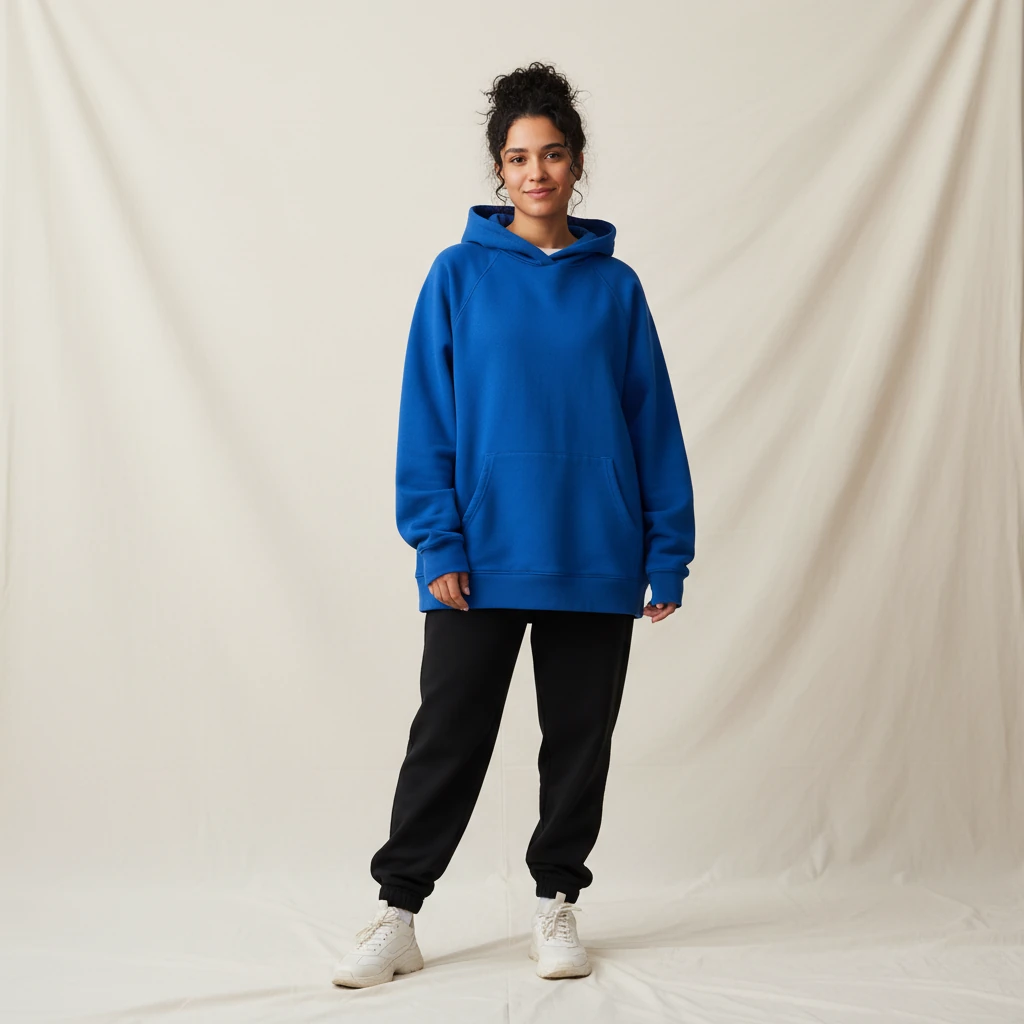
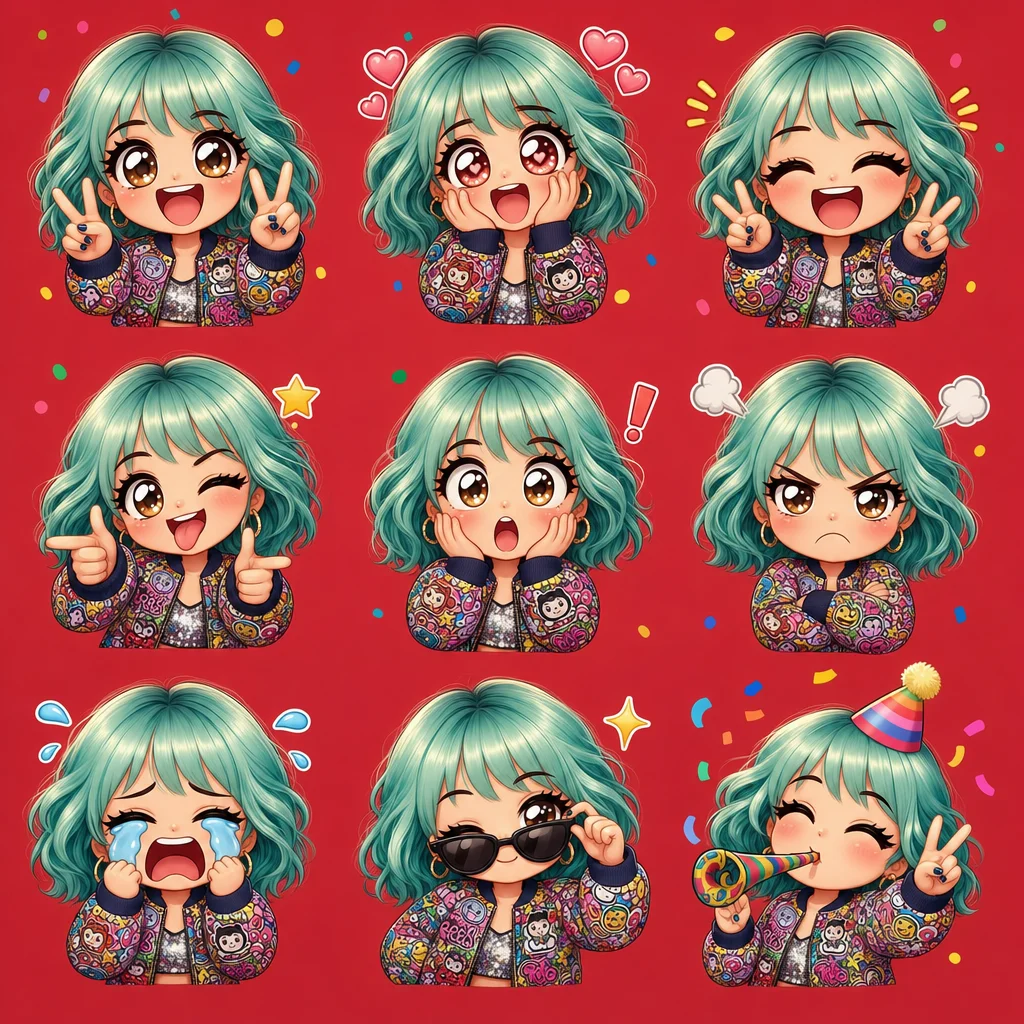
15. Chibi Emoji Stickers
Create a set of emoji stickers with various facial expressions in chibi style. Ideal for messenger apps or social media.
Edit this image. Create a grid of emoji expressions with exaggerated chibi features based on the person in the source image.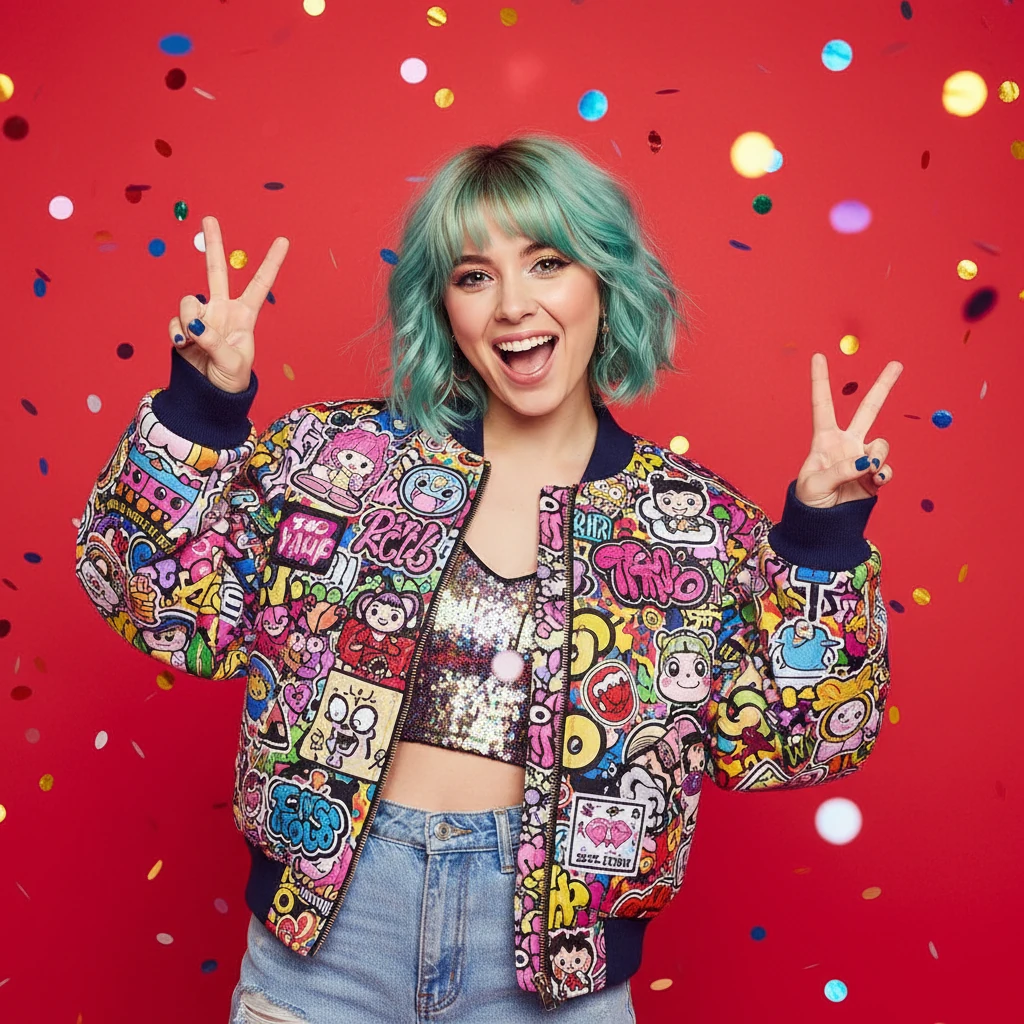
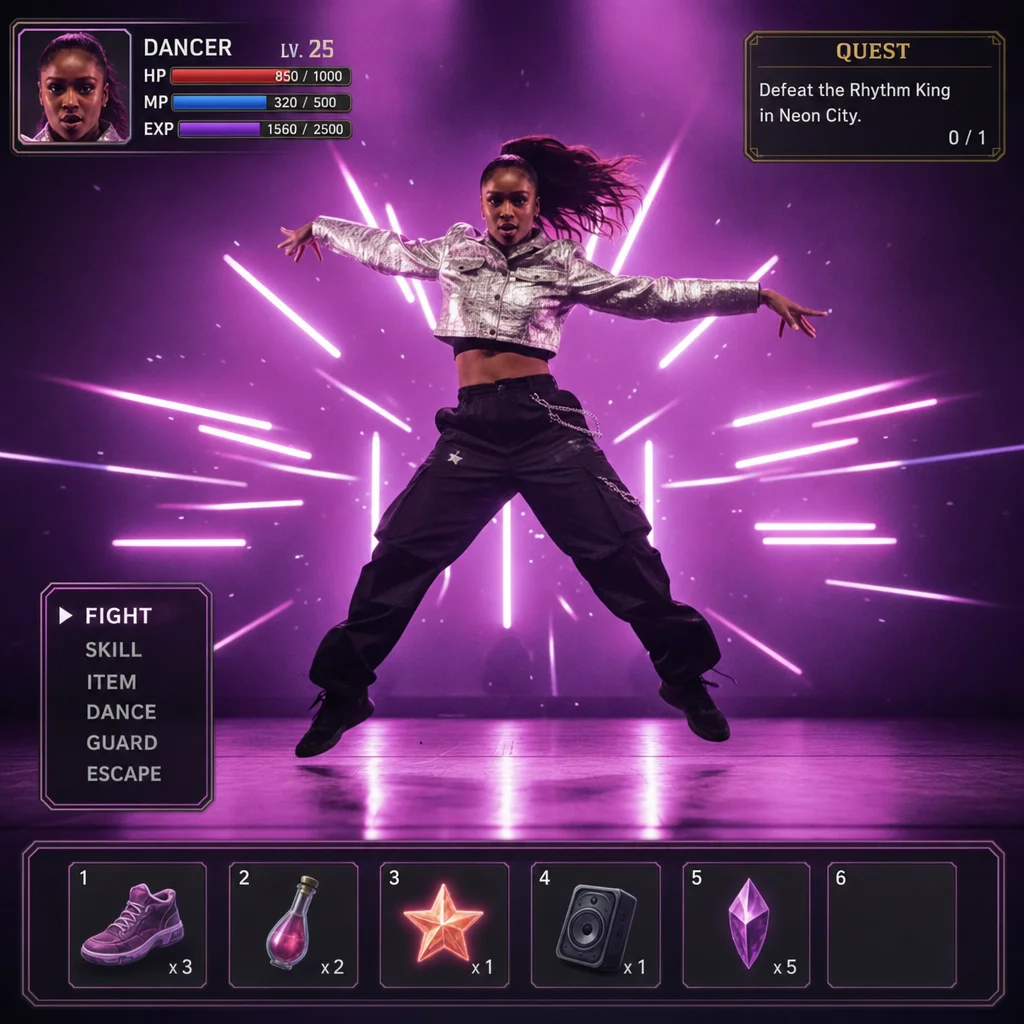
16. Game UI Design
Add RPG game-interface overlays with HP bars, inventory slots, and other UI elements. This develops a gaming screenshot as a visual draft from a source image.
Edit this image. Add an RPG game-interface overlay with an HP bar and inventory slots. Keep the original scene visible behind the interface.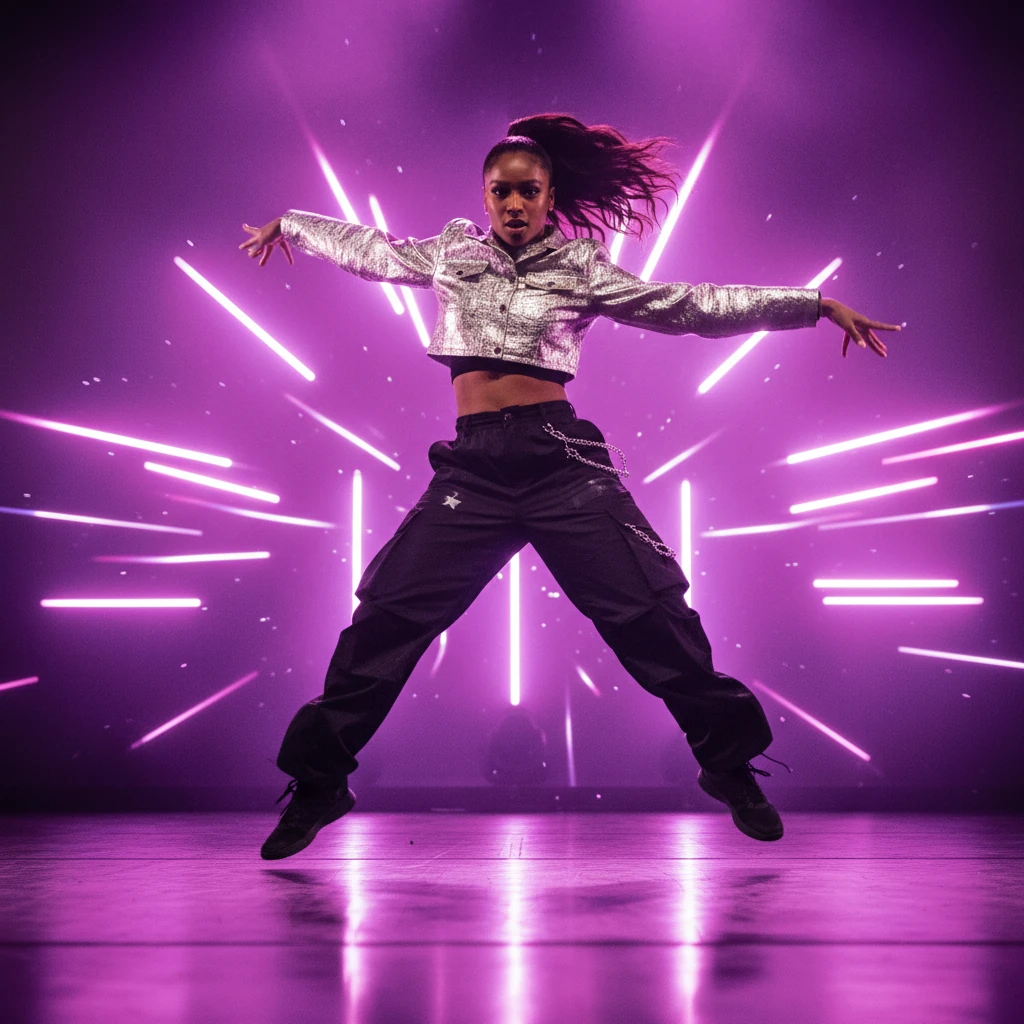
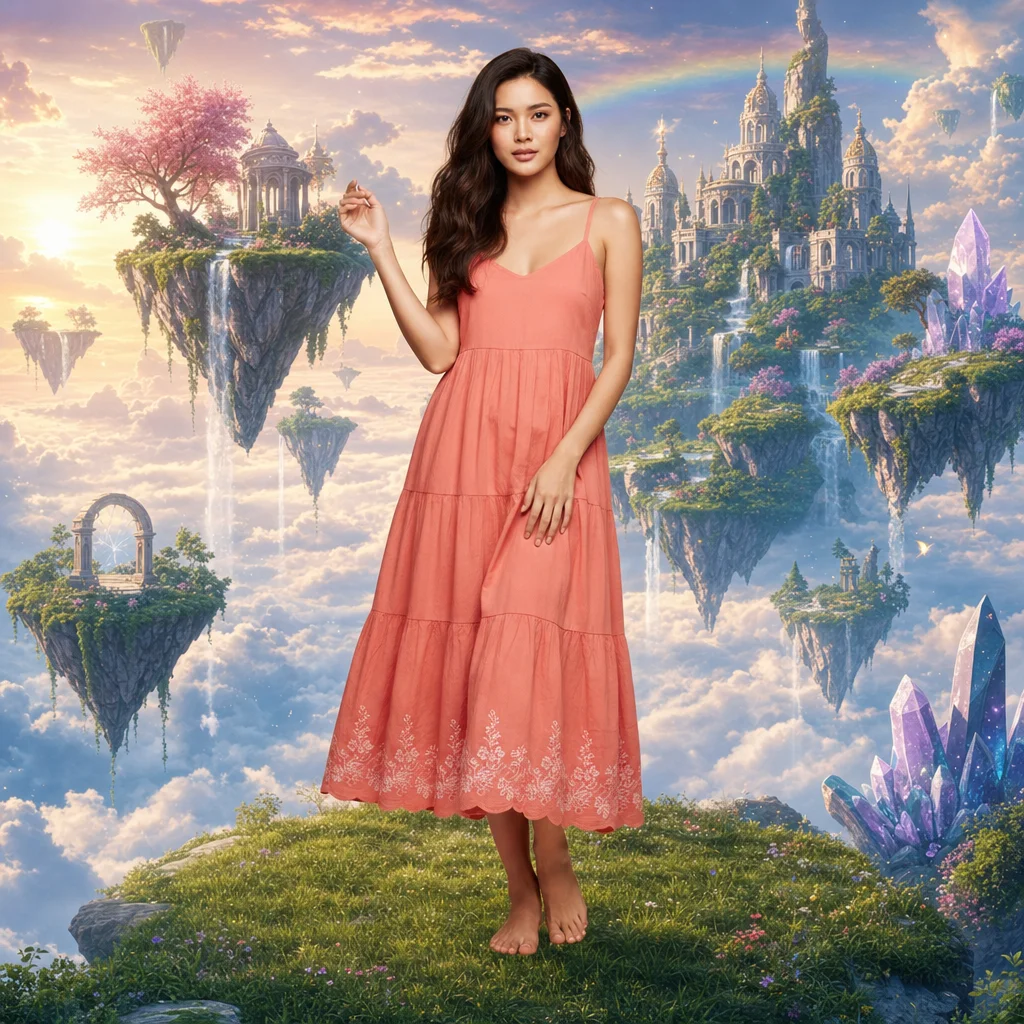
17. Swap Background
For a background swap, name the new setting and ask to keep the person or product. Inspect hair, edges, reflections, and shadows closely.
Edit this image. Replace only the background with a magical floating sky-island landscape. Keep the subject, its edges, pose, and foreground lighting unchanged where possible.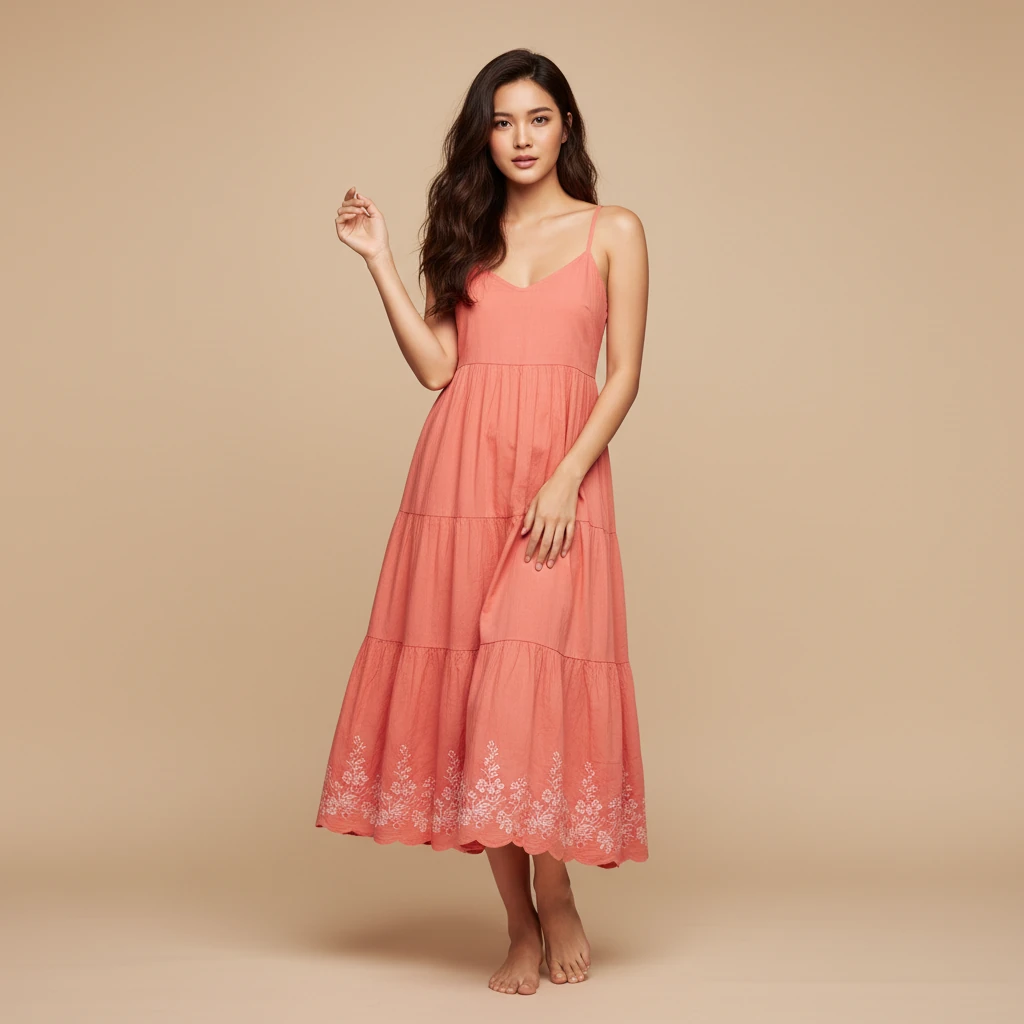
18. Camera Angles
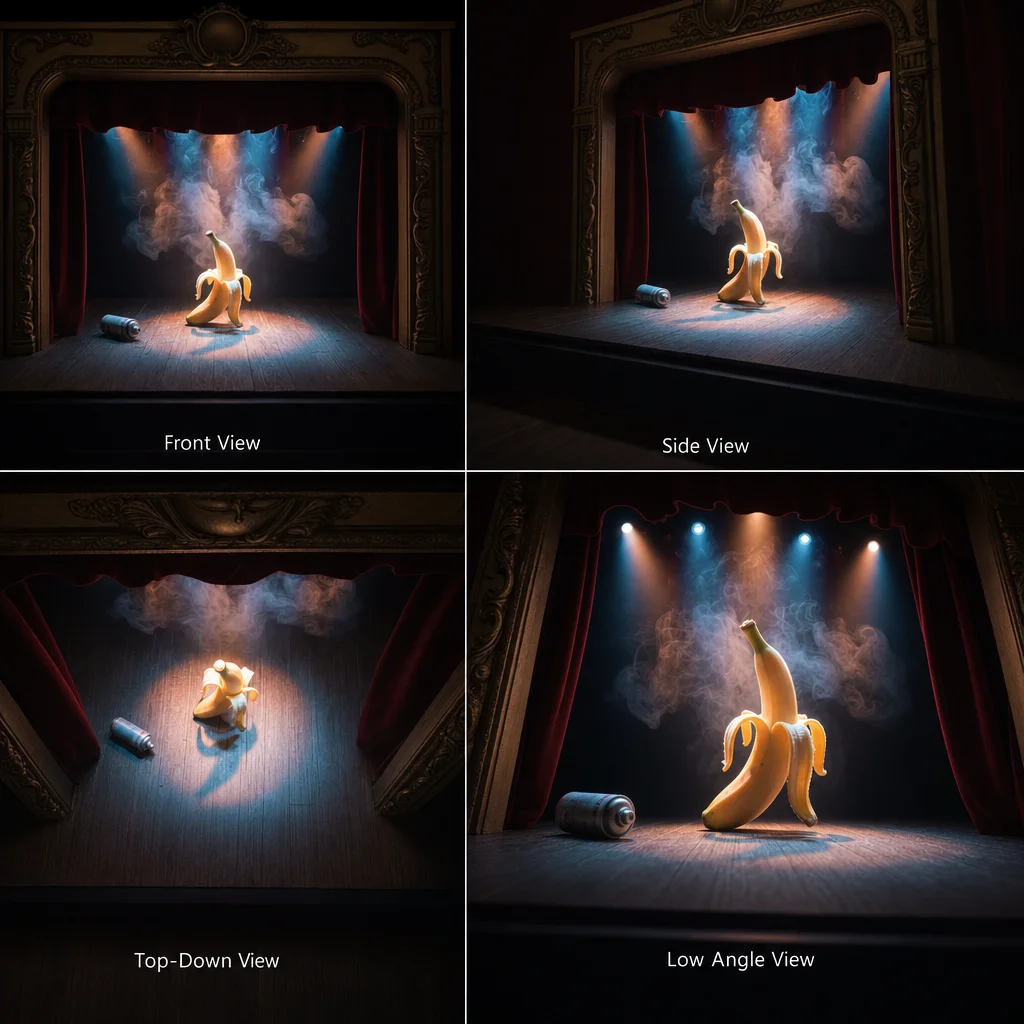
Show a subject from different camera angles in one image composition. This lets you compare perspectives as a visual draft. Use the result as a concept or storyboard, not as a reliable multi-view record of a real person or product.
Edit this image. Create a 2x2 concept grid that shows the scene from four camera angles: front view, side view, top-down view, and low angle view. Keep the subject and visual style as consistent as possible.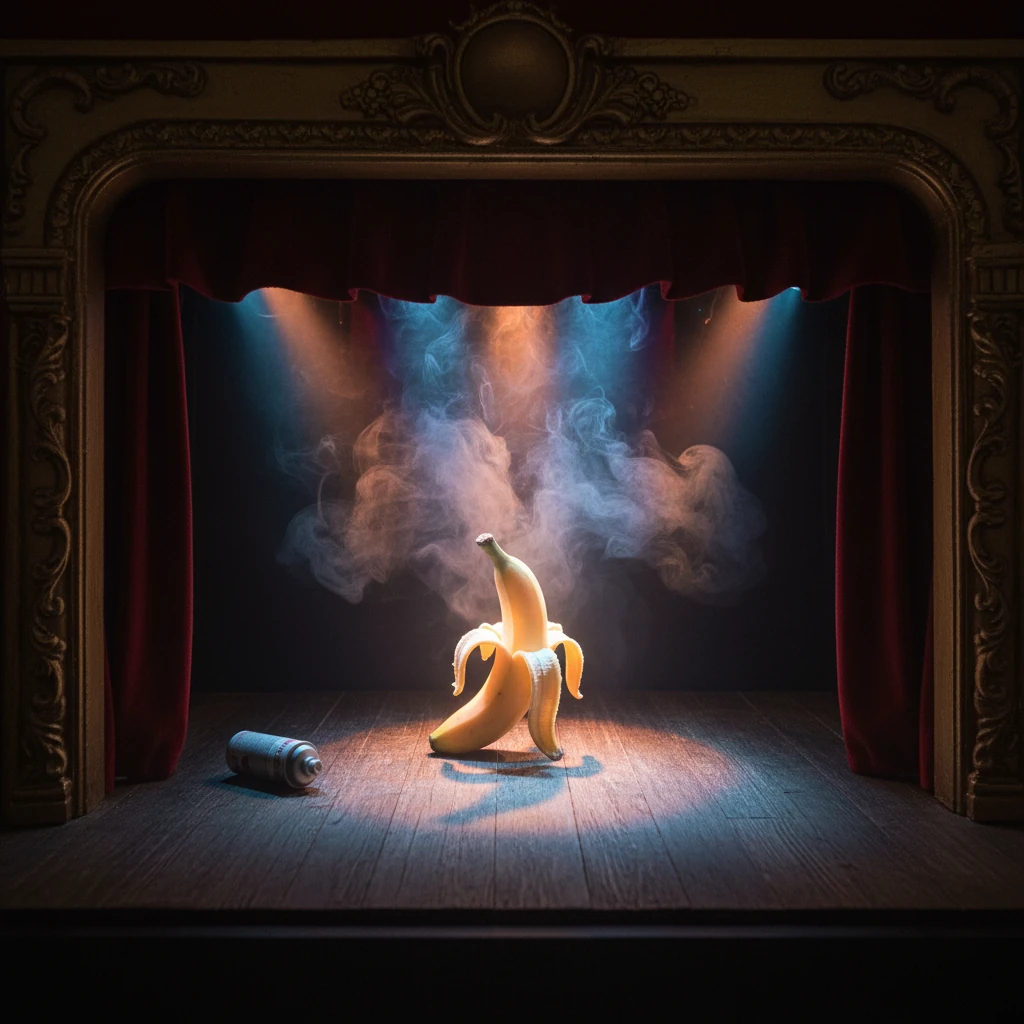
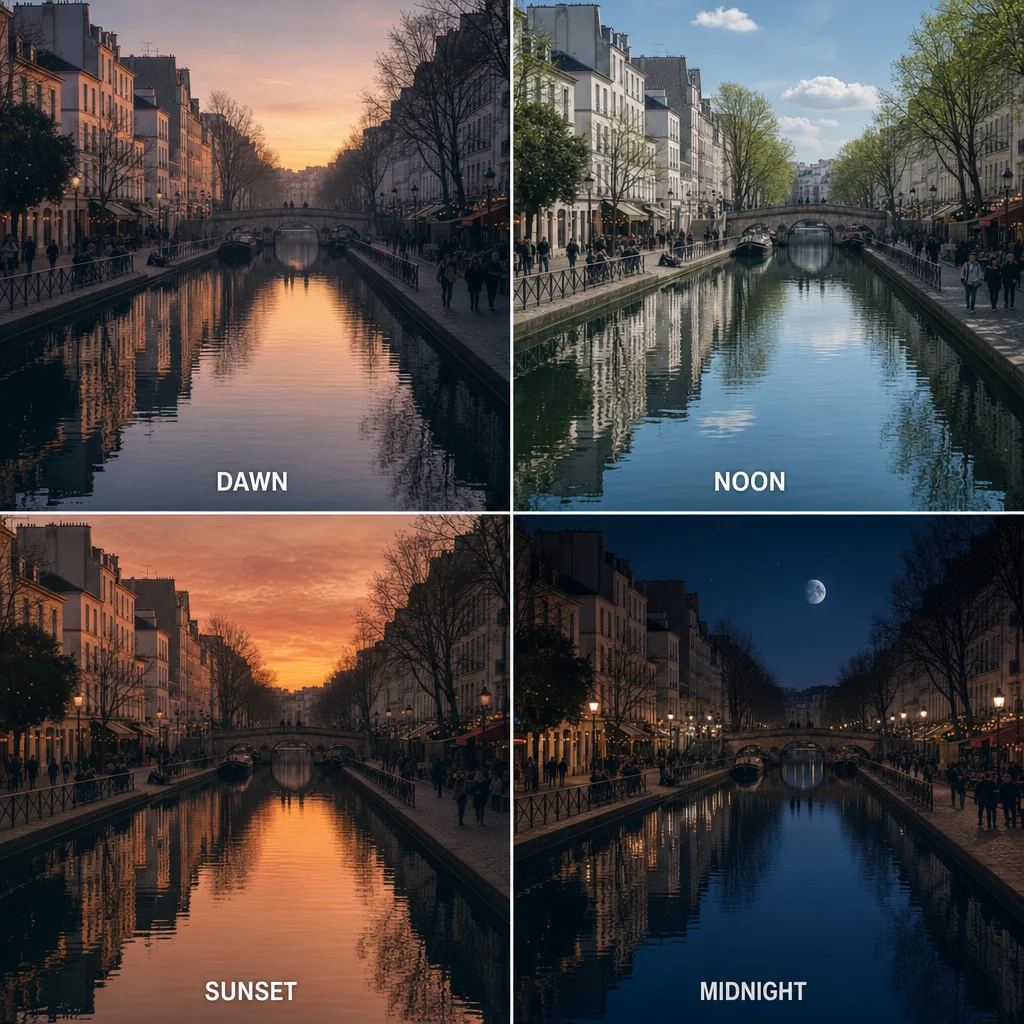
19. Time-Based Variation
Show a subject at different times of day. This creates a concept with morning, noon, evening, and night views. Again, use the composition as a moodboard, not as reliable documentation of the same subject.
Edit this image. Split it into four conceptual time panels showing dawn, noon, sunset, and midnight. Keep the subject and composition as consistent as possible.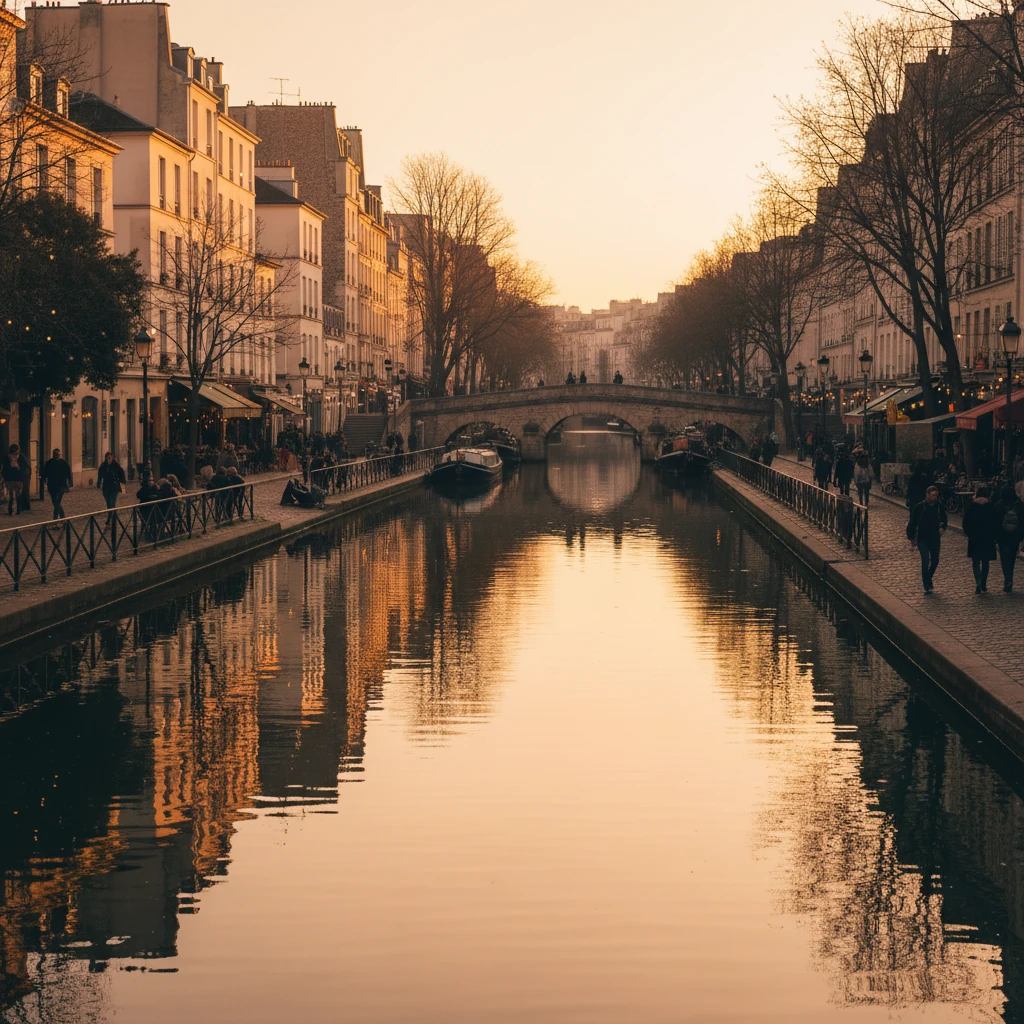
20. Object Extraction
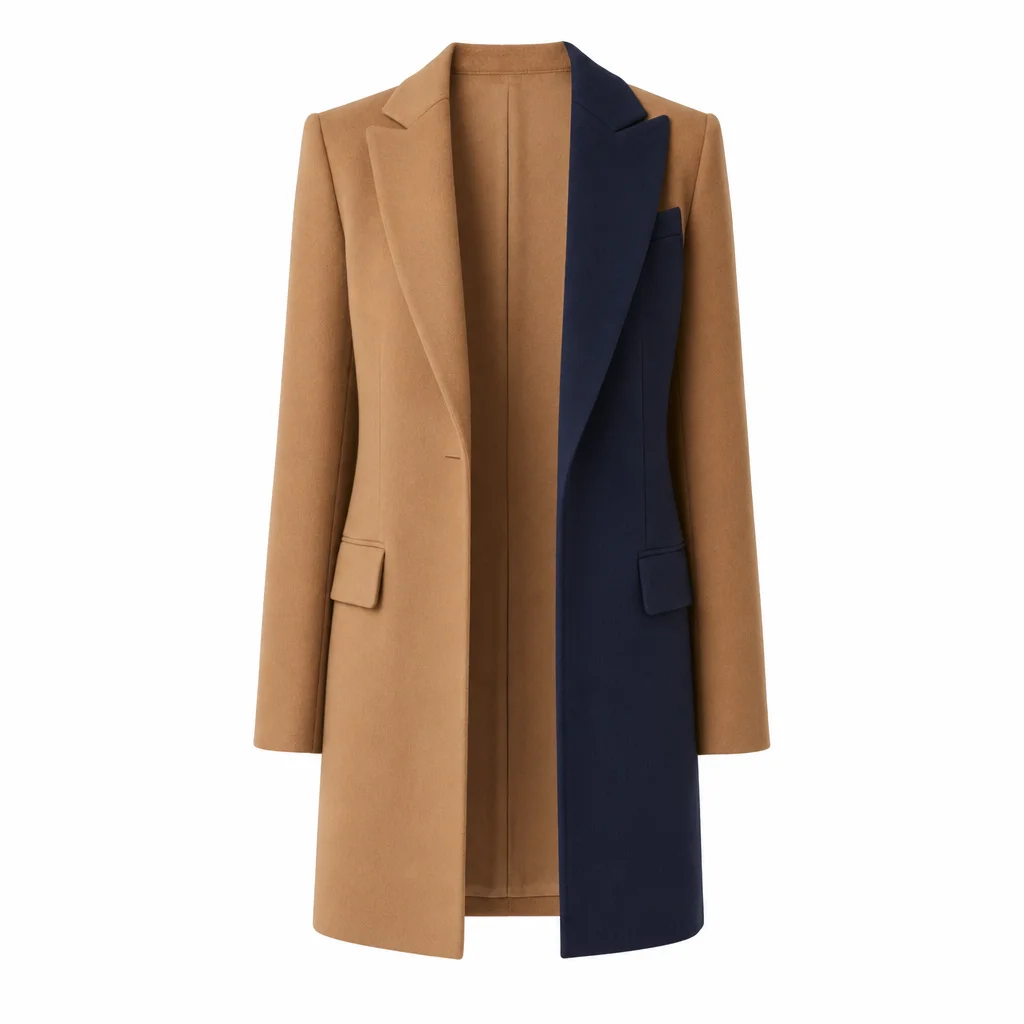
Isolate one object against a simple background. For a shop, print, or binding catalogue, you still need to check the edges, colors, and product details yourself.
Edit this image. Isolate only the coat on a clean white background. Keep its cut, material texture, color, buttons, and stitching where possible. Remove all other elements.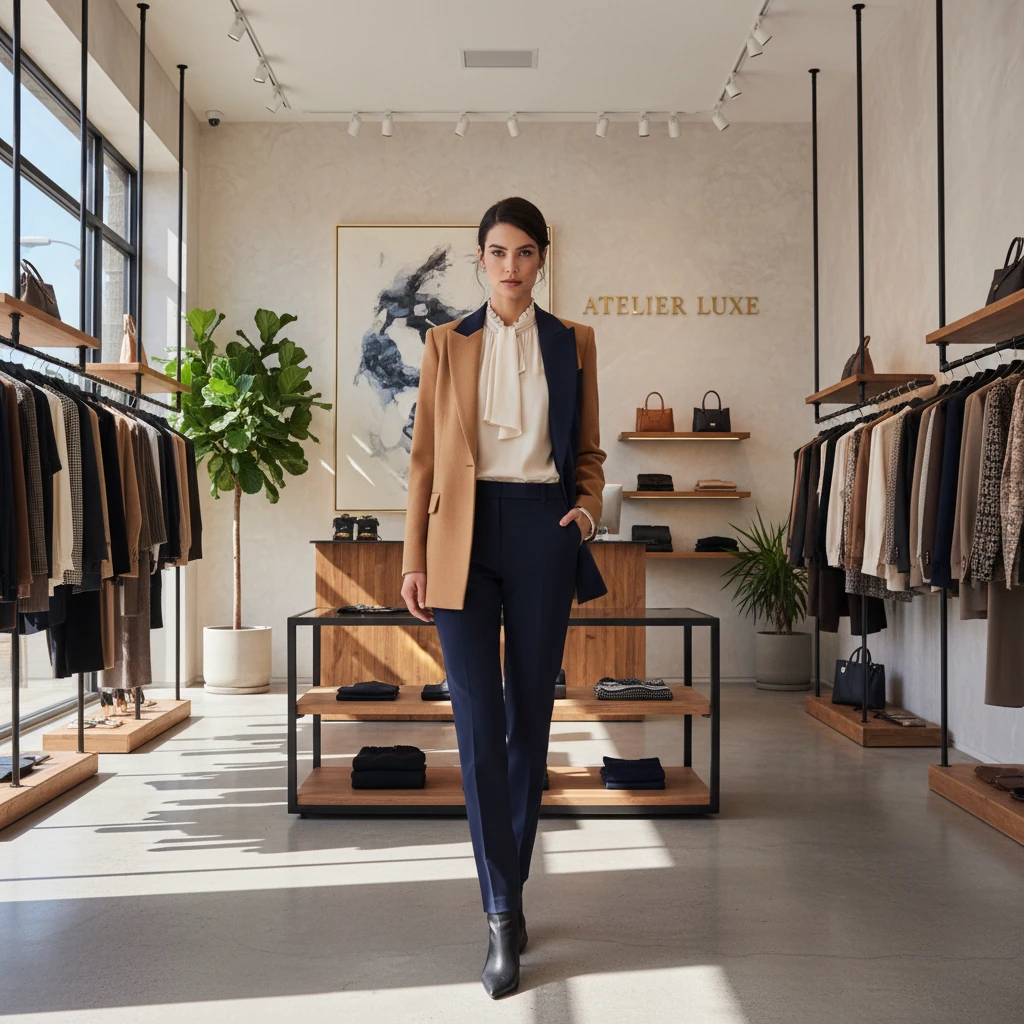
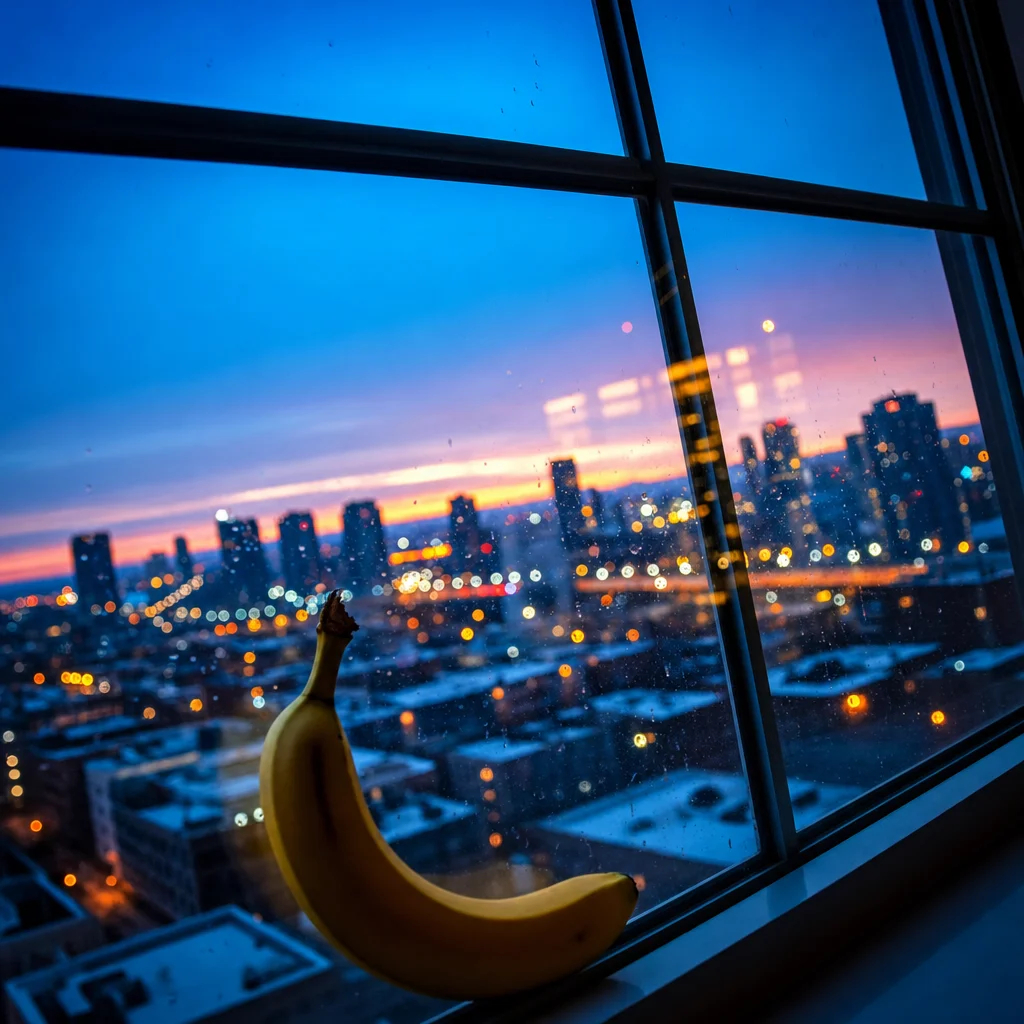
21. Enhance Image
You can ask for a cleaner, higher-contrast visual version. That is not a genuine restoration. Missing details may be invented, so do not use the result as evidence of an original photo.
Edit this image for a cleaner, sharper visual appearance. Reduce visible noise and improve contrast while keeping the subject, colors, text, and composition unchanged where possible. Do not invent new details.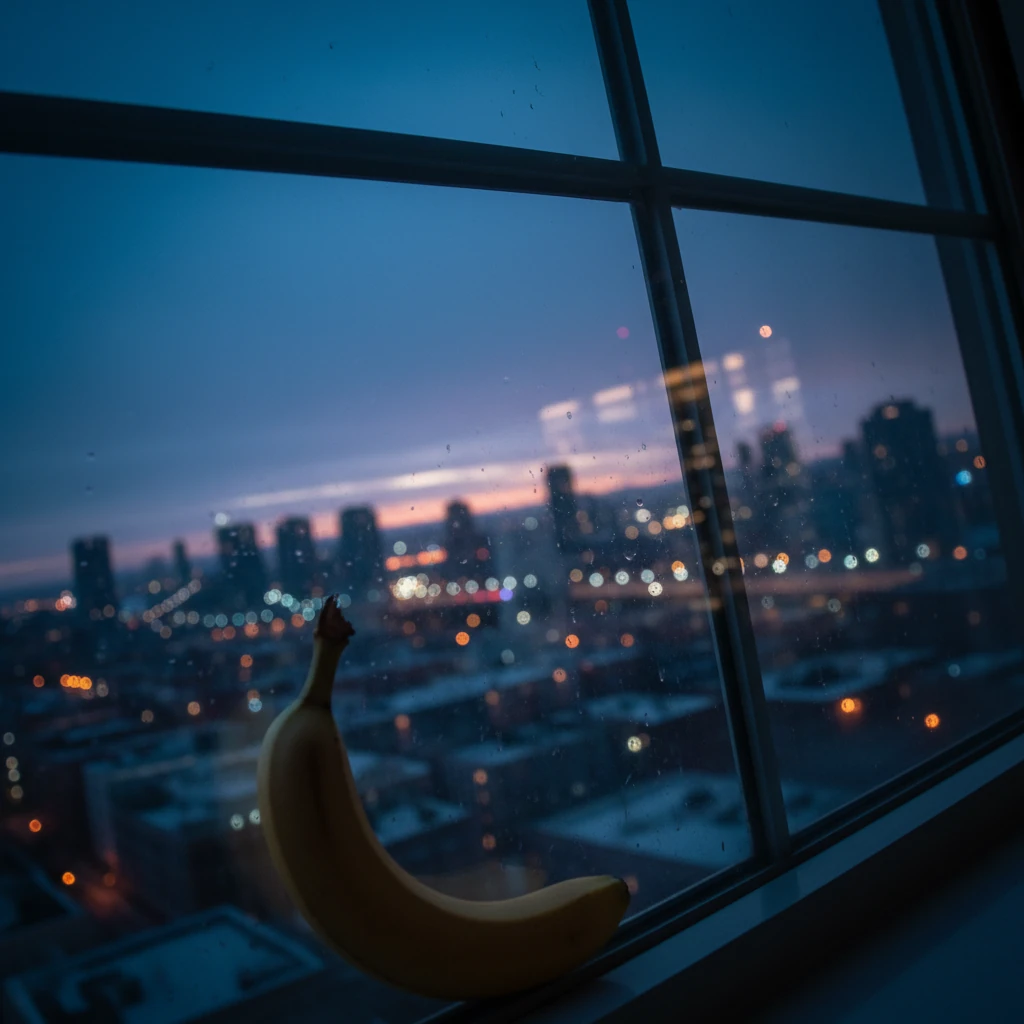
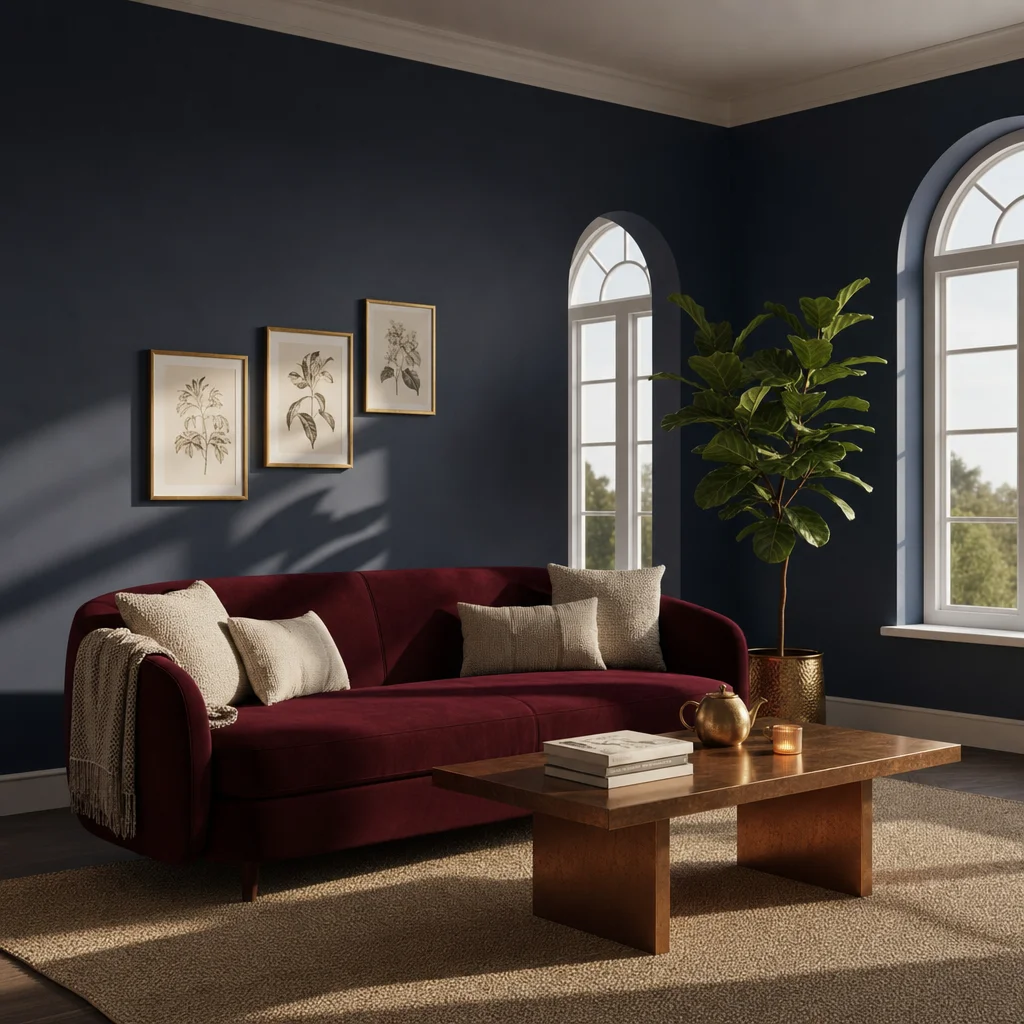
22. Change Color Mood
Develop a new color variation for a room. Describe the colors, surfaces, and existing layout precisely enough that you can review the result against them.
Edit this image. Change the room's color scheme to deep navy-blue walls, a rich burgundy velvet sofa, gold accents on frames, and warm copper tones on the coffee table. Keep the furniture layout and room geometry where possible.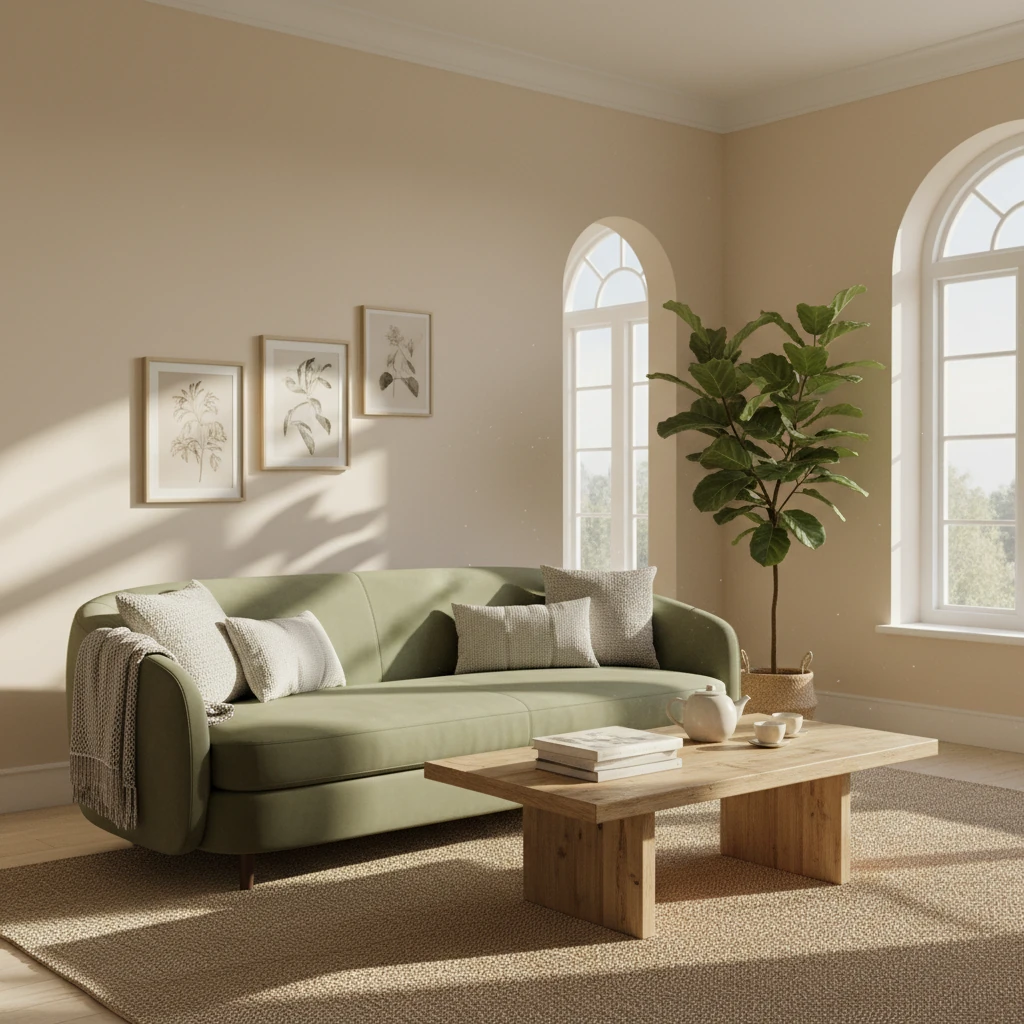
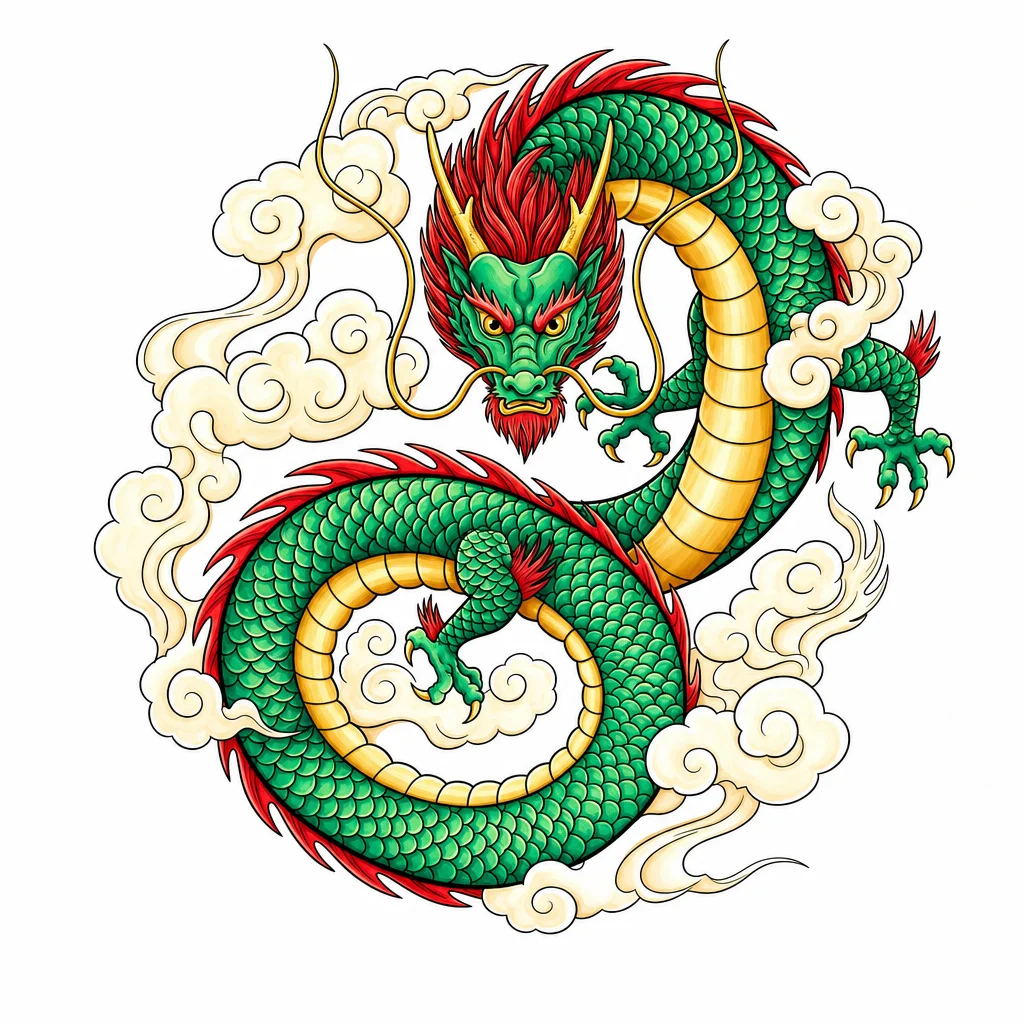
23. Line Art Illustration
Colour a black-and-white drawing into a vibrant illustration. The prompt aims to preserve the key line work and composition. Check whether the style still works for your purpose.
Edit this image. Transform this black-and-white dragon line drawing into a vibrant coloured illustration with emerald-green scales, golden horns, and a red mane. Preserve the main line work and composition where possible.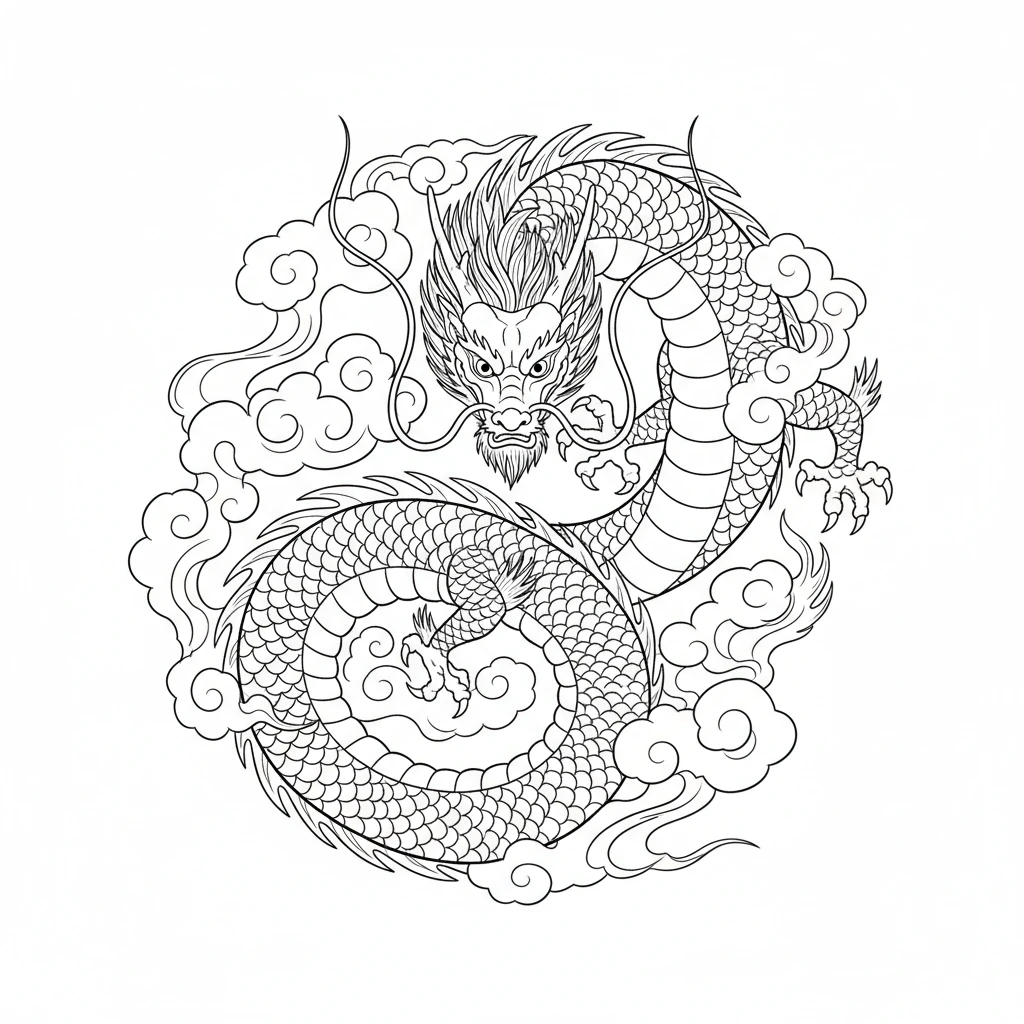
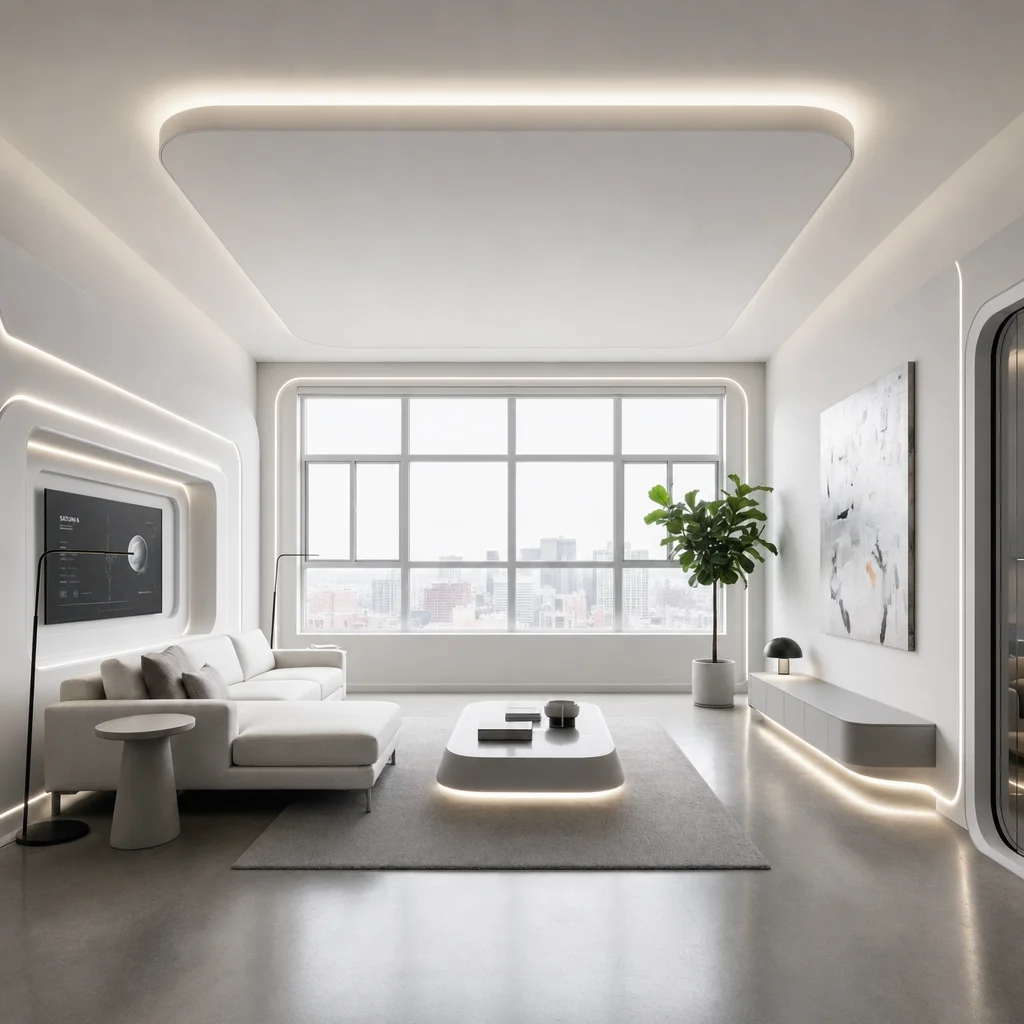
24. AI Interior Design
Use this prompt for an interior concept, not a construction plan. The more fixed features of the room you name, the easier it is to review the result.
Edit this room into a futuristic, minimalist living space. Keep the room geometry, windows, door positions, and camera angle unchanged where possible. Add clean built-in storage, indirect lighting, and a restrained color palette.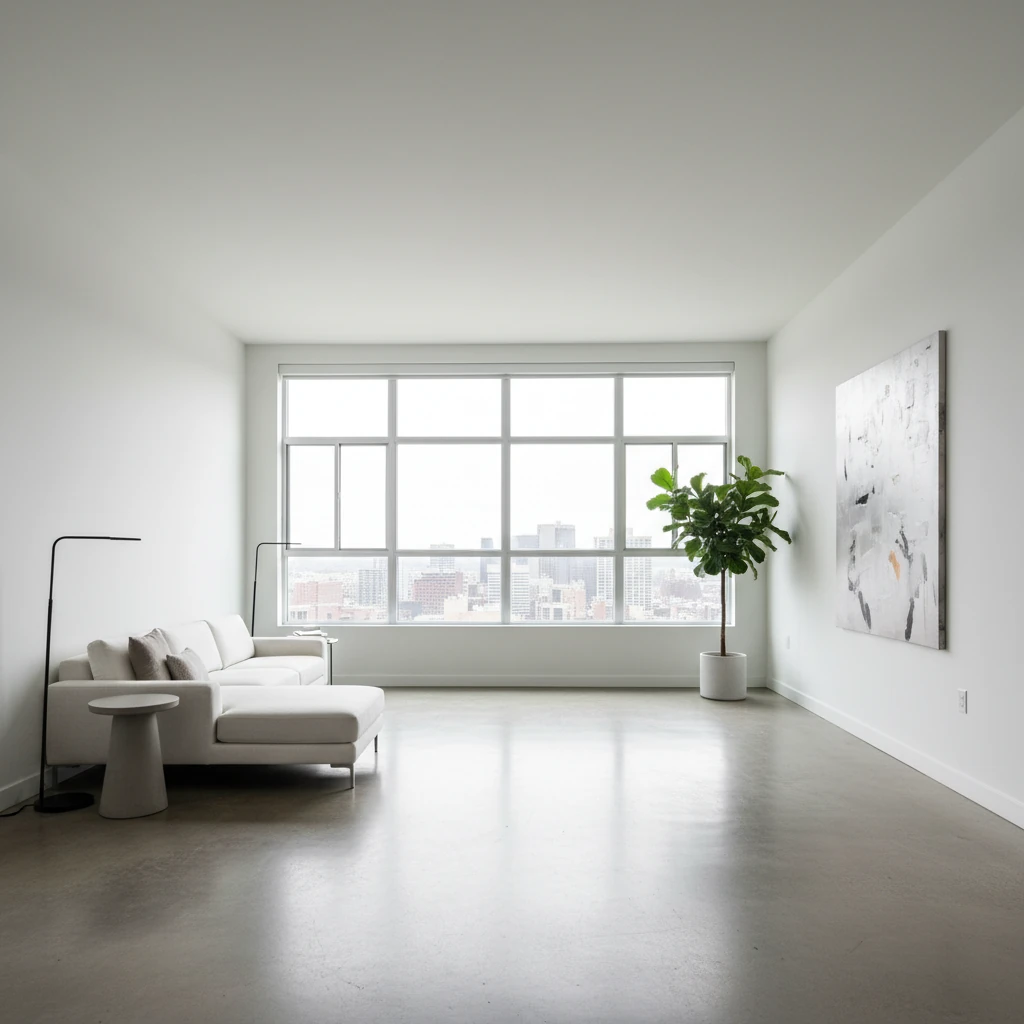
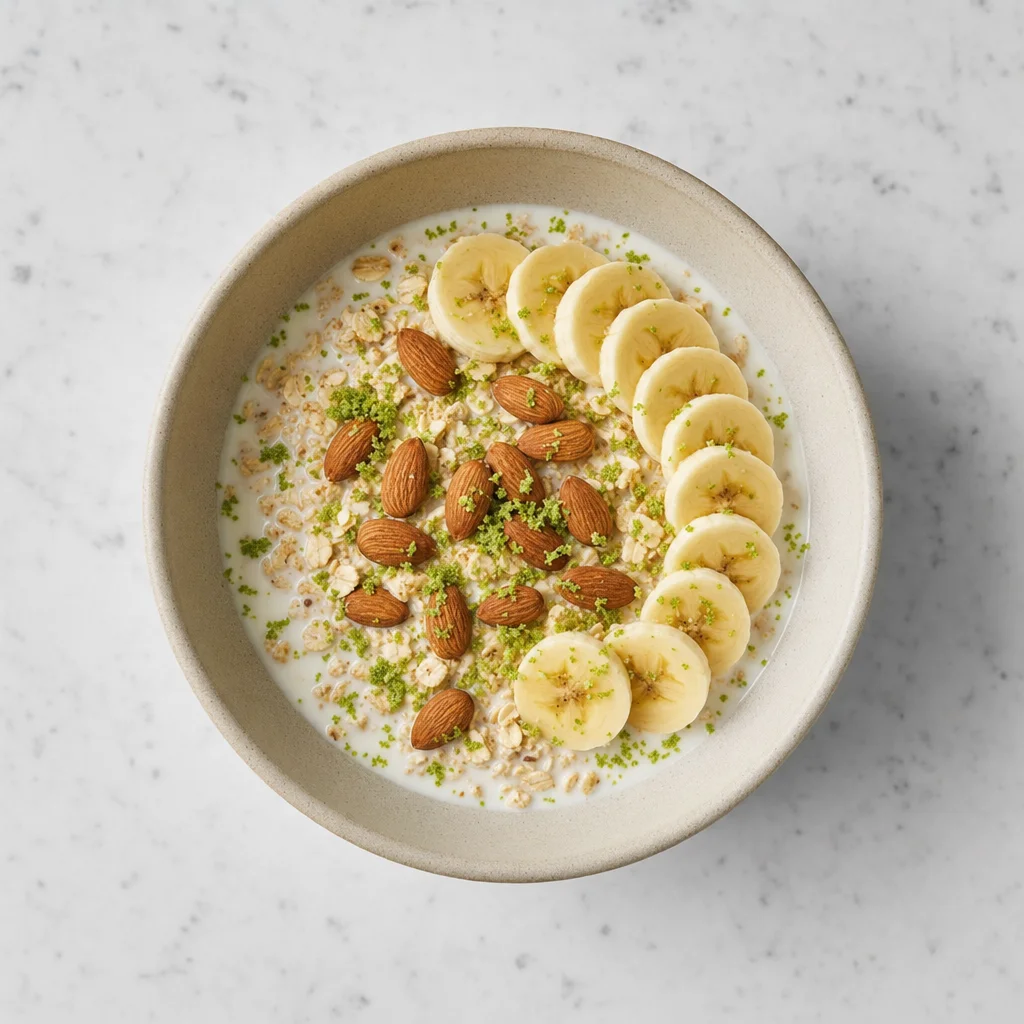
25. Ingredients to Dish
This prompt develops a visual food concept. It is not a recipe and does not reliably establish which ingredients are actually used.
Edit this image. Transform the shown ingredients into a beautifully arranged breakfast muesli bowl, using only the visible items as visual inspiration.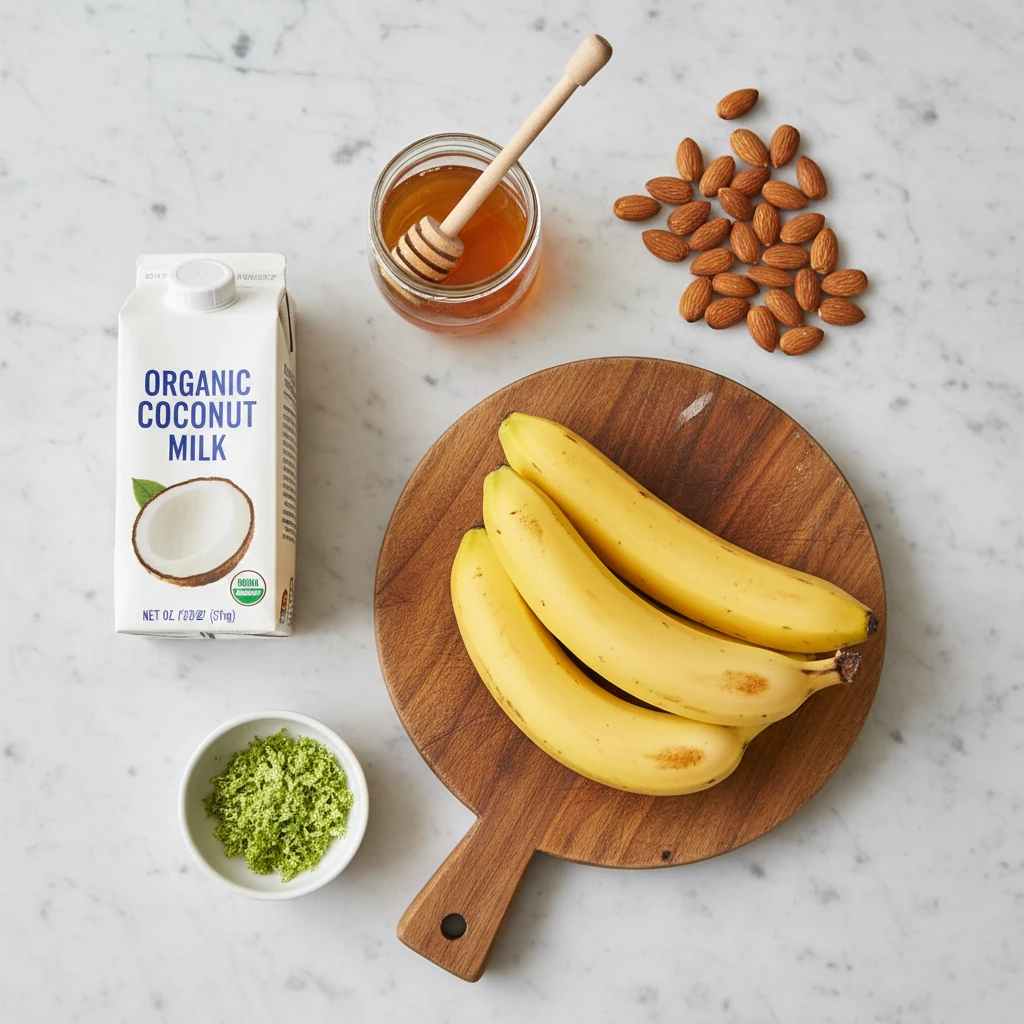
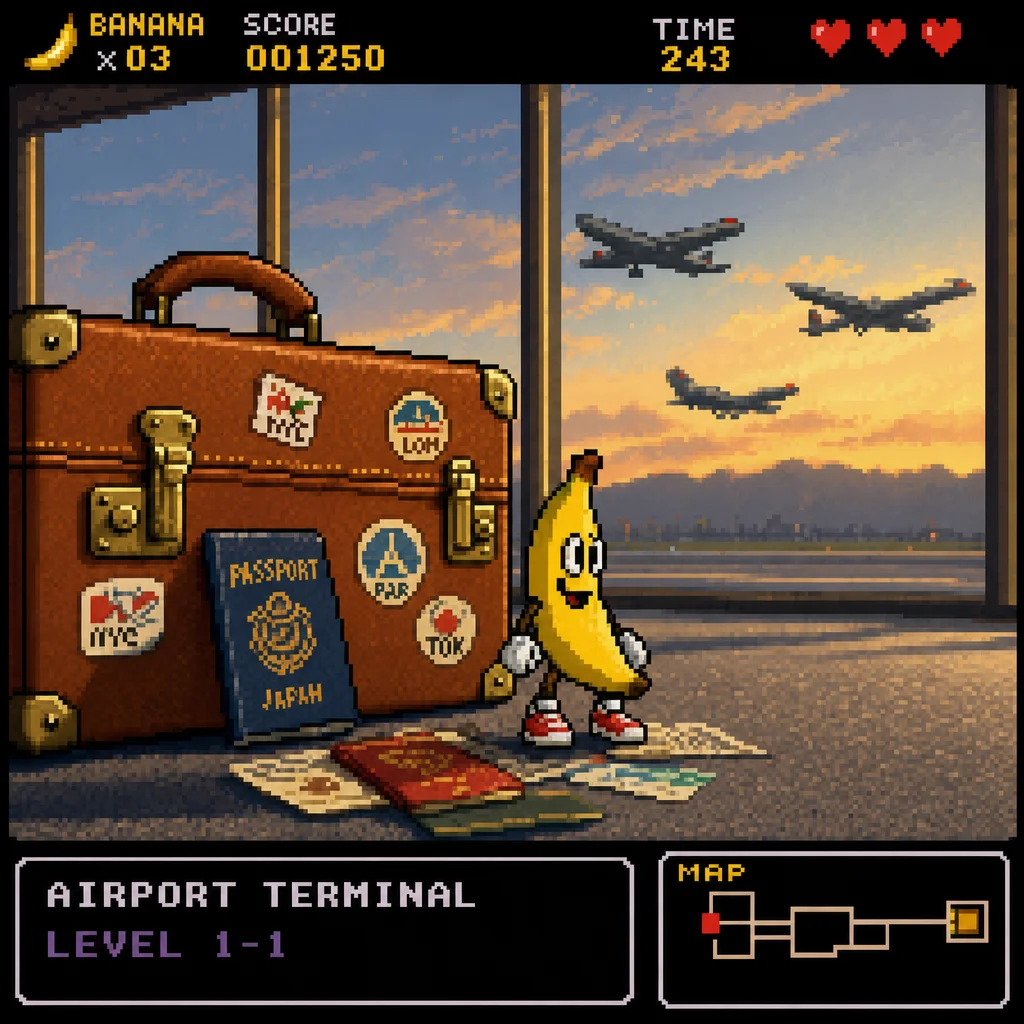
26. 16-Bit Character
Develop a 16-bit pixel-art character in retro gaming style from a photo. This prompt suits nostalgic game ideas and illustrations.
Edit this image. Transform the person into a 16-bit pixel-art video-game character sprite with a limited colour palette and a classic SNES-era style. Keep distinctive clothing colours where possible.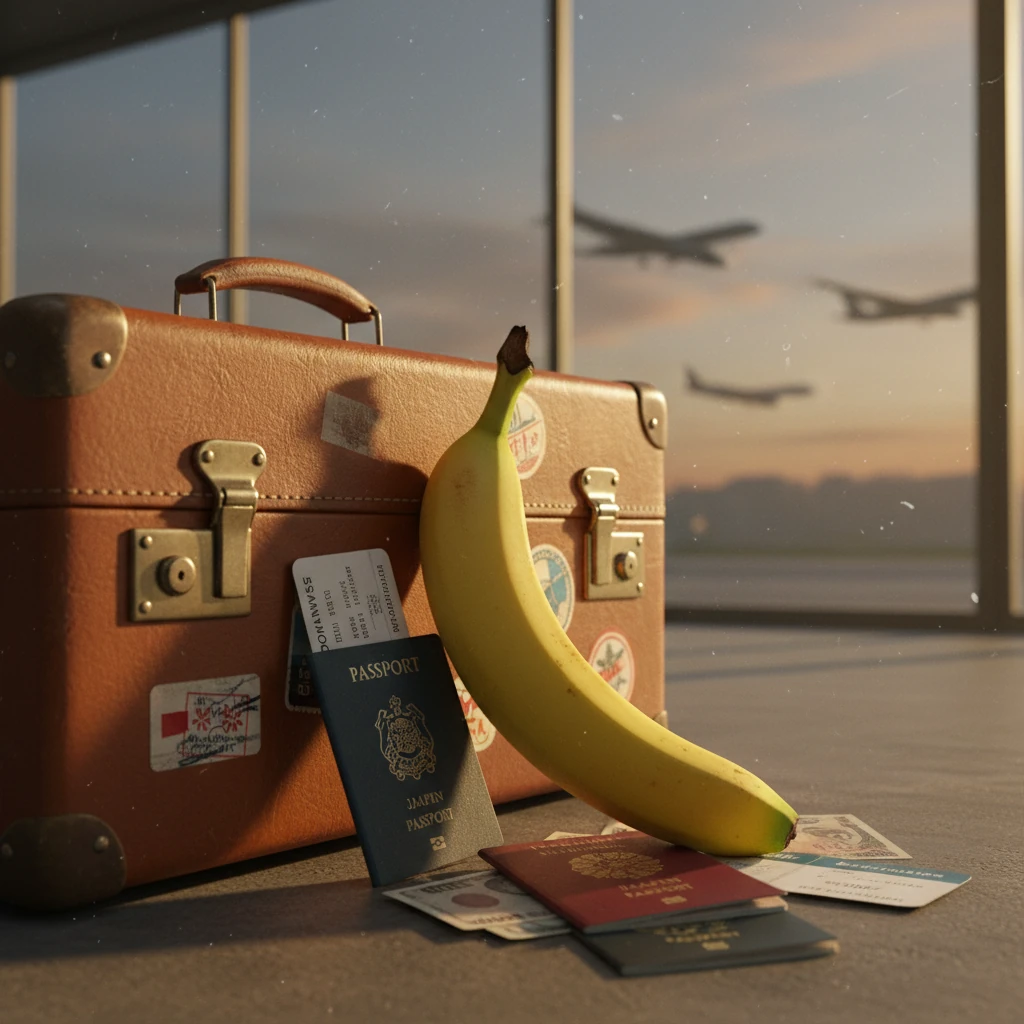
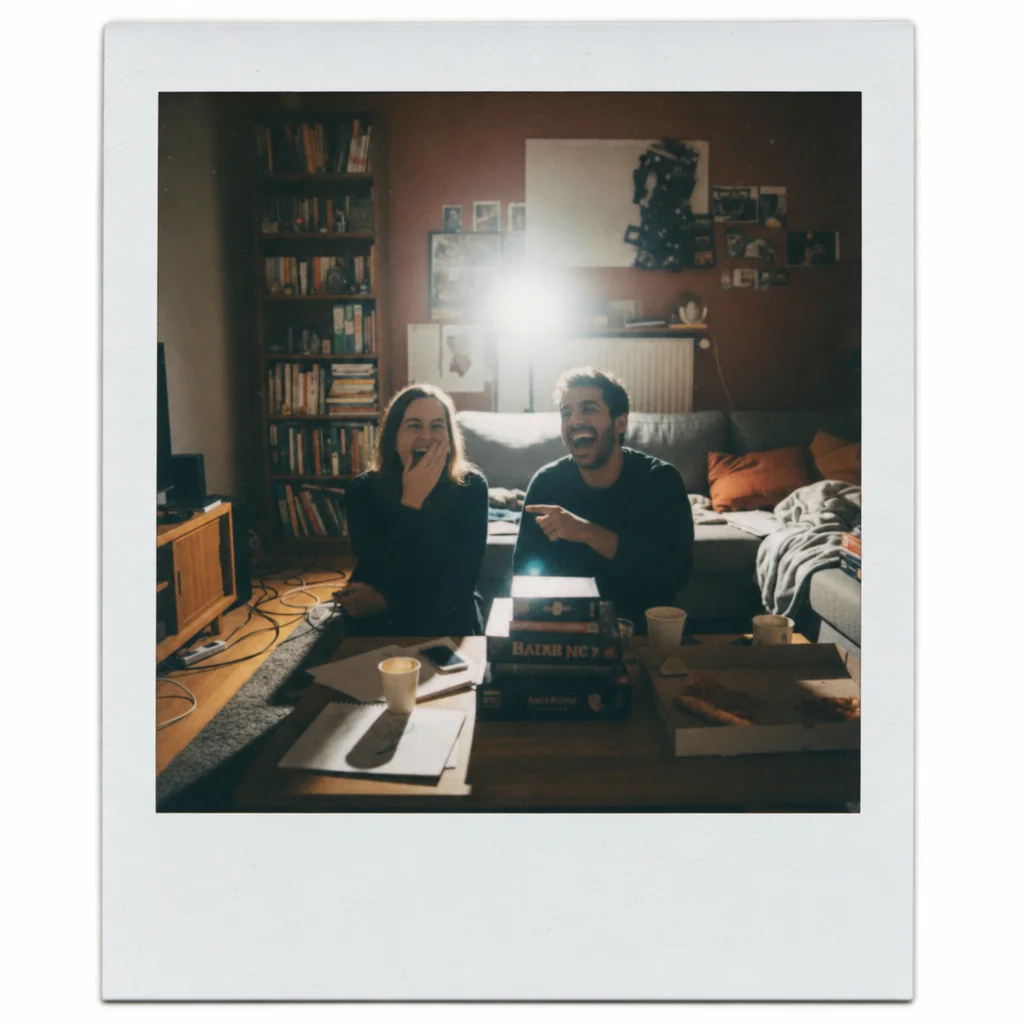
27. Polaroid Aesthetic
Transform digital photos into nostalgic Polaroid instant photos with the characteristic white frame and vintage look.
Edit this photo. Transform it into a vintage Polaroid instant-photo aesthetic with a characteristic white frame and gentle film grain.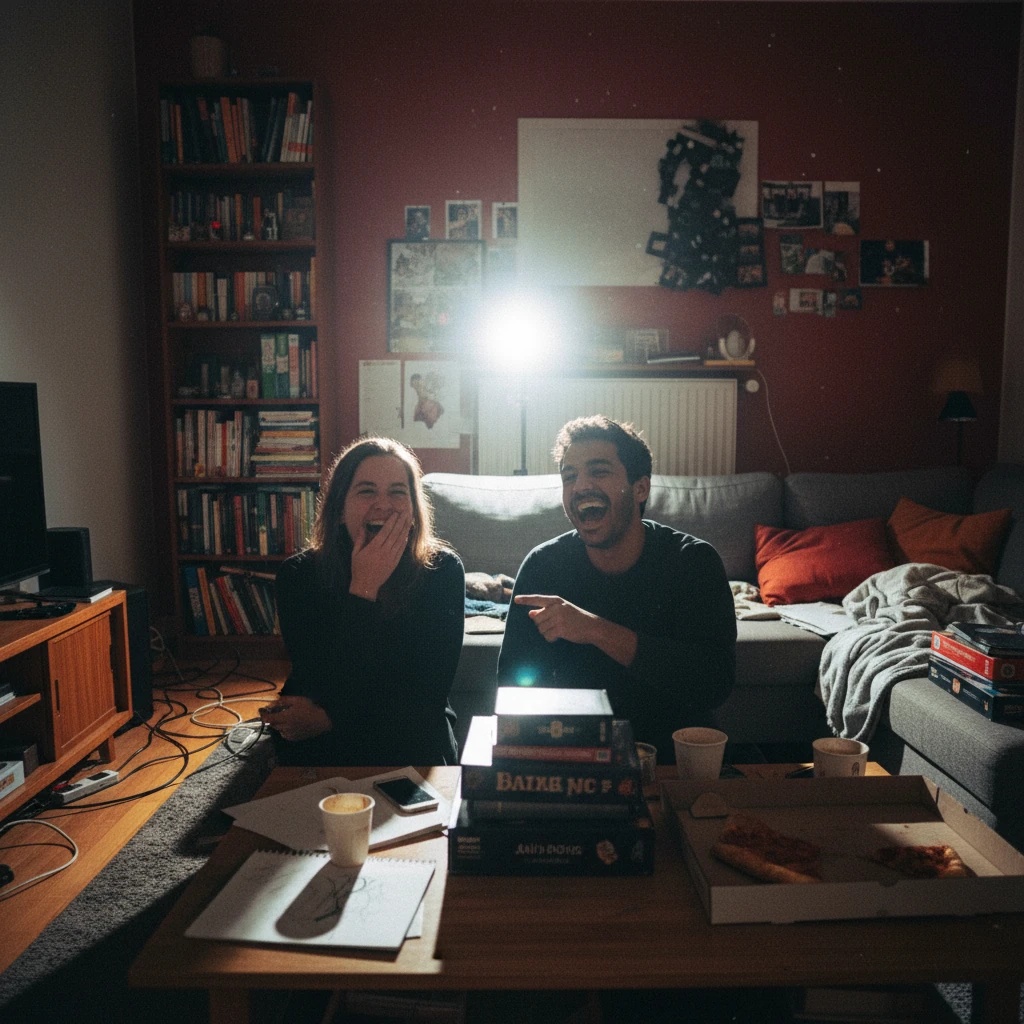
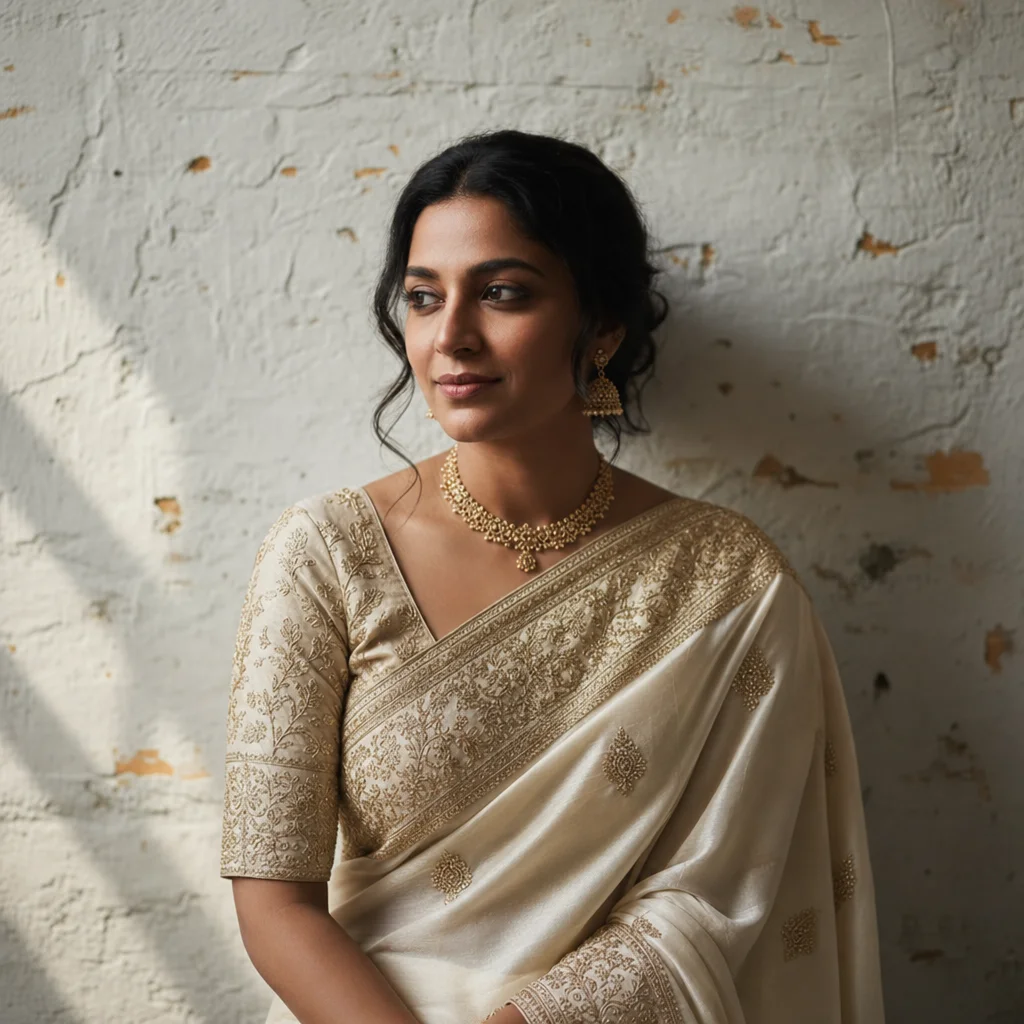
28. AI Sari
For a new outfit, name fabric, cut, and details, then check whether the face, hands, pose, and pattern remain plausible.
Edit this person into an elaborate silk sari with gold embroidery. Preserve the face, hairstyle, pose, lighting, and background where possible.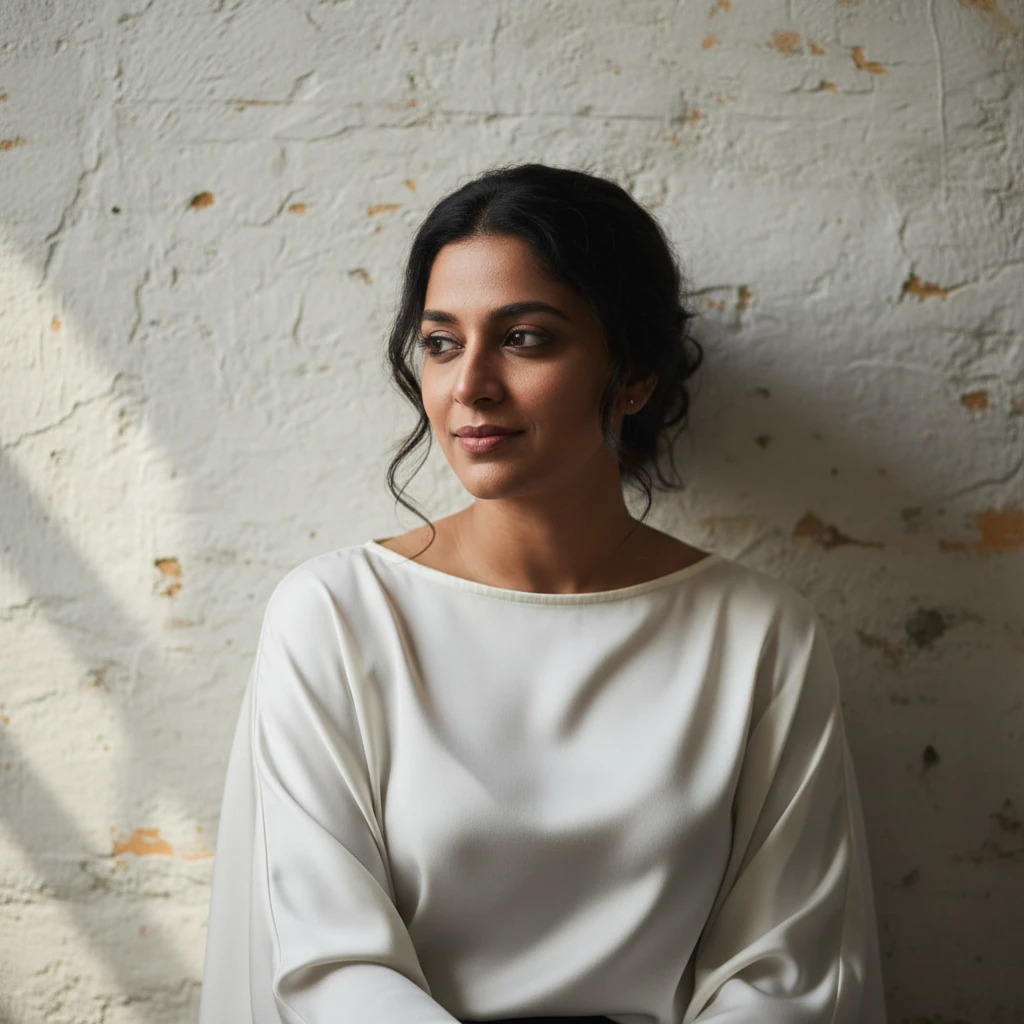
Conclusion
ChatGPT Images is useful for fast visual drafts and targeted variations. The smaller and clearer you make the edit, the easier the result is to assess.
These 28 prompts are a starting point. Do not only copy the style term. Add the subject, the desired change, and the details that should stay in place. That gives you fewer surprises on the second or third edit.
And yes: check every image before you publish it. A small deviation can matter a lot with people, product photos, text, and brand assets.
Choose a tool before buying another subscription
Start with the ChatGPT access you already have. Free accounts include image creation and uploads, but these tools have their own usage limits. OpenAI explains them in its Free Tier FAQ.
If you need a different model or an editing workflow beyond ChatGPT, compare the included models, credit costs, and export options before starting another subscription.
You can find more details on Pollo AI and all alternatives in our big AI image generator comparison.




