You remove a photo background, upload the result, and Instagram adds “AI info.”
Or you publish a fully synthetic video and cannot find the disclosure control.
Instagram AI label rules can produce both situations because Meta combines platform policies, technical provenance signals, and legal duties in one interface.
In this guide, I explain when to disclose AI use, how automatic labels appear, and what you can do when a label is misleading.
- Meta uses “AI info” when technical signals indicate generative AI or when a creator discloses it. Information about minor AI edits may appear only in the post menu.
- Disclose realistic images, audio, and video that were fully generated or meaningfully altered. Ideation, caption help, and simple corrections do not automatically need the same visible label.
- No general reach penalty caused solely by a correct AI label has been established. Deception and separate policy violations can still have consequences.
What the Instagram “AI info” label means
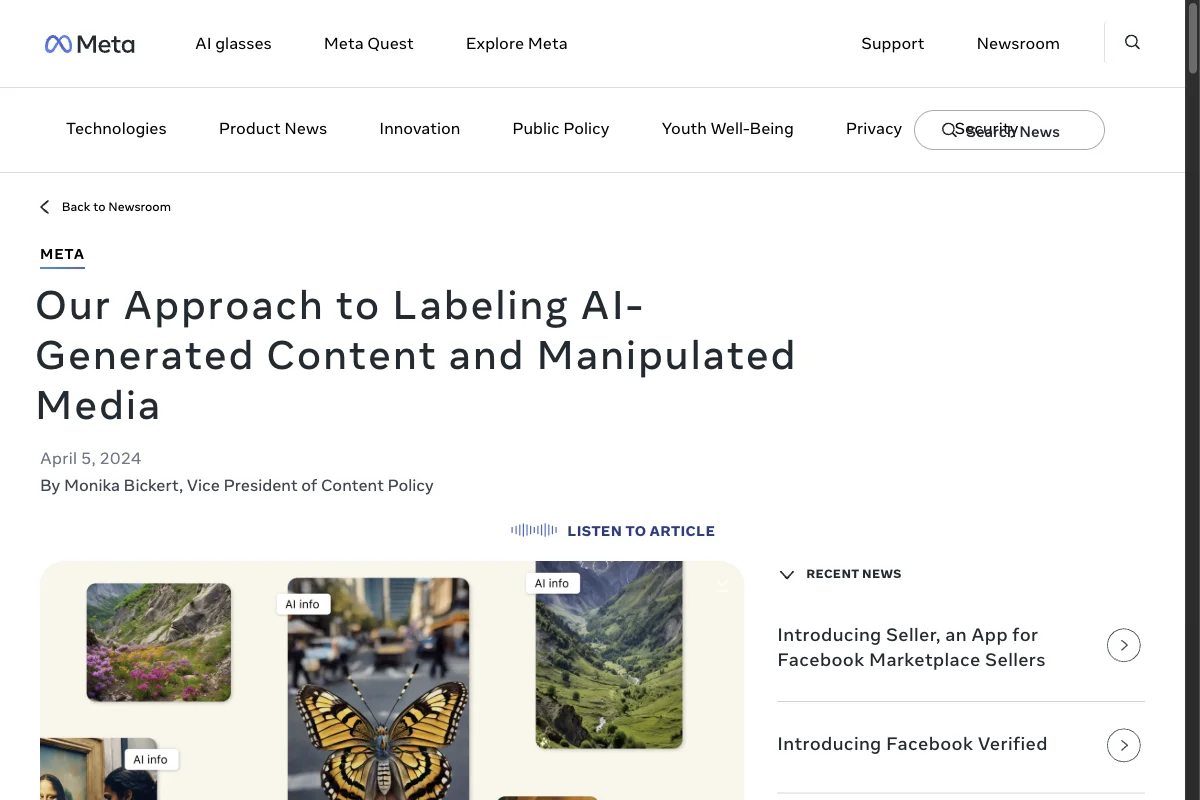
Meta first used the wording “Made with AI.” The company later renamed it “AI info” because a post may contain a single AI-assisted edit without being entirely generated.
Meta explains the current approach in its official policy statement.
The label can be triggered in two ways:
- You disclose that the content was generated or altered with AI.
- Meta detects technical AI signals in the uploaded file.
Information about a minor AI edit may sit in the post menu. Fully generated content can receive a more visible notice on the post.
“AI info” does not automatically mean that every pixel, scene, word, or sound was created by AI.
The label is not a fact-check either. It describes detected or disclosed AI use, but does not verify the claim in the post or authenticate every unchanged element. Meta's separate notices for false or manipulated information serve a different purpose.
When should you label AI content on Instagram?

Do not ask only whether AI touched the workflow. Ask whether the published result appears realistic and could mislead people about a person, statement, place, or event.
How to label a feed post or Reel
The exact wording varies, but the publishing flow generally follows these steps:
- Create the post or Reel and continue to the final publishing screen.
- Open advanced settings or the section containing more options.
- Look for the disclosure control for AI-generated or AI-edited content.
- Enable it when the published content falls under Meta's policy.
- Add a clear on-content notice for a legally relevant deepfake.
- After publishing, check where Instagram displays the information.
The platform control matters, but it may not replace a separate visible notice. A realistic synthetic voice or fabricated scene should be understandable from the first exposure.
How to label an Instagram Story
Stories disappear quickly and often have no useful caption. Put a required notice directly into the image or video.
Clear wording includes:
- “AI-generated image”
- “Image altered with AI”
- “AI-generated scene”
- “Voice generated with AI”
Use sufficient contrast, readable type, and enough display time. Keep the notice away from interface controls and the outer edges.
Why Instagram adds “AI info” automatically
Modern tools can write provenance metadata during creation or editing. That includes C2PA Content Credentials and vendor-specific signals.
Meta reads those signals. The approach is useful, but the resulting label can be broader than your real workflow.
A photograph may have been captured in a camera and then lightly retouched by one AI feature. The technical signal exists even though the scene was not generated.
My technical guide to C2PA and Content Credentials explains how those signals work.
How to remove or correct “AI info”
First determine whether you enabled the disclosure yourself or Instagram added it after detecting a signal.
Disclosure you added
Open the post's editing options and check whether you can change the disclosure. Remove it only when it is genuinely incorrect and no platform or legal duty still applies.
Automatically detected label
You may not have a direct switch for an automatically detected label. Use any report, feedback, or review route available in the app.
Keep the following evidence:
- the unchanged original capture,
- a traceable editing history,
- the applications and features used, and
- a short explanation of why the visible label is misleading.
Do not deliberately strip accurate provenance data just to avoid a label. That does not solve the transparency issue and can conflict with a legal or platform duty.
Does an AI label reduce Instagram reach?
Meta has not established a general automatic distribution penalty caused solely by a correct “AI info” label.
That does not guarantee identical reach. Instagram uses many ranking and recommendation signals. Deceptive manipulated media, spam, copyright violations, and content that is ineligible for recommendations can still be restricted.
Do not confuse correlation with causation. A weak AI post can perform poorly without the label being the reason.
What the EU AI Act adds
From August 2, 2026, professional deployers must clearly disclose certain deepfakes. The term covers realistic AI-generated or manipulated image, audio, or video content that could falsely appear authentic.
An obviously fantastical image is not automatically a deepfake. A realistic video placing a fabricated statement in a real person's mouth is the classic case.
Instagram's rules and EU law apply alongside each other. A platform can require broader disclosure than Article 50 in a particular case.
My detailed guide to AI content labeling under the EU AI Act covers every media type, the exceptions, and wording examples.
My checklist before publishing
- Was the image, audio, or video fully or meaningfully generated with AI?
- Does a person, statement, voice, place, or event appear real?
- Could viewers wrongly believe the content is authentic?
- Does Instagram require disclosure for this kind of edit?
- Does the EU AI Act deepfake rule also apply?
- Is the notice clear at the first exposure?
- Can you trace the original file, edits, and approval?
Transparency costs less than an explanation after the damage is done. Use Instagram's label where it belongs, and add clear wording when viewers could otherwise misunderstand a realistic synthetic scene.
Frequently Asked Questions
No. Meta distinguishes fully generated content, meaningful AI alterations, and minor edits. Ideation, caption help, spellcheck, or a small retouch does not automatically receive the same visible treatment as a realistic synthetic video.
It means Meta detected technical AI signals or the creator disclosed AI use. For minor edits, the information may appear in the post menu instead of directly on the post. The label does not prove that every part of the content was generated.
Meta reads industry provenance signals, including C2PA Content Credentials. Editing software can write those signals during export, so a label may appear even when AI changed only one part of a real photograph.
You may be able to edit a disclosure that you added yourself. An automatically detected label may not have a direct off switch. Use the available report or review route and keep the original file and editing history as evidence.
Meta has not established a general automatic reach penalty caused solely by a correct AI info label. Distribution depends on many signals. Deceptive media, recommendation violations, spam, or rights issues can still restrict a post.
Disclose realistic content that was fully generated or meaningfully altered, and place any necessary text directly in the Story. From August 2, 2026, a professional EU deployer can also face a separate disclosure duty for a deepfake.
Do not rely on a hashtag when a clear disclosure is required. Wording such as “AI-generated image” or “Voice and video altered with AI” is easier to understand. Use Instagram's disclosure control as well.
Meta's June 2026 update explains that it also labels certain ads created or significantly edited with its own or third-party generative tools. The notice can appear in “About this ad.” Advertising law and Meta's ad policies continue to apply.