ChatGPT can speed up SEO work. But it does not decide your rankings, and it does not know your website by default.
Seven uses in this article work with clear prompts and the context you provide. The eighth goes further. An MCP server can connect ChatGPT to approved data and tools for your website.
That lets ChatGPT compare page content with search queries, suggest internal links, and prepare changes through a suitable CMS integration.
Here are eight practical uses with example prompts and screenshots.
- The first 7 uses draft content, technical rules, RegEx, and keyword ideas. Review every suggestion before using it.
- An MCP server can connect ChatGPT to approved read tools for your website, CMS, or Search Console. Access comes only from the configured tools and permissions.
- Search volumes and rankings come only from a suitable connected service. Publish internal links or content only after explicit approval.
1. Generate Meta Descriptions
You can use ChatGPT very effectively to generate meta descriptions for your pages or blog articles, helping you with SEO. Generate three suggestions for comparison.
As reference text, I usually use the introduction of my blog articles and possibly the first section.
Afterward, you choose the best one or create your own from all the generated meta descriptions if the perfect one isn't included.
The following prompt has proven effective for this:
Write three English meta descriptions for the keyword "fill a raised garden bed", each at most 145 characters. Cover layering branches, leaves, compost and topsoil. Only the three suggestions.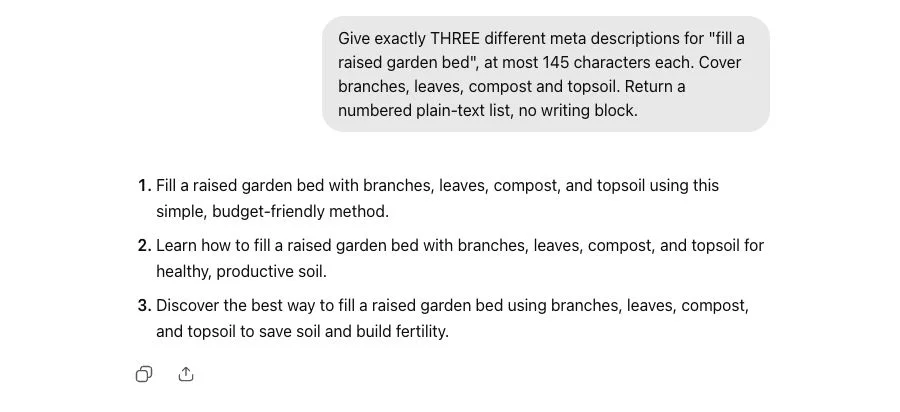
2. Generate Page Titles
What works for meta descriptions also works great for page titles. You can use the following prompt:
Write three page titles for "fill a raised garden bed", each 50 to 60 characters. Use a numbered plain-text list, no writing block. No clickbait or explanation.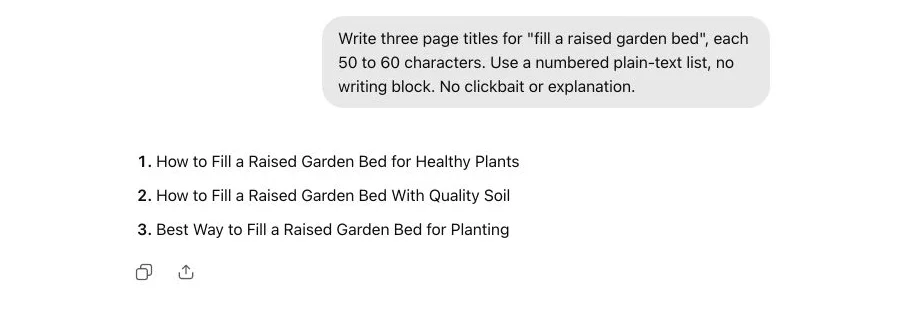
3. Create Structured Data
With ChatGPT, you can create a draft of structured data in JSON-LD, for example BreadcrumbList markup. Add markup only for breadcrumb navigation that is visible on the page, and validate it before publishing. Structured data does not guarantee a particular search result.
Return only a compact JSON-LD BreadcrumbList example with two entries: Home https://example.com/ and Guides https://example.com/guides/. No invented reviews, no FAQ and no explanation.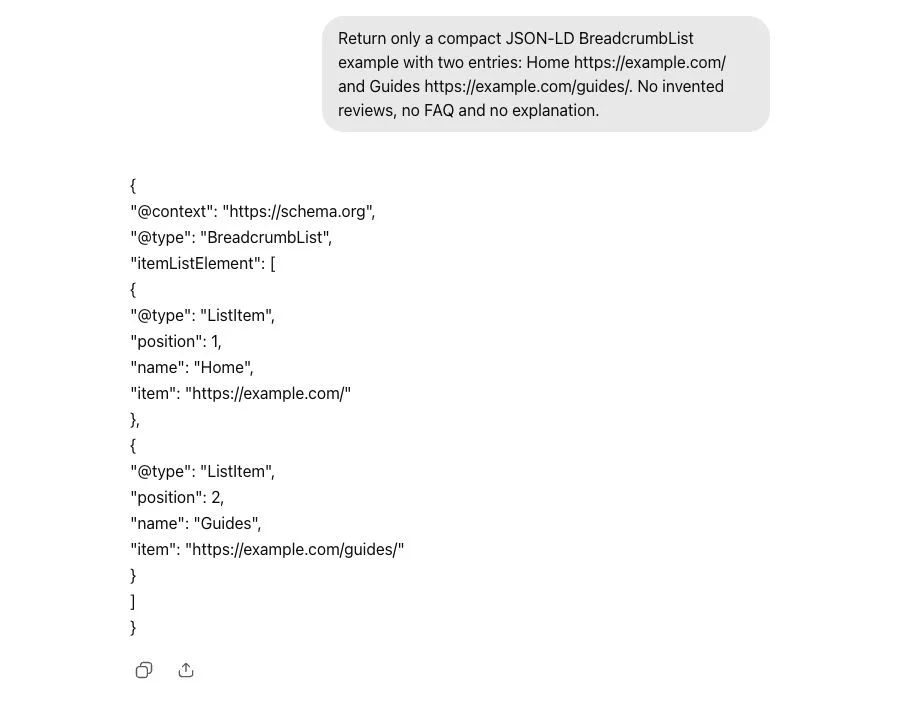
4. Create Redirects in .htaccess
Just as tedious as manually creating structured data or writing RegEx, it can sometimes be to set up redirects in .htaccess.
ChatGPT can help here too:
Write an Apache .htaccess rule using mod_alias: redirect /old-page/ to https://example.com/new-page/ with HTTP 301. Only the rule and one brief reminder to test it first.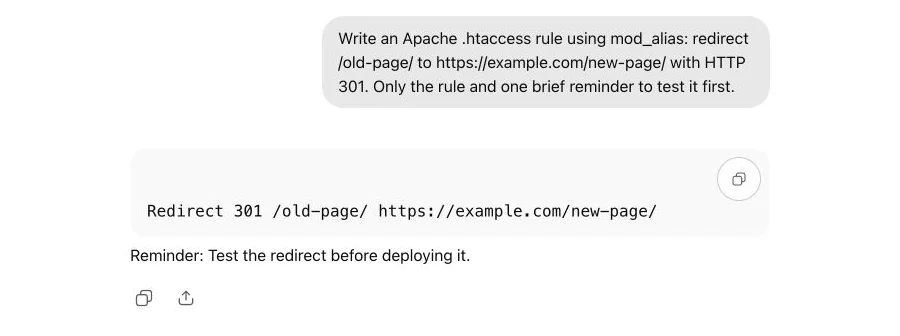
5. Generate RegEx
As an (advanced) SEO, you need RegEx (short for "Regular Expression") every now and then. Whether for creating redirects or as a filter in Screaming Frog, Google Search Console, or other SEO tools.
And ChatGPT can take this sometimes tedious work off your hands!
Sometimes you need to be a bit more specific, as you can see in the following prompt:
Create a Google Search Console RE2-compatible regex for queries starting with who, what, how, where or why, ignoring case. Show only the regex and three matching queries.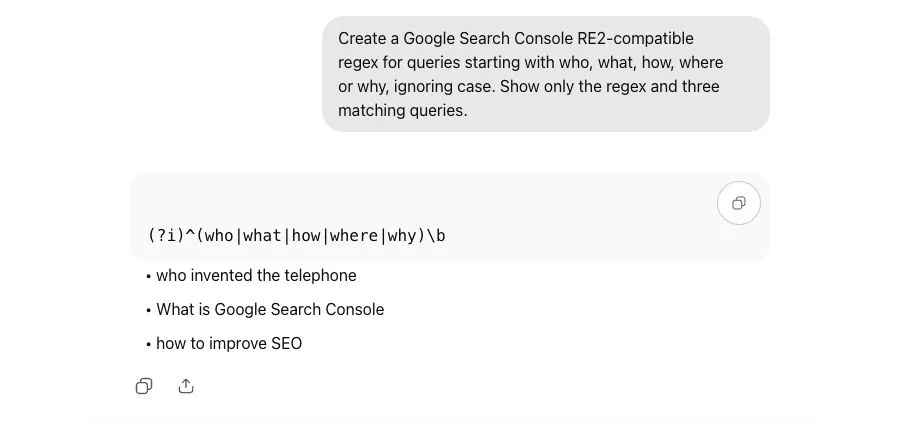
6. Plan Blog Articles
ChatGPT is great for planning the structure of a blog article, i.e., finding possible questions and topics that you should cover in a blog article or SEO text:
Plan a guide for "fill a raised garden bed". Return only four H2 headings, then three reader questions. No introduction or article paragraphs.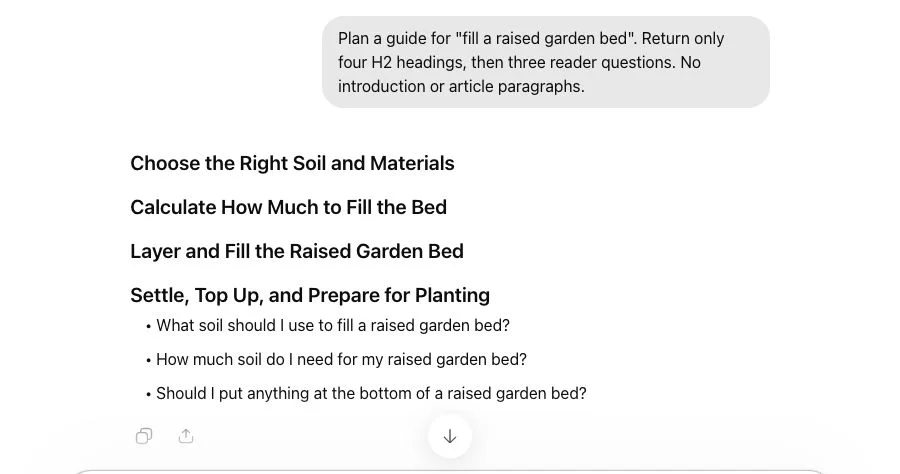
7. Find Keyword Ideas
ChatGPT can also help you with keyword research and generate lists of potential keyword ideas.
Without a connected data service, ChatGPT does not provide reliable values for search volume, rankings, or competition. With a suitable service that you approve, it can read and interpret those data. Do not ask it to estimate them without a connection. Use keyword ideas as seed keywords in your tool.
List eight keyword ideas for "fill a raised garden bed", each followed by its search intent. Use eight compact bullet points, no table or blank lines. No search volumes or difficulty scores.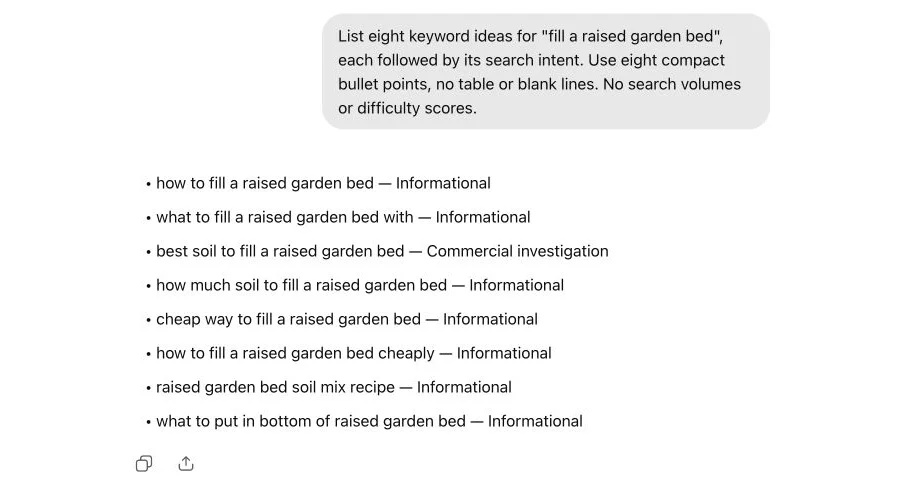
8. Connect Your Website and SEO Data with MCP
The first seven uses work with the context you put in the chat. ChatGPT can research a public website with available web search without MCP. MCP is useful when you want to use targeted connected tools or private data from your CMS, Google Search Console, or an SEO service.
MCP stands for Model Context Protocol. An MCP server connects ChatGPT to the tools exposed by a connected service. It is especially useful when you combine queries and impressions from Google Search Console with CMS content and existing internal target pages. That produces recommendations from your own data instead of generic context.
OpenAI calls this type of connection an app in ChatGPT. The Developer mode documentation describes MCP access to read and write tools.
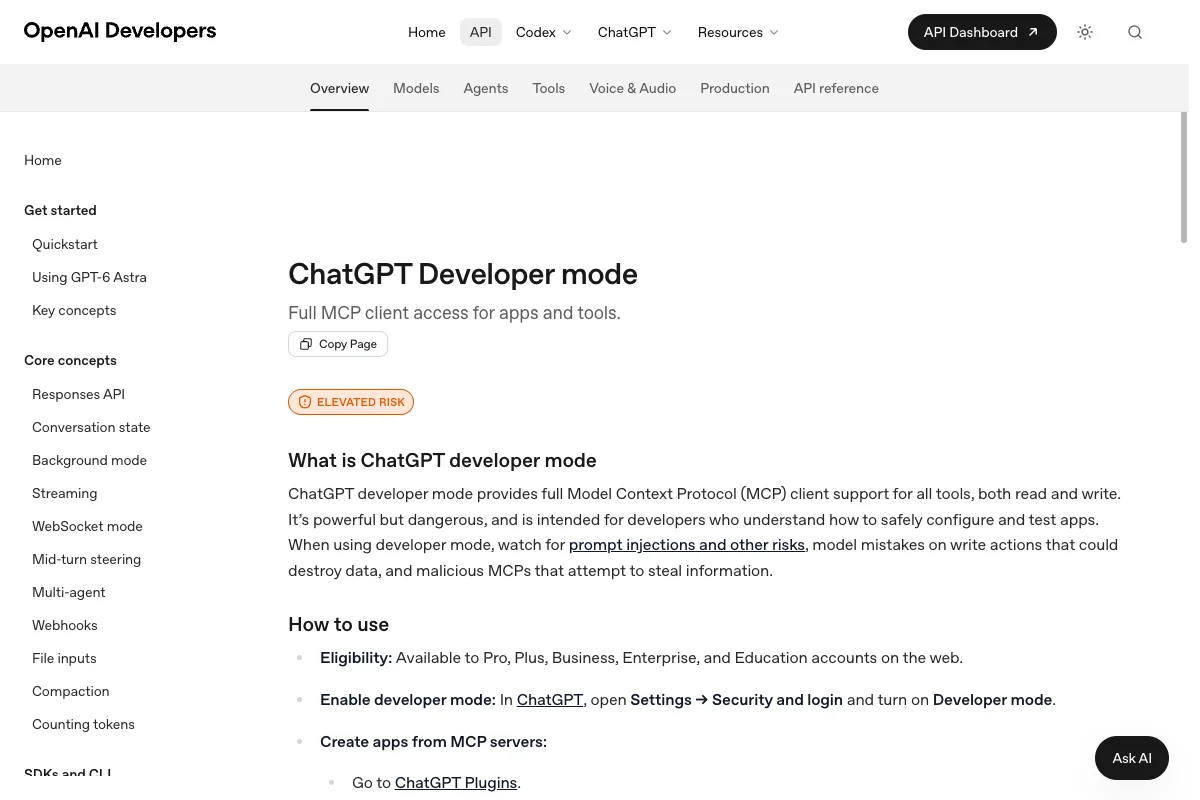
You need a reachable HTTPS MCP server, a ChatGPT account with access to Developer mode, and appropriate read or account permissions for the connected data. A managed workspace may also require administrator approval. The tools that the server exposes determine which data ChatGPT can read.
A useful request first combines the data into an explained recommendation:
Use only the read tools in the connected SEO app. For [URL], read the title, main content, canonical URL, and existing internal links from the CMS. Then read queries and impressions for this URL over [date range] from the connected Search Console property. Also retrieve relevant published pages from the CMS as possible internal link targets. Compare the data and suggest at most five internal links and three content additions. For links, name the verified target page and anchor text. For content additions, identify the relevant passage. Support every suggestion with its data source. If data are missing, write "not available." Do not change anything in the CMS.Then review the sources, context, and target pages. If the CMS integration exposes suitable write tools and has the required permissions, ChatGPT can save a revised meta description or an expanded article as a draft. Approve publication separately. In Developer mode, ChatGPT requires confirmation for write actions by default; inspect the actual tool call before approving it.
How to Combine the 8 Uses
A regular chat is enough for uses 1 through 7. Describe the context, audience, search intent, and required format as precisely as possible.
The eighth use needs a configured app with appropriate read tools. For every connection, check which data it reads, how it authenticates, and which permissions it has. The official ChatGPT app guide recommends one narrow first use case and HTTPS for the connection.
For current or competitor-related questions, you can use web search when it is available. Check every source yourself. A connected Search Console or keyword service does not replace checking facts, search intent, and technical implementation.
Track organic metrics, referral traffic, and conversion data by source. Only your own data shows which content works for your offer.
You can use ChatGPT directly to check whether and how it already cites your own site.
Research the web to check whether the website [insert URL] on the topic of [insert topic] is currently cited or recommended as a source. List the most relevant mentions with their source.FAQ about ChatGPT and SEO
The most effective SEO prompts for ChatGPT are specific and rich in context:
- Schema markup: "Create a BreadcrumbList JSON-LD draft from this visible breadcrumb navigation and flag missing details."
- Meta descriptions: "Create three meta descriptions of up to 145 characters for keyword [X]."
- Content outline: "Create a detailed outline for an article about [topic] with search intent [informational/transactional]."
- Keyword clustering: "Group these keywords by search intent: [keywords]."
- Citation check: "Research whether and how [URL] is currently cited as a source."
Use ChatGPT as a starting point, not as the final product.
Different tools complement each other for SEO work:
- Research tools: for current sources and traceable evidence
- Keyword tools: for search volumes, rankings, and competitor data
- Crawlers: for technical errors, redirects, and indexability
- Analytics tools: for Search Console and web analytics data
For SEO-specific tasks, specialized tools are often more effective than general-purpose chatbots.