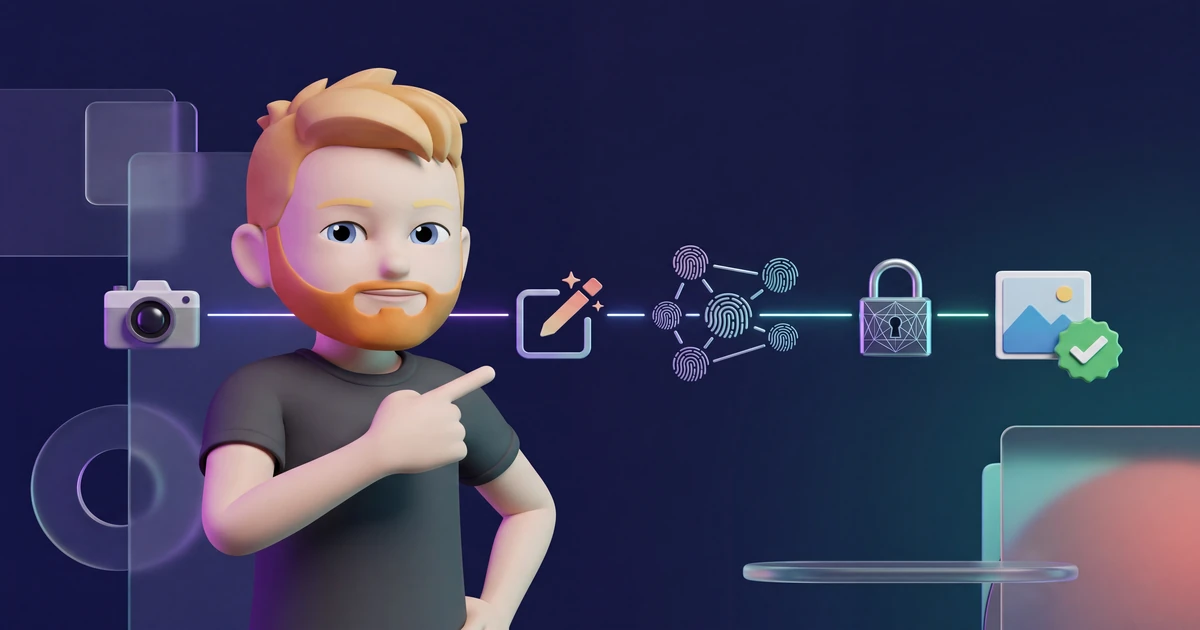
You open an image and a small icon shows which tool created or edited it.
C2PA and Content Credentials often sit behind that icon. They do not magically stop digital forgery. They provide verifiable provenance claims.
Think of them as a sealed record that travels with a file. It can list editing steps, tools, and the issuer of those claims. A valid seal lets you detect whether the signed record was altered later.
In this guide, I explain the technology, show you how to verify a file, and draw a clear line around what the result can and cannot prove.
- C2PA stores cryptographically signed provenance information in or alongside a media asset. The standard does not use blockchain.
- Content Credentials can record tools, editing actions, timestamps, and issuers. They do not prove truth, and a file without credentials is not automatically fake.
- C2PA can support machine-readable marking under the EU AI Act. It does not replace a visible disclosure when people must be told directly.
What is C2PA?
C2PA stands for Coalition for Content Provenance and Authenticity. The organization develops an open standard for recording the provenance and authenticity of digital content.
Founding members included Adobe, Arm, BBC, Intel, Microsoft, and Truepic. Camera makers, software companies, media organizations, and technology providers now support the specification.
The standard defines how claims about creation and editing are structured, bound to an asset, and digitally signed. Those claims can record that:
- a particular camera captured the image,
- an application cropped the file,
- a generative AI tool created the entire asset,
- AI replaced a background while other parts remained unchanged, or
- an identified organization signed the provenance record.
C2PA creates a verifiable chain of claims without judging an edit as good or bad.

What are Content Credentials?
The term Content Credentials covers the C2PA technology as a whole. A single Content Credential is the preferred nontechnical term for a C2PA manifest. Adobe and the Content Authenticity Initiative helped establish the name and the familiar icon.
Opening the icon can reveal the source asset, applications used, and recorded changes. C2PA manifests provide the technical structure underneath.
How a C2PA manifest works
A manifest has four main building blocks. Together, they let a verifier detect changes to the signed provenance information.
1. Structured assertions
Assertions contain individual pieces of information. They can describe the capture device, an application, editing actions, AI use, or rights.
Common formats let verifiers read claims made by different vendors in a consistent way.
2. Cryptographic asset binding
A hash binds the manifest to a specific media asset. In simple terms, it turns the protected file data into a digital fingerprint.
If protected data changes after signing, the fingerprint no longer matches. A verifier can then report an invalid binding.
3. Digital signature
The issuer signs the claim with a private cryptographic key. A certificate helps the verifier associate that signature with an identity or organization.
A valid signature means the signed manifest has not been altered unnoticed. It does not mean every statement inside the manifest is true.
4. Links to previous versions
When a compatible tool edits an asset, it can create a new manifest and refer to the earlier version. That produces a traceable provenance chain.
You might see that a photo was captured, cropped, and then expanded with a generative fill tool.
C2PA is not a blockchain
This misconception refuses to disappear. The C2PA standard does not need a blockchain.
Its core evidence comes from digital signatures, certificates, hashes, and structured manifests. A manifest can be embedded in the asset or stored elsewhere.
External repositories can help recover a missing manifest. They do not turn C2PA into a blockchain system.
Hard and soft bindings
A screenshot, aggressive compression, or platform upload can remove embedded metadata. C2PA therefore supports different ways to reconnect an asset with its manifest.
Hard binding
A hard binding uses a cryptographic hash. It reacts to small changes in protected data and supports exact integrity checks.
Soft binding
A soft binding can use a perceptual fingerprint or invisible watermark. It aims to recognize substantially similar content after resizing, compression, or format changes.
Soft bindings are useful, but they do not establish mathematical file identity. A verifier should explain the confidence and strength of the match.
C2PA, watermarks, and AI detection compared
Do not treat these methods as interchangeable. Provenance, source verification, reverse search, and visual inspection become more reliable when used together.
My guide to detecting AI-generated images explains that broader verification process.
What C2PA 2.4 changes
The specification continues to evolve. The current C2PA 2.4 specification improves existing mechanisms and clarifies requirements for compatible implementations.
Most users should focus on the verification result instead of the version number. Check whether the tool validates the full manifest, evaluates the certificate chain, and explains warnings in plain language.
What the C2PA Trust List tells you
A technically valid signature and a trusted certificate chain are separate checks. The official C2PA Trust List helps a verifier determine whether the issuing certificate authority belongs to the official trust model. The C2PA Conformance Program also publishes a list of conforming generator and validator products.
The former Interim Trust List was frozen on January 1, 2026. Content signed while an older certificate was valid does not automatically become invalid, although a verifier can identify it as using the legacy trust model. A current trust-list entry still does not prove that a depicted event is true. It increases confidence in certificate issuance and technical implementation.
How to verify Content Credentials for free
Use this process for a file or supported URL:
- Open the official Content Credentials verifier.
- Upload the original file or paste a supported URL.
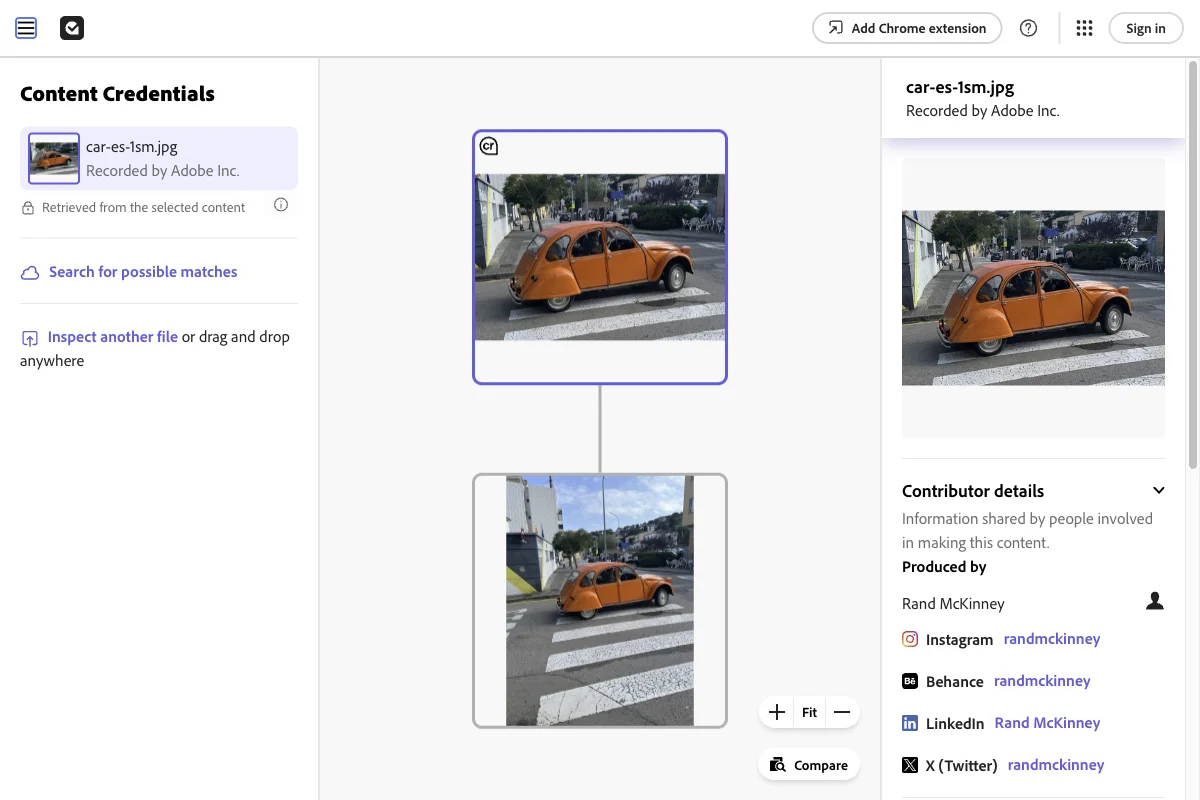
- Check whether the tool found a C2PA manifest.
- Review the signature and asset binding status.
- Inspect the issuer, tools, and recorded actions.
- Read warnings and missing information in context.
- Verify the content's factual claim with independent sources.
The free verifier is available at contentcredentials.org/verify.
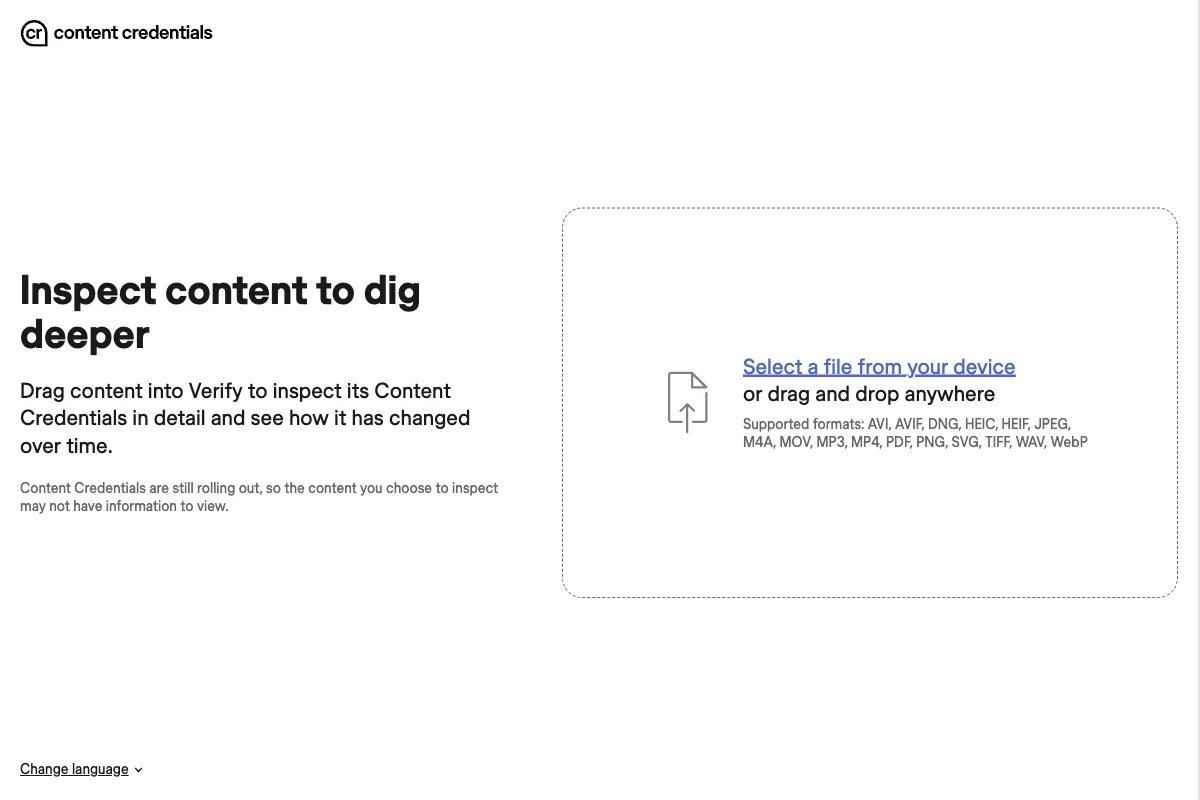
Use the original file whenever possible. A messenger download or screenshot often loses embedded provenance data.
How to interpret the result
Valid Content Credentials
A valid result means the verifier successfully checked the signature and cryptographic binding. You can now examine the documented provenance chain.
Still ask who signed it, which claims you trust, and whether the history contains gaps.
Invalid or damaged manifest
A warning can indicate a post-signing change, corrupted file, certificate problem, or incomplete transfer. Investigate it, but do not treat it as proof of malicious forgery.
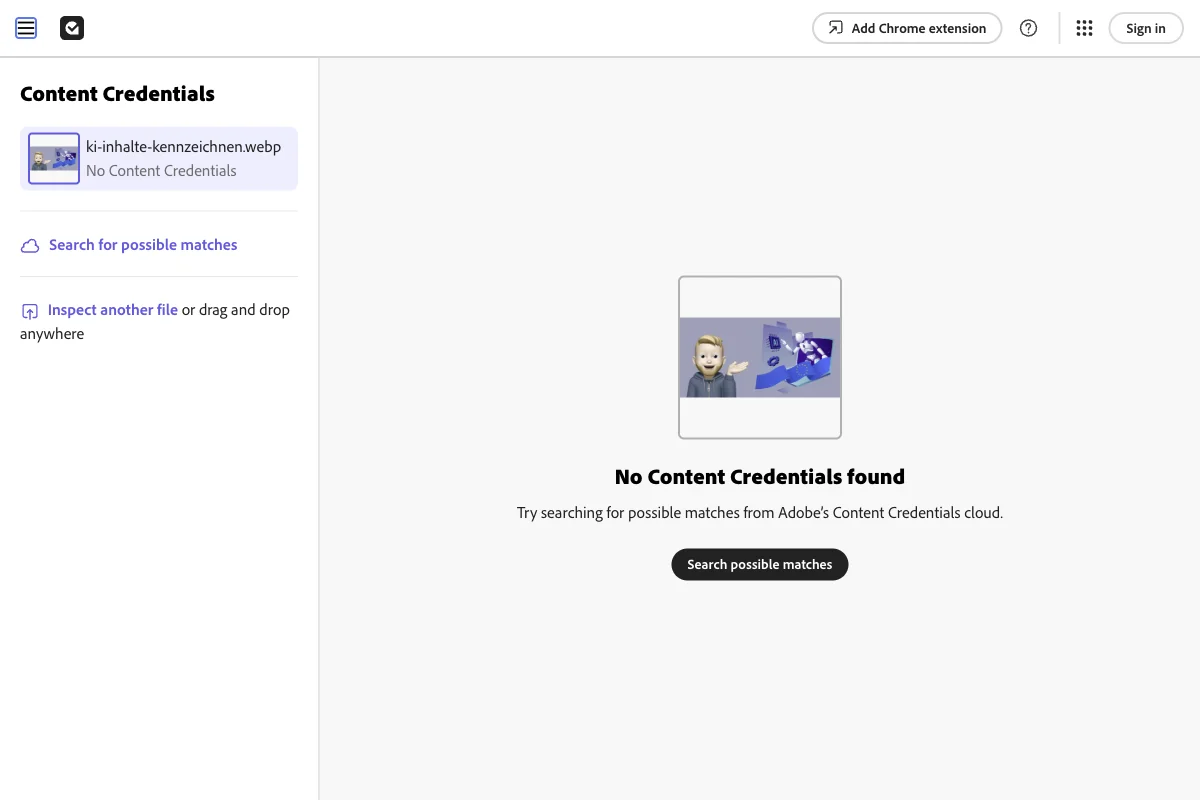
No Content Credentials found
This is the most commonly misunderstood result. Missing credentials do not show that an asset is real or fake.
The capture device may not support C2PA. A platform may have stripped the metadata. An external manifest may exist without being found by this verifier.
How C2PA relates to the EU AI Act
Article 50(2) requires providers of certain generative AI systems to mark outputs in a machine-readable format and make them detectable as artificially generated or manipulated.
The marking should be effective, interoperable, robust, and reliable where technically feasible. C2PA can support that duty. The Act does not prescribe C2PA as the only possible technology in every case.
Deployers face different duties. If a business publishes a deepfake, a manifest that only specialist software can read does not replace a clear human-facing disclosure.
My guide to AI content labeling from August 2026 explains the legal boundary in detail.
What can go wrong during editing and upload?
- A platform strips unknown metadata when it processes the file.
- An export keeps the pixels but discards the manifest.
- A screenshot creates a new file without the original credentials.
- A certificate expires or the verifier does not trust its chain.
- Editing software fails to add a new manifest for its changes.
- A visible icon remains even though the linked credentials are invalid.
Keep source assets and approved final versions separately. Verify important exports before publication, and never rely on the visible icon alone.
How to use Content Credentials well
- Enable provenance information in compatible cameras and applications.
- Do not remove existing credentials without a documented reason.
- Keep original assets with their complete provenance chain.
- Test whether your export preserves the data.
- Add a visible notice whenever a law or platform requires one.
- Teach your team what a valid manifest proves and what it does not.
Social platforms add their own policies. My Instagram AI label guide explains Meta's visible labels and automatic detection.
C2PA cannot solve trust across the internet, but it turns provenance from a bare claim into structured information that software can verify.
Frequently Asked Questions
C2PA stands for Coalition for Content Provenance and Authenticity. The coalition develops an open technical standard for cryptographically signed provenance information. The standard can record which tool created or edited a digital asset and whether the signed information has been altered since it was issued.
Not quite. C2PA is the coalition that develops the open technical standard. A Content Credential is the preferred nontechnical term for a C2PA manifest. Content Credentials also refers to the C2PA technology as a whole. A Content Credentials icon can open the underlying manifest.
No. C2PA uses manifests, digital signatures, certificates, and cryptographic bindings to media. A blockchain is not part of the core design. External repositories can help recover manifests, but they do not change that cryptographic model.
No. A valid signature confirms the integrity of specific provenance claims. It does not prove that the depicted event happened, every claim is true, or the signer is trustworthy.
Yes. A platform, export, screenshot, or compression step can remove embedded data. Missing credentials do not make a file suspicious by themselves. C2PA also supports ways to reconnect media with external manifests through fingerprints or watermarks.
Upload the original file or a supported URL to a compatible verifier, such as Verify from Content Credentials. Check whether a manifest was found, whether its signature and asset binding are valid, who signed it, and which edits were recorded.
C2PA can support a provider's machine-readable marking duty under Article 50(2). It does not replace every human-facing disclosure. A professional deployer publishing a deepfake still needs a clear, visible notice.
The EU AI Act does not require every creator to use one specific C2PA tool. Still, removing existing provenance data without a reason is rarely sensible. Keep original files and test whether your export and target platform preserve the credentials.