You need a product demo video. A training clip for your team. Or maybe a short explainer for social media. A year ago, that meant hiring a videographer, booking a studio, and spending thousands of dollars.
Today? You type a script, pick an avatar, and have a polished video in minutes.
But here's the thing. Not all AI video generators are created equal. Some create stunning realistic avatars. Others produce janky lip-sync that screams "this is fake." I've tested 10 of them to find out which ones actually deliver on their promises.
- Synthesia leads with 240+ avatars and 160+ languages for realistic talking-head videos from $18 per month
- 8 of 10 tools offer free versions with 10 minutes to unlimited videos for testing
- Modern AI video generators create complete videos from text with avatars, voiceover, and visual content in just minutes
My quick picks by use case:
- InVideo if you want to create a complete video from a prompt. Use the code InVideoOffer25 for 25% off every plan.
- Synthesia if you need realistic avatar, explainer, or training videos.
- VEED if you want to edit, subtitle, and repurpose existing videos for social media.
- Pollo AI if you want to compare several current image and video models in one interface. It is not yet part of my long-term testing.
1. What Is an AI Video Generator?
An AI video generator is an advanced computer program or app that allows you to create videos efficiently. The technology uses artificial intelligence that has been trained on billions of images, videos, and text data.
Today there are several ways to use AI in video production:
- Creating a new AI video: The video generator takes over the entire video creation process. Text, images, or even simple sketches can be used as input to generate a complete video.
- Editing or optimizing an existing video: Here, AI helps to sharpen videos, smooth movements, reduce background noise, improve audio quality, or adjust the aspect ratio for different platforms.
Modern AI video generators primarily use text-to-video technologies. This means you simply enter text and the tool creates a video from it, including visual content, matching voiceover, and even animated avatars.
1.1 How Good Are Today's AI Video Generators?
Let's look at a brief scenario of how these tools can be used in practice today:
You want to create a video on the topic "best hiking socks made of merino wool". The process could look like this:
- Ideation: You use an AI text generator like ChatGPT to generate creative video ideas. Example:
Create a list of video ideas on the topic "best hiking socks made of merino wool" for [YouTube/TikTok/Instagram] - Script Creation: In the next step, you also have ChatGPT (or an AI text generator of your choice) write a complete script for the selected video idea, including introduction, main part, and call-to-action.
- Video Production: Using a tool like Synthesia, you convert the script into a professional video. You can choose from different avatars and languages.
- Finishing Touches: With tools like Pictory.ai or Designs.ai, you add matching visual content (B-rolls) or background music.
- Thumbnail Creation: For an appealing video cover, you can use AI image generators like Midjourney.

In 2026, these tools are much better integrated and easier to use than before. Some all-in-one platforms are already able to cover the entire process from idea to finished video.
1.2 What Are the Tools Suitable For?
AI video generators are versatile and particularly suited for the following areas:
- Marketing: Creating promotional videos, product presentations, explainer videos, and social media campaigns.
- Education & Coaching: Producing educational videos, tutorials, and interactive training content.
- News & Media: Creating news clips, short videos, and social media content in real-time.
- Film Industry: Use for CGI, special effects, or automated production of short films and series.
- Game Development: Creating animated cutscenes, character dialogues, and trailers.
Thanks to continuous development, the tools are now also suitable for longer and more complex videos, such as documentaries or detailed product demos.
2. AI Video Generators Compared
3. The Video Generators in Detail
Below you'll find detailed information about all AI video tools:
3.1 Synthesia
Price: from $18/month
Templates: 60+
Video Quality: very good
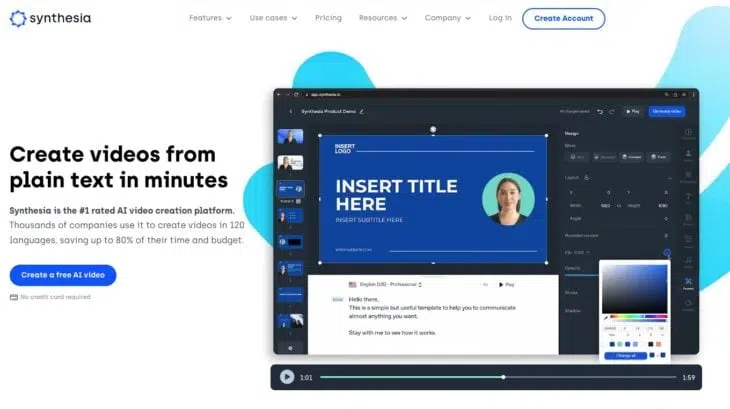
Synthesia is currently the best AI video generator on the market. You can quickly and easily create videos using AI avatars that mostly look and sound natural.
In total, you can choose from 240+ avatars. Here's a small selection:
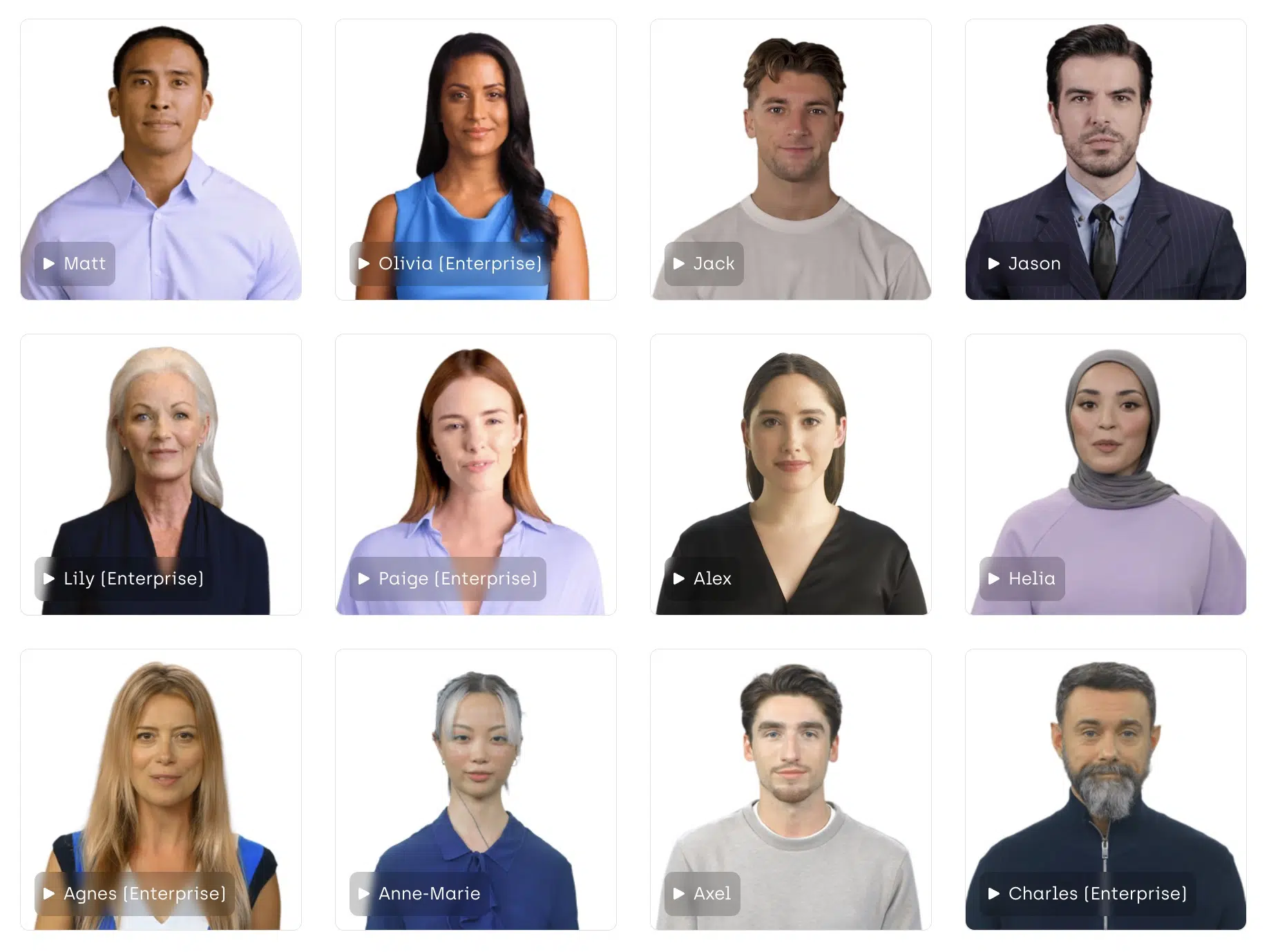
Alternatively, you can also create your own avatar that looks like you and speaks with your voice.
Creating videos is incredibly simple:
You have access to 60+ high-quality templates to create your videos. The templates are very good for video tutorials or marketing videos.
The video editor is easy to use and allows you to record screen videos and edit them directly in the app, upload brand assets, or add design elements to your videos. It's also possible to integrate images from Shutterstock and Unsplash directly into your videos.
Pricing
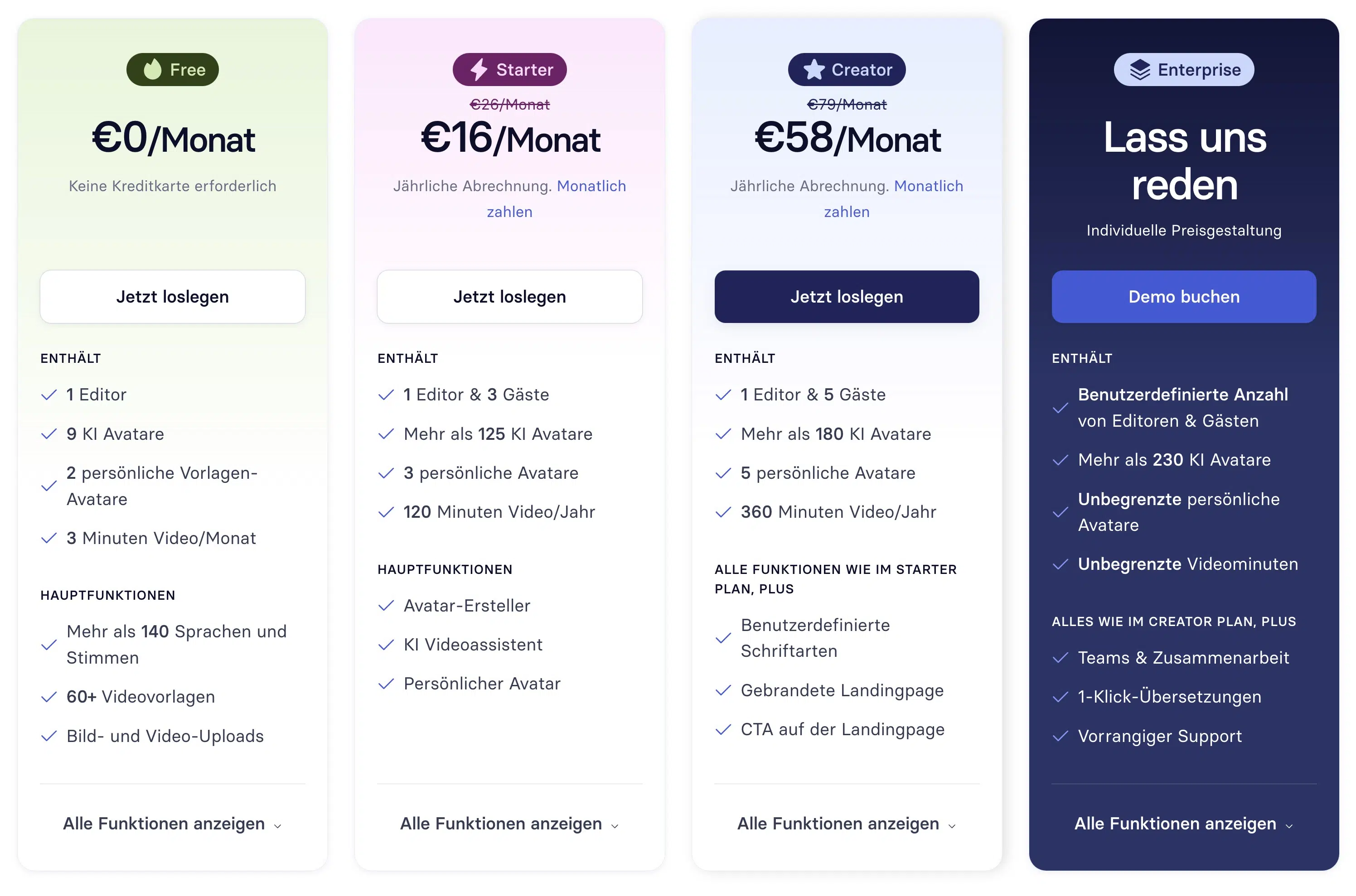
Synthesia has reduced prices by up to 38% in 2025! Previously, there was only one plan with the Personal tier at $29 per month, but now there's also a Free version. This includes one user access, 36 minutes of video per year, and 9 AI avatars.
Alternatively, as a larger company, you have the option of getting a customized offer, which is probably significantly more expensive:
- Large selection of 240+ AI avatars
- High-quality video templates
- Easy-to-use video editor
- Media library with access to images from Shutterstock and Unsplash
- Built-in screen recorder
- 160+ languages and voices
- Background music
- Videos are duplicatable
- Numerous integrations, e.g., PowerPoint, YouTube, Vimeo, or Mindstamp
- Subtitles easily added
3.2 InVideo
Price: free entry plan, paid plans available
Video Quality: very good
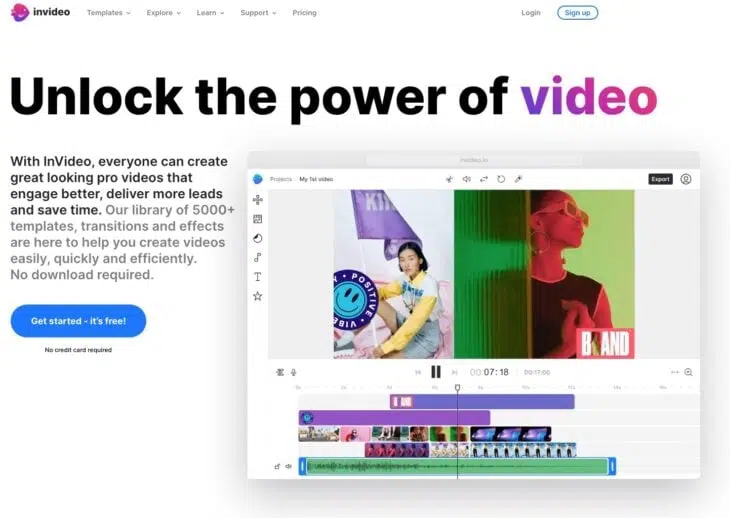
InVideo combines AI video generation with browser-based editing. You can start with text, images, or prompts and then adjust the result in the editor.
According to the current pricing page, the paid plans include more than 200 image, video, audio, and music models as well as stock media from providers such as iStock and Storyblocks.
With InVideo, you can create a wide range of videos, such as video ads, promos, YouTube videos, intros, and much more. InVideo offers many features for video editing, such as:
- Cutting, rotating, mirroring, or changing the speed of clips
- Adding transitions, masks, overlays, and other effects
- Applying color corrections or preset color filters
- Adding music or voice recordings from the integrated library or your own files
- Removing the background from product images with one click
- Creating multiple brand kits and applying them to any video with one click
- Adding your team and collaborating on your video
Usability
InVideo is easy to use and requires no prior knowledge in video editing.
You can create and edit your video directly in your browser (Chrome) without downloading software or needing expensive equipment. InVideo also offers a mobile app called Filmr that lets you edit videos on the go.
InVideo also has 24/7 live customer support, YouTube and Instagram tutorials, Udemy courses, and a Facebook community to help you with your projects.
Pricing
InVideo offers a free plan alongside several paid plans. You can start for free without entering card details. The plan includes limited credits that reset every Monday at 00:00 UTC, and its videos include a watermark.
- Free entry plan without entering card details
- Free credits reset every week
- More than 200 image, video, audio, and music models on paid plans
- Stock media from iStock and Storyblocks on paid plans
- Browser-based creation and editing
3.3 Lumen5
Price: free plan, then from $19/month
Templates: 300+
Video Quality: good
Lumen5 is an excellent online tool for creating AI videos.
The best part is that it's easy to use and you don't need any special knowledge in video editing:
You can create videos from scratch or with the help of AI in just minutes.
Here's how it works:
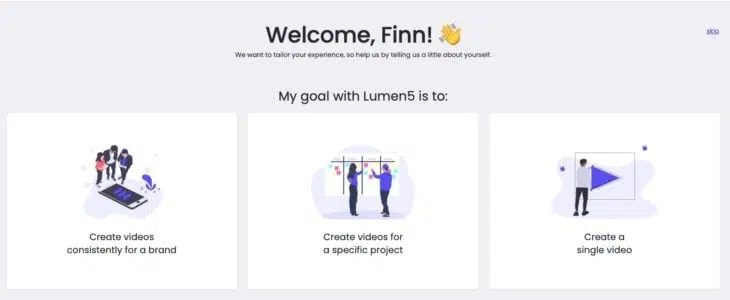
- Enter a script or text
- Lumen5 automatically finds the perfect tone and image based on the script
- Upload your logo, music, your own text, etc.
- Download and share the video
You can also select a blog post that you want to turn into a great video. You can either convert your entire article into a video or have Lumen5 summarize it for you.
Pricing
Lumen5 ranges from free to customized.
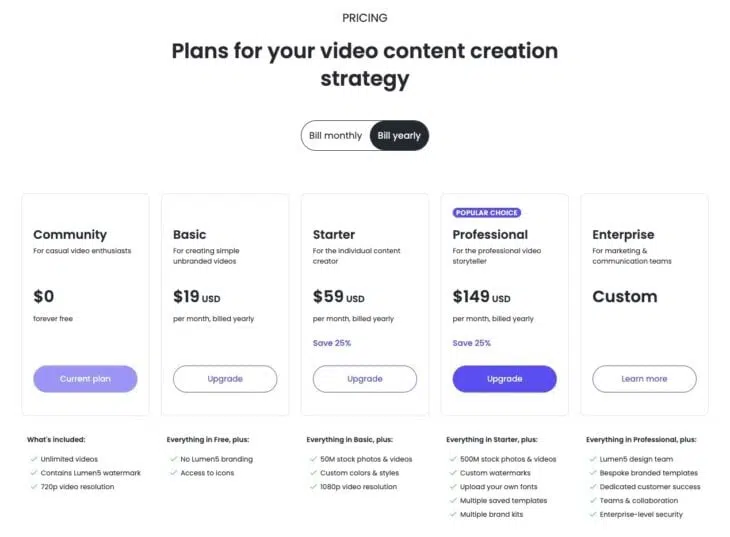
1. Community: Free and perfect for occasional video producers.
2. Basic: Aimed at individual content creators. Costs $19 per month (billed annually).
3. Starter: Built for professional video creators at $59 per month (billed annually).
4. Professional: Designed for large brands and agencies. Starts from $149 per month.
What Is Lumen5 Best Suited For?
Lumen5 highlights two features on their website:
- Turn Blogs to Videos and
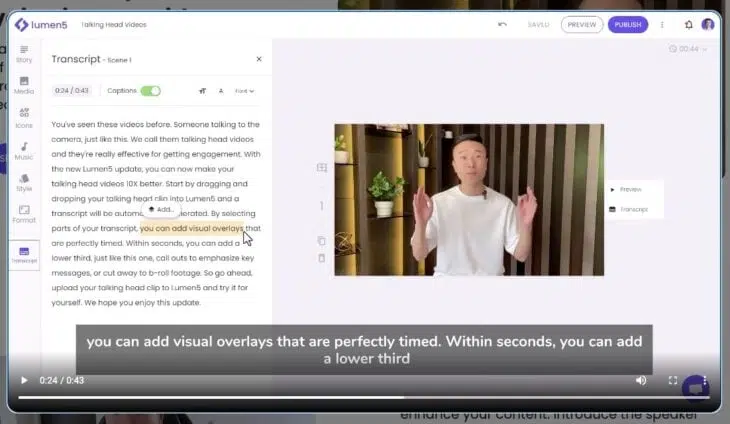
- Talking Head Videos.
So Lumen5 uses AI to create a complete video of your blog articles or can summarize them if desired. Alternatively, you can create so-called "talking head videos," i.e., videos in which you (or someone else) speak to the camera, edit them directly in the transcript, and enhance them.
- Simple text-to-video function
- Huge library with millions of free media files
- Many customizable video templates
- Ability to add your own logo and branding to videos
- You can share videos on social media or embed them in your website
- Good free plan
3.4 VEED AI Video Generator
Price: free to start, paid plans available
Video Quality: good
The VEED AI Video Generator by VEED is a powerful AI online video generator that helps you create professional videos in minutes with a simple user interface. VEED can be used excellently as a video editor for cutting, cropping, adding subtitles, and much more.
Here's how it works:
- Describe your video in a prompt or add a script
- Let VEED add a voiceover, stock footage, subtitles, and music
- Edit the scenes and export the finished video
Video Quality
The video quality corresponds to what you make of it. VEED provides you with all possible tools needed to edit and improve videos.
VEED has expanded its AI features considerably. Beyond automatic subtitles and conventional editing tools, it now offers AI video generation, avatars, voices, translation, and background removal.
Pricing
You can start using VEED for free. Free exports are limited to 720p and include a watermark. Paid plans add more features, higher resolutions, and more AI Credits.
What Is VEED Best Suited For?
According to VEED, the VEED AI Video Generator is best suited for marketing, social media, e-learning, and online business, particularly for:
- Intros & Outros
- Promotional videos
- Mockups
- YouTube, Instagram & TikTok
- GIFs
Generally for all content creators who want to improve their video editing skills, build an audience, and increase their interactions/engagement.
- Free entry with 720p exports
- Video editing and automatic subtitles in one interface
- Exports up to 4K, depending on the plan
- Many AI features for video, voice, avatars, and translation
- Well suited for social networks like Facebook, YouTube, Instagram, etc.
3.5 Designs.ai
Price: free plan, then from $19/month
Templates: 100+
Video Quality: good
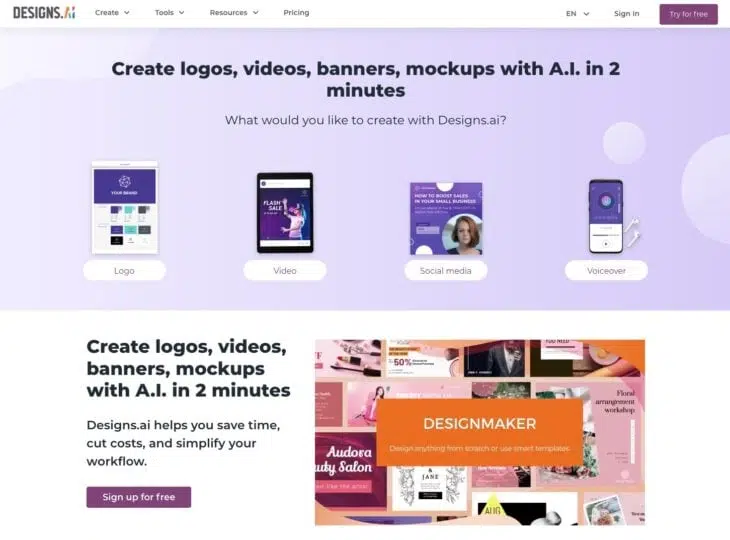
Designs.ai is an appealing AI-powered content creation platform that helps you turn your blog posts and articles into beautiful videos. You can also quickly create logos, videos, and banners using AI.
Here's how it works:
- First: Paste your text or script
- Select an industry
- Choose a video type and voice you like
That's it. The AI creates a video preview within seconds. Then you can edit your video, add text and music, and create an appealing video.
Pricing
Designs.AI offers two different plans.
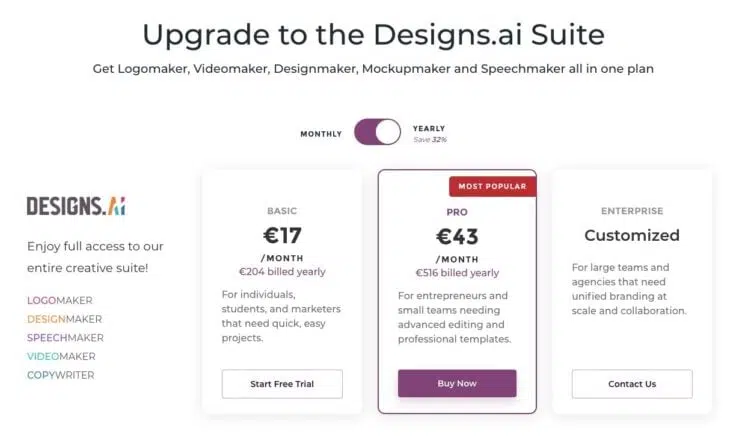
1. Basic: Perfect for individuals who want to create videos quickly. Costs $19 per month.
2. Pro: Suitable for entrepreneurs and small teams who need advanced video editing and professional templates. Costs $47 per month.
Again, there's the option to get a custom package, but I believe that's rather uninteresting for most people.
What Is Designs.ai Best Suited For?
Designs.ai is best suited for creating visual content such as logos, presentations, social media posts, flyers, brochures, and similar. With a pleasantly large selection of templates and an intuitive user interface, even people without design knowledge can create appealing and professional-looking designs.
- Create logos with AI
- Create stunning videos with AI
- Generate banners
- Create mockups with AI
- Export your logo in JPEG, PDF, PNG, and SVG
- Create voiceovers in over 20 languages
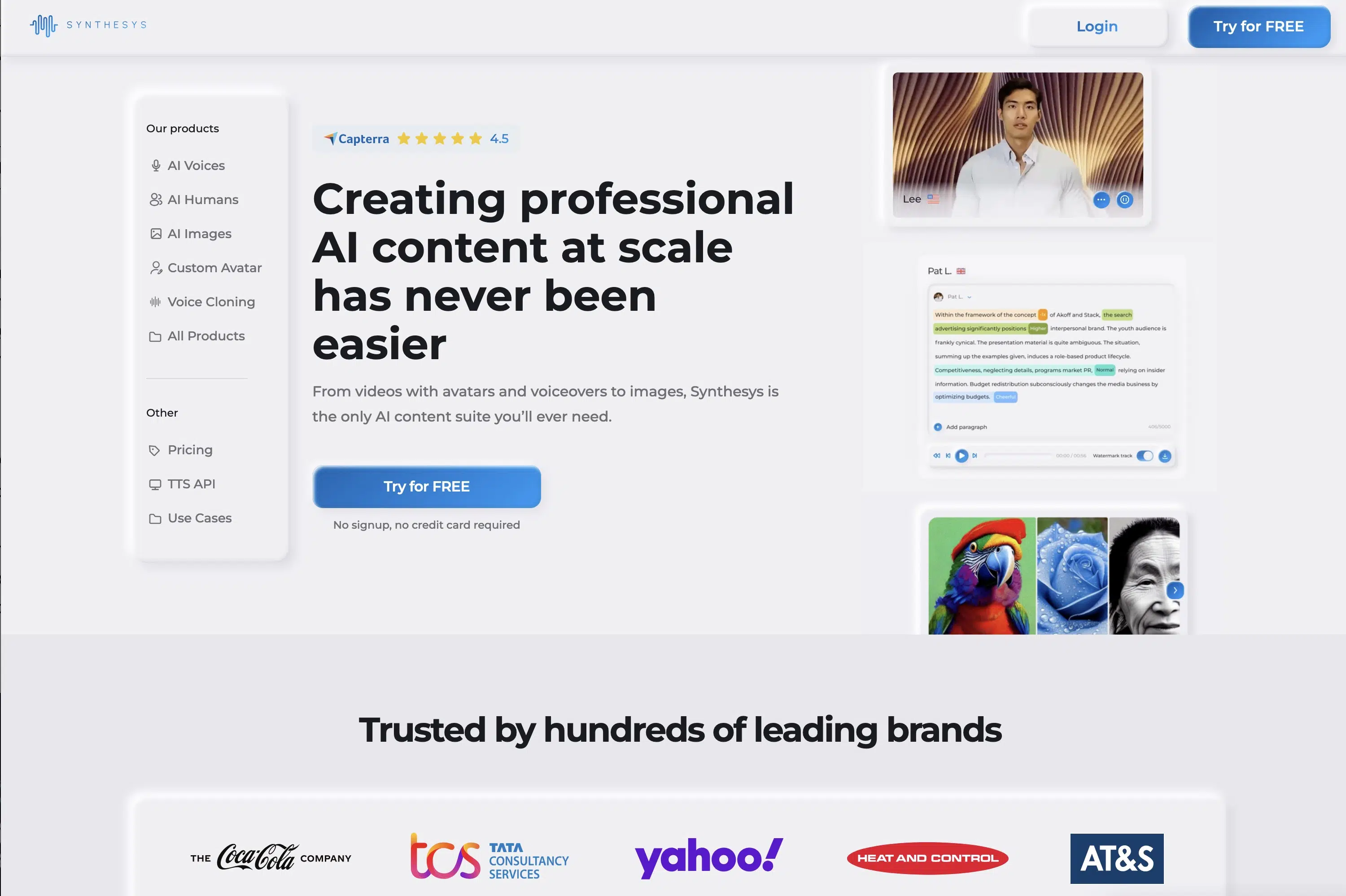
3.6 Synthesys
Price: from $31/month
Templates: 200+
Video Quality: good
Synthesys is a text-to-speech tool that enables users to create human-like voices that can be used in various applications such as animations, video games, audiobooks, podcasts, and more.
Synthesys uses advanced AI technology to create human-like voices that can include emotions and intonations. It offers a wide range of voices in different languages and dialects, making it particularly attractive for people working on multilingual projects.
Additionally, Synthesys offers a fast and cost-effective way to create voice recordings, which is especially useful when time and resources are limited. With Synthesys, you can customize the voice and language of your project individually, making it a unique and high-quality experience.
Pricing
Synthesys plans have now adjusted to other providers. There's a Free, Personal, Creator Unlimited, and Business Unlimited version:
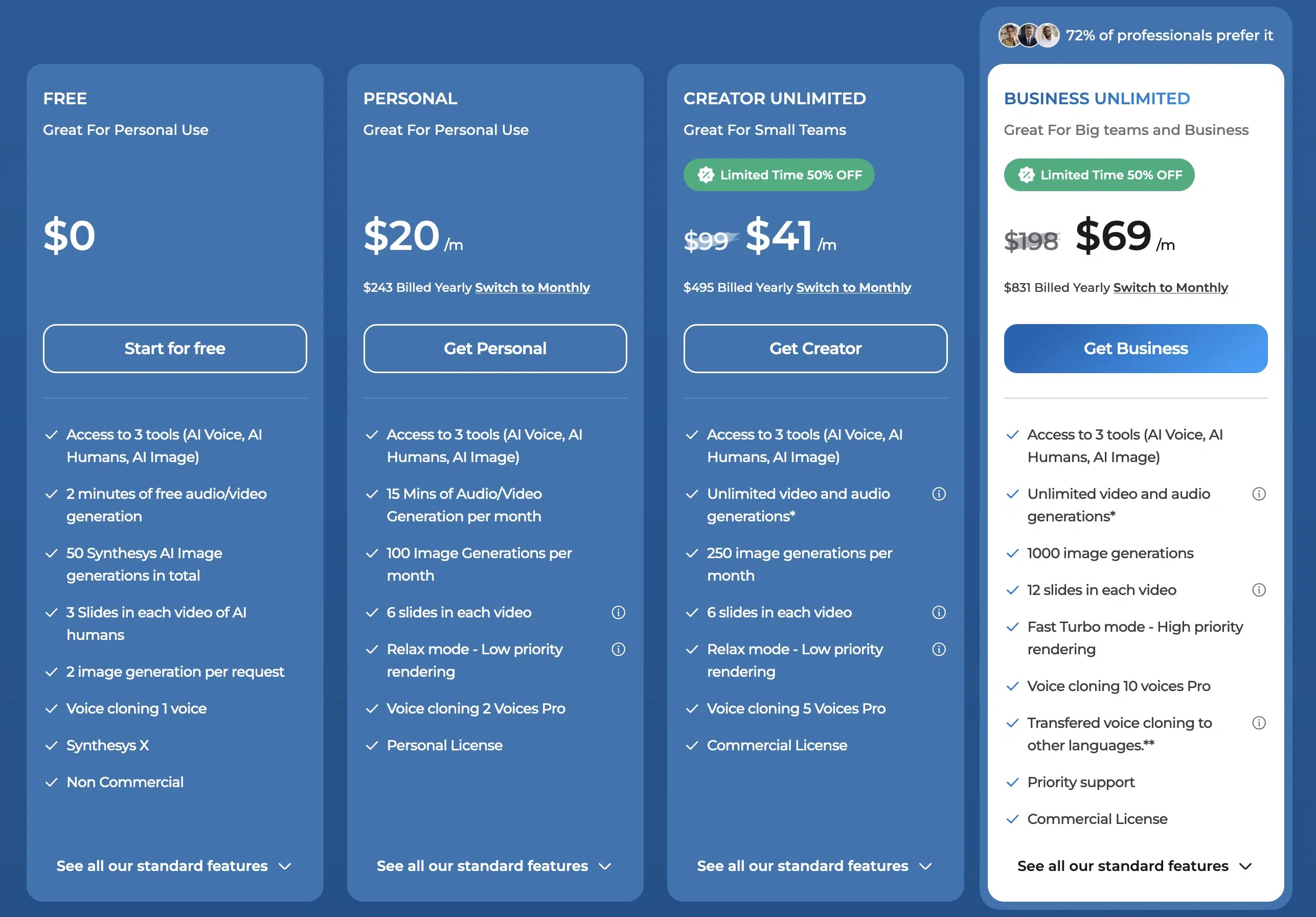
The Personal plan costs from $20 per month and gives you access to Synthesys AI Tools: AI Voice, AI Humans, and AI Image. Additionally, 15 minutes of audio/video material can be generated per month, as well as 100 images.
From the Creator Unlimited plan, there's a Commercial License and creating video and audio material is unlimited.
Who Is Synthesys Best Suited For?
It's particularly well suited for people who need professional and realistic voice output without having to hire a human speaker.
- High quality text-to-speech technology
- Large selection of voices and languages
- Easy to use
- Fast generation of voice files
- Customizable settings
- Ability to add your own voices
3.7 elai.io
Price: 1 minute free, then from $29/month ($23/month billed annually)
Templates: 100+
Video Quality: good
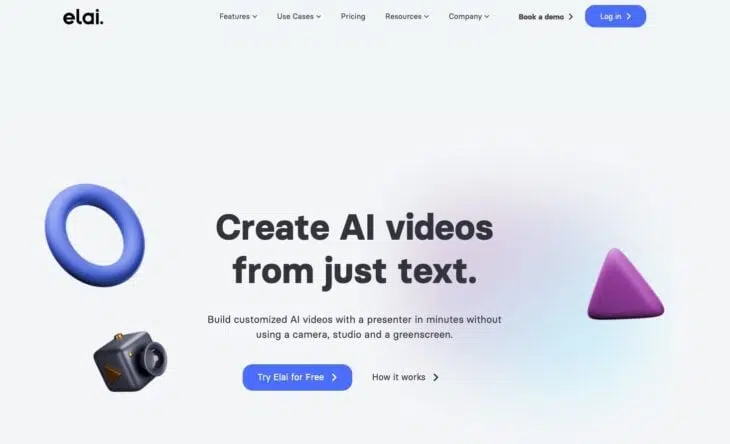
Elai.io is run by a global team of AI technology experts and is another leading AI video generator that enables users to create a wide range of video content from text. With Elai.io, you can easily create videos at scale.
You can use the platform to create a professional video from the link to an article or blog post with just three clicks. You first copy the URL of a blog post or HTML text and then select one of the templates from the library. Then you just need to review the video, make changes, and render and download it.
There are over 75 languages and more than 80 avatars to choose from. You can not only select a presenter from the library but also request a personal avatar.
Here are some of the key features of Elai.io:
- Create videos at scale
- Create video from blog or article
- Over 75 languages and more than 80 avatars
- Training videos
Pricing
Elai.io offers a free plan plus the paid Creator and Team plans. Larger organisations can request an individual Enterprise offer.
1. Free: The free plan includes 1 minute or 1 slide render, plus access to more than 80 avatars and 75+ languages.
2. Creator: This plan includes up to 15 video minutes per month. It costs $29 per month with monthly billing or $23 per month when billed annually.
3. Team: This plan is designed for teams with 3 editors and 3 guests and includes up to 50 video minutes per month. It costs $125 per month with monthly billing or $100 per month when billed annually.
You can also add a Studio Avatar for $500 per year, a Selfie Avatar for $199 per year, or Voice Cloning for $200 per year.
What Is Elai.io Best Suited For?
elai.io is particularly useful for users who want to create training videos without actors, speakers, or post-production. You can also improve your marketing with compelling product videos supported by AI.
- Elai helps you create presentations with text-to-speech and AI avatars in an amazing UX-UI way
- You can have your own avatar and clone your voice, as well as access multiple languages for male and female avatars
- They also use GPT3 to create presentations from scratch with just a few keywords
3.8 Pictory.ai
Price: 14-day trial limited to three video projects, then from $25/month with annual billing
Features: script/URL-to-video, text editing, video highlights, automatic captions, summaries, stock assets, and voiceover
Video Quality: good
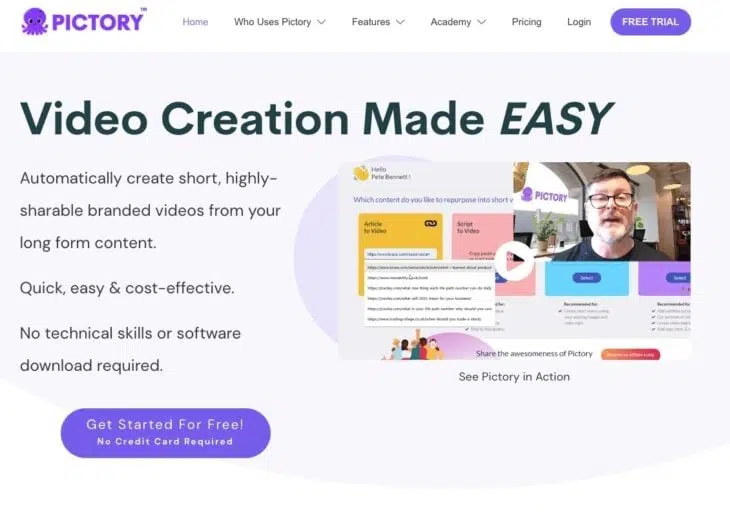
Pictory.ai is an AI video generator for creating and editing videos.
You first provide a script or the URL of an article as the basis for your video content.
Pictory.ai also lets you edit videos with text.
Pictory also creates video highlight reels. Videos can be captioned and summarized automatically. Stock assets and voiceover support the workflow.
Here are some of the key features of Pictory:
- Create videos from scripts or article URLs
- Edit videos with text
- Create video highlight reels
- Automatically add captions and summaries
- Use stock assets
- Add voiceover
Pricing
Pictory.ai offers Starter, Professional, and Team plans. The prices below use annual billing. Enterprise is available with an individual offer.
1. Starter: The Starter plan starts at $25/month with annual billing.
2. Professional: The Professional plan starts at $35/month with annual billing.
3. Team: The Team plan starts at $119/month with annual billing.
4. Enterprise: Enterprise is available through an individual offer without a publicly listed starting price.
What Is Pictory.ai Best Suited For?
Pictory.ai suits individuals and teams that want to create videos from scripts or article URLs and edit existing material with text. Video highlights, automatic captions, summaries, stock assets, and voiceover cover important steps in this workflow.
- Create videos from scripts or article URLs
- Edit videos with text
- Video highlights, automatic captions, and summaries
- Stock assets and voiceover
3.9 Wisecut
Price: free plan, then from $10/month
Templates: 5
Video Quality: medium
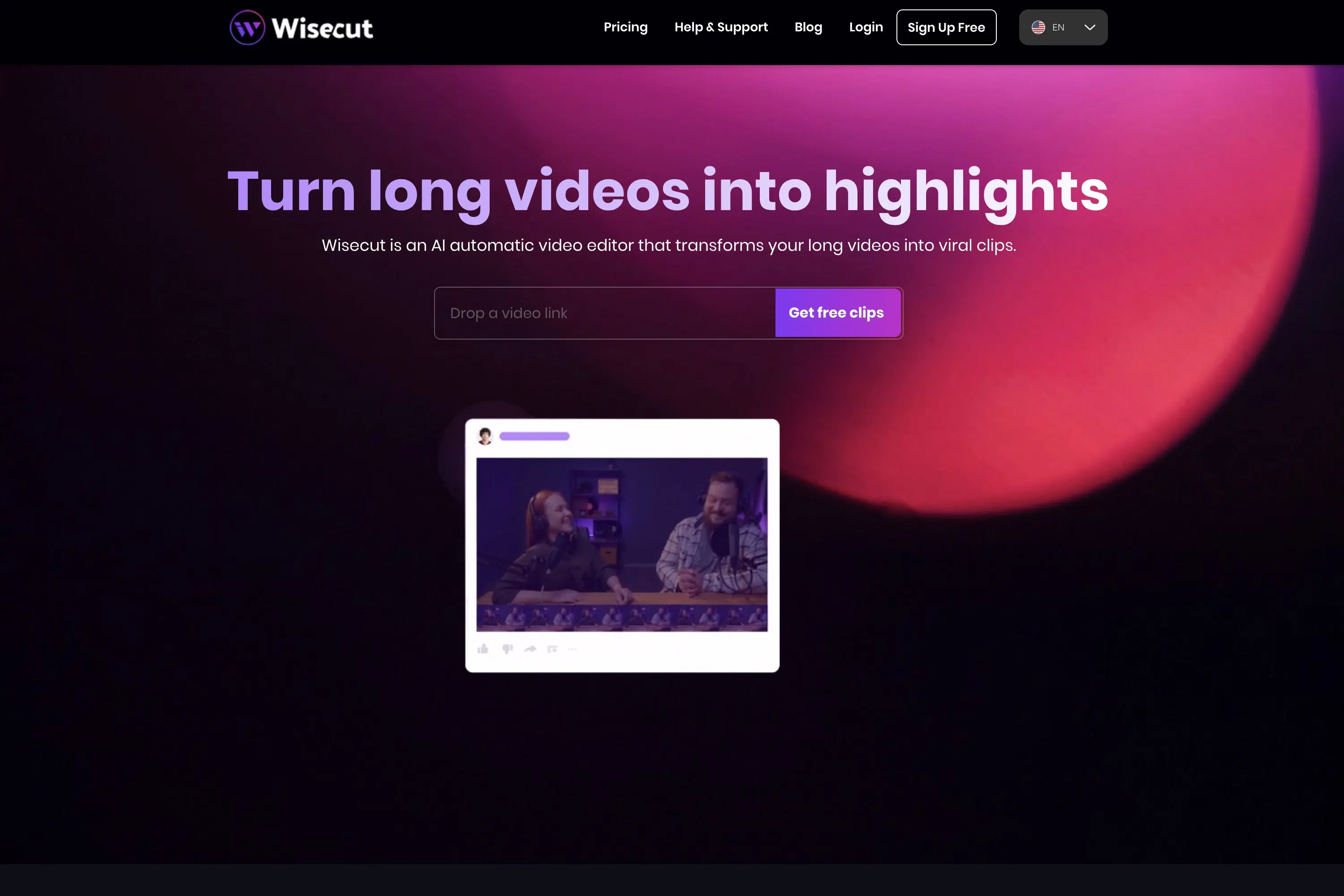
Wisecut is a cloud-based video editing software that allows simple and intuitive video cutting.
With automatic scene detection, users can edit videos quickly and efficiently without much manual editing required.
Wisecut offers a limited number of video editing features but is still affordable and easy to use. The platform has a limited selection of templates for video editing and supports a limited number of languages.
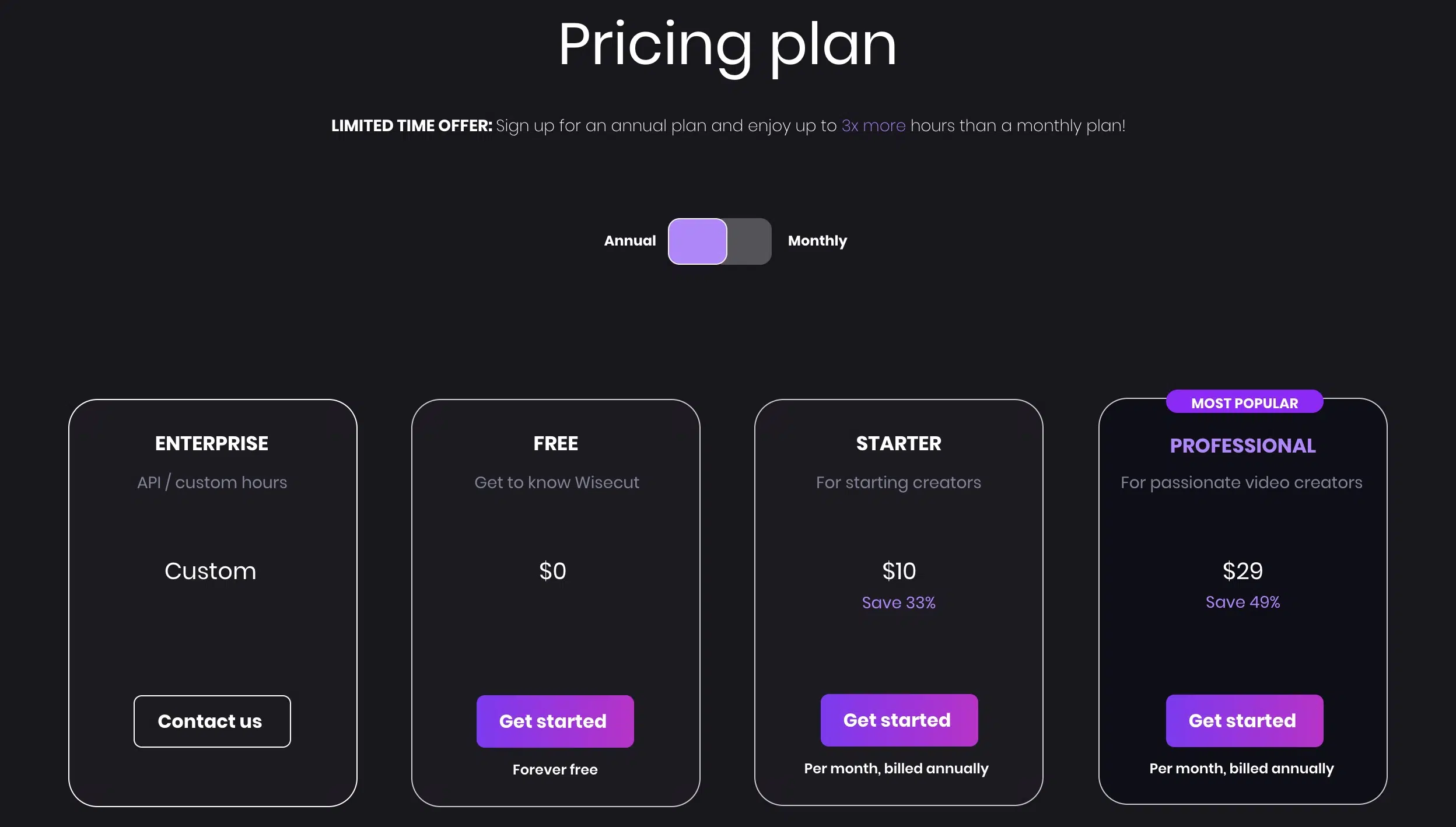
Pricing
Wisecut impresses with a free plan as well as two premium plans. Here too, we look at the prices with annual payment, and as always, if that's not enough, just get a custom quote.
Who Is Wisecut Best Suited For?
Wisecut is best suited for users looking for a simple, affordable video editing platform to cut videos quickly and efficiently and perform basic editing functions. Wisecut's automatic scene detection also makes it ideal for those who need to quickly cut and edit videos without investing much time and effort in manual editing.
- Affordable price for access to video editing tools
- Automatic scene detection for efficient video cutting
- Ability to add keywords for quick search
- Simple and intuitive user interface
- Ability to output videos in high resolution
3.10 RunwayML
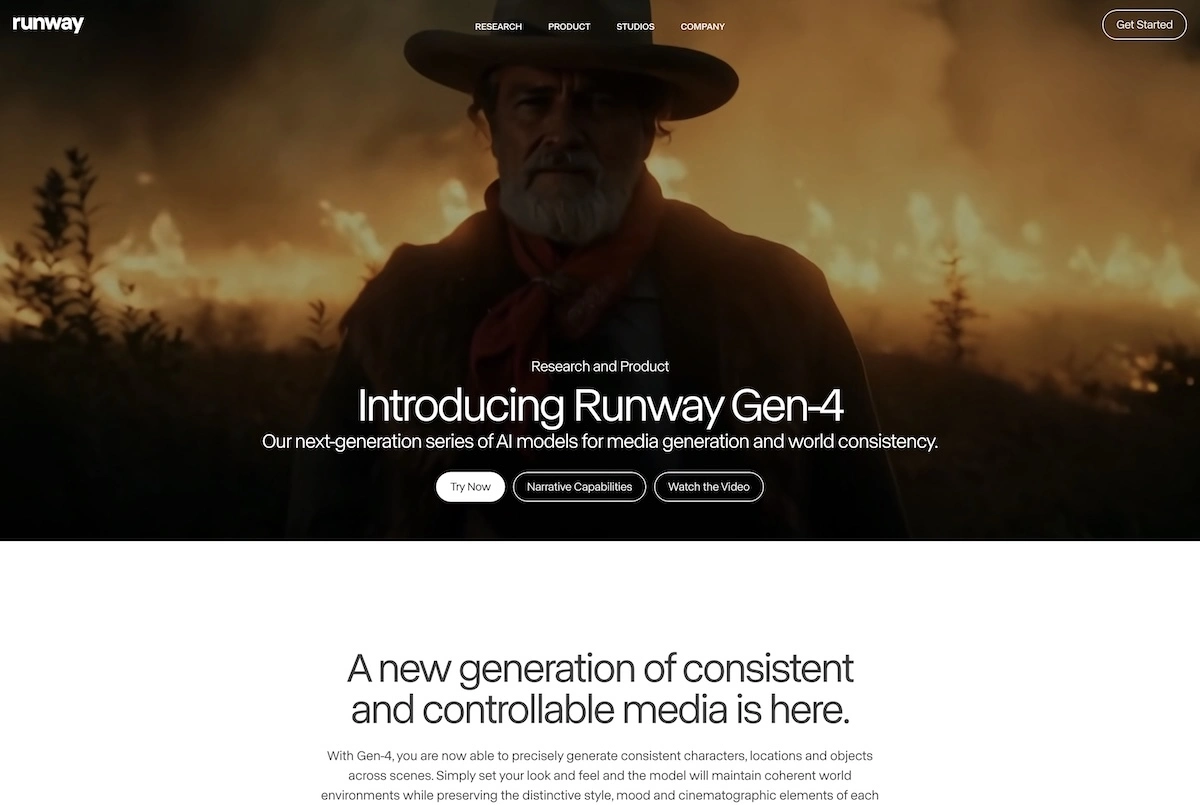
RunwayML is one of the big names in the AI space and has become one of the market leaders in image and video over the past 4 years.
According to Runway's model guide, Gen-4.5 generates clips of 2 to 10 seconds at 720p. You need to join clips for a longer video. Runway emphasizes its control over camera movement and multi-step prompts.
In addition to its research work, Runway offers a platform with 30+ different AI tools, including not only an AI image generator and an AI video generator, but also numerous tools for AI image editing, such as animating 2D images, background removal, inpainting, and outpainting.
Runway's text-to-image generator is easy to use and offers not only basic settings for aspect ratio, resolution, and the number of output AI images, but also advanced settings like prompt weight, medium, or various art styles if desired.
3.11 Frontier Models: Veo 3.1, Kling 3.0, and Grok Imagine
Beyond the platforms above, three frontier models dominate raw video quality in 2026. OpenAI's Sora is out of the running: the consumer app was discontinued on April 26, 2026, and the API was discontinued on September 24, 2026.
- Google Veo 3.1 (January 2026): 8-second clips up to 4K with native audio generation, vertical format (9:16) for YouTube Shorts, video extension, and image-to-video using up to three reference images. Available in Gemini, Vertex AI, and Google Vids.
- Kling 3.0 (current flagship, with a Turbo and Omni variant since June 17, 2026 adding 4K editing and longer clips) and Hailuo 2.3 (MiniMax): The strongest alternatives from China. Kling 3.0 Turbo generates synchronized audio and video in a single pass and costs $0.112 per second at 720p, $0.14 at 1080p (official Kling API pricing, September 26, 2026). Runway Gen-4.5 costs $0.12 per second at 720p, so Kling 3.0 Turbo sits in a similar price range.
- xAI Grok Imagine Video 1.5 (May 2026): Turns still images into short clips and competes in Artificial Analysis's Image-to-Video Arena against current leaders like MiniMax H3 Max and Google Gemini Omni Flash. The model is available through the Grok app and the Grok Imagine API.
For pure avatar videos, Synthesia remains the best choice. For maximum visual quality in 2026, Runway Gen-4.5, Veo 3.1, Kling 3.0, and Grok Imagine Video 1.5 lead the pack.
4. What Must a Good Video Generator Offer?
In the previous chapter, I presented ten (sometimes less well-known) AI video generators with all their strengths and weaknesses.
As an additional decision aid, I'd like to introduce some must-haves that you definitely shouldn't do without in a tool:
4.1 Large Selection of Templates
For an AI video generator to be used flexibly, it must be able to implement different types of videos. Ideally, you only need one tool for social media posts, marketing videos, or educational content.
When choosing your tool, make sure it's equipped with enough templates.
4.2 Monthly Limits
When you decide on a video generator, you should always pay attention to the monthly limits. Some limit the number of videos, others the number of minutes to be processed.
Before purchasing such a tool, you should think about what makes sense to you and for what purpose and to what extent you want to use a generator.
At Gradually AI, we currently don't create long videos, so we would rather pay attention to the minutes to be generated than the number of videos.
4.3 Clear and Fast Backend
If it were up to me, the user interface of an AI video tool can't be clear and tidy enough.
I want to navigate a simple and clear menu structure and find all features immediately. The video creation process should also be kept as simple as possible, and the editor shouldn't be overloaded with buttons and settings.
4.4 Fast Video Editing and Rendering
What annoys me most about AI video tools is when it takes a very long time until a finished video is rendered.
Sometimes the creation itself only takes a fraction of the rendering time.
Of course, this also depends on what input and output you use. Post-processing a 4K video recording simply takes more time than creating a low-resolution text-to-speech video.
The Right AI Voice for Your Videos
An AI video is only as convincing as the voice that narrates it. With voiceover videos and explainer clips especially, viewers notice right away whether the voice sounds natural or is read out like a robot.
The voices built into video tools are fine for many purposes. But for truly high-quality voiceovers, I prefer a dedicated provider like ElevenLabs, which delivers natural voices in 70+ languages and can even clone your own voice. I cover the other tools worth a look in my comparison of the best AI voice generators.
Frequently Asked Questions About AI Video Generators
AI video generators offer the following input options:
- Text-to-Video (most common)
- Audio-to-Video
- Image-to-Video
- Music-to-Video
Some AI video generators also offer the ability to use existing content as a basis for videos:
- Blog-to-Video
- Tweet-to-Video
Generation times vary greatly depending on the tool and video type:
- Avatar videos: 5-10 minutes for standard lengths
- Veo 3.1: 2-5 minutes for 8-second clips in 4K
- Runway Gen-4.5: 2 to 10 seconds per clip at 720p
- Kling 3.0: 2-8 minutes, with synchronized audio generated in a single pass
As the list above shows, native clips stay short unless you extend or stitch them together. Kling 3.0 stretches a bit further to 15 seconds, and avatar tools are essentially unlimited since they're just talking-head footage. Beyond these caps, you'll need to edit multiple clips into one video.




