
OpenClaw connects an AI model, tools, and optional chat channels through a Gateway. You do not need a messenger or an automation for the first start. Set up a local chat, validate access, and add capabilities only afterwards.
These steps follow the official installation documentation and the getting-started guide. Current as of September 8, 2026.
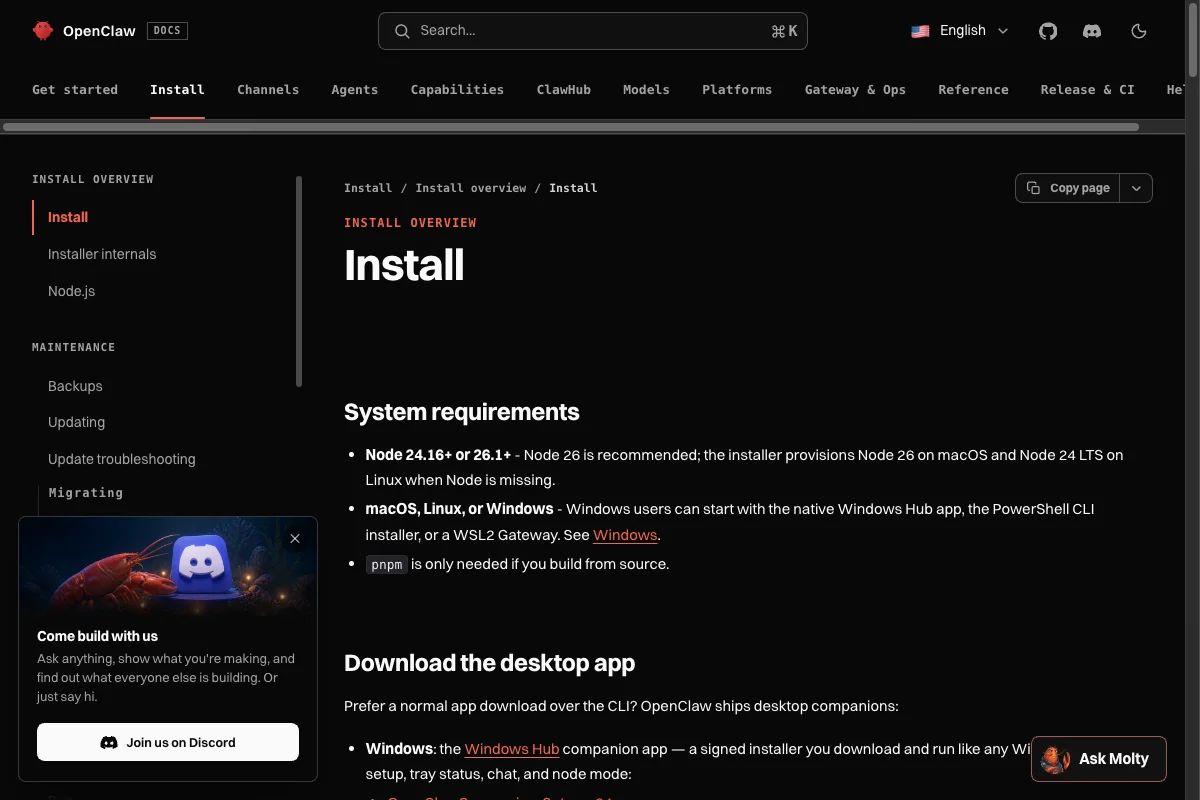
- OpenClaw needs Node.js 24.16+ or 26.1+. Node.js 26 is recommended.
- macOS, Linux, and Windows are supported. Windows offers the Hub app, PowerShell, and WSL2 paths.
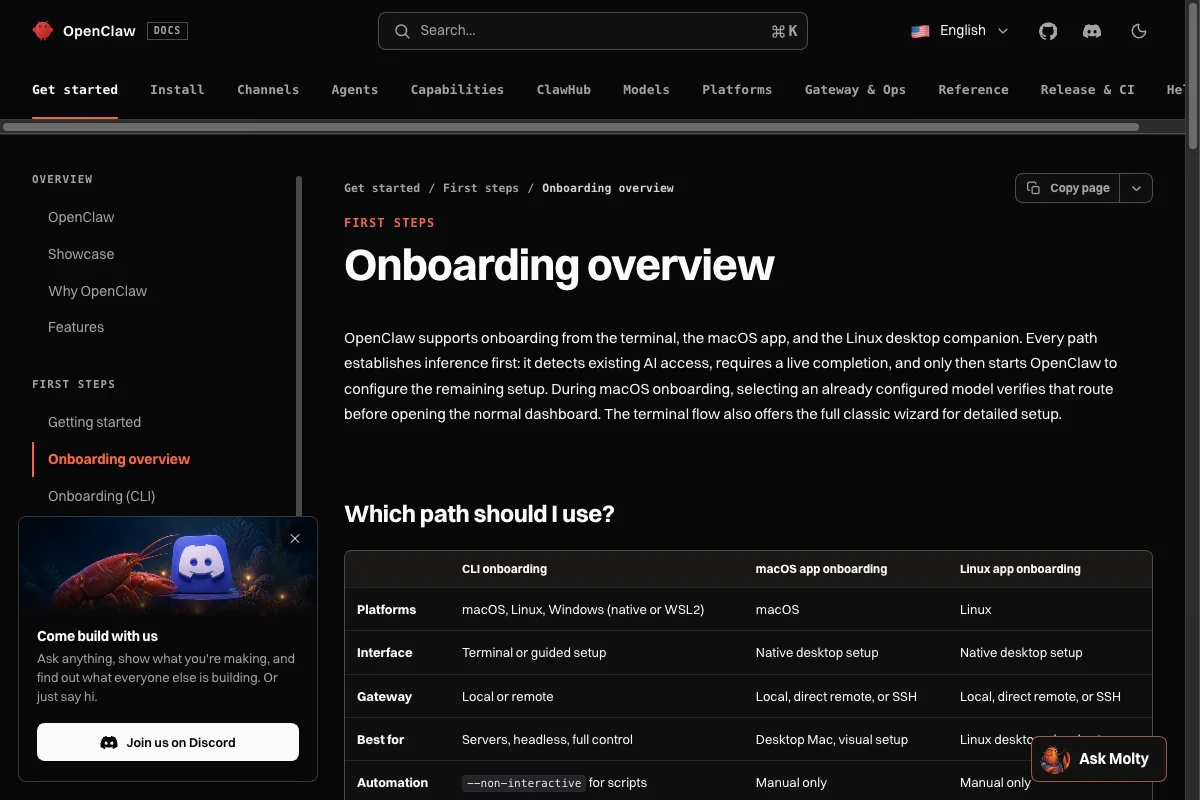
- The smallest useful test is Quick Start with an existing login or API key and the local Dashboard.
What you need before installing
Check the runtime first. If you manage Node yourself, it must be version 24.16 or 26.1 or later. Node 26 is the current documentation recommendation.
node --versionQuick Start also needs either an existing Claude Code or Codex CLI login or access to a model provider. Onboarding detects a usable route, performs a real model completion, and saves the configuration only after that check. If detection does not work, it moves to manual setup.
Choose the right installation path
macOS
For a graphical start, OpenClaw offers a menu bar app. The official documentation recommends downloading the DMG from its GitHub releases. During first run, the app can provision a local Gateway or connect to an existing one.
Linux and terminal setups
The official script detects the operating system, provisions Node when needed, installs OpenClaw, and launches onboarding. It executes code from the network. Read the linked installation section before using it in an environment with its own access rules or policies.
curl -fsSL https://openclaw.ai/install.sh | bashIf you manage Node and global packages yourself, the official installation page also documents current npm, pnpm, and Bun paths. Modern package managers require explicit approval for OpenClaw installation scripts, so use the command that matches your package-manager version.
Windows
The current documentation supports three paths: the signed Windows Hub app, a PowerShell installer, or a Gateway in WSL2. The Hub app is the simplest normal desktop path. WSL2 remains useful when you already work in a Linux environment.
Use Quick Start for a minimal first run
For a short local test, launch OpenClaw through Quick Start. With a suitable existing login or API key, onboarding then opens the Dashboard. The Gateway remains in this terminal until you stop it with Control-C.
npx openclaw@latestChoose Quick Start when detected access is enough. Choose Custom Setup when you want to configure the provider, Gateway, or further options one by one. The classic step-by-step dialog is still available through the onboarding command.
openclaw onboard --classicIn the Dashboard, start with a harmless request. That validates model access and the Gateway without connecting an external channel.
Make the Gateway persistent only after the local test
Stop the Quick Start Gateway with Control-C first. If you have only used npx so far, install the CLI through one of the methods above before running the following commands.
Once the local test works, you can install the Gateway as a background service. The official setup uses a LaunchAgent on macOS, a systemd user service on Linux and WSL2, and a Scheduled Task on Windows with a per-user fallback.
openclaw gateway install
openclaw gateway status
openclaw dashboard
The status command confirms whether the Gateway is running. Dashboard opens the local control interface again. Only once that works should you move on to Telegram, Slack, WhatsApp, or another channel.
Verify the installation and narrow down problems
Keep diagnosis and repair separate. These two commands check without changing configuration or state.
openclaw --version
openclaw doctor --lint
For a subsequent agent handoff, use triage. Its checks are read-only, but the command writes a sanitized diagnostic prompt. That prompt is handed off only after you choose an agent.
openclaw triageWhen the CLI cannot be found, the installation documentation identifies the global package environment or PATH as common causes. Check Node, the global package prefix, and your PATH variable.
node -v
npm prefix -g
echo "$PATH"
Does OpenClaw not match your goal? Compare the intended use, integrations, and maturity of the alternatives before expanding the installation.
When to use doctor with repairs
Even plain openclaw doctor can change configuration or state through migrations and confirmed repairs. With --fix, it applies recommended non-service repairs without prompts. For a read-only check, start with openclaw doctor --lint.
The official troubleshooting guide has a symptom-based sequence for Gateway status, logs, and channel checks. It is more reliable than a stale list of isolated error messages.
What OpenClaw costs
The software is open source. Costs can come from the model provider, task volume, and optional infrastructure. Do not assume a flat monthly amount. Review the selected provider’s pricing and set your own budget for recurring tasks.
Conclusion
Keep the first step small: check the runtime, open Quick Start, test one harmless request in the local Dashboard, and only then add a service or messaging channel. That makes it much easier to attribute errors and permissions before OpenClaw can access more data or external systems.
Frequently Asked Questions
OpenClaw is an open-source project. Your selected model provider may charge for inference, so review its pricing and set your own spend limits for automated tasks. For a breakdown of hosting, model, and operating costs, see our OpenClaw cost guide.




