Midjourney is currently the best AI image generator on the market. No argument there.
But that doesn't mean it's the right choice for everyone.
Maybe you don't want to deal with Discord. Maybe you need a feature Midjourney doesn't offer. Or maybe you just want something cheaper (or free).
I tested four alternatives to find out which ones are genuinely worth your time. Two of them are even (with limitations) free to use.
- Pollo AI is our top alternative: several image and video models in one interface, plus image editing and upscaling
- ArtSmart.ai offers very good image quality with a user-friendly interface and many editing features (no free plan)
- 2 of the 4 alternatives have a free entry point: Pollo AI and GPT Image 2 (via ChatGPT)
- All alternatives work in the browser without Discord. Midjourney does too now
1. What Speaks Against Midjourney?
The image quality of Midjourney is impressive and far better than many other AI image generators. However, there are some arguments against using it. First and foremost is usability:
Midjourney can still be confusing for beginners. Midjourney can now be used directly on its website. Discord remains an optional route if you prefer working with the bot.
If you want to use Midjourney through Discord, log in there and start your prompt with /imagine. The image below shows this now-optional route:
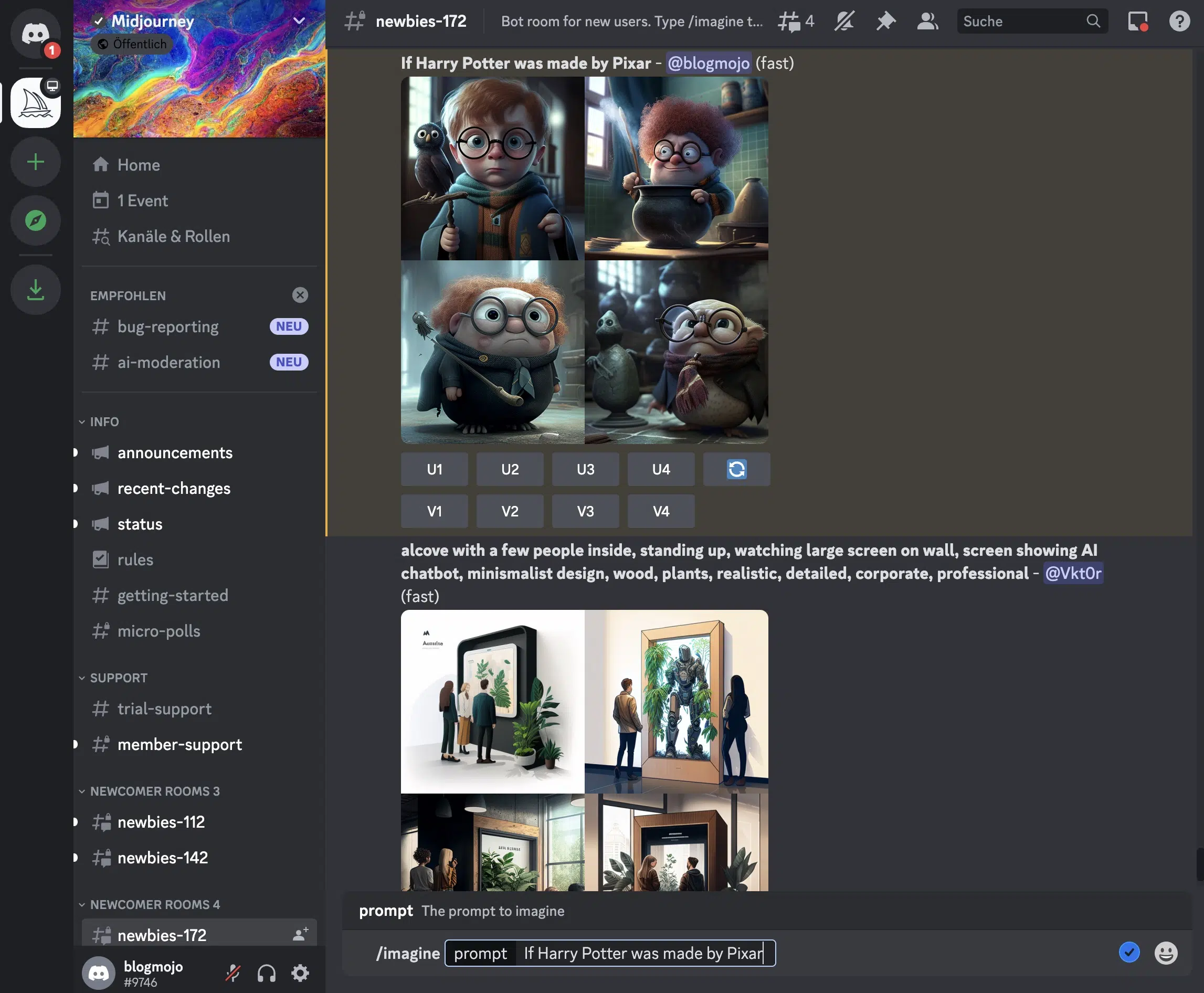
Public Discord channels can get crowded quickly. Your images may be visible there. You can prevent this by using the Stealth Mode and additionally generating images in a private message or on a private server, but that's unnecessarily complicated.
A Midjourney alternative might also be right for you if you...
- want to create other types of AI art as well, such as music, text, or videos
- prefer a platform that combines image and video models with editing tools in one interface
- don't want to sign up for a subscription
- find Midjourney's prices too high
- aren't satisfied with Midjourney's image style (not everyone likes the "Midjourney style")
2. Midjourney and Alternatives Compared
| Tool | Image Quality | Time per Image | AI Model | Price | Free Version? |
|---|---|---|---|---|---|
| Midjourney | Very high | 35 to 40 s | Midjourney V8.1, Niji | from $8 / month | No |
| Pollo AISeveral image and video models, image editing, and upscaling | Very high | depends on model and tool | 10 models in the public generator | from €9 / month (billed annually) | Yes (20 starter credits) |
| Artsmart.ai | High to very high | 12 s | Stable Diffusion | from $19 / month | No |
| Supermachine | High | 6 s | Stable Diffusion | Current pricing on provider site | No |
| GPT Image 2 (ChatGPT) | Very high | 10 to 15 s | GPT Image 2 | Free (ChatGPT) / $20/month (Plus) | Yes (limited) |
And here is how the entry prices of the other tools compare:



3. Midjourney Alternatives in Detail
Before we go into detail, here is a quick comparison of Midjourney and the four alternatives:
| Feature | Midjourney | Pollo AIOur pick | ArtSmart.ai | Supermachine | GPT Image 2 |
|---|---|---|---|---|---|
| Image quality | Very high | Very high | High to very high | High | Very high |
| Time per image | 35-40 s | Depends on model | 12 s | 6 s | 10-15 s |
| AI models | Midjourney V8.1, Niji | 10 models in the public generator | Stable Diffusion | Stable Diffusion | GPT Image 2 |
| Free versionGPT Image 2: daily limit on free ChatGPT accounts | No | Yes | No | No | Partial |
| Works without Discord | Yes | Yes | Yes | Yes | Yes |
3.1 Pollo AI
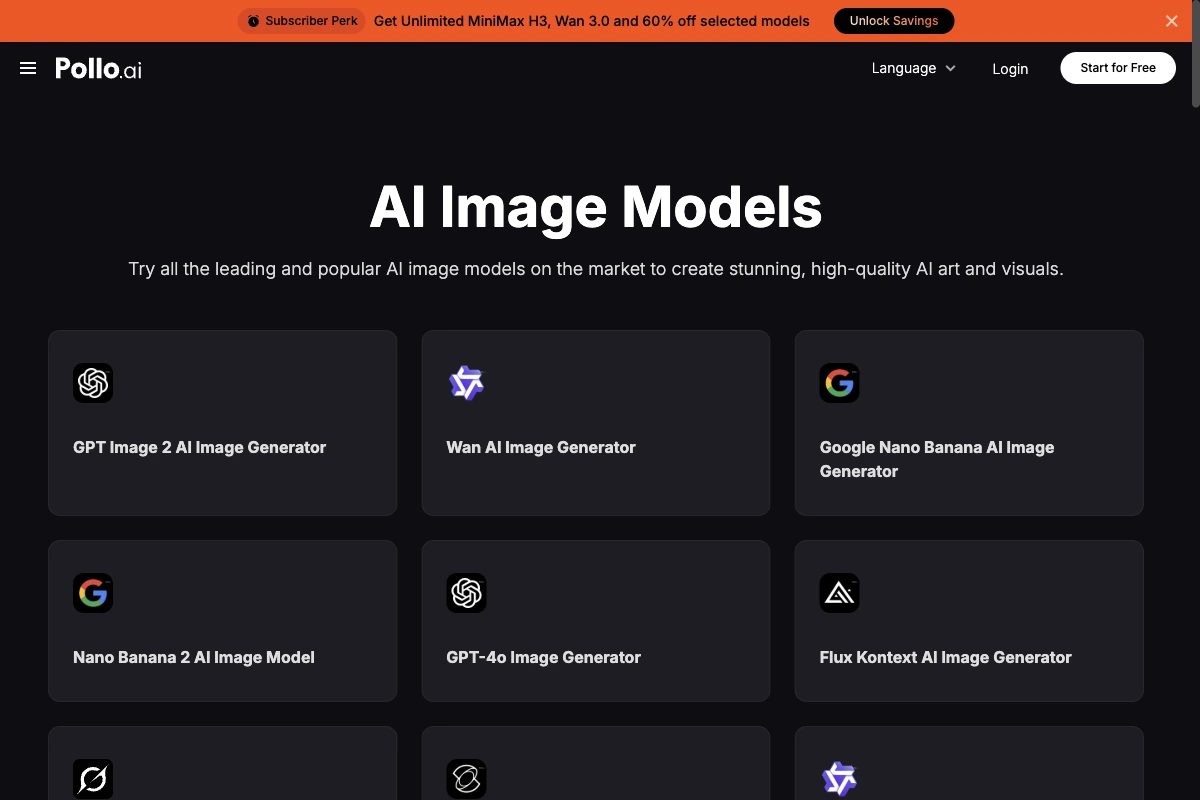
Pollo AI is our top recommendation among the Midjourney alternatives.
The big advantage over Midjourney is the selection. Several image models are directly visible in the public generator. The platform also combines image and video models with its own editing tools.
It also includes upscaling, background removal, inpainting, uncrop, product-photo, and face-enhancement tools. The entry plan offers 20 starter credits. The exact cost depends on the model and tool you choose.
3.2 ArtSmart.ai
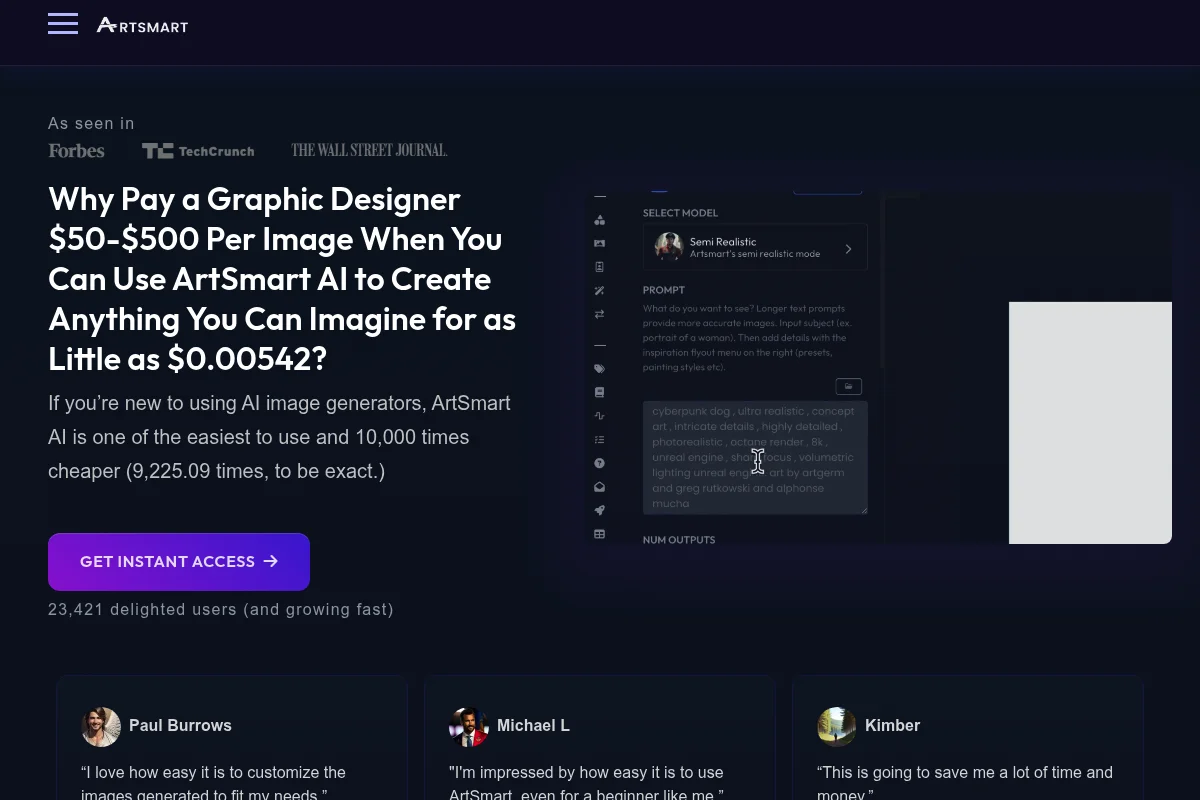
ArtSmart is the tool that came closest to matching Midjourney's quality in my image generator test.
The tool also offers a wide range of features:
On one hand, it provides many advanced prompt settings and different modes, such as the "Hyper Realistic" mode to create photorealistic images.
On the other hand, it offers various editing features to adjust or improve your images directly in the app after generation, for example:
- Inpaint (a feature to remove or change parts of an image)
- Face Enhance (to improve facial distortions)
- Upscaling
- Cropping
- Add text
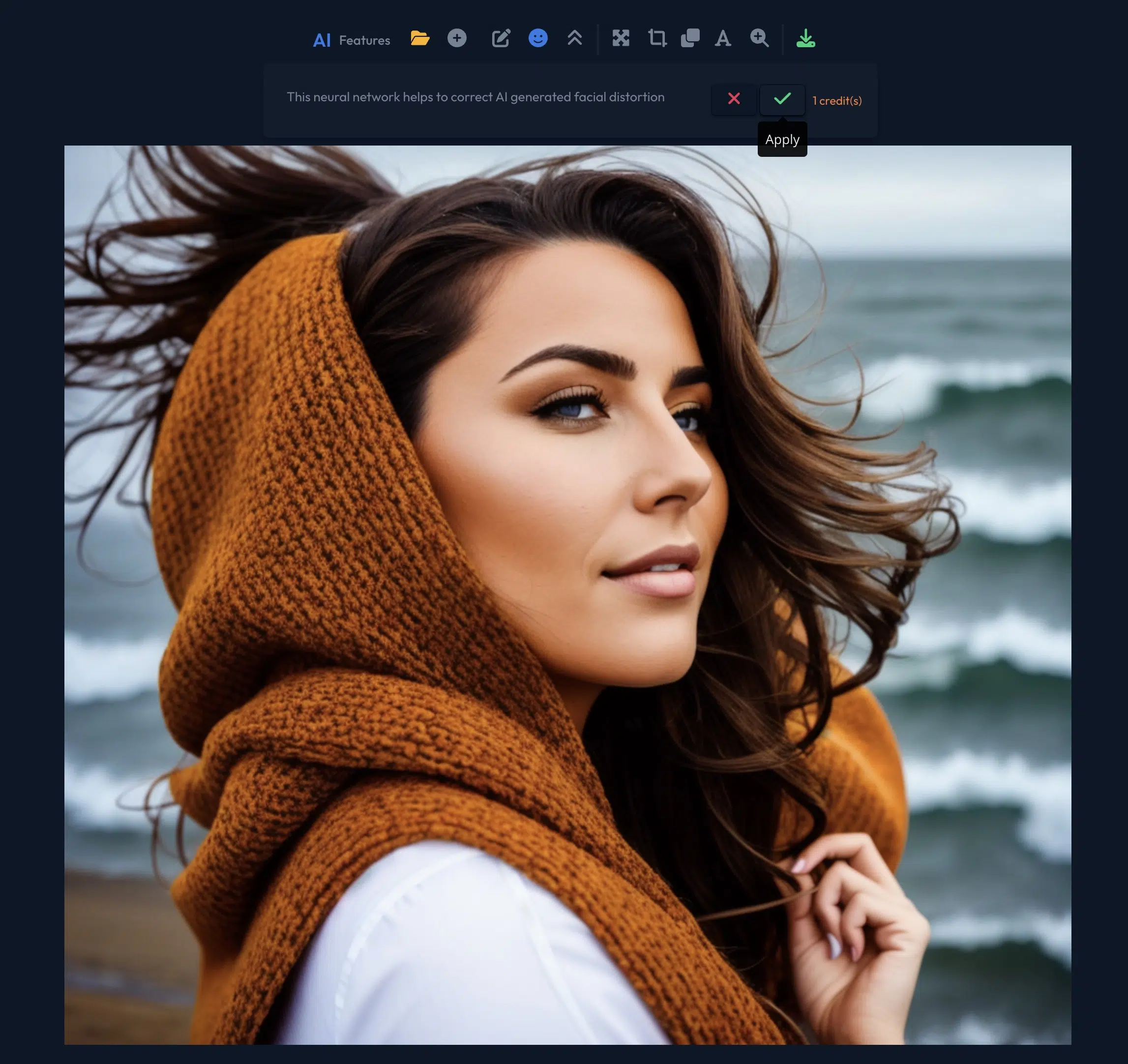
It offers a huge advantage over Midjourney:
It provides a clear user interface and is easy to use. Unlike Midjourney, which leaves you alone when writing prompts, ArtSmart.ai gives you the ability to compose your prompts using various modes, presets, camera perspectives, art styles, and artists through dropdown menus:
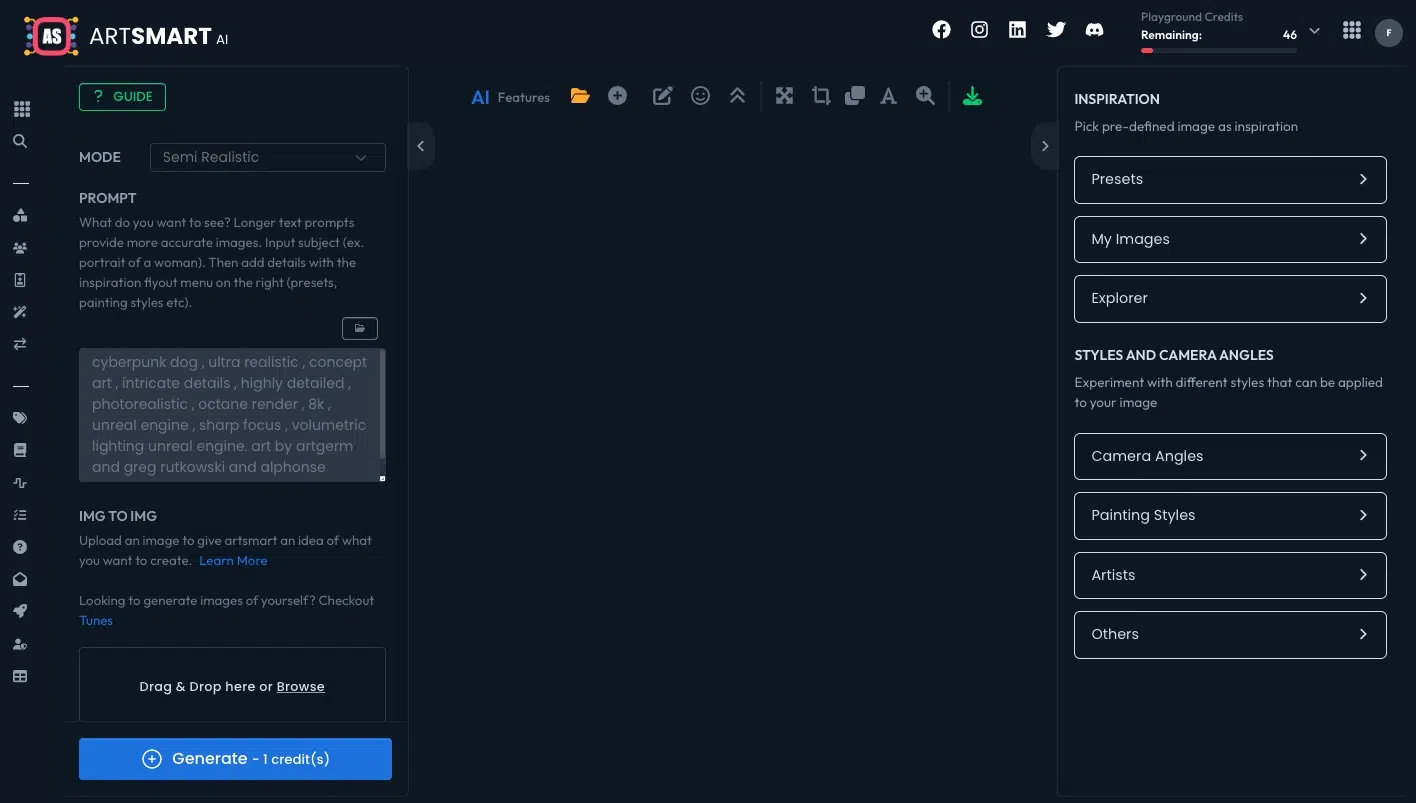
Of course, you also have the option to write your prompts without assistance if you prefer.
The image quality is very good. While it doesn't quite match Midjourney's quality, the images usually impress with good lighting, a homogeneous color palette, and a high level of detail.
At approximately 12 seconds, Artsmart generated AI images in testing about three times faster than Midjourney.
3.3 Supermachine
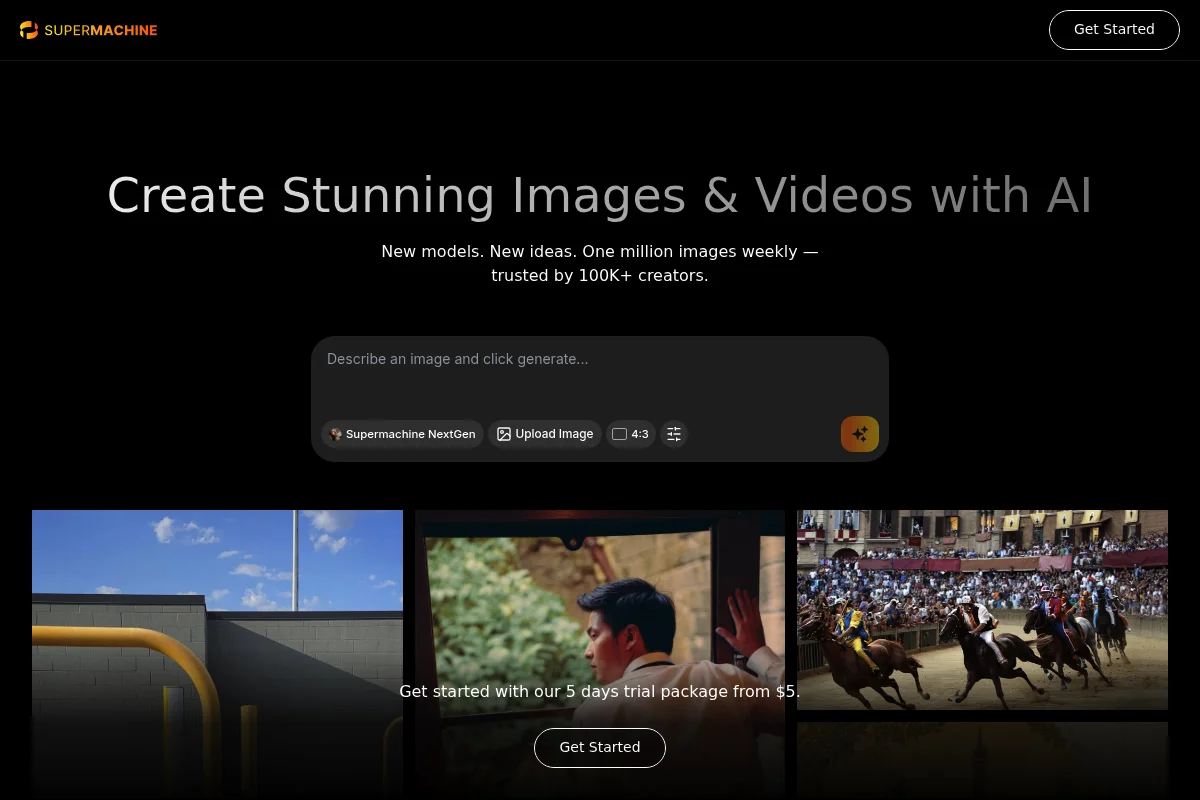
Supermachine generated images in about 6 seconds in testing, compared with about 12 seconds for ArtSmart.
For current pricing, visit Supermachine.
Supermachine doesn't have as many features as Midjourney or ArtSmart.ai. However, it has a clear user interface and is easy to use:
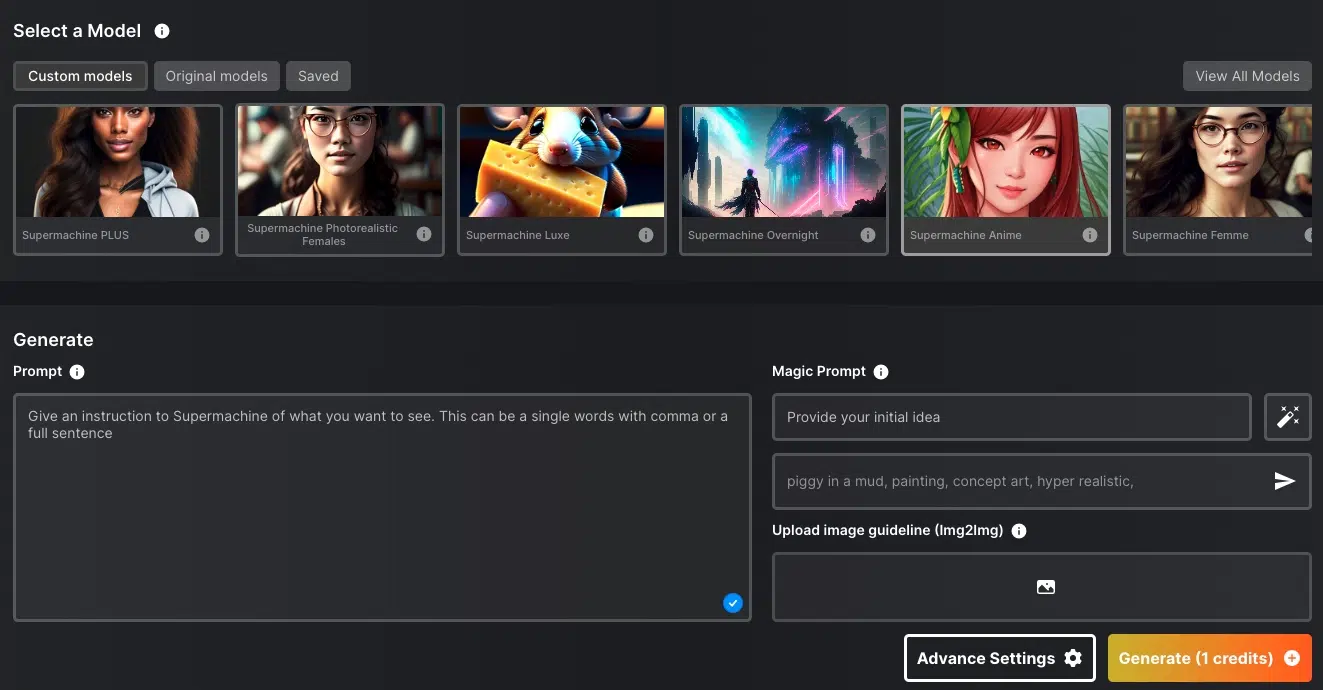
I really like that there are 39 predefined models with which you can generate images in certain styles. For example, there are models for anime, LinkedIn portraits, logos & icons, coloring books, photorealistic images, or 3D art. There are even two models that can imitate the "Midjourney style".
You can specify not only text but also your own images as prompts. Additionally, there are various settings for aspect ratio, sampler, image size, or the number of generation steps.
With the default settings, you get your AI image within about 6 seconds, making Supermachine one of the fastest image generators.
Supermachine uses Stable Diffusion 1.4 to 2.1 for image generation. The image quality is high, although it doesn't quite match that of ArtSmart.ai or Midjourney.
The tool has a distinctive feature that sets it apart from other AI image generators: It allows the creation of NSFW content. So you can also create erotic images with it if that's of interest to you.
3.4 GPT Image 2 (ChatGPT)
OpenAI's image generation has come a long way. DALL·E 2 has been discontinued, and DALL·E 3 has been replaced by GPT Image 2, which is integrated directly into ChatGPT.
GPT Image 2 is a major leap in quality over its predecessors. It generates highly detailed, photorealistic images and handles text rendering in images remarkably well (something earlier DALL·E models struggled with).
The easiest way to use it is directly in ChatGPT. Simply describe the image you want in a conversation, and ChatGPT generates it. Free ChatGPT users get a limited number of image generations per day, while ChatGPT Plus subscribers ($20/month) get significantly more.
The user interface could not be simpler: you just type what you want in the chat. There are no complicated settings to fiddle with. This makes GPT Image 2 one of the most accessible Midjourney alternatives, especially for beginners.
The image quality is excellent and competitive with Midjourney V8.1 in many scenarios. GPT Image 2 particularly shines at following complex instructions, combining multiple elements in a scene, and generating readable text within images.
Frequently Asked Questions About Midjourney Alternatives
If you want an alternative with a free entry point, Pollo AI offers 20 starter credits and combines several image models with image editing and upscaling. ArtSmart.ai is another option, but it does not offer a free plan.
OpenAI's GPT Image 2 (successor to DALL·E 3) is also worth considering, as it offers limited free image generation directly through ChatGPT.
Yes, most alternatives allow commercial use:
- ArtSmart.ai: Full commercial rights from the Basic plan
- GPT Image 2: Commercial use allowed (via ChatGPT Plus)
Nevertheless, always check the current terms of use as they may change.
Generation times vary considerably:
- Supermachine: 6 seconds (fastest)
- ArtSmart.ai: 12 seconds
- GPT Image 2: 10 to 15 seconds
- Midjourney: 35 to 40 seconds
All alternatives are significantly faster than Midjourney, although speed may depend on server load.




