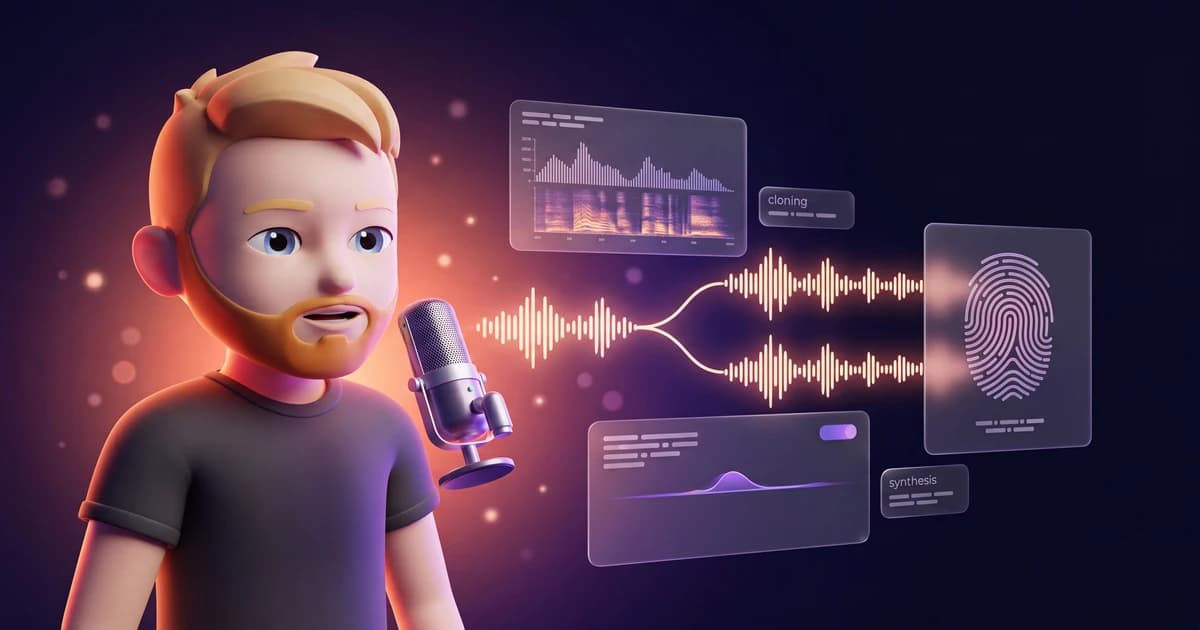
Picture this: you say one sentence into a microphone. And suddenly your own voice reads you a full podcast. Or an audiobook. Or speaks fluent Spanish, even though you never learned a single word.
That's voice cloning.
The tech behind it sounded like science fiction two years ago. Today all you need is a few minutes of audio and a good tool. I've cloned my own voice several times by now, and I use it for content that would otherwise have me sitting in a recording booth for hours.
That said, two things catch a lot of people off guard. First, the recording decides everything. A bad recording means a bad clone, no matter how good the tool is. Second, cloning voices is legally trickier than most people assume.
In this guide, I'll show you step by step how to clone your voice. You'll learn which type of clone you need, what to watch out for during recording, and what's legally allowed and what isn't.
Let's get started.
- Voice cloning creates a digital fingerprint of your voice from an audio recording. You record once, then the AI can read any text in your voice.
- There are two variants: Instant Voice Clone (about 10 sec of audio, from $6) for quick tests and Professional Voice Clone (30+ min, 3 hours ideal, from $22) for professional quality.
- Legally: you can freely clone your own voice. For other people's voices you always need documented consent. The EU AI Act transparency obligation also kicks in on August 2, 2026.
1. What Is Voice Cloning?
Voice cloning means an AI creates a digital fingerprint of your voice from an audio recording. You can then feed that fingerprint any text you like. The AI reads the text back to you in your voice, with your timbre, your tone, and your way of speaking.
So here's the difference from classic text-to-speech. You don't use some generic computer voice, you use your own.
When creating a clone, you basically have two routes to choose from. The fast one and the thorough one. Both have their place.
1.1 Instant Voice Clone (IVC)
The Instant Voice Clone is the fast route. You upload only about 10 seconds of audio, and within roughly 2 minutes you have a finished clone you can work with right away.
The result is surprisingly good for so little effort. With ElevenLabs, the IVC is available from the Starter plan at $6 per month.
The IVC is a good fit when you want to try voice cloning, need short clips, or are only using the clone for internal purposes. For the highest standards, though, it doesn't quite cut it.
1.2 Professional Voice Clone (PVC)
The Professional Voice Clone is the thorough route. Here you upload a lot more audio, at least 30 minutes, ideally around 3 hours. From this material, ElevenLabs trains a dedicated model of your voice.
That takes a bit, but the result is worth it. The PVC sounds noticeably closer to the original, because it doesn't just learn your timbre but also your intonation, your rhythm, and the little quirks in how you speak.
With ElevenLabs, the PVC is included from the Creator plan at $22 per month ($11 in the first month). If you want to use your voice professionally, say for audiobooks or a podcast, there's barely a way around it for me.
2. Is Voice Cloning Even Allowed? (Law in the EU and Beyond)
Before we get to the practical part, we need to talk briefly about the law. Not because it's complicated, but because a lot of people are careless here. And that can get expensive.
The most important rule is actually quite simple.
You can clone your own voice. Always. It's your voice, you decide what happens with it. There are no traps here.
But the moment you clone someone else's voice, things change. A person's voice is one of their personal characteristics, much like their face. In the EU, you therefore need the consent of the person involved before you process their voice. This follows, among other things, from the GDPR, because a voice counts as personal data.
And that doesn't only apply to celebrities.
It applies just as much to your colleague, your best friend, or a family member. Get the consent in writing if you can, and document it. If there's a dispute later, you'll want to be able to prove that the person agreed.
2.1 The Transparency Obligation From August 2, 2026
On top of that, there's a new rule you should keep on your radar. The EU AI Act sets out a transparency obligation for AI-generated content in Article 50. The relevant rules take effect on August 2, 2026.
In short, this means AI-generated audio content should be recognizable as such. So if you publish a cloned voice, you should start thinking early about how you label that content.
Beyond the law, I consider transparency the better path anyway. Your listeners will notice sooner or later, and being honest builds trust. It also fits our principle here: use AI as a tool, but keep the human at the center.
3. Step by Step: Cloning Your Voice With ElevenLabs
Now it gets practical. For cloning I use ElevenLabs, because it currently delivers the most natural voice quality for me and offers both clone variants under one roof. For an overview of other providers, check my article on the best AI voice generators.
The following five steps take you from an empty microphone to a finished, ready-to-use voice.
3.1 Step 1: Prepare the Recording
This step decides everything. I can't say it often enough: the quality of your recording determines the quality of your clone. An expensive tool won't rescue a bad recording.
So pay attention to three things.
First, the room. Find a quiet, sound-dampened spot without echo. A room with carpet, curtains, and furniture sounds better than an empty, tiled bathroom. In a pinch, a wardrobe full of clothes works surprisingly well, because the fabric absorbs the sound.
Then the microphone. A decent USB mic is plenty. It doesn't need to be pro gear. Keep a steady distance from the mic and avoid popping sounds on hard consonants like P and B.
And finally the material. Speak naturally and at your normal pace. Ideally read a varied text that includes different sentence types: statements, questions, short and long sentences. That way the AI learns your full range and not just your reading mode.
3.2 Step 2: Upload Audio to ElevenLabs
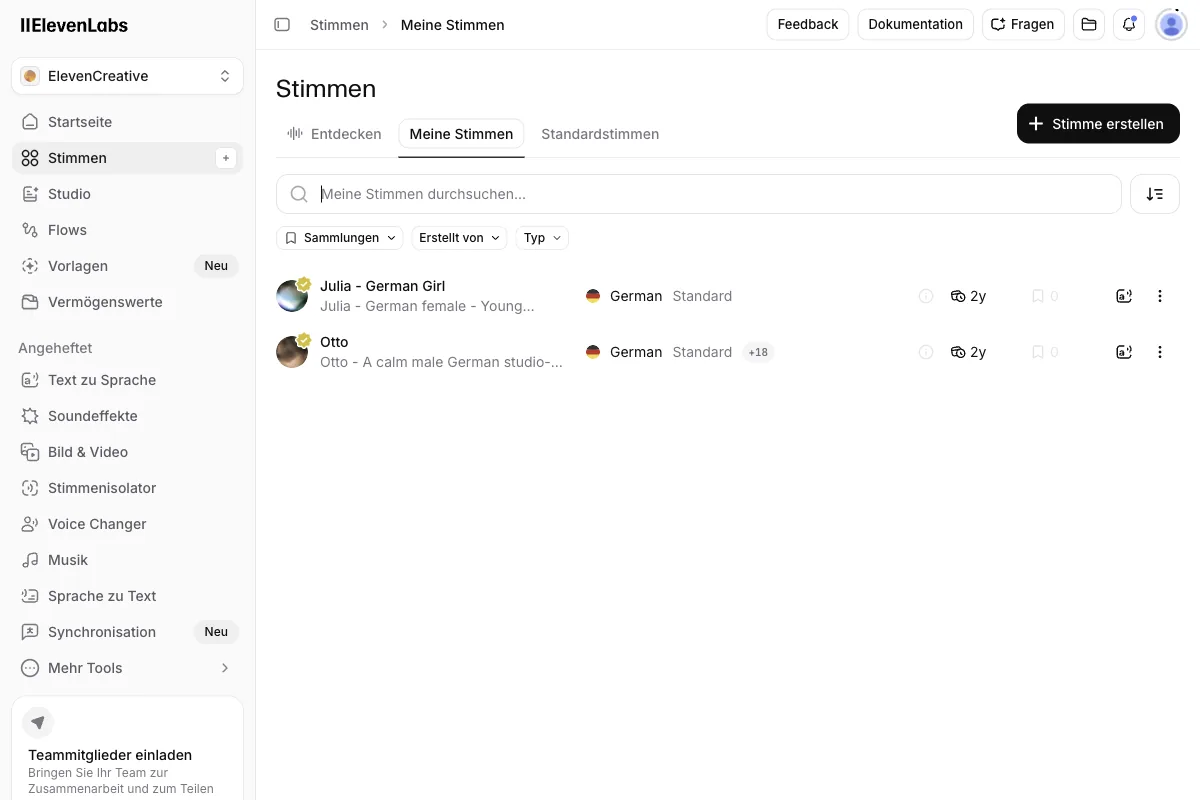
Once your recording is ready, log in to ElevenLabs and go to the "Voices" section in the menu. There you click "Create Voice" and land on four methods: Voice Design, Instant Voice Cloning, Professional Voice Cloning, and Voice Remixing.
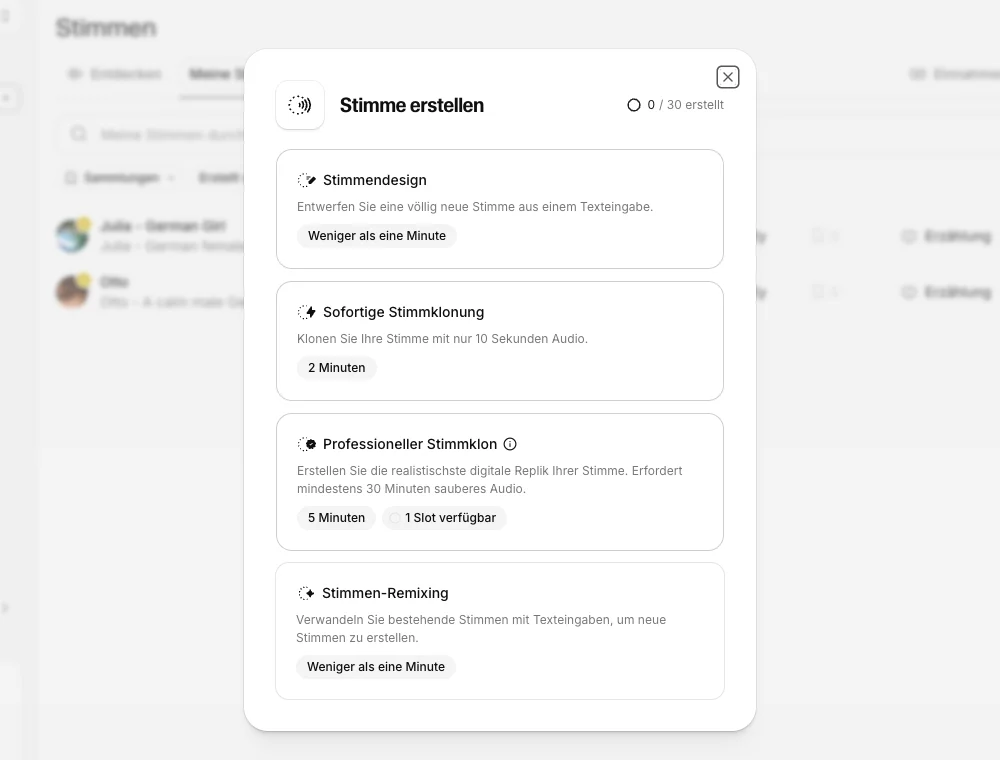
I pulled up this dialog in my own Creator account, where my interface language is set to German, but the four options map directly to Voice Design, Instant Voice Cloning, Professional Voice Cloning, and Voice Remixing. In the top right, ElevenLabs shows how many of your 30 total voice slots are already used, zero out of 30 for me right now.
Good to know before you start. The free plan has no voice cloning at all, neither Instant nor Professional. Instant Voice Cloning is included from the Starter plan at $6, Professional Voice Cloning only from the Creator plan at $22.
Next, upload your audio files. ElevenLabs accepts common formats like MP3 and WAV. Make sure you only upload recordings that contain nothing but your voice. Background music, other speakers, or noise confuse the model and hurt the result.
Give your voice a meaningful name so you can find it easily later. Especially if you create several clones, that helps a lot.
3.3 Step 3: Choose IVC or PVC
Now you decide between the two variants from chapter 1. Ideally you made this call before recording, because it determines how much material you need.
- Choose the Instant Voice Clone if you only have a little audio, want to start fast, or are just testing voice cloning. The clone is ready immediately.
- Choose the Professional Voice Clone if you have enough audio and need the best possible quality. Here, the upload is followed by a training phase in which ElevenLabs builds your personal voice model.
Pick Instant Voice Cloning, and you land directly on this upload screen, which I'm showing from my own account.
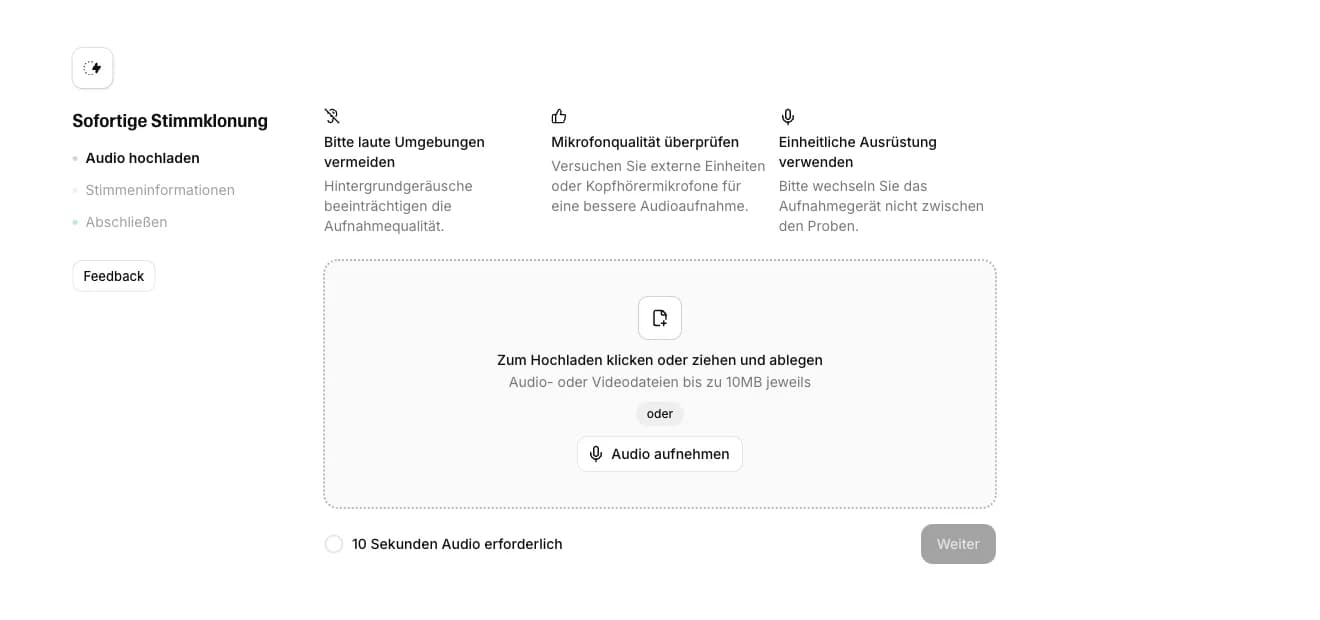
ElevenLabs really only asks for about 10 seconds of clean audio here, not the 1 to 2 minutes older guides often mention. You can upload audio or video files up to 10 MB, or record straight in the browser instead.
With the PVC, you'll need a little patience after that. The training takes a while. Plenty of time to grab a coffee (or tea).
3.4 Step 4: Voice Verification
For the Professional Voice Clone, ElevenLabs requires what's called voice verification. That's an important safeguard, and I'm glad it exists.
During verification, you have to prove that the voice you want to clone is actually your own. To do that, you usually read a given sentence live. ElevenLabs compares this recording with the material you uploaded.
This step makes sure not just anyone can upload and clone a stranger's voice. So it ties directly into what we discussed in chapter 2. Stick to the rules and verification is done in two minutes.
3.5 Step 5: Test and Optimize
Done! Your voice is cloned. Now comes the exciting part: you feed it text and hear for the first time what your digital twin sounds like.
Enter a test text and have it read aloud. On first listen, you'll probably do a double take, because it really sounds like you. After that comes the fine-tuning, because the first result is rarely perfect.
Two levers help you here.
First, the voice settings. In the settings you can adjust, among other things, stability and similarity. Higher stability sounds more even but sometimes a bit monotone. Lower stability sounds livelier but can occasionally go off the rails. Play with the sliders until it fits your purpose.
Second, audio tags. The current Eleven v3 model supports tags that let you control emotion and emphasis directly in the text. You simply write them in square brackets at the right spot:
[whispers] I'm only telling you this quietly.
[laughs] And I have to chuckle at that.
[excited] This is really exciting!
Tags like these turn a monotone read into a lively delivery. That's exactly what sets ElevenLabs apart from many other tools for me, because barely any other provider offers this inline control.
4. What Is a Cloned Voice Actually Good For?
Maybe you're wondering what all this effort is even for. From my own work, I can name three use cases where a cloned voice saves a serious amount of time.
The first case is podcasts. You can have scripts or corrections recorded without setting up the mic and prepping the room every single time. Small fixes in particular, the kind that would otherwise cost you a whole recording session, take minutes this way.
The second case is audiobooks. Recording an entire book yourself costs you days in the booth. With your cloned voice, the AI reads the manuscript, and you focus on the editing and the polish.
The third case, and the most exciting one for me, is multilingual content. You record your voice once in English, then have it speak Spanish, German, or another language without knowing that language yourself. For anyone building an international reach, that's a real lever. Eleven v3 covers more than 70 languages for this.
If you want to know what ElevenLabs actually costs and which plan fits your project, take a look at my article on ElevenLabs pricing.
5. Conclusion: How to Nail Your First Voice Clone
Voice cloning is no longer rocket science in 2026. With a few minutes of audio and the right tool, you get a digital fingerprint of your voice that comes surprisingly close to the original.
Two things to remember.
First, the recording decides. Put most of your care into a quiet room, a good microphone, and enough varied material. For a quick try, the Instant Voice Clone is fine. For professional results, go with the Professional Voice Clone.
Second, only clone your own voice, or voices you have documented consent for. And keep the EU AI Act transparency obligation from August 2, 2026 on your radar.
If you want to get going, ElevenLabs is the best starting point for me. The Creator plan unlocks the Professional Voice Clone, which gives you the most natural results. Just try it and hear what your digital twin feels like.