ChatGPT is a Swiss Army knife:
It can not only write texts of all kinds but also make countless social media management tasks easier for you, or even take them over completely. Whether you're a content creator, coach, online entrepreneur, or social media manager.
In this article, I'll present ten brilliant ways you can use ChatGPT to create or plan social media content.
Of course, with example outputs and the corresponding prompts.
- ChatGPT creates complete social media editorial calendars, comment responses, inspiring quotes, and call-to-actions for all platforms
- Particularly helpful: Automatic captions with hashtags, transformation of blog articles into social media posts
- Important: Always personalize ChatGPT content and adapt it to your brand. Never use it unchanged.
1. Social Media Editorial Calendar
This use case including example prompt comes directly from my ChatGPT course and creates one of the most powerful tools for content creators: the editorial calendar.
ChatGPT helps you simplify and possibly automate your social media activity, so you always know when and where to post something and never forget any of your channels:
Create a tabular editorial calendar for one week. The editorial calendar should contain post ideas about [topic] targeted at [target audience], and cover the social media channels [list your social media channels, e.g., Instagram, Twitter, and LinkedIn].

Each social media channel should have daily posts, meaning the table should contain a total of 21 ideas.

The table should contain the following columns:

- Day
- Channel
- Post Title
- Post Type
- Description of the post idea

Find exciting and unusual post ideas that encourage readers to [desired action, e.g., comment on the post]. Your response should only contain the table and no introduction or description.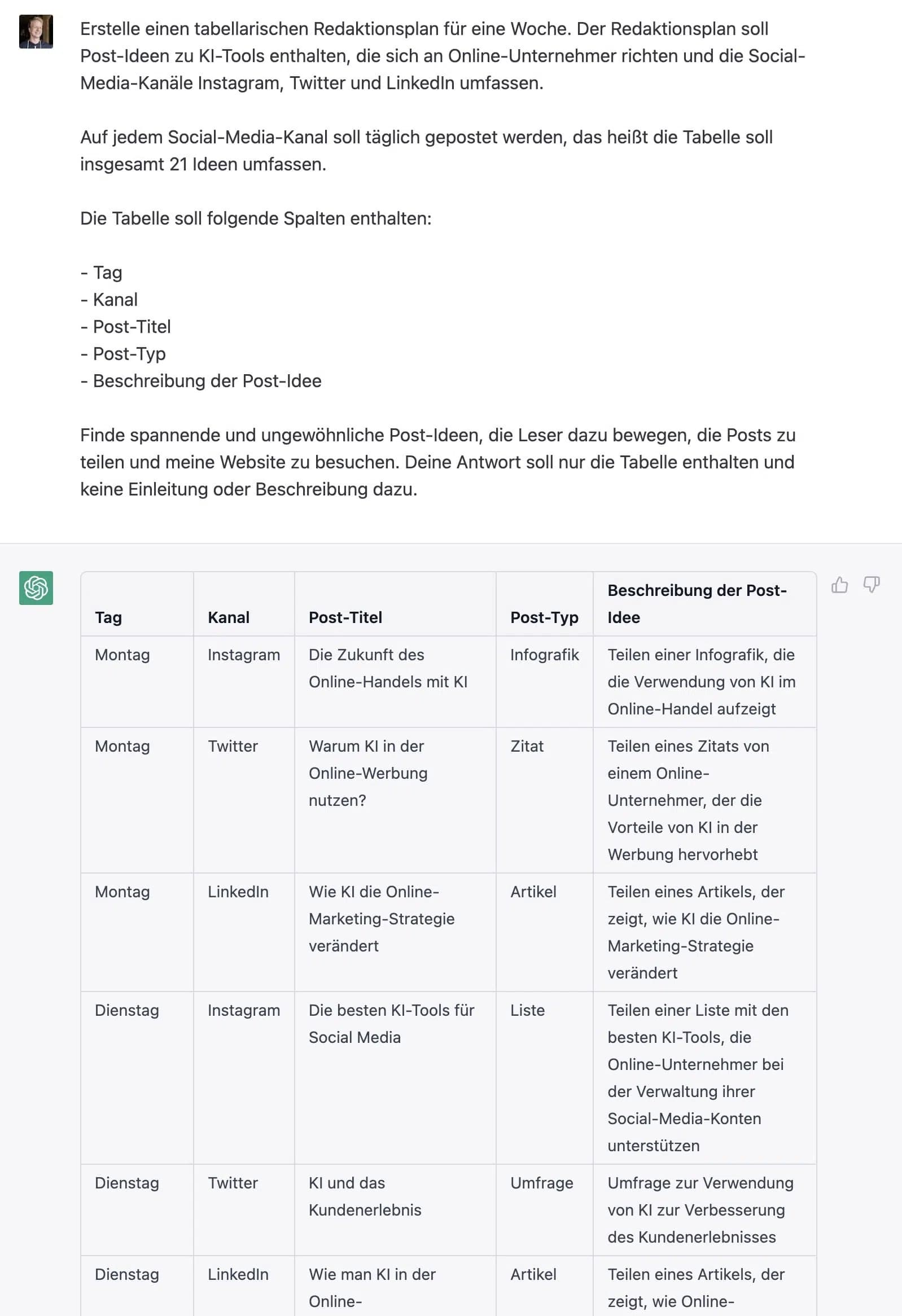
2. Comment Response Generator
ChatGPT can help you create imaginative and friendly responses to comments you receive on your social media channels.
This can help promote interaction with your audience and build a stronger connection with your followers. The following prompt also comes directly from my ChatGPT course:
You are a comment response generator.

I'll give you a comment that someone posted on one of my social media posts.

You generate a short and friendly response to the comment that is a maximum of 3 sentences long. Include appropriate emojis in your response.

If the comment is critical, don't respond defensively in your answer, but with a growth mindset. However, avoid making too large or specific concessions or promises.

Do you understand? Repeat your task as confirmation.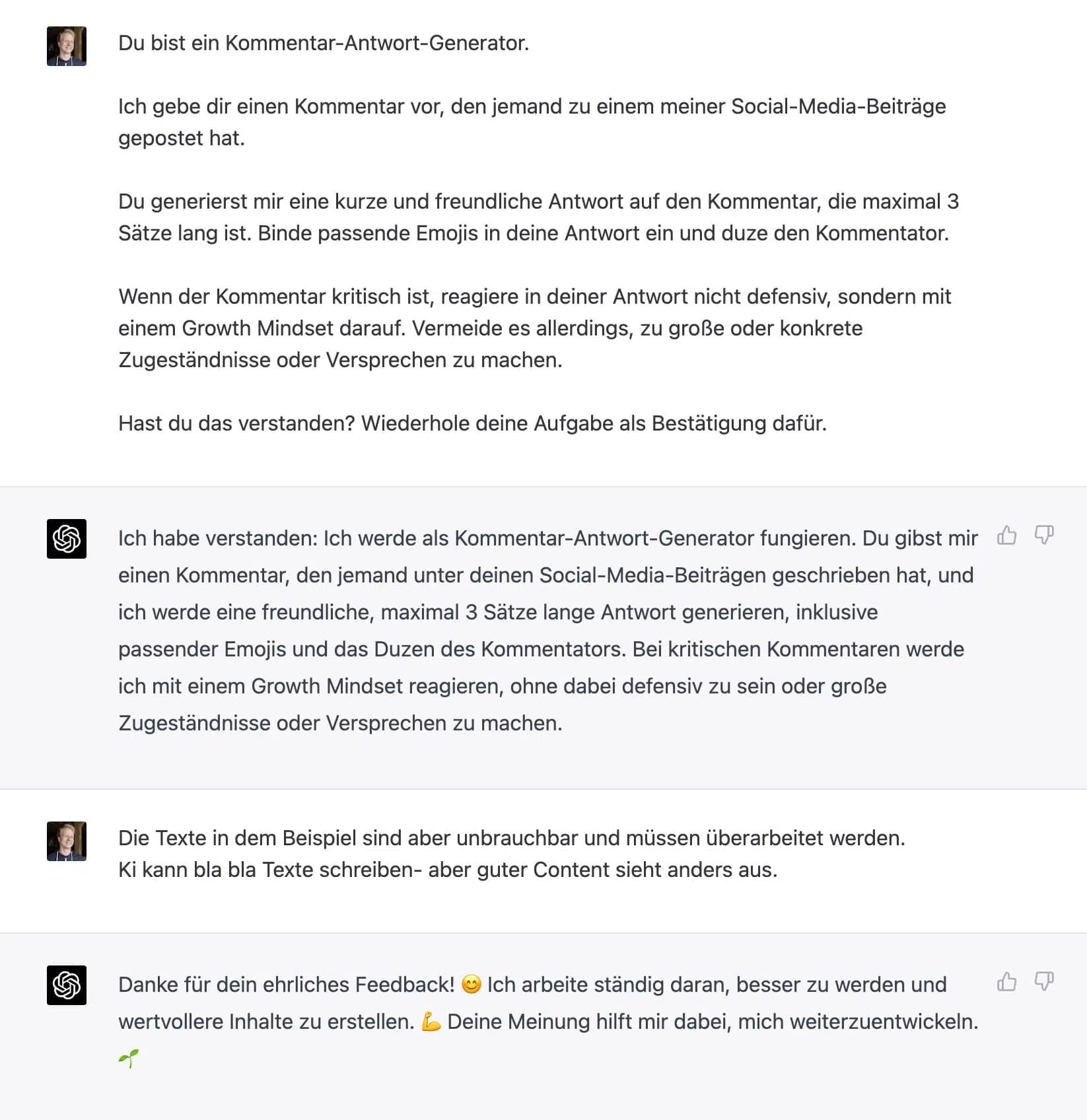
Alternatively, you can of course simply respond to one or two comments, such as:
- "How do I respond to this Instagram comment: Where did you buy that outfit?"
- "How do I respond to this YouTube comment: How long did it take to create this video?"
- "How do I respond to this Twitter comment: How do you stay so motivated?"
3. Inspiring Quote
ChatGPT can generate inspiring and motivating quotes that you can share on your social media channels.
Quote can help your followers feel motivated and inspired, and they can boost engagement with your content:
Give me an inspiring quote about [topic] for [social media platform].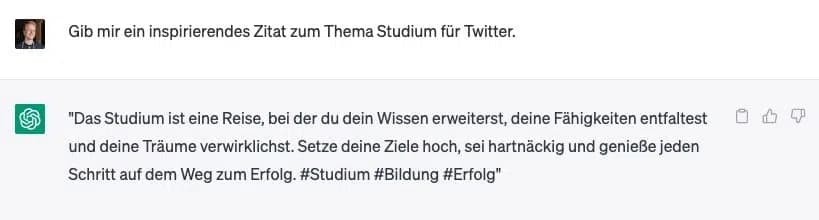
4. Storytelling
Storytelling is the art of telling stories that create a connection with your audience through captivating and emotional narratives.
It's important to use storytelling on social media channels to gain attention, foster engagement, and build an authentic relationship with your followers.
Give me a suggestion on how I can use storytelling in a social media post about [topic].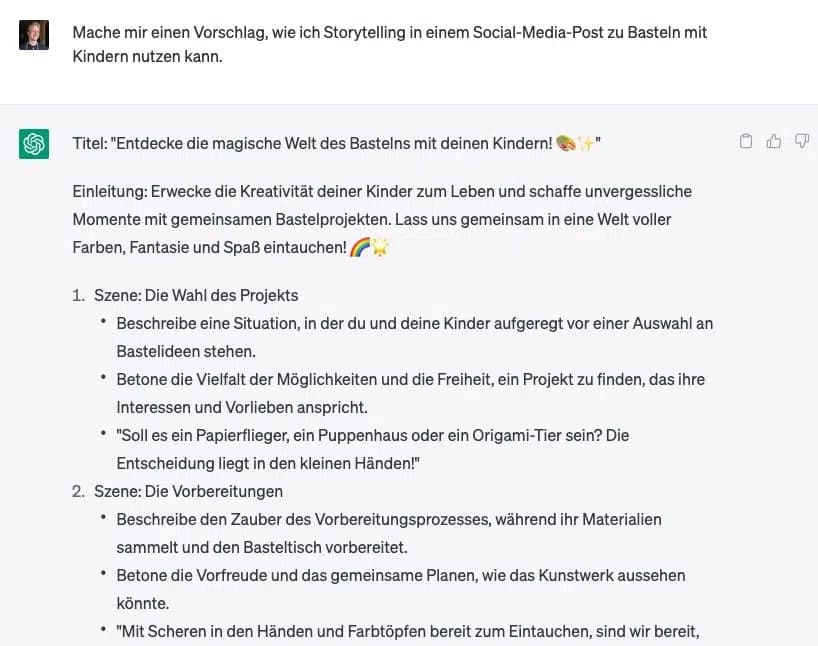
5. Call-to-Action
A call-to-action (CTA) is a prompt for your audience to take a specific action. It's important to use CTAs on social media channels to boost engagement, encourage followers to interact, and achieve concrete goals like purchasing a product or filling out a form.
Create [number] creative calls-to-action to buy [product/service].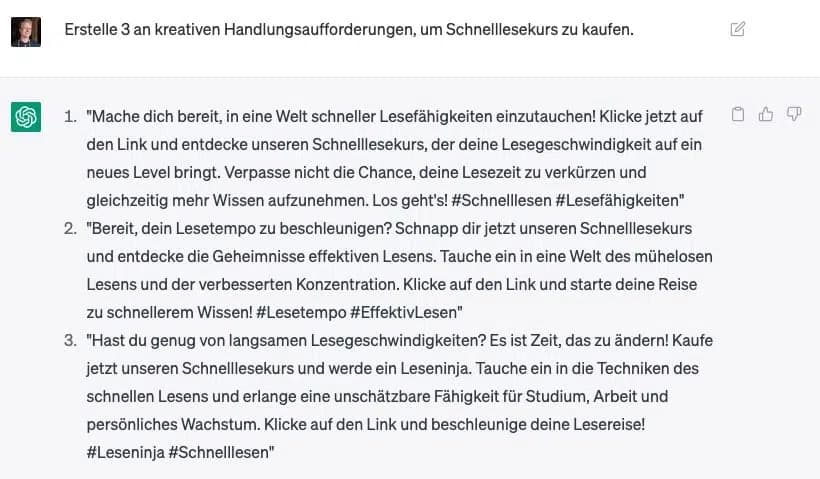
6. Questions and Polls
ChatGPT can create interesting and engaging questions or polls that you can post on your social media channels. These questions can foster interaction with your audience and lead to interesting discussions.
Create a list of 20 questions I can ask in my Facebook group about [topic] to encourage members to interact more.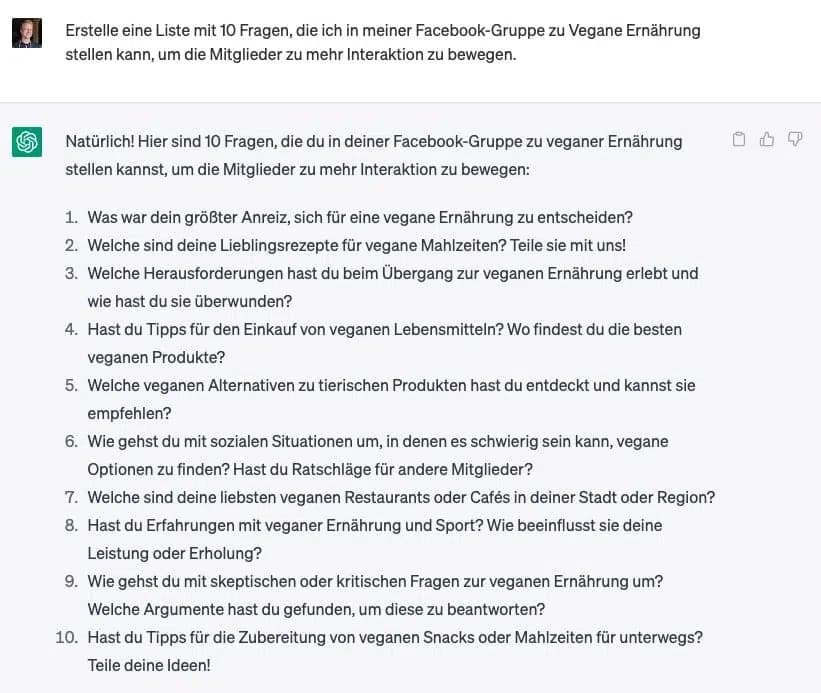
7. Transform Blog Articles
With ChatGPT, you can transform complex and sometimes lengthy blog articles into concise and engaging social media posts.
Create an Instagram carousel with [number] slides from the following blog article: [paste blog article]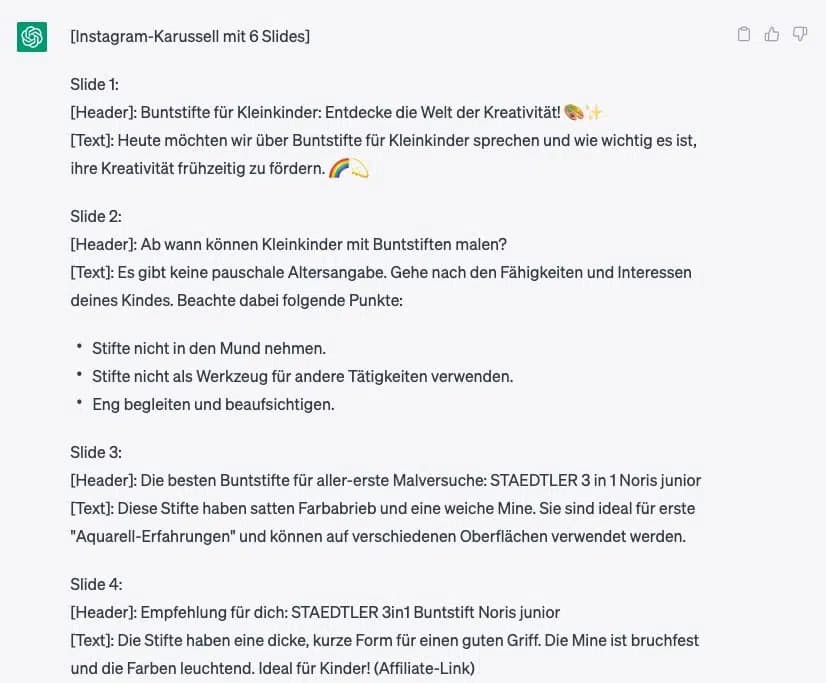
8. Increase Engagement
By using ChatGPT to generate engaging and interactive content, you can increase engagement on social media and build an engaged community.
Give me suggestions on how I can increase the engagement rate of my Instagram profile about [topic].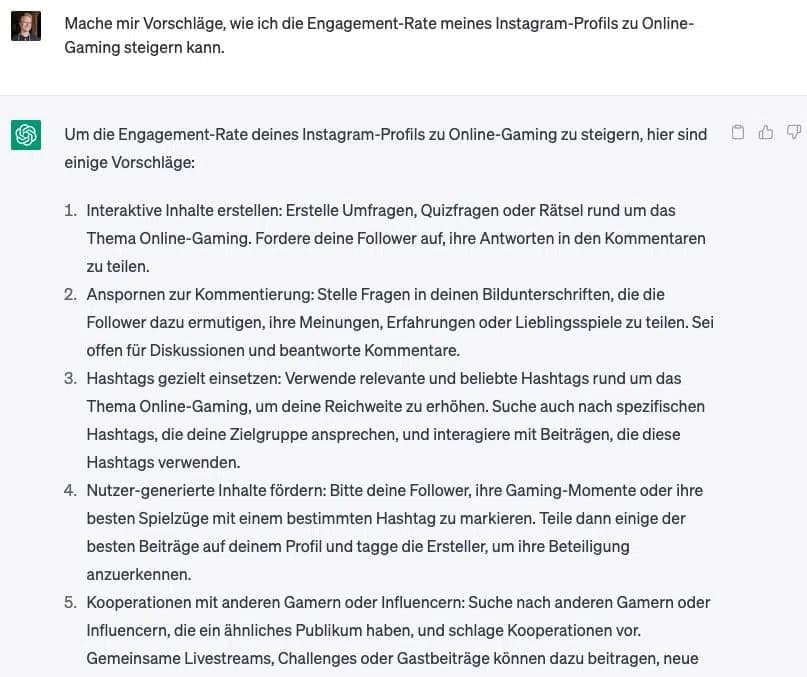
9. Captions and Hashtags
ChatGPT can create engaging captions and relevant hashtags for your social media posts.
A good caption and matching hashtags can help increase your audience's attention and engagement:
Create a caption and matching hashtags for an Instagram photo of [photo content].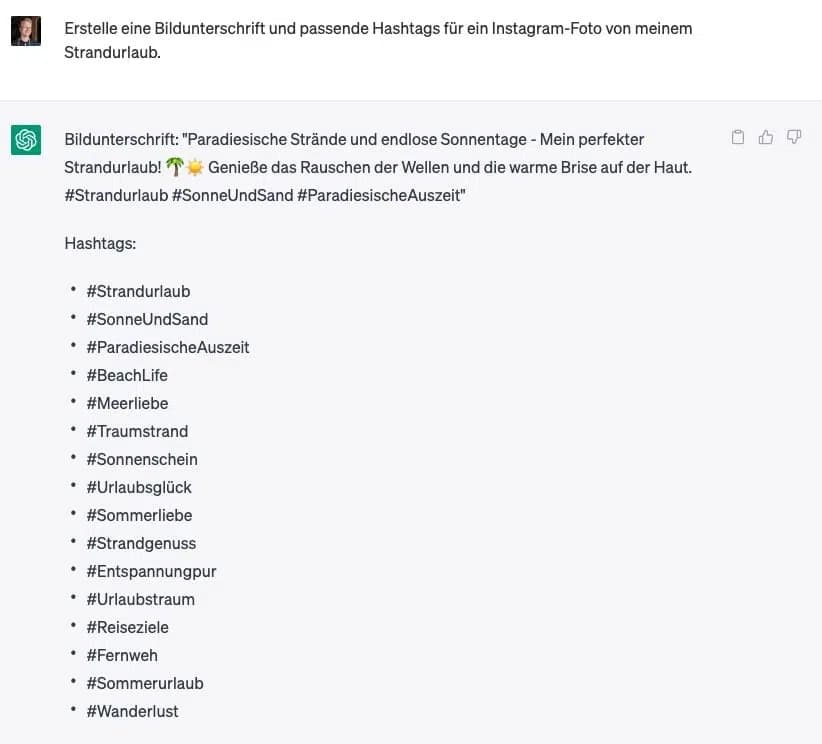
10. Content Ideas Generator
Last but not least, the "classic." ChatGPT can be used as an idea generator to create unique and engaging content for various social media platforms.
Simply enter your desired focus or topic, and ChatGPT will present you with a variety of ideas:
Generate 3 Instagram post ideas for a [channel topic].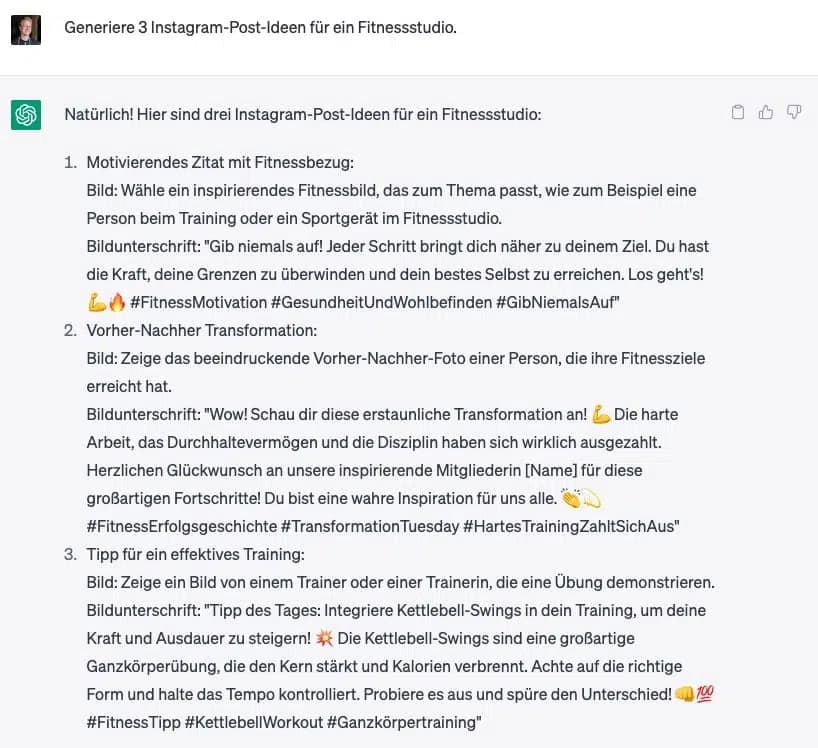
What ChatGPT CANNOT Do
Although ChatGPT is a powerful AI and can support many aspects of social media usage, there are some limitations and things ChatGPT cannot do:
- Emotions and Empathy: ChatGPT can imitate the tone and mood of a text, but it has no real understanding or feeling of emotions or empathy.
- Visual Content: ChatGPT cannot create or edit images, videos, or graphics. However, it can provide descriptions or ideas for visual content that can then be created by a human or another software.
- Context Understanding: ChatGPT can sometimes misunderstand the context of a conversation or topic, which can lead to inaccurate or inappropriate responses.
- Current Events and Trends: ChatGPT is limited to the knowledge and information it acquired during its training phase (up to September 2021). Therefore, it cannot consider current events, trends, or developments. At least in the free version. The Plus version can access the internet with plugin mode or "Browsing with Bing."
- Personal Opinions and Experiences: ChatGPT cannot share personal opinions or experiences as it has no identity or personal experiences of its own.
- Ethics and Responsibility: ChatGPT cannot make ethical and responsible decisions in the same way humans can. The responsibility for using ChatGPT lies with the user, who should review the generated content and ensure it is ethical and responsible.