Remember ChatGPT plugins?
OpenAI buried them in April 2024 and replaced them with GPTs. Well, they're back. Since July 9, 2026, ChatGPT has plugins again, complete with its own directory, on the web and in the desktop app.
The new plugins share nothing but the name with the 2023 originals, though:
Instead of manifest files and OpenAPI schemas, they're built on MCP, the open standard the entire AI industry has settled on since 2025. And they're no longer single-purpose extensions but packages that bundle apps, skills, and app templates.
In this article, I'll show you how the new ChatGPT plugins work, how to install and use them, and what happened to the old ones.
- Since July 9, 2026, ChatGPT has plugins again. A plugin bundles apps, skills, and app templates for a specific workflow and replaces the previous app directory.
- The technical foundation is the Model Context Protocol (MCP), an open standard backed not just by OpenAI but also by Anthropic, Google, and Microsoft.
- The plugin directory is visible on all plans (web and desktop app). Whether you can actually use a plugin depends on your plan, your region, and in team workspaces on your admin's settings.
1. What Are the New ChatGPT Plugins?
A plugin is a package that gives ChatGPT everything it needs for a specific workflow. Depending on the plugin, it contains up to three building blocks:
- Apps: Connections to external services like Gmail, Notion, Canva, or GitHub. Through an app, ChatGPT can read data there and (depending on permissions) take actions.
- Skills: Reusable instructions and workflows that ChatGPT follows step by step. Think of them as standard operating procedures for recurring tasks.
- App templates: Setup blueprints that let workspace admins configure an app with their organization's own credentials. For personal accounts, they barely matter.
An example makes this more tangible:
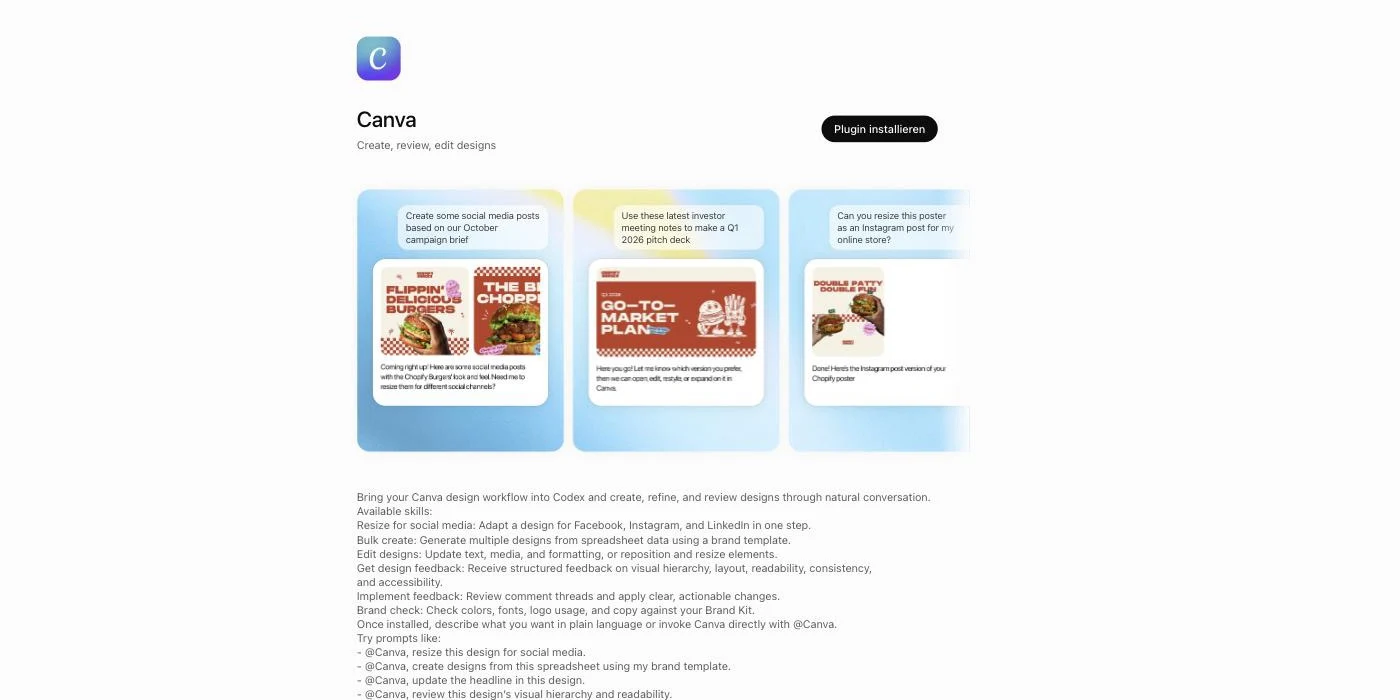
The Canva plugin contains the Canva app (the connection to your Canva account) plus eight skills, including "canva-resize-for-social-media" (adapt a design for Facebook, Instagram, and LinkedIn), "canva-bulk-create" (generate multiple designs from spreadsheet data), and "canva-brand-check" (check colors, fonts, and logos against your Brand Kit). You simply type "@Canva, resize this design for Instagram" and ChatGPT handles the rest in your connected Canva account.
The technical foundation for all of this is the Model Context Protocol, or MCP for short.
Quick explanation:
MCP is an open standard that lets AI models talk to external tools and data sources. Anthropic (the company behind Claude) originally released it in November 2024. OpenAI adopted it in March 2025, and since December 2025, MCP has been governed by the vendor-neutral Agentic AI Foundation under the Linux Foundation. The practical upside: the same MCP server can serve ChatGPT, Claude, Gemini, and any other compatible AI tool.
2. The Plugin Directory: Finding and Installing Plugins
You can reach the plugin directory via the "Plugins" entry in the sidebar, via the settings, or directly at chatgpt.com/plugins. It's available on the web and in the desktop app and has fully replaced the old app directory.
Plugins are sorted into categories covering productivity, creativity, developer tools, and business use cases:
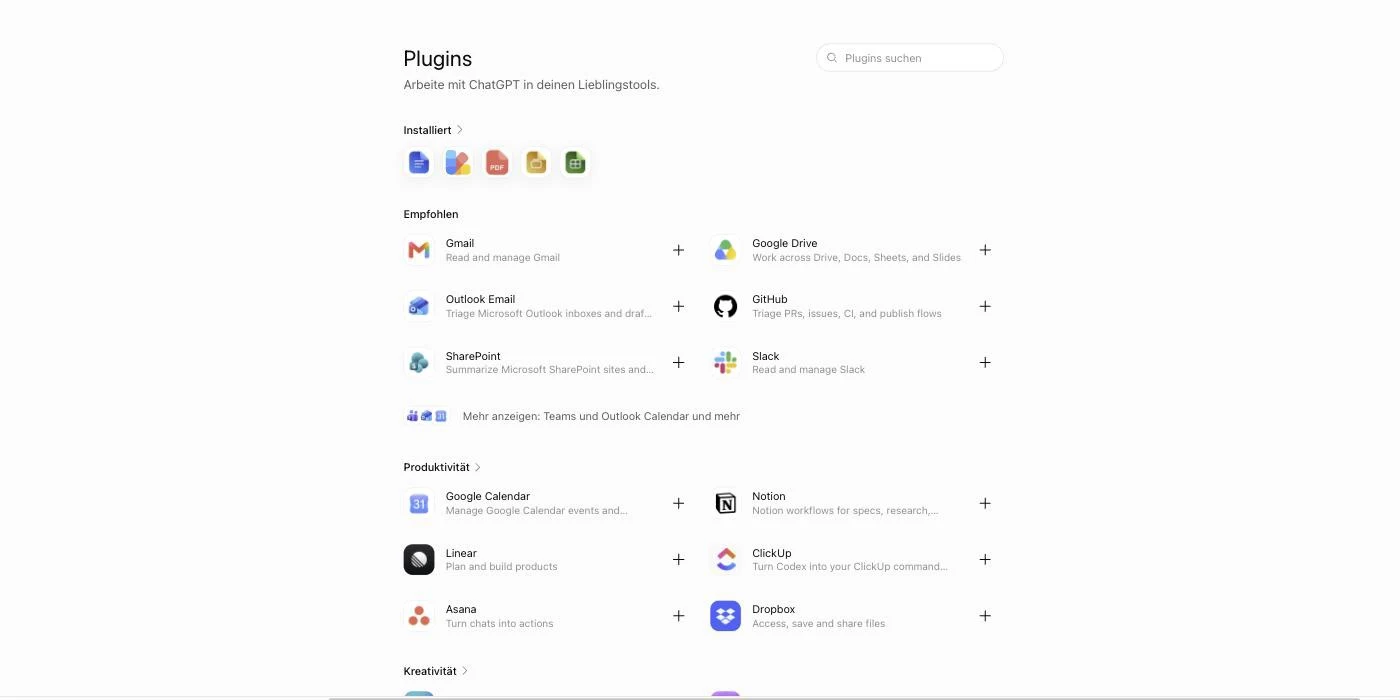
At launch, OpenAI is betting on plugins from well-known providers. I'll show you the most important ones in the next section.
Installation always follows the same pattern:
- Open the plugin directory and pick a plugin.
- The detail page shows you which apps and skills are included and which permissions the plugin needs.
- Click "Install plugin" or "Connect" and sign in to the service (usually via OAuth, the familiar "Sign in with Google" window).
Here's what a plugin detail page looks like, using Canva as an example. The included app and all skills are listed further down:
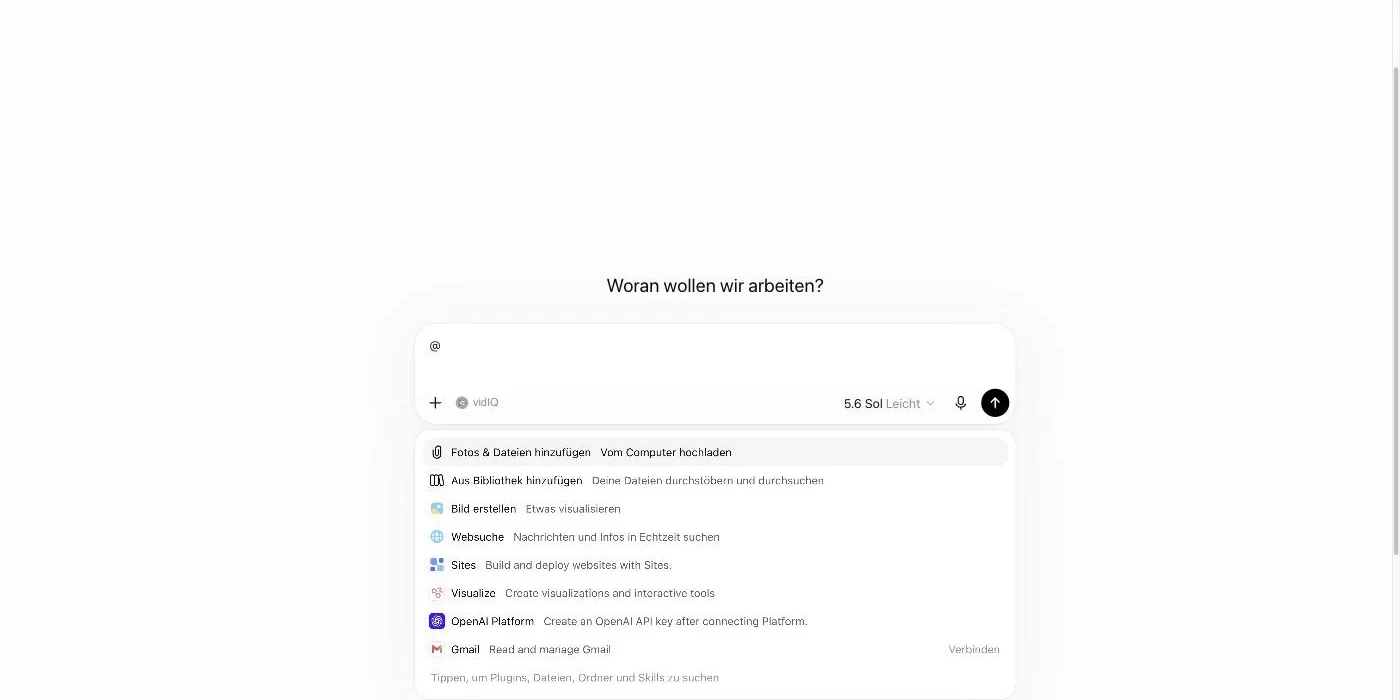
Once installed, you invoke a plugin by typing an @ in the composer and selecting it (or by simply mentioning its name in your prompt). Alternatively, you'll find your plugins behind the plus icon under "More":
3. The 20 Most Popular ChatGPT Plugins
OpenAI doesn't publish an official popularity ranking with install counts. So this overview is based on the plugins OpenAI itself recommends and features prominently in the directory, combined with how well-known the services behind them are.
The 20 most popular plugins in the ChatGPT plugin directory
 Gmail
Gmail Google Drive
 Google Calendar
 Outlook
 Microsoft Teams
 Slack
Slack Zoom
Zoom Notion
 Asana
Asana Dropbox
 Canva
Canva Figma
Figma Adobe
Adobe GitHub
 Supabase
 Vercel
 HubSpot
 Stripe
 Spotify
 Wolfram
What stands out is the clear focus on work tools.
Instead of the travel and shopping plugins of 2023, services like Gmail, Notion, Slack, and GitHub dominate today. Consumer apps like Spotify, Skyscanner, and Etsy exist too, but they sit much further down the directory.
4. The Three Building Blocks in Detail
4.1 Apps: The Connection to Your Tools
Apps are the heart of most plugins. They connect ChatGPT to external services, and depending on the app, they can do quite a lot:
- Search and fetch: Pull information from connected services into the conversation, e.g. emails, documents, or tickets
- Interactive interfaces: Some apps render their own elements right in the chat, like maps, design previews, or playlists
- Deep research: Some apps can serve as sources for in-depth research with citations
- Sync: Some apps index content in advance so answers get faster and more precise
- Write actions: Apps can also change things, e.g. send an email, create a ticket, or generate a design
Especially with write actions, the obvious question is how much control you keep.
The answer lies in the permission system:
The default setting is "Important actions". ChatGPT can read automatically but asks before doing anything that has an effect outside ChatGPT, shares sensitive data, or is hard to undo (e.g. sending an email, deleting something, or completing a purchase). In the settings under 'Apps', you can tighten this per app or globally ("Always ask", "Any changes") or loosen it ("Never ask").
4.2 Skills: Reusable Work Instructions
Skills are the second building block. At its core, a skill is a stored work instruction that ChatGPT follows step by step for a specific task, including context, rules, and formatting requirements.
The benefit is obvious:
You don't have to re-explain recurring requirements in every chat. Instead of describing for the twentieth time how your weekly report should be structured, you save it once as a skill.
You'll encounter skills in two places. First, many plugins ship with ready-made skills (like the eight Canva skills from above). Second, you can create your own skills in the directory under the "Skills" tab. Personal skills are reserved for paid plans, only Free and Go are left out.
4.3 Connecting Your Own MCP Servers (Developer Mode)
The third building block is aimed at developers and companies. Via developer mode, you can connect any MCP server to ChatGPT as a custom app, including ones that aren't in the directory at all.
It's the same mechanism I know from my daily work with Claude Code, just inside ChatGPT. You enter your MCP server's URL, pick the authentication method (usually OAuth), ChatGPT scans the available tools, and from then on the model can use them.
There are a few limitations you should know about:
- Full MCP support including write actions is rolling out in beta on the Business, Enterprise, and Edu plans. On the Pro plan, custom MCP servers are limited to read and fetch actions.
- ChatGPT only connects to remote servers that are publicly reachable via HTTPS. Local servers on your machine need a workaround (OpenAI offers the Secure MCP Tunnel for this).
- Custom MCP apps only work on the web, not in the mobile app.
- Before write actions, ChatGPT asks for confirmation depending on permissions. Especially risky actions get blocked entirely.
5. Plugins vs. GPTs vs. Connectors
OpenAI has introduced and rebuilt quite a few extension concepts over the years. So here's where everything stands right now:
- Plugins have been the central concept since July 2026. They extend your regular ChatGPT right inside the conversation and bundle apps and skills for concrete workflows.
- GPTs still exist. They're standalone chatbot variants with their own instructions that you find in the GPT Store and open as a separate chat. They inherited the old plugins' role in 2024, but they're a different concept from the new plugins.
- Connectors was the name for the data source integrations (Google Drive, SharePoint, and friends) that OpenAI introduced in 2025. They've been absorbed into apps. Existing connections keep working, but new ones can only be added as part of a plugin.
In short:
If you want to connect ChatGPT to your tools today, the path leads through the plugin directory. GPTs remain the right choice when you need a specialized chatbot with its own personality and knowledge.
6. The History of ChatGPT Plugins (2023 to Today)
There's a certain irony to this. Plugins looked dead in 2024, and by 2026 they're back as ChatGPT's central extension concept, sitting at the heart of MCP and a dedicated plugin directory.
Here's the full timeline:
- March 2023: OpenAI launches the plugin beta for ChatGPT Plus users. Plugins are built on manifest files and OpenAPI, there's a plugin store, and a limit of three active plugins at a time. Popular plugins back then include Wolfram Alpha, Zapier, Expedia, and Kayak.
- November 2023: OpenAI introduces GPTs, followed by the GPT Store in January 2024. That seals the old plugins' fate.
- March/April 2024: Plugin installation ends on March 19, 2024, and plugins are shut down completely on April 9, 2024.
- November 2024: Anthropic releases the Model Context Protocol as an open standard.
- March 2025: OpenAI adopts MCP. For the first time, the industry agrees on a shared standard for tool integrations.
- 2025: OpenAI builds the foundations of today's plugins: connectors for data sources (mid-2025), developer mode for custom MCP servers (September 2025), and at DevDay in October 2025, apps in ChatGPT along with the Apps SDK. The first apps include Spotify, Canva, Booking.com, Zillow, Coursera, Expedia, and Figma.
- December 2025: Anthropic hands MCP over to the newly founded Agentic AI Foundation under the Linux Foundation, which OpenAI co-founded.
- July 9, 2026: OpenAI introduces the plugin directory and makes plugins the central extension concept for ChatGPT and Codex. All existing apps get packaged into plugins.
What Happened to Frequently Searched Plugin Alternatives
Many of the GPT links from back then lead nowhere today. I kept the latest verified status for names people still search for often. Several old plugin names pointed to the same GPT, which is why Smart Slides and VEED each appear twice.
Status of selected GPT alternatives from the former plugin list, verified August 11, 2026
And yes:
The basic idea from 2023 (connecting ChatGPT to external tools) was right, the technology just wasn't ready yet. With MCP as an industry standard, a proper permission system, and skills for recurring workflows, the new plugins feel far more mature than their first attempt. To see which models power all of this, check out my overview of all ChatGPT versions.




