That photo of a celebrity you just saw on social media? The product shot in an ad? The "candid" portrait on a dating profile?
Any of them could be AI-generated. And in 2026, the fakes are getting really good.
The good news? AI image generators like Midjourney, Adobe Firefly, and DALL-E 3 still make telltale mistakes, if you know where to look. In this article, I'll show you nine reliable ways to spot AI-generated images.
- AI images often have problems with hands (wrong number of fingers, deformed hands)
- Text in AI images is usually incorrect or illegible (gibberish text)
- Filenames and metadata often reveal the origin of AI-generated images
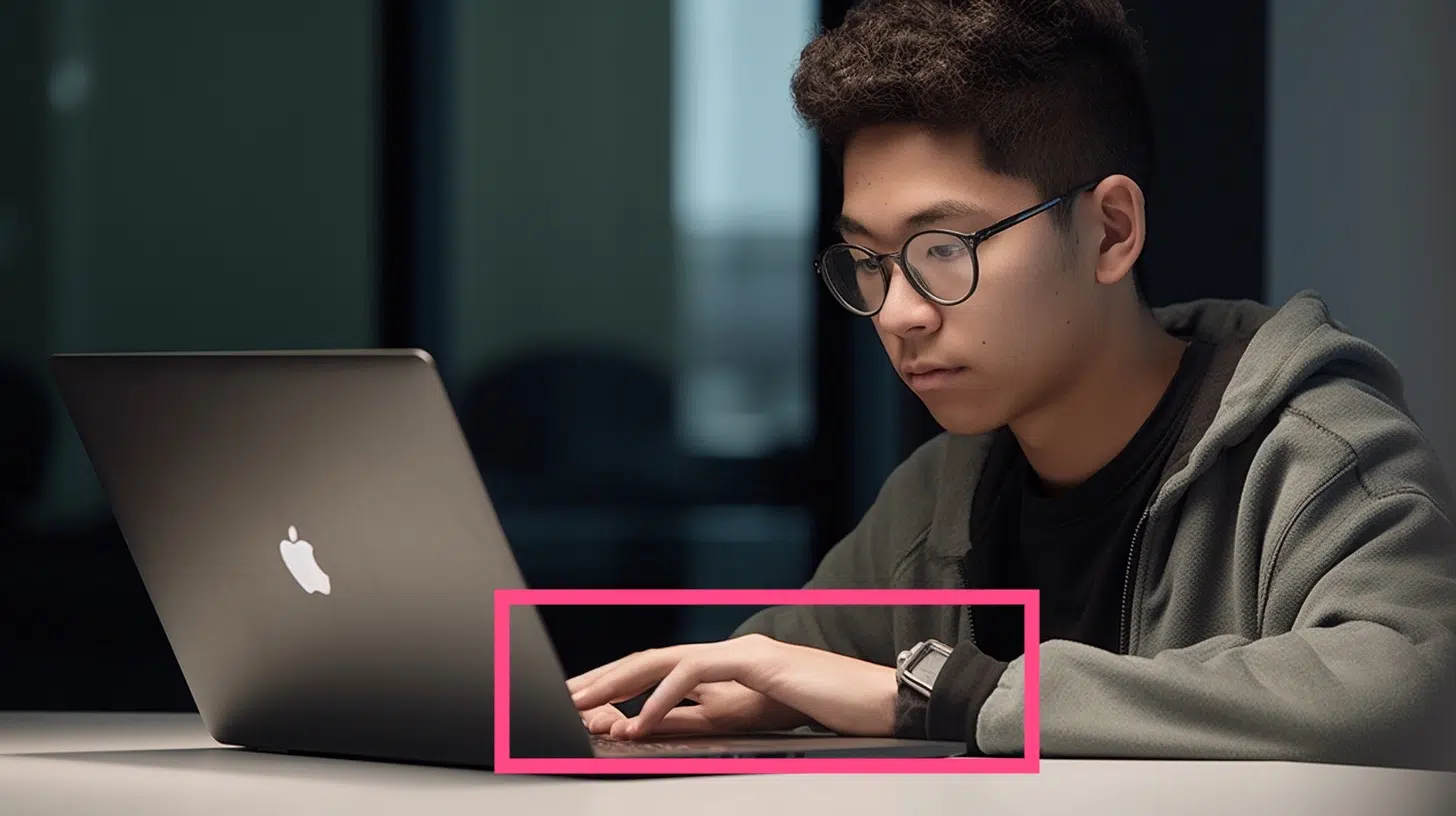
1. Strange Hands
AI image generators, including Midjourney, often have problems with hands. For example, with fingers that are too long or too short:
Sometimes there are also too few or too many fingers on hands:
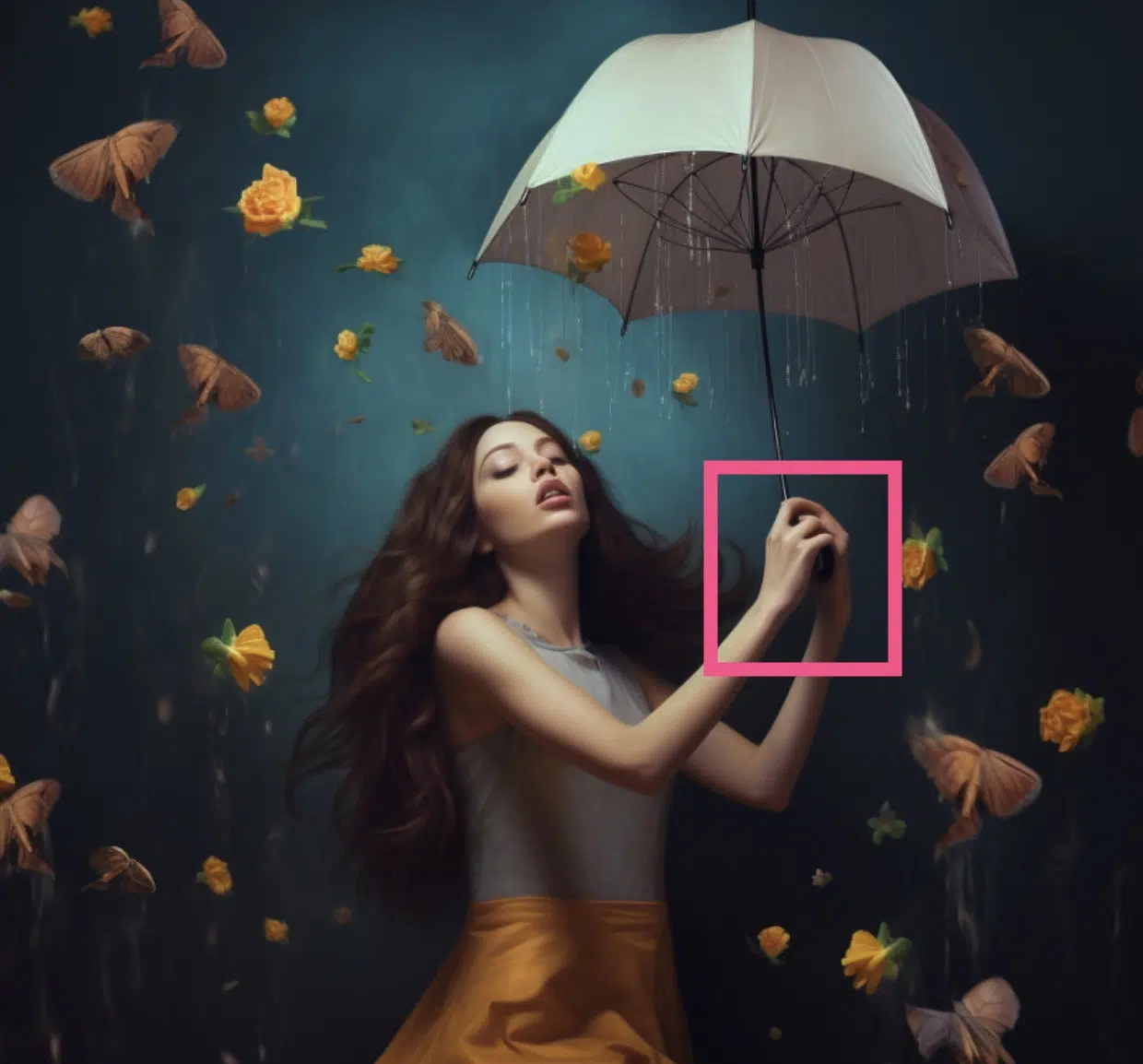
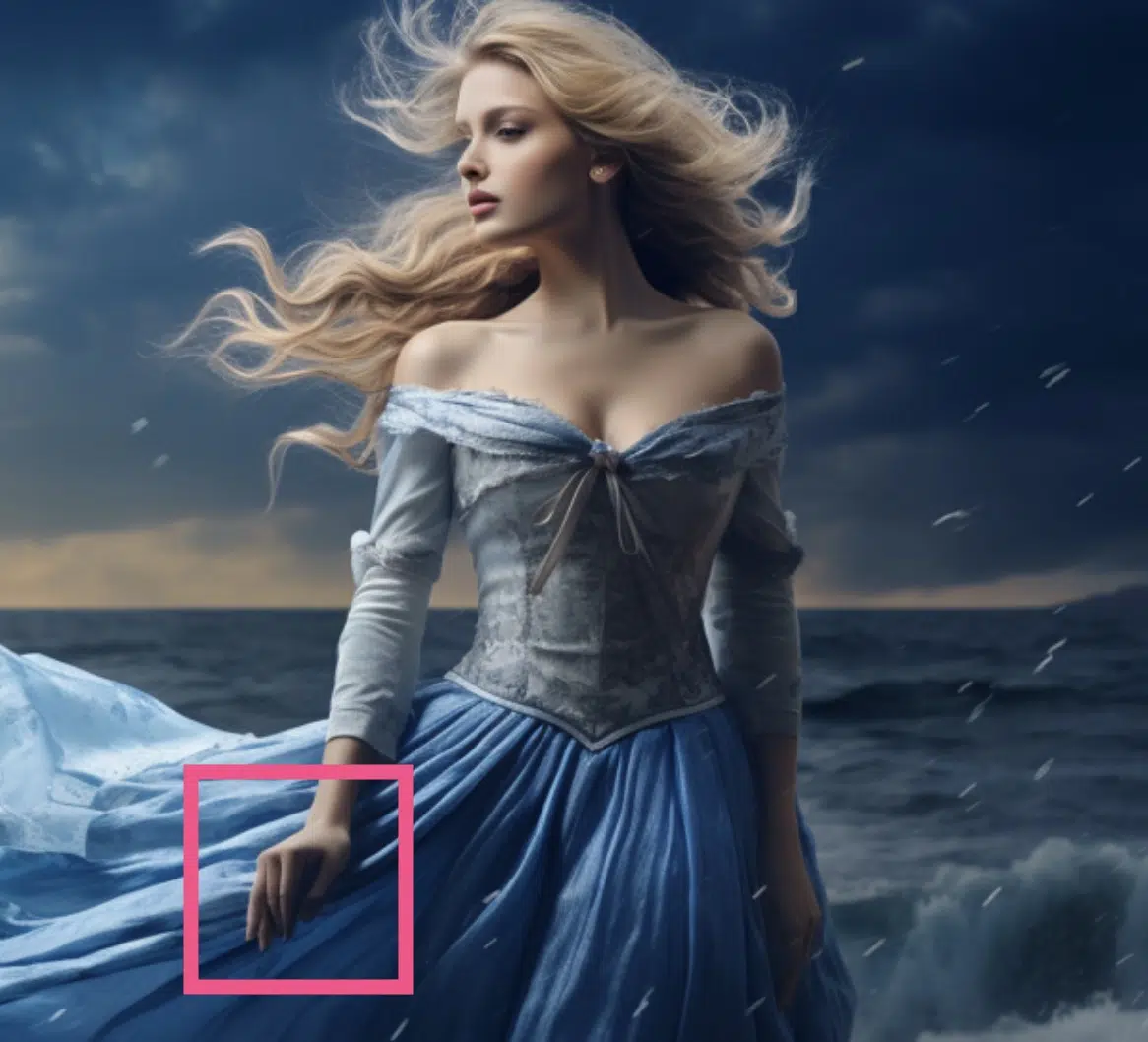
Or hands look "deformed." In the following image, the woman has four fingers and the fifth seems to grow out of her dress further down:
2. Duplicate or Missing Elements
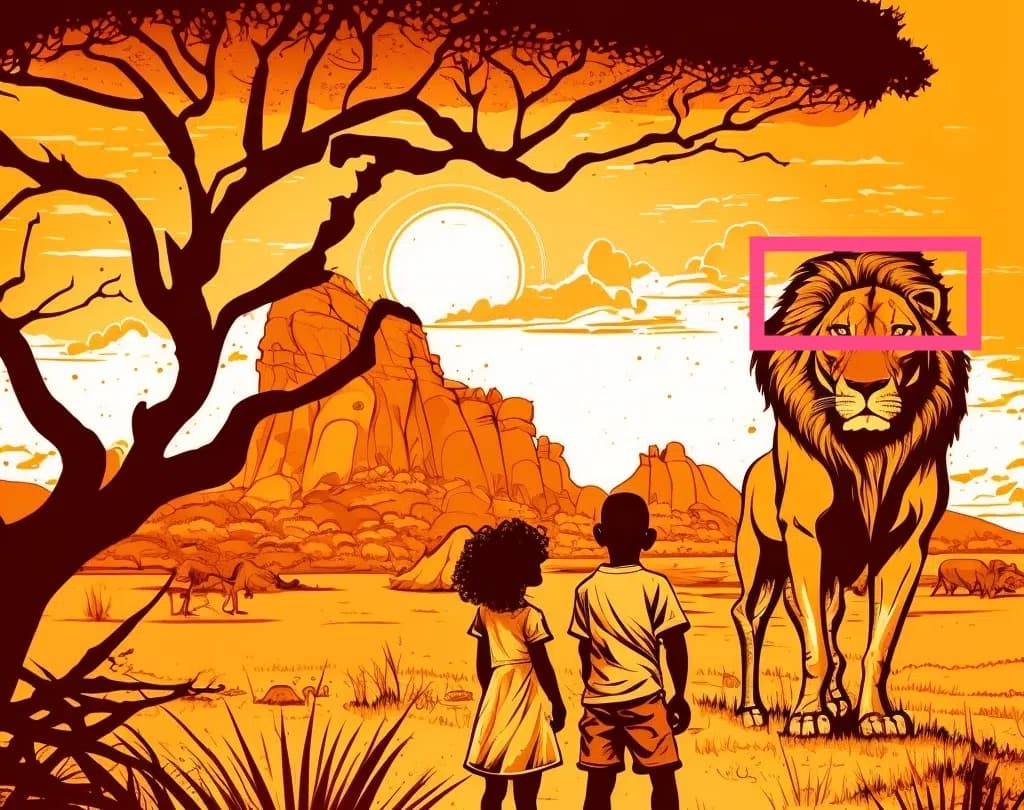
Besides fingers, other elements can sometimes be missing or duplicated. This lion, for example, has only one ear:
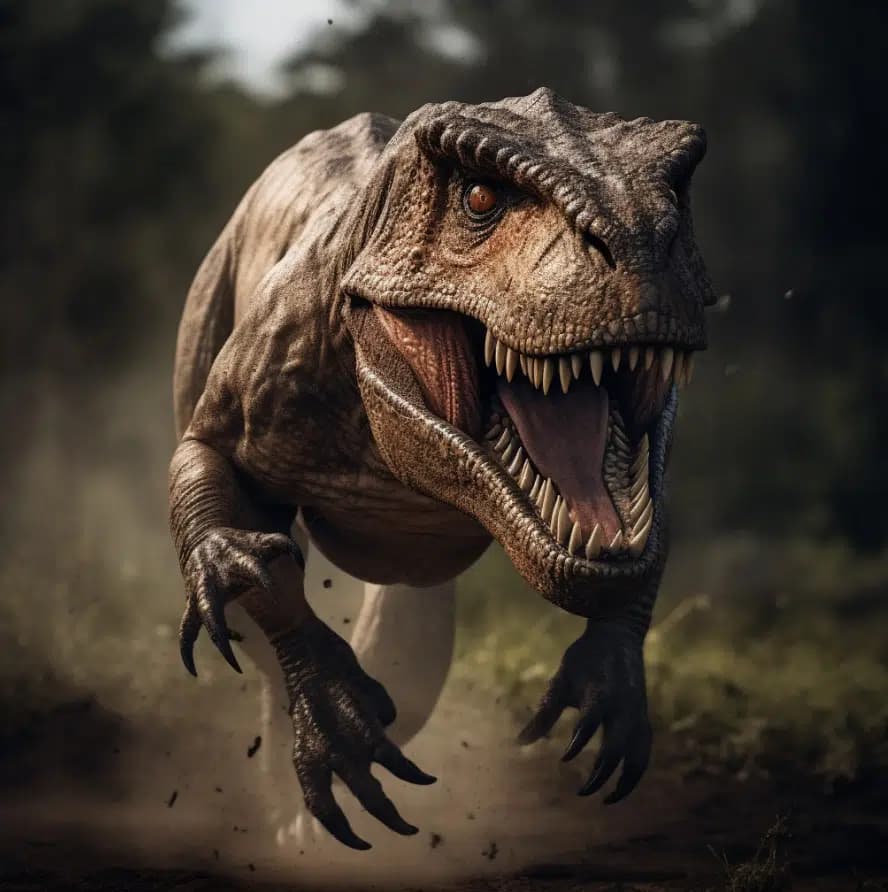
And this T-Rex has three forearms:
3. Overly Perfect Skin
Many AI image generators render human skin too perfectly. That means without any wrinkles, blemishes, hair, or moles, as you can see in the following image:
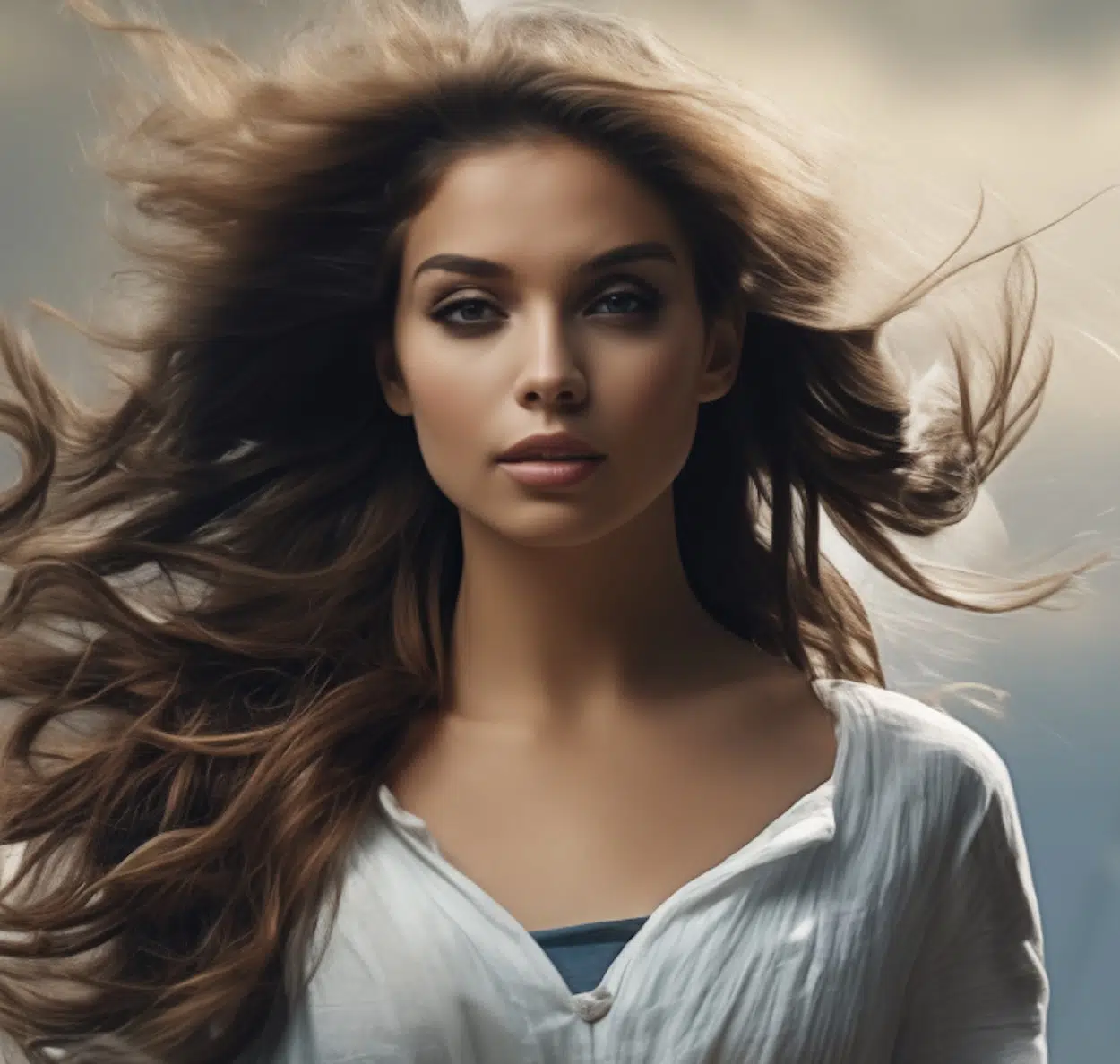
However:
I made the above image with Midjourney and it's not a particularly extreme example. It could also be a photo that was slightly retouched with Photoshop.
With other tools, the "perfect skin problem" is much more pronounced.
4. Gibberish Text
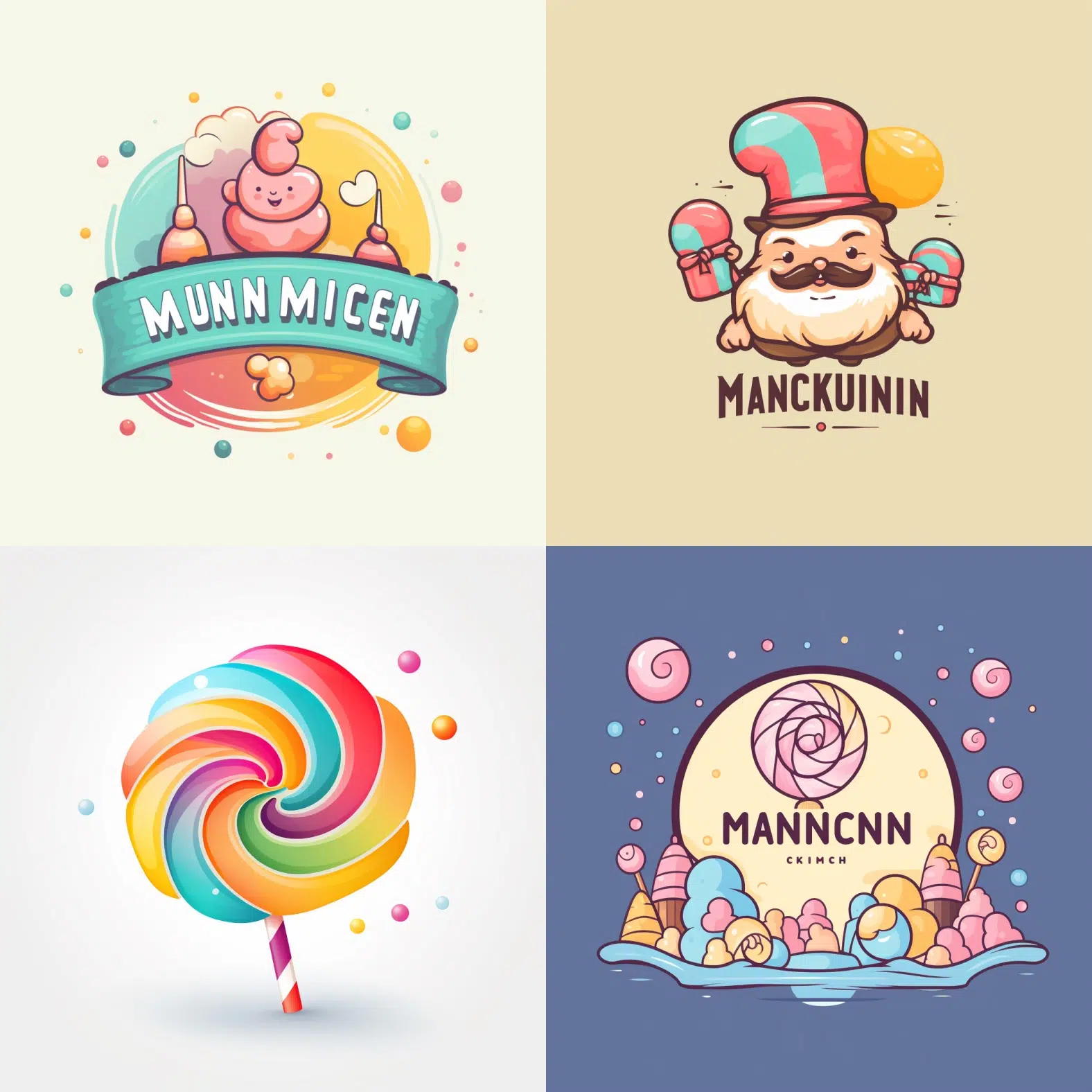
Most AI image tools cannot render text correctly. This includes Midjourney.
This means letters can be deformed, duplicated, swapped, or missing.
In the following logo, for example, "Munchkin" should be written:
5. Strange Architecture
AI models sometimes have problems rendering architecture, especially when it comes to more complex buildings like castles or fortresses.
The following image looks good at first glance:
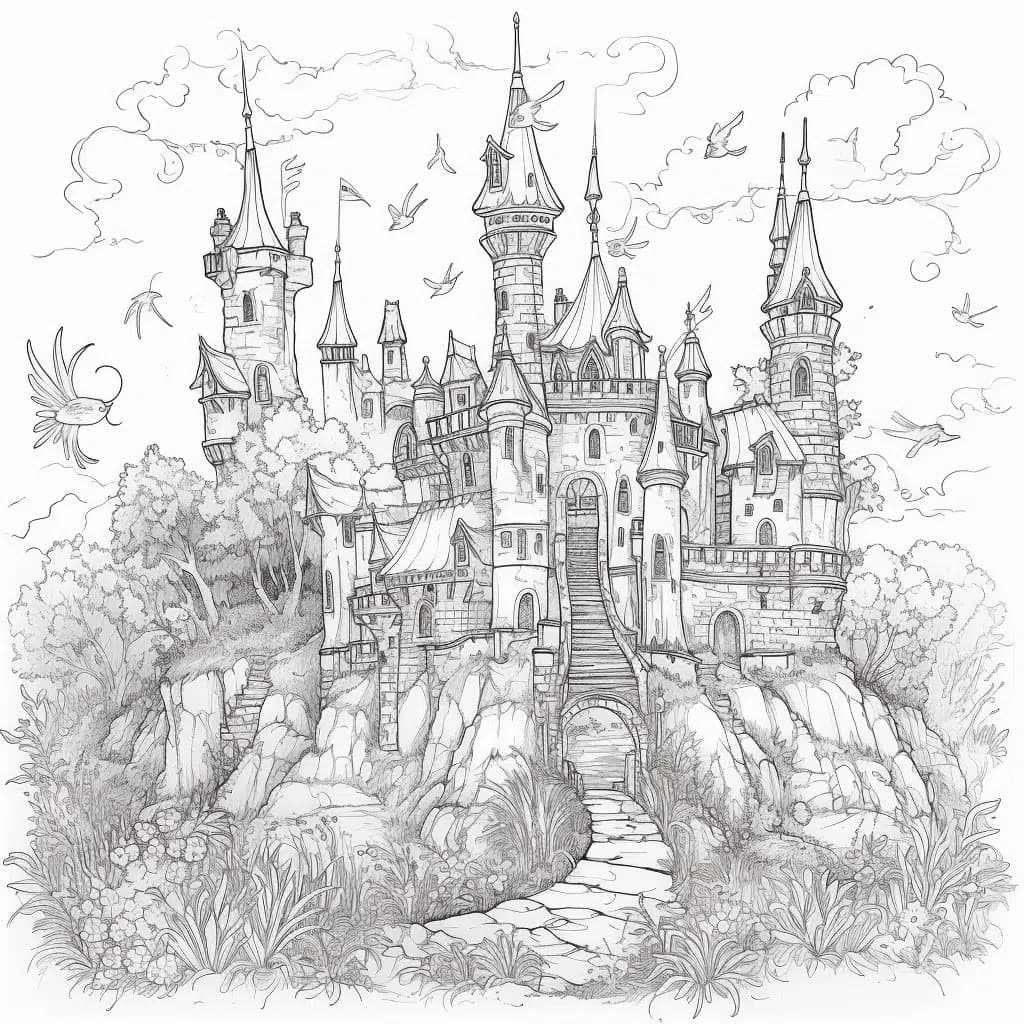
On closer inspection, some inconsistencies can be identified, such as:
- Illogical stairs
- Slightly deformed tower spires
- Deformed or asymmetrical windows
- Crooked or deformed roofs and dormers
- Strange chimneys
- Incorrectly laid bricks
- etc.
6. Unnatural Light and Shadow Conditions
Modeling light and shadow is a complex task that AI models often struggle with.
So if you see an image where the light and shadow conditions don't quite match, it could be AI-generated.
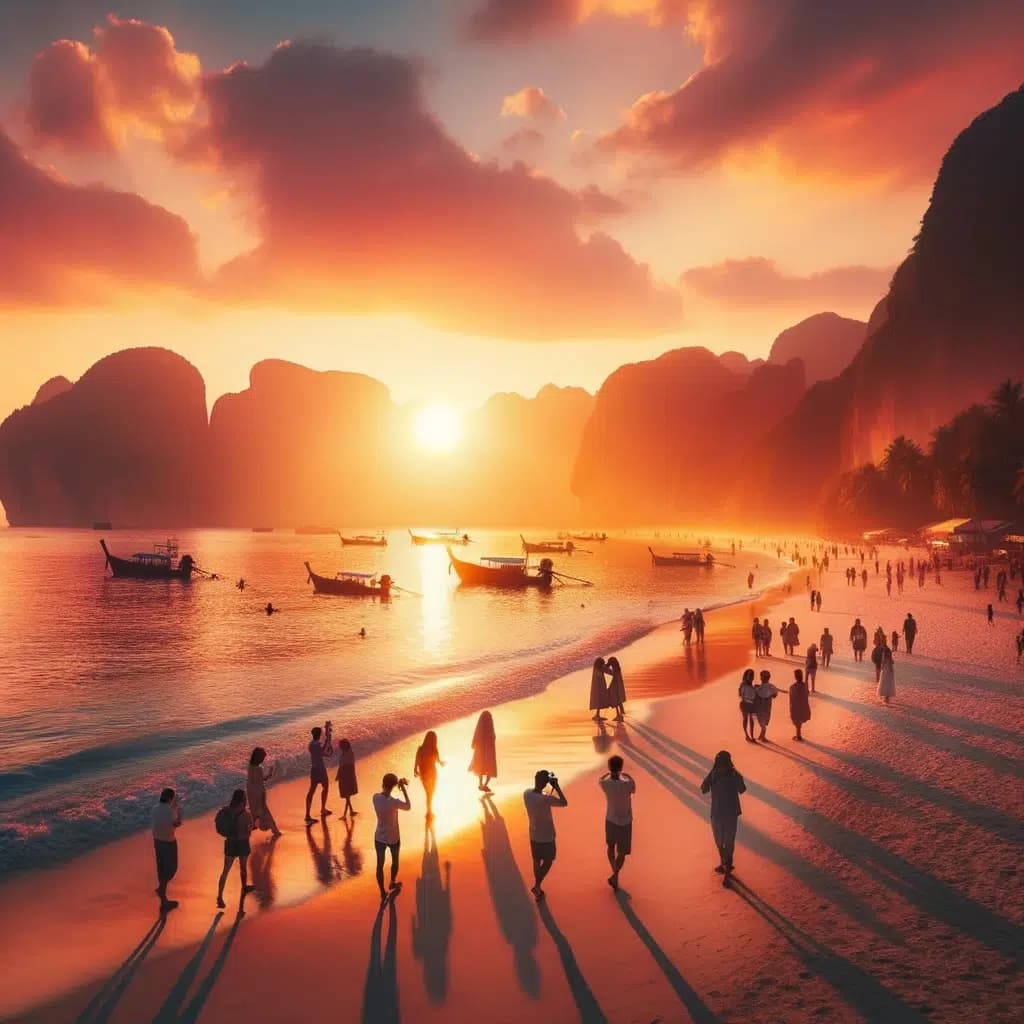
In the following image, which was generated by DALL·E 3, the shadows cast by the beachgoers are inconsistent and appear off.
The shadows of the beachgoers are partly too long, too short, cut off, or too intense. Some also have the wrong angle to the sun or are missing entirely:
7. Check Filenames
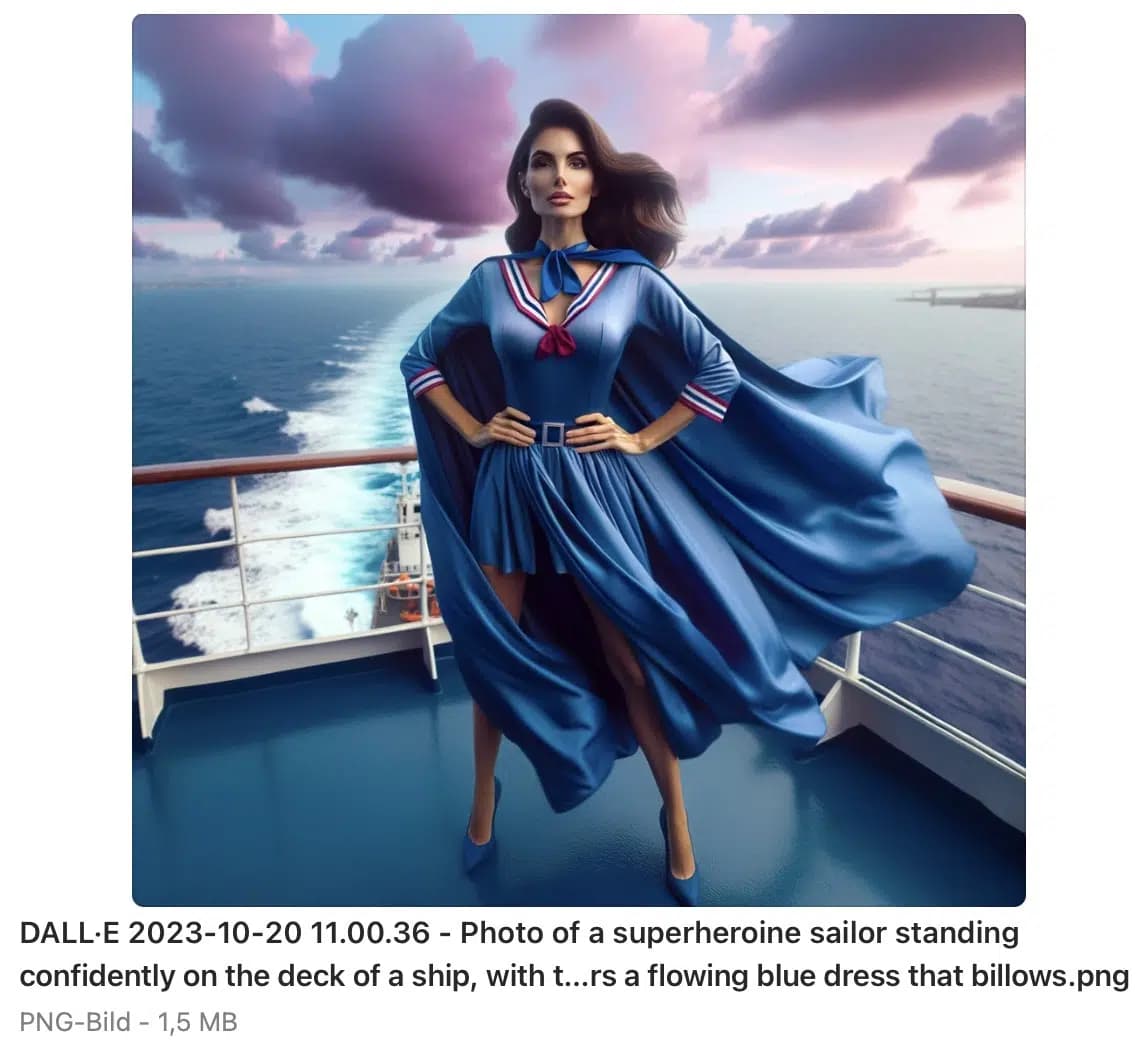
From the filename, provided it wasn't changed before upload, you can often tell if an image is AI-generated and even from which tool.
For Midjourney, image filenames are generated as follows:
[Username][Prompt][Job-ID].pngFor example:
blogmojo_superheroine_sailor_with_blue_dress_maritime_backgroun_fc50e595-3c9d-419d-a3e7-ce0ce9f9089a.png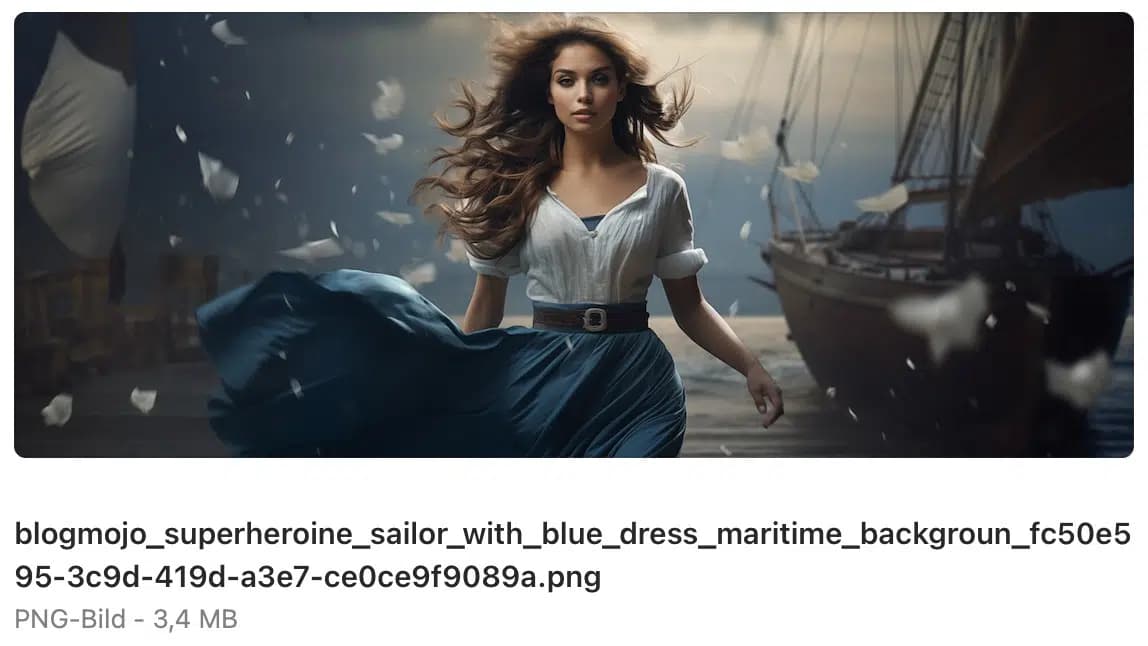
With DALL·E 3, it's even more obvious since not only the prompt but also "DALL·E" can be found in the filename:
8. Check Metadata
In addition to the filename, you can also look at the metadata of an image to find out if it's AI-generated or not.
A real photo, for example, contains information about the camera, such as the brand, model, and lens used, as well as technical data like aperture, exposure time, or focal length:
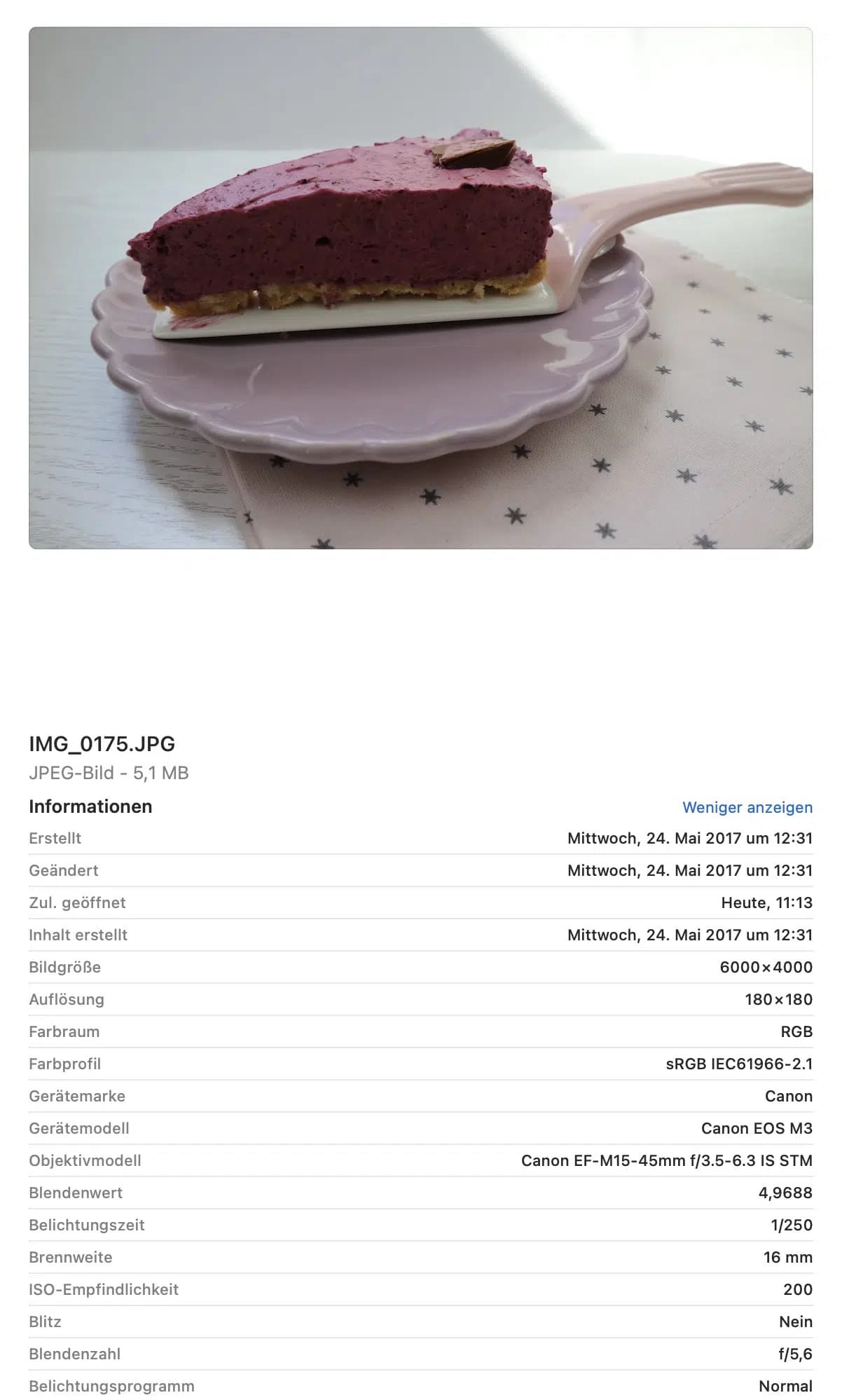
AI-generated images do not contain such metadata.
9. Verify the Source
When you see an image on the internet, you should always check the source. Who uploaded the image? Where did they get the image from? Are there other reputable media sources that confirm the image?
If you have doubts, you can do a reverse image search with Google Images. To upload your image to Google Images and search for it, you need to click on the colorful camera icon "Search by image" to the right of the search field:
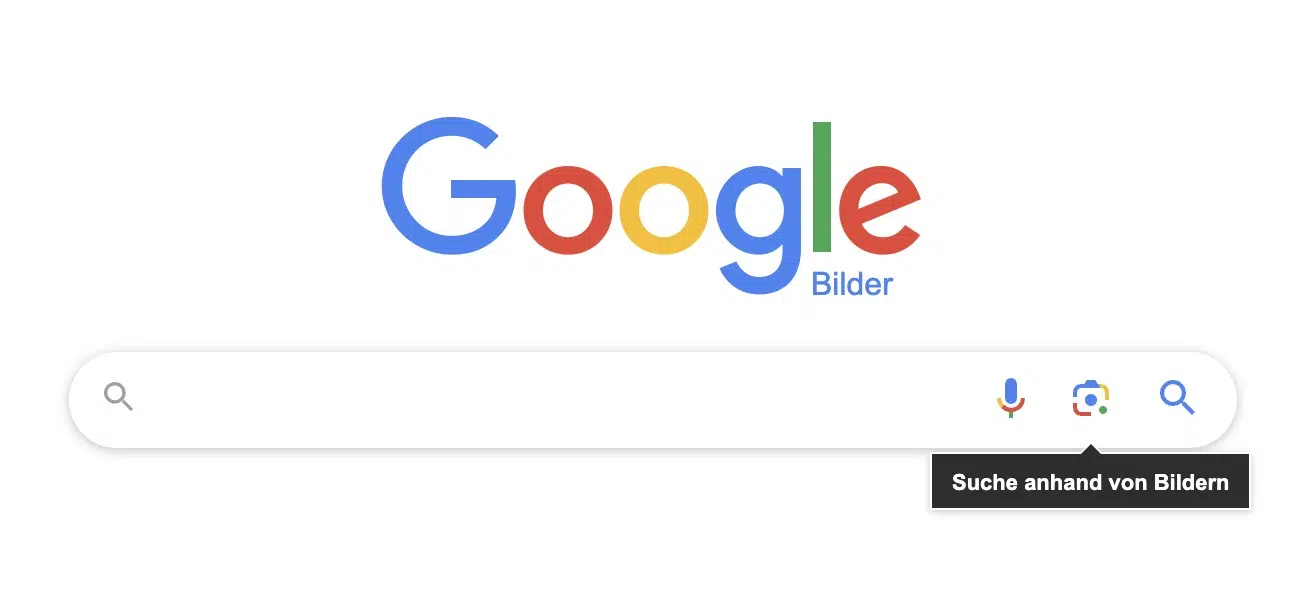
This way you can see if the image has been published somewhere else before or if there are similarities with other images. You can also check if there are reputable media reports about the event the image shows.
PS: Unlike AI images, AI text can be better detected with a tool. In this article, we thoroughly tested 13 tools for this: Detect AI Text: 13 Tools in Detailed Comparison