ChatGPT is a jack of all trades:
It can not only write texts of all kinds but also make many SEO tasks easier for you or even take them over completely.
In this article, I present seven genius ways you can use ChatGPT for SEO.
Of course, with example outputs and the corresponding prompts.
- ChatGPT automatically creates meta descriptions, page titles, and structured data for better SEO performance
- The tool generates technical code like RegEx and .htaccess redirects for SEO automation
- For keyword research and content planning, ChatGPT provides valuable ideas and outlines
1. Generate Meta Descriptions
You can use ChatGPT very effectively to generate meta descriptions for your pages or blog articles, helping you with SEO. It's best to have at least five suggestions generated.
As reference text, I usually use the introduction of my blog articles and possibly the first section.
Afterward, you choose the best one or create your own from all the generated meta descriptions if the perfect one isn't included.
The following prompt has proven effective for this:
Generate [insert number] different meta descriptions for the following text. All meta descriptions should be a maximum of 160 characters, contain the keyword "[insert keyword]" and encourage search engine users to click.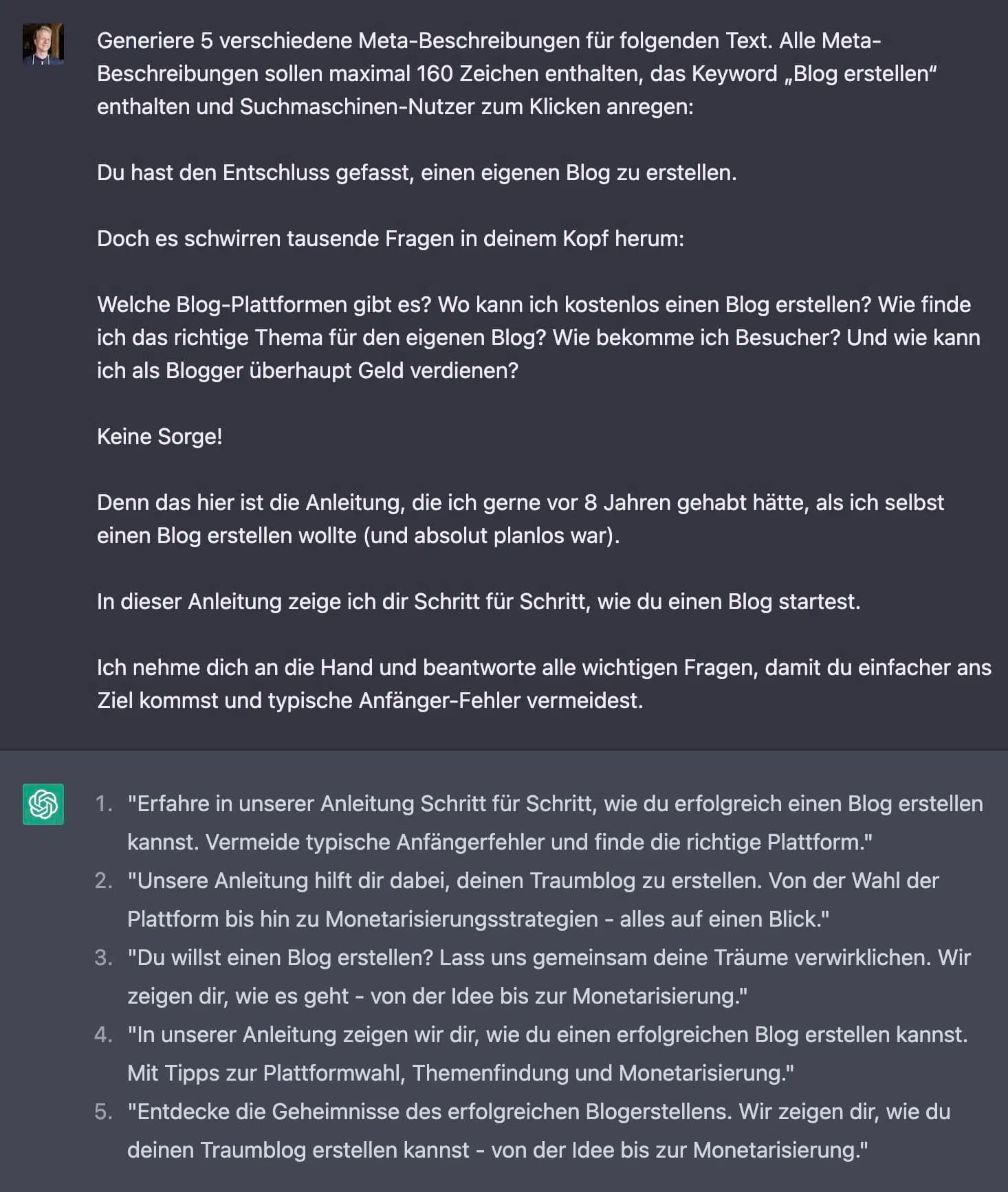
2. Generate Page Titles
What works for meta descriptions also works great for page titles. You can use the following prompt:
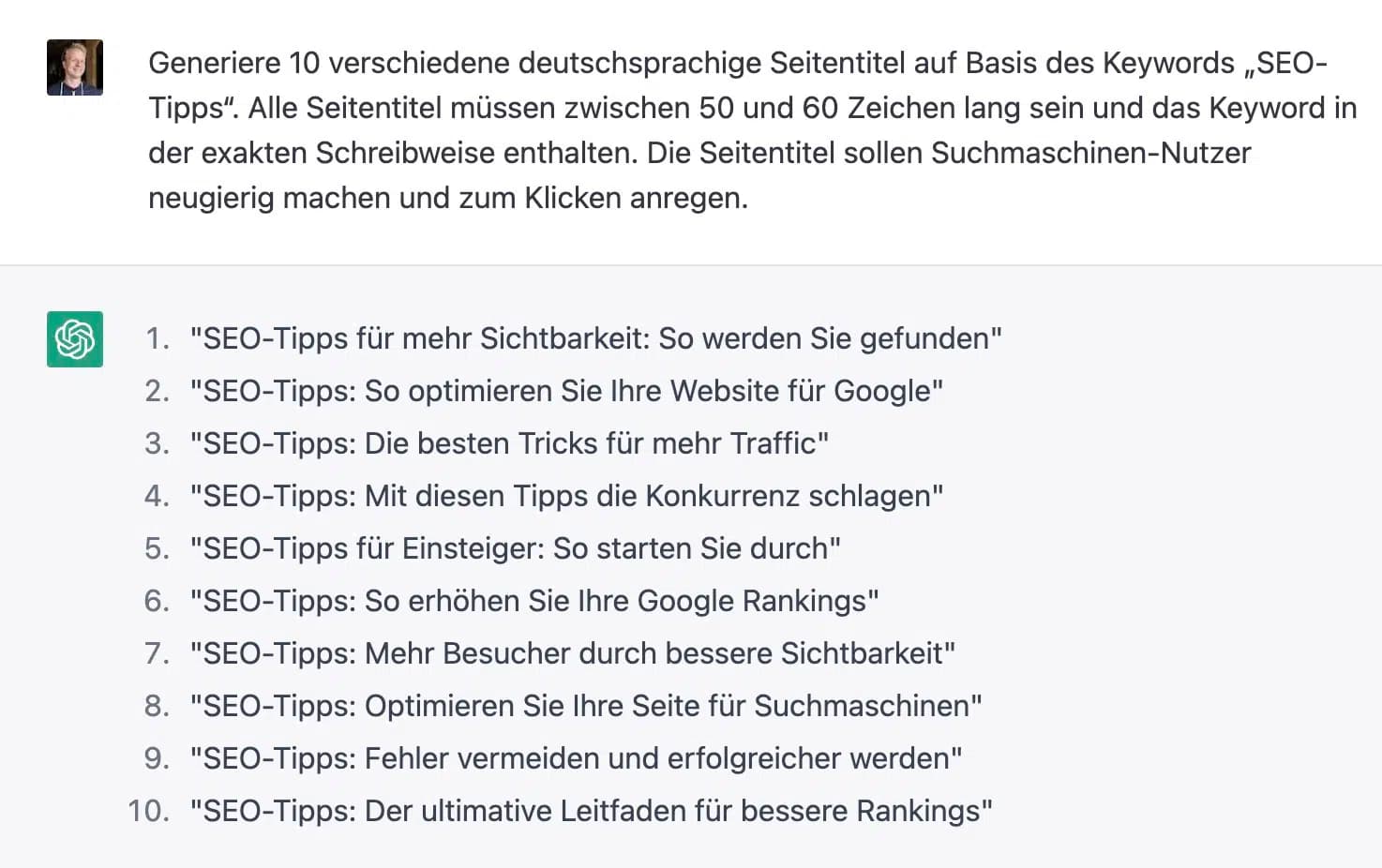
Generate [insert number] different page titles based on the keyword "[insert keyword]". All page titles must be between 50 and 60 characters long and contain the keyword in the exact spelling. The page titles should make search engine users curious and encourage them to click.3. Create Structured Data
With ChatGPT, you can easily create structured data in JSON-LD, for example the FAQpage markup, which can display your search result with up to two question-answer toggles in Google search.
Generate the FAQpage schema markup in JSON-LD for the following questions and answers: [insert questions and answers]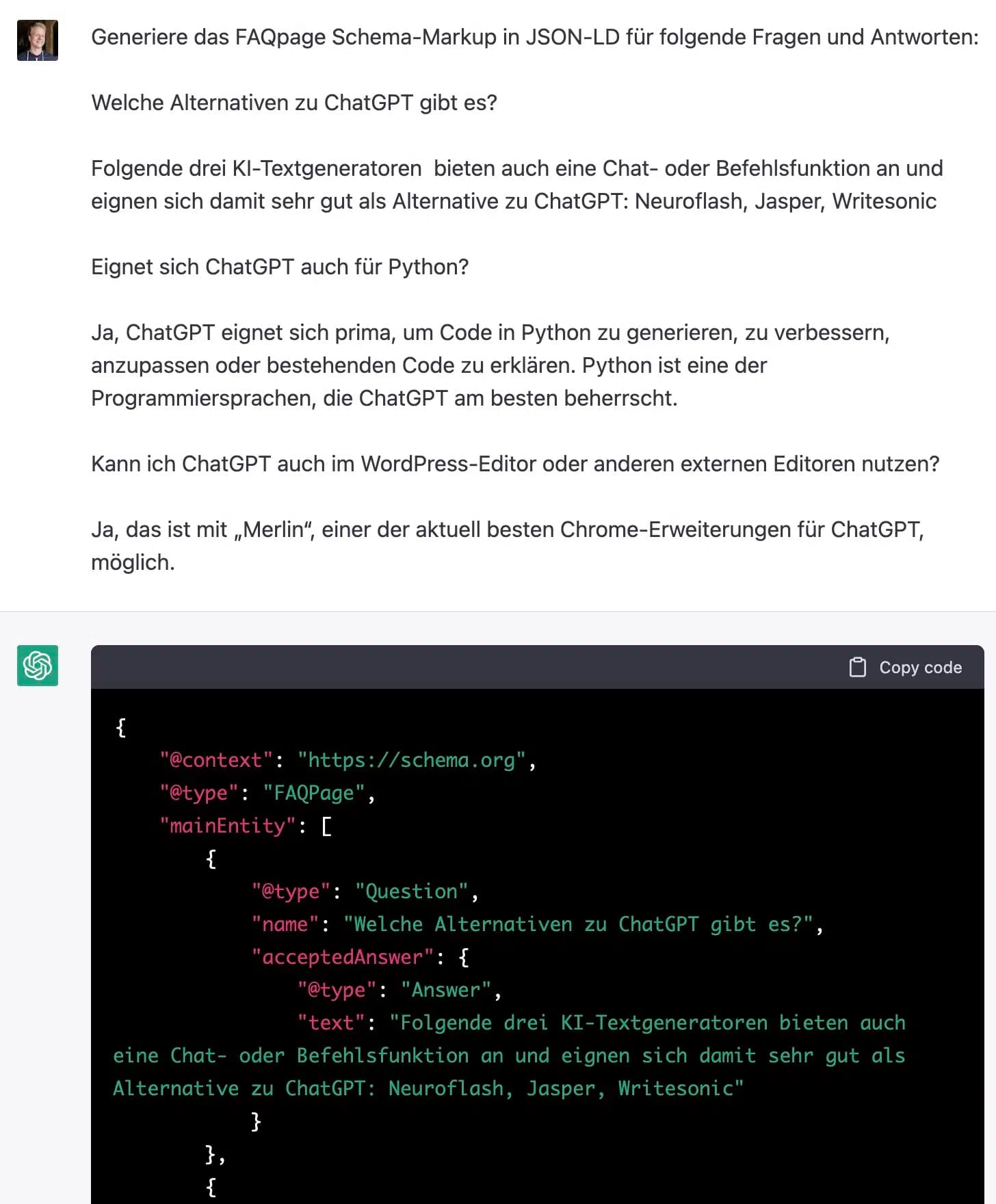
4. Create Redirects in .htaccess
Just as tedious as manually creating structured data or writing RegEx, it can sometimes be to set up redirects in .htaccess.
ChatGPT can help here too:
Generate a 301 redirect for a website's .htaccess. The redirect should redirect the folder /chatgpt/ to the folder /gpt-4/.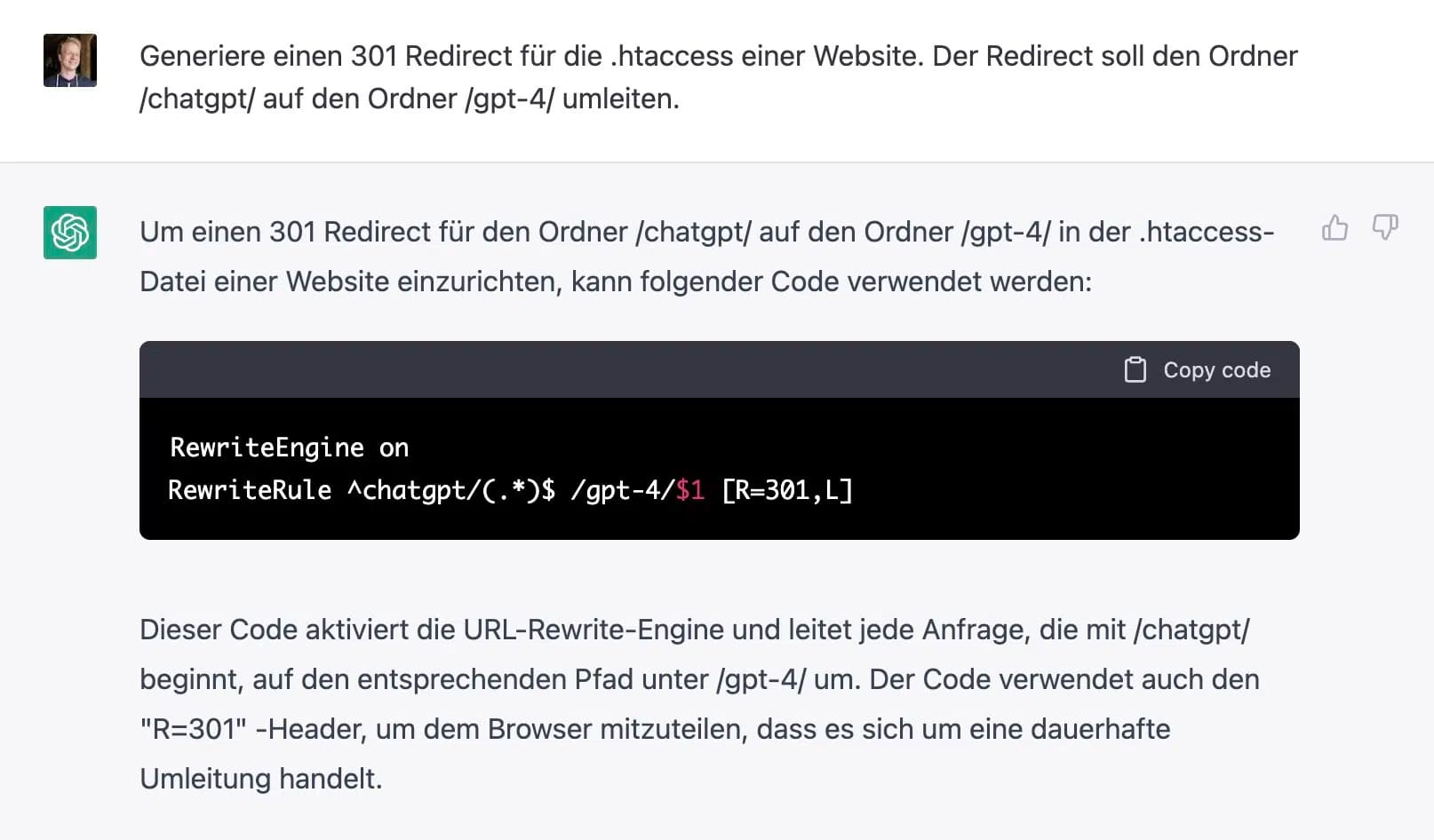
5. Generate RegEx
As an (advanced) SEO, you need RegEx (short for "Regular Expression") every now and then. Whether for creating redirects or as a filter in Screaming Frog, Google Search Console, or other SEO tools.
And ChatGPT can take this sometimes tedious work off your hands!
Sometimes you need to be a bit more specific, as you can see in the following prompt:
A list of keywords needs to be filtered with RegEx. Create a RegEx that filters out all keywords containing a question word (who, what, when, where, why, how). Prevent words that are not question words from being included.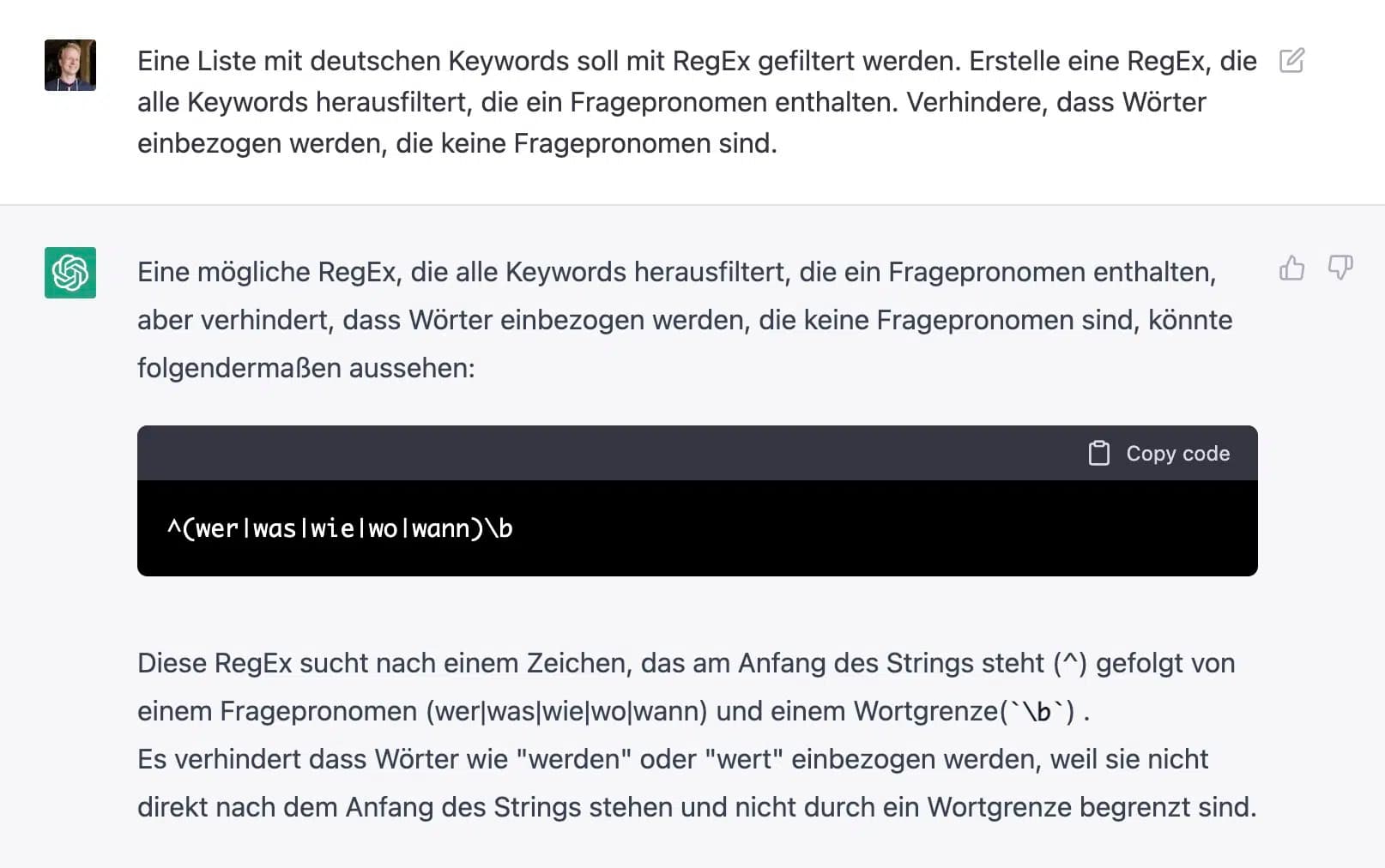
6. Plan Blog Articles
ChatGPT is great for planning the structure of a blog article, i.e., finding possible questions and topics that you should cover in a blog article or SEO text:
I want to write an article about [topic]. Create a list of important topics that I must cover and a list of important questions that readers might have about "[topic]".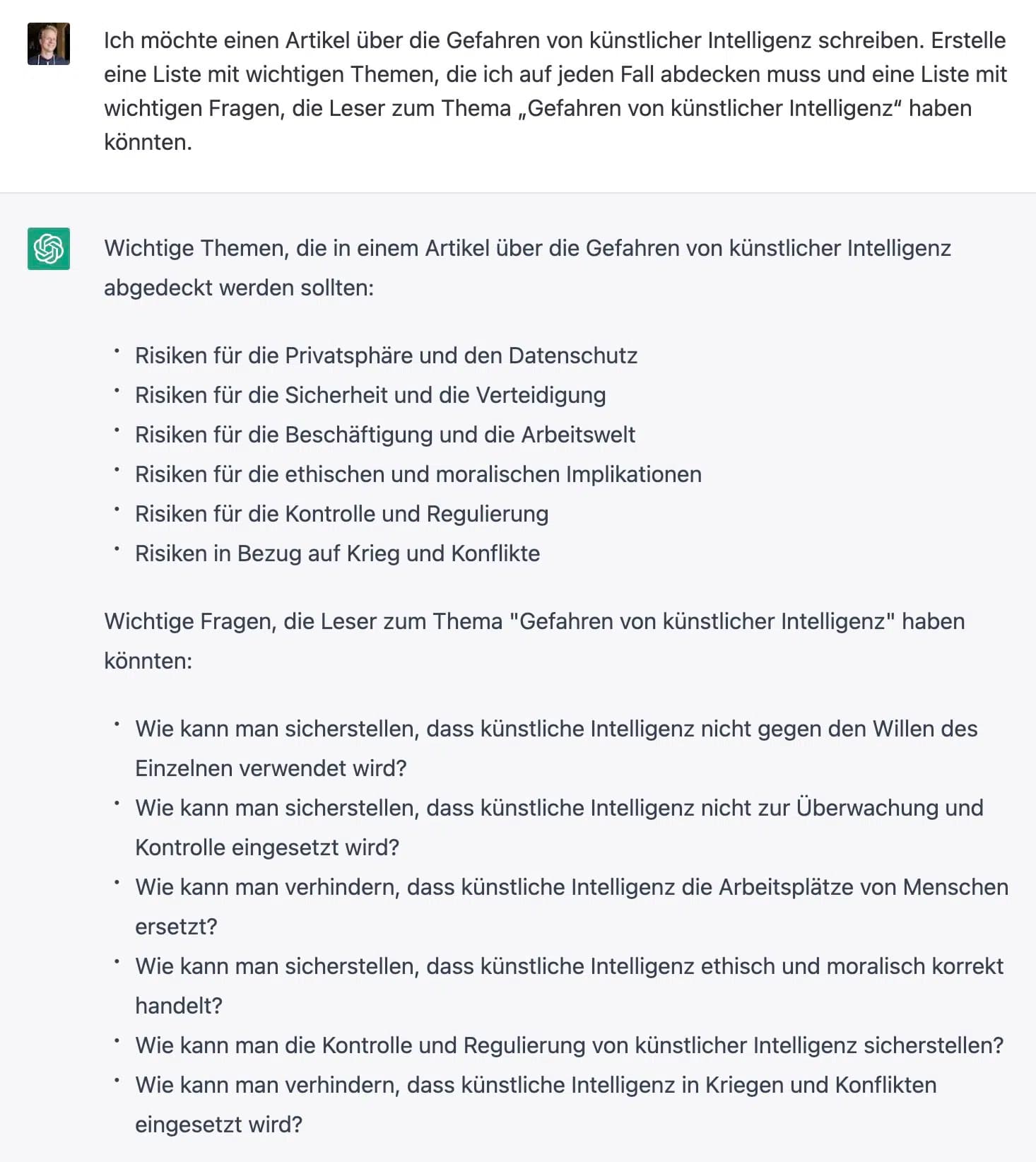
7. Find Keyword Ideas
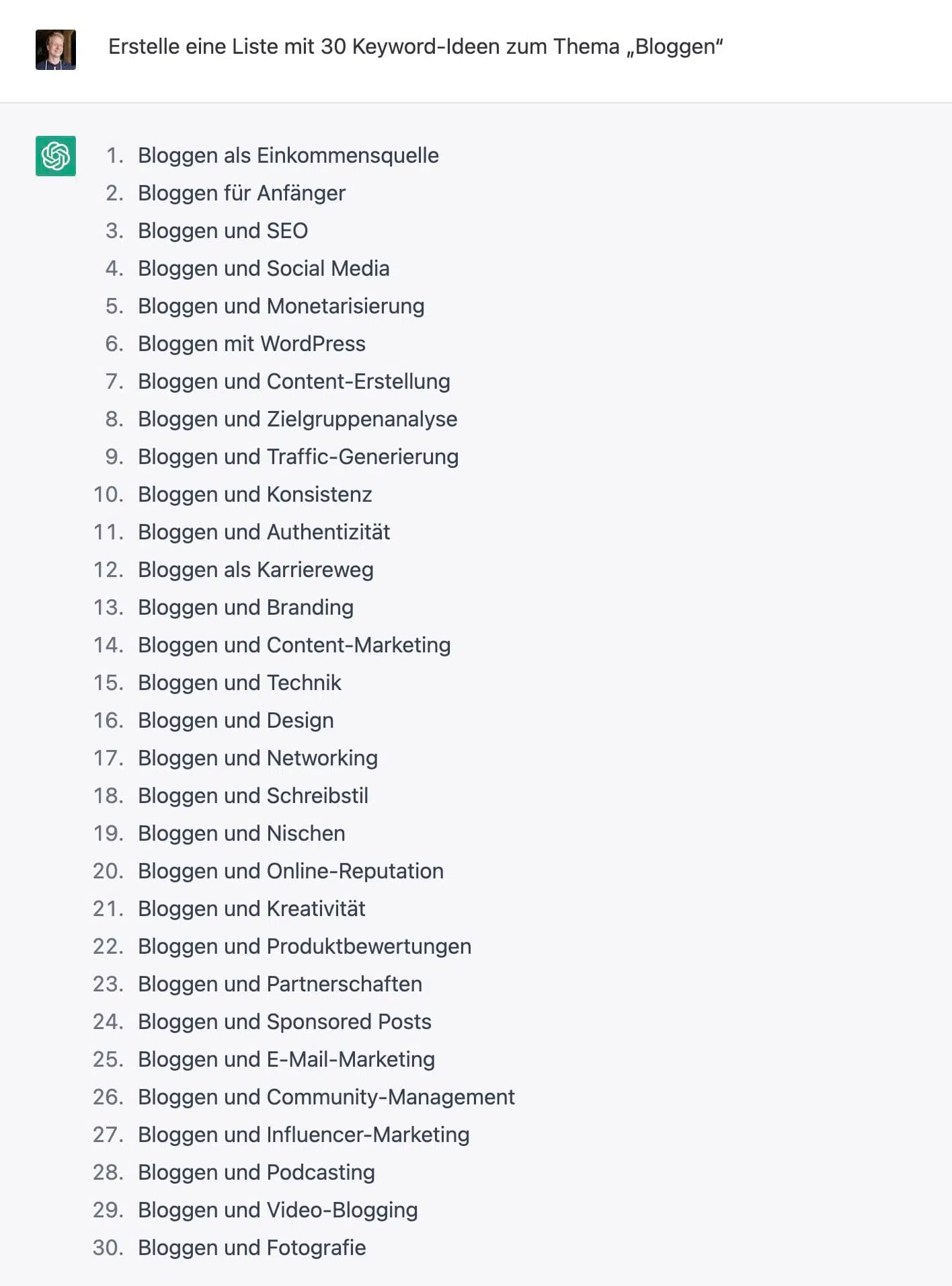
ChatGPT can also help you with keyword research and generate lists of potential keyword ideas.
Of course, ChatGPT isn't a keyword tool and can't access search volume or other keyword data, but it can provide you with new ideas. You can then enter these ideas as seed keywords in a tool of your choice.
Create a list of 30 keyword ideas on the topic of "[insert topic]"