Skill for Claude Code
Leave WordPress for a Fast Astro or Next.js Site
The "wordpress-migration" skill moves your public WordPress site, without the plugin baggage. It sets redirects, keeps your SEO data, and checks everything before you switch over. You work right inside Claude Code.







How the Migration Works
Capture first, then rebuild, then check
The skill works in fixed steps. After each step you see what it found and built.
Capture first, then build
The skill first reads the public frontend of your WordPress site, meaning pages, posts, menus, media, and SEO data. It downloads images as full-size originals instead of thumbnails.
Astro or Next.js
The skill picks the framework based on your site. If you have already decided, it sticks with your choice. It rebuilds the design with Tailwind CSS and shadcn/ui, and no theme or plugin code comes along.
Redirects and SEO parity
Your URLs stay the same by default. Every changed URL gets a redirect and a test. Titles, descriptions, canonicals, schema, and sitemaps from Yoast, Rank Math, and others are kept.
A check before you switch
A final check compares every piece of content with the original, looks for 404 errors, and matches the visuals. You handle deployment and the DNS switch yourself, and the skill gives you the checklists for both.
What the migration is built for
Blogs, magazines, and company and service sites. WooCommerce catalogs without a checkout move over, too.
What it is not built for
Shops with a cart and checkout, online courses, membership areas, customer accounts, and multisite. With page builders like Elementor and with WPML, the content moves over, but the layout needs manual work.
A clear traffic light before the first step
Before the skill builds anything, it rates your site. You know up front what works automatically and where manual work is waiting.
Green: tested
Common themes like Astra, GeneratePress, Kadence, and the Twenty series, Yoast SEO, Rank Math, Contact Form 7, WPForms, Polylang, and TranslatePress.
Yellow: with manual work
Page builders like Elementor and Divi, WPML, Weglot, custom fields, and custom post types.
Red: not supported
Cart and checkout, membership areas, user accounts, forums, and multisite. Only the public pages are migrated here.
How It Works
Buy, copy, move
No subscription and no mandatory API keys.
Buy and download
Secure payment via Polar. You get the download link by email right after.
Copy the skill
One terminal command copies the "wordpress-migration" folder to ~/.claude/skills/.
Start the move
Open Claude Code in a new, empty project folder and give it the address of your WordPress site. The skill starts with the capture.
What you need
- Claude Code and a terminal
- Python 3.11 or newer, Node.js 22 or newer, Git, and an installed Chrome or Chromium
- For the deployment step, a Vercel project connected through GitHub
- Built and tested on macOS. I have not tested Windows.
Who’s Behind This
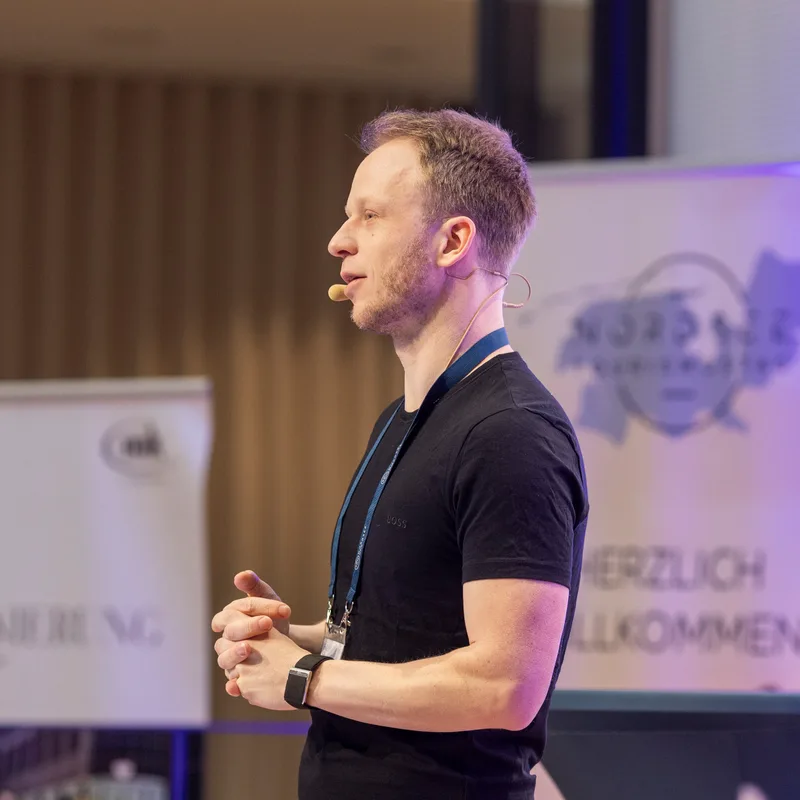
Hi, I’m Finn
AI Expert, Founder of gradually.ai and Blogmojo
I’m not a programmer and not a designer. Still, I’ve built hundreds of real apps, scripts, and websites with Claude Code, including gradually.ai itself.
Along the way, I kept falling into the same trap. AI-generated pages all look the same, with purple gradients, the same font, and the same three cards. These skills are the result, a fixed rule set against exactly that problem.
I’ve been an online entrepreneur since 2011 and have helped more than 1,000 people use AI well in my online courses and my AI membership, the KI Business Club.
- Built hundreds of apps, scripts, and websites with Claude Code
- Founder of Blogmojo and Gradually AI
- From non-programmer to app builder
- 100+ smaller and larger tools built with AI
PS: These skills aren’t theory. I use them for every new page and every new tool on gradually.ai.
Pricing
Choose your package
All prices are one-time payments plus VAT. No subscription.
Migration Skill
For everyone who wants to move their WordPress site themselves.
€247
one-time, plus VAT
- The "wordpress-migration" skill as a download
- Move to Astro or Next.js
- Redirects, SEO parity, and a final check before you switch over
- Free updates for version 1
Secure payment via Polar. VAT is added at checkout, and the invoice arrives automatically.
Migration Skill + Webdesign Skills
Move, then keep building the new site with your own design.
€497
one-time, plus VAT
€544 separately
- Everything in "Migration Skill"
- The 17 Webdesign Skills
- 445 brand design systems and 11 website templates
- Free updates for version 1 of both packages
Secure payment via Polar. VAT is added at checkout, and the invoice arrives automatically.
Done for You
You don’t want to do the migration yourself at all?
from€5,000
one-time, plus VAT
- I move your website one to one (or as close as possible) and set it up completely
- A personal 1:1 introduction to the system (1.5 hours)
- Web design skills and migration skill
- Fits content sites like blogs and company or service sites
- No shops or membership areas
- No optimizations or design changes, the website is only moved
The exact price depends on the type and size of the website. We agree on the scope in a call first.
FAQ
Frequently Asked Questions
Everything you need to know before buying.
If you only want to leave WordPress and keep your design, the Migration Skill is enough. If you want to keep developing the new site afterwards, take the bundle with the Webdesign Skills. Both packages are downloads you use yourself in Claude Code. If you want me to handle the migration for you, request "Done for You".
No. The Migration Skill runs on its own and brings everything it needs for the move. The Webdesign Skills only help you afterwards, when you keep designing the new site.
Blogs, magazines, and company and service sites are a good fit, including sites with Yoast, Rank Math, Contact Form 7, or a WooCommerce catalog without a checkout. With page builders like Elementor and with WPML, the content moves over, but the layout needs manual work. The skill cannot move shops with a checkout, online courses, membership areas, customer accounts, or multisite.
The skill keeps your URLs the same, sets a redirect for every changed URL, and carries over titles, descriptions, canonicals, schema, and sitemaps. Before you switch over, it checks that no old URL leads nowhere. That said, nobody can guarantee rankings after a move, and neither can I.
No. You handle deployment, the DNS switch, and shutting down WordPress yourself. The skill gives you checklists for this and recommends a workflow through GitHub.
No. It only reads the public frontend, changes no DNS records, and publishes nothing. Your WordPress site keeps running until you switch over yourself.
Claude Code, a terminal, Python 3.11 or newer, Node.js 22 or newer, Git, and an installed Chrome or Chromium. For the deployment step, you also need a Vercel project connected through GitHub.
I built and tested everything on macOS. I have not tested Windows, so I can’t promise it works there.
No. You pay once and use the skill as long as you like. Prices are plus VAT.
Yes. All updates within version 1 are free. You can download new versions anytime via your Polar purchase.
Yes. Your own projects and client projects are explicitly allowed. You just can’t resell or share the skill itself.
Payment runs through Polar as the merchant of record. Polar handles EU VAT and automatically issues a proper invoice. You get the download link by email right after your purchase.
For digital products, the right of withdrawal expires as soon as you agree to the immediate download (standard at Polar). If something still doesn’t fit, just email me at info@gradually.ai. We’ll find a solution.