Ever wanted to plug Google's AI models (like Gemini 2.5 Pro or Gemini 2.5 Flash) into your own app or workflow? That's exactly what the Google Gemini API is for.
More and more users are working with Gemini models, and the API has become an important alternative. Current benchmarks show that Gemini 2.5 Pro can keep up even with demanding tasks.
This is necessary, for example, if you want to create your own AI software or app, or integrate AI functions into your existing software or app.
However, having a Gemini API key is now also a must for non-developers. Because there are many apps and programs that require (optionally or mandatory) an API key. These include, for example, SheetMagic, Zapier, Make, Cursor.so or various ChatGPT alternatives.
This can save you a lot of money:
By connecting external tools to the Gemini API, you can save yourself a Gemini Advanced subscription.
In the following guide, I'll show you how to create a Google Gemini API key:
- Create Google Gemini API key: Google AI Studio > API Keys > Create new API key > Store securely
- Much cheaper than ChatGPT API: Gemini 2.5 Flash from $0.15 per 1M input tokens vs. GPT-5 at significantly higher rates
- Use API keys in Zapier, Make or Cursor for AI features without expensive subscriptions
1. Create a Google account
To use the Gemini API from Google, you absolutely need a Google account (a personal account or Workspace account).
I assume you already have one. If not, you can find instructions here.
2. Sign up for Google AI Studio
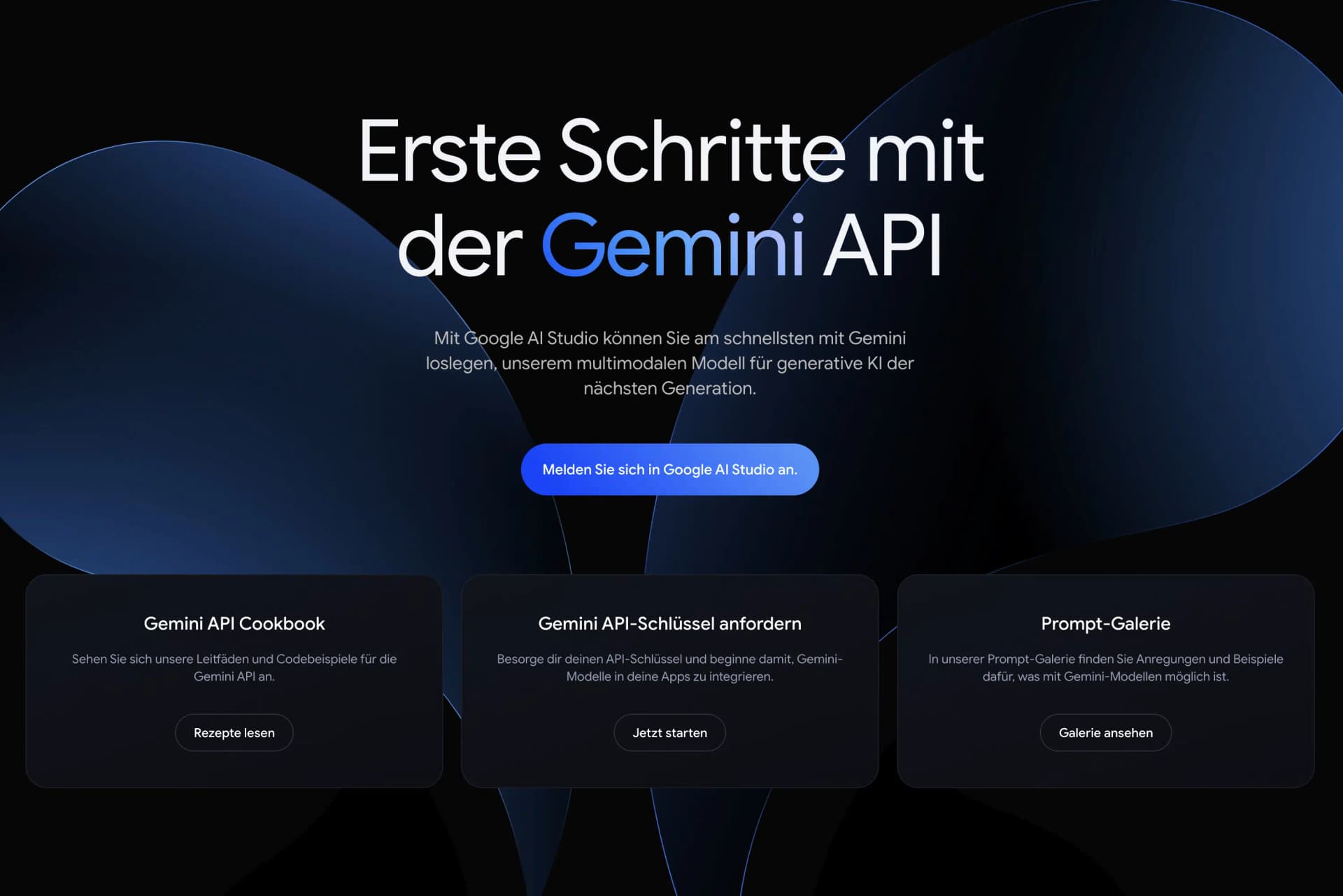
AI Studio is Google's counterpart to the OpenAI Platform or Anthropic API Console.
With Google AI Studio, you can try out all Gemini models, create an API key, and even perform fine-tuning for certain models:
Open the website and sign in with your Google account.
3. Generate API key
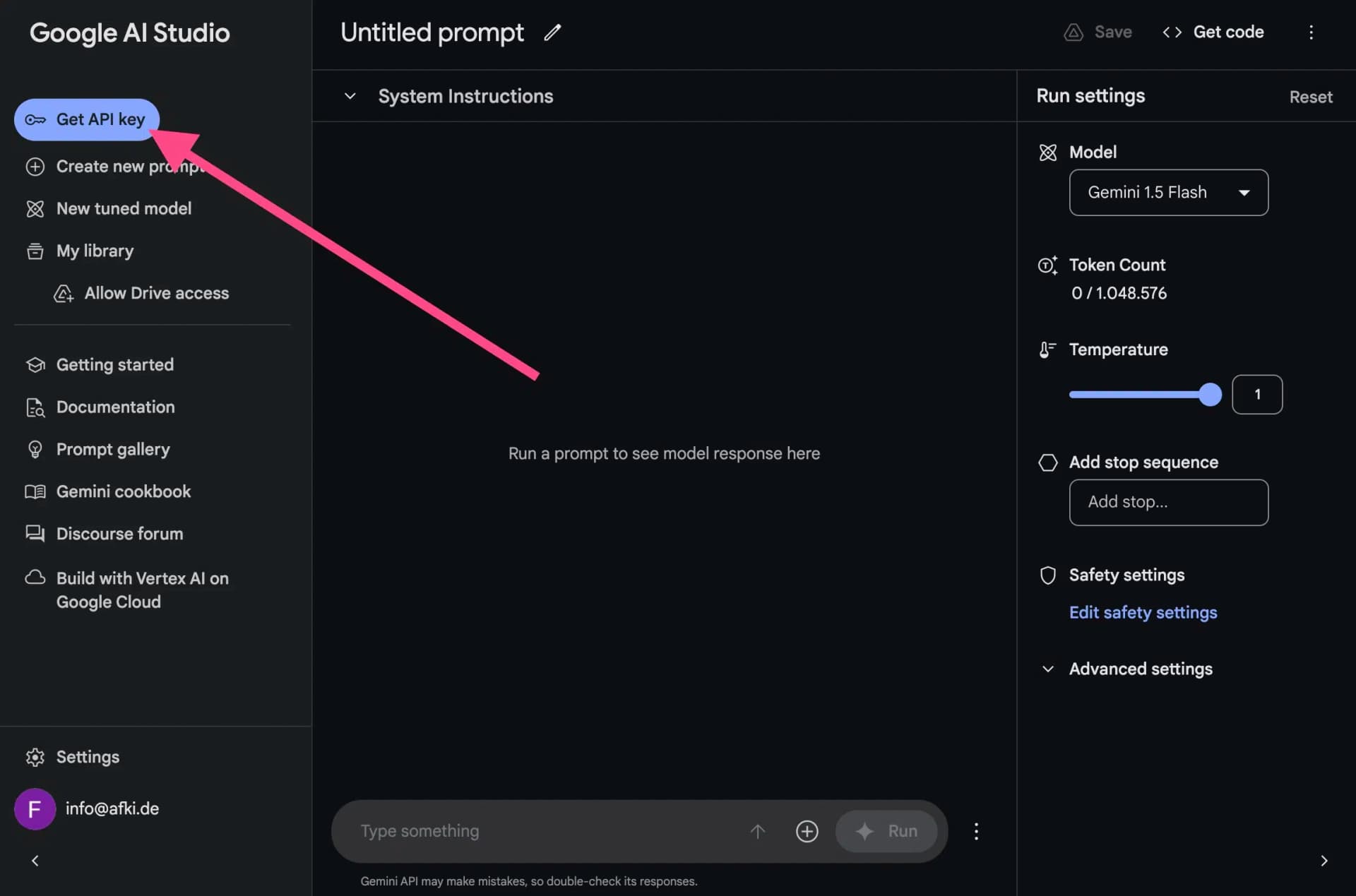
To create a Gemini API key and use the Gemini API, click on the blue "Get API key" button at the top of the sidebar:
Now you're in the API keys overview. Click on "Create API key" here:
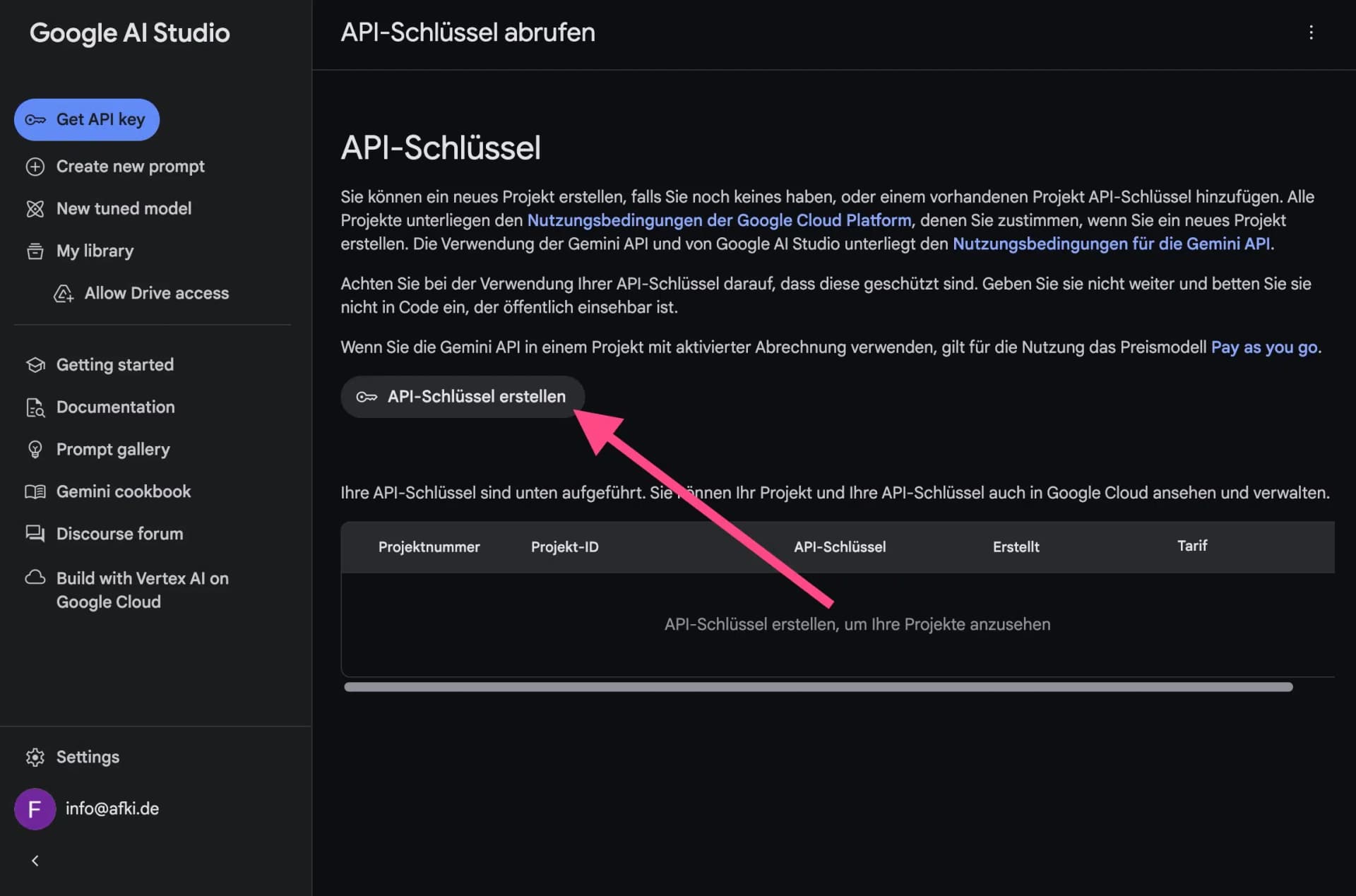
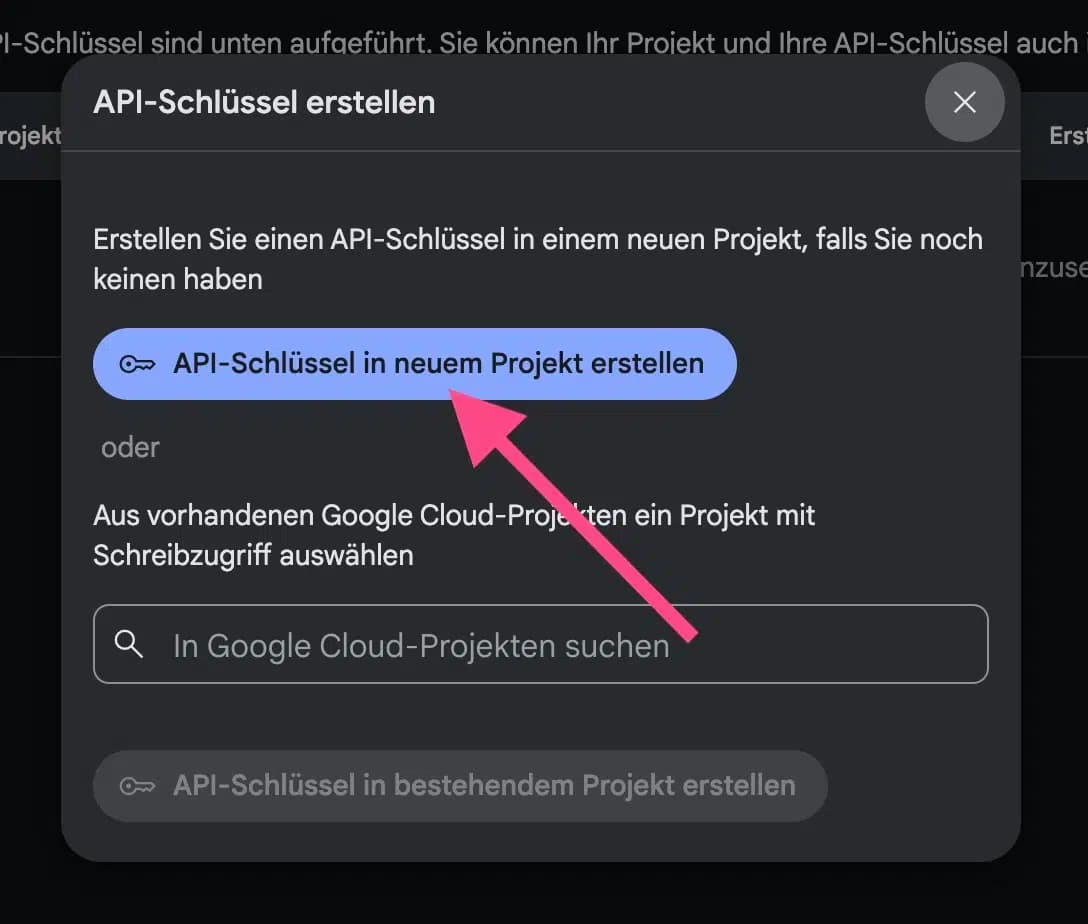
Next, you need to create an existing project in Google Cloud or a new project (every API key from Google must be linked to a project in Google Cloud).
Click on "Create API key in new project" here:
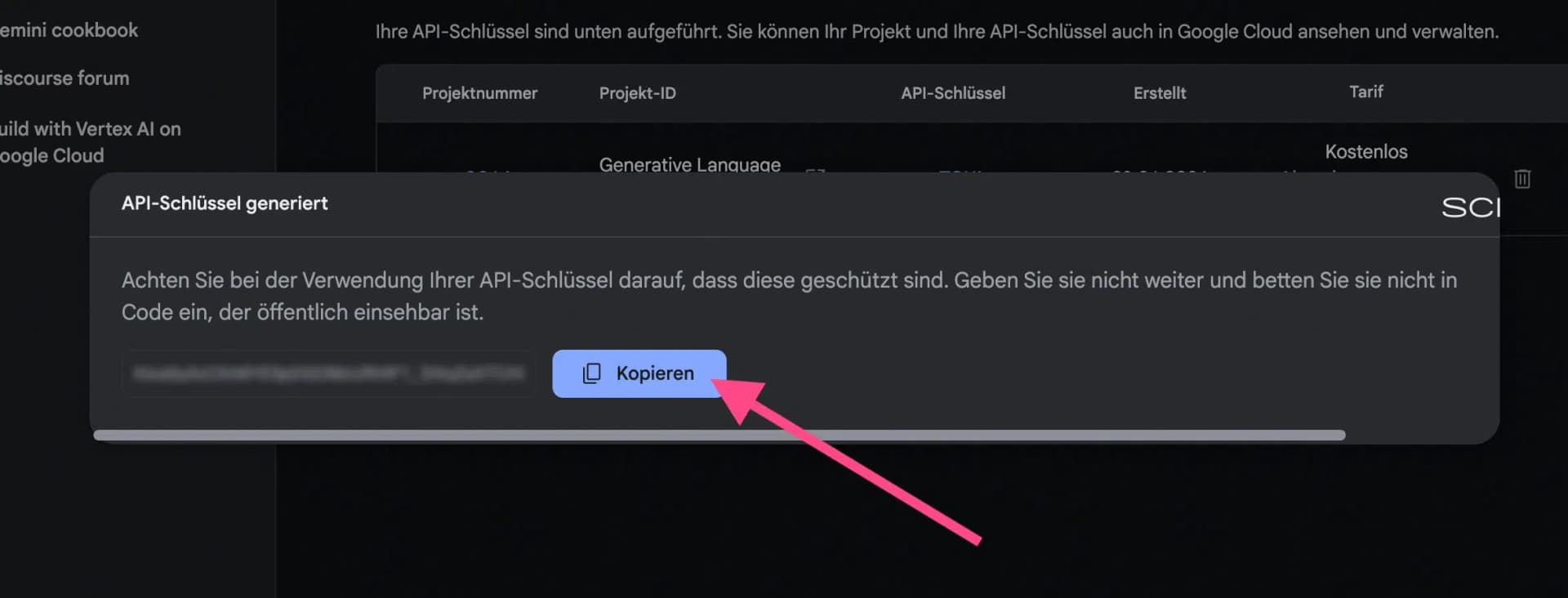
After a bit of waiting, your API key will be displayed. Click the "Copy" button:
4. What does the Google Gemini API cost?
The Google Gemini API can be used either in the free tier or with "Pay-as-you-go".
The free tier is more than enough for occasional or private use. The limits for Gemini 2.5 Flash, for example, are very generous:
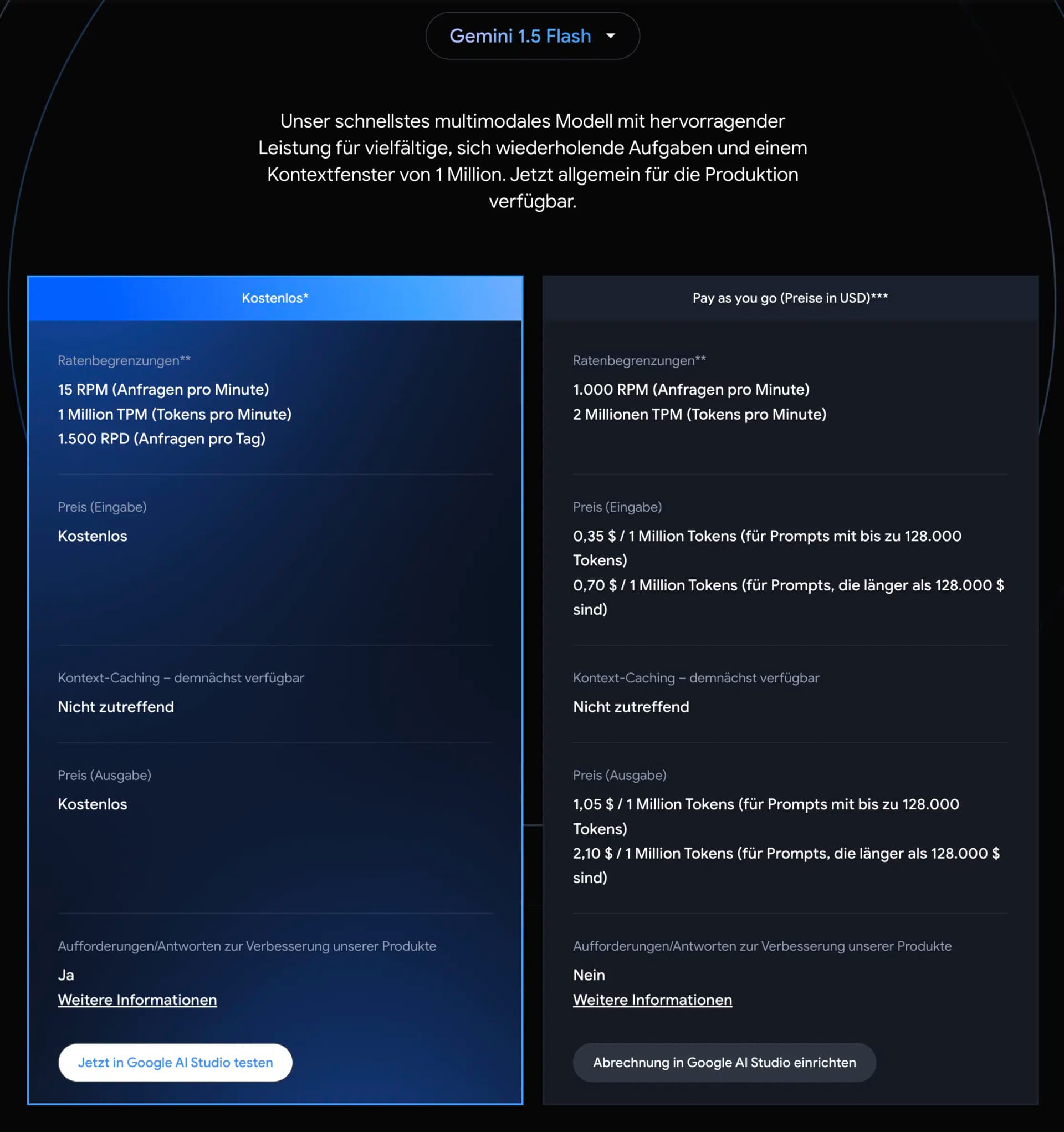
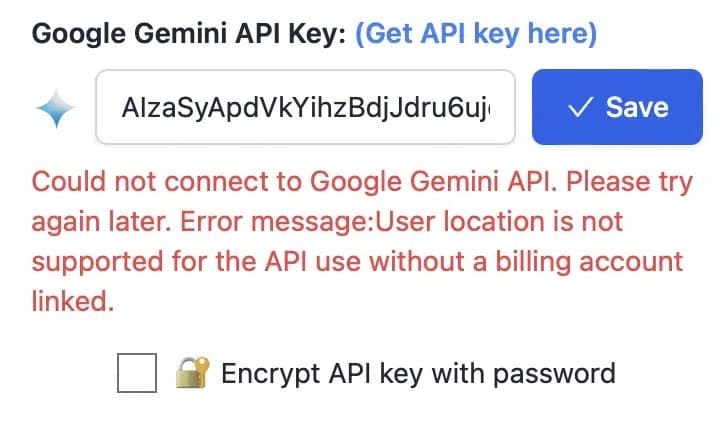
With Gemini 2.5 Pro, however, you have lower rate limits than Flash. The exact limits depend on your tier, but the free tier is more restricted for Pro models:
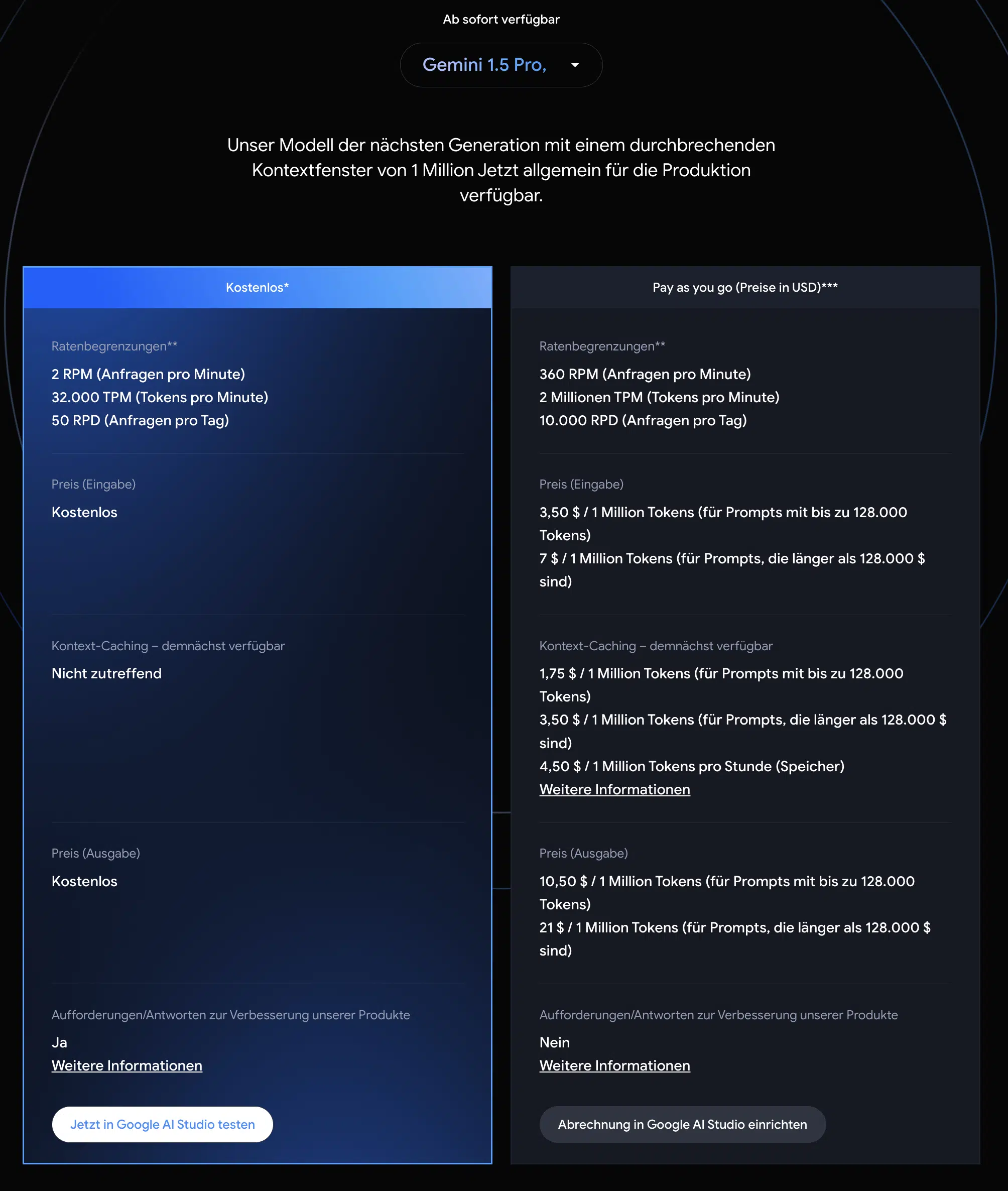
With Pay-as-you-go, you pay according to the amount of tokens you send to the Gemini models (input) and receive as a response (output). One token corresponds to approximately 4 characters, or about half a word. One million tokens therefore corresponds to 500,000 words.
For Gemini 2.5 Flash, for example, one million tokens costs $0.15 for input and $0.60 for output (non-thinking). Check the official pricing page for current rates.
5. Set up Pay-as-you-go
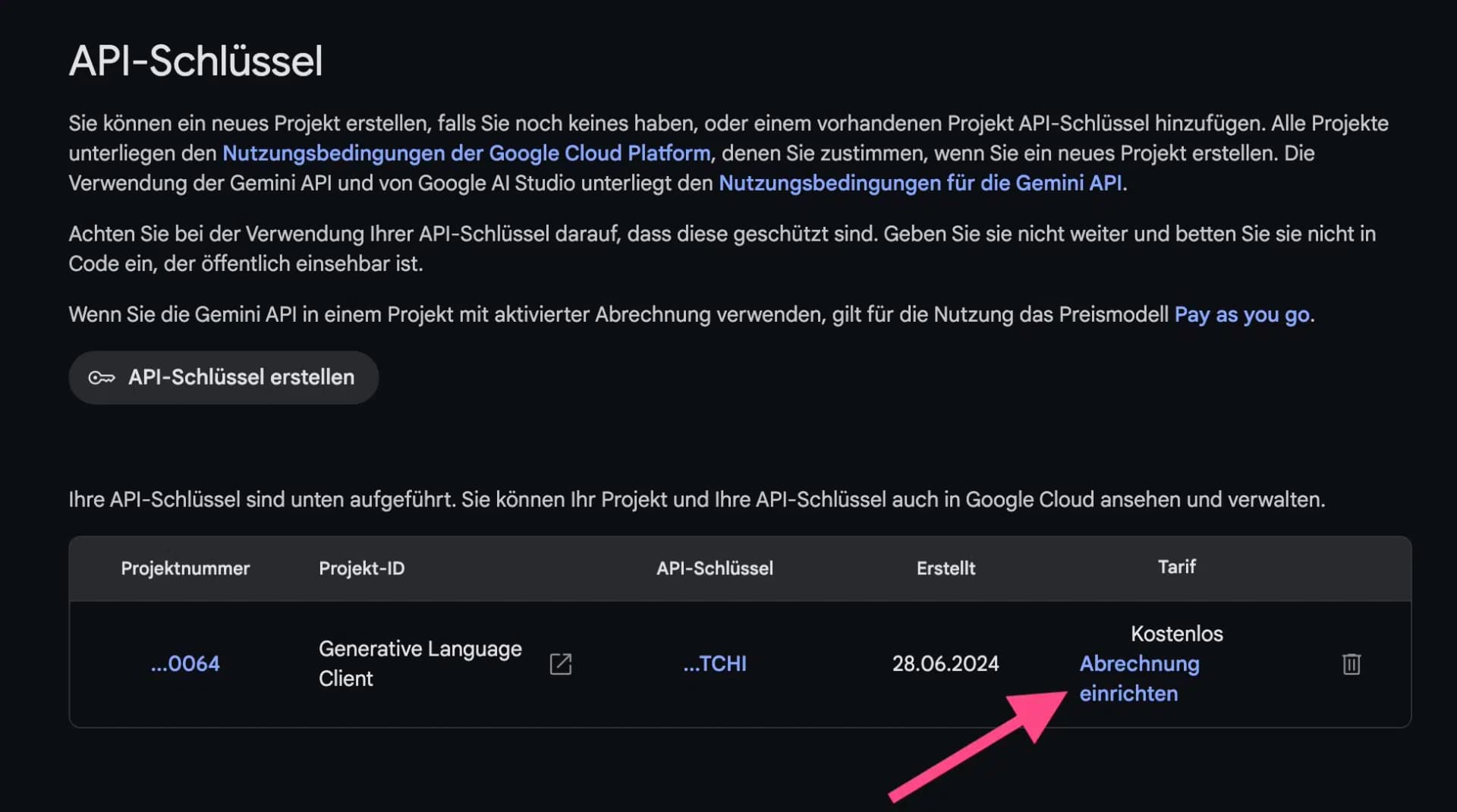
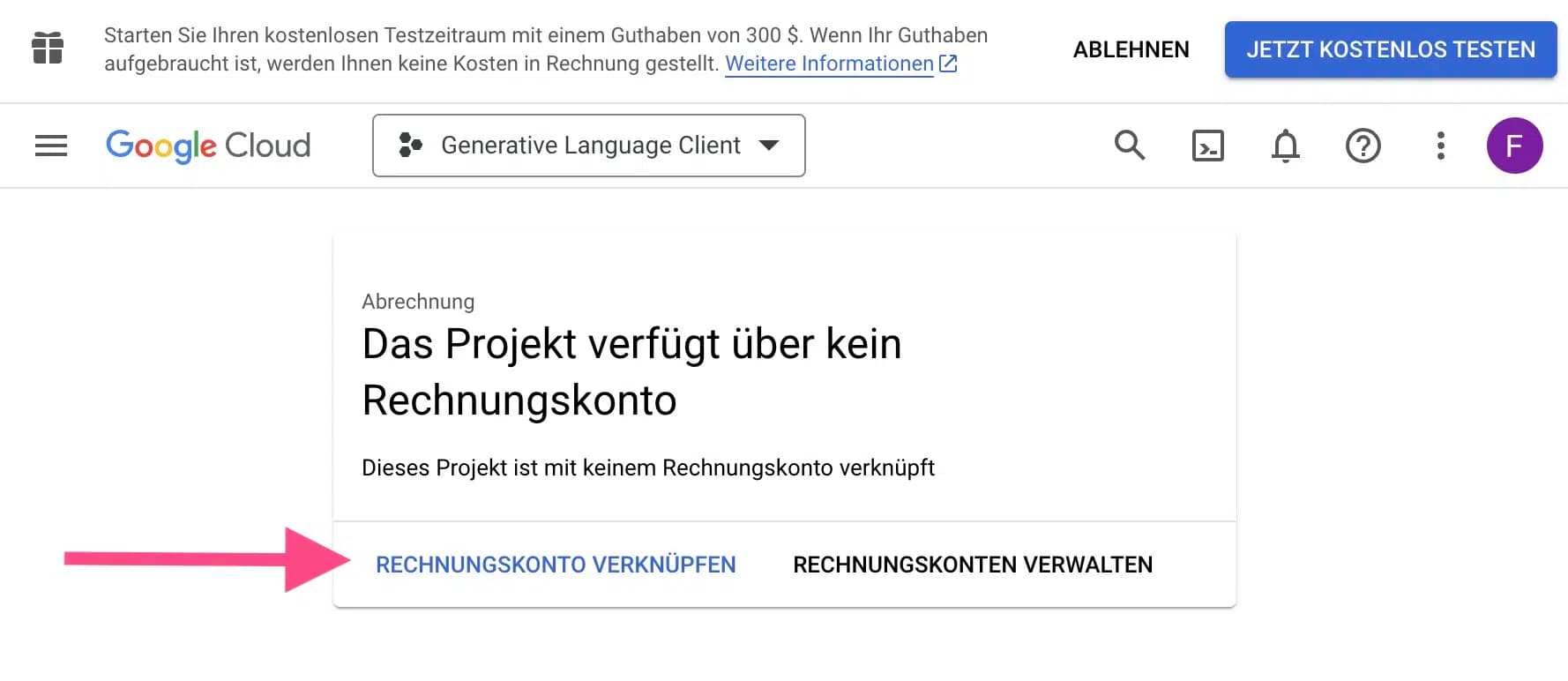
If you want to use the Google Gemini API with higher limits in the "Pay-as-you-go" plan, you need to add your payment details in Google Cloud.
To do this, click on the "Set up billing" link in the API overview in Google AI Studio:
You will then be redirected to the Google Cloud Console, where you need to link a billing account with your project:
6. Test API key
If you want to test whether your API key works, you can do this very easily with the following cURL command (e.g., in Mac Terminal):
curl \
  -H 'Content-Type: application/json' \
  -d '{"contents":[{"parts":[{"text":"Explain how AI works"}]}]}' \
  -X POST 'https://generativelanguage.googleapis.com/v1beta/models/gemini-2.5-flash:generateContent?key=YOUR_API_KEY'