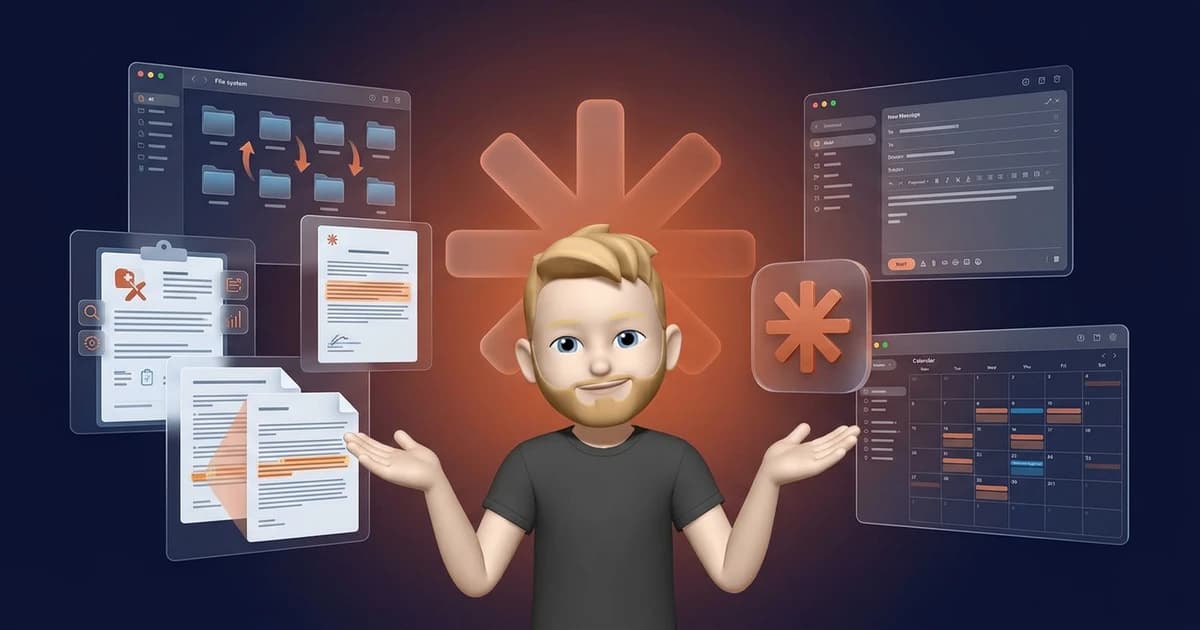
Claude Cowork is not a chatbot. It is an autonomous AI agent that works independently on your computer. It reads files, searches the internet, creates documents, and accomplishes in minutes what would otherwise take hours.
I use Cowork myself daily for my blog, my taxes, and organizing my entire digital life. And I am far from alone. From surgeons to investment bankers to nonprofit managers, people are using Cowork for the most diverse tasks imaginable.
In this article I show you 60 concrete use cases that real users have already successfully implemented. With numbers, results, and practical details so you can get started right away.
- Claude Cowork works as an autonomous agent directly on your computer: reading files, searching the internet, creating documents.
- 60 tested use cases across 10 categories, from office productivity and taxes to medicine and science.
- Impressive results: 2,200 files sorted in under 10 minutes, 321 podcast transcripts analyzed in 15 minutes, clinical study reports reduced from 10 weeks to 10 minutes.
- No programming skills required. Simply describe what you need in natural language.
Office Productivity and File Management
This is where Cowork shows most impressively what it can do. Tasks that normally take you an entire afternoon are done in minutes.
1. Automatically Sort and Structure Chaotic Folders
Got a downloads folder with thousands of files? Cowork analyzes the contents of each file, creates a logical folder structure, and moves everything to the right place. In tests, 2,200 files were sorted in under 10 minutes. The tool recognizes not just file types but also contextual relationships between content.
2. Create Expense Reports from Receipt Photos
Photograph your receipts, upload them, and Cowork creates a complete Excel expense report. Including sum formulas, categorization, and correct assignment. Especially practical for freelancers who don't want to spend hours sorting receipts at the end of the month.
3. Find and Clean Duplicate Files
Cowork searches folders for duplicate and near-identical files. It compares not just file names but also contents, and suggests which copies can be safely deleted. This creates space and clarity without accidentally deleting anything important.
4. Batch Convert Document Formats
Need to convert 50 Word documents to PDFs? Or 200 images to WebP format? Cowork handles it in one pass. Simply describe what needs to be converted and it processes the entire folder.
5. Intelligently Rename Files Based on Their Content
Instead of cryptic file names like "IMG_4832.jpg" or "Document_final_v3_NEW.docx", Cowork analyzes the content and renames files meaningfully. A scan becomes, e.g., "2026-02-Invoice-Telekom.pdf". This saves time and makes files findable again.
6. Invoice Processing and Financial Overviews
Upload a stack of invoices and Cowork extracts all relevant data: amounts, due dates, tax portions. It automatically creates a financial overview as a table and can even flag anomalies or overdue items.
Data Processing and Analysis
Cowork can do more than move files. It understands data, recognizes patterns, and creates professional analyses that would normally require a dedicated analyst.
7. Consolidate Customer Feedback from Multiple Sources
Your customer feedback is scattered across Google Reviews, emails, support tickets, and social media. Cowork collects everything, categorizes it by topic and sentiment, and creates a clear report with the most important insights. At a glance you see what really matters to your customers.
8. Podcast and Transcript Analysis at Scale
Lenny Rachitsky (well-known product management podcaster) had Cowork analyze 321 podcast transcripts in just 15 minutes. Cowork identified the most common topics, recurring patterns, and most popular guests. A project that would have taken weeks manually.
9. Analyze YouTube and Social Media Analytics
Export your YouTube or social media data as CSV and upload it to Cowork. It analyzes trends, identifies your most successful content, and gives concrete recommendations on which topics and formats perform best. Including visualizations and summaries.
10. Market Size Analysis with Professional Deliverables
Cowork can independently create a TAM/SAM/SOM analysis. It researches market data on the internet, calculates market sizes, and produces a professional document with sources and calculations. Perfect for pitch decks, business plans, or strategic decisions.
Content Creation and Marketing
Whether presentations, campaigns, or brand guidelines: Cowork takes over the most time-consuming parts of content production.
11. Create PowerPoint Presentations from Raw Data
Give Cowork your raw data, notes, or a rough brief and get a finished PowerPoint presentation back. According to users, 90% of created slides are directly usable. Cowork creates not just the content but also a consistent design with appropriate visualizations.
12. Plan Marketing Campaigns and Produce Content
One user used Cowork to create in just 2 hours 14 job postings, a Q1 marketing strategy, and 47 personalized emails. This shows how powerful Cowork is for marketing content production, especially when you need multiple deliverables at once.
13. Develop Brand Voice Guide and Style Guidelines
Upload existing texts, social media posts, and newsletters, and Cowork analyzes your writing style. It creates a detailed brand voice guide with tone, word choice preferences, and example phrasings. So you (or your team) stay consistent in communications.
14. Repurpose Long-Form Content for Social Media
Have a long blog post or whitepaper? Cowork turns it into 20 LinkedIn posts, 15 Twitter threads, and 10 Instagram captions. Each piece is tailored to the respective platform while preserving the core messages of the original.
15. Generate Branded Reports and Documents from Templates
Give Cowork a template (e.g., your company template) and the raw data. It creates finished reports that exactly follow your corporate design. Especially useful for recurring reports, client reports, or quarterly overviews.
Project Management and Team Coordination
Cowork shines as a project assistant that consolidates information from different tools and gives you a clear overview.
16. Compile Daily Briefings from Multiple Tools
Slack messages, Notion pages, Jira tickets, emails: Cowork pulls the most important information from various sources and creates a compact morning briefing for you. You instantly know what's upcoming, what has changed, and what you need to respond to.
17. Document Sprint Planning and Specifications
Describe a feature in broad strokes and Cowork creates a detailed technical specification. With user stories, acceptance criteria, and effort estimates. This saves the entire team time in sprint planning.
18. Automate Meeting Follow-Ups
Upload a meeting transcript and Cowork automatically creates a summary with decisions, action items (including responsible parties), and open questions. No more meeting minutes that nobody wants to write.
19. Weekly Status Updates and Team Nudges
Cowork can generate weekly status updates from project data, identify overdue tasks, and formulate friendly reminders for team members. As a project manager you always stay up to date without having to follow up with each person individually.
Legal and Compliance
In the legal domain, Cowork demonstrates it is suited for more than simple office tasks. It can understand and process complex legal documents.
20. Chronologically Sort and Index Legal Documents
Law firms often work with hundreds of documents per case. Cowork sorts these chronologically, creates an index with summaries, and links related documents. What used to keep paralegals busy for days, Cowork completes in minutes.
21. Review Contracts and Identify Risks
Upload a contract and Cowork identifies potential risks, missing clauses, and unusual formulations. It flags critical passages and explains in plain language what you should watch out for. Not a replacement for a lawyer, but extremely useful preliminary work.
22. Legal E-Discovery and GDPR Compliance
With GDPR requests or legal disputes, large quantities of documents often need to be searched. Cowork can review these documents, extract relevant passages, and create a structured overview. This significantly accelerates e-discovery processes.
23. M&A Due Diligence Document Processing
Corporate acquisitions generate thousands of pages of documents. Cowork can work through these systematically, extract key information, and flag anomalies. One user documented the Disney/21st Century Fox deal as an example, where Cowork processed hundreds of due diligence documents in hours instead of weeks.
24. 50-State Legal Research with LexisNexis
Through integration with LexisNexis, Cowork can conduct legal research across all 50 US states. It compares regulations, identifies differences, and creates a clear comparison report. An enormous time advantage for international law firms.
Taxes, Accounting, and Finance
Whether VAT returns or portfolio analysis: Cowork makes financial tasks accessible that were previously reserved for specialists.
25. Automatic VAT Return Preparation
For freelancers, the monthly VAT return is a recurring annoyance. Cowork can evaluate your invoices and bank statements, calculate the values, and prepare the data for submission. You just need to review and submit at the end.
26. Account Reconciliation and Automatic Transaction Assignment
Upload your bank statements and invoices and Cowork reconciles everything. It assigns transactions to the right invoices, identifies open items, and creates an overview of missing receipts. Especially for small business owners, an enormous time saving.
27. Depreciation Calculation and Asset Accounting
Based on your asset list, Cowork can calculate depreciation schedules, determine book values, and create a forecast for future depreciation. This spares you from manually looking up useful lives and complex calculations.
28. TurboTax and QuickBooks Integration
Through Anthropic's partnership with Intuit, Cowork can work directly with TurboTax and QuickBooks. It helps with tax returns, categorizes expenses, and answers tax questions in the context of your specific financial data. Already a strong use case in the US.
29. NYSE Regulatory Agents: Proxy Filing and SEC Reports
For publicly listed companies, Cowork drafts SEC filings, analyzes proxy statements, and checks reports against regulatory requirements. A use case that shows how seriously Cowork is taken in the enterprise environment.
30. Portfolio Rebalancing and Tax-Loss Harvesting
In wealth management, Cowork can analyze portfolios, provide rebalancing recommendations, and identify loss positions for tax optimization. It creates reports with concrete action recommendations. As a decision basis, not as financial advice.
Medicine, Pharma, and Healthcare
In healthcare, Cowork delivers some of the most impressive results. The time savings are sometimes so large they are hard to believe.
31. Clinical Study Reports: From 10 Weeks to 10 Minutes
Novo Nordisk (the maker of Ozempic) documented that Cowork creates clinical study reports that normally require 10 weeks of work. With Cowork it takes 10 minutes. This is not an exaggeration but a concrete, publicly shared experience report.
32. Parallel Clinical Workflows for a Surgeon
Dr. Christian Pean (surgeon) uses Cowork for his morning clinical workflows. He simultaneously has patient records summarized, surgical preparations checked, and follow-up plans created. Instead of an hour of administration before the first operation, it's now a few minutes.
33. Geospatial Dengue Prevention in Guatemala
Researchers used Cowork to analyze geospatial data on dengue spread in Guatemala. It created risk maps, identified seasonal patterns, and generated recommendations for prevention measures. An example of how AI can make a real difference in global health.
34. Prepare and Visualize Psychological Research Data
Cowork can process raw data from psychological studies: create statistical analyses, visualize results, and even provide initial interpretations. Researchers save considerable time on data preparation and can focus on substantive analysis.
Research and Knowledge Management
Collecting, structuring, and making knowledge usable: Cowork is like a research assistant that never gets tired.
35. Competitive Analysis with Web Research and Report Generation
Name your competitors to Cowork and it independently researches prices, features, positioning, and customer reviews. You end up with a professional competitive report with strengths-weaknesses analysis. Perfect for strategic meetings or pitch decks.
36. Search and Summarize Scientific Literature
For literature reviews, Cowork can work through hundreds of scientific papers, identify relevant studies, and summarize the most important findings in a structured overview. You save weeks of research time without missing any relevant source.
37. Cross-Check Drafts Against Published Work
Simon Willison (well-known developer) documented how Cowork analyzed 46 files and conducted 44 web searches to cross-check his drafts against already published articles. This helps find overlaps, contradictions, or missing updates in existing content.
38. Cognitive Architecture System as Extended Mind
A researcher at Vrije Universiteit Brussel uses Cowork as an "extended mind." She built a cognitive architecture system that links her research notes, literature, and ideas. Cowork helps her recognize connections she would have missed on her own.
39. NotebookLM Integration for 50-Source Research
In combination with Google NotebookLM, Cowork can analyze up to 50 sources simultaneously, identify contradictions, and create a coherent synthesis. A powerful setup for academic papers, market analyses, or investigative research.
40. Systematically Prepare Agile Training Materials
An Agile Coach loaded all their training material into Cowork. It structured the content, removed redundancies, and created an interactive learning program with quiz questions and practical examples. From loose documents to a thoughtfully designed course in just a few hours.
Sales and Customer Service
In sales, speed is everything. Cowork helps you respond faster to leads while still staying personal.
41. Prospecting and Deal Preparation
Before a sales call, Cowork researches the potential customer: company size, recent news, tech stack, competitors, and potential pain points. You go into the meeting perfectly prepared and save 30 minutes of manual research per lead.
42. Batch Email Drafts for Outreach and Follow-Ups
Give Cowork a list of contacts with brief notes and it creates personalized email drafts for each one. Not generic templates but individually adapted messages that address the specific context. One user documented 47 personalized emails in 2 hours.
43. Triage Support Tickets and Draft Responses
Cowork can categorize incoming support tickets by urgency and topic and create response drafts. The support agent just needs to review and send. Especially useful with high ticket volume or recurring questions.
44. Board Document Quality Review for CFOs
CFOs can have board documents reviewed by Cowork. It checks numbers for consistency, reconciles financial data across different documents, and identifies discrepancies. An additional quality assurance layer that prevents embarrassing errors in board meetings.
45. PE Plugin: From Deal Screening to IC Memo
In private equity, Cowork can support the entire investment process: deal screening, financial analysis, market research, and drafting investment committee memos. It summarizes complex financial data and presents it in a decision-ready format.
Creative and Media Production
Cowork has surprising talents in the creative industry too. From video editing to 3D design: the possibilities go far beyond text.
46. Video Editing Without Editing Software
Cowork can perform basic video editing without needing Premiere Pro or DaVinci Resolve. It cuts clips, adds transitions, and creates compilations based on your instructions. Perfectly sufficient for quick social media videos or internal presentations.
47. Generate 3D Printer Designs from Text Descriptions
Describe what you want to print (e.g., "A phone holder for the desk with cable management") and Cowork generates a 3D-printable design. It understands common FDM printer constraints and optimizes the design accordingly.
48. Sports Media Content Instead of Seven Analysts
A sports media company documented that Cowork can take over the work of seven analysts for content production. It evaluates game statistics, creates match reports, identifies trends, and produces social media content. All based on structured data sources.
49. Persistent Voice Profiles for Novelists
Authors can create a unique voice profile for each character in their novel. Cowork remembers each character's speech style, word choices, and typical expressions, and helps maintain consistency while writing. Especially useful for novel series with many recurring characters.
Consulting, Operations, and Onboarding
Whether consulting practice or HR department: Cowork makes knowledge accessible and processes reproducible.
50. Voice-Controlled Consulting Practice Management
A consultant automated their entire practice management through Cowork. It integrates with Notion (for client data), Fireflies (for meeting transcripts), and voice input. They simply speak what needs to be done and Cowork executes: create invoices, schedule appointments, send follow-ups.
51. SOP Creation from Scattered Documents
Your onboarding material is spread across various Google Docs, Notion pages, and old emails? Cowork collects everything and creates Standard Operating Procedures (SOPs) that guide new employees step by step through their tasks. From chaotic documentation to structured onboarding.
52. Course Design: Seven Years of Expertise Into an AI Learning System
An expert loaded their entire seven years of expertise (videos, articles, presentations, notes) into Cowork. It created a structured course with modules, learning objectives, exercises, and exam questions. From loose expert knowledge to a sales-ready course product.
Nonprofit, Development, and Personal Productivity
The final use cases show Cowork's versatility: from foundation work to meal planning to personal knowledge archives.
53. Donor Management via Blackbaud and Benevity
Nonprofit organizations can use Cowork to consolidate donor data from various platforms (Blackbaud, Benevity), analyze donation histories, and create personalized thank-you communications. This saves valuable time for often understaffed teams.
54. Standardized Grant Evaluation for Foundations
Foundations that need to evaluate hundreds of grant applications can use Cowork as a pre-screener. It analyzes applications based on defined criteria, creates scoring overviews, and flags applications that deserve closer review. This makes the evaluation process faster and more transparent.
55. YouTube Recipe to Shopping Cart: Fully Automated Meal Planning
This example shows how creatively Cowork can be used: provide a YouTube recipe video and Cowork extracts the ingredients, creates a shopping list, plans multiple meals for the week, and can even prepare the order at online supermarkets. From inspiration to a filled shopping cart.
56. SEO Action Plan from Raw Search Console Data
Export your Google Search Console data and Cowork creates a prioritized SEO action plan. It identifies quick wins (keywords in positions 4 to 10), analyzes click rates, and suggests concrete optimizations for each URL. Significantly faster and cheaper than an SEO agency.
57. Pet Photo Recognition for Animal Caretakers
Animal caretakers looking after multiple pets can use Cowork to automatically assign photos to the right animal. It recognizes individual animals by their characteristics and creates a photo update for each owner. Small, but a nice example of versatility.
58. Prepare Resume and Application Materials
Cowork analyzes your existing materials and the job posting and creates a tailored resume. It highlights the relevant experience, adapts the phrasing, and also creates a matching cover letter. Not generic, but specifically tailored to the respective position.
59. Build and Maintain a Personal Knowledge Archive
One user processed 142 files in 128 prompts to build a personal knowledge archive. Cowork merged notes, articles, highlights, and ideas, organized them thematically, and made them searchable. A digital second brain that becomes more valuable over time.
60. Automate Small Business Processes for Freelancers
As a freelancer you handle everything yourself: invoices, accounting, client communications, marketing. Cowork can help with all of these tasks and automate recurring processes. From monthly invoicing to quarterly newsletters. It's like a virtual assistant available around the clock.
Conclusion: Cowork Is Just the Beginning
These 60 use cases show what is already possible today. And Cowork gets better every month.
What impresses me most: the diversity of application areas. Cowork is not a niche tool for developers or marketers. It is a universal assistant that delivers real value in virtually every profession and industry.
My tip: start with a simple use case from the list (e.g., sorting folders or creating expense reports) and work your way up to more complex applications. You will be surprised how quickly you come up with new ideas for what Cowork can do for you.
If you want to dive deeper into the topic, also check out my guides on Claude Code Use Cases.