You hit download. You're ready to go. Anthropic says nope.
That's how it played out for a lot of people who wanted to try Claude Cowork, only to find that the app either didn't start or threw an error the moment it noticed an Intel chip on the Mac or a Home edition on the Windows box. Complaints have been piling up on GitHub Issue #20787 for weeks, and Jason Resnick has spoken publicly about the same frustration.
Cowork is aimed at knowledge workers, but it only runs on hardware that a good chunk of those knowledge workers don't actually have on their desks.
So I sat down with six alternatives that deliver on the Cowork promise without forcing you to swap your Mac or your Windows setup. You'll get platform tables, pricing notes, and a pick at the end for which alternative fits which case.
- Claude Cowork only runs on Apple Silicon and Windows 11 Pro with Hyper-V. Intel Macs and Windows 11 Home are locked out.
- Direct replacements: Claude Code (same AI, different wrapper), Claude Design (browser-based, ideal for presentations), or OpenAI's Codex app, which beats Claude Desktop on a lot of points.
- Open source and GDPR: OpenWork (openworklabs.com) and OpenCode also run with Chinese models like Kimi 2.6 or GLM-5.1, or via European providers like Inceptron.
Why Claude Cowork Doesn't Run for Many People
Claude Cowork is, technically speaking, a tiger in a cage. Anthropic locked the tool inside a Linux sandbox to prevent an AI agent from accidentally trashing your live system. That part makes sense. The problem is that the cage needs ARM64 hardware or, on Windows, the Hyper-V platform. I broke down the full architecture in Claude Code vs. Claude Cowork.
Apple Silicon meets that bar without breaking a sweat. Intel Macs don't. Windows 11 Pro ships Hyper-V. Windows 11 Home doesn't ship it at all. And Linux users are left empty-handed, because there's no official Linux build.
The result:
A big chunk of Cowork's actual target audience, knowledge workers, marketers, sales pros, HR teams, and finance specialists, simply can't install the app. Stephen Detomasi summed it up in the same GitHub Issue #20787. If you don't match the hardware wishlist, you're out.
That's the gap every alternative is trying to fill. Some better, some worse, all with their own trade-offs. Here are the six I tested.
What I Looked At for Each Alternative
To keep this from being pure gut feeling, I locked in a few criteria up front, picked specifically for the Cowork audience:
- Platforms. Does the tool run on macOS (Apple Silicon and Intel), Windows 11 (Pro and Home), and ideally Linux too?
- Feature set. Code execution, file management, and browser control are non-negotiable, because those are Cowork's core use cases.
- Pricing. What does the tool plus model API cost together, and what limits hide in the fine print?
- Audience. Who is the tool really built for? Click-and-go for non-coders or a power-user tool? That belongs on the table.
- Regional usability. Geo-restrictions, missing EU hosting options, or privacy risks are called out clearly.
I ran each alternative for a few days on real tasks I'd normally throw at Cowork. Results coming up.
1. Claude Code
This is the most obvious option. Cowork is Claude Code, just in a different wrapper. What confuses beginners is that the desktop app also exposes Claude Code's GitHub-cloud workflow (so you'll see things like main or Worktree in the interface). You can ignore all of that and, just like with Cowork, work in a single folder on your machine:
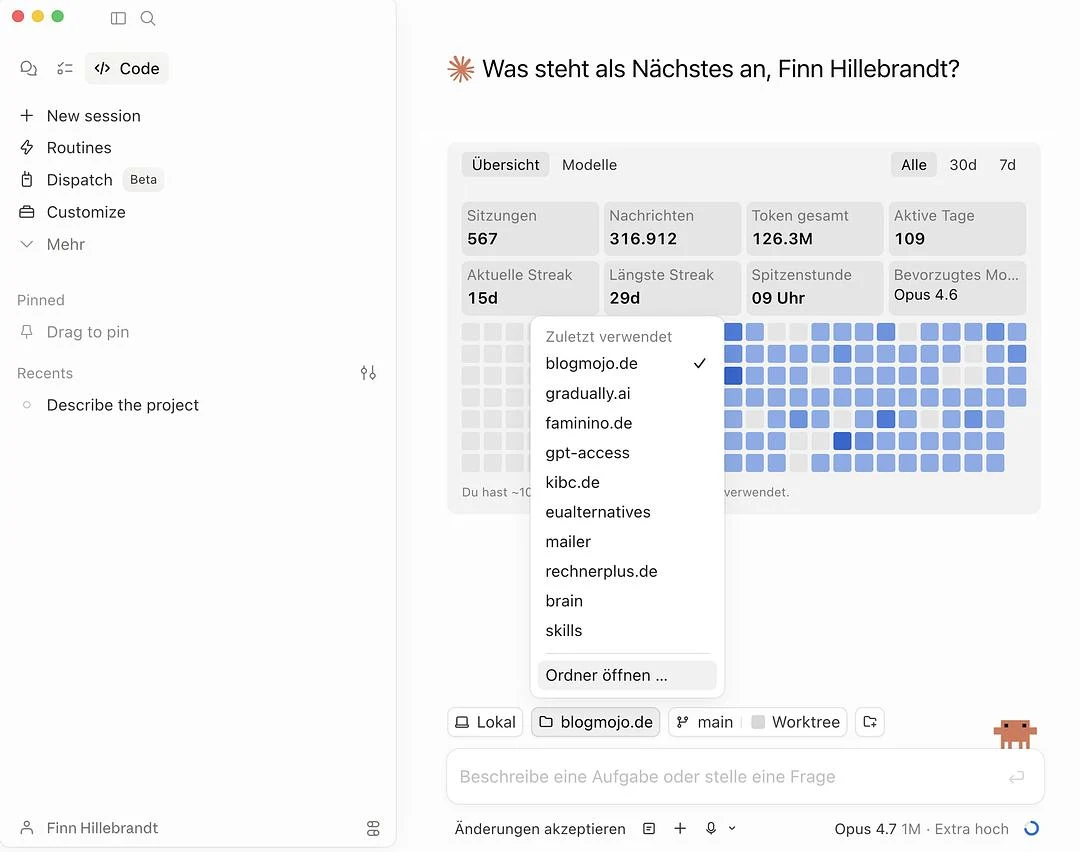
Everything else, skills, plugins, and so on, behaves the same way as in Cowork.
Platforms
macOS Apple Silicon, macOS Intel, Windows 11 Pro, Windows 11 Home, Linux. You install it via npm and it runs. Period.
Feature Set
This is where Claude Code really shines: skills, subagents, hooks, a native plugin marketplace (over 1,000 plugins and more than 4,000 skills by April 2026), MCP support with OAuth 2.0, memory through CLAUDE.md plus a dedicated memory tool, and plan mode for structured tasks. Subagents let you define a dedicated worker per task type, and plugins bundle skills, hooks, and MCP servers into installable packages.
Models
The last verified Claude Code picker included Sonnet, Haiku, Opus, and Fable 5 for the hardest work. Since Claude Code v2.1.280, the default model on Pro, Max, Team, and Enterprise is Claude Opus 5.5. Fable 5.1 and Mythos 5.1 have been documented as new API models since September 1. That does not automatically establish availability in every Claude Code plan. Unlike Cowork, Claude Code also lets you plug into third-party platforms. With Google Vertex AI or Amazon Bedrock, you can run Claude on your own cloud account, which often matters for GDPR-conscious setups. Through gateways like LiteLLM or Bifrost, even GPT-5, Gemini, Groq, or local Ollama models can run inside the Claude Code interface. The Anthropic-native paths are the officially recommended ones, though.
Pricing
Included in the Claude Pro plan from $20/month. If you need bigger token budgets, the Max plan covers it. There's no separate tool fee, since the tool and the model come from the same shop.
Who is it for?
For power users and developers who want to push Claude beyond what the Cowork sandbox allows. Also for ambitious knowledge workers who don't mind making friends with the terminal, Git, and config files. If you've never opened a terminal, plan a weekend for the basics.
My Take
If you're already on Claude Pro and you have an Intel Mac or Windows 11 Home, Claude Code is the most painless Cowork alternative out there. You actually get more features, not fewer.
The one catch:
You'll need to get comfortable in the terminal. Pull that off, and you're holding the strongest tool in this whole comparison.
- Runs on macOS, Windows, and Linux without hardware hurdles
- Included in Claude Pro from $20/month at no extra cost
- More reach than Cowork: full file system access, IDE integration, Git workflows
- Built by Anthropic, uses the same Claude model
2. Claude Design
Claude Design is Anthropic's direct answer to classic design tools like Figma:
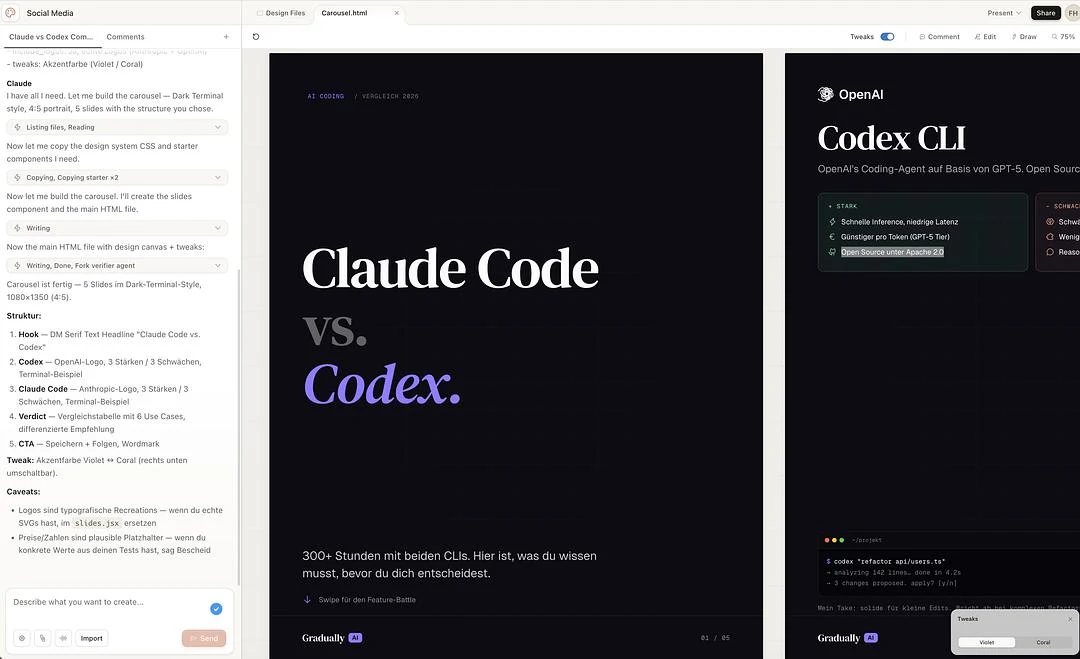
Unlike Cowork, it doesn't run on your own machine but entirely in the browser. Which means it's totally agnostic to your hardware and operating system.
Just like Claude Cowork, Claude Design lets you set up your own design systems and use them as the basis for presentations, social posts, or one-pagers. The handy part: you can export designs straight to PDF or PPTX.
Platforms
Browser-based, so it's completely independent from your OS. Intel Mac, Windows 11 Home, or Linux: if a modern browser runs, Claude Design runs.
Feature Set
During onboarding Claude reads your code or design files and builds a design system from them. Every project after that picks up your colors, typography, and components automatically. You can maintain multiple design systems in parallel. Export goes to PDF, PPTX, or HTML, plus shared project links for teams.
Models
At the last documented product snapshot, Claude Design ran on Claude Opus 5. Fable 5.1 and Mythos 5.1 are newer API models, but Anthropic has not confirmed a corresponding model change in Claude Design. The product has no model picker, so this comparison preserves the verified Opus 5 state.
Pricing
Currently shipping as a research preview, included in the Claude Pro plan from $20/month. Max, Team, and Enterprise subscribers get access too. No separate subscription required.
Who is it for?
For designers, marketers, and knowledge workers whose Cowork use case was actually presentations, social posts, or pitch decks. Also great for anyone struggling with Cowork's hardware requirements, since Claude Design just runs in the browser.
My Take
If your main reason for wanting Cowork was design work, Claude Design is the more direct and in many cases better answer than any of the other alternatives in this list.
- Runs entirely in the browser, on any hardware and any OS
- Included in Claude Pro from $20/month at no extra cost
- Direct export to PDF, PPTX, and HTML
- Builds custom design systems from your code or design files
3. Codex App
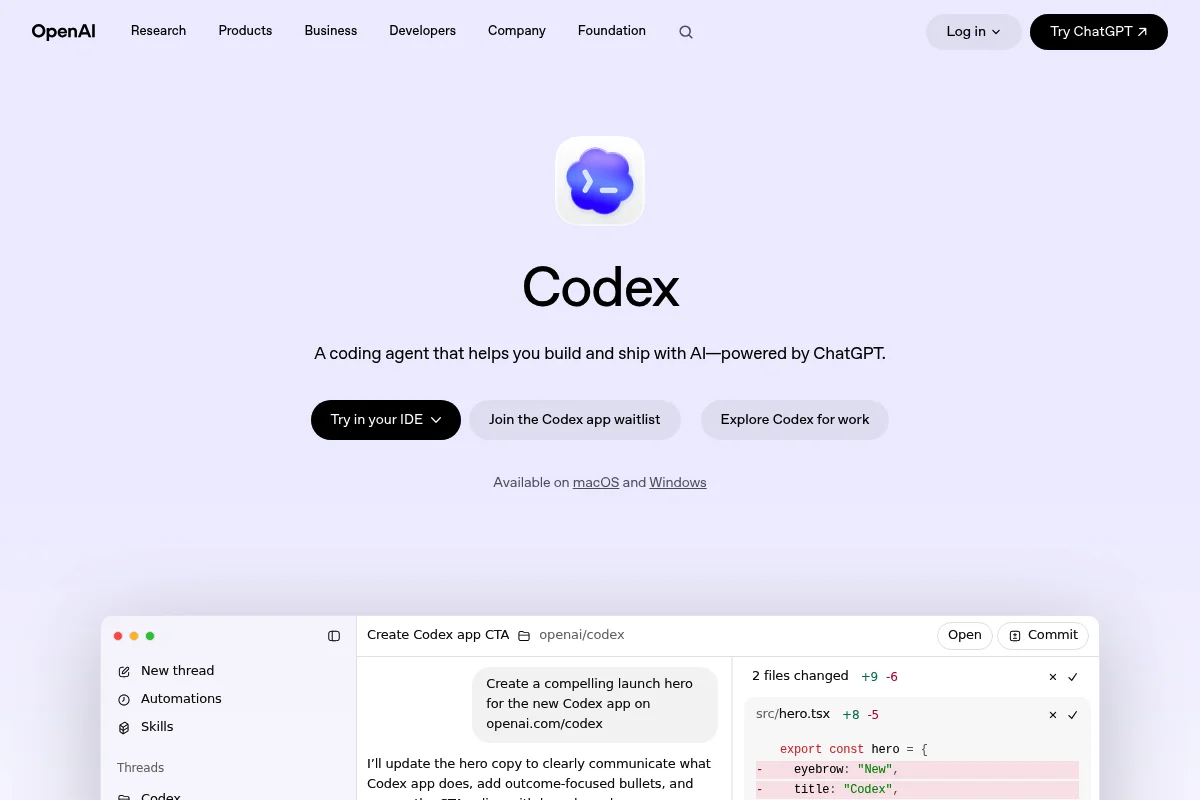
The Codex app is OpenAI's answer to the Claude Desktop app, especially Claude Code. Codex is OpenAI's AI coding agent. And to be honest: I love the Codex app and end up using it as much or more than Claude Code these days.
When I tested the Codex app, I was using the ChatGPT Pro $200 plan. New subscriptions to that tier are currently paused; Pro $100 is available.
Platforms
The current ChatGPT desktop app bundles Codex and runs on macOS, Windows, and Linux. Watch out for Computer Use specifically: it started on macOS and was later expanded to Windows, but remains regionally restricted in the EEA, the UK, and Switzerland. So in those regions, you get the app, but depending on your operating system and region you may not get every Computer Use feature.
Feature Set
The Codex app beats the Claude Desktop app on a lot of points:
- It's cleaner and more compact.
- It crashes a lot less.
- It runs on Intel Macs.
- There's a useful sidebar that shows both the chat and the project files (Claude Code recently got something similar in the Desktop app).
- You can open a terminal directly inside the app, so you can even run Claude Code inside Codex (also now available in Claude Desktop).
- Codex has separate allowances depending on the plan, model, and task type. OpenAI describes them partly through time windows and partly through token-based credits, and can change them. In practice, ChatGPT Plus may be enough for some Codex tasks even where Claude would push you toward the $90/month Max plan.
- Rate limits get reset more often.
- Fewer API outages.
- No weird split between Chat, Cowork, and Code (it's all one app; regular ChatGPT chats stay separate).
On top of that, you get plugins (90+ app connectors like Atlassian Rovo, Box, Figma, GitLab, Linear, Notion, Sentry, Slack, the Microsoft suite), memory (preview, blocked in the EU), multi-tab sessions, an in-app browser, image generation via gpt-image-2, and a scheduling layer that lets an agent resume work days later.
Models
GPT-5.6 Sol was introduced as the Codex default in July 2026. GPT-6 Astra, Sol, and Luna are now available too. Which model you can use depends on your plan and settings. GPT-5.6 Terra is the balanced option for everyday work, while Luna is the fast and affordable choice. Since July 9, 2026, the GPT-5.6 family has been generally available: Free and Go get limited Terra access in ChatGPT Work and Codex, while paid plans can choose Sol, Terra, and Luna there. Ultra is available in Codex from Plus upward. See the official Codex model overview for current models and status. Sol hits 88.8% on Terminal-Bench 2.1, 64.6% on SWE-Bench Pro, and 80 on the Artificial Analysis Coding Agent Index.
That said, Codex with GPT-5.6 isn't great for everything. It's extremely strong at automation, analysis, and coding. But I would absolutely not use it for blog writing, copywriting, or design work. Claude Opus 4.6 / 4.7 or even Sonnet 4.6 are clearly ahead there.
The `/model` slash command lets you switch models mid-workflow. Anthropic, Google, or other providers aren't supported. You're on the OpenAI stack.
Pricing
Bundled with ChatGPT Plus from $20/month, putting it on price parity with Claude Pro. Need more volume? Choose Pro at $100 per month or pay for API usage directly. According to OpenAI, new Pro $200 subscriptions are currently paused; existing subscriptions continue. Thanks to the higher rate limits, Plus often actually covers what would require a $90 Max plan on the Claude Code side.
Who is it for?
For power users who code, automate, or analyze a lot and need higher rate limits than Anthropic's Pro plan offers. Definitely not for writing, copywriting, or design (use Claude or Claude Design for those). For European users wanting full Computer Use, the geo-block is still a problem, but the app itself is great regardless.
My Take
I love the Codex app and now use it as much or more than Claude Code. If you're already in the OpenAI ecosystem or you keep hitting rate limits with Claude, Codex is worth a serious test. Even without Computer Use in Europe, it's a solid pick.
- Cleaner and more stable than Claude Desktop, with fewer crashes
- Runs on Intel Macs without Hyper-V or Apple Silicon hurdles
- Higher rate limits: Plus at $20 often replaces Claude's $90 Max plan
- One app for everything: chat, the Cowork equivalent, and code workflows without weird splits
4. OpenCode
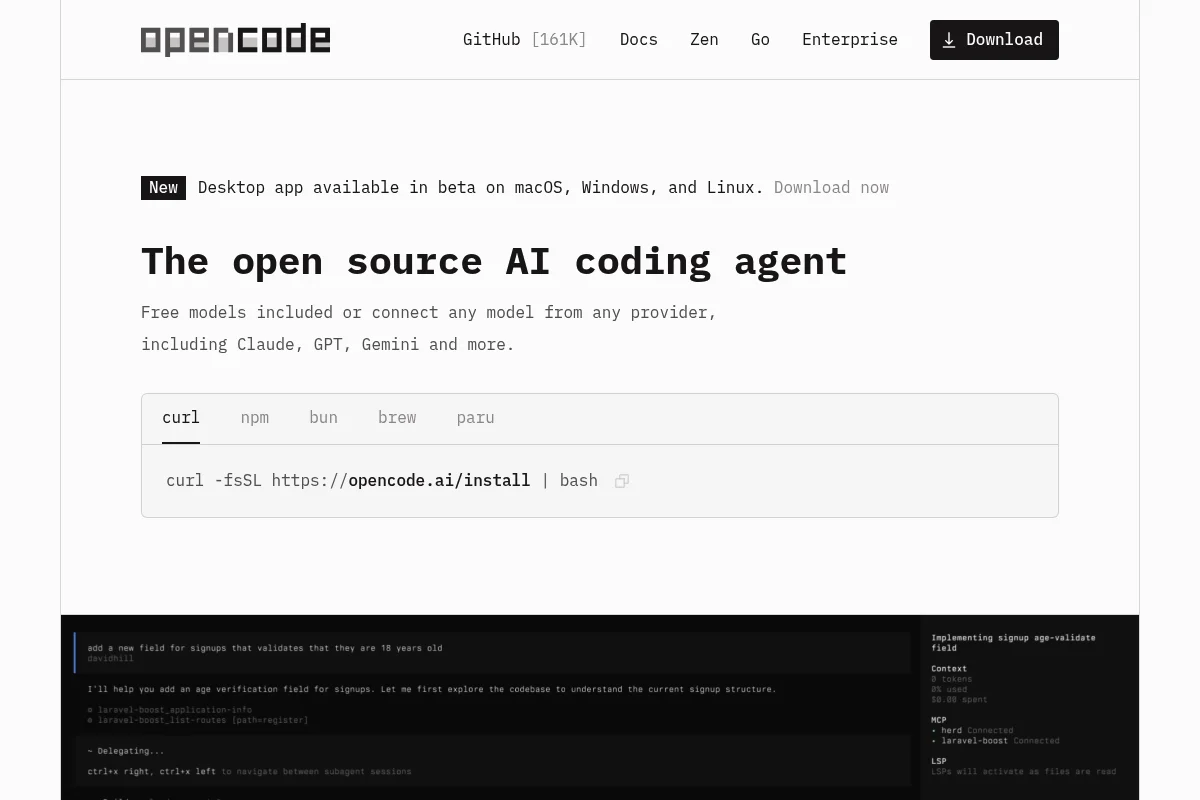
OpenCode is an open-source CLI that picks up the Claude Code spirit without locking you to a single model provider. You grab the code from github.com/anomalyco/opencode, install the binary, and drop in your API key for Anthropic, OpenAI, or another provider. From there, you work with whichever model you prefer.
I set up OpenCode on a Sunday morning, and 40 minutes later my first workflow was hitting the Anthropic API. Not exactly plug and play, but nothing close to rocket science either.
Platforms
macOS Apple Silicon, macOS Intel, Windows 11 Pro, Windows 11 Home, and Linux. That puts OpenCode right alongside Claude Code as the most platform-friendly tool in this lineup.
Feature Set
OpenCode ships skills, a hook system, and full MCP support (local and remote servers, OAuth 2.0). Its real strength is provider choice: switch freely between OpenAI, Anthropic, Google, Groq, Cerebras, DeepSeek, Mistral, Perplexity, xAI, and local models via Ollama or LM Studio. Plugins are wired in through the config file. There's no central marketplace.
Models
This is where OpenCode is unmatched: 75+ model providers are wired in directly. The big ones use native endpoints (Anthropic Claude, OpenAI GPT, Google Gemini and Vertex, AWS Bedrock, Azure OpenAI), the specialists have their own adapters (Groq, Together AI, Cerebras, DeepSeek, Mistral, Perplexity, xAI). Local models run through Ollama, llama.cpp, or LM Studio, which makes privacy-sensitive setups possible. You can pick a different model per task type, like a cheap Haiku for boilerplate and an Opus for deep refactoring.
Pricing
The tool itself is free under the MIT license. You only pay for the tokens you actually use with your model provider. On moderate use I usually land under $20/month, on heavier weeks it can go higher. Bring your own key, in the literal sense.
Who is it for?
For tinkerers and technically minded users who want model freedom and full control over API costs. If you like to look under the hood, experiment with various Claude models, GPT models, or local LLMs, and care about data privacy, this is your tool.
My Take
OpenCode is the right call if you already work with several LLM APIs and you don't want to live inside a walled garden. For European users it's a strong pick because there are no geo-blocks, and you can run the whole thing fully offline with self-hosted models if data privacy is a hard requirement.
- Runs on macOS, Windows, and Linux equally well
- Open source under MIT license, no vendor lock-in
- Pick any model provider, local LLMs included
- No geo-restrictions, fully usable in the EU and UK
5. OpenWork
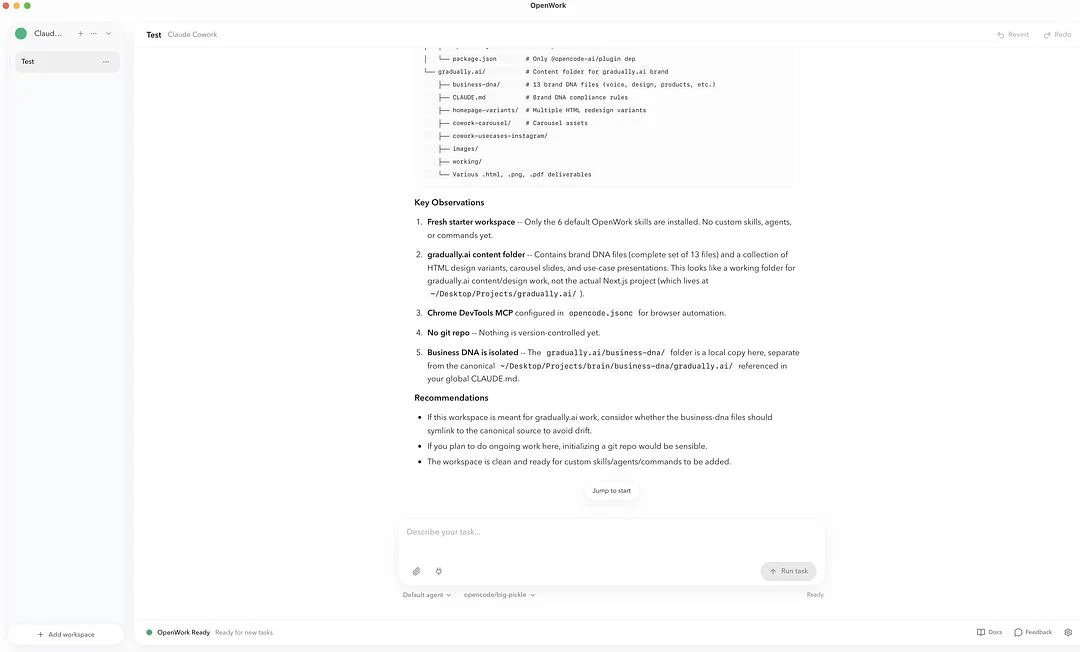
OpenWork is a free, open-source alternative to Claude Cowork that ships similar features:
- Skills
- Connectors
- Google Chrome control
- File operations, sandbox, MCP support
You do have to accept some compromises on the feature side. The whole app is a bit more bare-bones than Claude Desktop or the Codex app. There's no handy sidebar, fewer settings and customization options, and you can't drive the app remotely. Full system-level Computer Use is also missing (browser control via Chrome DevTools MCP exists, though).
Platforms
Officially shipped as a desktop app for macOS, Windows, and Linux. On Mac and Linux it runs without drama. On Windows, just glance at the docs in case your setup is unusual.
Feature Set
OpenWork wraps the OpenCode world in a Tauri-based GUI plus a dedicated skills manager (installable per project or globally), live SSE streaming for sessions, execution-plan visualization on a timeline, and a permission layer. Skills, MCP servers, plugins, and configs can be packaged as a single shareable link for your team. The Computer Use docs cover Chrome control too, so the agent can drive your browser.
Models
OpenWork supports 50+ LLMs via API key. Since it's open source, you bring your own keys from OpenAI or Anthropic to run models like GPT-5.5 or Claude Opus 5. That's notably more expensive than the consumer subscriptions.
The bonus: you can also use Chinese models like Kimi 2.6 or GLM-5.1. Direct subscriptions on Kimi or z.ai are very cheap. If GDPR matters to you, you can pull those same models through European providers, like Inceptron from Sweden.
OpenWork is also free to use out of the box via the bundled OpenZen. You can also use OpenRouter free models. Both options sacrifice data privacy completely.
Pricing
The desktop app is free. The cloud variant runs $50/month, with enterprise tiers on request. Like with OpenCode, your own API keys add pay-as-you-go costs at the model provider.
Who is it for?
For open-source fans, GDPR-conscious teams (via Inceptron), and model tinkerers who want to switch between OpenAI, Anthropic, Chinese models, or local LLMs. Anyone who wants a GUI tool with a Cowork feel, without being locked to Anthropic, fits here.
My Take
If GDPR or model freedom matter to you, OpenWork plus Inceptron is currently the cleanest answer for European users. For pure convenience, the Codex app or Claude Code is usually the faster pick.
- Open source, MIT licensed, free for the desktop app
- 50+ model providers including Kimi 2.6 and GLM-5.1, plus a GDPR variant via Inceptron
- Skills, connectors, and Chrome control like Cowork
- Fully usable in the EU and UK, no geo-blocks
6. Factory
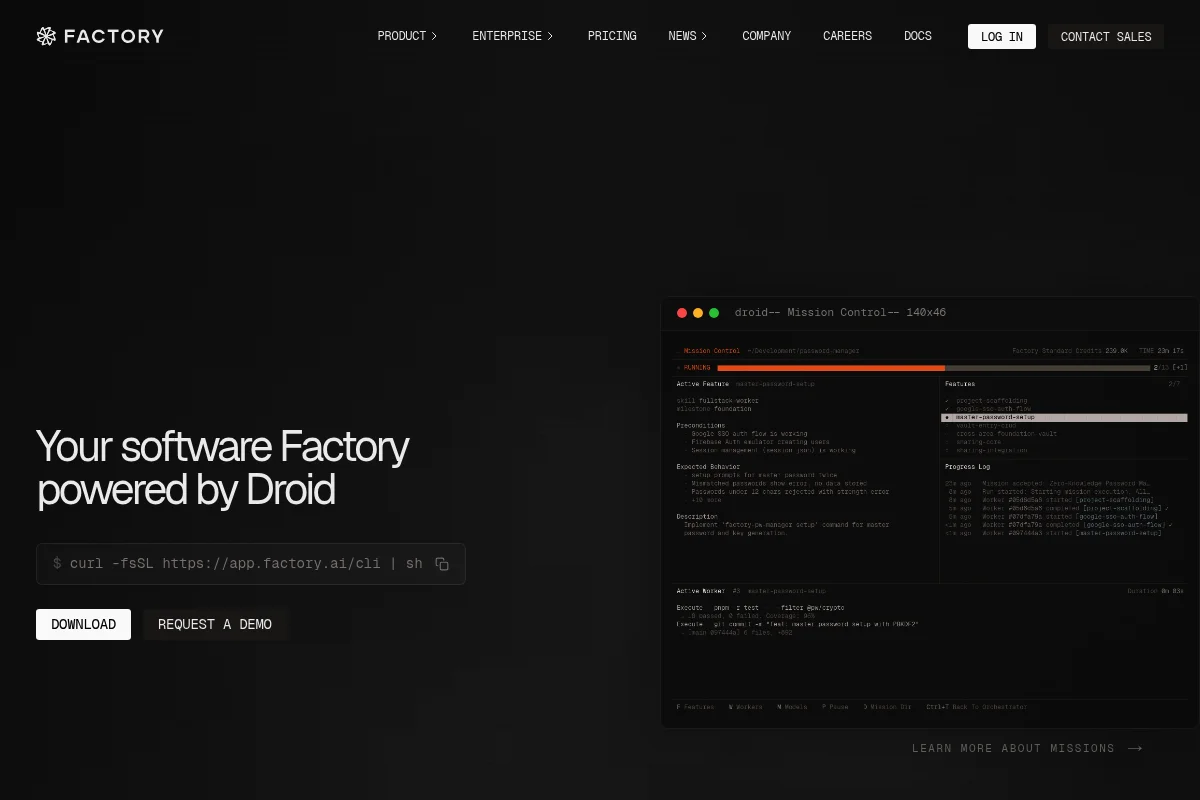
Factory is a platform that orchestrates multiple coding and workflow agents. Unlike everything else in this lineup, Factory leans into multi-agent workflows where several AI agents work on subtasks in parallel. The company closed a $150M Series C in early 2026, which should keep the roadmap and pace healthy for a while.
Platforms
Factory runs on macOS Apple Silicon, macOS Intel, and Windows 11 (Pro and Home). There's no Linux version, and one isn't on the near-term roadmap either. Linux-only users are out.
Feature Set
Factory's signature is the coordinator droid that decomposes work and dispatches it to specialized sub-droids: Code, Review, Test, Docs, and a Knowledge droid for memory. The official plugins marketplace lets you bundle skills, custom droids, and MCP servers. MCP supports both http and stdio, with 40+ pre-configured servers in the built-in registry. Model-agnostic across Claude, GPT-5, and Gemini.
Models
Factory is explicitly model-agnostic and currently supports Claude models up to Opus 5.5 and Sonnet 5.5, the GPT-5.6 family (Sol/Terra/Luna) plus older GPT-5.x versions, Gemini 3.1 Pro and 3.5 Flash, and Grok 4.5. On top of that, open-source models via Droid Core like GLM-5.2, Kimi K2.7 Code, and DeepSeek V4 Pro are available if you want to cut costs or self-host. You can pin a model per droid, like Sonnet for the Code droid and Opus for the Knowledge droid. That model-per-role logic is one of the strongest arguments for Factory on larger codebases.
Pricing
Free tier with limits, paid plans starting at $20/month. So price parity with Claude Pro and ChatGPT Plus. For teams and enterprises there are dedicated tiers with extra security and compliance features.
Who is it for?
For teams and SMBs that want to orchestrate multiple coding and workflow agents in parallel. Also for solo power users who like to experiment with multi-agent setups. The GUI helps you get started, but more advanced droid workflows still take real onboarding time.
My Take
Factory gets interesting if you work on several coding tasks in parallel and want the agents to basically compete with each other. For classic Cowork workflows like research and document work, the other alternatives are closer to the mark. But if you want more than a single-agent tool, Factory is at least worth a look.
Maybe I'm being too harsh, but:
While testing Factory, I kept getting the feeling the marketing copy was running half a league ahead of what actually shows up day to day. Cool to see what's possible. For most Cowork refugees, still not the first tool I'd pull off the shelf.
- Multi-agent workflows are unique in this lineup
- Free tier to try without a credit card
- Solid funding from the fresh $150M Series C
- Full platform support on macOS and Windows
The Comparison at a Glance
Instead of scrolling back through all six sections, here are the key points in one table. Cowork sits at the top as the reference point, so you can see where the alternatives win, tie, or clearly fall short:
And here's how the monthly entry prices of the six alternatives stack up:




Feature Set Compared
Platforms are one half of the story. The actual feature set is the other. Here's the head-to-head on where each tool stands today on skills, plugins, MCP support, provider choice, memory, and multi-agent workflows:
The key takeaways from the table:
- Claude Code has the deepest ecosystem by April 2026: 4,200+ skills, 770+ MCP servers, and an official marketplace. Locked to Claude models.
- Claude Design is intentionally minimal: no plugin system, no MCP, but specialized for design systems and presentations. Browser-based, runs on any hardware.
- Codex App ships 90+ curated plugins, including app connectors (Notion, Linear, Slack, Figma, Box, Atlassian Rovo). Memory and Computer Use remain blocked in the EU/UK/Switzerland.
- OpenCode is the generalist with 75+ supported model providers, local Ollama support, and full MCP including OAuth 2.0. No central marketplace, but community plugins via config.
- OpenWork bundles skills, connectors, and configs as shareable links and supports 50+ model providers, including Kimi 2.6, GLM-5.1, and GDPR-friendly providers like Inceptron.
- Factory is the only tool here with a real multi-agent coordinator (Code, Knowledge, and Reliability droids) plus org and user memory.
- Cowork ships in the Pro plan with skills, MCP connectors, and plugin bundles for Sales, Finance, Legal, HR, and Engineering. No cross-session memory and no open marketplace.
Models Compared
Which models run under the hood, and are you locked to one vendor? That's one of the deciding questions, because it directly affects your API costs, your data-privacy position, and the ceiling on output quality. Here's the overview:
What that means in practice:
- Cowork, Claude Design, and the Codex App are single-vendor tools. You're locked to either Anthropic or OpenAI. That isn't inherently bad (native models are often the best tuned), but with geo-blocks or compliance requirements it turns into a problem fast.
- Claude Code officially supports Vertex AI and Bedrock. If you sit at a company with a GCP or AWS contract, you can run Claude Code under your own cloud account, which improves both data privacy and cost transparency.
- OpenCode and OpenWork are the most universal tools in the comparison, with real model freedom from cloud down to local. OpenWork adds GDPR-friendly providers like Inceptron and Chinese models like Kimi 2.6 or GLM-5.1.
- Factory positions itself as explicitly model-agnostic and even lets you pick a different model per droid. On bigger setups that turns into a real cost-management tool.
Which Alternative Is Right for You?
Instead of a long recommendation list, three short questions will get you to the right tool in under a minute. First, a cheat sheet with the most common profiles:
First question: which hardware do you use?
On Linux, Factory is out, but the Codex app is now available. That leaves Claude Code, Codex, OpenCode, and OpenWork. Anyone with an Intel Mac on the desk is better off with any of these six than with Cowork. And if all you really need is a browser, Claude Design works everywhere anyway.
Second question: how deep do you want to go?
If you've never opened a terminal, Claude Design, the Codex app, or Factory will treat you best, since all three ship with a GUI. If CLI doesn't scare you and you want the most powerful tool, Claude Code is the no-brainer. Open-source fans land on OpenCode or OpenWork.
Third question: how much do regional restrictions matter to you?
If you're in the EU, UK, or Switzerland and you actually need Computer Use, the Codex app is out for now. The other alternatives are fully usable. OpenWork adds another bonus: you can route it through Inceptron for a GDPR-compliant EU-hosted setup.
My standard pick for most readers
Try Claude Code if you already have Claude Pro or you don't mind the learning curve. For a clean start, the Claude Code guide is a complete walkthrough. To check token and plan costs first, hop over to the Claude Code pricing breakdown. For open-source fans, OpenCode is the best starting point.