ChatGPT is brilliant. But out of the box, it is missing a few things.
No web search results in chat, no voice input, no way to use it directly in Gmail or Google Search. Fortunately, Chrome extensions can fill those gaps.
I have tested dozens of them. Here are the seven that are actually worth installing.
- Chrome extensions like WebChatGPT and Merlin extend ChatGPT with current web search and usage on all websites
- Tools like Voice Control and ChatGPT Writer enable voice input and direct email integration
- Extensions for export, prompt management, and Google integration significantly improve the ChatGPT workflow
1. WebChatGPT
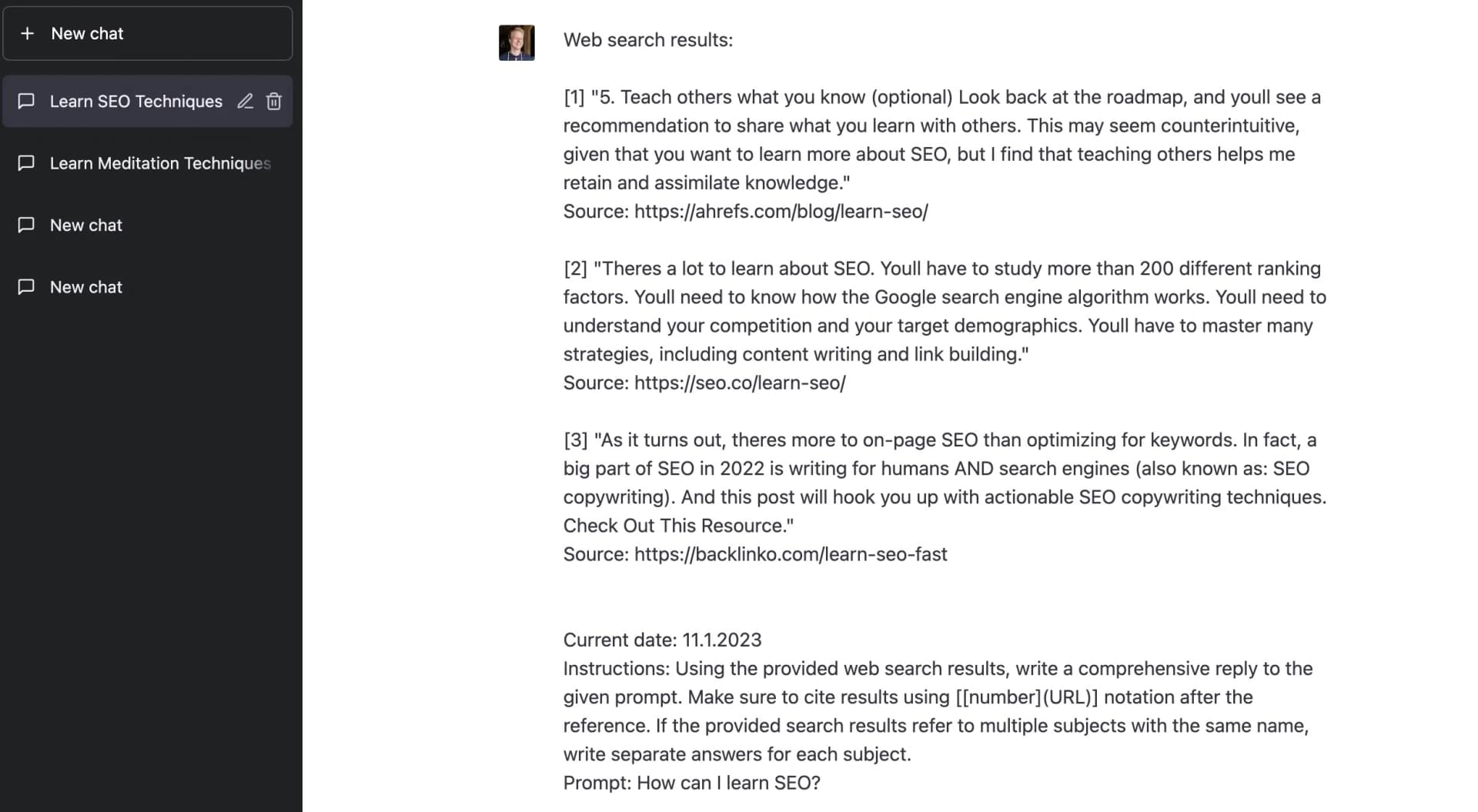
With WebChatGPT, you can display search results in the chat history, which is super helpful for questions or text commands with current relevance or for fact-checking.
You can set the number of search results, the time period, and the region:

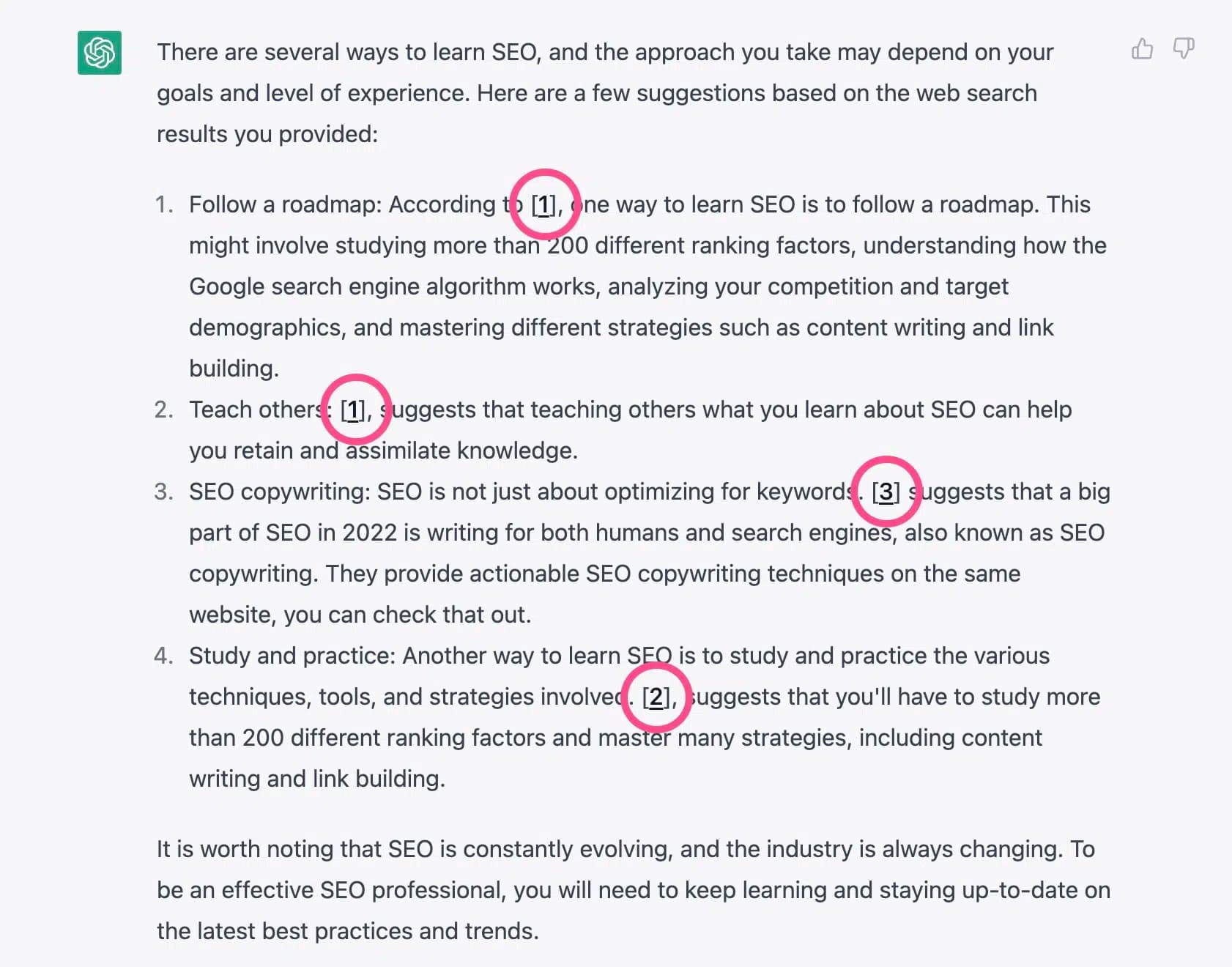
The search results are not only displayed at the beginning of a chat but are also integrated directly into ChatGPT's response with footnote markers:
2. Merlin
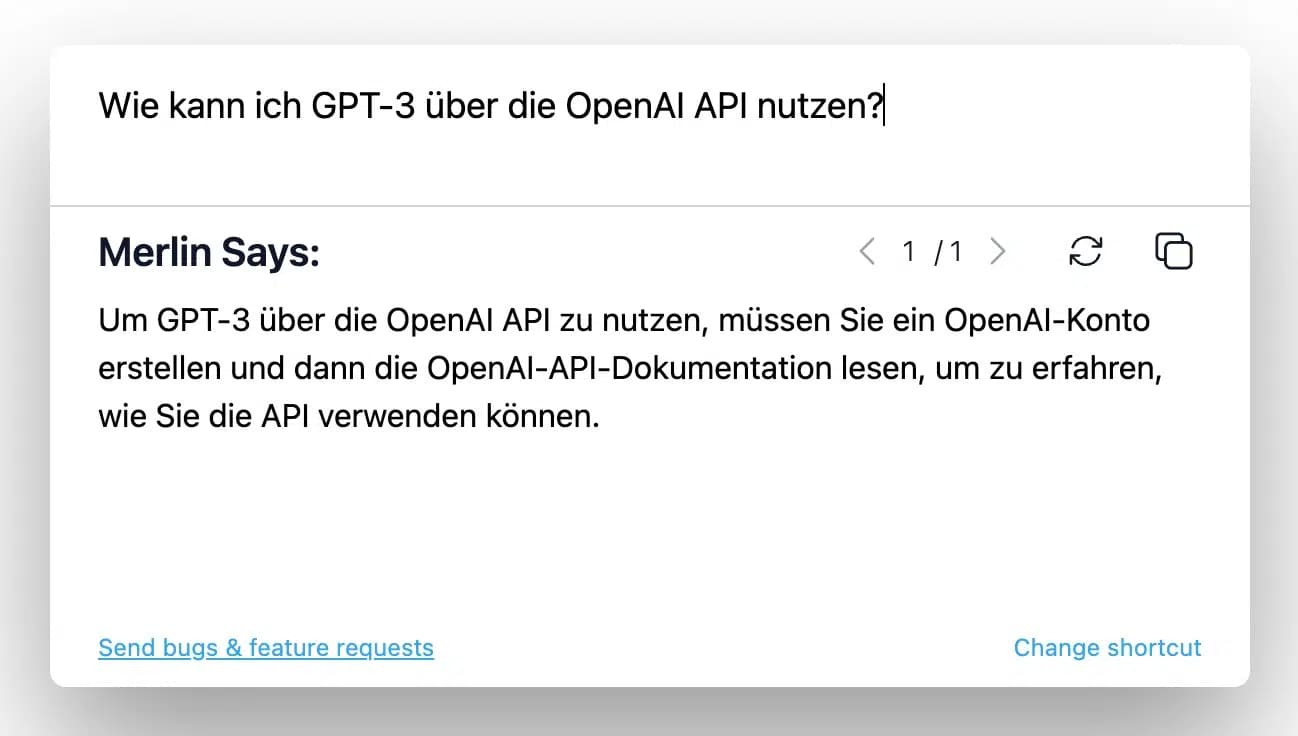
With Merlin, you can use ChatGPT on any website, e.g., in Google Search, in Gmail, on LinkedIn, or on GitHub.
To start Merlin, simply highlight text on a webpage, press CMD/CTRL + M, and then instruct the tool what to do with the highlighted text. Alternatively, you can also use Merlin without highlighting text first.
3. ChatGPT Writer
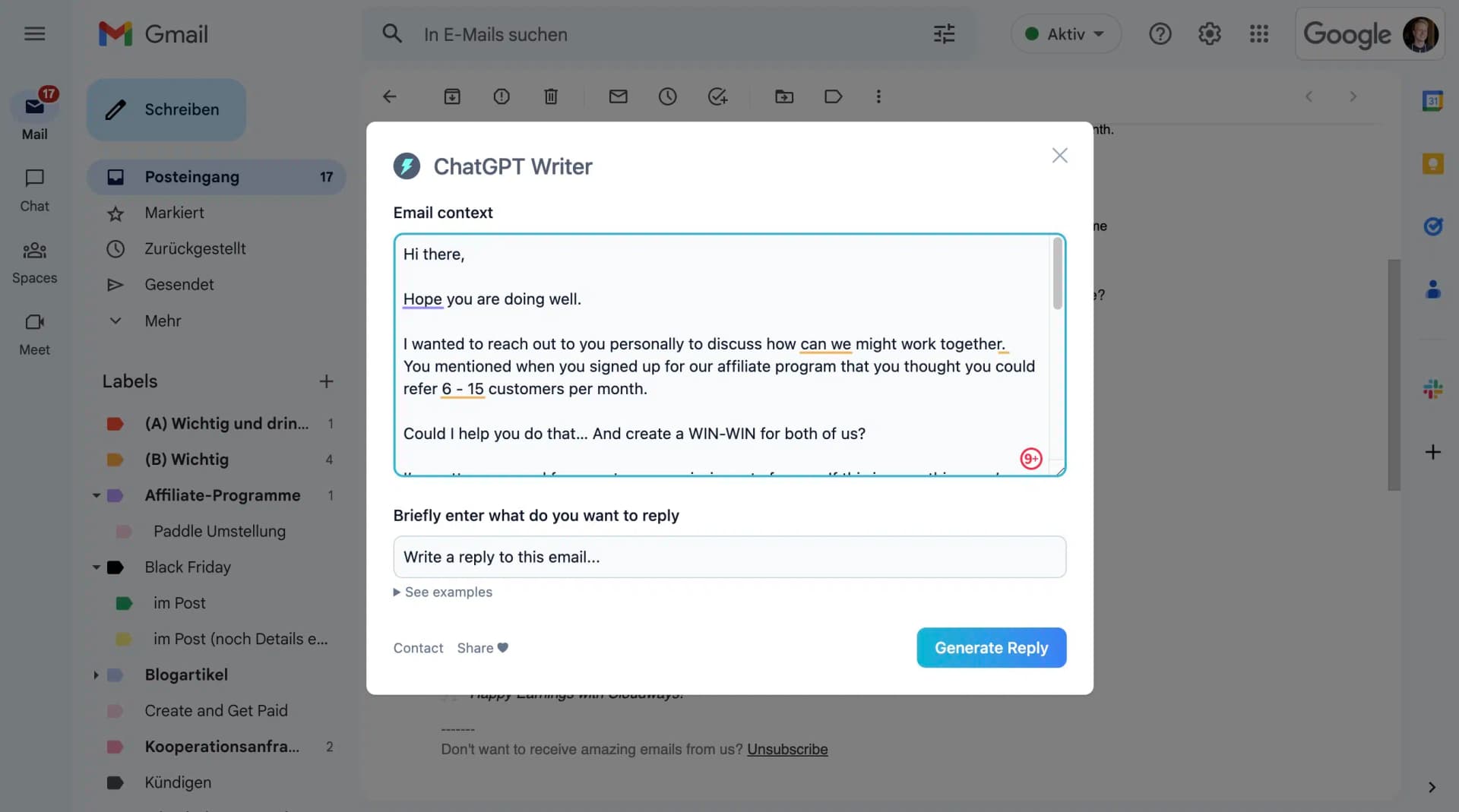
With ChatGPT Writer, you can use ChatGPT in Gmail. It adds a small button with a lightning bolt icon to the editor.
When you click the lightning bolt icon, a window opens with the option to have ChatGPT write a reply to an email.
Theoretically, this is also possible with Merlin. However, for Gmail, ChatGPT Writer is much more practical.
4. ChatGPT Prompt Genius
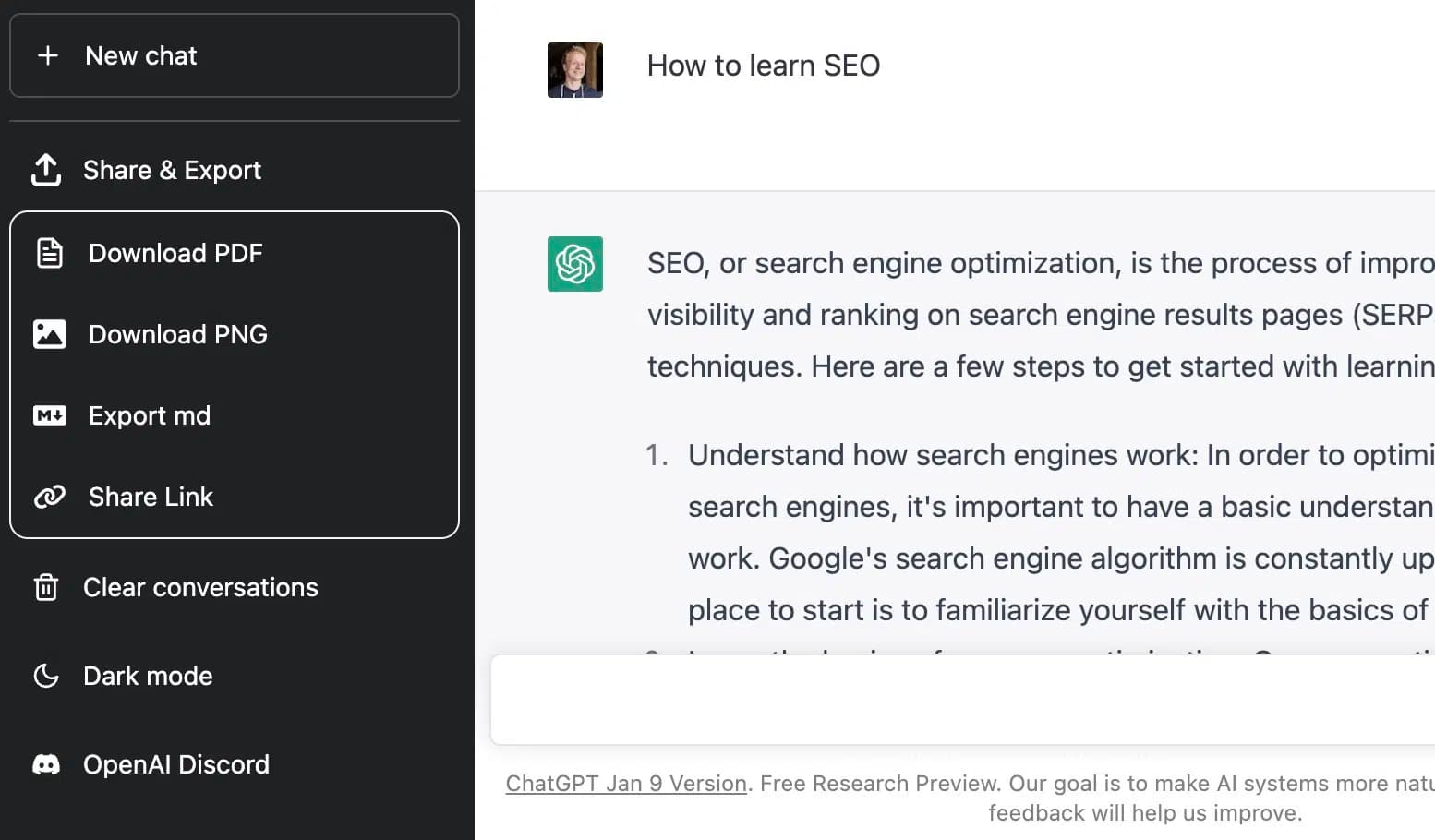
ChatGPT Prompt Genius is a simple but super useful Chrome extension that allows you to download your chat histories in various formats and share them with others.
It adds the menu item "Share & Export" to ChatGPT.
5. Voice Control for ChatGPT
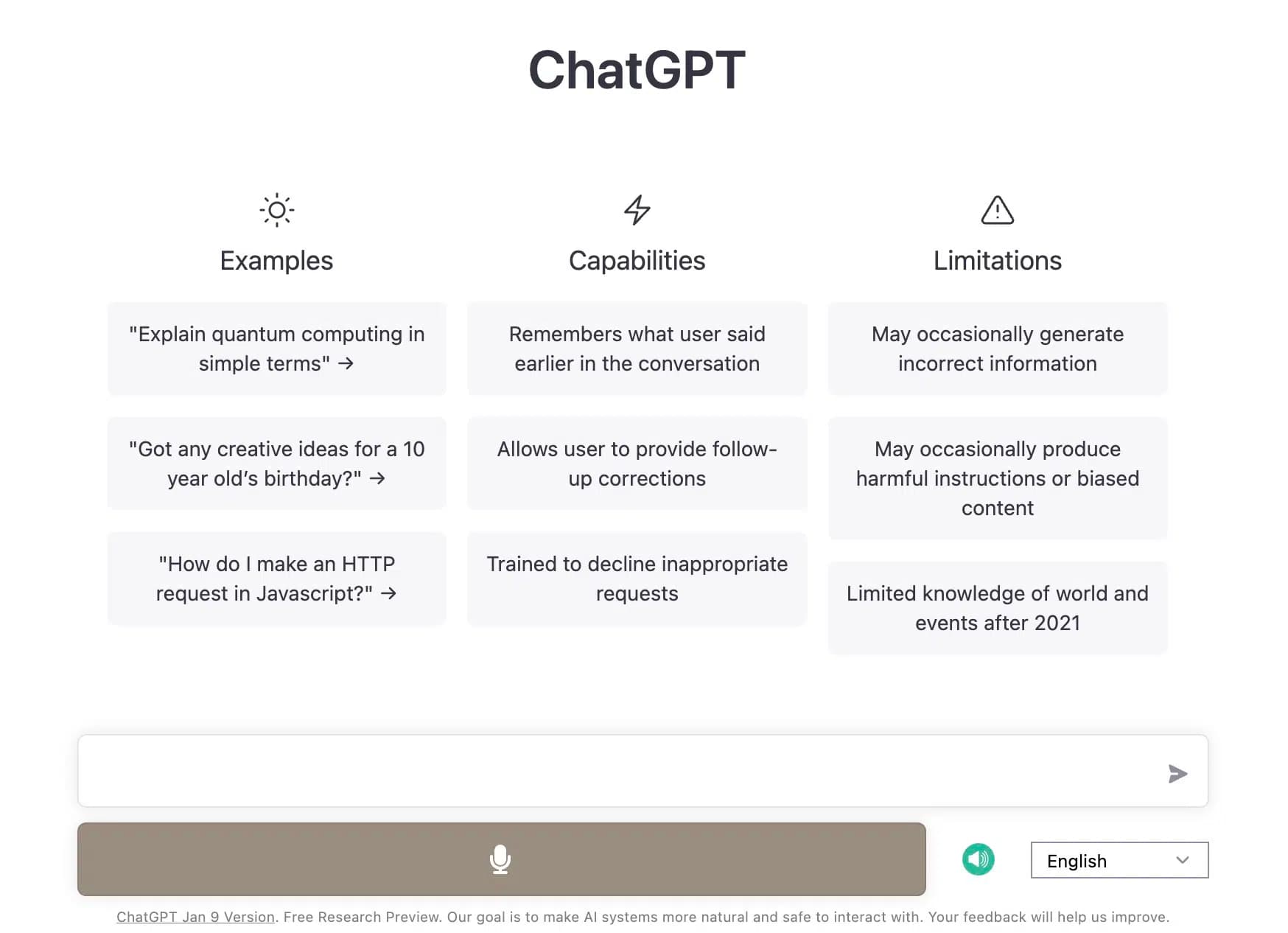
Voice Control for ChatGPT adds the ability to speak prompts to ChatGPT. It uses Chrome's native speech recognition feature.
To make a voice recording, you can click the button or simply hold down the spacebar.
Additionally, it can read ChatGPT's responses aloud, which can optionally be disabled.
6. ChatGPT for Google

ChatGPT for Google is a Chrome extension that adds a ChatGPT response alongside Google search results.
You can set different themes and also specify when ChatGPT is triggered (for all search queries or only for questions).
Unfortunately, the extension currently stops generating text after a few paragraphs. I hope the developers will fix this soon.
7. Luna
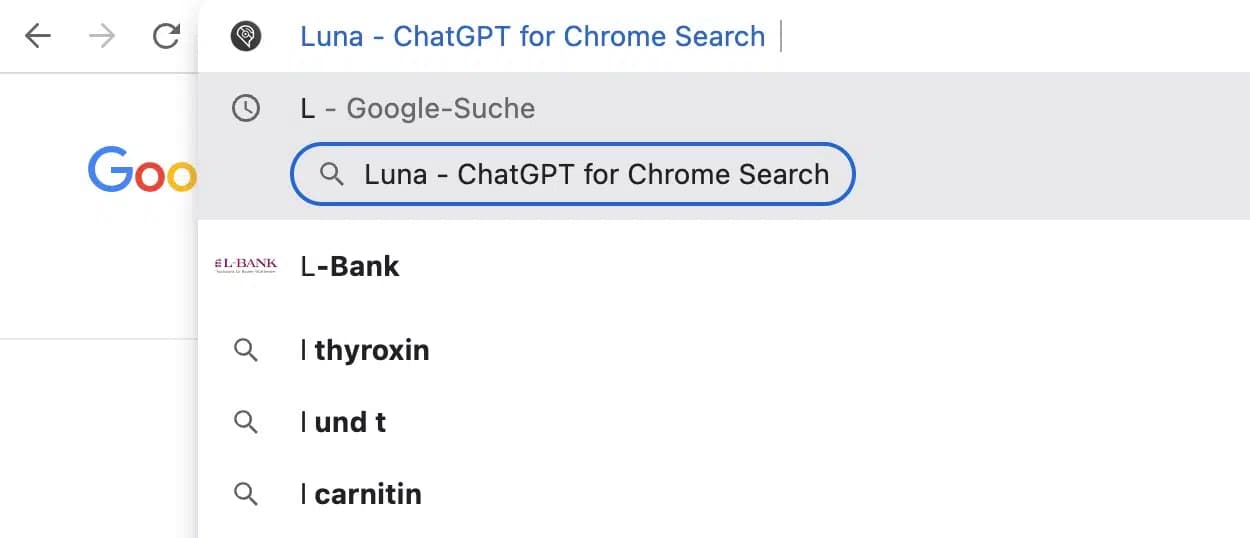
Luna is a Chrome extension that allows you to enter ChatGPT prompts directly in the search bar.
To do this, type "L" in the search bar, click on the suggestion "Luna ChatGPT for Chrome Search", enter your prompt, and a new ChatGPT chat will open with the prompt.
This is a great shortcut when you want a quick answer from ChatGPT.