Welcome to the ChatGPT Power Course!
We're thrilled to welcome you to the course!
Access the course
You can access the course area via your elopage account. You'll find the ChatGPT Power Course under the menu item Products, where all your purchased online courses are listed:
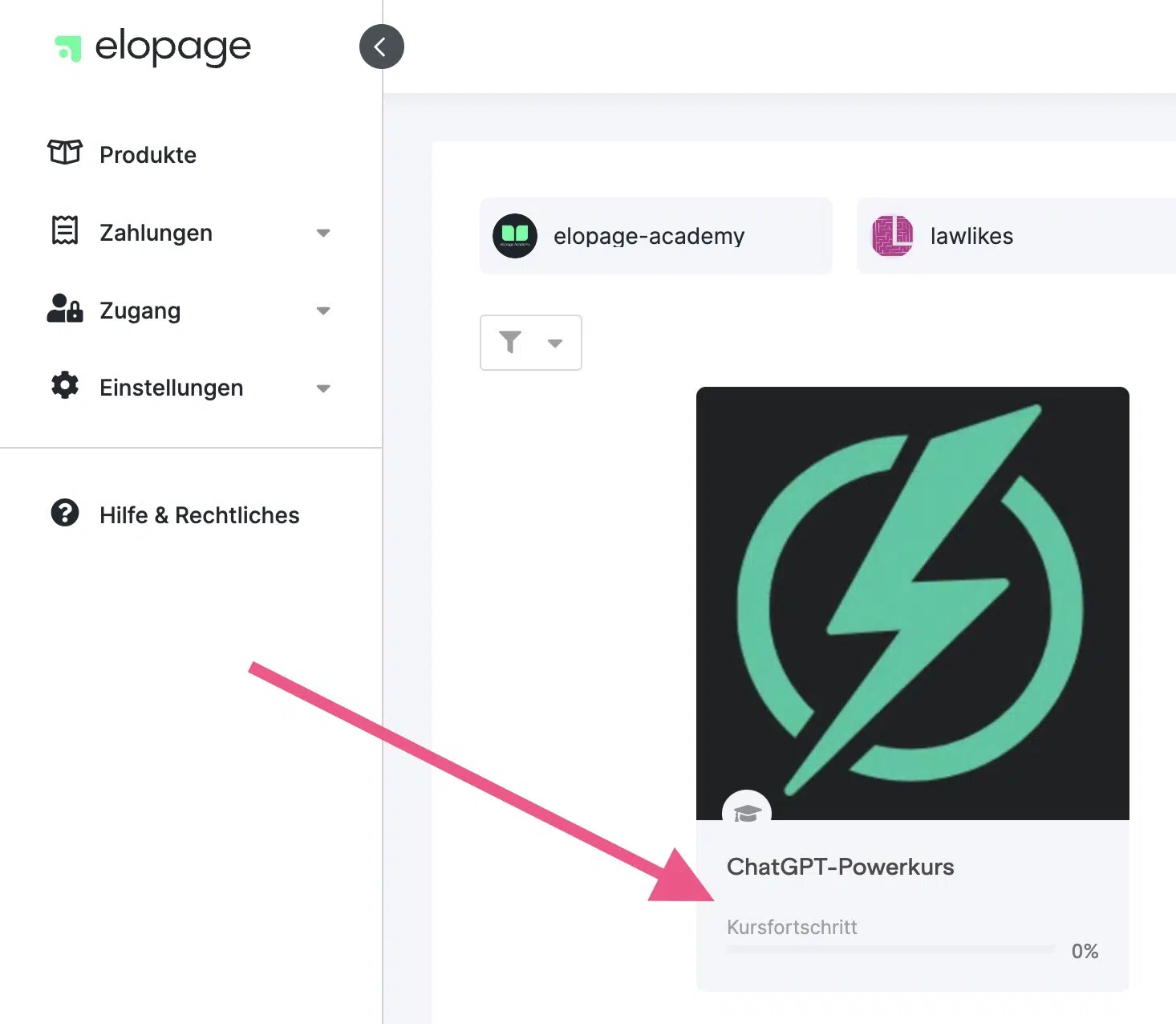
If you're logged into elopage, you can also access the course directly via this link .
Join the Facebook group
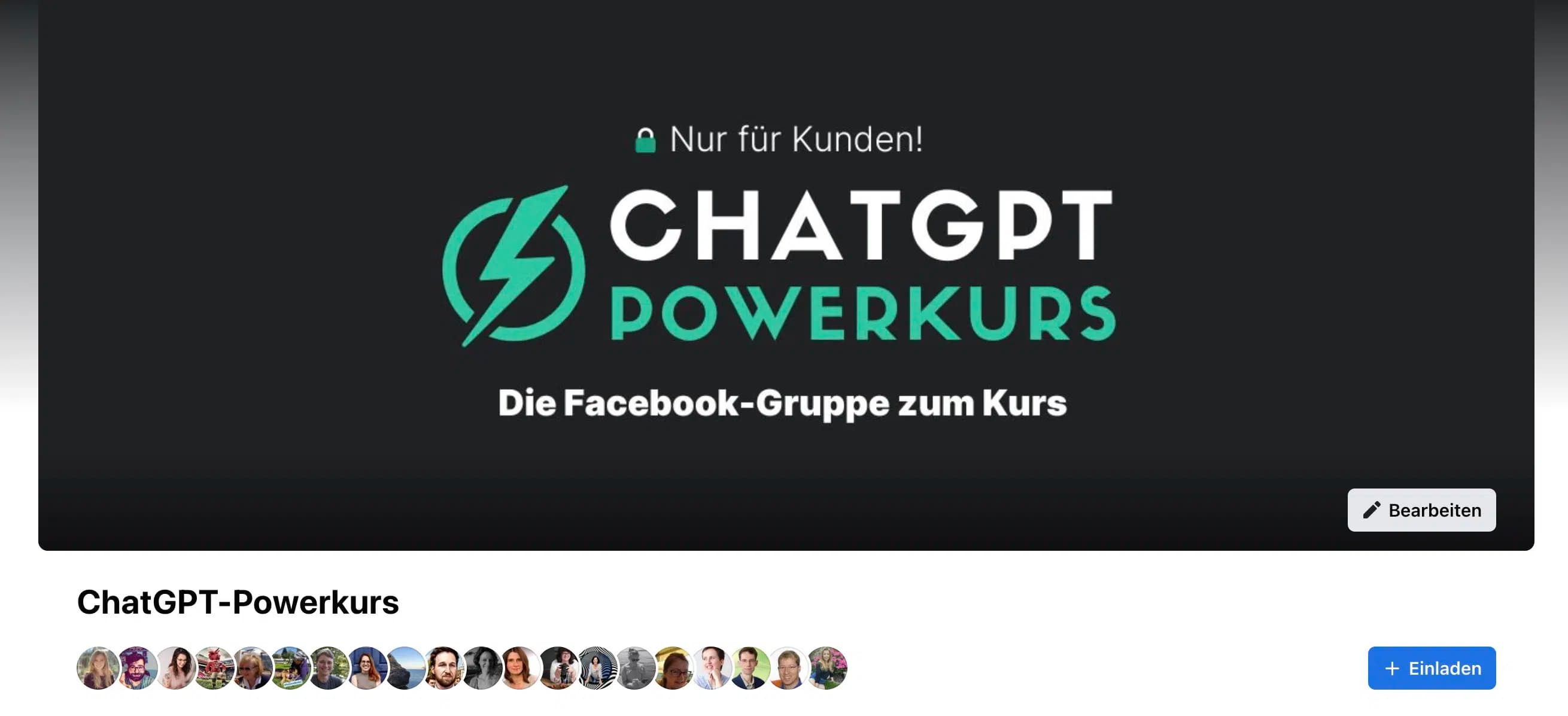
Join the ChatGPT Power Course Group on Facebook to exchange ideas with other course participants and not miss any announcements about the course.
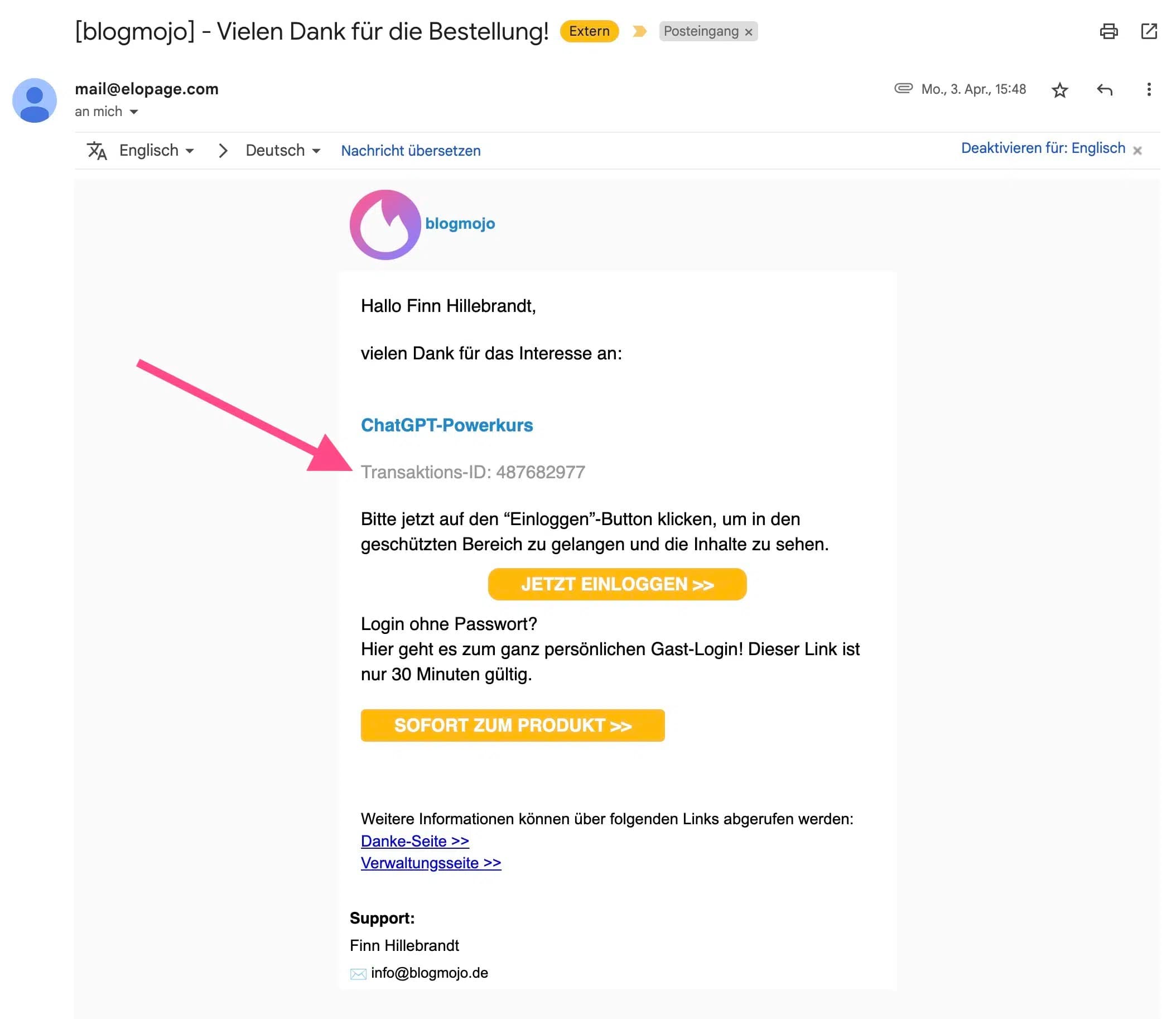
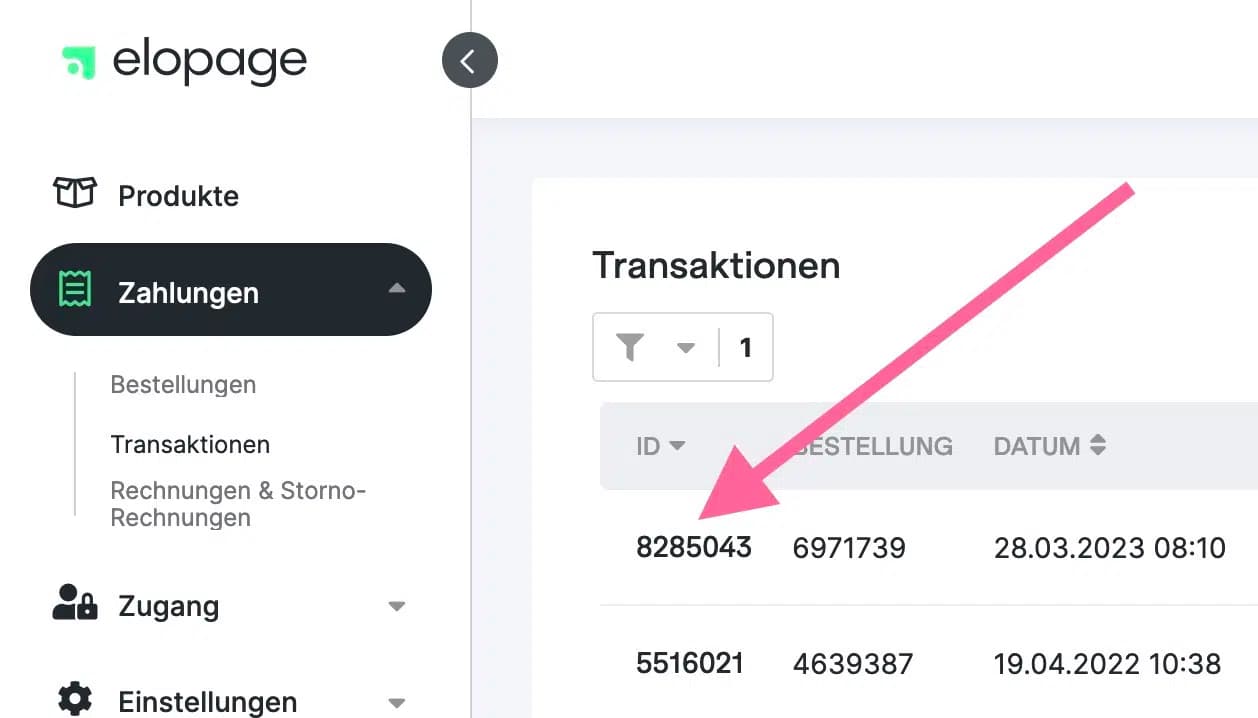
To verify that you actually purchased the course, you need to provide your elopage transaction ID in your membership request (we sometimes get membership requests from people who haven't purchased our courses).
You can find it either in the order confirmation you received from elopage by email:
Or alternatively in your elopage account under Payments > Transactions in the first column of the table:
Introduce yourself in the introduction thread
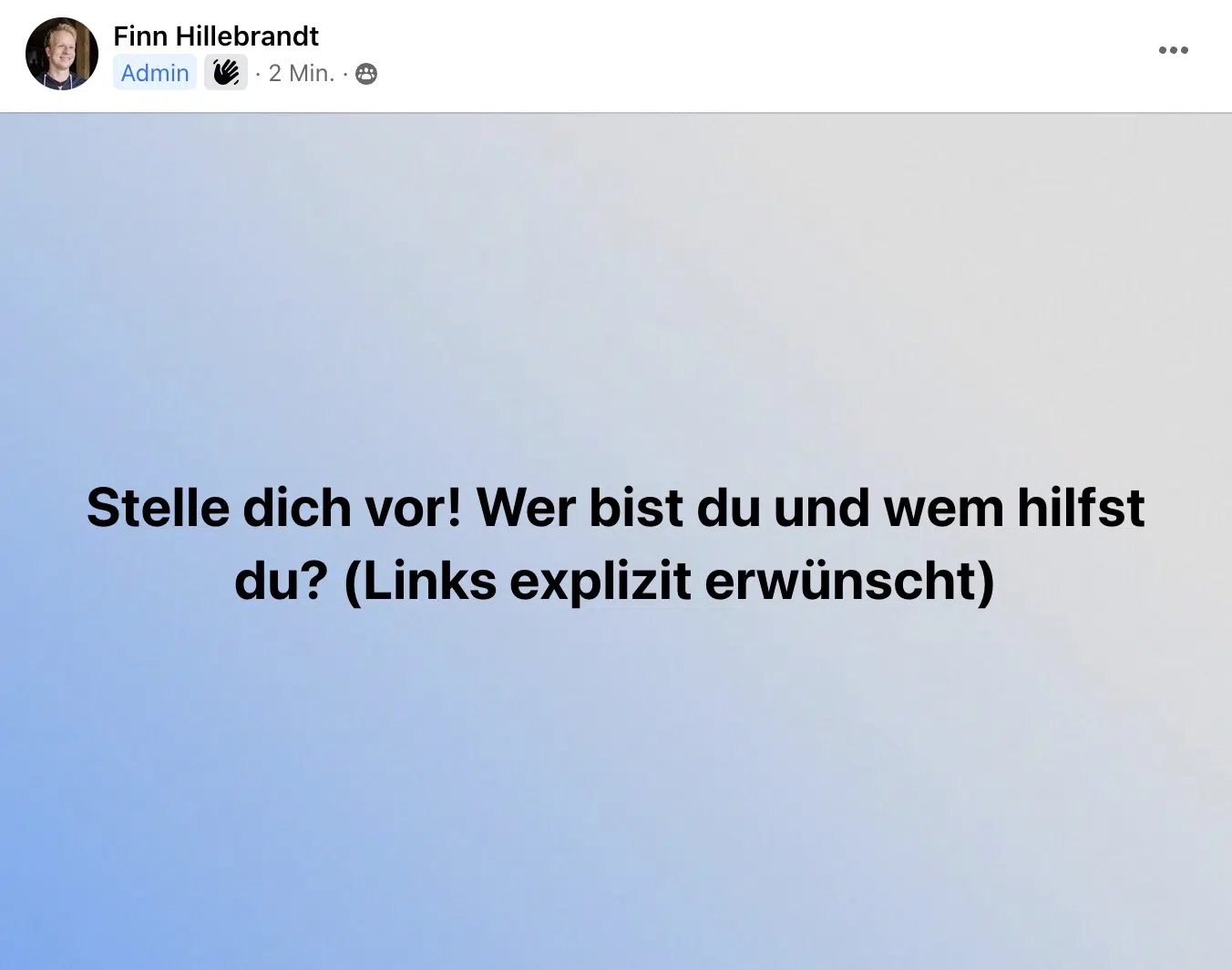
In the Facebook group you'll find a postwhere you can introduce yourself (under Announcements).
Take the opportunity so I and other course participants can get to know you!
If you'd like, feel free to share about your experiences and goals with ChatGPT and other AI tools:
- •Which tools you already use
- •Which tools you'd like to use
- •Which AI use cases interest you the most
Posting a link to your own website is expressly encouraged:
Set notifications to "All Posts"
To not miss any posts in the Facebook group, I recommend setting the group notifications to "All Posts":
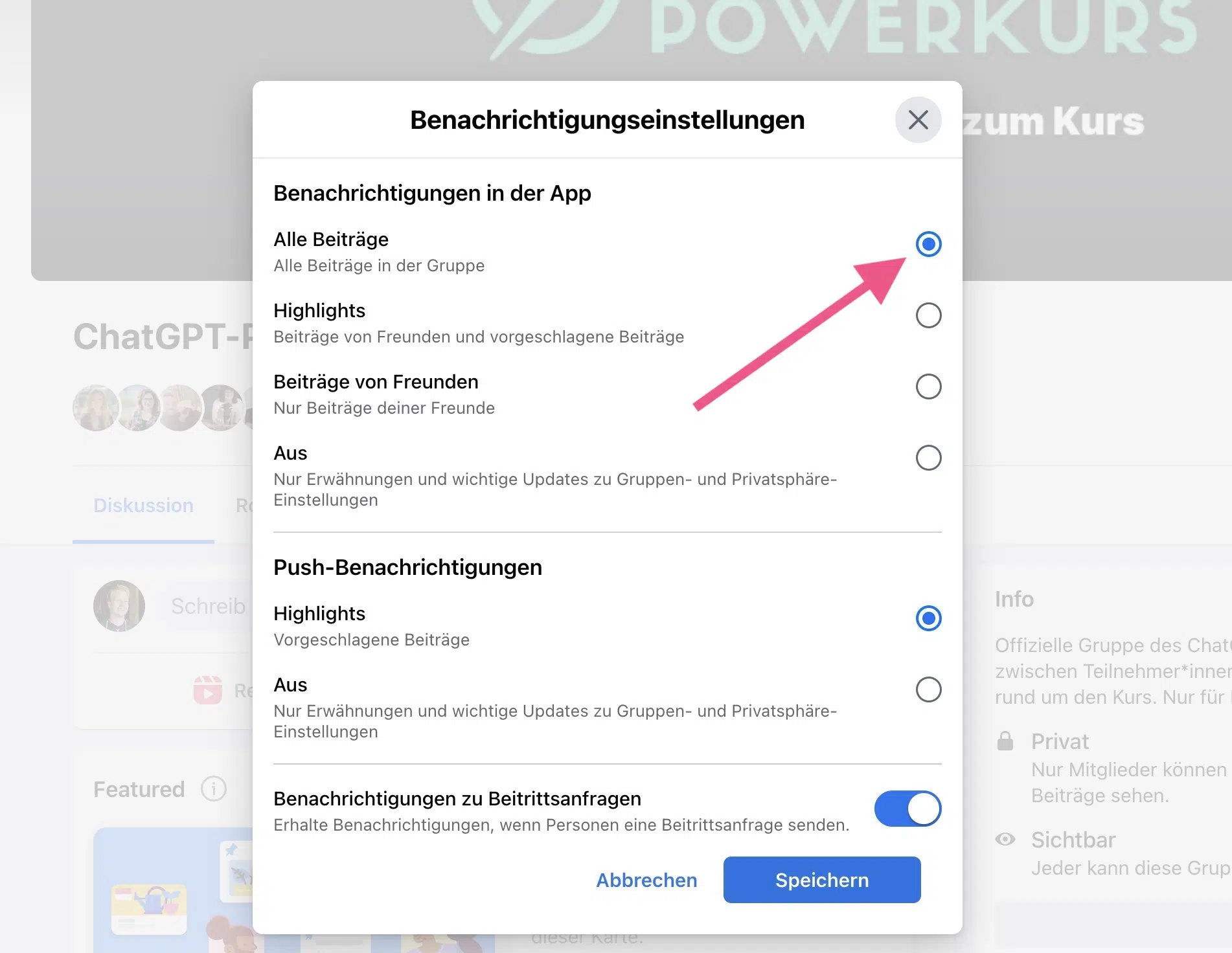
This way you'll not only get the highlights, but all posts in the group.
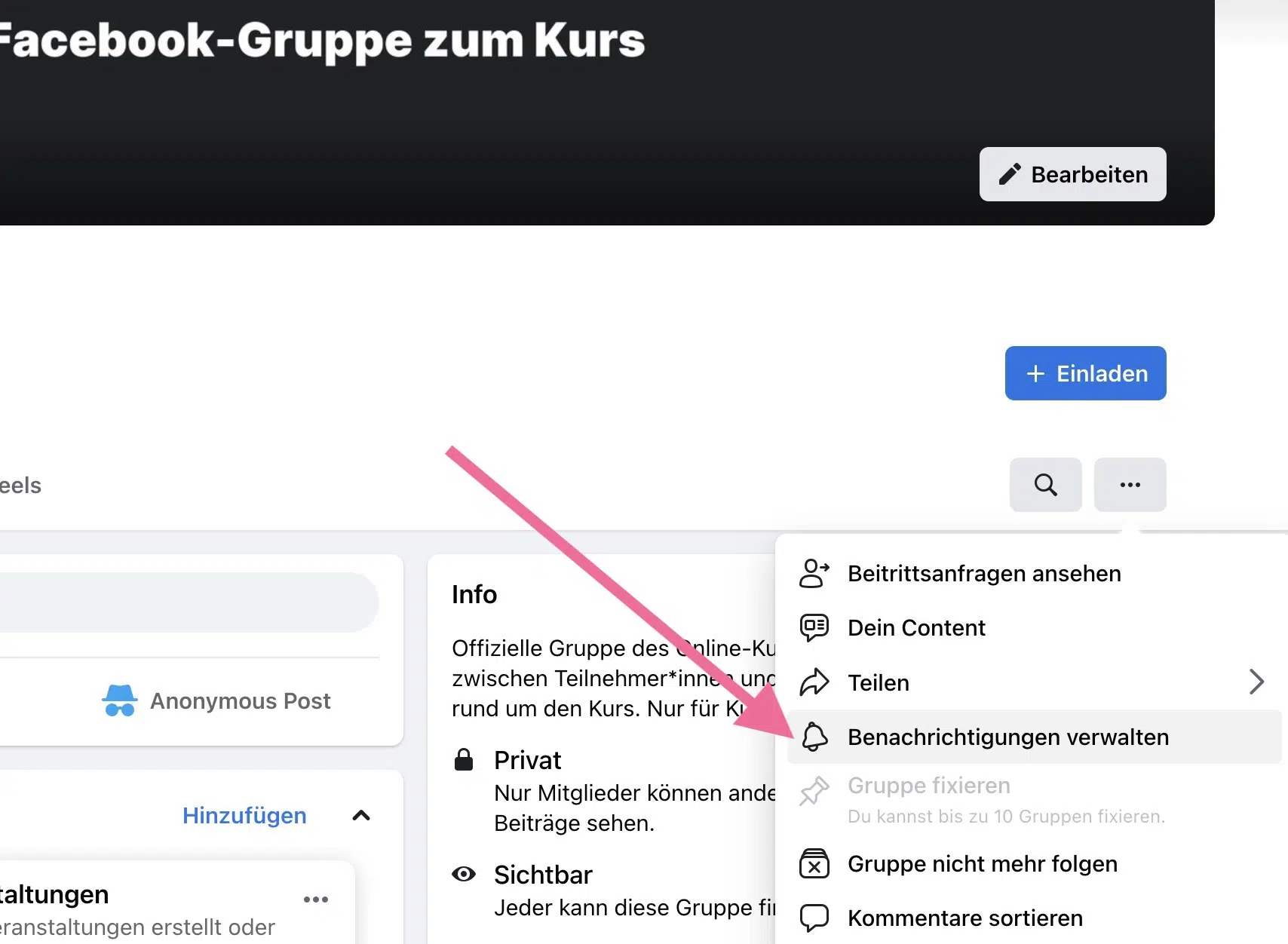
You can find the setting by clicking on the three dots in the top right [...] and then on "Manage notifications":
Ready to get started?
Start now with the ChatGPT Power Course and become an AI expert!