You're trying out Midjourney and the results are sometimes good, but often not quite what you had in mind?
Then you should take a closer look at your prompts!
Prompts are the text commands you enter into the dialog box, based on which Midjourney generates an image. Prompts can be simple descriptions or include parameters and other images to influence the result.
Really good prompts are important because they help the bot understand your intention and create unique and exciting images. The better you formulate your prompts, the better the results will be.
The more precise your input, the better the results. Sounds obvious, but the devil is in the details.
In this article, I'll share 10 tips that have helped me write better Midjourney prompts.
- Short, precise prompts work better: Fewer words = more weight per term, higher chance that all aspects are represented
- Use /shorten to condense long prompts and /describe to learn from images - both help with prompt optimization
- Focus on the positive: Describe what you want to see, not what you don't want (use --no parameter for exclusions)
/imagine.Tip 1: As Short as Possible, As Long as Necessary
The first thing to understand is that Midjourney handles language very differently than we humans do.
Midjourney doesn't understand grammar and sentence structures like we do, and it doesn't consider capitalization either. As the number of words increases, it becomes harder for Midjourney to weight all words equally (or appropriately).
That's why with long prompts, it's not uncommon for certain aspects to simply be left out or altered.
With shorter prompts, each word gets more weight, making it more likely that all aspects appear in the finished image:
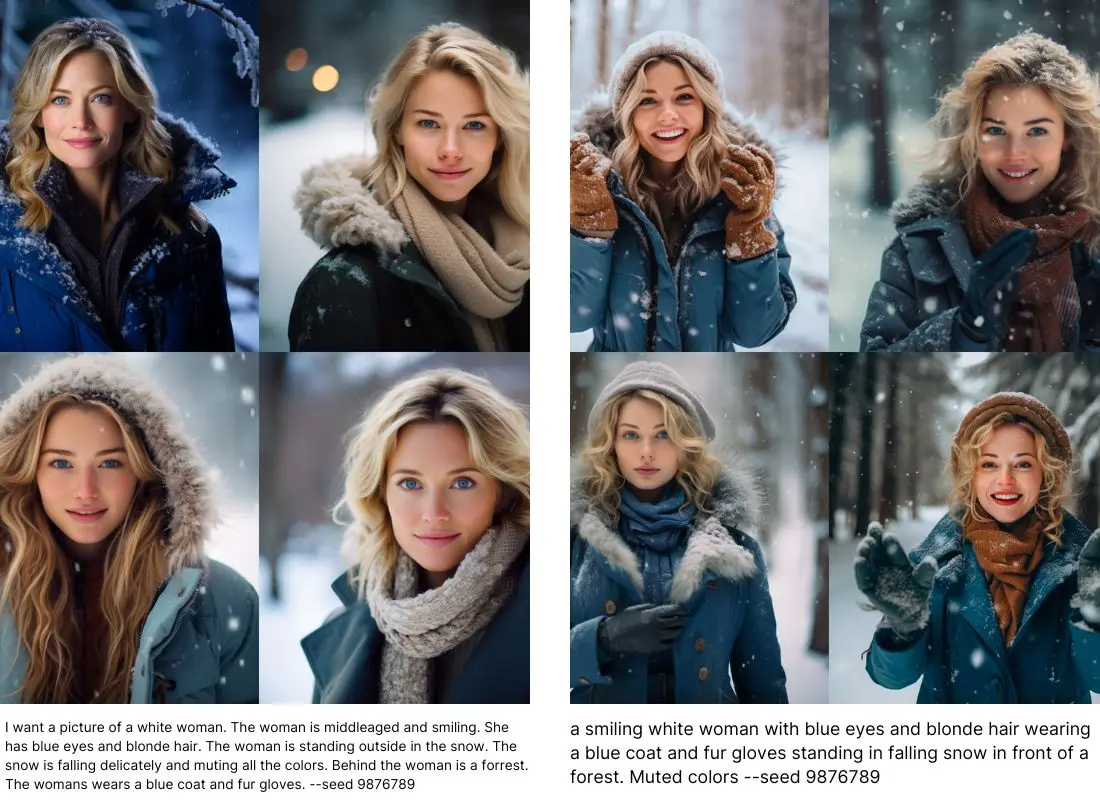
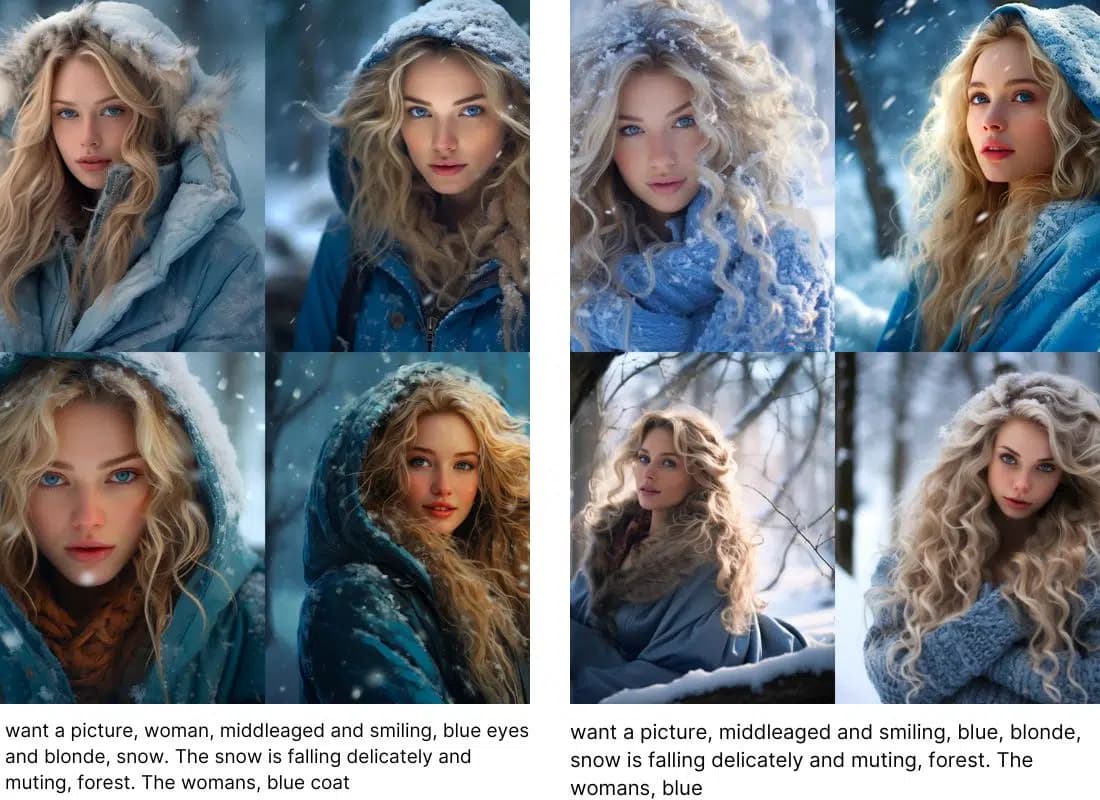
Prompt 1: I want a picture of a white woman. The woman is middleaged and smiling. She has blue eyes and blonde hair. The woman is standing outside in the snow. The snow is falling delicately and muting all the colors. Behind the woman is a forest. The womans wears a blue coat and fur gloves. --seed 9876789
Prompt 2: a smiling white woman with blue eyes and blonde hair wearing a blue coat and fur gloves standing in falling snow in front of a forest. Muted colors --seed 9876789
This effect is clearly visible in these images: In the first set, the prompt is unnecessarily long and full of filler words. Most of the specifications are reflected in the image, but there are some aspects that don't appear in every picture: Her coat isn't always blue, and it's not snowing in every image. The forest in the background isn't clearly recognizable as such in every picture. The gloves aren't shown in any of the 4 images.
In the second set, I significantly condensed the prompt while still mentioning all relevant aspects. The result now actually contains all aspects more often. Still, you can see great similarities between both sets. The differences are in the details.
Tip 2: Use /shorten
Shortening a long prompt isn't always easy. After all, nothing important should be lost in the process.
But don't despair! Midjourney has a command specifically for this, which is very useful if you tend to write prompts that are too long and don't achieve the desired result!
With /shorten you can enter a long prompt and Midjourney will give you various shorter versions that you can then test:
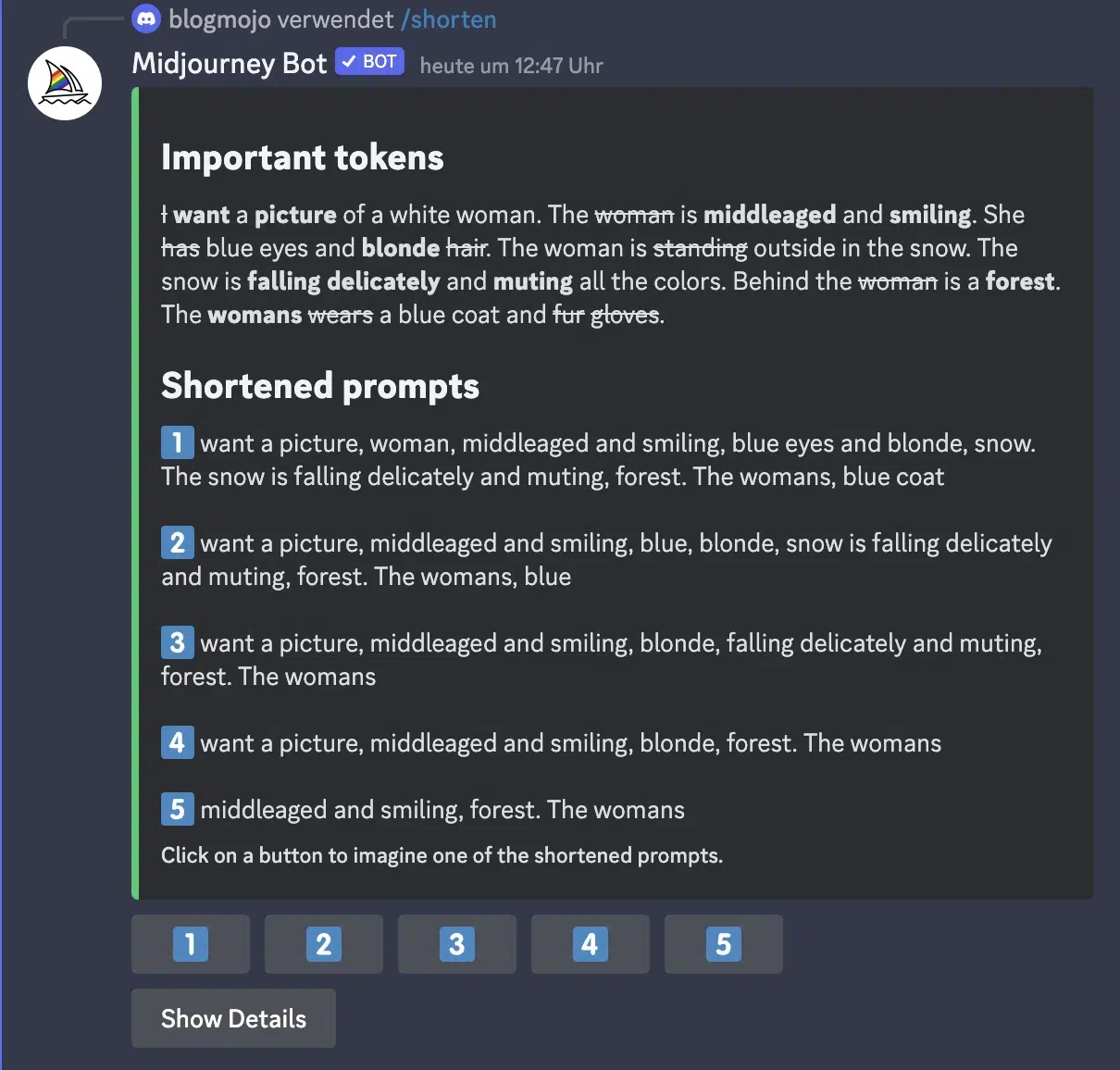
In the first section, you can see which words are particularly important for Midjourney (marked in bold) and which are unimportant (crossed out).
In the second section, you get 5 prompts that become progressively shorter.
In my example, the images generated using the suggested prompts look like this:
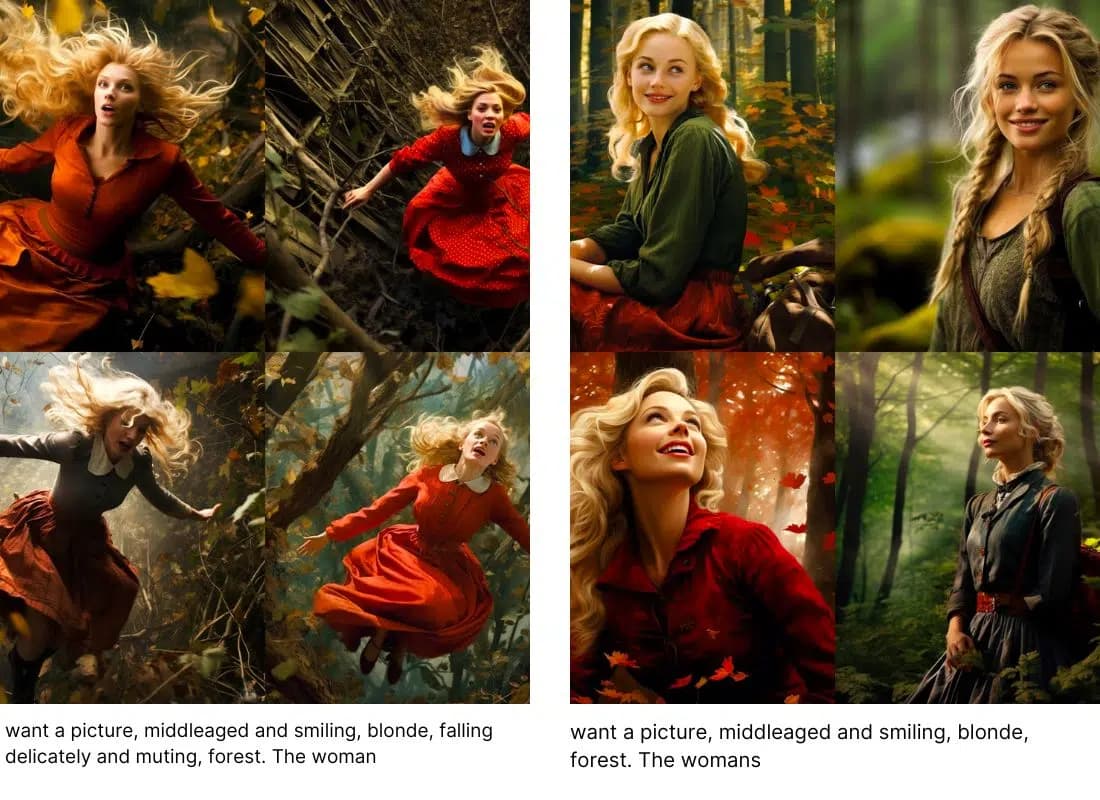
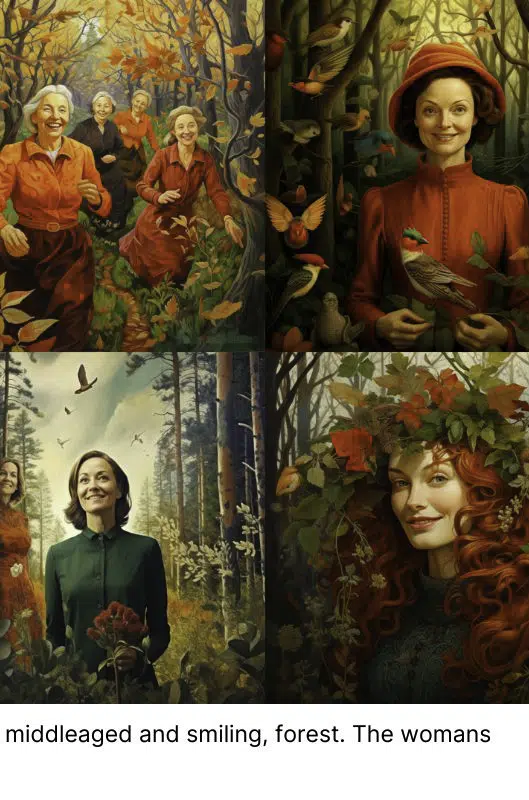
You can see here that shorter prompts, from a certain point, cause the image to look completely different. Additionally, the typo (womans) gets more weight the fewer words there are: In the last set, multiple women appear in two of the images.
The /shorten function is therefore not a magic solution, but it can help you understand how Midjourney interprets prompts.
Tip 3: Use Words That Describe What You Want to See as Precisely as Possible
Since the goal is to keep the prompt as short as possible, it makes sense to ask yourself for each word whether it's really precise enough. The more precisely you describe what you want to see, the more likely it will be depicted in the image.
Instead of just "beard," you can specify exactly what type of beard: full beard, mustache, goatee, handlebar mustache, etc.
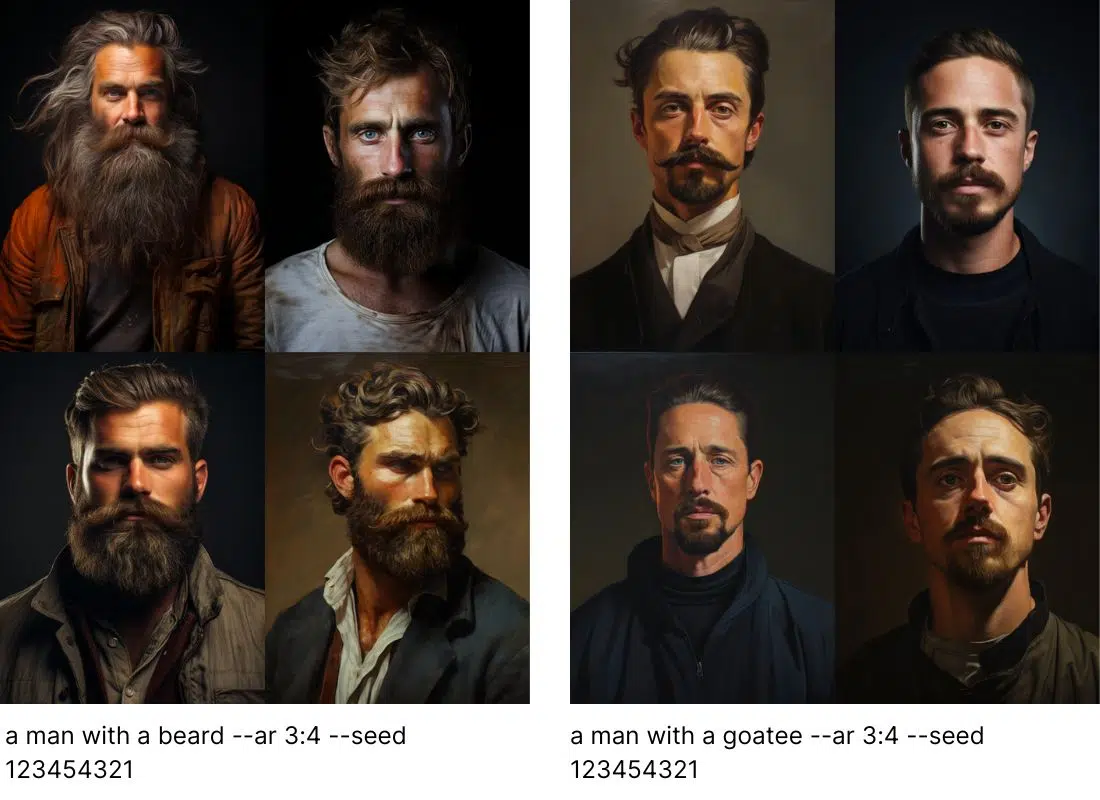
Prompt 1: a man with a beard --ar 3:4 --seed 123454321
Prompt 2: a man with a goatee --ar 3:4 --seed 123454321
Instead of just mentioning brown hair in the prompt, you can also specify the shade: chestnut brown hair, chocolate brown hair, dark brown hair, light brown hair, etc.
Instead of mentioning a bouquet of flowers in the prompt, you can say exactly which flowers you want: wildflowers, roses, sunflowers, etc.
Tip 4: Define the Important Aspects
Your prompt should be as short and precise as possible. But how does that work when you have a specific image in mind that you want to create?
The art is to filter out all the really important things and define them in the prompt while leaving everything else to chance.
This might not sound very effective at first, but after a few attempts, you'll realize that you and Midjourney can be a great team that achieves even better results together.
Always keep in mind: Everything you don't define, you leave to chance.
Important points to consider:
- Subject: person, animal, character, location, object, etc.
- Medium: photo, painting, illustration, sculpture, doodle, tapestry, etc.
- Environment: indoors, outdoors, on the moon, in Narnia, underwater, the Emerald City, etc.
- Lighting: soft, ambient, overcast, neon, studio lights, etc.
- Color: vibrant, muted, bright, monochromatic, colorful, black and white, pastel, etc.
- Mood: sedate, calm, raucous, energetic, etc.
- Composition: portrait, headshot, closeup, birds-eye view, etc.
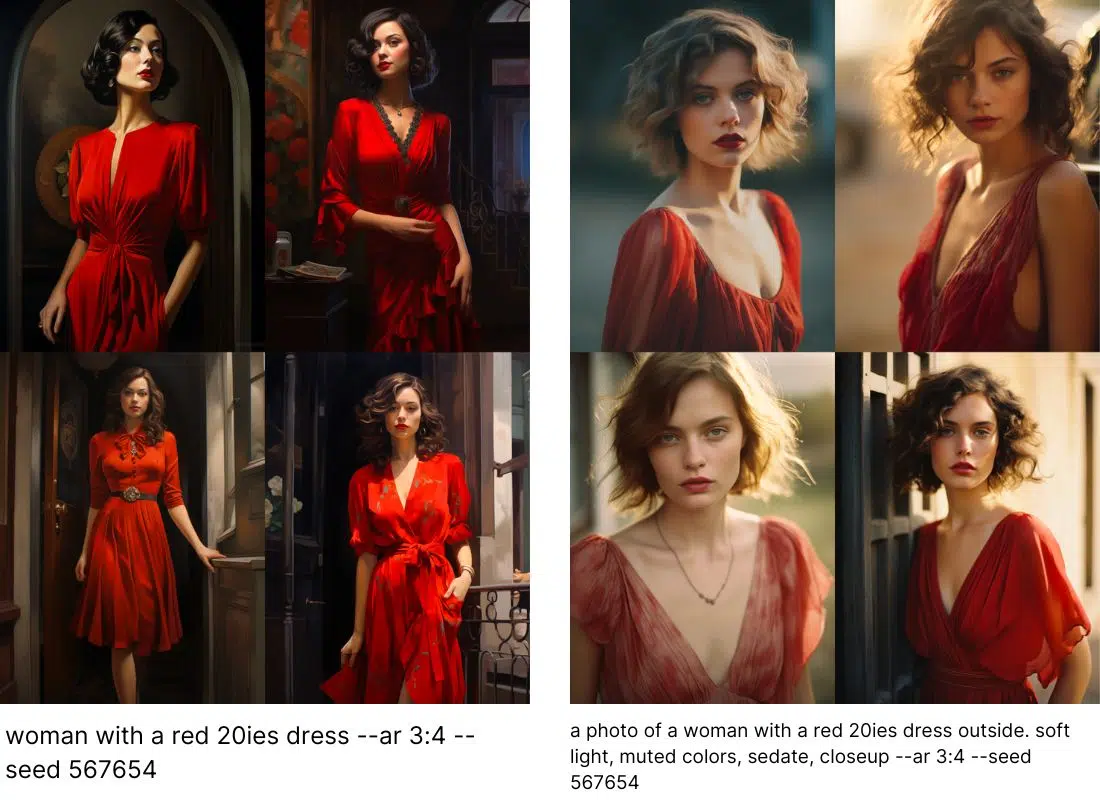
Prompt 1: woman with a red 20ies dress --ar 3:4 --seed 567654
Prompt 2: a photo of a woman with a red 20ies dress outside. soft light, muted colors, sedate, closeup --ar 3:4 --seed 567654
The second prompt is a bit longer (which theoretically contradicts our first tip), but it contains no unnecessary filler words, only precise specifications for which details are important for the image.
Tip 5: Exaggerations Can Be Useful
Which words you choose affects how the image looks in the end: Midjourney also distinguishes between synonyms, and slightly exaggerated synonyms may deliver better results:
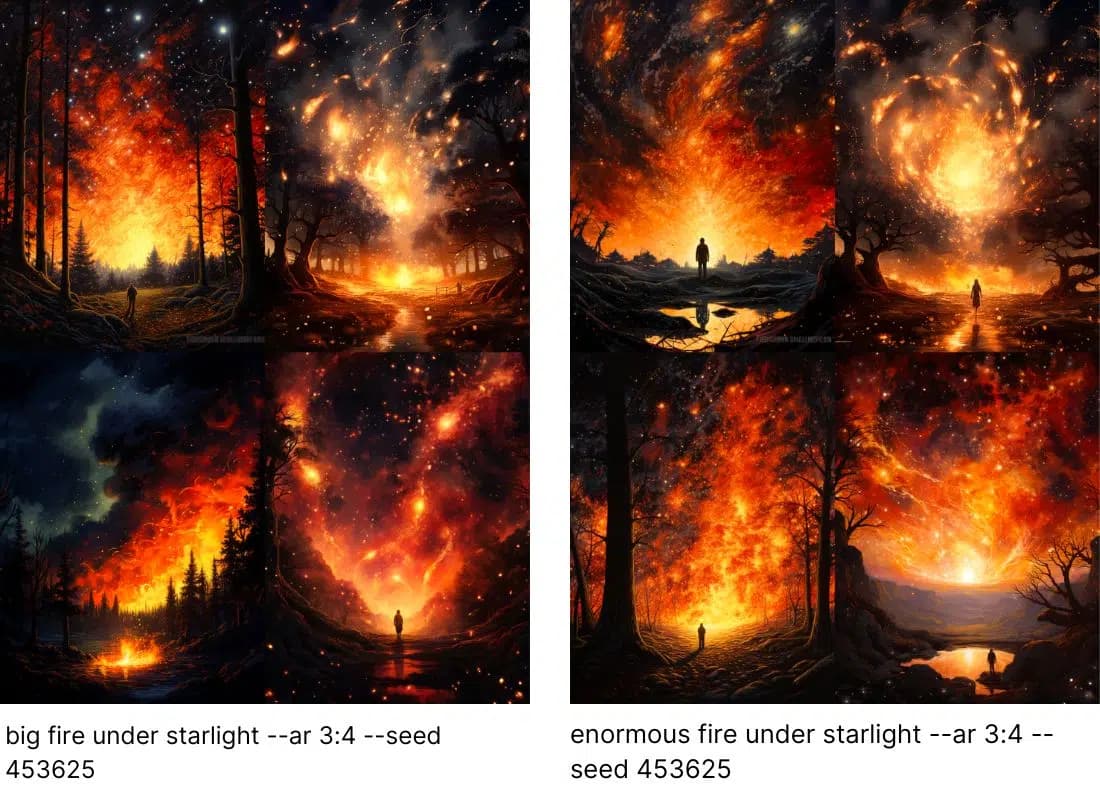
Prompt 1: big fire under starlight --ar 3:4 --seed 453625
Prompt 2: enormous fire under starlight --ar 3:4 --seed 453625
Instead of big, I used enormous in the second prompt, and Midjourney delivers somewhat different images just from this small change. So if you ever get stuck and Midjourney doesn't represent a detail the way you imagined, look for synonyms that may exaggerate a bit and try again with those.
Tip 6: Focus on What You Want to See, Not What You Don't Want to See
You probably know the phrase "Don't think of a white bear," right? What does it illustrate? That our brain simply ignores the word "don't" and we immediately have a white bear in our head.
Midjourney works the same way: If you give the command not to show something specific in the image, there's a high chance that exactly that will be visible.
Better: Describe what you want to see and don't mention the other thing at all. If that doesn't work and something you really don't want keeps appearing in the image, use the --no parameter.
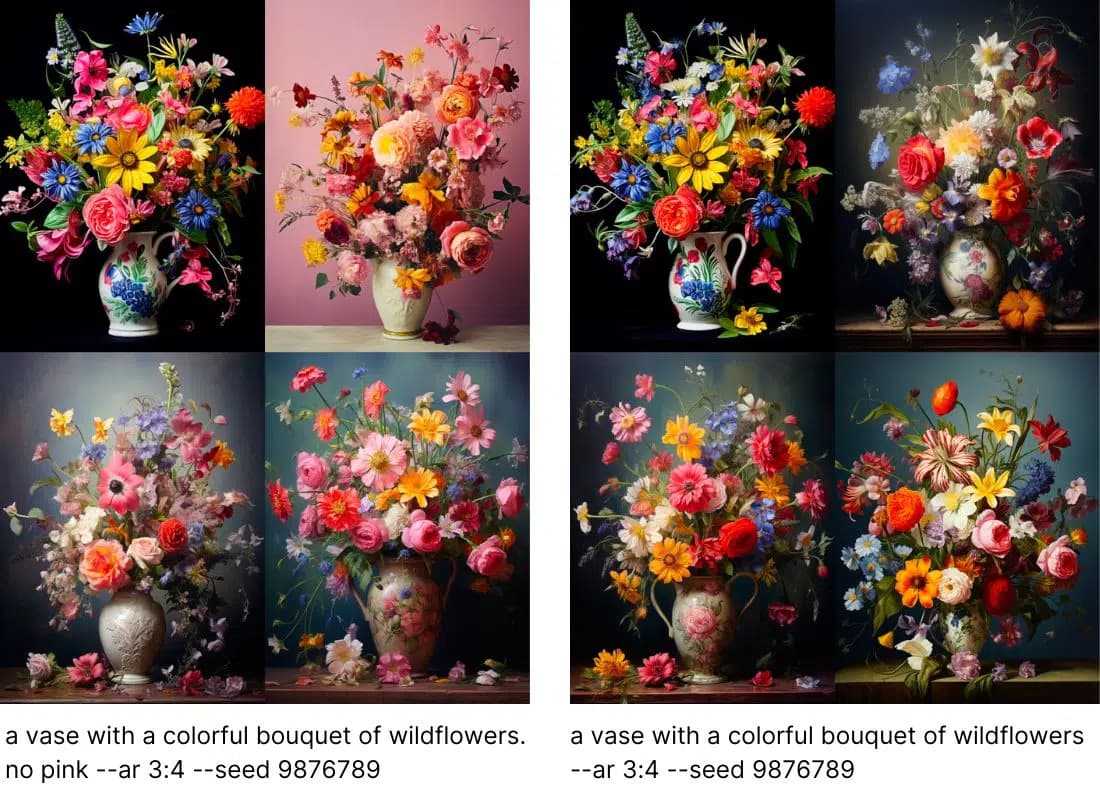
Prompt 1: a vase with a colorful bouquet of wildflowers. no pink --ar 3:4 --seed 9876789
Prompt 2: a vase with a colorful bouquet of wildflowers --ar 3:4 --seed 9876789
This effect is perfectly visible here: In the first attempt, I simply entered no pink as a command, and what do we see? A LOT of pink. In one image, even the background is pink.
In the second attempt, I simply left out this command, and lo and behold: There's a bit of pink in the bouquet, but significantly less.
If that's still too much pink for you, you have the option to directly define the colors of the bouquet or use the --no parameter:
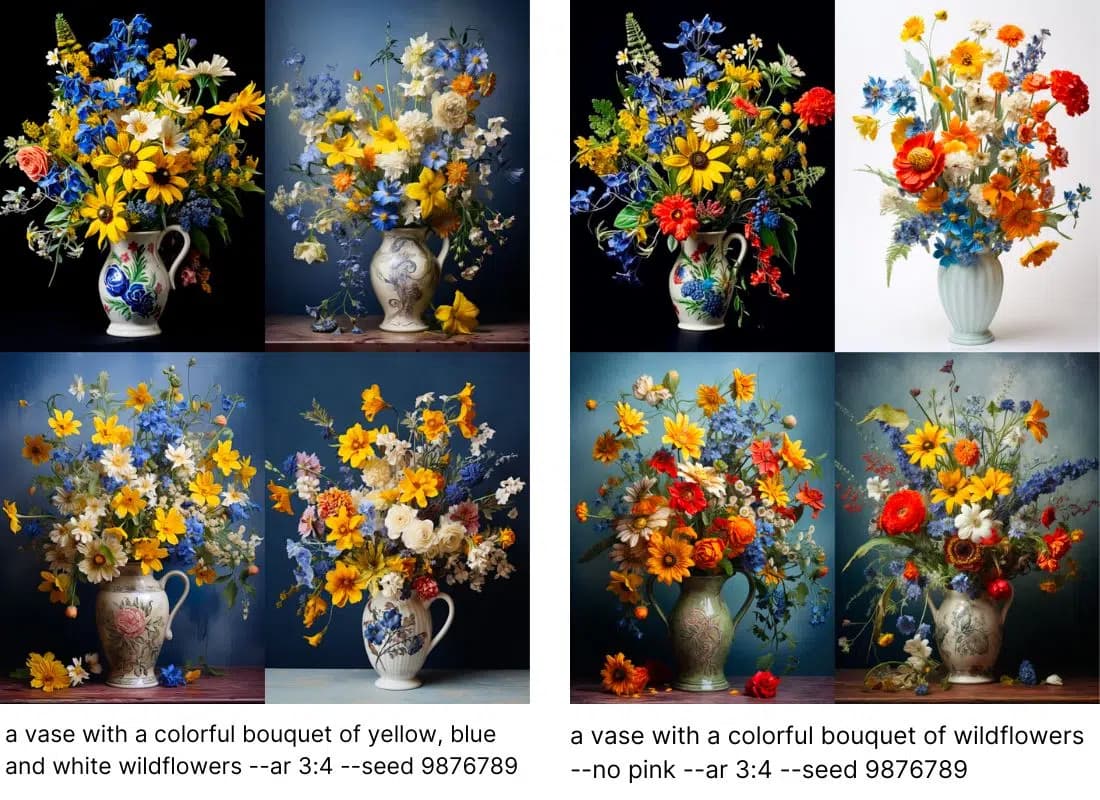
Prompt 1: a vase with a colorful bouquet of yellow, blue and white wildflowers --ar 3:4 --seed 9876789
Prompt 2: a vase with a colorful bouquet of wildflowers --no pink --ar 3:4 --seed 9876789
Tip 7: Use Parameters
Parameters are commands you give to Midjourney that the bot will follow. They are always marked with two preceding hyphens --
| Parameter Name | Description | Usage |
|---|---|---|
| aspect ratio | Aspect ratio of the image | --ar |
| chaos | Determines how different the 4 generated images will be | --c <0-100> or --chaos <0-100> |
| fast | Fast mode | --fast |
| image weight | Weight of image vs. text | --iw <0-2> |
| no | Exclude elements | --no |
| quality | Rendering quality | --quality <.25, .5, or 1> or --q <.25, .5, or 1> |
| relax | Slow mode | --relax |
| repeat | Repeats the job as many times as specified | --repeat <1-40> or --r <1-40> |
| seed | Root that influences the random component in the image | --seed <integer between 0-4294967295> |
| stop | Ends a job before completion | --stop <integer between 10-100> |
| style | Use specific models or styles | --style <raw> for Midjourney 5.1 and 5.2 |
| stylize | Determines the aesthetics of an image | --stylize <0-1000> or --s <0-1000> |
| tile | Creates images that form a repeating pattern | --tile |
| turbo | Turbo mode | --turbo |
| weird | Determines how strange an image becomes | --weird <number 0-3000> |
Tip 8: Use /describe
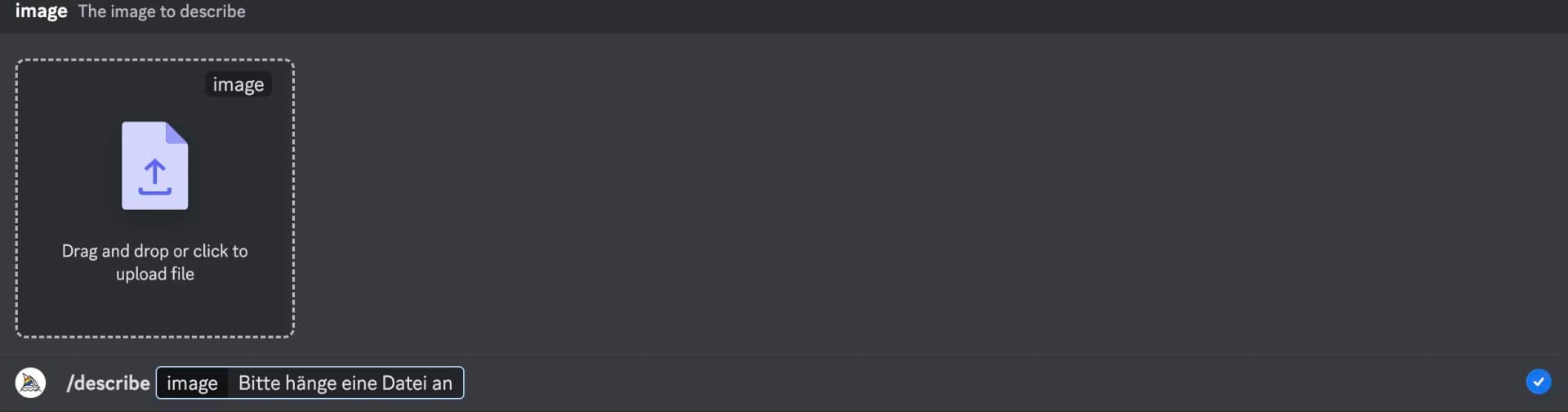
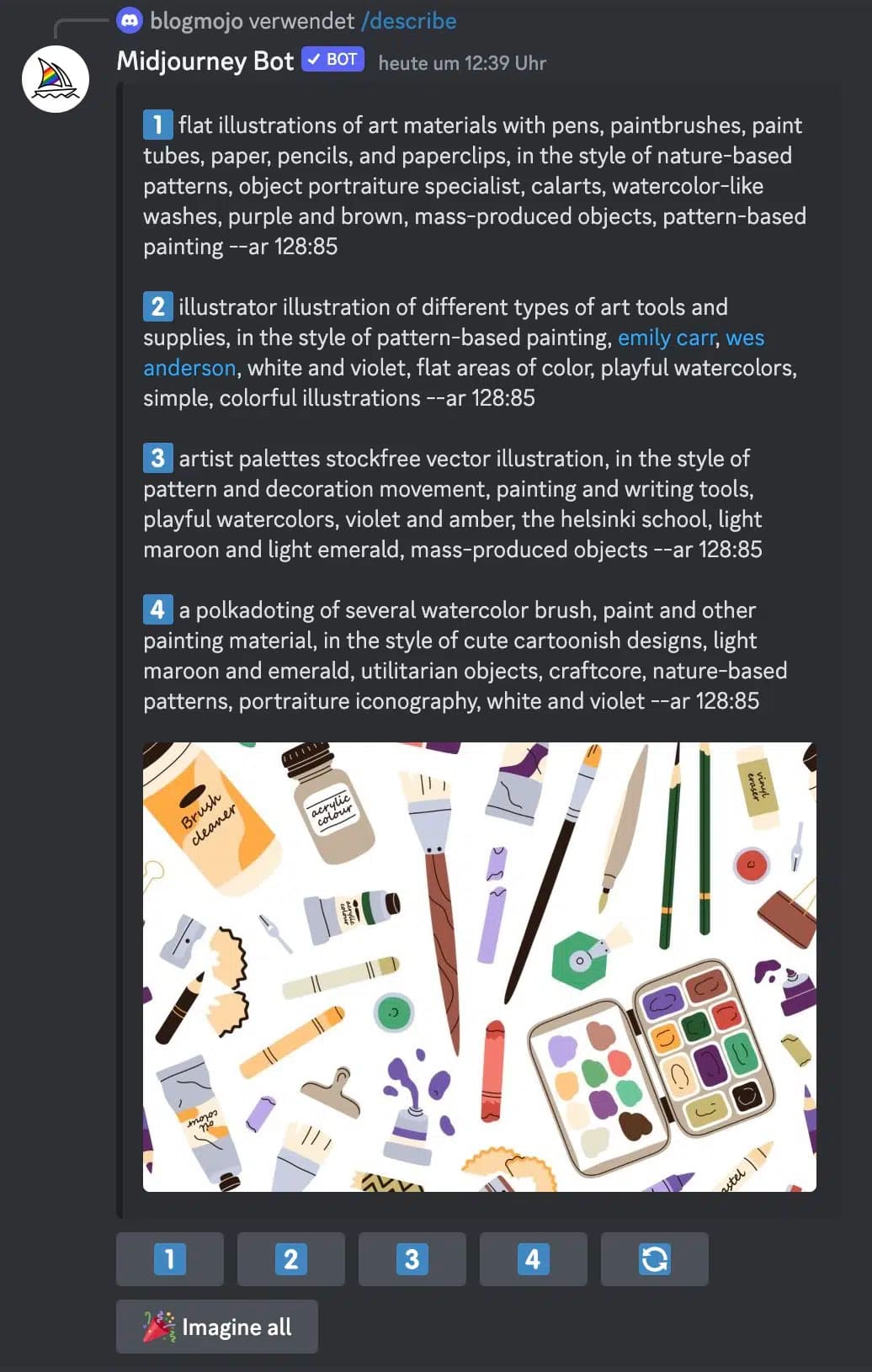
The /describe command is used together with an image and causes Midjourney to generate 4 prompts that match the respective image.
This way, you can learn new vocabulary for your own prompts and get ideas for how to formulate certain aspects.
Tip 9: Check Out the Midjourney Community Feed
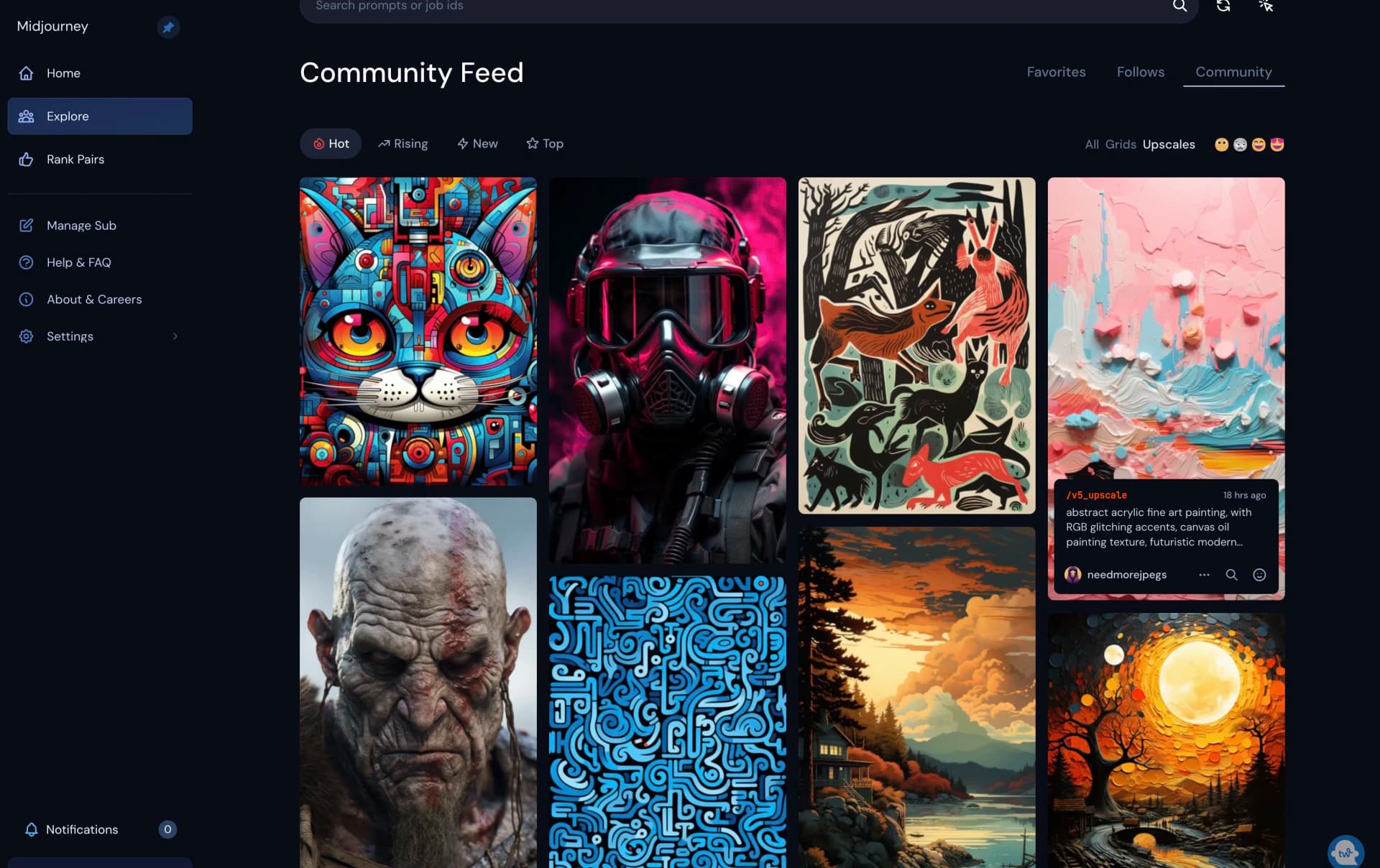
At https://www.midjourney.com/app/feed/ you'll find the Midjourney Community Feed.
Here, images that were recently generated and were particularly popular in the community are shown.
The great thing about this feed: When you hover over the images with your mouse, the respective prompt for the image is displayed. So you can find images that particularly appeal to you and then see what the prompts for them looked like.
Tip 10: Experiment with Different Prompts
The best way to write better Midjourney prompts is to experiment a lot and look at the results. Learn from your mistakes and continuously improve your prompts. You'll be surprised what amazing images you can create with Midjourney.
Interesting: According to user surveys, 68% of users use Midjourney for fun, while 32% use the tool professionally. This shows how versatile the applications are.
Use unusual ideas and the various parameters for this!
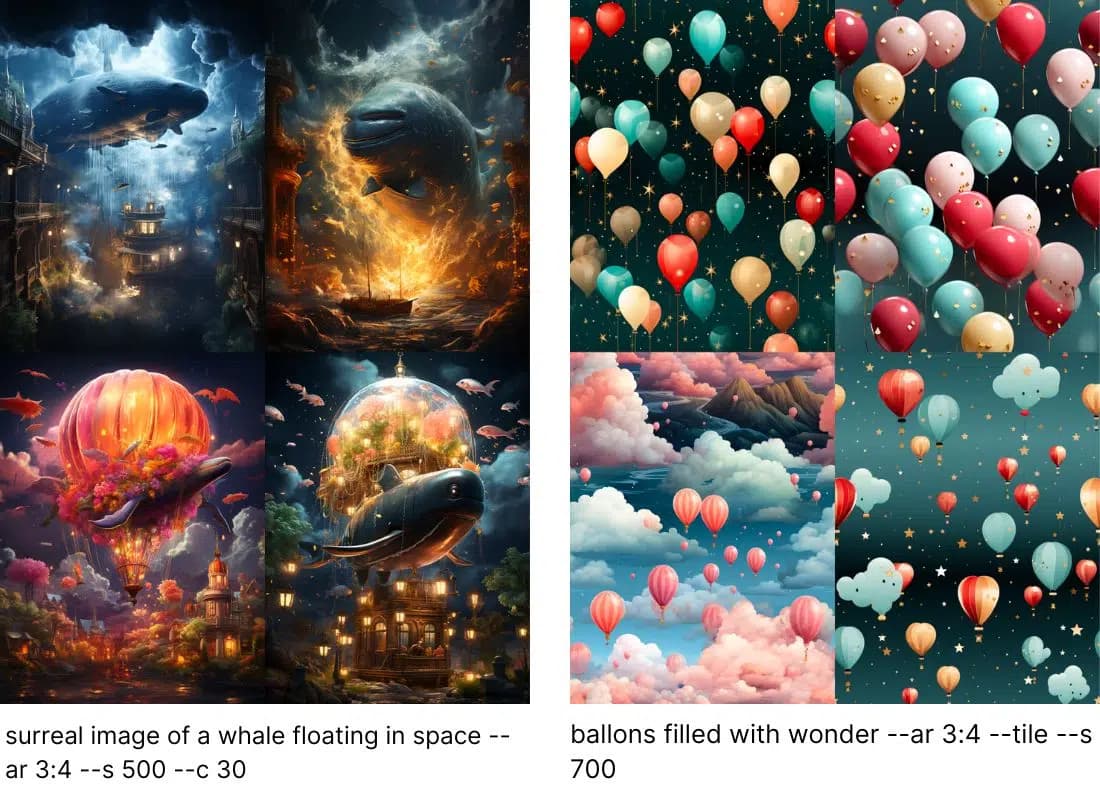
Prompt 1: surreal image of a whale floating in space --ar 3:4 --s 500 --c 30
Prompt 2: ballons filled with wonder --ar 3:4 --tile --s 700