All commands, shortcuts, and configurations at a glance.
Live Preview
Claude Code Cheat Sheet
Legend:hidden gem= little-known but powerful
macOS, Linux, WSL
Install Claude Code (macOS, Linux, WSL)
Windows PowerShell
Install Claude Code (Windows PowerShell)
Windows CMD
Install Claude Code (Windows CMD)
Basic Commands
Start interactive REPL session
Maintenance
Update to latest version
Check installation for issues
How do I use Claude Code best?
Claude Desktop App: ideal for beginners. Chat-like interface, no terminal knowledge required.
VS Code with Claude Code Extension: easier to use than the terminal, but with a reduced feature set.
Terminal: full feature set, UI takes getting used to. Recommended terminals: iTerm2 (macOS), Warp, Alacritty, Windows Terminal, or my favorite, the built-in terminal in VS Code.
Add a directory for file access in the current session
Enable or disable a second model as an advisor
Show guidance for managing agent files in .claude/agents
List, open, or attach available artifacts
Draft auto mode rules from the project and recent sessions
Set the automatic context compaction window
Start a cloud session that watches the current PR for CI and review fixes
Detach the current session as a background agent (alias: /bg)
Split a large change into 5 to 30 worktree agents with their own PRs
Branch the current conversation and switch to the new branch
hidden gem
Ask a side question without adding it to the main history
Report a bug with optional session context (alias: /share)
Move the session to another working directory while keeping context
Configure Claude in Chrome settings
Load Claude API guidance or run migrate, upgrade, managed-agents-onboard, prompt-audit, cost-optimize, build-eval, or hillclimb
Start a new conversation with empty context (alias: /reset, /new)
Review a diff, PR, branch, or path and optionally apply fixes (alias: /review)
Set the prompt-bar color for the session
Compact the conversation, optionally with focus instructions
Alias for /usage
Open settings or set a value directly (alias: /settings)
Show context usage and, optionally, every detail
Copy the latest or Nth-latest response
Plan charts, graphs, and dashboards with design and accessibility rules
Enable debug logging and investigate an issue from the session log
Fan out web research, cross-check sources, and produce a cited report
Draft UI mockups, screen flows, or landing pages as a canvas artifact
Authorize design-system access for /design-sync with a Claude.ai account
Analyze and upload a React design system for Claude Design
Continue the session in the Claude Code Desktop app (alias: /app)
Review uncommitted changes; a live panel beside the chat in fullscreen
Check installation, settings, and customizations, then propose fixes (alias: /checkup)
Set or show reasoning effort: low through xhigh, max, ultracode, or auto
Exit the CLI or detach from an attached background session (alias: /quit)
Export the current conversation as plain text
Turn fast mode on or off
Send product feedback with consent for session context
hidden gem
Analyze frequent read-only tool calls and suggest an allowlist
Toggle focus view in the fullscreen renderer
Copy the conversation into a new background session while continuing here
Set or clear a verifiable goal that Claude pursues across turns
Write a heap snapshot and diagnostics file for memory issues
Show available commands and skills
View configured hooks for tool events
Manage IDE integrations and show their status
Import instructions, MCP, skills, and agents from Codex, Gemini CLI, or Cursor
Create CLAUDE.md for the current project
Generate an HTML report about sessions, patterns, and friction
Set up the Claude GitHub App for a repository
Install the Claude Slack app through browser OAuth
Open the keyboard shortcuts file
List reachable subagents, teammates, and sessions (alias: /peers)
Sign in to Anthropic
Sign out of Anthropic
Run a prompt repeatedly while the session stays open (alias: /proactive)
Manage MCP connections, OAuth, and individual servers
Manage CLAUDE.md files and auto memory
Show a QR code for the Claude mobile app (alias: /ios, /android)
Switch the model and save it as the default for new sessions
List output styles or switch to one, e.g. /output-style concise
Eligible accounts can share a free week of Claude Code
Manage allow, ask, and deny rules for tools (alias: /allowed-tools)
Enter plan mode directly with an optional task
List, install, enable, or disable plugins
Explore Claude Code features through interactive demos
Open privacy settings for eligible Pro and Max accounts
Open Claude FM in the browser
Generate a one-line summary of the session
Open the changelog in the version picker
Reload active plugins without restarting
Re-scan skill and command directories without restarting
Expose the local session for remote control from claude.ai (alias: /rc)
Choose the default environment for cloud agents
Rename the current session
Resume a conversation by ID, name, or picker (alias: /continue)
Alias for /code-review
Rewind the conversation or code (alias: /checkpoint, /undo)
Launch the app and observe a change, not only tests
Create a project skill that teaches /run and /verify a clean workflow
Toggle sandbox mode on supported platforms
Create, change, run, or inspect cloud routines (alias: /routines)
Adjust mouse-wheel speed interactively in the fullscreen renderer
Review current branch changes for security risks
Configure Amazon Bedrock authentication, region, and model pins. Visible after CLAUDE_CODE_USE_BEDROCK=1
Configure Google Cloud Agent Platform, project, region, and model pins. Visible after CLAUDE_CODE_USE_VERTEX=1
Review changed code for reuse, simplification, and efficiency, then clean it up
hidden gem
Show each skill's context cost and usage to prune unused ones
List, filter, and control the visibility of skills
Alias for /usage that opens the Stats tab
Open the status tab with version, model, account, and connectivity
Configure the status line
Order Claude Code stickers
Stop an attached background session while keeping its worktree and transcript
Start a forked subagent with full conversation context for a side task
Manage background work, including completed subagents (alias: /bashes)
hidden gem
Generate an onboarding guide from 30 days of usage history
Pull a cloud session, branch, and conversation into the terminal (alias: /tp)
Configure terminal keybindings for Shift+Enter and more shortcuts
Switch themes, including ANSI, accessible, and custom themes
Switch terminal renderers; fullscreen uses the low-flicker alt screen
Run a cloud multi-agent code review; /code-review ultra is preferred
Describe a settings change and let Claude edit the matching settings.json
Open the page to move to a higher plan
Show session cost, plan limits, and activity (alias: /cost, /stats)
Configure or request usage credits; replaces /extra-usage
Build, run, and observe a change in the product
Toggle voice dictation or enable a mode
Connect local gh credentials to Claude Code on the web
Open progress for running and completed workflows
General
Interrupt Claude, close a dialog, or decline a permission prompt
Interrupt a running operation. When idle, the first press clears the prompt and the second exits
With an empty prompt, confirm exit then press again within 800 ms. With input, delete the character after the cursor
Open the prompt in the default text editor
Redraw the terminal while keeping input and conversation
Toggle the transcript viewer with tool usage and execution details
Reverse search in command history
Paste image from clipboard (Alt+V on Windows and WSL)
Move running Bash commands and agents to the background (press twice in tmux)
Toggle task list visibility
Stash or restore the current prompt draft
hidden gem
Send queued messages now instead of waiting for the turn to end
Suspend Claude Code on Unix; resume with fg
Accept autocomplete or open a comment field on a permission response
Move the cursor or navigate command history
Cycle tabs in dialogs and menus
With text: clear the draft (recall it with Up). With empty input: open the rewind menu to restore or summarize
Cycle permission modes: default, acceptEdits, plan, and, when available, bypassPermissions and auto. Alt+M is only a Windows fallback without VT input mode
Toggle extended thinking on/off. No effect on Opus 5.5 or the Fable models, which always use extended thinking
Toggle fast mode on/off
Open model picker
Subagent
Stop all running background subagents and turn off artifact auto-replies for the session. Press twice within 3 seconds
Text Editing
Move the cursor to the start of the current logical line
Move the cursor to the end of the current logical line
Delete text to end of line
Delete from the cursor to the start of the line
Delete back to the previous whitespace, e.g. a whole path or --flag=value
Paste previously deleted text (yank)
Cycle through previously deleted text after pasting
Move the cursor back one word
Move the cursor forward one word
Delete the next word
Undo the last input edit
Multiline
Quick new line in every terminal
New line on macOS after enabling Option as Meta
New line in supported terminals or after /terminal-setup
New line without terminal configuration
Paste code blocks or logs directly as multiline input
UI & Display
Toggle code-block syntax highlighting in the theme picker
Use voice dictation after enabling it, either hold-to-talk or tap-to-toggle
Toggle keyboard-shortcut help in the transcript viewer
Jump to the previous or next user prompt in the transcript viewer
Toggle all content in the classic transcript viewer
Write the full conversation to native terminal scrollback
Open the conversation as a temporary file in $VISUAL or $EDITOR
Exit the transcript viewer
Note for macOS
•Alt+B, Alt+F, Alt+D, Alt+Y, and Alt+P only work after you set Option as Meta in your terminal. Option+T works without it.
Execute slash command/help
Bash mode: run shell command directly! git status
File path mention with autocomplete@src/index.ts
Insert an emoji shortcode; suggestions appear after two characters:rocket:
Toggle the keyboard-shortcut help panel?
gradually.ai | Claude Code Cheat Sheet | v2.7
Just a small excerpt. The full cheat sheet contains all 15 sections.
109 Slash Commands with descriptions
51 Keyboard Shortcuts (including multiline input)
77 CLI Flags grouped by category
38 Environment Variables for configuration and performance
76 MCP Server, Hook, Skill, and Agent references
25 Piping and automation patterns for CI/CD
You use Claude Code, but keep realizing you don't know or have forgotten certain commands or shortcuts?
Then this cheat sheet is exactly what you need.
At a glance, you'll find all the important commands, shortcuts, flags, and configuration options. In terminal design, so you can navigate right away.
Available as an interactive web version, printable PDF, and Markdown file (perfect for your own documentation or as a CLAUDE.md reference).
Subscribe to our free AI newsletter and get instant access to the cheat sheet!
Unsubscribe at any time. About 2 to 5 emails per month. The consent includes the notes on revocation, mailing service and statistics according to our Privacy Policy.
Finn and Gradually AI as seen in
15+ Years Online Marketing
1,200+ Customers
The Author
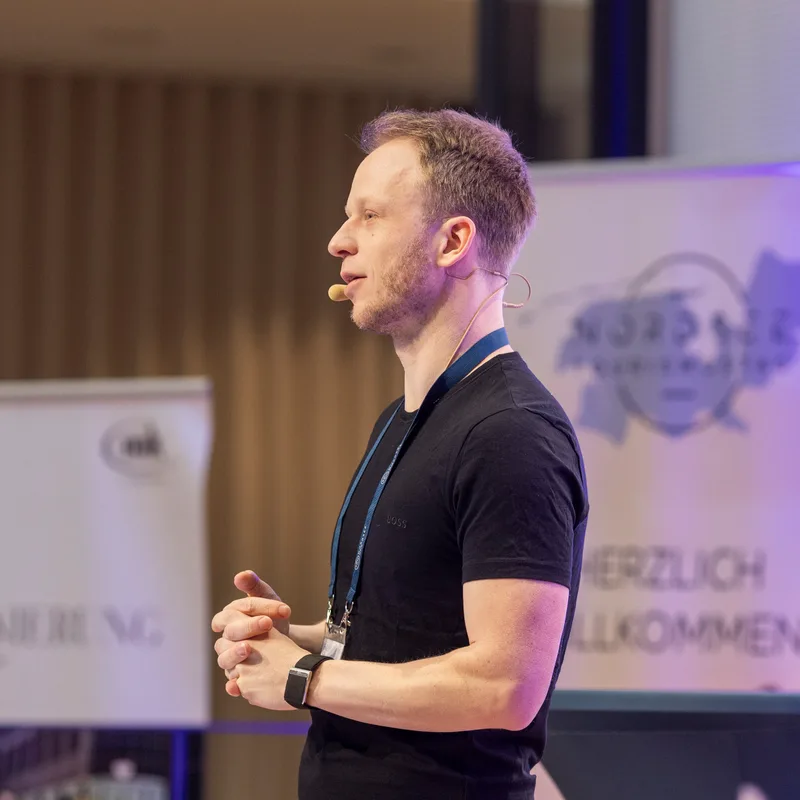
Hi, I'm Finn
AI & SEO Expert, Blogger & Developer
I've been an online entrepreneur since 2011, specializing in SEO, blogging, web design, and affiliate marketing.
Since 2022, I've been deeply immersed in AI, spending thousands of hours with AI tools and automation. I use Claude Code daily and know every corner of the tool.
With my AI blog, I reach over 100,000 readers every month and have already helped 1,200+ people in my online courses and my AI membership, the KI Business Club, to use AI effectively.
Founder of Blogmojo and Gradually AI
Founder of KI Business Club
ChatGPT Course with 4.9 Star Rating
100+ smaller and larger tools built with AI
PS: If you like the cheat sheet, check out my Claude Code Coaching. I'll show you how to become 5 to 10x more productive with Claude Code.
 Claude Desktop App: ideal for beginners. Chat-like interface, no terminal knowledge required.
 VS Code with Claude Code Extension: easier to use than the terminal, but with a reduced feature set.
 Terminal: full feature set, UI takes getting used to. Recommended terminals: iTerm2 (macOS), Warp, Alacritty, Windows Terminal, or my favorite, the built-in terminal in VS Code.