Do you want a new profile picture for your social media accounts, for a job application, for a dating portal, or your own website?
But you don't have the time, desire, or money to go to a photographer?
Then AI portrait generators might be something for you:
All you need is some sample photos of yourself and the AI tools will generate profile pictures or portrait photos for you within 30 to 60 minutes.
But how advanced is the technology really? Are the results usable? I tested three of the most popular AI portrait tools to find out.
- Photo AI leads with the best backgrounds and fewest image errors. You only need 15-70 of your own photos for professional results.
- HeadshotPro offers consistently good quality with very few image errors, but is slightly more expensive compared to other tools
- All tools work on the same principle: Upload your photos, 20-60 minutes of training, then you can generate unlimited portraits
1. How Do AI Photo Shoots Work?
AI photo shoots always work on the same principle:
- You upload 15 to 70 portrait photos of yourself to the tool (the number of required images may vary depending on the tool)
- The tool trains an AI model based on your photos, which can take between 20 minutes and 3 hours
- You can create your images
Most tools use diffusion models like Stable Diffusion for photo generation, often in combination with other algorithms or models to further improve the output, e.g., ControlNet.
Simply put:
These are AI image generators that are trained for a specific use case and contain additional image editing and enhancement steps.
1.1 What Can I Expect from AI Photo Shoots?
The technology is probably already better than you think. But it's still far from perfect.
Depending on the tool, you should expect that 10 to 50% of the images won't be usable because, for example:
- the hairstyle is strange
- the facial expression is inconsistent
- parts of the face are distorted (especially the eye area or teeth)
- there are errors in the background
- the tool didn't capture you correctly
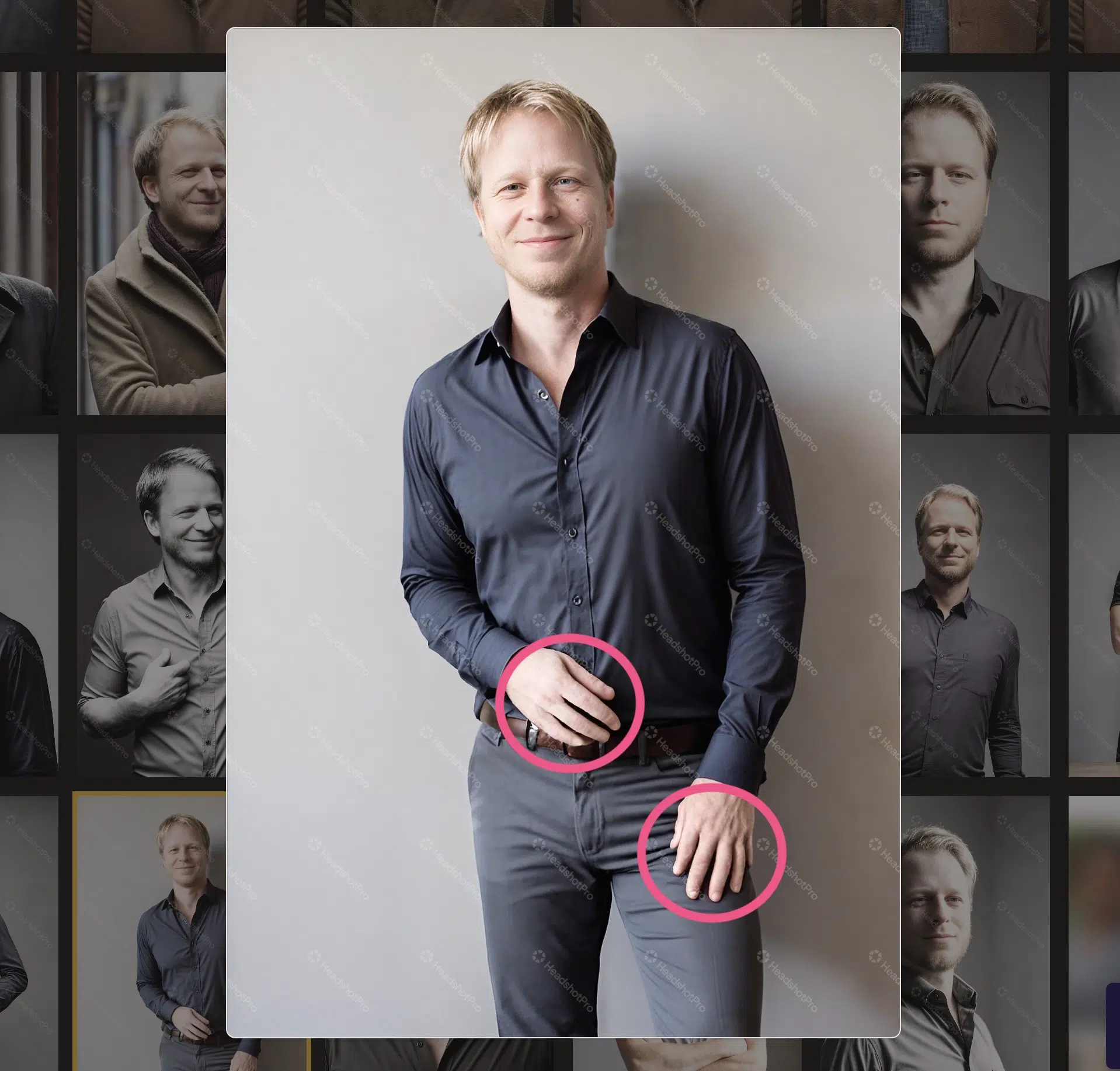
- the hands are distorted or have too few or too many fingers
Here's an example image where one hand has only 4 fingers and the other hand has 6 fingers:
However, for under $40 you get hundreds or even thousands of images. Even if you can only use 10 to 20 of them in the end, it's still significantly cheaper and faster than doing a photo shoot with a photographer.
1.2 Better Training Data = Better Output Quality!
It's important to understand that the quality of the photos you upload as training data significantly determines the photo quality you'll get in the end.
What you should avoid, for example:
- Photos with sunglasses
- Photos with caps or other headwear
- Blurry or poorly lit photos
- Group photos (no other people should be visible)
- Photos where your age differs significantly (photos should span about 5 years)
- Photos where your face is cropped
- Photos where your face is covered (e.g., by hands or half in shadow)
- Photos where your eyes are closed
- Photos where you're making faces
- Only uploading selfies with the same facial expression
2. AI Portrait Generators Overview
Here's an overview of the three tools I tested. I evaluated them based on background quality, frequency of photo errors, and model accuracy (meaning how similar the generated portraits actually look to you):
Rank | Software | Background | Photo Errors | Model Accuracy | Price |
|---|---|---|---|---|---|
| 1 | Photo AI | very good | few | medium | $ |
| 2 | HeadshotPro | good to medium | very few | medium | $$ |
| 3 | Aragon.ai | good to medium | very many | high | $$ |
3. AI Portrait Generators in Detail
Below you'll find details about each portrait generator, covering usability, pricing, and photo quality.
To compare the tools as fairly as possible, I used the same images as training data for all of them (with minor variations because the generators have different photo requirements).
3.1 Photo AI
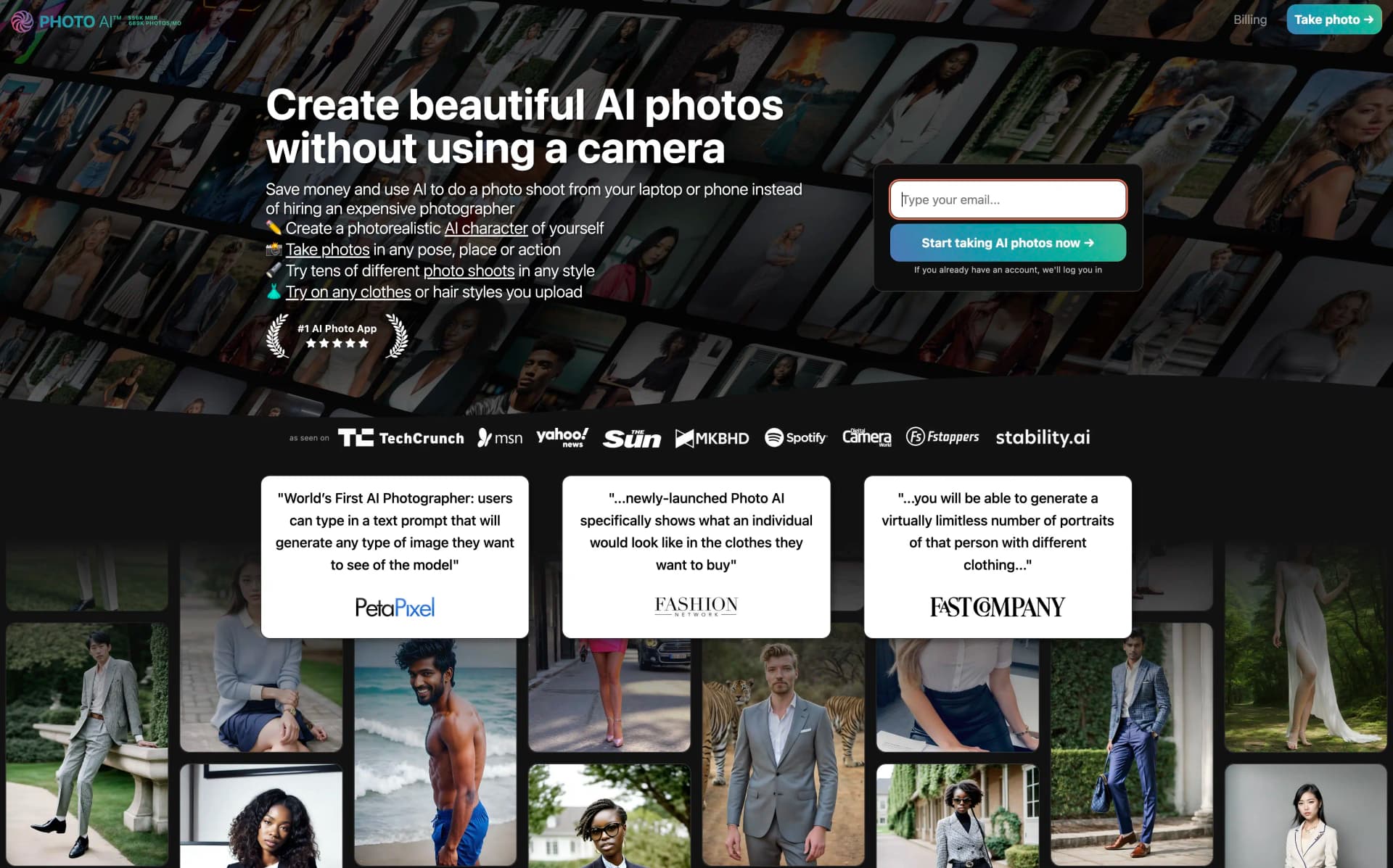
Photo AI is probably the most well-known AI tool for generating portrait photos. It's developed by Pieter Levels, the founder of Nomad Menu.
In testing, it left the other two AI photo tools far behind. It's not only the tool with the largest feature set, but also with the best photo quality, best value for money, and fastest generation time.
The starting point in Photo AI is creating your own AI character in the left sidebar.
To do this, you need to provide some personal information (e.g., age, skin color, eye color) and upload at least 20 images of yourself. However, I would recommend using between 30 and 60 images, which results in significantly better results:
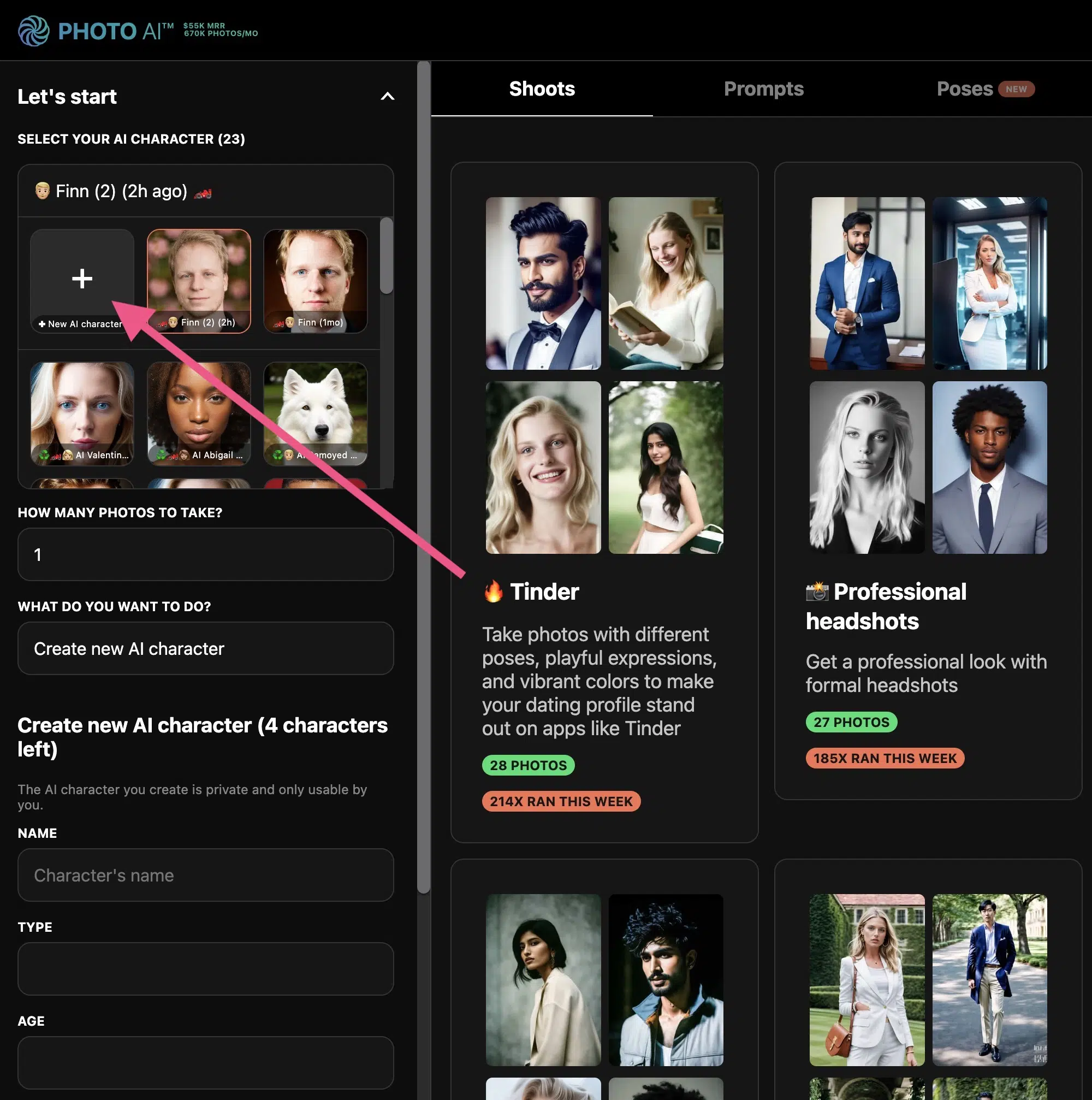
Once you've uploaded your images, it takes about 30 to 60 minutes for Photo AI to create the AI character so you can use it. Then you can use the character to create images of yourself.
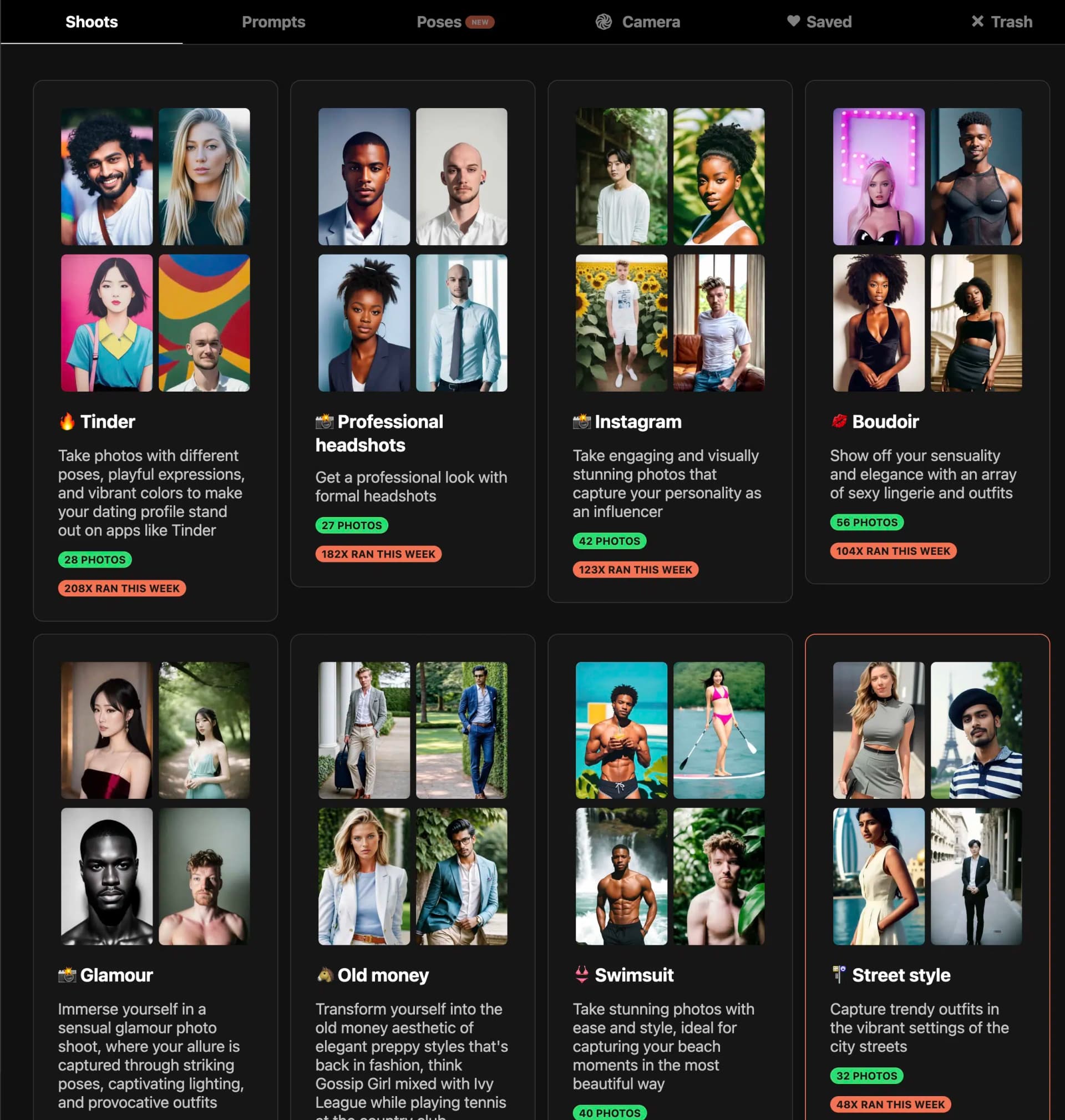
A unique feature compared to most other tools is that with 33 different photo shoots, virtually every private and professional use case is covered.
You can choose between Tinder, Glamour, Swimsuit, Instagram, Cyberpunk, or Professional headshots, for example:
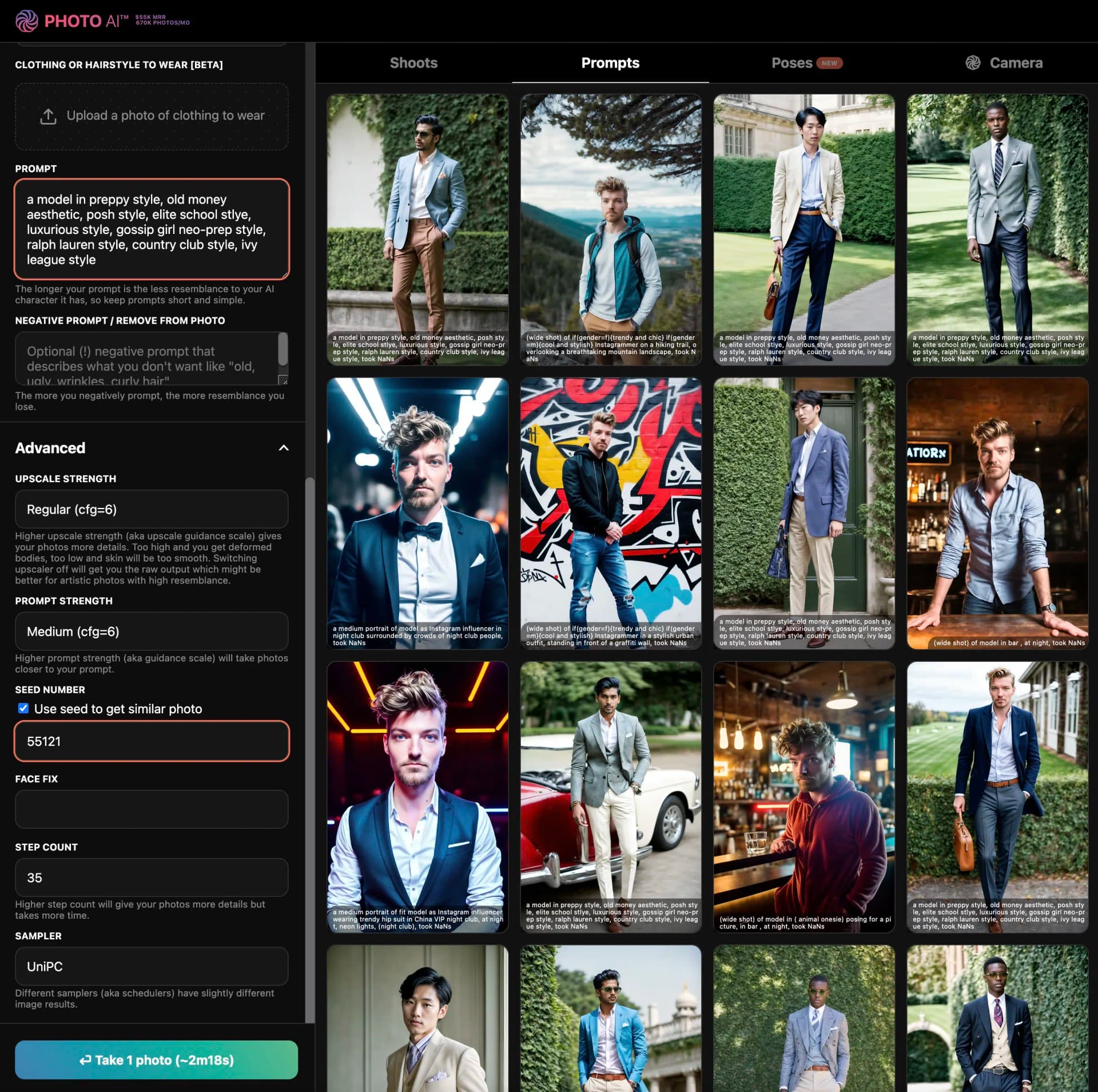
If none of the photo shoots suit you, you can also create more specific photos based on your own prompts (also with your trained model, of course).
As a guide, Photo AI offers hundreds of templates:
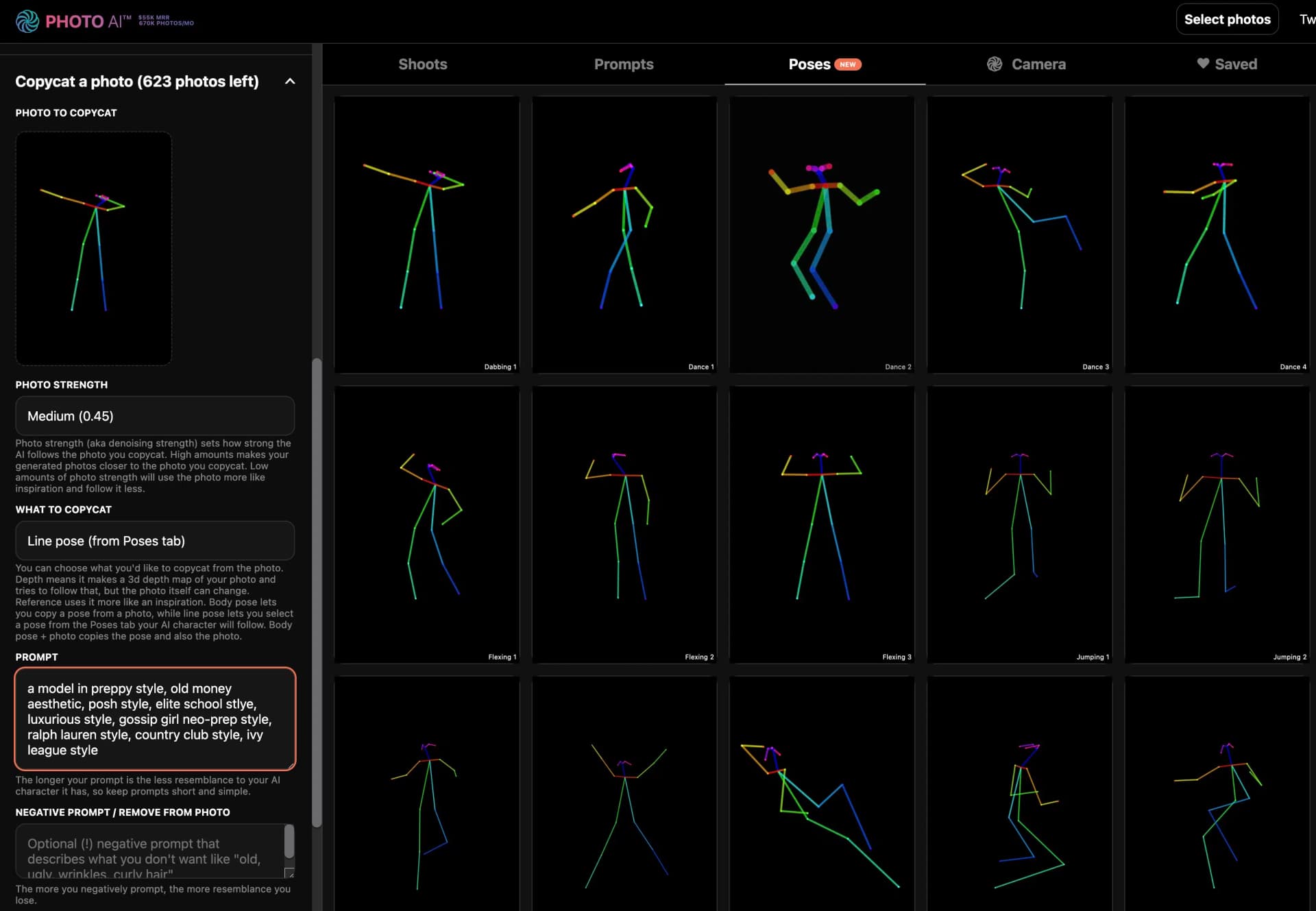
Additionally, you can select specific poses for your photos:
The results are generally very good and often better than expected:
Compared to many other tools, there's significantly less waste, and the images look more natural.
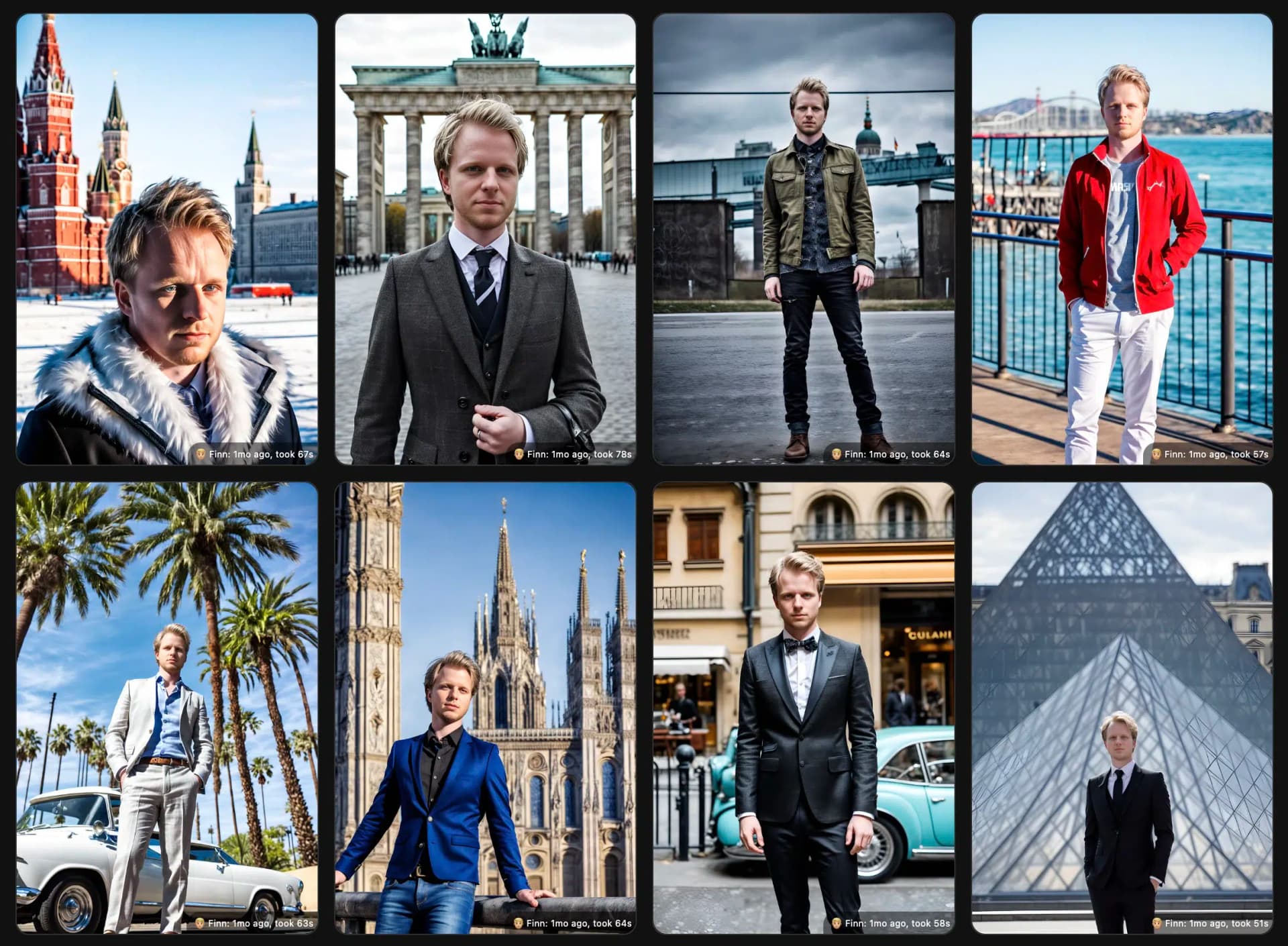
What I like most is the variability. Other tools usually only offer business shoots, which means you have a limited number of clothing styles and backgrounds. Thanks to the photo shoots and the ability to prompt yourself, this isn't the case with Photo AI. Here you can see me on a world trip, for example:
3.2 HeadshotPro
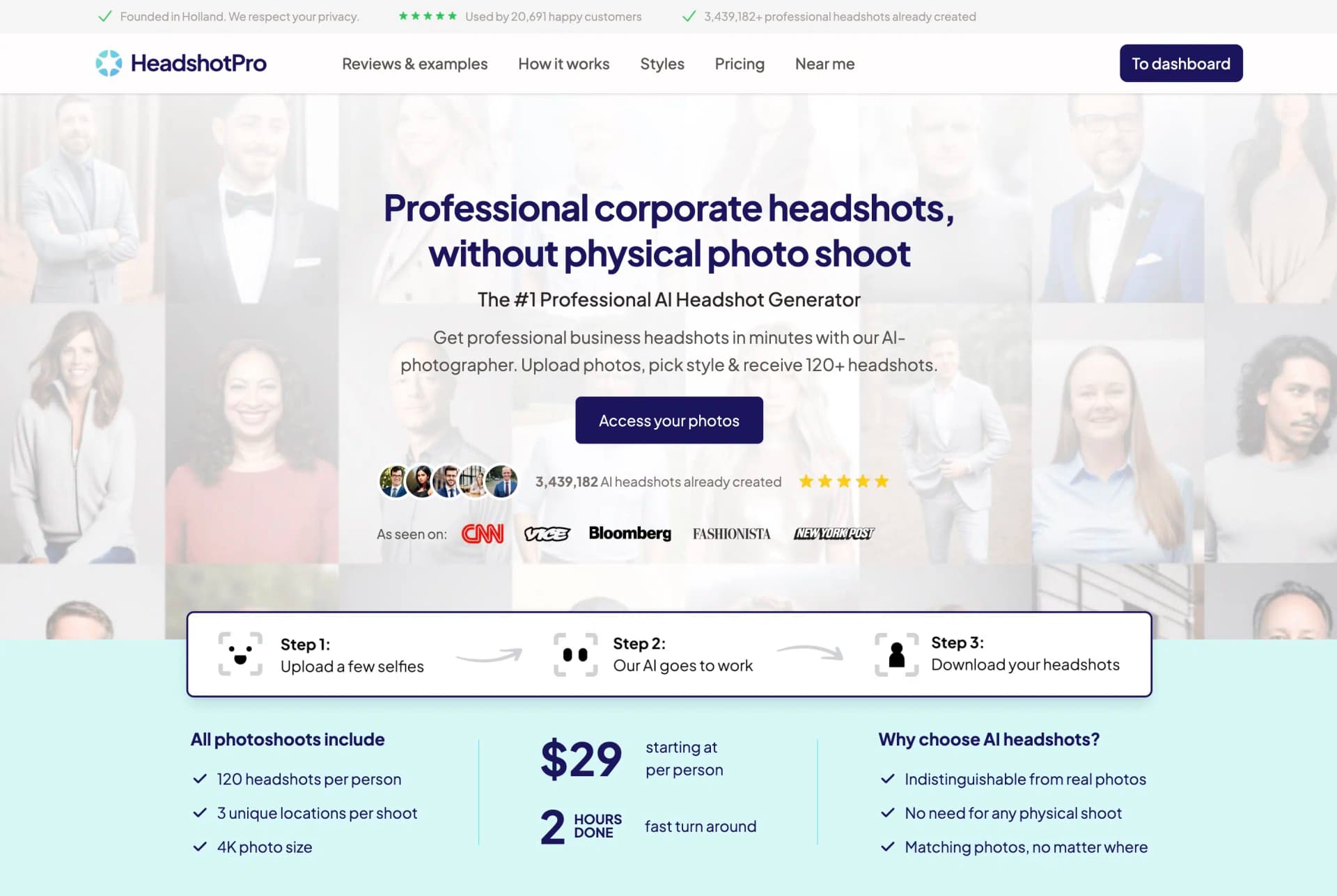
HeadshotPro is one of the most well-known AI portrait generators and is developed by indie maker Danny Postma.
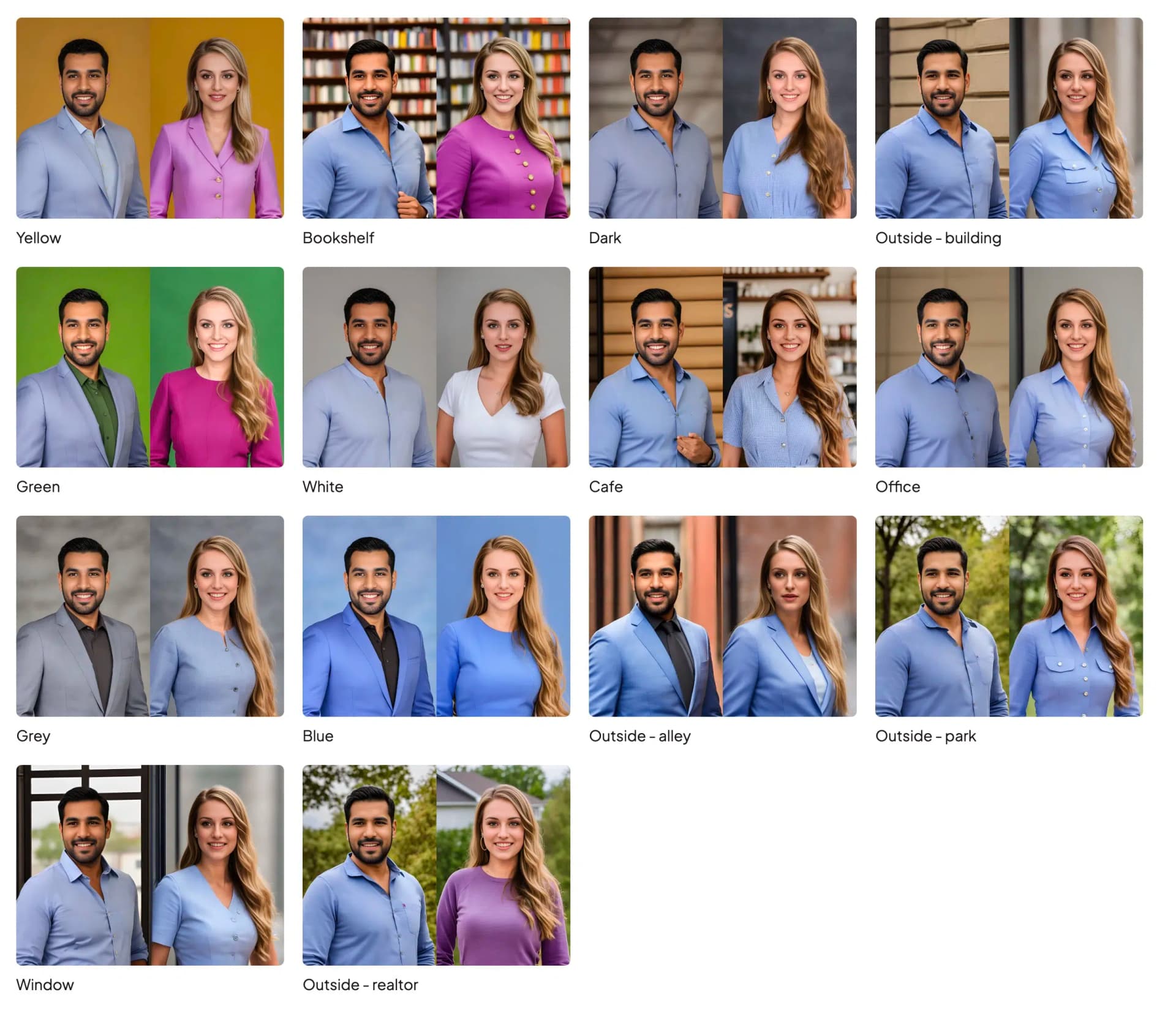
It came in second place in my test and is particularly good for LinkedIn or job application photos. The available backgrounds and clothing styles are designed for that:
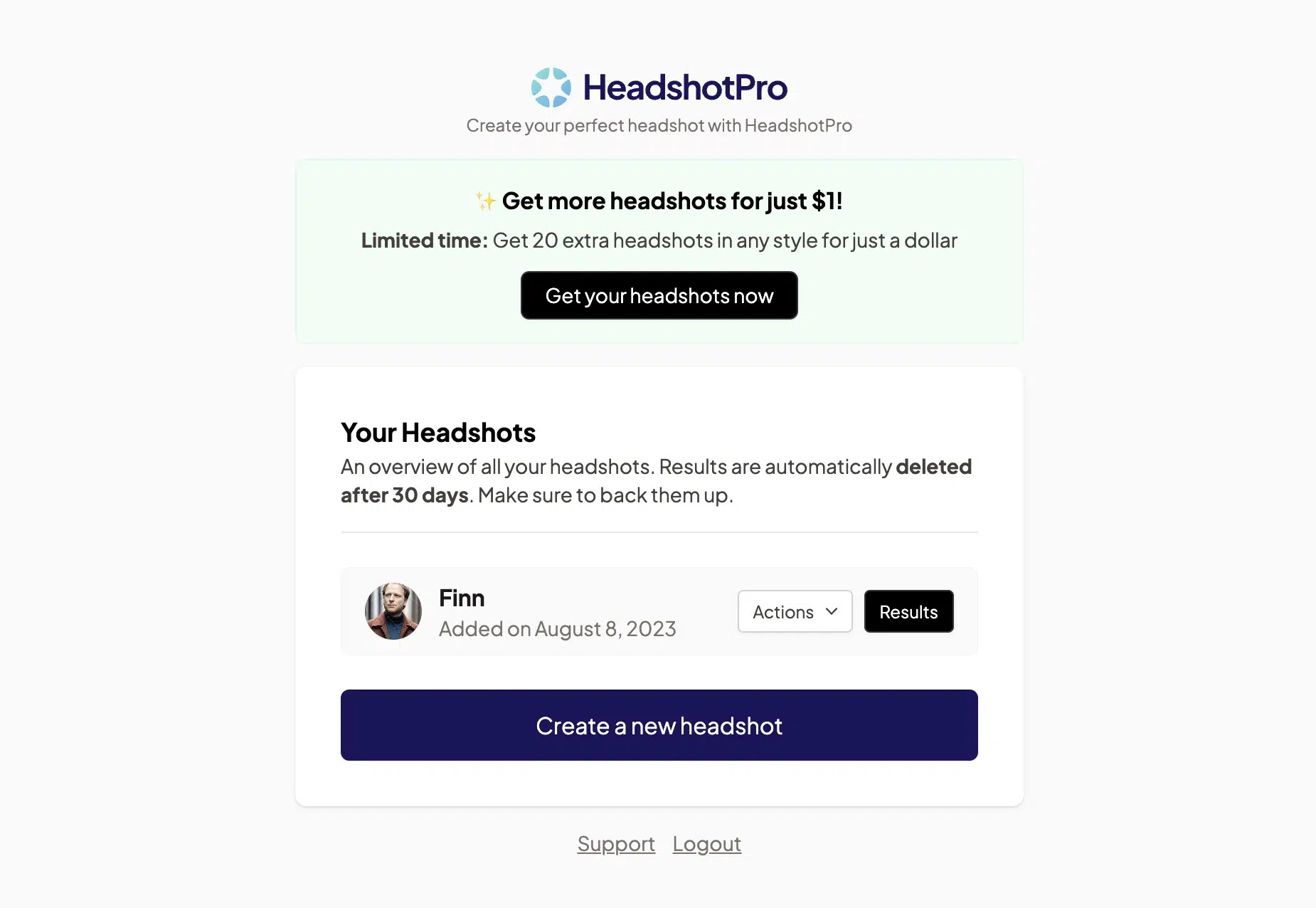
The interface is where HeadshotPro really shines. While Photo AI's dashboard sometimes feels overloaded, HeadshotPro keeps things minimalist and clear:
Where it also excels is in photo errors. Of 240 images I generated in testing, less than 10% were waste. That's a very good value.
Images with typical AI defects like too short, too long, too few, or too many fingers, strange eye areas, or failed backgrounds occurred significantly less often compared to Aragon.ai or Photo AI.
However, HeadshotPro has to admit defeat to Photo AI in all other categories:
- HeadshotPro offers only a limited selection of backgrounds and clothing styles compared to Photo AI
- You can only make a few settings and have few options to influence the style of your images (Photo AI offers poses, custom prompts, and many advanced settings)
- Photo AI offers pre-trained AI characters (which is great for website or product photos)
- HeadshotPro made me look older and less attractive than I actually am (with Photo AI it was the opposite, which I preferred!)
Additionally, Photo AI offers better value for money:
With HeadshotPro you only get 40 images for $29. With Photo AI it's 1,000. You can also only train one model; for another model you have to pay $29 to $49 again (with Photo AI you can train up to 5 models).
3.3 Aragon.ai
Aragon.ai lands in third place in my test. While it stood out for the highest model accuracy and scored well in usability, it unfortunately couldn't convince with photo quality.
About 80% of all images were unusable due to photo errors.
At first glance, many images looked good. However, upon closer inspection and enlargement, most images showed errors in the eyes:
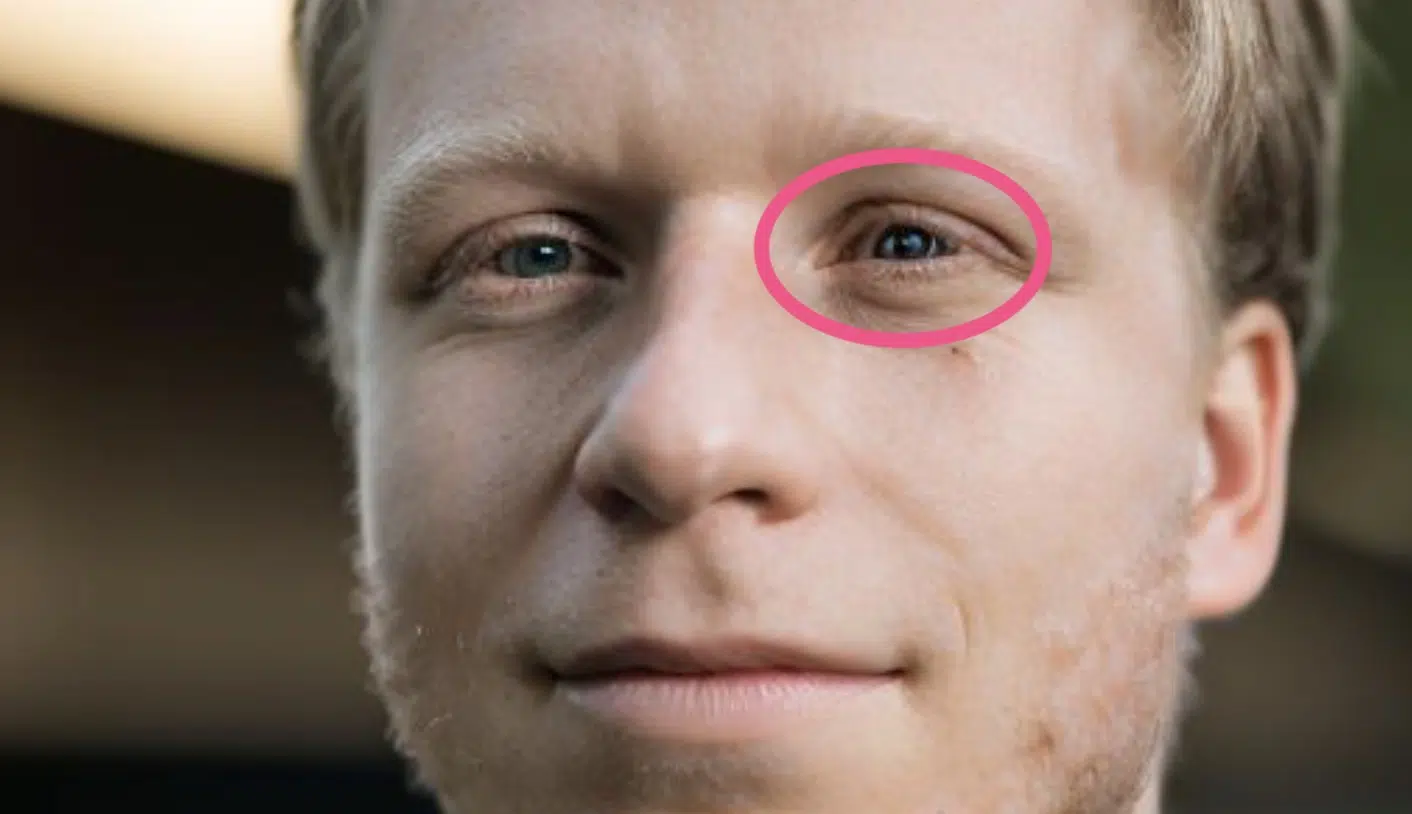
Some images also had failed hair, mouth, or focus, but not noticeably more often than with the other tools.
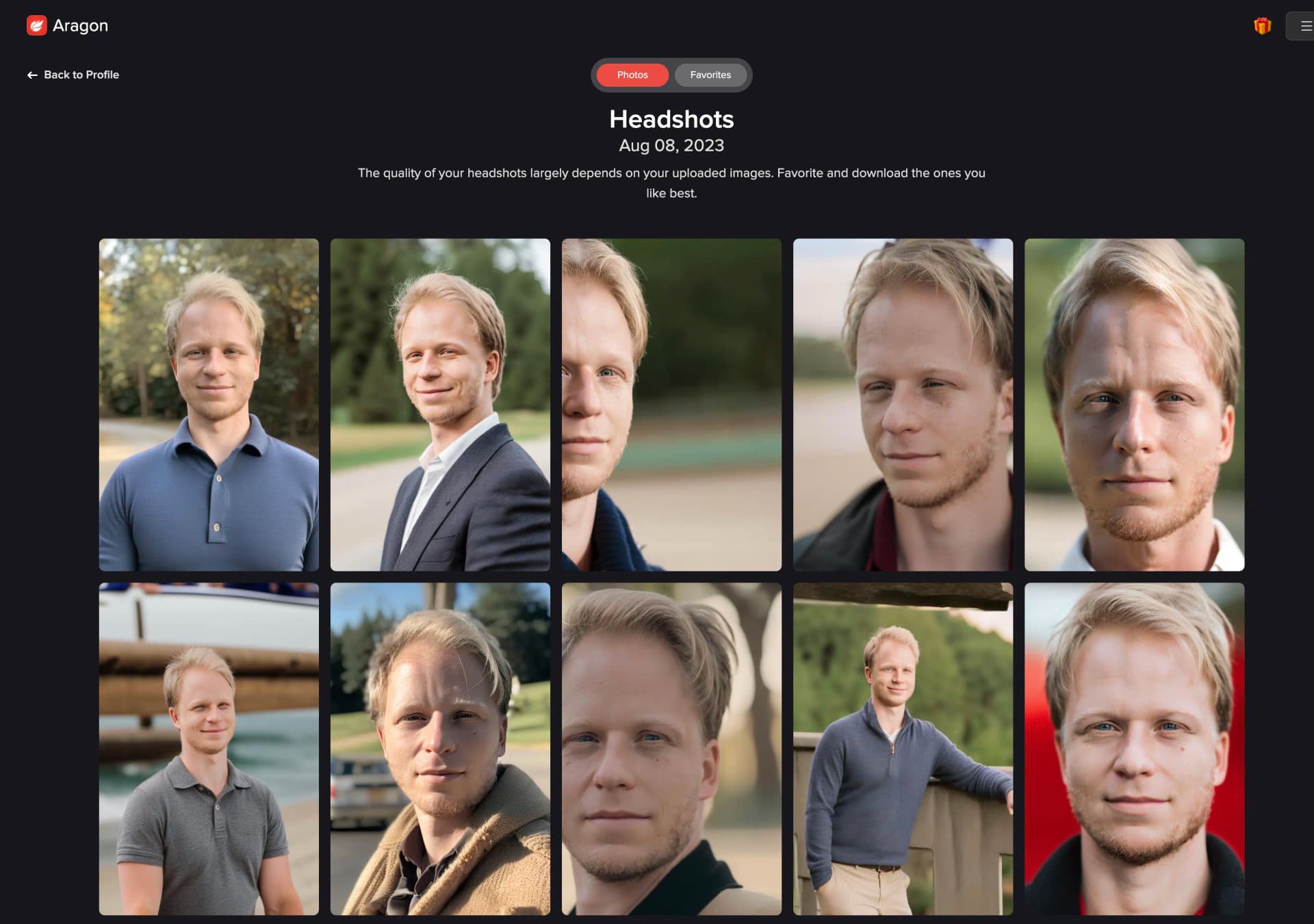
The photo backgrounds and clothing styles are diverse and appealing, as you can see here in my dashboard:
In terms of price, Aragon.ai is roughly on par with HeadshotPro. In the Starter package for $29, you get 40 headshots. However, the Basic and Premium tiers offer slightly worse value for money than HeadshotPro's two more expensive tiers.