For years, Midjourney had no serious competition for the AI image generation crown. Then a small team from Germany changed that.
FLUX.1, built by Black Forest Labs (the people behind Stable Diffusion), launched in August 2024 and immediately turned heads.
I've been testing both tools side by side, and here's my honest comparison: which models exist, how good FLUX really is, where it beats Midjourney, and where it doesn't.
- FLUX.1 [pro] is better at prompt accuracy and text rendering than Midjourney v6 - generates more precise images according to instructions
- Midjourney v6 excels in aesthetics and emotional depth - has the characteristic 'Midjourney look' that many love
- FLUX is open source and locally installable, Midjourney remains Discord-only - FLUX [schnell] is even free to use
1. What is FLUX?
FLUX is an AI that generates images based on entered prompts, so it does the same thing as Midjourney. FLUX was developed by a team that comes from the AI field and was involved in the development of Stable Diffusion models, for example.
For those interested in the technical background: Most image generators are currently based on Stable Diffusion and then incorporate additional processes like RLHF (Reinforcement Learning from Human Feedback).
FLUX, on the other hand, uses Flow Matching, which is new in this field but looks quite promising. Without going into more detail, what's exciting about this is that FLUX actually "works" differently than Midjourney, for example.
1.1 FLUX.1 Models
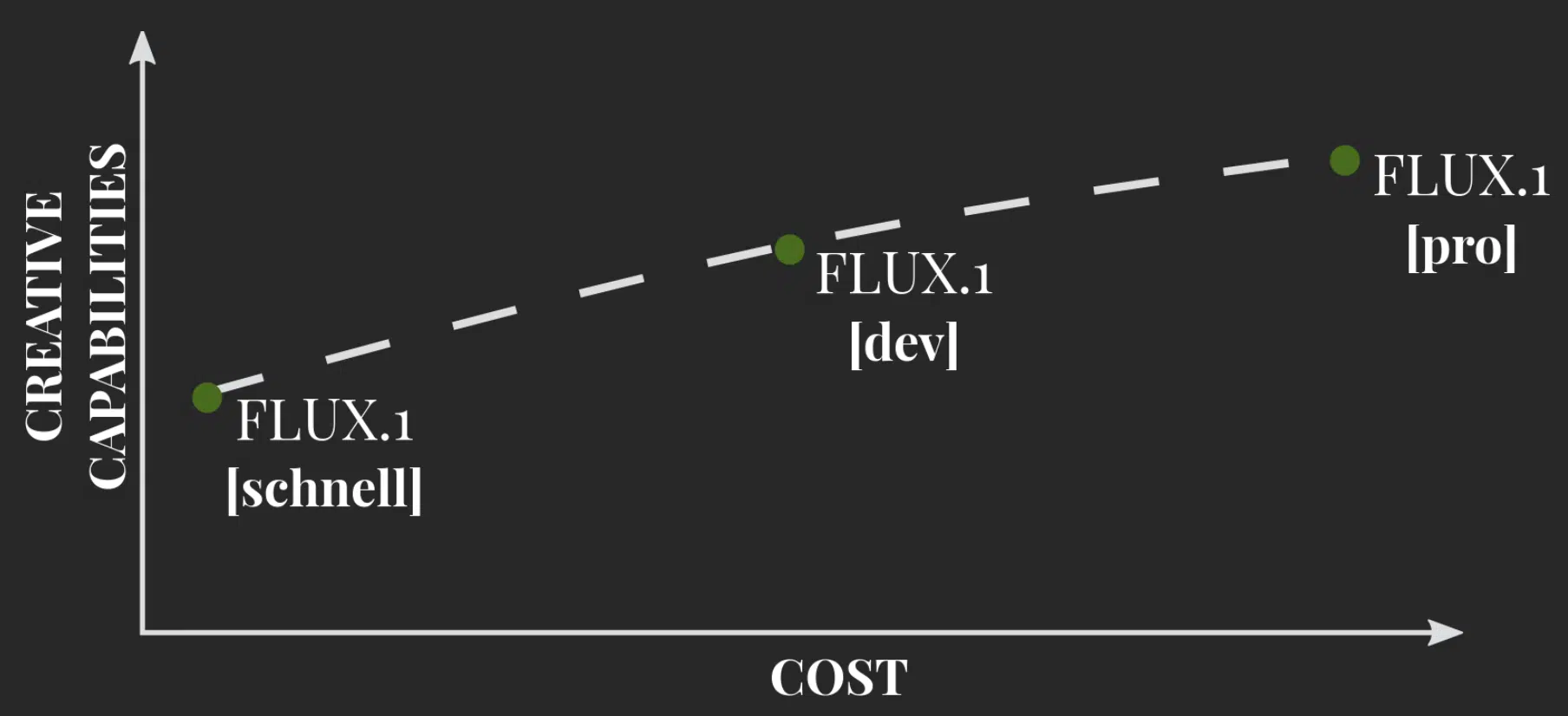
Black Forest Labs released three models of FLUX.1 directly:
- FLUX.1 [pro]
- FLUX.1 [dev]
- FLUX.1 [schnell]
The models differ in how quickly images are generated, how many details they have in the end, and how "prompt-accurate" they are.
Pro is the model that delivers the best images and our recommendation if you want good results. For experiments where you want to generate many images and quality isn't as important at first, you can use FLUX.1 [schnell].
2. How Good is FLUX.1?
To test this, I had Midjourney and FLUX.1 [pro] execute the same prompts and compared the results.
One important difference: Midjourney generates 4 images per prompt while FLUX only generates one. So I occasionally had FLUX generate multiple images when the first one wasn't quite right.
2.1 Prompt Accuracy
Prompt accuracy describes how well the image actually matches the text you entered. With Midjourney, prompt accuracy unfortunately sometimes leaves something to be desired, especially when things get more complex.
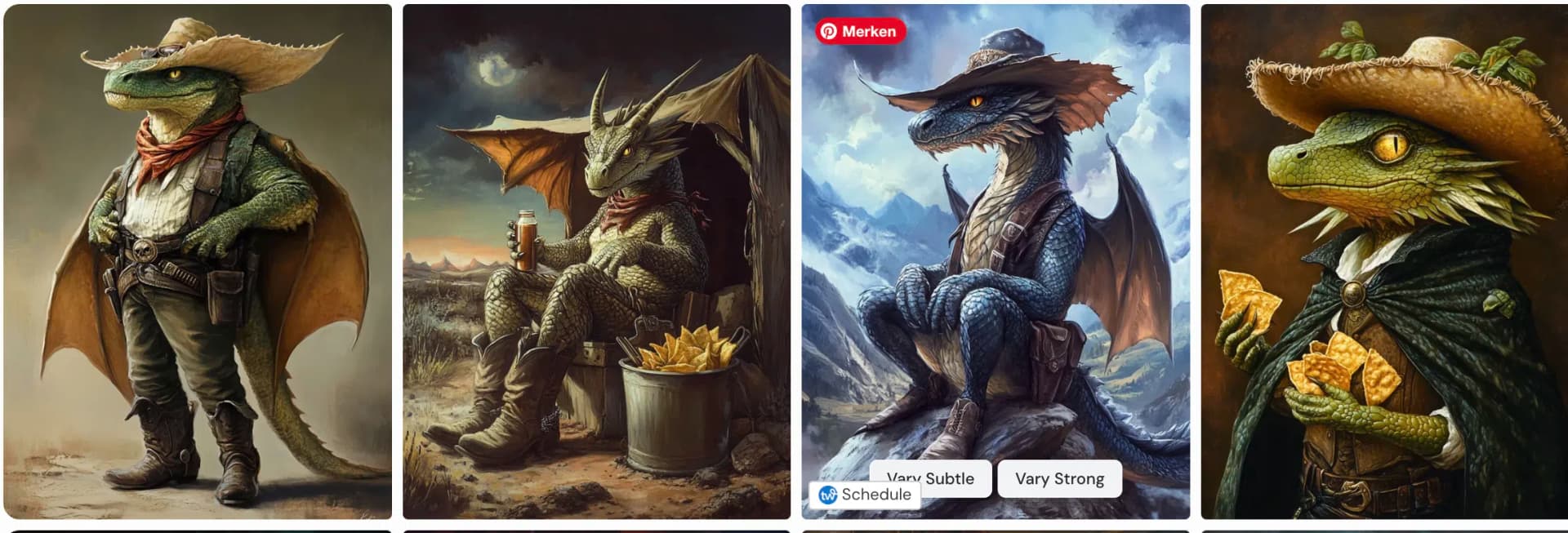
Here's the prompt I tested with:
three-headed dragon with cowboy boots and hat, watching TV and eating nachosMidjourney:
FLUX.1 [pro]:

None of the images depicted all five aspects, but in principle, the image generated by FLUX comes significantly closer to the prompt than the Midjourney images. And this isn't a random result, but actually consistent:
FLUX adheres better to prompts and on average depicts more aspects in the image than Midjourney. This is particularly noticeable with complex prompts that tend toward the fantastical (like our example).
2.2 Hands and Limbs
Midjourney has significantly improved hands, arms, legs, and feet rendering with v6.1 and later v7. At the time of our test, v6.1 was just released. Let's take a look at how Midjourney performs in this category.
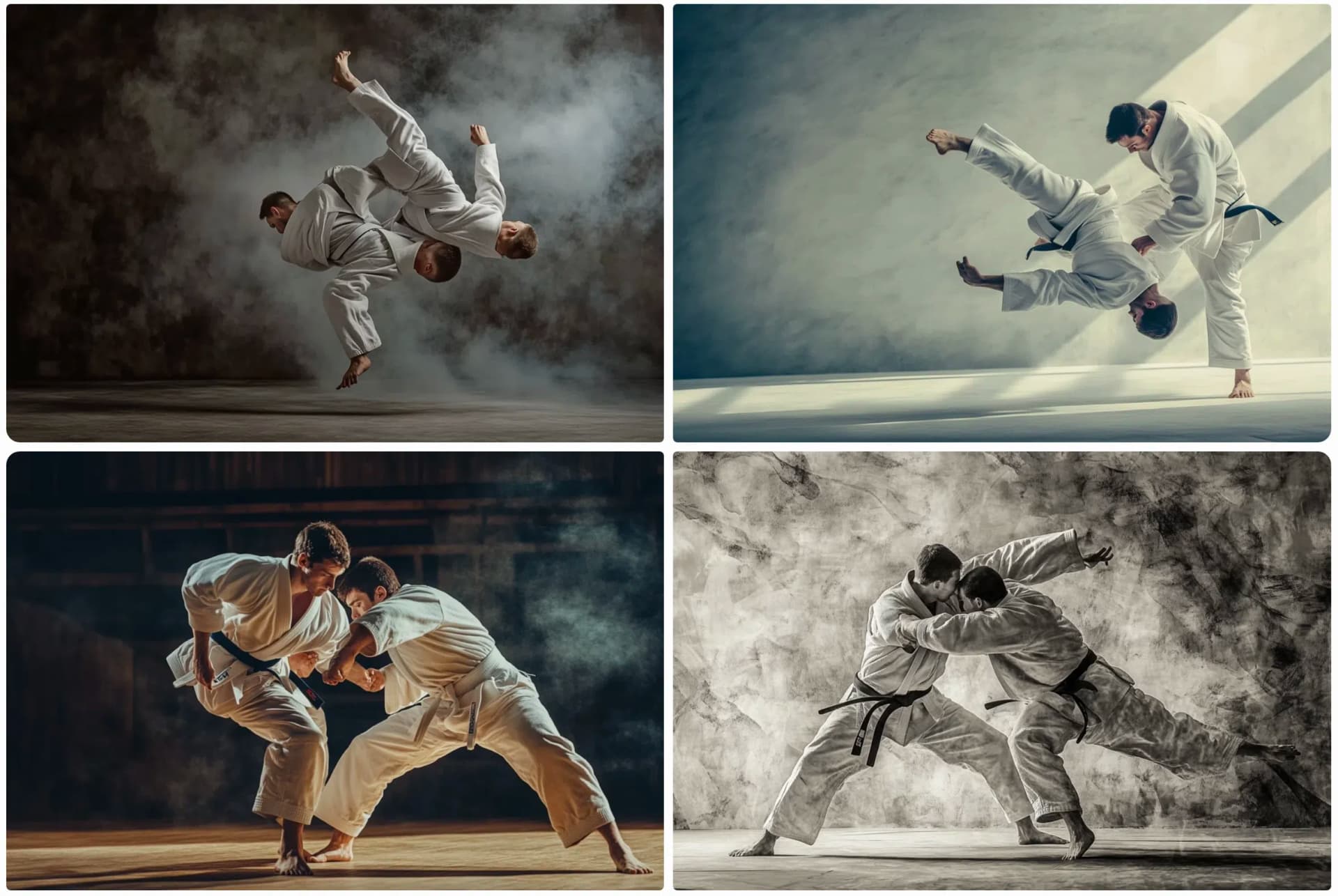
I used this prompt for it:
photo of two judo fightersMidjourney:
FLUX.1 [pro]:
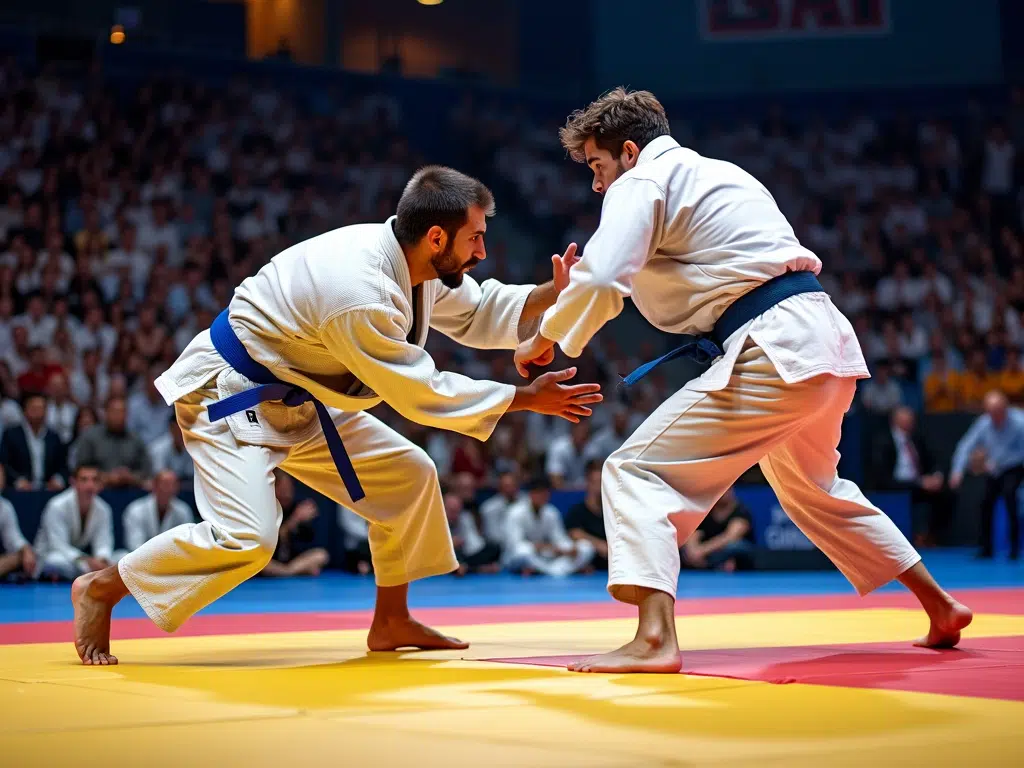
Here too, the point goes more to FLUX. With Midjourney, we see quite a lot of limbs that are too many or too few.
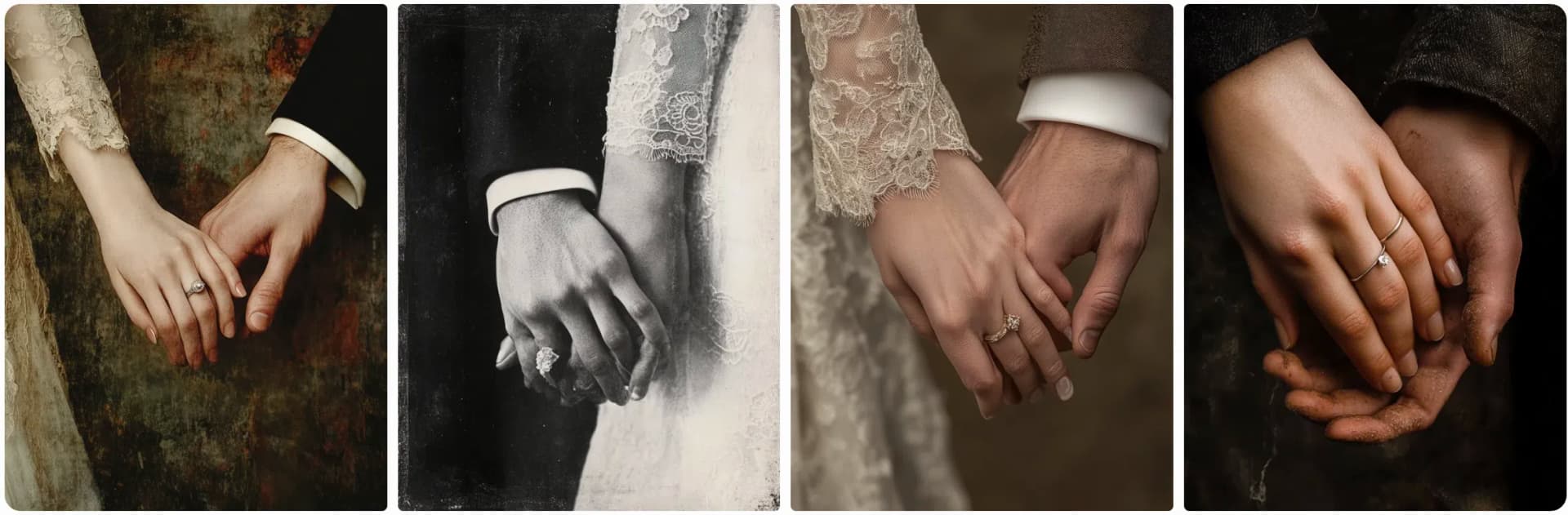
I tested another prompt specifically for hands:
Photo of the hands of a couple who just got married. You can see the wedding ringsMidjourney:
FLUX.1 [pro]:
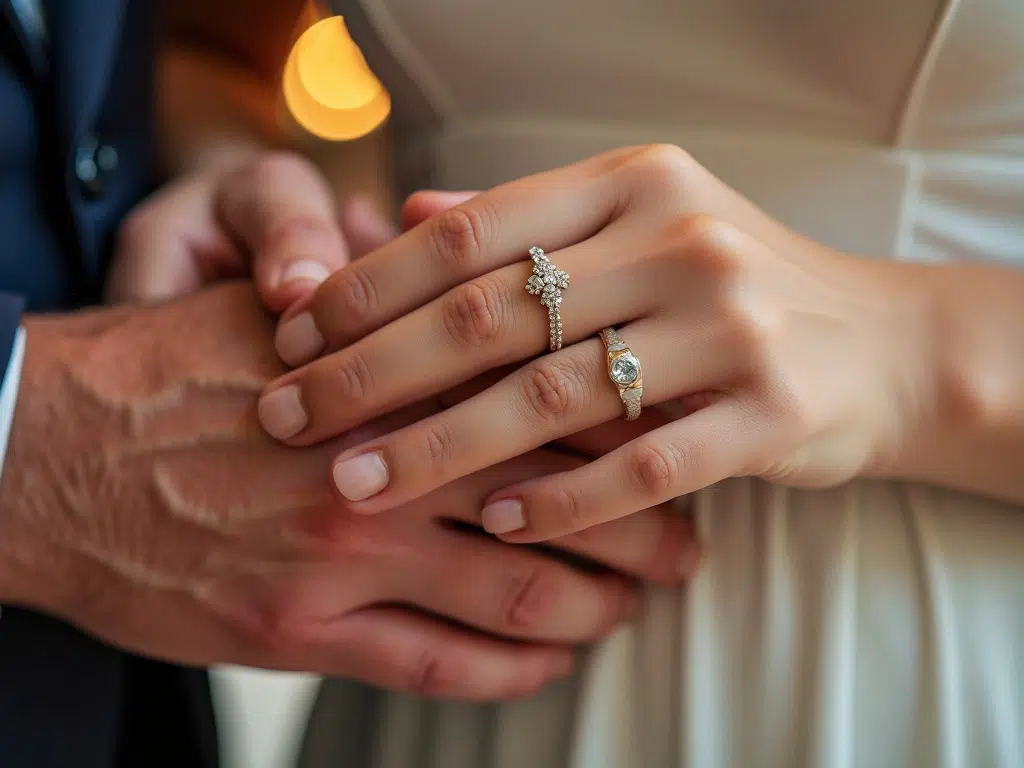
With Midjourney, there are errors in 3 out of 4 images that are visible at first glance. With FLUX, the first image is so good that you need to look more closely to spot anything off.
Overall, FLUX also performs slightly better in this category.
2.3 Text
Rendering text in images is a big challenge for image generators, as they don't render text as text and also have no understanding of words, etc., but for them it's simply individual pixels that need to be put together correctly.
Midjourney has become much better at this with the new version, but let's see how MJ compares to FLUX:
The prompt:
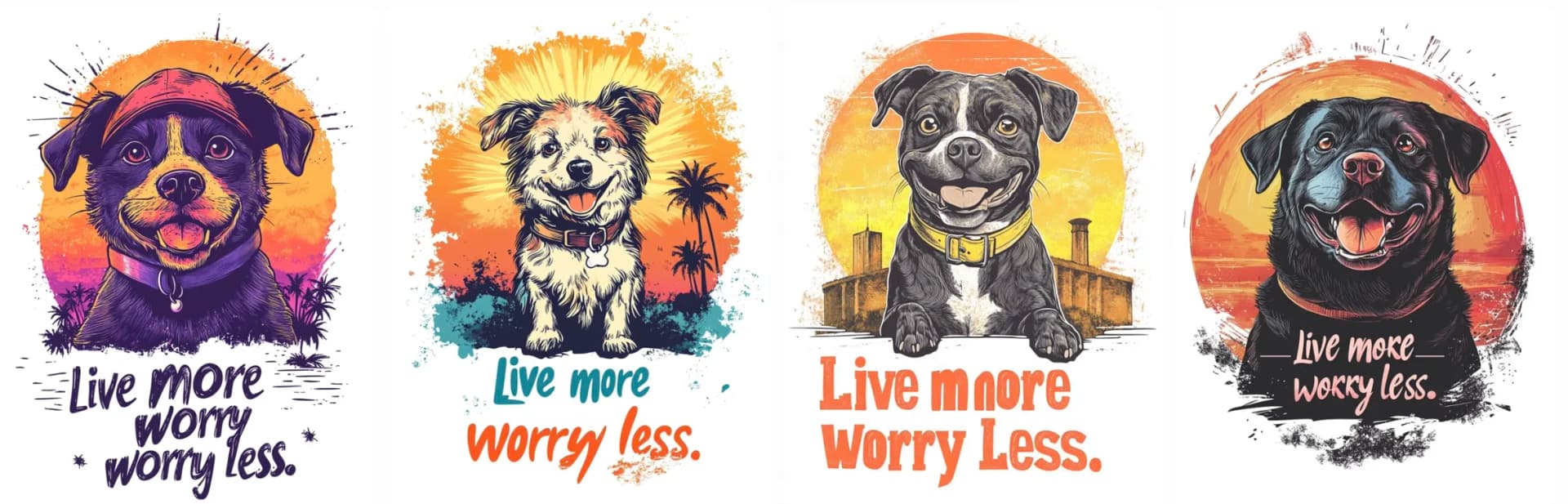
vintage sunset vector t-shirt design of a dog with the text "Live more worry less." isolated on white backgroundMidjourney:
FLUX.1 [pro]:
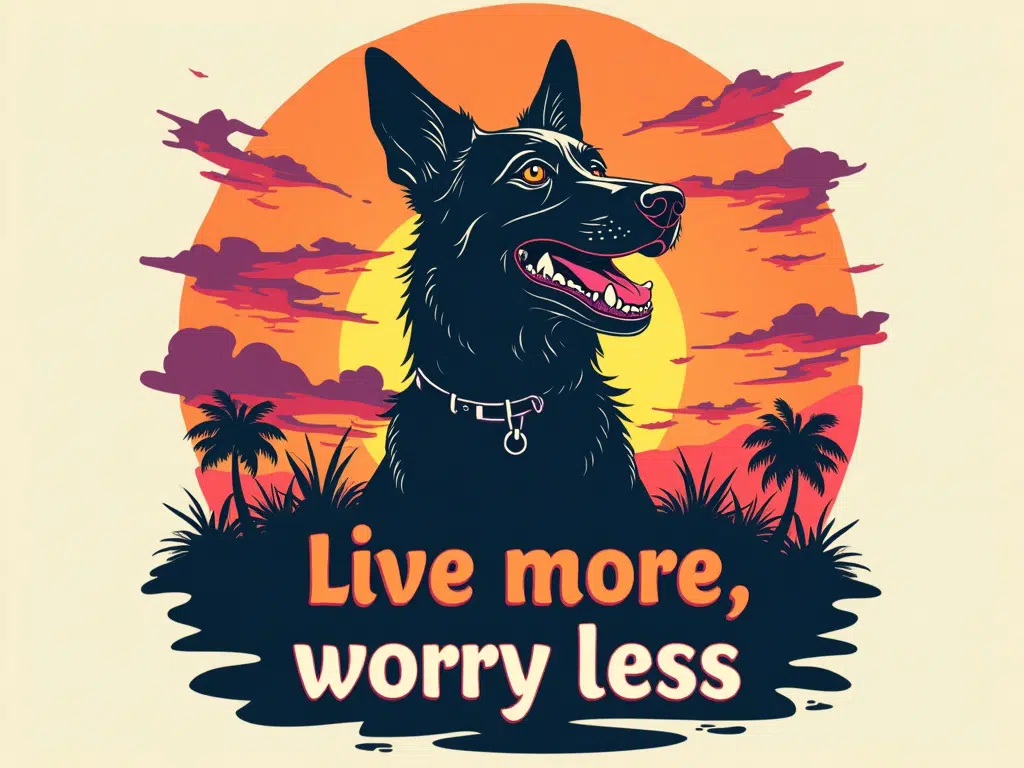
Midjourney gives us one image here (the first one) that's really great and three with minor and major errors. The FLUX image is error-free on the first try.
Let's look at another prompt:
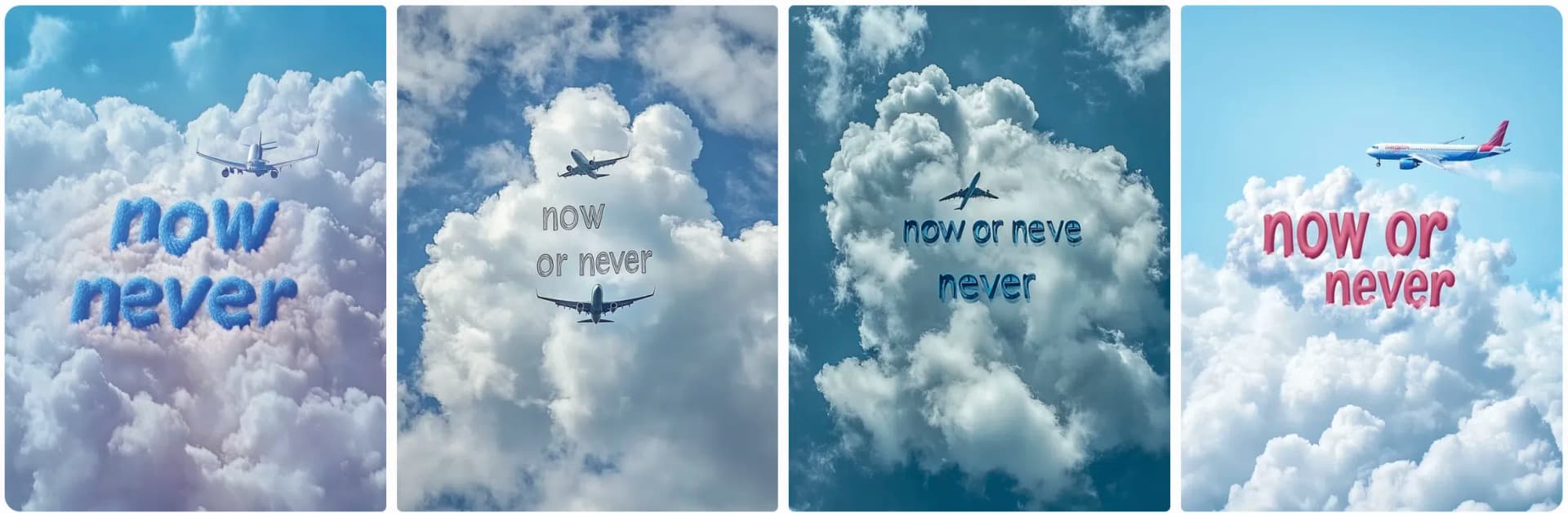
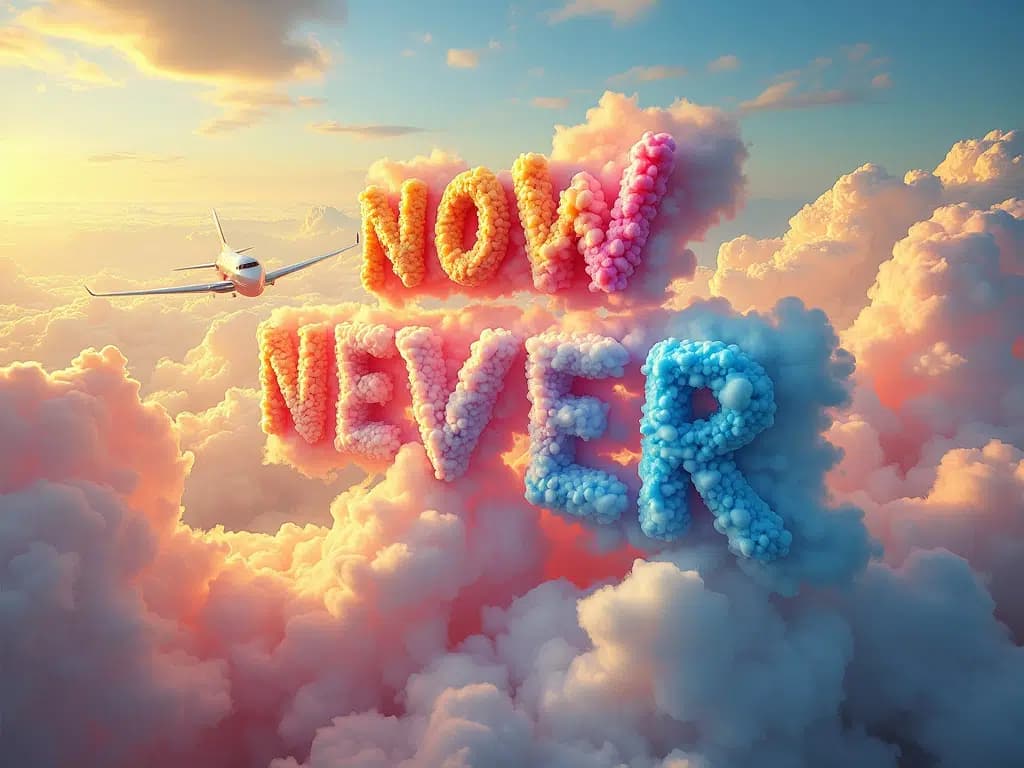
clouds forming the word "now or never" and a plane flying through themMidjourney:
FLUX.1 [pro]:
Here too, several Midjourney images have errors that make them unusable. Midjourney also fails to follow the prompt. The words in none of the images look like they were formed from clouds.
With FLUX, on the other hand, we're getting closer to what we want. Unfortunately, the "or" is missing from the text and the words don't really look like clouds, but it tends to go in the right direction.
In fairness, I had FLUX run the prompt again and this result really impressed me:
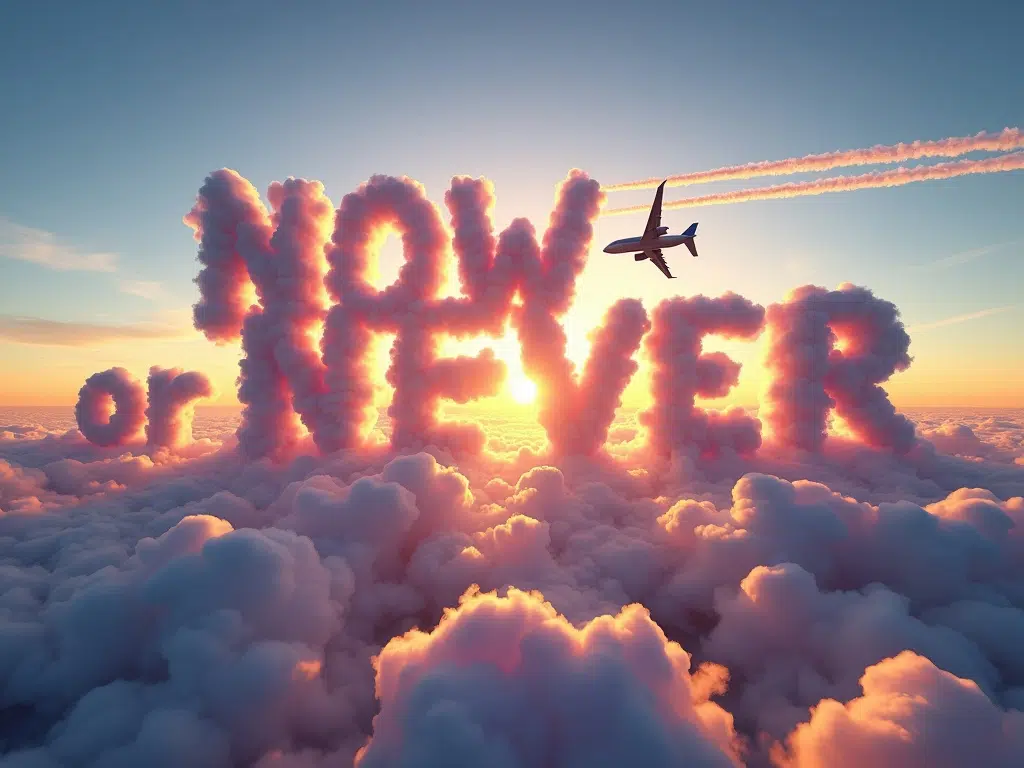
The text is perfect and the words really look like they emerged from the clouds.
2.4 Aesthetics
Midjourney images have their own unique aesthetic and the developers place great value on visually appealing images that convey many emotions.
Other AI image generators often can't keep up with this, and that's exactly why Midjourney became so popular so quickly.
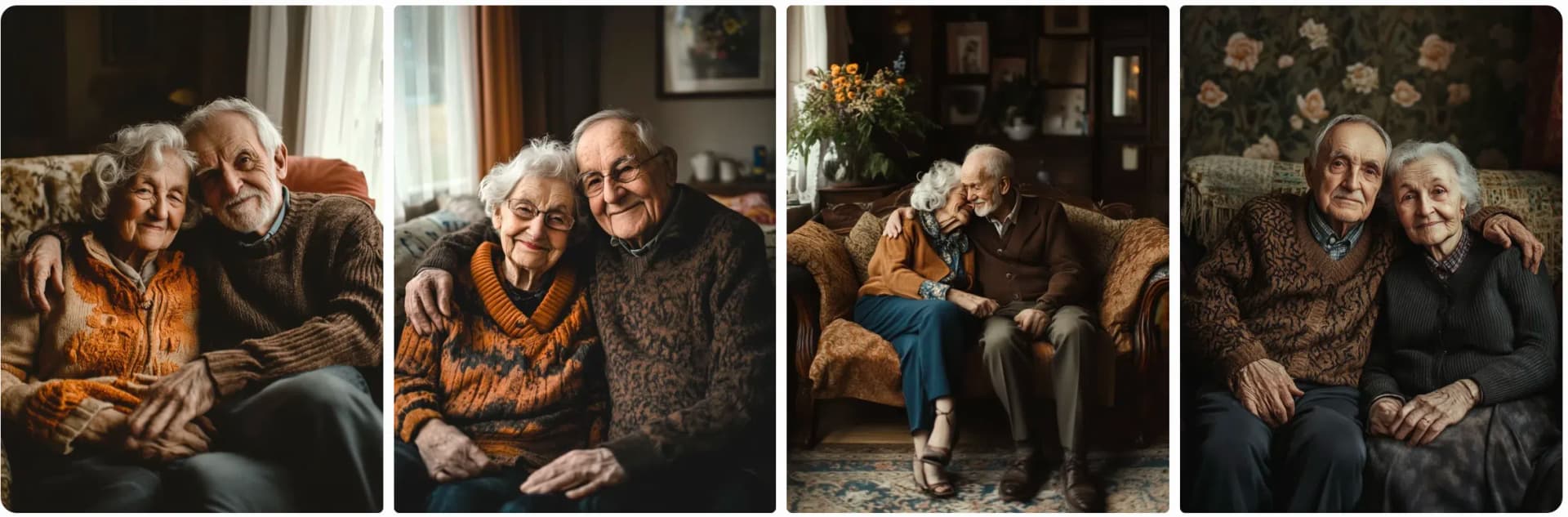
The prompt I used:
a photo of an old couple sitting on a sofa. loving, calm, happy, sereneMidjourney:
FLUX.1 [pro]:

And now we're getting into the area where it's more about personal preferences: Both generators gave us beautiful and appropriate images, but they look fundamentally different.
Another example:
a woman sitting near a pond, crying. sad mood, melancholicMidjourney:
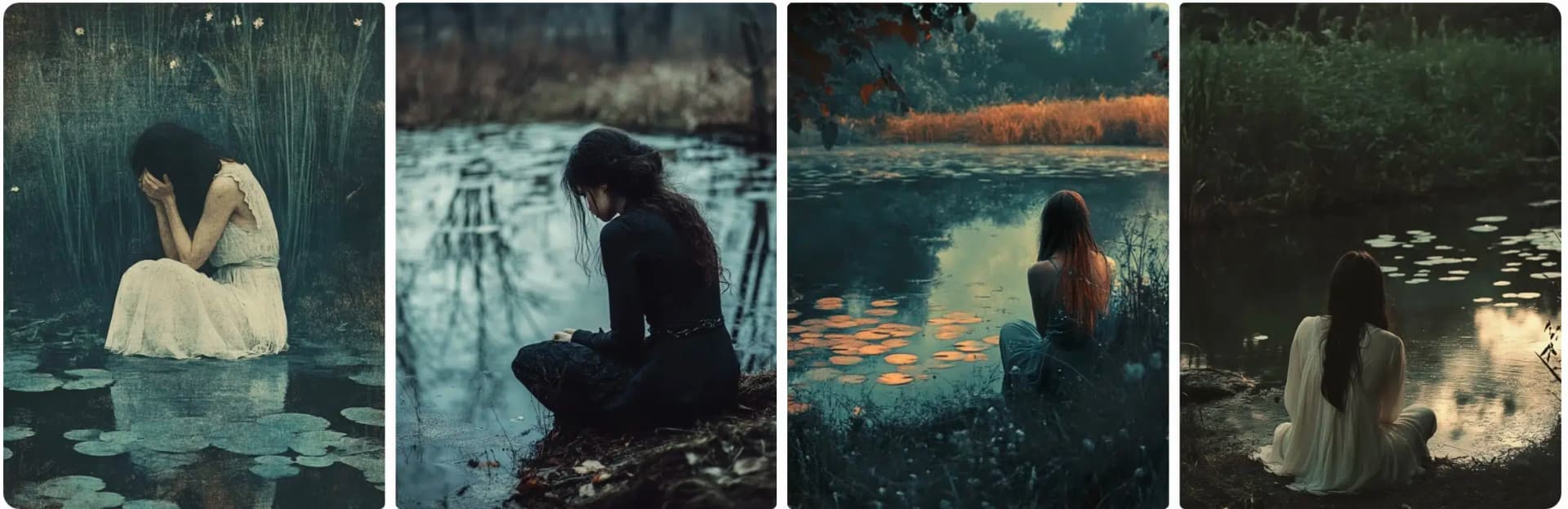
FLUX.1 [pro]:

Here too, all images match the prompt, but you can clearly see the difference between Midjourney and FLUX. However, it's hard to judge what's better here, as this certainly depends on the respective use case.
3. Using FLUX.1
FLUX.1 [schnell] is completely free to use. For the Pro version, there are various API providers.
FLUX.1 can now be used through many platforms, e.g. directly through Black Forest Labs or through third-party providers like Replicate, fal.ai, or Together AI.
Since FLUX is open source, you can also install it locally on your own computer (e.g. via ComfyUI). However, you'll need a powerful graphics card with at least 16 GB VRAM for that.