Imagine uploading a messy CSV file and getting polished charts, cleaned data, and actionable insights back in seconds. No Python knowledge required.
That is exactly what the ChatGPT Code Interpreter does. It writes Python code in a Jupyter notebook and executes it in a sandbox environment, all from simple text instructions.
The Code Interpreter was announced on March 23 alongside ChatGPT Plugins, with notable demos from Andrew Mayne and Greg Brockman. The first alpha testers received access in April, May and June.
Recently rolled out as an optional beta feature for all ChatGPT Plus users from July 6 to 8.
But what exactly can the ChatGPT Code Interpreter do? And how can you use it?
In this article, you'll learn everything you need to know about the Code Interpreter.
- ChatGPT Code Interpreter (now "Advanced Data Analysis") executes Python code and analyzes files up to 100 MB (CSV, Excel, images, videos)
- Over 330 pre-installed Python libraries available for data analysis, machine learning, image editing and more
- Available with ChatGPT Plus ($20/month) and above, no internet access, runs in secure sandbox environment
1. Supported Files
The Code Interpreter supports uploading and downloading files up to 100 MB in size. Including:
- .csv
- .xls
- .png
- .webp
- .mov
- .mp3
- .epub
- .zip files of complete Git repositories
2. Supported Python Libraries
The Code Interpreter comes pre-installed with over 330 libraries including:
- pandas (data analysis)
- matplotlib
- seaborn
- folium (charts and maps)
- pytesseract (OCR)
- Pillow (image processing)
- Pymovie (ffmpeg)
- Scikit-Learn
- PyTorch
- Tensorflow (ML)
3. How Can I Use the Code Interpreter?
You can use the Code Interpreter if you have subscribed to at least ChatGPT Plus ($20/month). ChatGPT dominates the AI space with a 60.4% market share.
Originally, the Code Interpreter had to be enabled as a beta feature in the settings. Today, code execution is integrated into ChatGPT by default. Here's what the activation looked like back then:
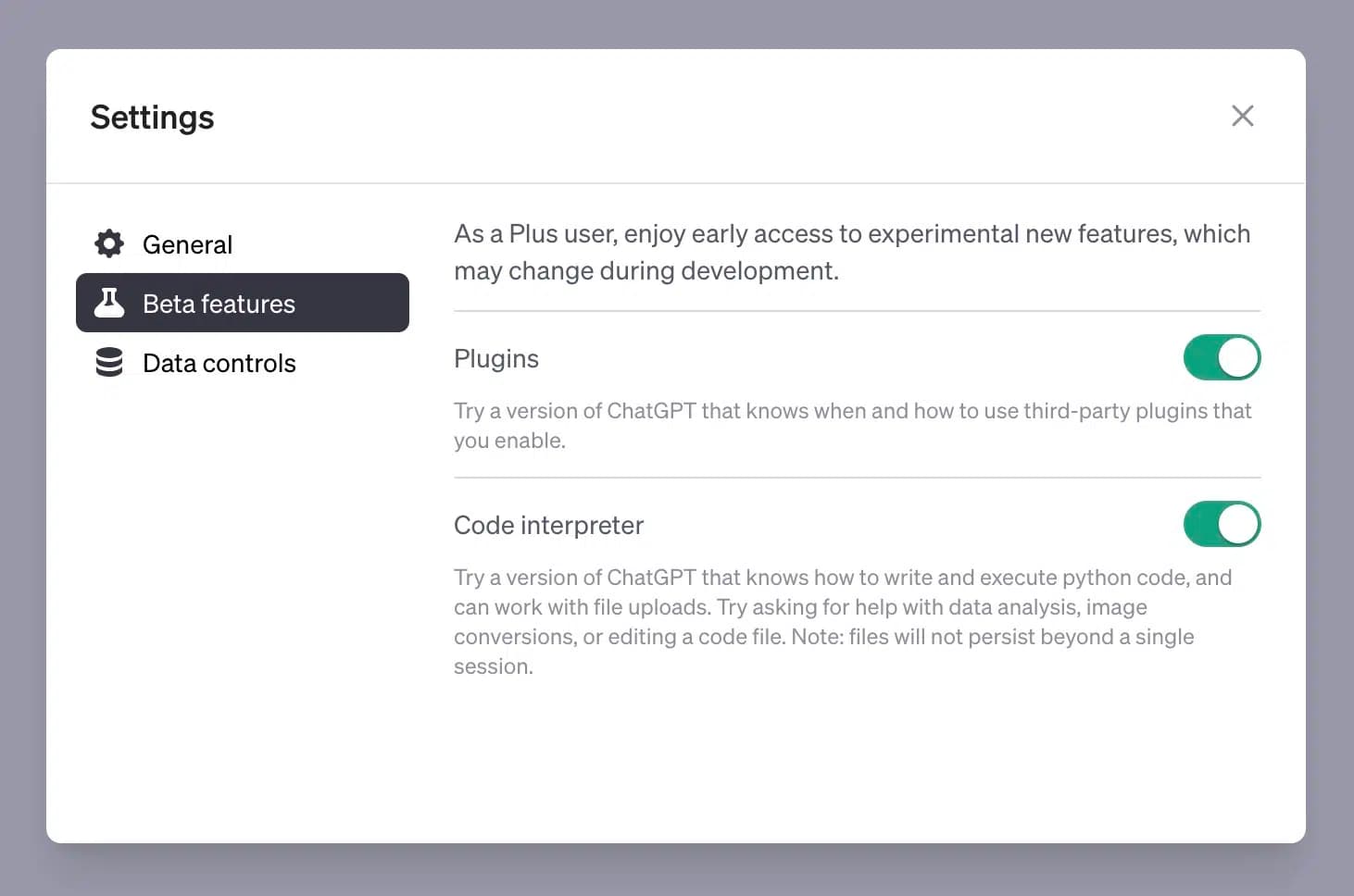
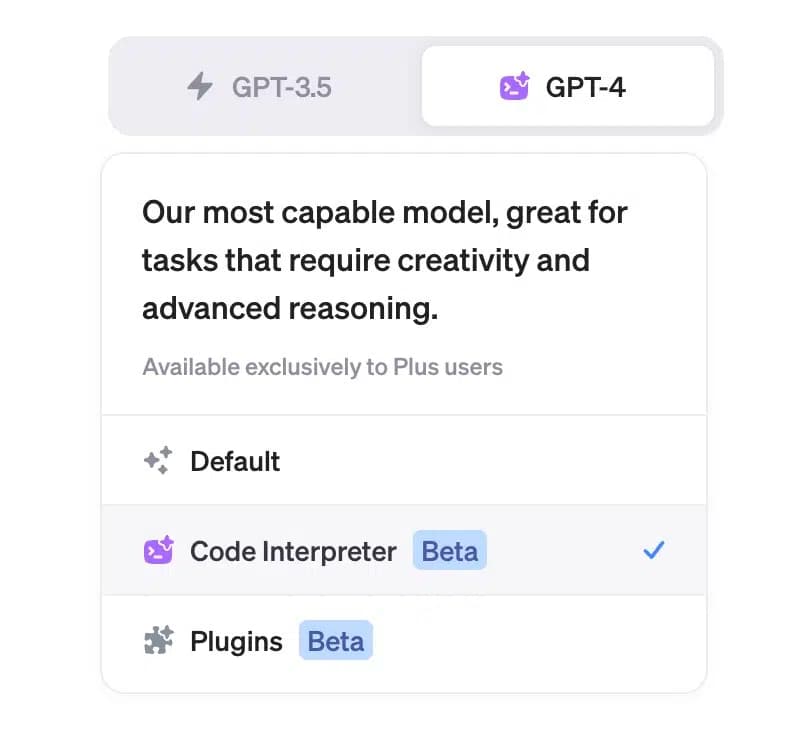
Today you don't need to activate anything extra. Code execution is automatically available when you upload a file or ask ChatGPT to run code. Here's what the model selection looked like back then:
To use the Code Interpreter, you can either enter Python code and submit it. The code will then be executed and the results will be displayed in the chat.
Or you can give text instructions like "Calculate the factorial of 5" or "Generate a random number between 1 and 10", and the Code Interpreter will execute the corresponding Python code.
4. What Can I Do with the Code Interpreter?
Here are three examples of things you can do with the Code Interpreter:
4.1 Mathematical Calculations
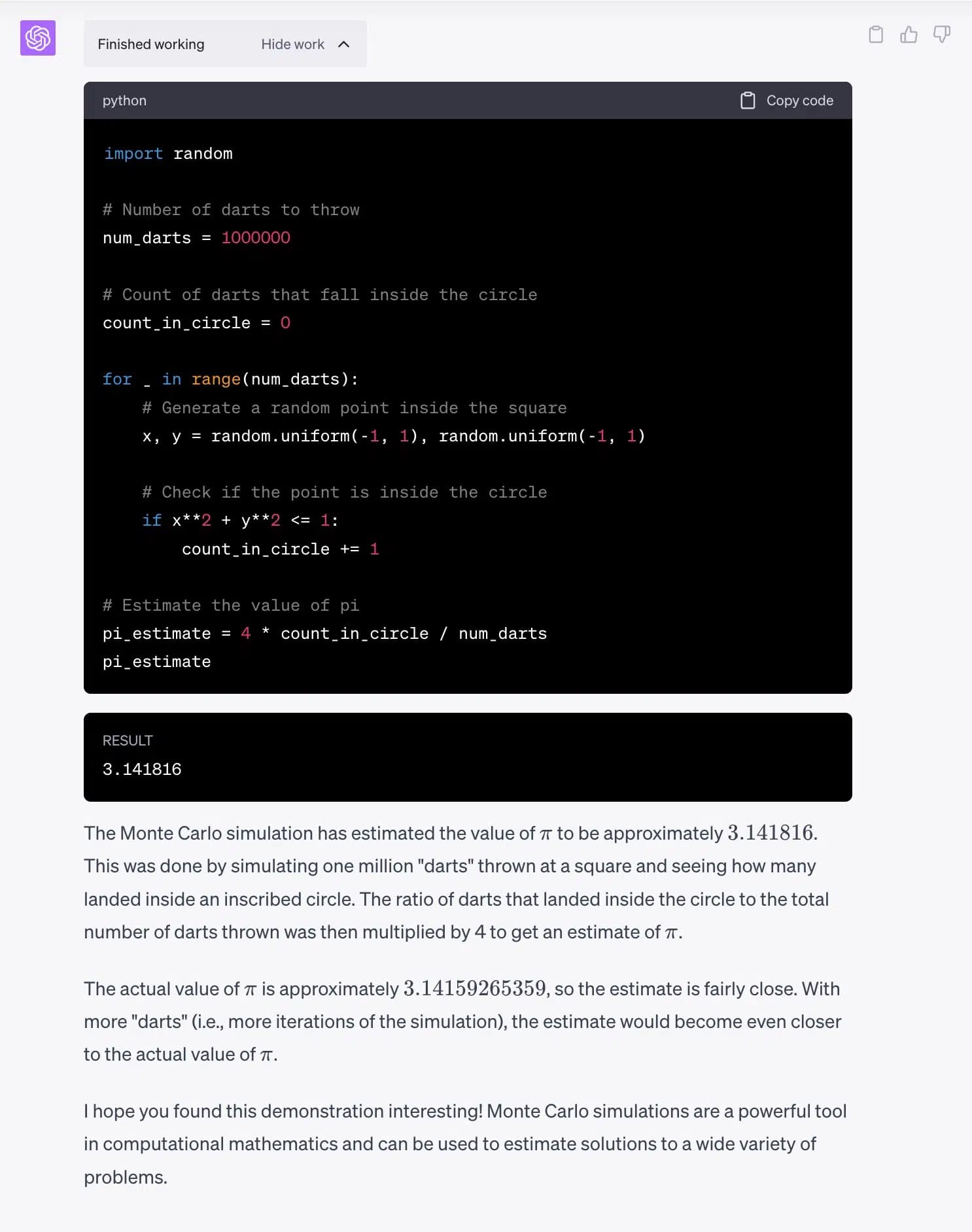
You can use the Code Interpreter to perform complex mathematical calculations or apply mathematical models, such as a Monte Carlo simulation:
4.2 Text Analysis
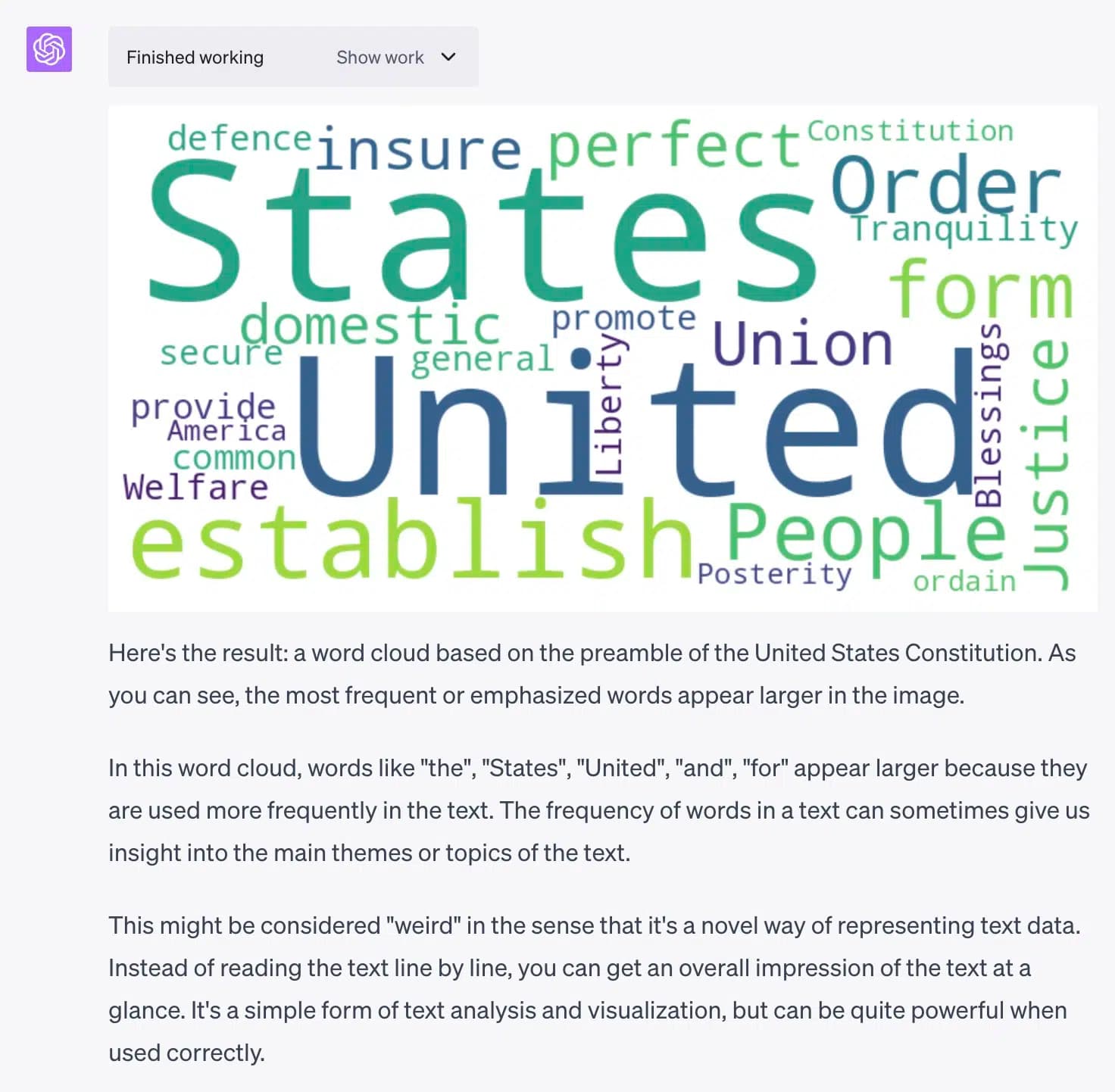
You can also use the Code Interpreter to analyze texts. For example, you can create a word cloud from a text. Here's an example using the US Constitution:
4.3 Edit Images or Videos
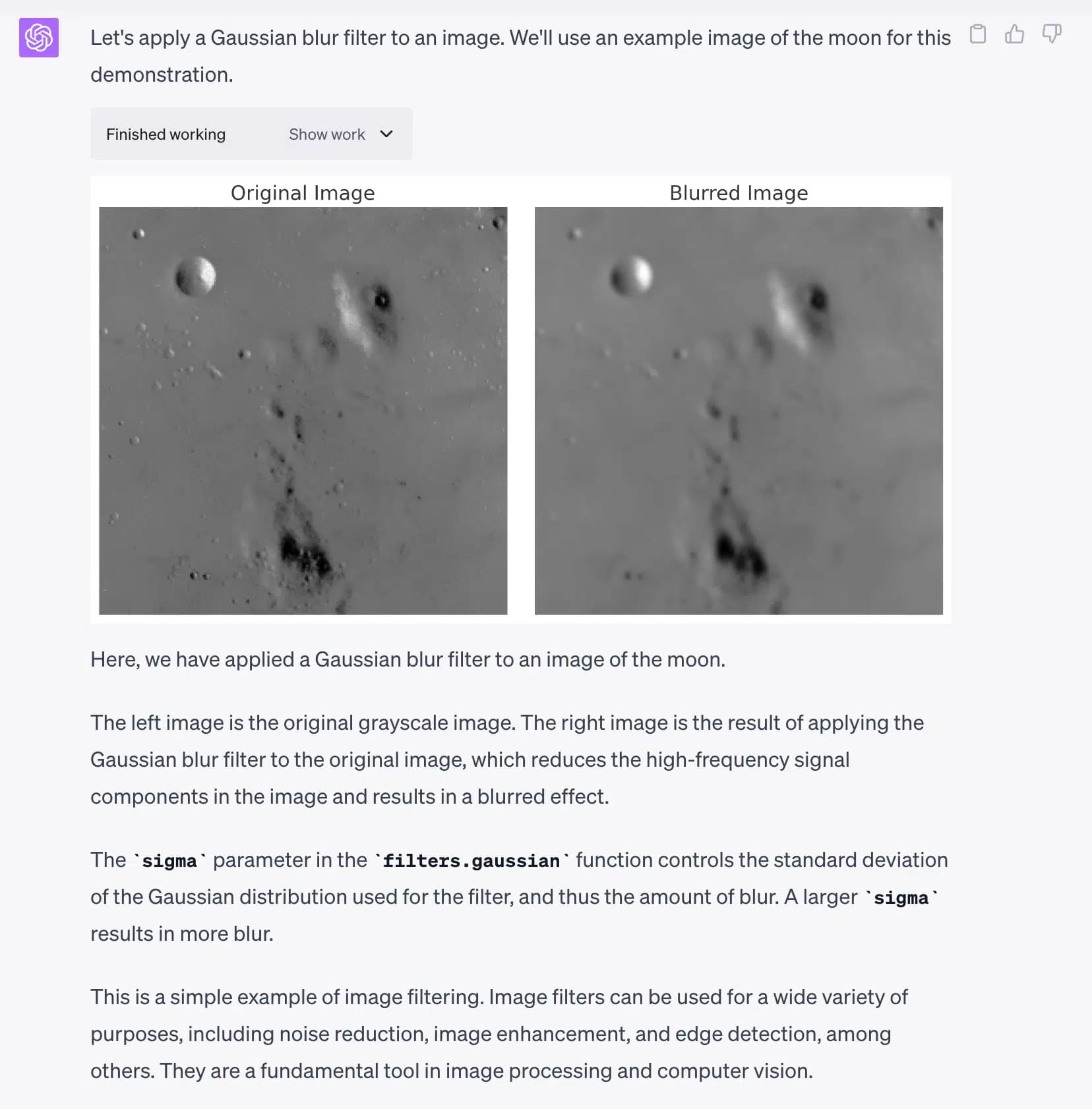
With the Code Interpreter, you can also edit images or videos, for example blur an image:
4.4 Data Analysis
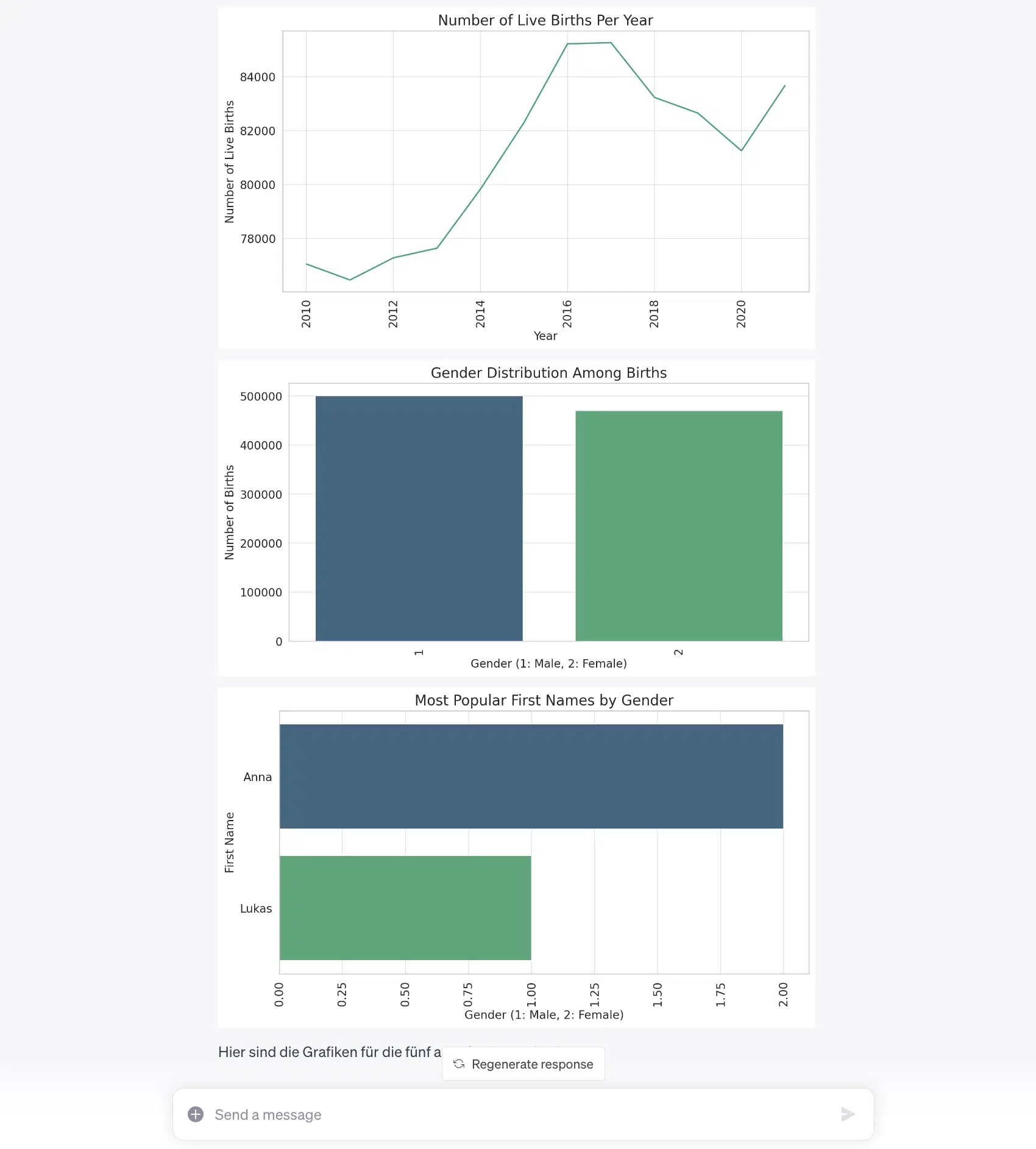
If you have access to a dataset, you can use the Code Interpreter to analyze this data. For example, you could calculate average values, create histograms, or examine correlations between different variables.
Here I had the Code Interpreter analyze the Austrian first name statistics from data.gv.at. It created some useful charts from this:
5. Does the Code Interpreter Have Internet Access?
No, the Code Interpreter cannot access the internet. It runs in an isolated sandbox environment without internet access.