You need a product demo video. A training clip for your team. Or maybe a short explainer for social media. A year ago, that meant hiring a videographer, booking a studio, and spending thousands of dollars.
Today? You type a script, pick an avatar, and have a polished video in minutes.
But here's the thing. Not all AI video generators are created equal. Some create stunning realistic avatars. Others produce janky lip-sync that screams "this is fake." I've tested 11 of them to find out which ones actually deliver on their promises.
- Synthesia leads with 180+ avatars and 140+ languages for realistic talking-head videos from $18 per month
- 8 of 11 tools offer free versions with 10 minutes to unlimited videos for testing
- Modern AI video generators create complete videos from text with avatars, voiceover, and visual content in just minutes
1. What Is an AI Video Generator?
An AI video generator is an advanced computer program or app that allows you to create videos efficiently. The technology uses artificial intelligence that has been trained on billions of images, videos, and text data.
Today there are several ways to use AI in video production:
- Creating a new AI video: The video generator takes over the entire video creation process. Text, images, or even simple sketches can be used as input to generate a complete video.
- Editing or optimizing an existing video: Here, AI helps to sharpen videos, smooth movements, reduce background noise, improve audio quality, or adjust the aspect ratio for different platforms.
Modern AI video generators primarily use text-to-video technologies. This means you simply enter text and the tool creates a video from it, including visual content, matching voiceover, and even animated avatars.
1.1 How Good Are Today's AI Video Generators?
Let's look at a brief scenario of how these tools can be used in practice today:
You want to create a video on the topic "best hiking socks made of merino wool". The process could look like this:
- Ideation: You use an AI text generator like ChatGPT to generate creative video ideas. Example:
Create a list of video ideas on the topic "best hiking socks made of merino wool" for [YouTube/TikTok/Instagram] - Script Creation: In the next step, you also have ChatGPT (or an AI text generator of your choice) write a complete script for the selected video idea, including introduction, main part, and call-to-action.
- Video Production: Using a tool like HeyGen or Synthesia, you convert the script into a professional video. You can choose from different avatars and languages.
- Finishing Touches: With tools like Pictory.ai or Designs.ai, you add matching visual content (B-rolls) or background music.
- Thumbnail Creation: For an appealing video cover, you can use AI image generators like Midjourney or Canva.

In 2026, these tools are much better integrated and easier to use than before. Some all-in-one platforms are already able to cover the entire process from idea to finished video.
1.2 What Are the Tools Suitable For?
AI video generators are versatile and particularly suited for the following areas:
- Marketing: Creating promotional videos, product presentations, explainer videos, and social media campaigns.
- Education & Coaching: Producing educational videos, tutorials, and interactive training content.
- News & Media: Creating news clips, short videos, and social media content in real-time.
- Film Industry: Use for CGI, special effects, or automated production of short films and series.
- Game Development: Creating animated cutscenes, character dialogues, and trailers.
Thanks to continuous development, the tools are now also suitable for longer and more complex videos, such as documentaries or detailed product demos.
2. AI Video Generators Compared
Rank | AI Video Generator | Best Suited For... | Price | Free Plan? | Languages |
|---|---|---|---|---|---|
| 1 | Synthesia* | AI Avatars (Talking Heads) | from $18 | ✓ | 140+ |
| 2 | HeyGen | AI Avatars | from $24 | ✓ | 175+ |
| 3 | InVideo | Video Editing | from $35 | ✓ | 28 |
| 4 | Lumen5 | Text-to-Video | from $19 | ✓ | 40+ |
| 5 | VEED.IO | Video Editing | from $14 | ✓ | 40+ |
| 6 | Designs.ai | Text-to-Video | from $19 | ✓ | 20+ |
| 7 | Synthesys | Text-to-Speech | from $20 | ✓ | 140 |
| 8 | elai.io | Text-to-Video | from $23 | ✗ | 65 |
| 9 | Pictory.ai | Text-to-Video | from $19 | ✗ | 20 |
| 10 | Wisecut | Video Editing | from $10 | ✓ | 13 |
| 11 | RunwayML | Image-to-Video (Motion Brush) | from $12 | ✓ | - |
3. The Video Generators in Detail
Below you'll find detailed information about all AI video tools:
3.1 Synthesia
Price: from $18/month
Templates: 60+
Video Quality: very good
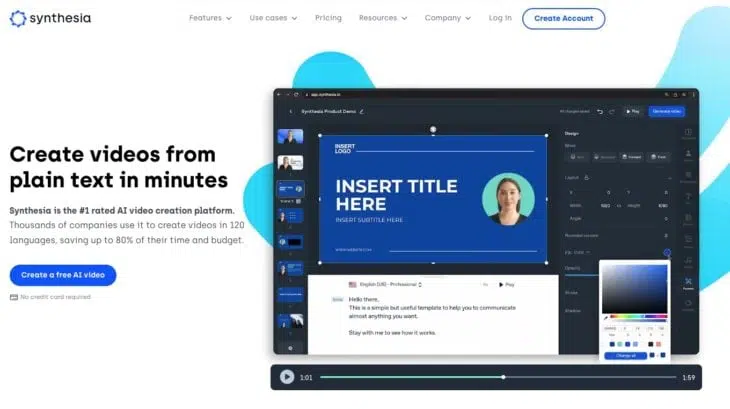
Synthesia* is currently the best AI video generator on the market. You can quickly and easily create videos using AI avatars that mostly look and sound natural.
In total, you can choose from 180+ avatars. Here's a small selection:

Alternatively, you can also create your own avatar that looks like you and speaks with your voice.
Creating videos is incredibly simple:
You have access to 60+ high-quality templates to create your videos. The templates are very good for video tutorials or marketing videos.
The video editor is easy to use and allows you to record screen videos and edit them directly in the app, upload brand assets, or add design elements to your videos. It's also possible to integrate images from Shutterstock and Unsplash directly into your videos.
Pricing
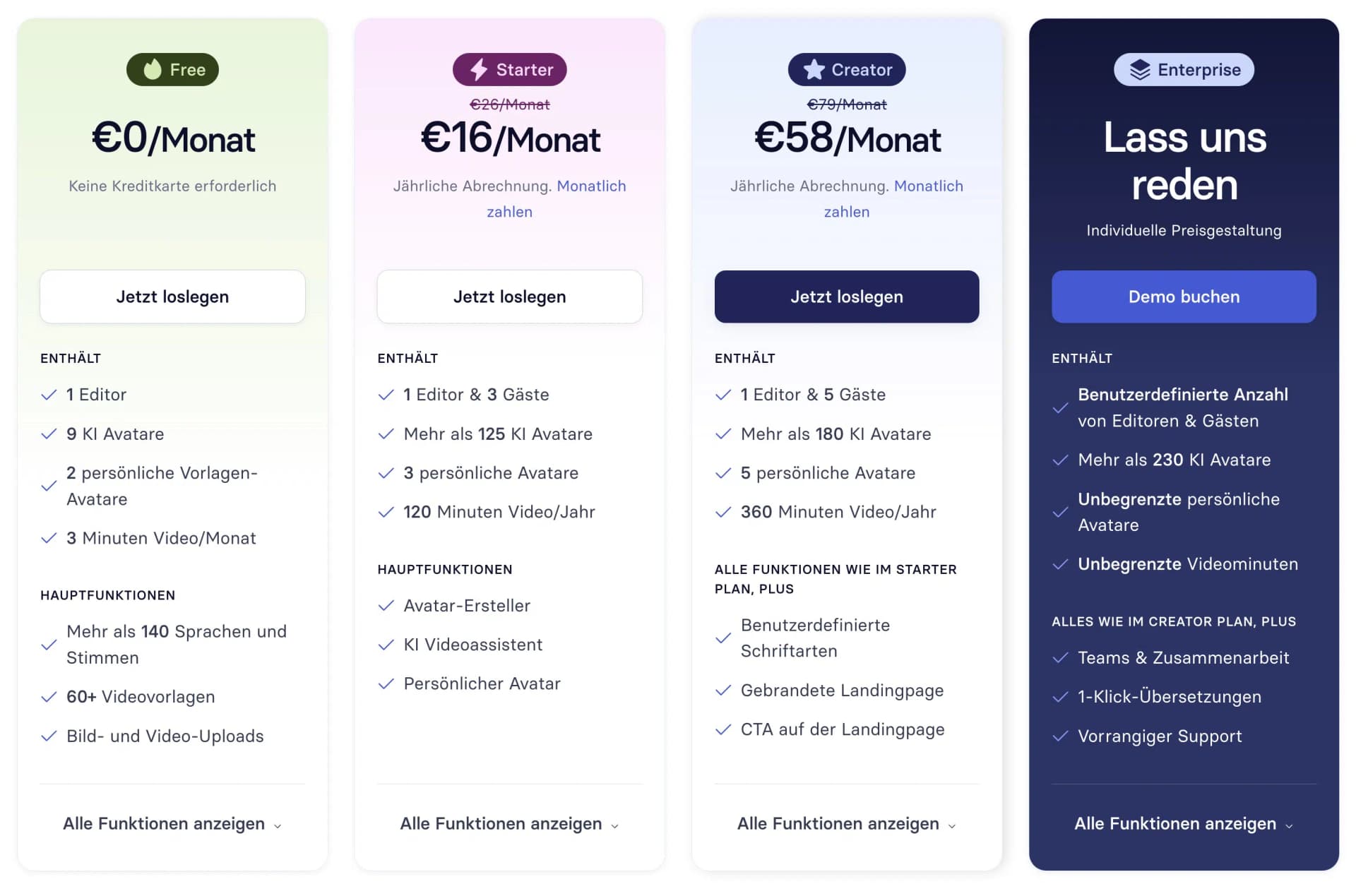
Synthesia has reduced prices by up to 38% in 2025! Previously, there was only one plan with the Personal tier at $29 per month, but now there's also a Free version. This includes one user access, 36 minutes of video per year, and 9 AI avatars.
Alternatively, as a larger company, you have the option of getting a customized offer, which is probably significantly more expensive:
- Large selection of 180+ AI avatars
- High-quality video templates
- Easy-to-use video editor
- Media library with access to images from Shutterstock and Unsplash
- Built-in screen recorder
- 140+ languages and voices
- Background music
- Videos are duplicatable
- Numerous integrations, e.g., PowerPoint, YouTube, Vimeo, or Mindstamp
- Subtitles easily added
3.2 HeyGen
Price: free plan, then from $24/month
Templates: 400+
Video Quality: good
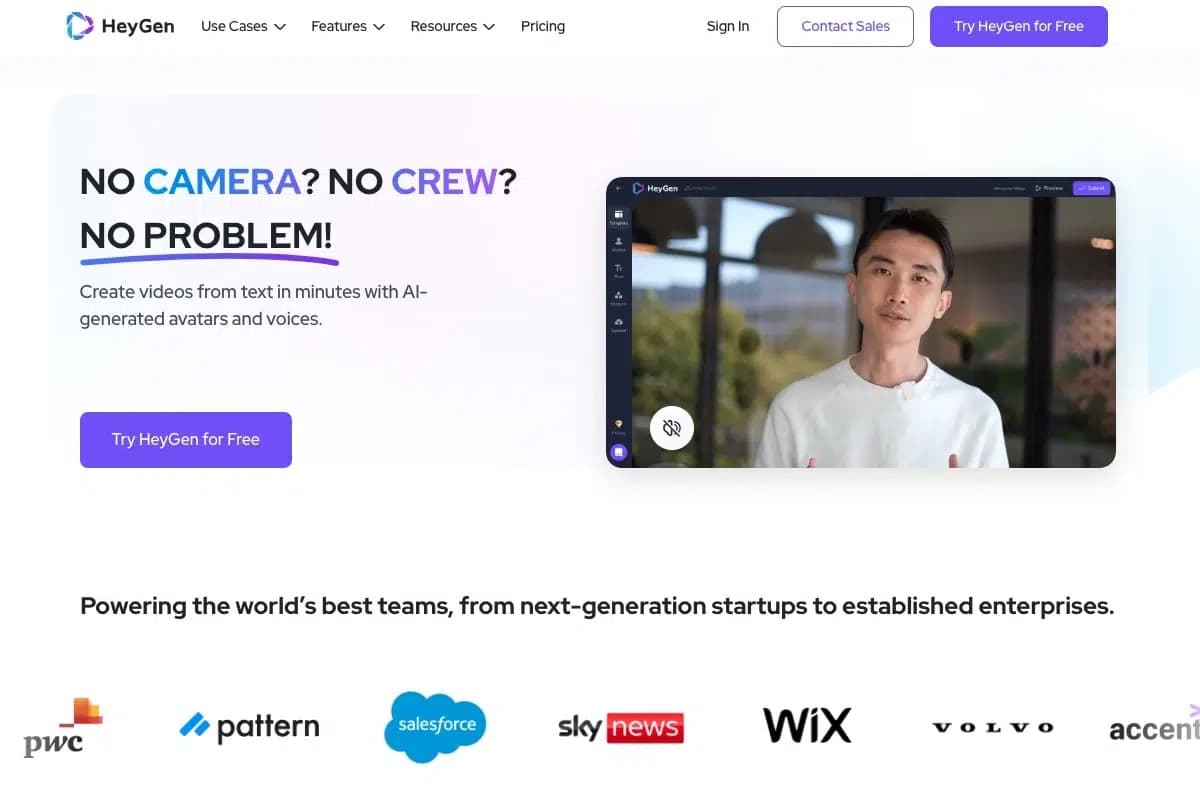
With HeyGen, you can choose from over 100 avatars and 700 voices to create or translate your own videos.
Creating videos with HeyGen is really simple.
You can simply choose an avatar from the available selection, enter text in the desired language, and the avatar will speak automatically. The video length, resolution, and quality can be individually adjusted. Then you can download the videos or share them directly on various channels.
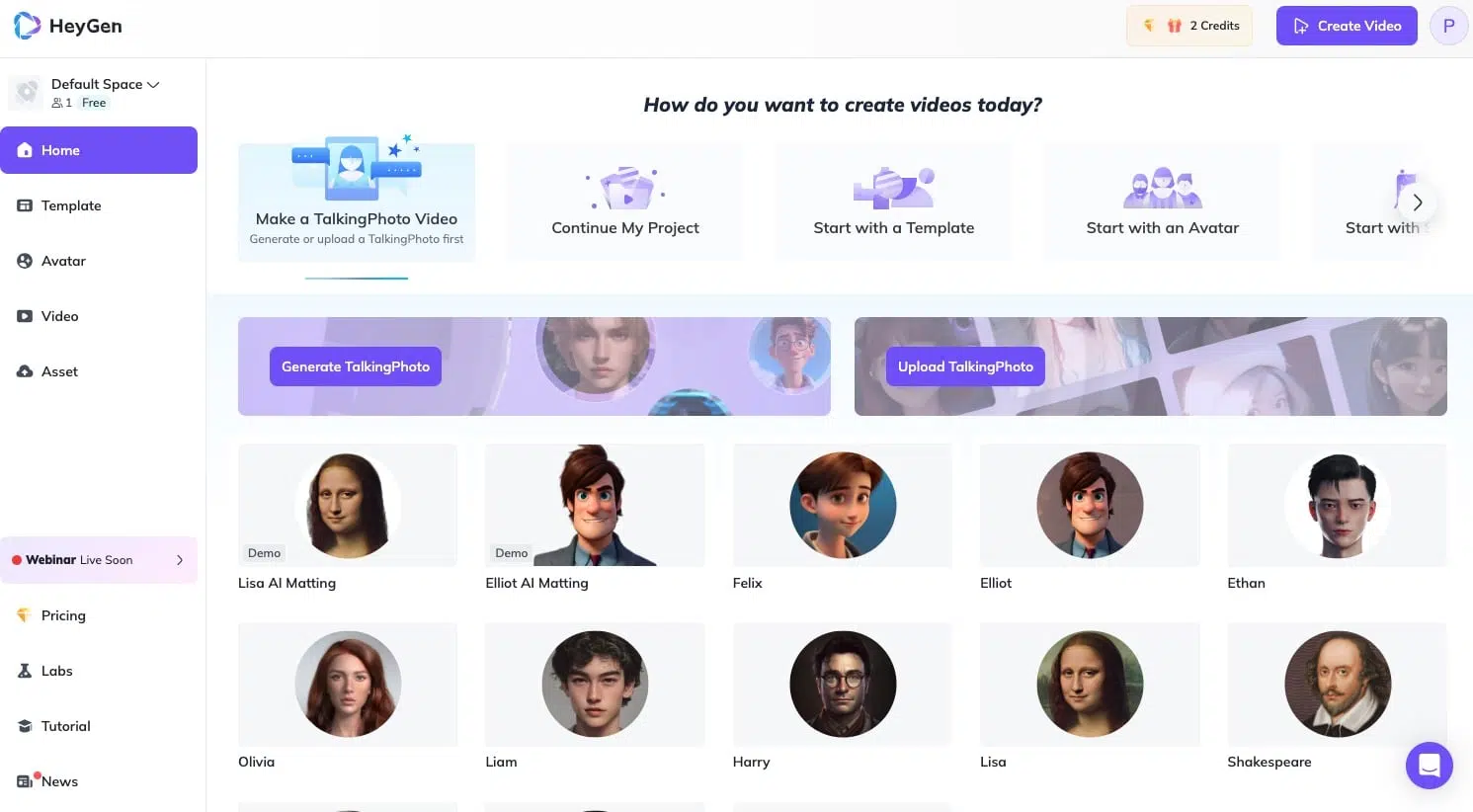
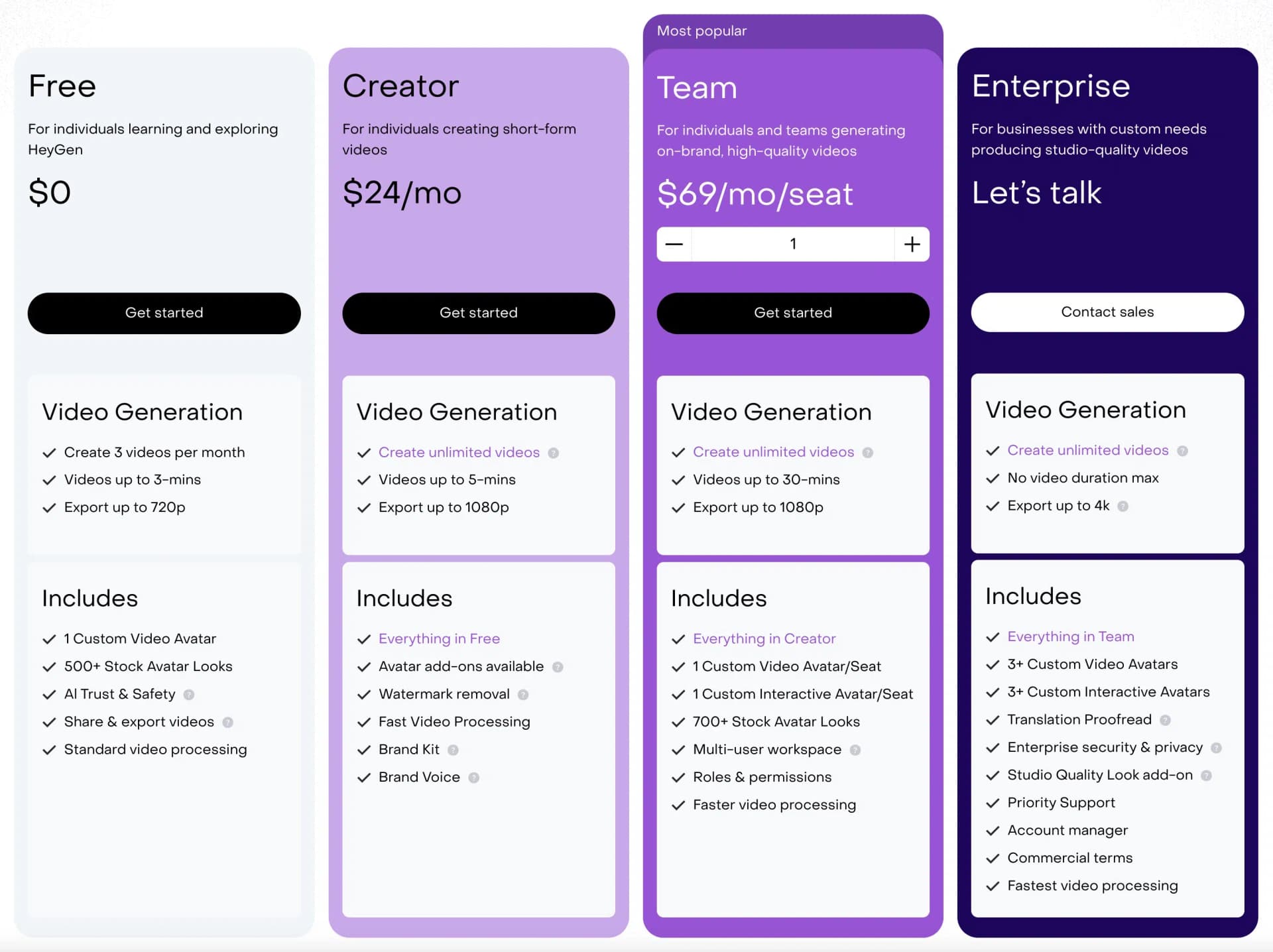
HeyGen offers four pricing plans and since 2025, the Free tier has become a real free plan. Previously, it was just a one-minute demo version.
- Easy operation and user-friendly interface
- Unlimited video creation in paid plans
- High-quality generated videos and realistic avatars
- Affordable prices and good value for money
3.3 InVideo
Price: free plan, then from $35/month
Templates: 6,000+
Video Quality: very good
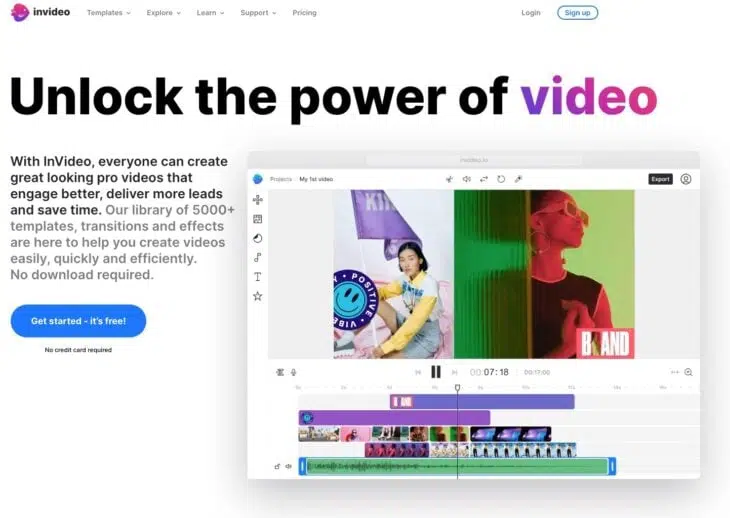
InVideo is a powerful video editing software that can also convert text into videos. It gives you access to over 6,000 templates, iStock media, a music library, filters, and more.
InVideo also provides access to over 8 million stock media and an AI that can help you convert text into videos or generate scripts.
With InVideo, you can create a wide range of videos, such as video ads, promos, YouTube videos, intros, and much more. InVideo offers many features for video editing, such as:
- Cutting, rotating, mirroring, or changing the speed of clips
- Adding transitions, masks, overlays, and other effects
- Applying color corrections or preset color filters
- Adding music or voice recordings from the integrated library or your own files
- Removing the background from product images with one click
- Creating multiple brand kits and applying them to any video with one click
- Adding your team and collaborating on your video
Usability
InVideo is easy to use and requires no prior knowledge in video editing.
You can create and edit your video directly in your browser (Chrome) without downloading software or needing expensive equipment. InVideo also offers a mobile app called Filmr that lets you edit videos on the go.
InVideo also has 24/7 live customer support, YouTube and Instagram tutorials, Udemy courses, and a Facebook community to help you with your projects.
Pricing
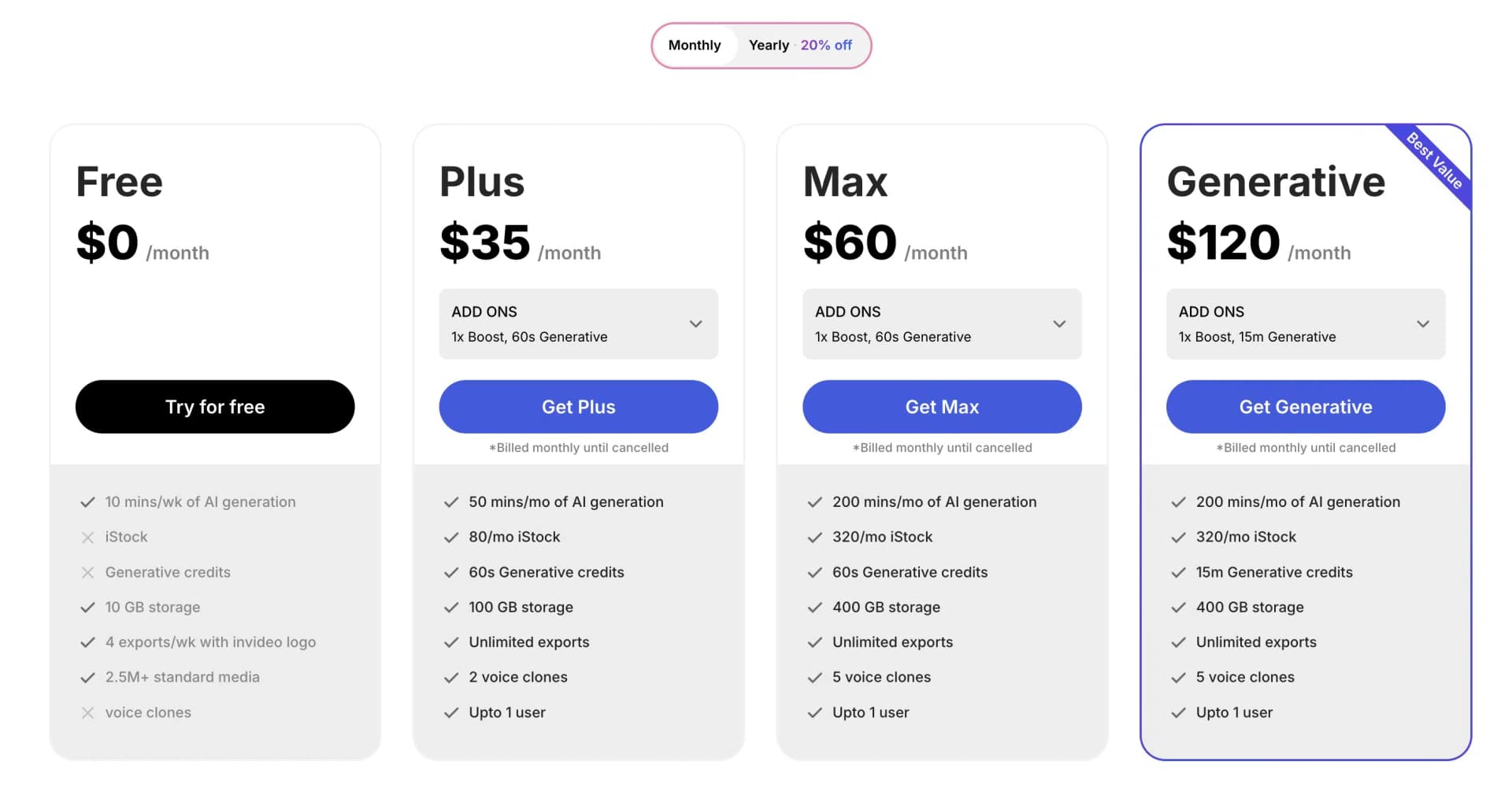
InVideo currently offers four different plans, one of which is free (but adds watermarks to videos). Annual payment reduces the price by 20%, so you get the Plus plan at $35 per month.
For comparison: In 2024, the price was still $15. Unlike Synthesia, InVideo has taken the opposite approach and raised prices.
- Create videos in 28 languages
- Offers a free plan that lets you create videos up to 10 minutes per week
- Easy-to-use video editor
- 6,000+ templates
- Unlimited HD video exports
- Full iStock media library available in all plans
3.4 Lumen5
Price: free plan, then from $19/month
Templates: 300+
Video Quality: good
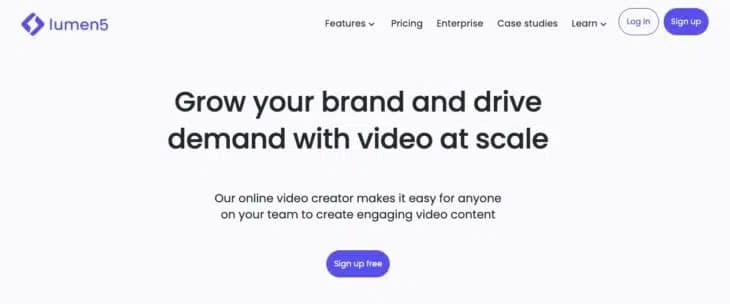
Lumen5 is an excellent online tool for creating AI videos.
The best part is that it's easy to use and you don't need any special knowledge in video editing:
You can create videos from scratch or with the help of AI in just minutes.
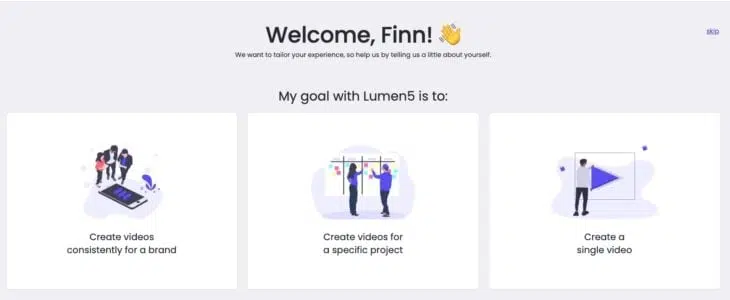
Here's how it works:
- Enter a script or text
- Lumen5 automatically finds the perfect tone and image based on the script
- Upload your logo, music, your own text, etc.
- Download and share the video
You can also select a blog post that you want to turn into a great video. You can either convert your entire article into a video or have Lumen5 summarize it for you.
Pricing
Lumen5 ranges from free to customized.
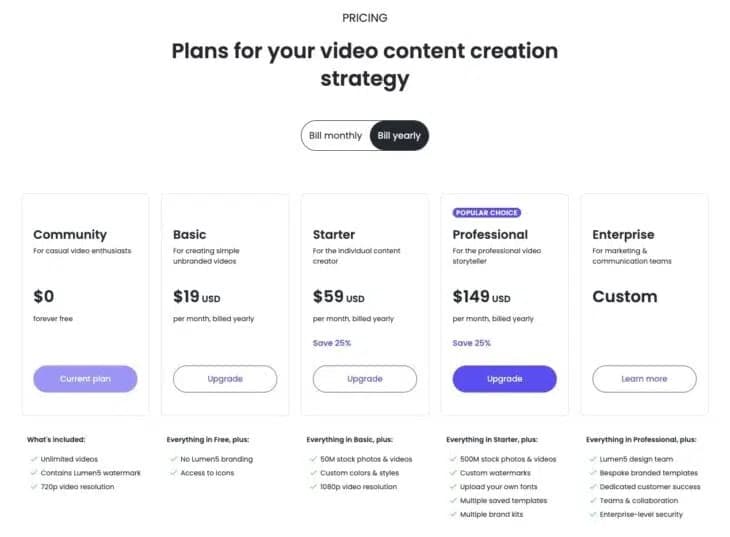
1. Community: Free and perfect for occasional video producers.
2. Basic: Aimed at individual content creators. Costs $19 per month (billed annually).
3. Starter: Built for professional video creators at $59 per month (billed annually).
4. Professional: Designed for large brands and agencies. Starts from $149 per month.
What Is Lumen5 Best Suited For?
Lumen5 highlights two features on their website:
- Turn Blogs to Videos and
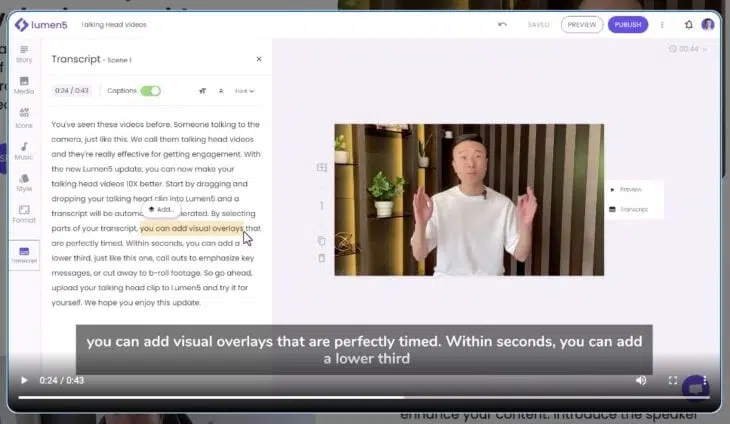
- Talking Head Videos.
So Lumen5 uses AI to create a complete video of your blog articles or can summarize them if desired. Alternatively, you can create so-called "talking head videos," i.e., videos in which you (or someone else) speak to the camera, edit them directly in the transcript, and enhance them.
- Simple text-to-video function
- Huge library with millions of free media files
- Many customizable video templates
- Ability to add your own logo and branding to videos
- You can share videos on social media or embed them in your website
- Good free plan
3.5 VEED AI Video Generator
Price: free plan, then from $14/month
Templates: 400+
Video Quality: good
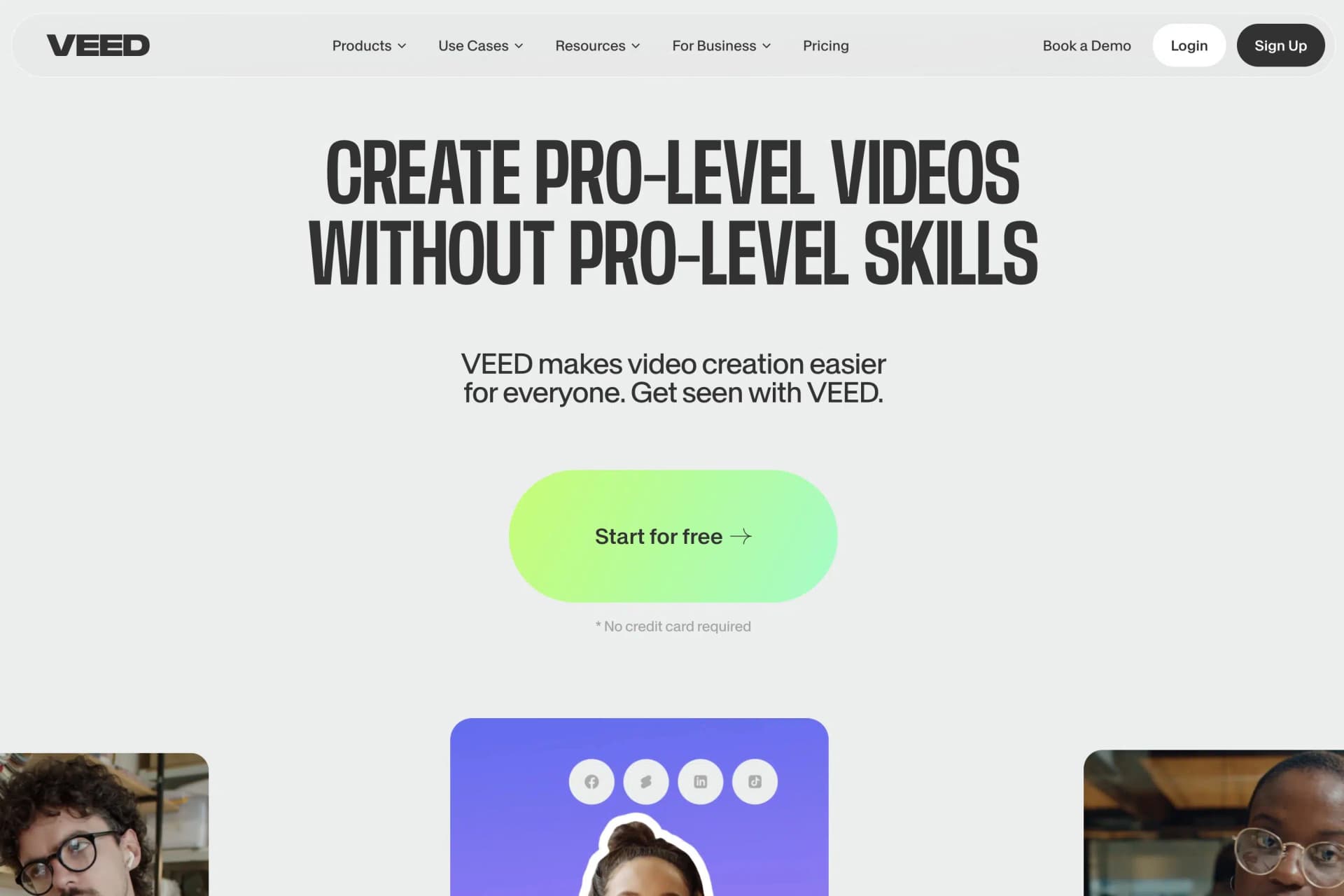
The VEED AI Video Generator by VEED is a powerful AI online video generator that helps you create professional videos in minutes with a simple user interface. VEED can be used excellently as a video editor for cutting, cropping, adding subtitles, and much more.
Here's how it works:
- Upload your video or choose one of the existing videos
- Edit the video by adding text, images, etc.
- Export and download the video
Video Quality
The video quality corresponds to what you make of it. VEED provides you with all possible tools needed to edit and improve videos.
Basically, the AI approach falls a bit short here, as it is limited exclusively to automatically generating subtitles and "improving" some editor functions, such as removing backgrounds and noise.
Pricing
VEED offers the following pricing packages:
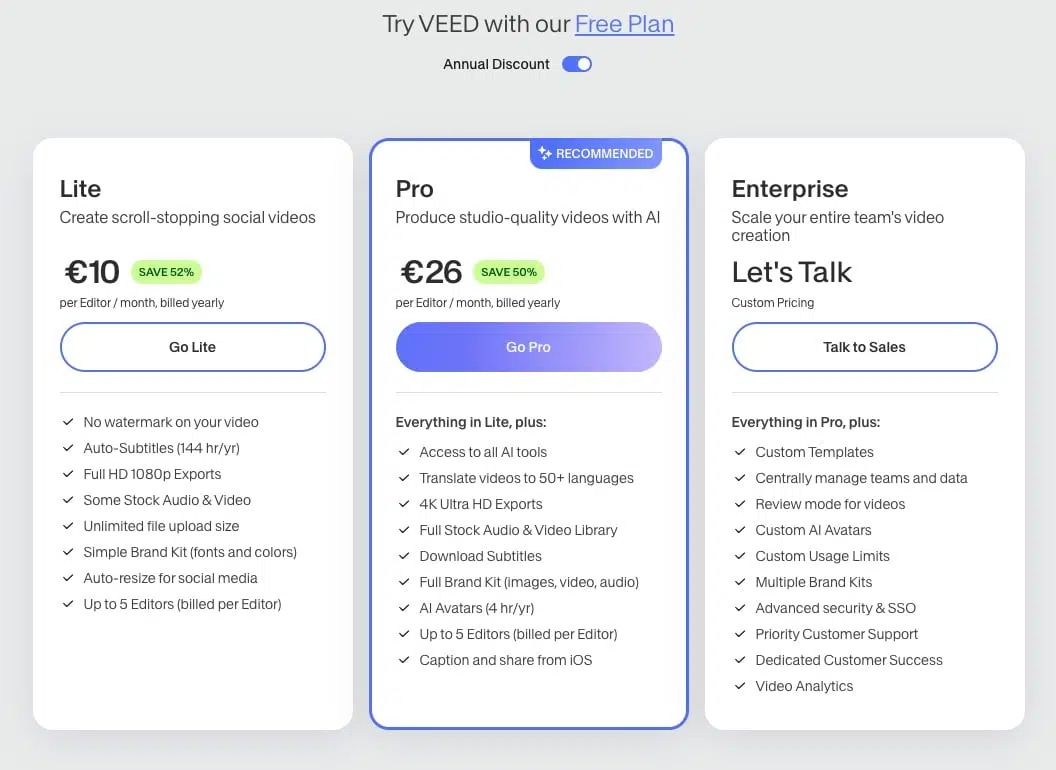
1. Free plan: If you only plan short projects with videos less than 10 minutes, you can opt for the free plan. However, it includes a watermark that is permanently visible.
2. Lite: For everyone who needs simple online video editing features. Costs $11 per month.
3. Pro: Best for anyone who needs video translations, plenty of storage, and special brand tools. Costs $28 per month.
What Is VEED Best Suited For?
According to VEED, the VEED AI Video Generator is best suited for marketing, social media, e-learning, and online business, particularly for:
- Intros & Outros
- Promotional videos
- Mockups
- YouTube, Instagram & TikTok
- GIFs
Generally for all content creators who want to improve their video editing skills, build an audience, and increase their interactions/engagement.
- Offers a free plan where you can download a video up to 10 minutes long
- All plans include video editing features and automatic subtitles
- You can create unlimited projects and render unlimited
- Access to a variety of video templates
- Well suited for social networks like Facebook, YouTube, Instagram, etc.
3.6 Designs.ai
Price: free plan, then from $19/month
Templates: 100+
Video Quality: good
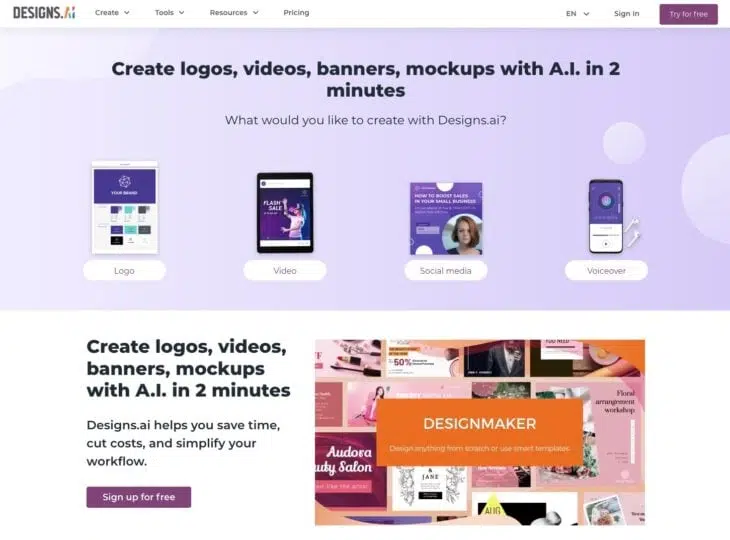
Designs.ai is an appealing AI-powered content creation platform that helps you turn your blog posts and articles into beautiful videos. You can also quickly create logos, videos, and banners using AI.
Here's how it works:
- First: Paste your text or script
- Select an industry
- Choose a video type and voice you like
That's it. The AI creates a video preview within seconds. Then you can edit your video, add text and music, and create an appealing video.
Pricing
Designs.AI offers two different plans.
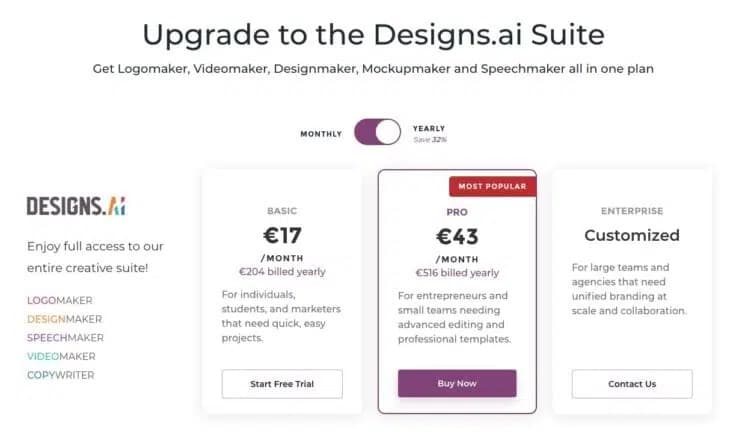
1. Basic: Perfect for individuals who want to create videos quickly. Costs $19 per month.
2. Pro: Suitable for entrepreneurs and small teams who need advanced video editing and professional templates. Costs $47 per month.
Again, there's the option to get a custom package, but I believe that's rather uninteresting for most people.
What Is Designs.ai Best Suited For?
Designs.ai is best suited for creating visual content such as logos, presentations, social media posts, flyers, brochures, and similar. With a pleasantly large selection of templates and an intuitive user interface, even people without design knowledge can create appealing and professional-looking designs.
- Create logos with AI
- Create stunning videos with AI
- Generate banners
- Create mockups with AI
- Export your logo in JPEG, PDF, PNG, and SVG
- Create voiceovers in over 20 languages
3.7 Synthesys
Price: from $31/month
Templates: 200+
Video Quality: good
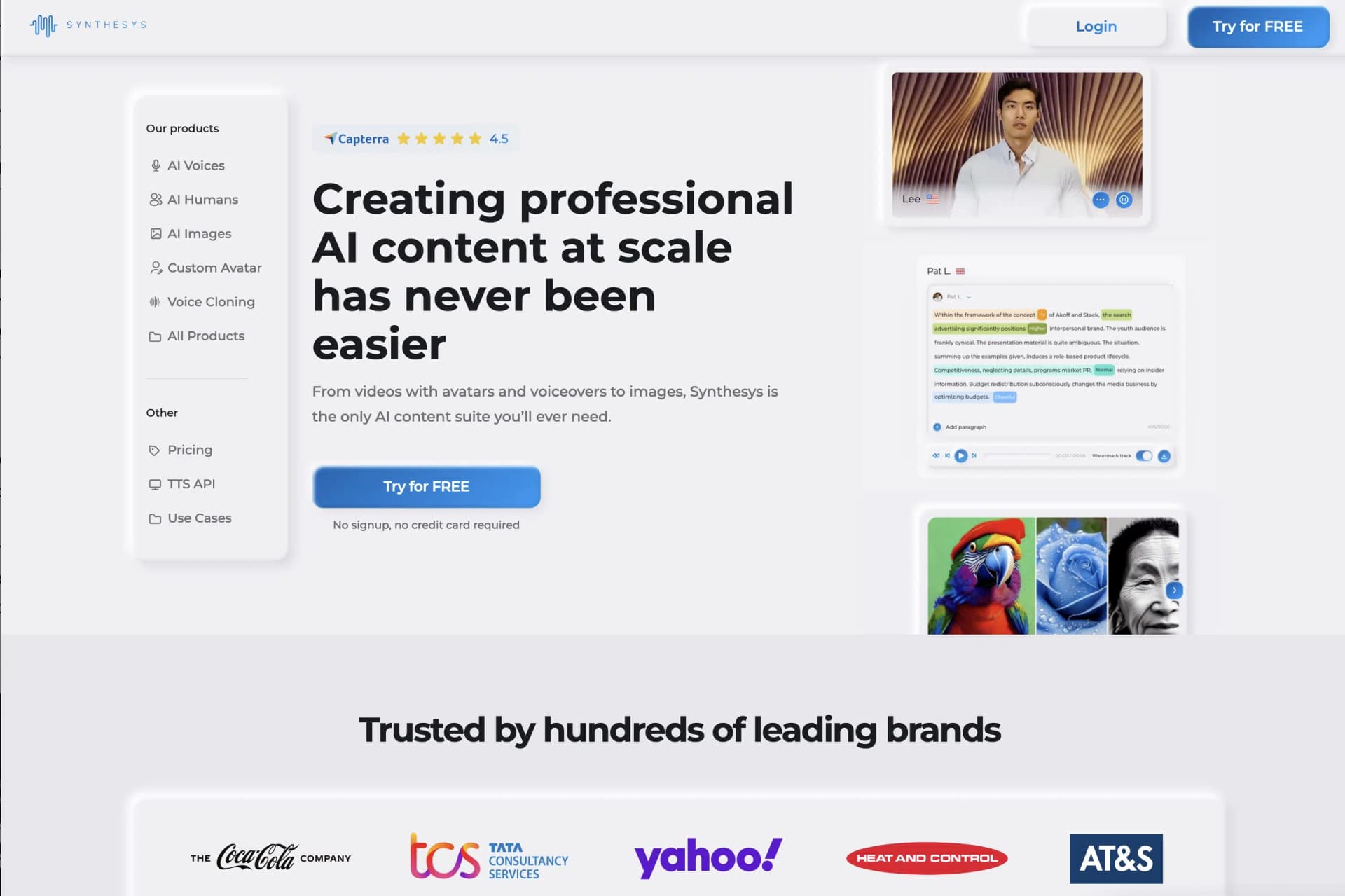
Synthesys is a text-to-speech tool that enables users to create human-like voices that can be used in various applications such as animations, video games, audiobooks, podcasts, and more.
Synthesys uses advanced AI technology to create human-like voices that can include emotions and intonations. It offers a wide range of voices in different languages and dialects, making it particularly attractive for people working on multilingual projects.
Additionally, Synthesys offers a fast and cost-effective way to create voice recordings, which is especially useful when time and resources are limited. With Synthesys, you can customize the voice and language of your project individually, making it a unique and high-quality experience.
Pricing
Synthesys plans have now adjusted to other providers. There's a Free, Personal, Creator Unlimited, and Business Unlimited version:
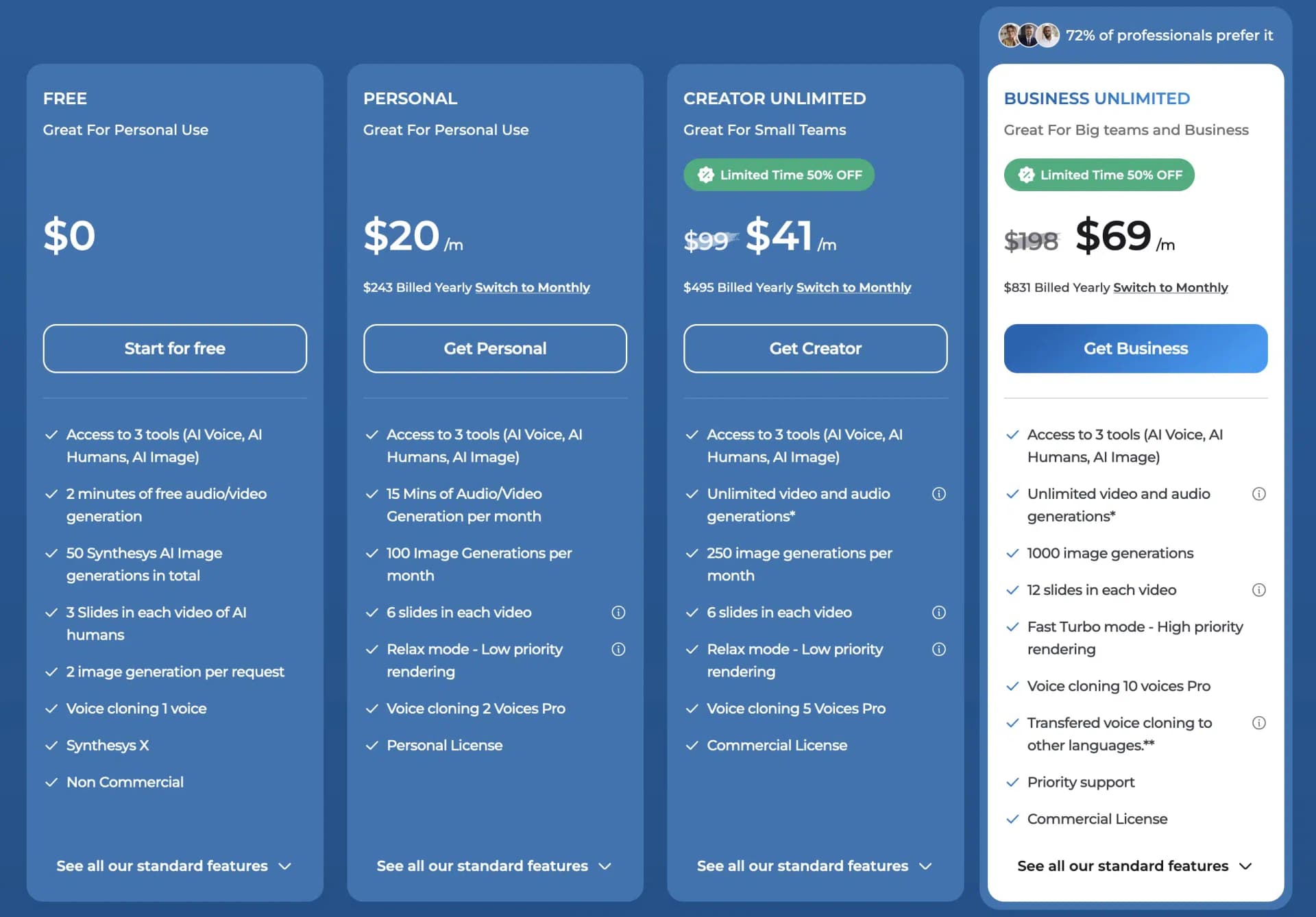
The Personal plan costs from $20 per month and gives you access to Synthesys AI Tools: AI Voice, AI Humans, and AI Image. Additionally, 15 minutes of audio/video material can be generated per month, as well as 100 images.
From the Creator Unlimited plan, there's a Commercial License and creating video and audio material is unlimited.
Who Is Synthesys Best Suited For?
It's particularly well suited for people who need professional and realistic voice output without having to hire a human speaker.
- High quality text-to-speech technology
- Large selection of voices and languages
- Easy to use
- Fast generation of voice files
- Customizable settings
- Ability to add your own voices
3.8 elai.io
Price: one-minute test, then from $23/month
Templates: 25+
Video Quality: good
Elai.io is run by a global team of AI technology experts and is another leading AI video generator that enables users to create a wide range of video content from text. With Elai.io, you can easily create videos at scale.
You can use the platform to create a professional video from the link to an article or blog post with just three clicks. You first copy the URL of a blog post or HTML text and then select one of the templates from the library. Then you just need to review the video, make changes, and render and download it.
There are over 60 languages and more than 25 avatars to choose from. You can not only select a presenter from the library but also request a personal avatar.
Here are some of the key features of Elai.io:
- Create videos at scale
- Create video from blog or article
- Over 60 languages and more than 25 avatars
- Training videos
Pricing
Elai.io has a free plan plus two other premium plans. If that's not enough, you of course have the option to get a custom offer.
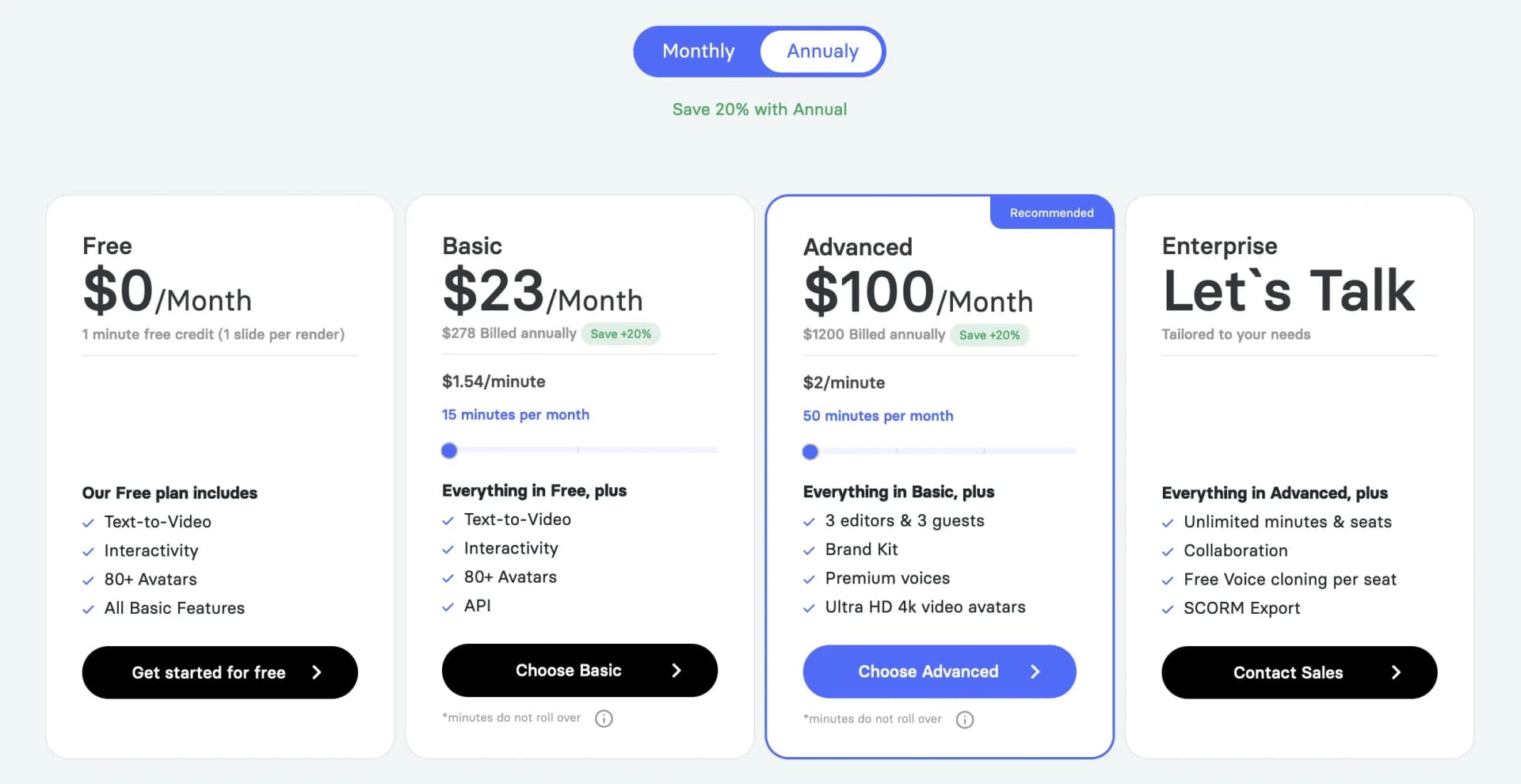
1. Free: elai's no-cost tier to get started.
2. Basic: If you want to export 15-40 minutes of video material per month, the Basic plan is right for you. Starts from $23 per month (with annual billing).
3. Advanced: Ideal for larger teams, offering multiple accesses and significantly more video minutes per month. With annual billing, the plan costs from $100 per month.
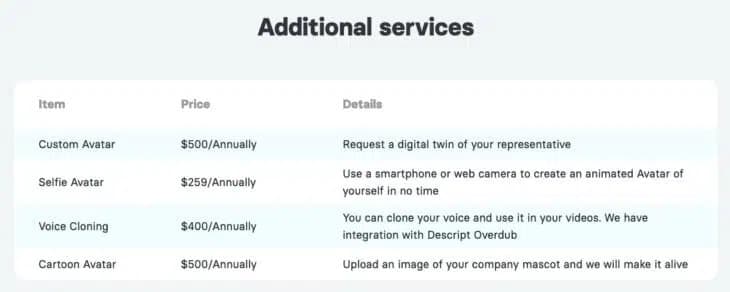
For an annual surcharge, you can add more exciting services, such as your "digital twin" as an avatar:
What Is Elai.io Best Suited For?
elai.io is particularly useful for users who want to create training videos without actors, speakers, or post-production. You can also improve your marketing with compelling product videos supported by AI.
- Elai helps you create presentations with text-to-speech and AI avatars in an amazing UX-UI way
- You can have your own avatar and clone your voice, as well as access multiple languages for male and female avatars
- They also use GPT3 to create presentations from scratch with just a few keywords
3.9 Pictory.ai
Price: Three free videos, then from $19/month
Templates: 50+
Video Quality: good
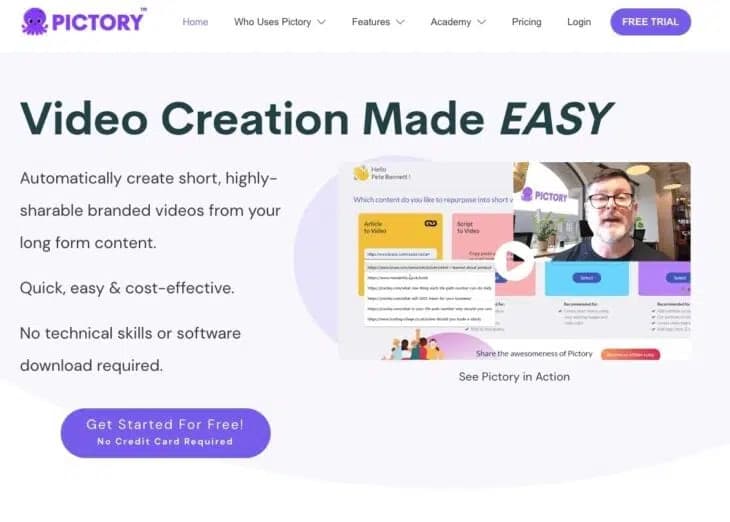
Pictory.ai is an AI video generator that lets you easily create and edit high-quality videos. One of the best aspects of the tool is that you don't need any experience in video editing or design.
You first provide a script or article that serves as the basis for your video content. Pictory can, for example, turn your blog post into an engaging video that you can use on social media or your website. This is a great feature for private bloggers and businesses looking to increase their engagement and quality. Since it's cloud-based, it works on any computer.
Pictory.ai also allows you to easily edit videos with text, which is perfect for editing webinars, podcasts, Zoom recordings, and more. It's easy to use and delivers professional results in minutes that help you grow your audience and build your brand.
Another great feature of Pictory is creating shareable video highlight reels, which prove useful when you want to create trailers or share short clips on social media. In addition to these great features, you can also automatically add subtitles to your videos and automatically summarize long videos.
Here are some of the key features of Pictory:
- Videos based on articles or scripts
- Edit videos with text
- Create shareable video highlight reels
- Automatically subtitle and summarize videos
Pricing
Pictory.ai offers two plans, Standard and Premium. If that's not enough, you of course have the option to get a custom quote for the Enterprise plan.
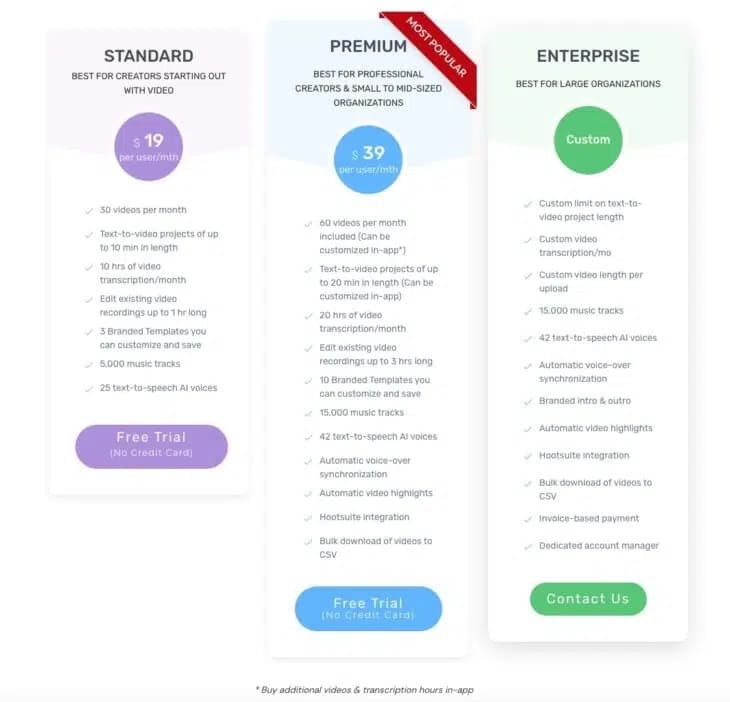
1. Standard: In the Standard plan, which costs $19 per month with annual billing, you get 30 videos and 10 hours of video transcription per month, 5,000 music tracks, and 25 text-to-speech AI voices.
2. Premium: The Premium plan costs $39 per month (with annual payment). It offers 60 videos per month that can be customized directly in the app. 15,000 music tracks and 42 text-to-speech AI voices. Plus automatic video highlights and voice-over synchronization.
Both packages can be tested for free.
What Is Pictory.ai Best Suited For?
Pictory.ai is best suited for individuals or businesses looking for a quick and easy way to create engaging designs for social media posts, advertising campaigns, infographics, or similar purposes.
- Simple user interface
- Large selection of templates
- Automatic generation of design suggestions
- Integrated image search
- Good export options
3.10 Wisecut
Price: free plan, then from $10/month
Templates: 5
Video Quality: medium
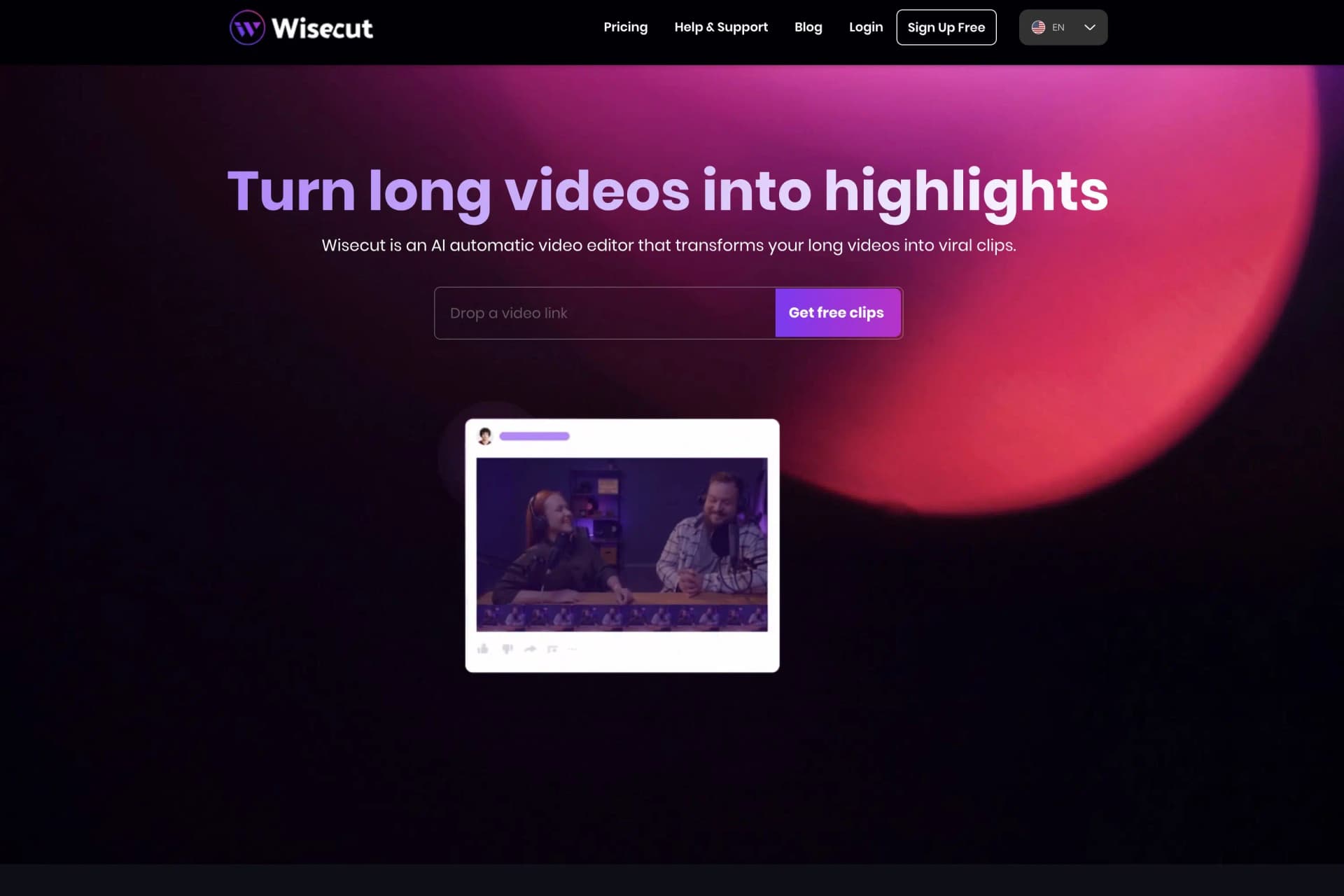
Wisecut is a cloud-based video editing software that allows simple and intuitive video cutting.
With automatic scene detection, users can edit videos quickly and efficiently without much manual editing required.
Wisecut offers a limited number of video editing features but is still affordable and easy to use. The platform has a limited selection of templates for video editing and supports a limited number of languages.
Pricing
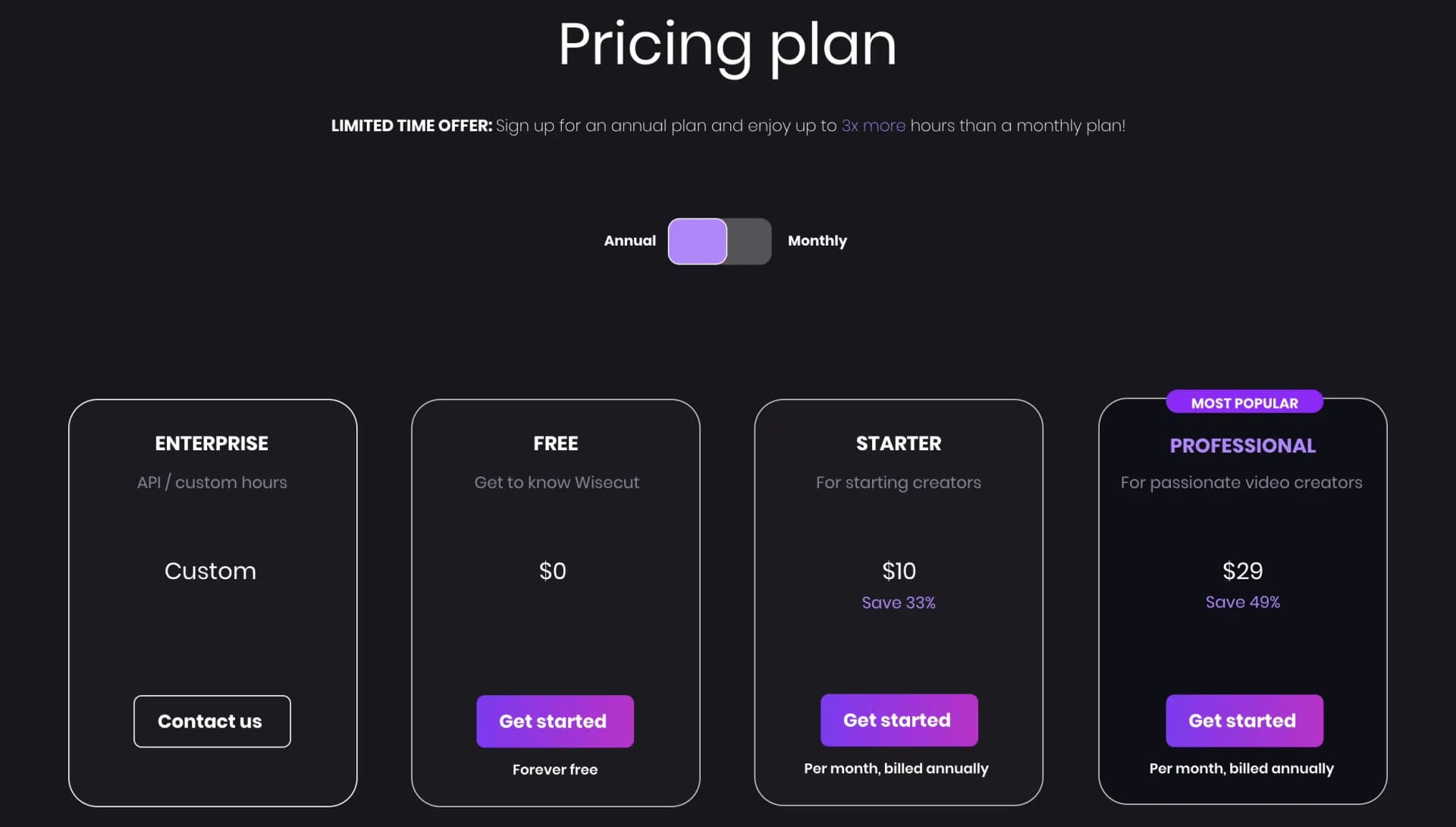
Wisecut impresses with a free plan as well as two premium plans. Here too, we look at the prices with annual payment, and as always, if that's not enough, just get a custom quote.
Who Is Wisecut Best Suited For?
Wisecut is best suited for users looking for a simple, affordable video editing platform to cut videos quickly and efficiently and perform basic editing functions. Wisecut's automatic scene detection also makes it ideal for those who need to quickly cut and edit videos without investing much time and effort in manual editing.
- Affordable price for access to video editing tools
- Automatic scene detection for efficient video cutting
- Ability to add keywords for quick search
- Simple and intuitive user interface
- Ability to output videos in high resolution
3.11 RunwayML
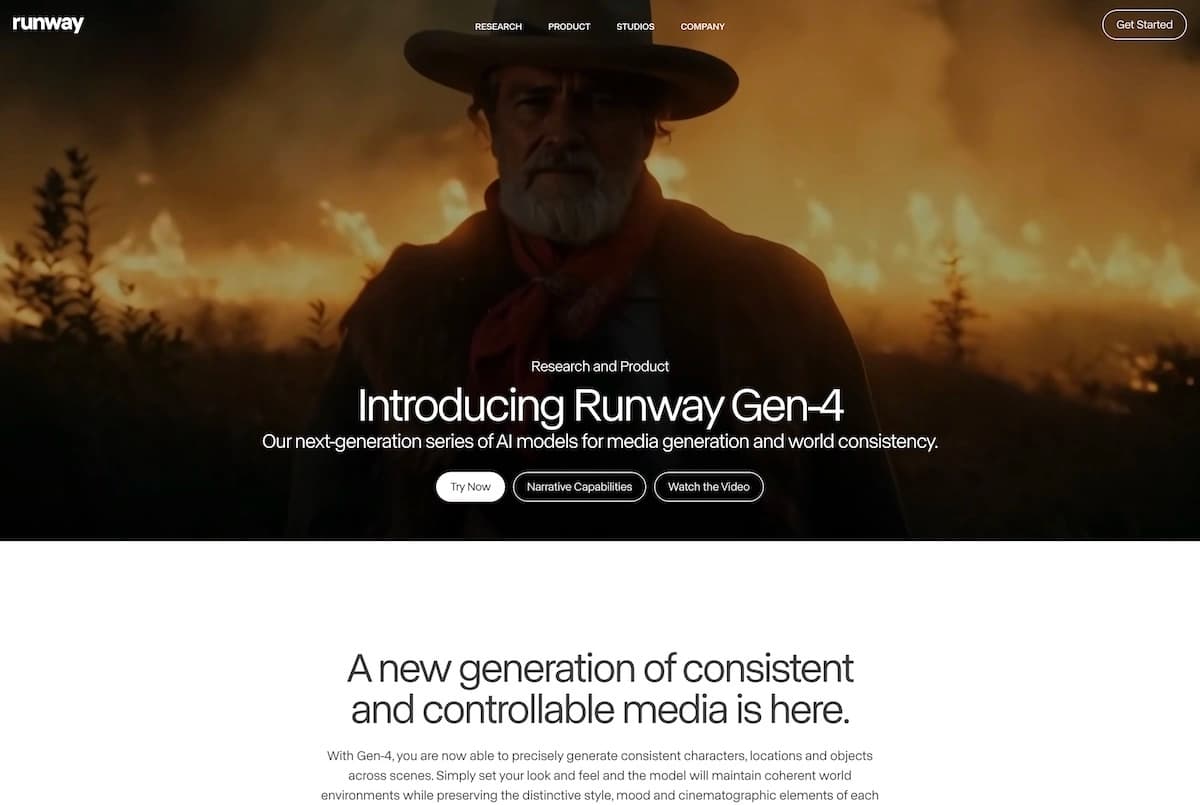
RunwayML is one of the big names in the AI space and has become one of the market leaders in image and video over the past 4 years.
With its Gen-3 and Gen-4 models (successors to the earlier Gen-1 and Gen-2), it has set new standards in AI video generation.
In addition to its research work, Runway offers a platform with 30+ different AI tools, including not only an AI image generator and an AI video generator, but also numerous tools for AI image editing, such as animating 2D images, background removal, inpainting, and outpainting.
Runway's text-to-image generator is easy to use and offers not only basic settings for aspect ratio, resolution, and the number of output AI images, but also advanced settings like prompt weight, medium, or various art styles if desired.
4. What Must a Good Video Generator Offer?
In the previous chapter, I presented eleven (sometimes less well-known) AI video generators with all their strengths and weaknesses.
As an additional decision aid, I'd like to introduce some must-haves that you definitely shouldn't do without in a tool:
4.1 Large Selection of Templates
For an AI video generator to be used flexibly, it must be able to implement different types of videos. Ideally, you only need one tool for social media posts, marketing videos, or educational content.
When choosing your tool, make sure it's equipped with enough templates.
4.2 Monthly Limits
When you decide on a video generator, you should always pay attention to the monthly limits. Some limit the number of videos, others the number of minutes to be processed.
Before purchasing such a tool, you should think about what makes sense to you and for what purpose and to what extent you want to use a generator.
At Gradually AI, we currently don't create long videos, so we would rather pay attention to the minutes to be generated than the number of videos.
4.3 Clear and Fast Backend
If it were up to me, the user interface of an AI video tool can't be clear and tidy enough.
I want to navigate a simple and clear menu structure and find all features immediately. The video creation process should also be kept as simple as possible, and the editor shouldn't be overloaded with buttons and settings.
4.4 Fast Video Editing and Rendering
What annoys me most about AI video tools is when it takes a very long time until a finished video is rendered.
Sometimes the creation itself only takes a fraction of the rendering time.
Of course, this also depends on what input and output you use. Post-processing a 4K video recording simply takes more time than creating a low-resolution text-to-speech video.